Our readers keep the lights on and my smoothie glass nicely filled. As an Amazon Associate, I earn from qualifying purchases.
Finding a reliable, affordable 3D printer that doesn’t require hours of manual calibration often feels like a compromise between speed, print quality, and your budget. The market is flooded with machines that promise high-speed output but deliver noisy operation, poor first-layer adhesion, or constant clogging headaches.
I’m Mohammad Maruf — the founder and writer behind WellFizz. I’ve spent hundreds of hours analyzing market trends, comparing hardware specifications, and reading through customer experiences to separate the real workhorses from the frustrating time-sinks in the budget 3D printer space.
This guide focuses on machines that balance fast printing with reliable auto-leveling and durable construction. After thorough research, I’ve curated the definitive list of the best cheap 3d printer options that deliver genuine value without demanding endless tweaking.
How To Choose The Best Cheap 3D Printer
Picking a budget-friendly printer means focusing on features that eliminate frustration without inflating the price tag. The right machine for you depends on your experience level, the types of projects you want to tackle, and how much time you’re willing to invest in tuning.
Auto Leveling and First-Layer Reliability
The most common failure point for new users is a poorly leveled bed. A printer with fully automatic bed leveling — like the 81-point system on the Sovol T300 — removes the need for manual paper tests and dramatically increases first-layer success rates. Skip any printer that requires manual leveling; the time and material waste aren’t worth the minor savings.
Speed vs. Build Volume vs. Noise
Many budget printers advertise max speeds of 500-600mm/s, but sustained real-world throughput depends on acceleration, hotend flow rate, and part cooling. A compact CoreXY machine like the Flashforge Adventurer 5M delivers that speed in a small footprint, while a larger printer like the Creality K2 SE offers more build space at a slightly lower top speed. If the printer will live in a bedroom or shared space, prioritize a unit that operates below 50 decibels during printing cycles.
Quick Comparison
On smaller screens, swipe sideways to see the full table.
| Model | Category | Best For | Key Spec | Amazon |
|---|---|---|---|---|
| Bambu Lab A1 mini + LED Kit | Premium Compact | Beginner-friendly plug-and-play | 480mm/s, ≤48dB, Full-Auto Calibration | Amazon |
| Bambu Lab A1 (Full Size) | Premium Family | Multi-color and high detail | 10,000mm/s² Accel, 256mm³ Build Volume | Amazon |
| Creality K2 SE | Mid-Range | Sturdy build and expandability | 500mm/s, 20000mm/s² Accel, Metal Frame | Amazon |
| FLASHFORGE Adventurer 5M (Variant 1) | Mid-Range | CoreXY speed workhorse | 600mm/s, 20000mm/s² Accel, 280°C Nozzle | Amazon |
| FLASHFORGE Adventurer 5M (Variant 2) | Mid-Range | 3-Second nozzle swaps | 600mm/s, 32mm³/s Flow, 35s Warm-Up | Amazon |
| Sovol T300 | Value Speedster | Fast Benchy prints under 15 minutes | 600mm/s, 30s Heat-Up, 81-Point Leveling | Amazon |
| Entina TINA2S | Budget Starter | Complete beginners and kids | 200mm/s, 0.04mm Precision, 1500+ Models | Amazon |
In-Depth Reviews
1. Bambu Lab A1 mini 3D Printer + LED Lamp Kit
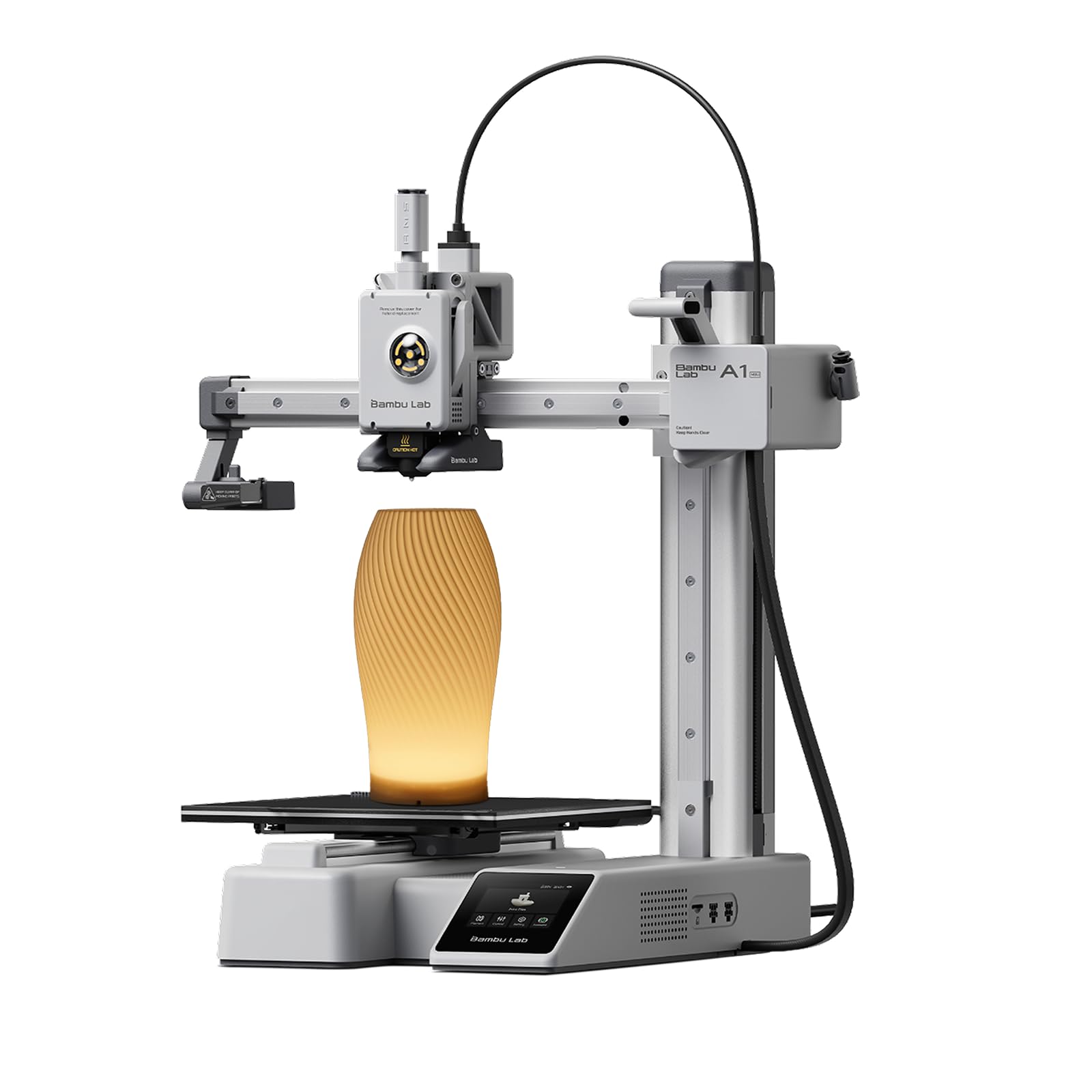
The Bambu Lab A1 mini is the closest thing to a “just works” experience in the budget segment. Setup takes about 20 minutes out of the box, and the fully automatic calibration handles Z-offset, bed leveling, and flow rate compensation without any manual input. The included LED Lamp Kit adds immediate utility for creative projects, and MakerWorld provides access to a massive library of ready-to-print models.
Print quality is excellent for the price point, with smooth walls and sharp corners even at high speeds. The printer operates at or below 48 decibels during normal printing, making it suitable for bedrooms and classrooms. The compact footprint (15 x 17 x 18 inches) fits easily on a desk without dominating the workspace.
The only real catch is the small build volume and occasional plate adhesion issues if the build plate is not cleaned with a microfiber cloth between prints. The initial calibration sequence is slightly louder than typical operation, but that lasts only a few minutes. For a beginner seeking a hassle-free entry into FDM printing, this machine is unmatched.
Why it’s great
- True plug-and-play with effortless auto calibration
- Very quiet operation suitable for shared spaces
- Excellent ecosystem with mobile app and huge model library
Good to know
- Small build volume limits large projects
- Build plate requires regular cleaning to avoid lifting
2. Bambu Lab A1 3D Printer (Full Size)

The full-size Bambu Lab A1 expands the build volume to a generous 256mm³ while retaining the same intuitive user experience as its mini sibling. The active motor noise canceling keeps operation quiet, and the 10,000mm/s² acceleration ensures fast prints without sacrificing detail. The hardened steel and stainless steel extruder components handle a wider range of materials, including flexible filaments.
Multi-color printing is a standout feature — you can add the AMS lite system (sold separately) to unlock vibrant, multi-material creations. The 1-Clip quick swap nozzle design makes maintenance fast, and the Bambu slicer software is nearly intuitive, with a short learning curve even for newcomers. Print finishes are consistently smooth with sharp corners right out of the box.
Some users have reported occasional filament clogging after extended use, and the price is higher than some competing budget options. However, the reliability, print quality, and ecosystem integration make it a compelling choice for hobbyists who want to grow their skills without switching machines. The vibrant Bambu community also means abundant support and model sharing.
Why it’s great
- Larger build volume with excellent print quality
- Expandable to multi-color printing
- User-friendly interface and reliable auto calibration
Good to know
- AMS lite system sold separately for multicolor
- Occasional filament clogging reports after long use
3. Creality K2 SE 3D Printer
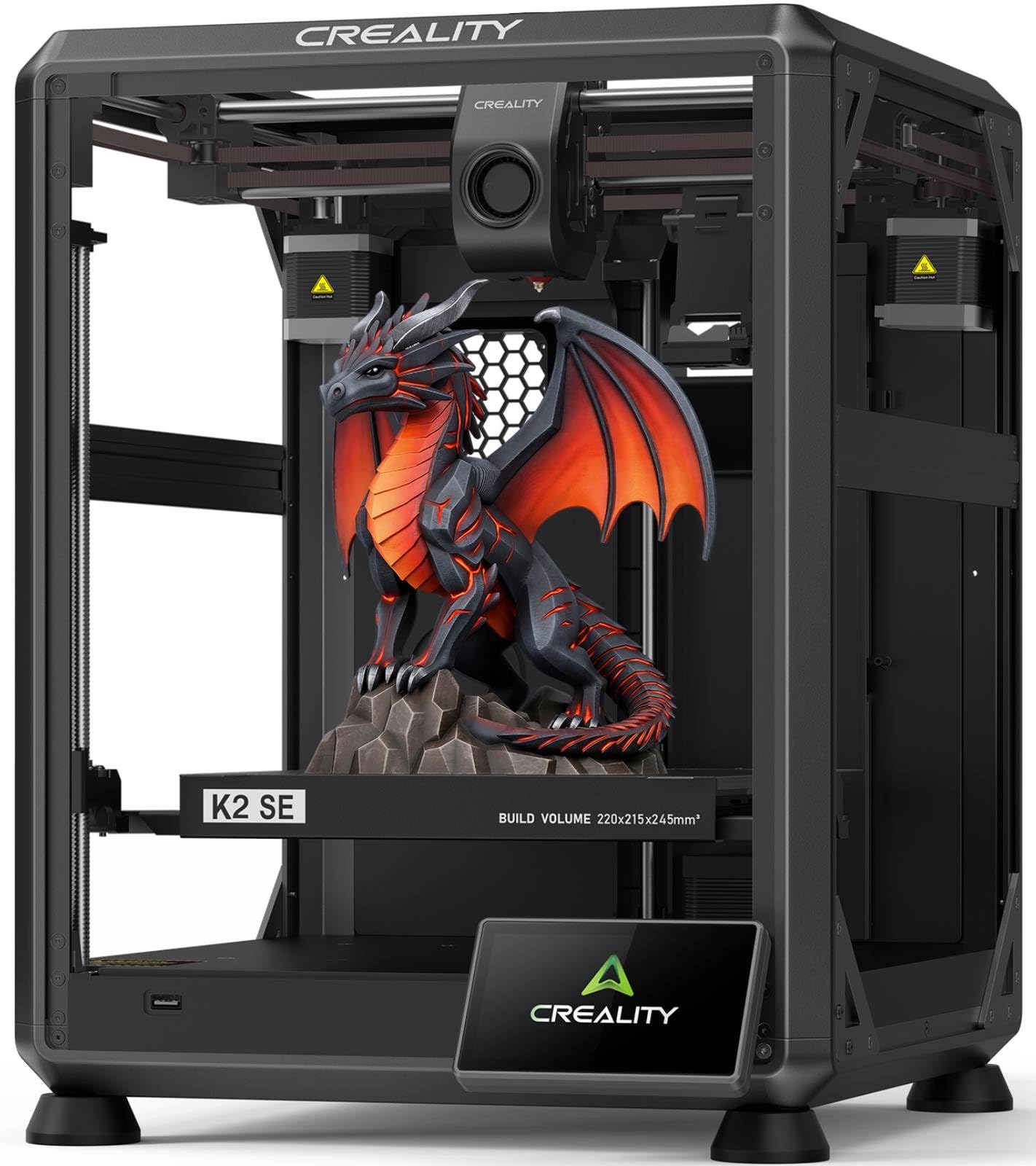
The Creality K2 SE is built around a die-cast aluminum alloy frame with corner gussets and dual-side crossbeams, providing exceptional rigidity for a printer at this level. The CoreXY motion system delivers 500mm/s speed with 20,000mm/s² acceleration, and the built-in vibration sensor with input shaping reduces ringing for smoother walls and sharper details. Setup takes about 45 minutes, and the fully automatic bed leveling dials in the first layer without manual fuss.
The modular direct drive extruder features hardened steel dual-drive gears and a quick-swap nozzle, making filament changes and maintenance straightforward. The K2 SE is also compatible with the Creality CFS multicolor system (sold separately), offering a clear upgrade path for users who want to experiment with multi-material prints later. The Creality OS and Creality Print software provide a modern workflow with cloud access and 40+ filament presets.
User reports note that the software and app connectivity can be buggy, and some units have experienced SD card slot orientation issues. The stock cooling is slightly underpowered for bridges and overhangs at maximum speed. However, once dialed in, this printer is a reliable workhorse that handles both rigid and flexible filaments with consistent quality.
Why it’s great
- Extremely rigid metal frame for high precision
- Expandable to multicolor with CFS system
- Fast setup with reliable auto-leveling
Good to know
- Software and app connectivity can be finicky
- Stock cooling may struggle at max speed on overhangs
4. FLASHFORGE Adventurer 5M 3D Printer (Variant 1)

The FLASHFORGE Adventurer 5M is a compact CoreXY machine that hits an impressive 600mm/s travel speed with 20,000mm/s² acceleration, going from zero to full speed in just 0.025 seconds. The vibration compensation eliminates ghosting in prints, and the 50W nozzle heats to 200°C in 35 seconds, reducing downtime between prints. The one-click auto leveling ensures a perfect first layer every time.
Print quality after tuning is exceptional for the price, with smooth top layers and crisp detail. The flexible PEI steel plate makes print removal easy, and the 32mm³/s flow rate keeps up with the high-speed motion system. The printer also includes a filament run-out sensor and power loss recovery, adding reliability to long prints. Users have reported running 40+ prints over six months without issues.
The touchscreen can be finicky, and the work area is somewhat dark without additional lighting. Some users experienced firmware freezing early on, though updates have improved stability. It also lacks a native enclosure, so it’s best suited for well-ventilated spaces. Overall, it is a reliable single-color workhorse that delivers speed without breaking the bank.
Why it’s great
- Extremely fast acceleration and print speed
- Reliable auto-leveling and flexible steel plate
- Excellent long-term reliability for daily use
Good to know
- No native enclosure; best in well-ventilated areas
- Touchscreen sensitivity could be better
5. FLASHFORGE Adventurer 5M 3D Printer (Variant 2)

This variant of the Flashforge Adventurer 5M retains the same CoreXY frame and 600mm/s speed but emphasizes quick maintenance with a 3-second detachable nozzle system. The high-flow 32mm³/s nozzle and 35-second warm-up to 200°C make it easy to switch between materials like PLA, PETG, and TPU. The dual-sided PEI coating plate provides excellent adhesion and easy removal when cooled.
Real-world performance is excellent — users consistently report that the printer works reliably out of the box with no manual bed leveling required. The all-metal frame reduces vibration, and the dual-fan cooling system handles overhangs well. Orca Slicer compatibility adds flexibility for advanced users who want fine control over print profiles.
Some units have experienced early nozzle clogging, especially when using the included sample filament that is not on a spool. Firmware updates have resolved many early issues, but the printer still lacks native WiFi support without OrcaSlicer. The hotend fans are noticeably loud during operation, so it is not ideal for noise-sensitive bedrooms.
Why it’s great
- 3-second detachable nozzle for fast swaps
- Dual-sided PEI plate for excellent adhesion
- Consistent high-speed print quality
Good to know
- Loud hotend fans during operation
- Sample filament can cause clogs if used
6. Sovol T300 3D Printer

The Sovol T300 stands out for its extremely fast preheat times — the all-metal hotend reaches 200°C in just 30 seconds, and the 1000W AC bed heats to 60°C in the same timeframe. Paired with a 64-bit Klipper microcomputer, the T300 can achieve up to 600mm/s speed with 12,000mm/s² acceleration, making it one of the fastest printers in its price range. The 81-point auto leveling ensures consistent first-layer adhesion across the 11.8 x 11.8 x 13.8 inch build volume.
Print quality is solid, with the dual-gear 6.5:1 ratio extruder providing precise filament control for both rigid and flexible materials. The 300°C hotend capability unlocks ABS printing, broadening material options. The 4.3-inch touchscreen with an 85-degree viewing angle is responsive and intuitive, though the user interface could be more polished.
Reliability concerns are present — some units arrive with misaligned X-gantries or snapped Y-axis tensioners. Customer support can be slow due to time zone differences. The printer is also loud due to its servos and fans, so it is best placed in a garage or workshop. For users willing to handle occasional tweaking, the speed and feature set are hard to beat at this price.
Why it’s great
- Lightning-fast 30-second nozzle and bed preheat
- 300°C hotend supports ABS and advanced materials
- Klipper firmware with input shaping and pressure advance
Good to know
- Quality control issues on some units (gantry misalignment)
- Loud during operation; better for workshops
7. Entina TINA2S 3D Printer

The Entina TINA2S is designed specifically for absolute beginners and younger users. It arrives fully assembled — no tools, no calibration, no setup required beyond unboxing and plugging in. The included TF card comes preloaded with ready-to-print models, and the Poloprint Cloud app provides access to over 1,500 models with regular updates. The built-in Creative Hub enables simple DIY design for STEM learning activities.
Print quality is respectable for the size, with 0.04mm precision and a maximum speed of 200mm/s. The auto bed leveling and flexible spring steel build plate make first-layer success easy and print removal effortless. The dual Z-axis structure improves stability, and the enclosed design adds safety for home and school environments. The printer operates quietly, making it ideal for bedrooms or classrooms.
The tiny 3.9 x 4.7 x 3.9 inch build volume severely limits what you can create — larger projects are simply impossible. Some users have reported nozzle clogging issues and difficulty with customer support. The printer is also not designed for advanced materials or high-speed production. For a 10-year-old learning the basics of 3D printing, it is a solid entry point, but adults will quickly outgrow its capabilities.
Why it’s great
- Truly ready to use right out of the box
- Huge library of free models via the app
- Quiet and safe enclosed design for kids
Good to know
- Very small build volume limits project size
- Customer support can be slow to respond
FAQ
Is it worth paying extra for Klipper firmware on a budget printer?
Can I print flexible TPU filament with these budget printers?
How much do I need to spend on filament after buying the printer?
Final Thoughts: The Verdict
For most users, the best cheap 3d printer winner is the Bambu Lab A1 mini because it delivers near-appliance-level reliability with automatic calibration, very quiet operation, and a beginner-friendly ecosystem that eliminates the learning curve. If you want multi-color printing and a larger build volume, grab the Bambu Lab A1. And for the fastest print speeds and a rigid all-metal frame perfect for functional prototypes, nothing beats the Creality K2 SE.

Mo Maruf
I created WellFizz to bridge the gap between vague wellness advice and actionable solutions. My mission is simple: to decode the research and give you practical tools you can actually use.
Beyond the data, I am a passionate traveler. I believe that stepping away from the screen to explore new environments is essential for mental clarity and physical vitality.