Our readers keep the lights on and my smoothie glass nicely filled. As an Amazon Associate, I earn from qualifying purchases.
A bike computer that can’t navigate is just an expensive odometer. When you’re staring at a fork in the road with no cell service, the difference between a device that shows a line on a blank grid and one that shows a full-color map with turn-by-turn prompts is the difference between finishing your route and pulling out your phone. Dedicated navigation in a cycling computer means preloaded maps, offline routing, automatic rerouting when you miss a turn, and climb profiles that tell you exactly how many meters of ascent remain before the summit.
I’m Mohammad Maruf — the founder and writer behind WellFizz. My approach to this guide is built on cross-referencing battery life claims against real-world ride reports, mapping chipset generations (dual-band versus standard GNSS) to actual signal accuracy in forested and urban canyons, and comparing touchscreen responsiveness across wet, gloved, and direct-sunlight conditions. Every product here earned its spot through feature density and user-verified reliability.
Whether you’re a century rider, a gravel explorer, or a commuter navigating unfamiliar city streets, the best cycling computer for navigation needs accurate maps, reliable rerouting, and a screen you can actually read while moving.
How To Choose The Best Cycling Computer For Navigation
Navigation on a bike computer goes far beyond simply showing a map. The best units combine accurate GPS chipsets (preferably dual-band for reliable lock in tree cover), pre-loaded offline maps so you never depend on a phone signal, intelligent rerouting when you deviate from the planned course, and a screen that remains legible in direct sun while still responding to gloved or wet fingertips. Battery life is also critical — a device that dies at kilometer 150 is a device that leaves you guessing your way home.
Map Quality and Offline Storage
The best navigation computers come with full-color topographic or road maps pre-loaded, not just a thin breadcrumb trail. Look for units that allow you to pan and zoom the map, search for points of interest, and see street names or trail labels without a phone connection. Units like the Garmin Edge 1040 and Magene C706 store detailed regional maps internally, while others rely on OSM data that can be updated over Wi-Fi. If you ride internationally, confirm the device supports map downloads for your target region.
Rerouting and Course Adjustments
Even the best-planned route hits a closed road or a wrong turn. A good navigation computer recalculates the path automatically — not just by drawing a straight line back to the route, but by mapping a sensible road-level detour. Features like Wahoo’s On-Demand Route Generation and Garmin’s Course Point navigation allow you to select a distant location or a saved point and get a complete route with turn-by-turn prompts generated on the device itself, no phone required.
Climb Detection and Profile Visualization
ClimbPro and similar features transform navigation from a simple directional tool into a pacing assistant. These systems use the elevation data on your planned or current route to show the remaining ascent, gradient, and a color-coded profile of each hill. The Magene C606 V2’s Multi-Scenario ClimbPro and the Bryton S810’s Climb Challenge 2.0 are standout examples — they let you see exactly how hard each climb will be so you can meter your effort accordingly.
Screen Technology and Input Method
Navigation demands a screen you can read quickly at a glance. Color touchscreens (like the 3.5-inch displays on the iGPSPORT BiNavi and Bryton S810) offer the most intuitive map interaction — pinch-to-zoom, tap to select destinations, and smooth panning. However, riders who frequently ride in rain or wear thick winter gloves may prefer a button-controlled unit like the Garmin Edge 540, which sacrifices visual polish for tactile reliability in every condition.
Quick Comparison
On smaller screens, swipe sideways to see the full table.
| Model | Category | Best For | Key Spec | Amazon |
|---|---|---|---|---|
| Garmin Edge 1040 | Premium | Uncompromising multi-day navigation | 35H battery, multi-band GNSS, 3.5″ touch | Amazon |
| Wahoo ELEMNT ROAM V3 | Premium | Seamless route generation and app sync | 25H battery, dual-band GPS, 2.8″ screen | Amazon |
| SRAM Hammerhead Karoo | Premium | Smartphone-like touch experience | 3.2″ display, 64GB storage, multi-band GNSS | Amazon |
| Magene C706 | Mid-Range | Voice-guided navigation with a large screen | 3.3″ color touch, voice guidance, 25H battery | Amazon |
| Garmin Edge 540 | Mid-Range | Button-controlled reliability with coaching | 26H battery, multi-band GNSS, ClimbPro | Amazon |
| iGPSPORT BiNavi | Mid-Range | Large touchscreen with music control | 3.5″ touch, 35H battery, dual-band GPS | Amazon |
| Bryton Rider S810 | Mid-Range | Extreme battery life for bikepacking | 50H battery, 3.5″ touch, offline maps | Amazon |
| Magene C606 V2 | Budget | Best value with color touchscreen nav | 2.8″ touch, 25H battery, ClimbPro | Amazon |
| Bryton Rider 650 | Budget | Reliable entry-level color map navigation | 2.8″ touch, 33H battery, pre-loaded USA map | Amazon |
In‑Depth Reviews
1. Garmin Edge 1040

The Garmin Edge 1040 is the benchmark that every other navigation computer is measured against. Its 3.5-inch color touchscreen is crisp and readable even under direct summer sun, and the multi-band GNSS chipset maintains a rock-solid lock in dense forests and between skyscrapers — places where single-band units drift or lose signal entirely. Up to 35 hours of demanding use (and 70 hours in battery saver mode) means multi-day tours don’t require a mid-ride charge.
Navigation is proactive rather than passive. The device displays turn prompts, street names, and points of interest on full-color maps, and the ClimbPro feature — now available on every ride even without a pre-loaded route — shows remaining ascent, grade, and a profile view so you can pace climbs intelligently. Power Guide recommends wattage targets through a course when paired with a power meter, and the Stamina feature estimates how much energy you have left, which is a genuine advantage for long competitive rides.
Setup is straightforward through the Garmin Connect app, and the included speed, cadence, and heart rate sensors offer a complete out-of-the-box experience. The only practical drawbacks are the large physical footprint (it’s the biggest unit on this list) and the premium price point. For riders who want the most capable navigation and training platform available, this is the standard.
Why it’s great
- Excellent battery life — 35 hours in demanding use, 70 in saver mode
- Multi-band GNSS for accurate positioning in challenging environments
- Proactive navigation cues and free ClimbPro on every ride
- Comes with speed, cadence, and HR sensors in box
Good to know
- Larger footprint than most competitors
- Mount sold separately — flush mount is an additional purchase
- Premium pricing reflects the all-in-one training and nav platform
2. Wahoo ELEMNT ROAM V3
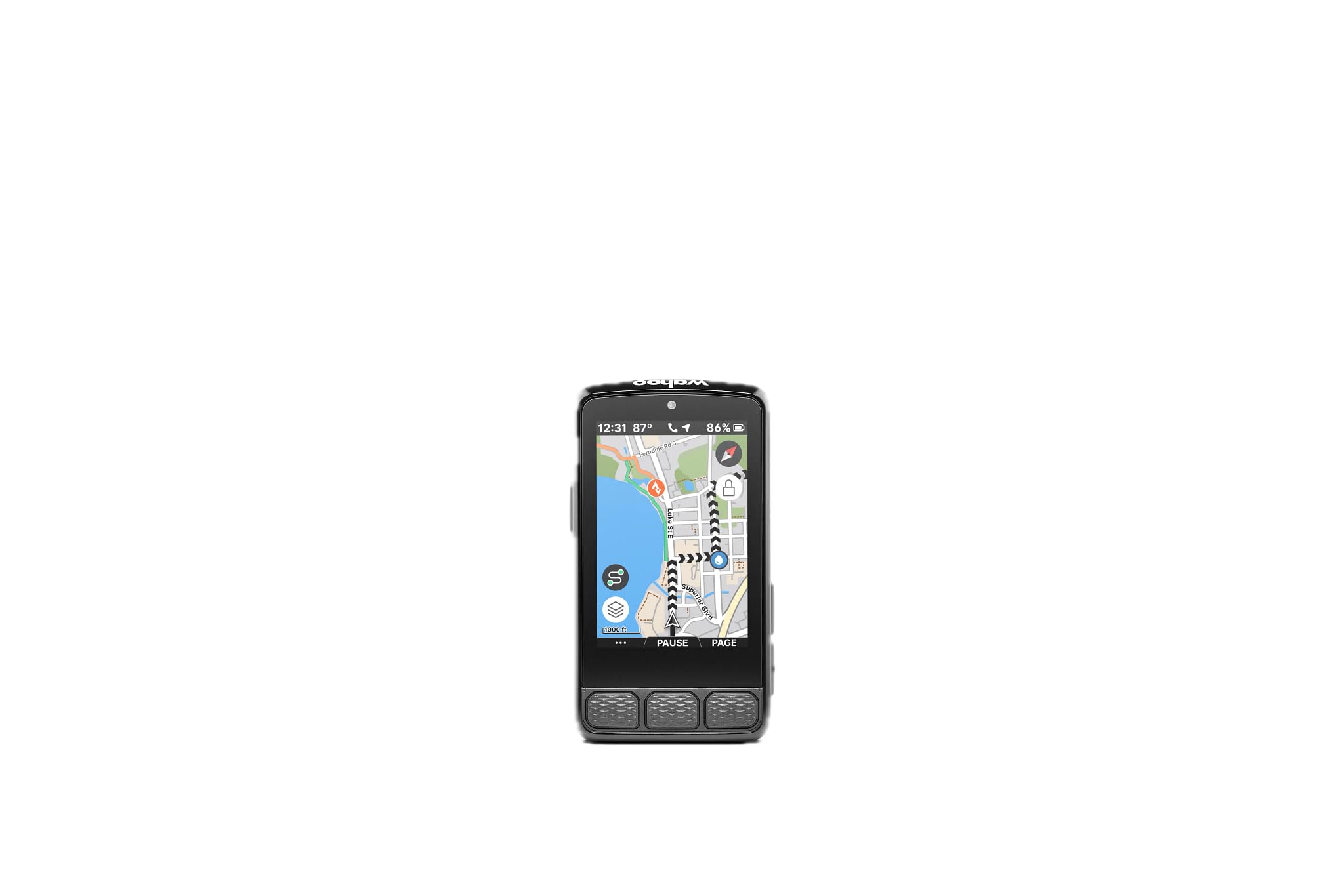
The ROAM V3 builds on everything Wahoo owners loved about the V2 — straightforward setup, excellent navigation prompts, and robust sensor pairing — by adding a sharp touchscreen and improved dual-band GPS for better accuracy in tricky spots. The 2.8-inch color LCD is bright and anti-glare, making it easy to glance at directions without squinting. Public route sharing lets you wirelessly beam a course to any nearby Wahoo user, which is a game-changer for group rides.
Navigation is the core strength here. You can pan and zoom on the map page, select a destination directly on the device, and have the ROAM generate a point-to-point route with turn-by-turn prompts in seconds. Turn notifications include spoken street names when connected to headphones, and the auto-rerouting is fast and sensible when you miss a turn. The companion app handles customization cleanly — data fields, pages, and alerts are managed from the phone and pushed to the device wirelessly.
The screen can be slightly hard to read in deep shade, and a few early V3 units have reported connectivity hiccups with accessories like GoPro and music control, though these appear to be firmware issues that Wahoo is actively patching. For riders who value intuitive navigation above all else and want a device that puts route creation at your fingertips, the ROAM V3 is a top-tier contender.
Why it’s great
- On-demand route generation directly from the device map page
- Public route sharing with other Wahoo users in close range
- Excellent auto-rerouting when you deviate from a course
- Simple app-based customization with automatic page syncing
Good to know
- Screen can be hard to read in shaded conditions
- Some accessory integrations (music, camera) still maturing on V3
- Customization only possible through the app, not on device
3. Magene C706 Smart GPS Bike Computer
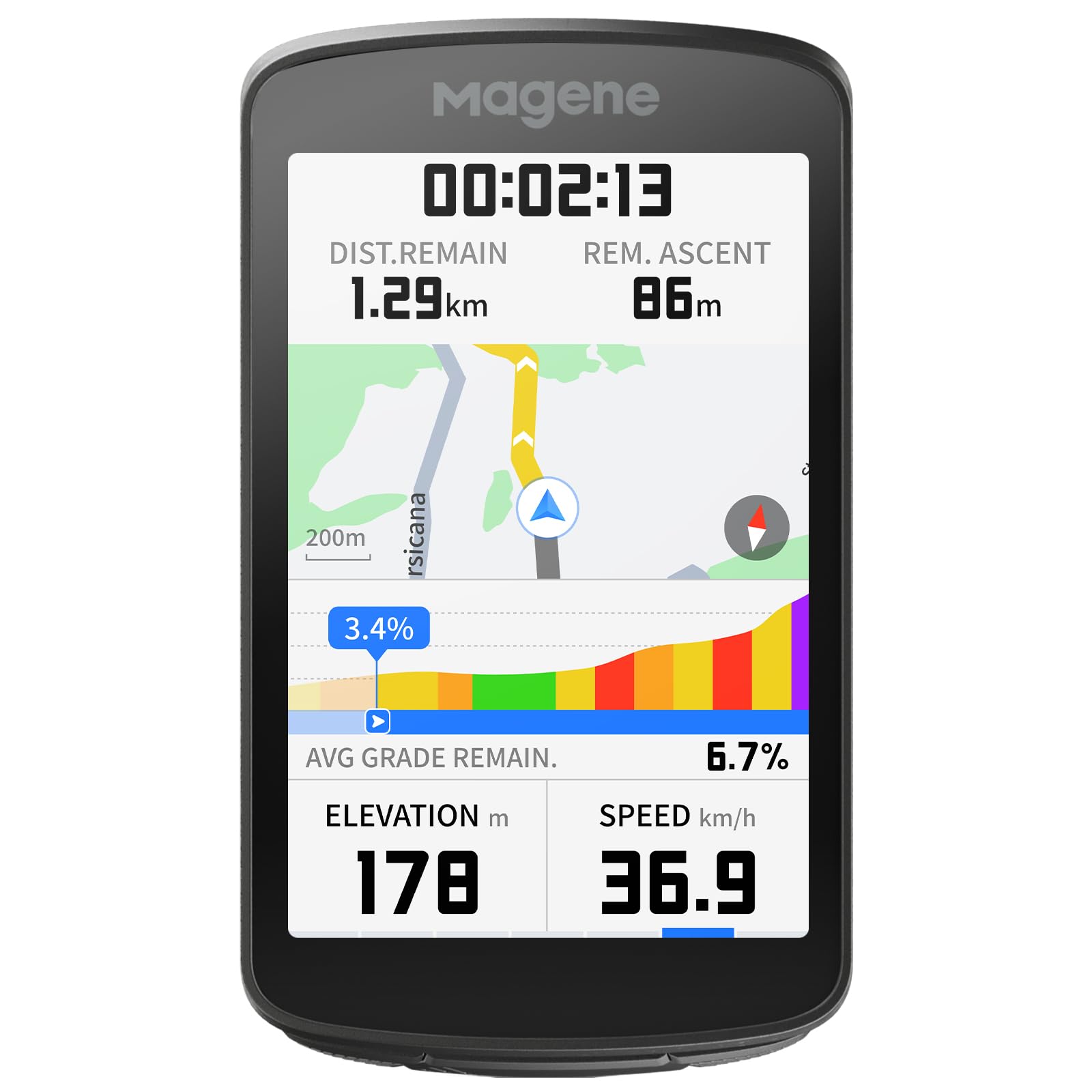
The C706 brings voice-guided navigation to the mid-range segment — a feature normally reserved for units costing twice as much. The 3.3-inch color touchscreen is spacious and responsive, and the dual-band five-satellite GNSS (GPS L1+L5, GLONASS, Galileo, Beidou, QZSS) locks onto position in under 10 seconds even under heavy tree canopy. The Freeride ClimbPro activates climb planning on the fly based on your current location, so you can navigate to any nearby categorized climb without a pre-loaded route.
The voice prompts deliver turn-by-turn directions, climb alerts, and segment status in 13 languages through Bluetooth headphones — you rarely need to look at the screen. The 12-color ambient light ring (dubbed Star Ring) adds another visual layer, flashing different colors for upcoming turns, incoming messages, or segment starts. Cycling Dynamics support unlocks power phase and seated-versus-standing time when paired with compatible power meters, which is unusual in this price tier.
Battery life is rated at 25 hours, which holds up fairly well in real-world use (closer to 16-18 hours with constant GPS and sensor data streaming). Some users have noted software bugs with Strava Live Segments and occasional navigation quirks where the route tool ignores unpaved trails. For the feature set —especially the voice nav and large screen — the C706 delivers extraordinary value.
Why it’s great
- Voice guidance in 13 languages reduces need to look at screen
- Dual-band 5-satellite GNSS provides fast, accurate positioning
- Freeride ClimbPro lets you navigate to any climb on the fly
- Large 3.3-inch touchscreen is bright and responsive
Good to know
- Software bugs (Strava segments, trail routing) not fully resolved
- Battery life drops to ~16 hours with all sensors and full brightness
- Voice alerts can be too quiet in windy conditions
4. Garmin Edge 540

The Edge 540 is the button-commander’s dream — every input is tactile, every press is confirmed, and you never worry about touchscreen unresponsiveness from rain, sweat, or thick gloves. The 2.3-inch LCD is monochrome, but the information density is exceptional, with up to 10 customizable data fields per page. Multi-band GNSS keeps your position accurate in urban canyons and under tree cover, and the battery life stretches to 26 hours in demanding mode and up to 42 hours in battery saver mode.
Navigation is powered by the Garmin ecosystem, which includes ClimbPro ascent planner that now works on every ride (not just pre-loaded courses), ride-type-specific maps that highlight popular roads versus trails, and searchable points of interest. Targeted adaptive coaching provides daily suggested workouts based on your training load and recovery, while Power Guide and Stamina insights help manage effort during a route. All of this runs without a touchscreen — a deliberate design choice that pays off in reliability.
Setting up data fields and navigation screens requires patience because the button-based menu system is deep. The 84-page online manual is daunting, and new users should expect a learning curve of several rides. Once configured, however, the 540 is as dependable as a cycling computer gets. For athletes who prioritize training data alongside navigation and want a device that works in the worst weather, this is the pick.
Why it’s great
- Physical buttons work flawlessly in rain and with gloves
- Multi-band GNSS with excellent accuracy in difficult signal areas
- Full ClimbPro, Power Guide, Stamina, and daily coaching features
- Outstanding battery life with battery saver mode
Good to know
- Steep learning curve for screen customization
- Monochrome LCD lacks the visual polish of color touchscreens
- Manual is online-only and very long (84 pages)
5. iGPSPORT BiNavi Bike Computer

The BiNavi is one of the few sub- cycling computers to offer a 3.5-inch color touchscreen — the same size as the Garmin 1040 — making it a compelling option for riders who want maximum map real estate without spending premium-tier money. The screen is vibrant, supports pinch-to-zoom and tap navigation, and even allows music control from your phone while riding, which is a nice safety touch. Dual-band GPS ensures reliable positioning across both L1 and L5 frequencies, and the 35-hour battery rating is ambitious on paper.
Navigation features include smart map routing with yaw planning (automatic rerouting when you go off course), saved point navigation, and the ability to import routes from Strava, Komoot, and other platforms. The iClimb Pro provides climb previews to help pace ascents, and the last-ride-continue function means you can stop a ride mid-day and resume it later without losing continuity. The device handles road and mountain bike trails reasonably well, though the rerouting algorithm can be slow and buggy, sometimes requiring a power cycle to regain a sensible path.
Real-world battery life with GPS tracking, full brightness, and all sensors connected drops to approximately 12 hours — a significant gap from the advertised 35-hour figure. The included manual is sparse, and most users will need to consult setup videos on YouTube for data field customization and route import. If you can work around these rough edges, the BiNavi offers a screen and navigation capability that punches well above its price class.
Why it’s great
- Large 3.5-inch color touchscreen with excellent map visibility
- Yaw planning automatically reroutes when off course
- Music control from the device while riding
- Dual-band GPS for improved accuracy
Good to know
- Rerouting algorithm can be slow and occasionally buggy
- Real-world battery is ~12 hours, far below the 35-hour claim
- Manual is sparse — setup requires outside resources
6. Bryton Rider S810

The S810 is built for riders who measure their rides in days, not hours. With a claimed 50-hour battery life — and verified user reports of 36 hours with continuous GPS and sensors — it outlasts every other device on this list except the Garmin 1040 in battery-saver mode. The 3.5-inch color touchscreen is paired with tactile physical buttons, a thoughtful design for gravel and bumpy terrain where a pure touchscreen can be frustrating. The adaptive light sensor adjusts brightness automatically for visibility from high noon to forest shade.
Navigation is fully offline: pre-loaded OSM maps, turn-by-turn guidance via GPS (no cell service required), and instant rerouting when you stray. The Climb Challenge 2.0 provides a beautiful gradient profile showing remaining ascent and grade for each climb, while Strava Live Segments sync automatically and display PR battles in real time. ANT+ FE-C compatibility means you can pair it with smart trainers for structured indoor workouts, and the Bryton Active App syncs seamlessly with Strava, TrainingPeaks, and Komoot.
Build quality is solid, and the S810 feels more premium than its price suggests. A small number of reliability complaints — units failing to record .fit files properly or shutting down randomly — suggest some variance in quality control. The included mount is a basic quarter-turn that lacks the integrated aero profile of more expensive options. For bikepackers and ultra-distance riders who prioritize battery life and offline navigation above all else, the S810 is an exceptional choice.
Why it’s great
- Unmatched 50-hour battery ideal for multi-day bikepacking
- 3.5-inch color touchscreen with physical button backup
- Full offline navigation with instant rerouting
- Climb Challenge 2.0 and Strava Live Segments included
Good to know
- Quality control inconsistencies reported by a minority of users
- Basic quarter-turn mount — no integrated aero option
- Interface not as polished as Garmin or Wahoo
7. SRAM Hammerhead Karoo

The Hammerhead Karoo is the only cycling computer that feels like using a premium smartphone — and that’s the highest compliment you can give a GPS unit. The 3.2-inch display is bright, colorful, and incredibly responsive, with pinch-to-zoom map interaction that is both smooth and accurate. Under the hood, 64GB of onboard storage and 4GB of RAM mean global maps are pre-loaded, routes render in seconds, and you can zoom in on any trail without stuttering. Multi-band GNSS delivers pinpoint accuracy on singletrack and city streets alike.
Navigation is surface-specific: you select whether you’re riding road, MTB, or gravel, and the Karoo generates routes optimized for that surface type. Automatic climb detection works both with and without a pre-loaded route, and turn-by-turn prompts are loud and clear through the device speaker or connected headphones. The interface is intuitive — you can add waypoints, search for points of interest, or reroute to any destination from the map page in just a few taps. Integration with SRAM AXS groupsets is flawless, but it also pairs well with third-party sensors and power meters.
Battery life is the Karoo’s limiting factor: approximately 15 hours in standard use. For ultra-distance riders, that falls short of the Garmin 1040, Wahoo ROAM V3, and Bryton S810. Some users find the trail map rendering less detailed than Garmin’s TopoActive maps, and the device cannot calculate calories from heart rate alone — it requires a power meter for caloric tracking. For riders who want the most fluid, smartphone-like navigation experience and whose rides fit within a 15-hour window, the Karoo is outstanding.
Why it’s great
- Bright, responsive display with smartphone-level touch interaction
- 64GB storage for fast map rendering and global map coverage
- Surface-specific route generation (road, MTB, gravel)
- Flawless SRAM AXS integration
Good to know
- Battery life (~15 hours) is below the premium segment average
- Trail map detail not as rich as Garmin TopoActive
- Calorie tracking requires a power meter — HR-only not supported
8. Magene C606 V2
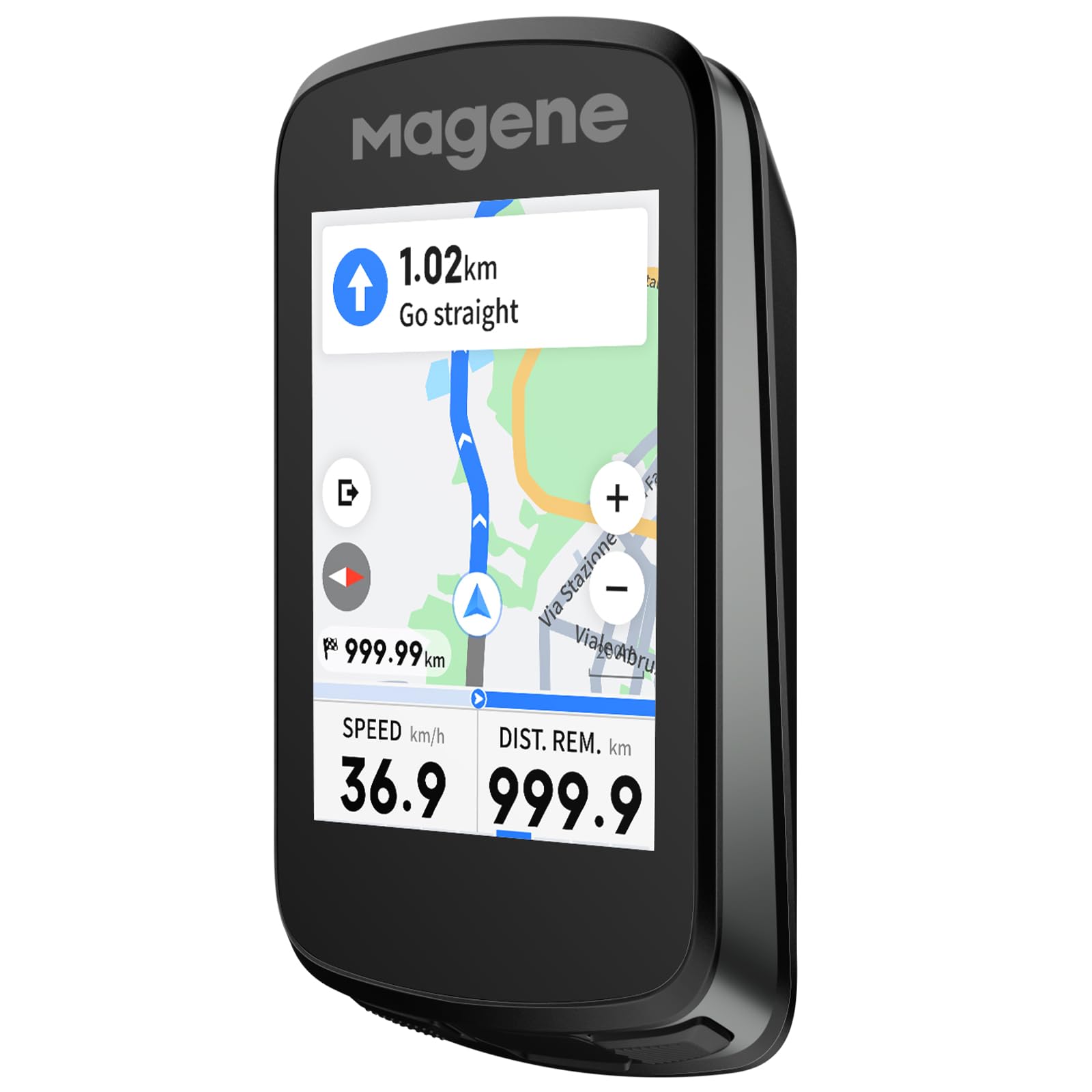
The C606 V2 is the most affordable color touchscreen bike computer in this guide that still offers genuine map navigation — not just breadcrumb routing. The 2.8-inch TFT display is bright and responds well to touch, even in light rain, and the 25-hour battery rating translates to about 16-18 hours in real-world use depending on sensor load and screen brightness. For riders who want turn-by-turn directions, ClimbPro-style climb planning, and a full-color map at a budget-friendly price, the C606 V2 is the logical choice.
The Multi-Scenario ClimbPro function provides full-route climb planning plus automatic mid-ride detection — you get real-time gradient, remaining distance, and elevation gain on screen without needing a pre-planned course. Strava Live Segments sync automatically via Wi-Fi, and the wireless offline smart navigation supports GPX imports, history rides, and app-sent destinations. Rerouting is functional but not as fast or elegant as the Garmin or Wahoo systems; you may occasionally need to take a moment for the device to recalculate. Smart camera control for DJI and Insta360 cameras adds a unique bonus for riders who film their routes.
User reviews consistently praise the build quality and value proposition, noting that the C606 V2 competes directly with the Garmin Edge 540 in core navigation features at a fraction of the price. The main concessions are the smaller screen, slightly less polished software, and the absence of advanced training metrics like Power Guide or Stamina. For the budget-conscious navigator who wants color maps and climb data, this is the best value pick.
Why it’s great
- Best value for a color touchscreen with full map navigation
- Multi-Scenario ClimbPro works on planned and unplanned rides
- Strava Live Segments sync via Wi-Fi without a phone tether
- IPX7 waterproof rating and included protective accessories
Good to know
- Rerouting is slower and less intuitive than premium rivals
- Lacks advanced training analytics (Power Guide, Stamina)
- Battery drops to ~16 hours with full sensor suite and GPS
9. Bryton Rider 650
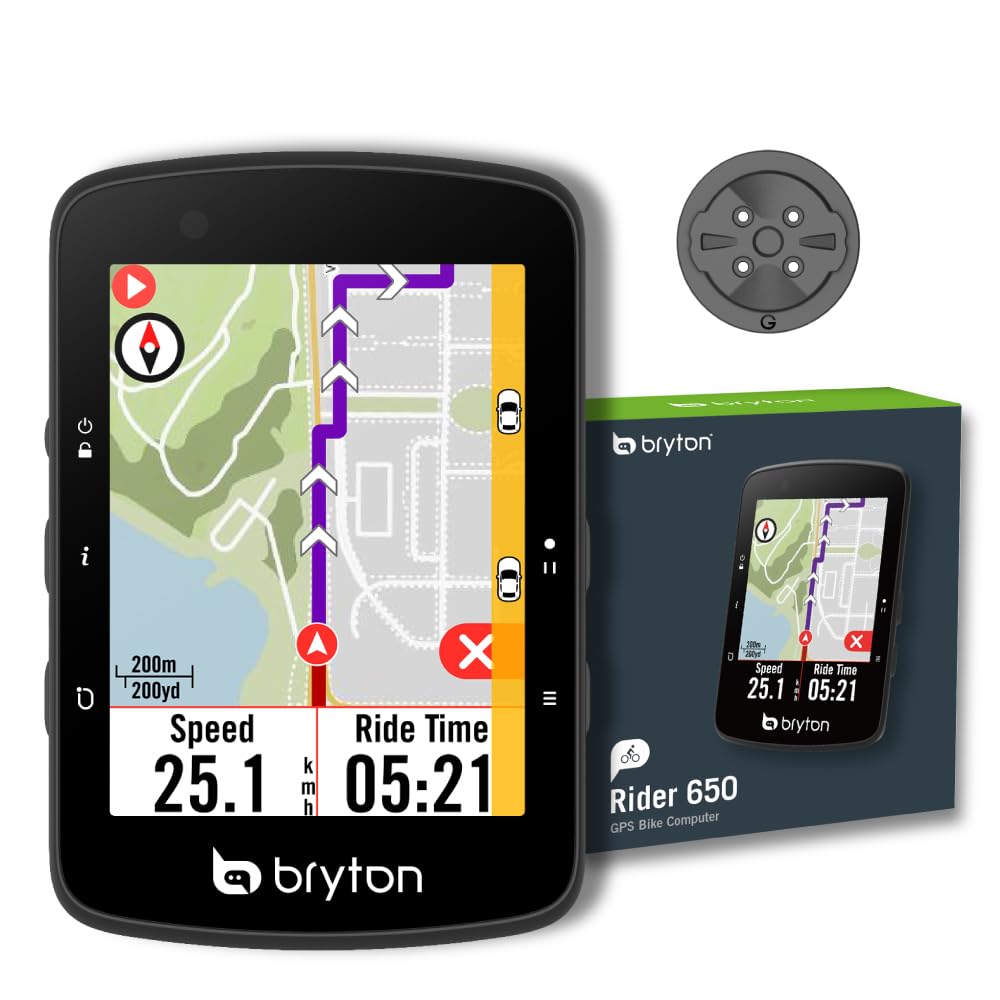
The Rider 650 is the bridge between a basic GPS computer and a full-blown navigation unit. It offers a 2.8-inch color touchscreen with pre-loaded OSM maps — a significant step up from the line-only navigation found on entry-level devices — and a 33-hour battery life that genuinely lasts through multi-day events. Users report riding 10 hours straight and still having over 50% battery remaining, which is consistent with the conservative power management Bryton has engineered into this model.
Navigation includes turn-by-turn guidance with street names displayed on the map, plus points of interest that make exploring unfamiliar city routes or new trail systems less stressful. The Climb Challenge 1.0 provides color-coded gradient segments when following a pre-planned route, helping you pace yourself through long ascents. Live tracking lets family members follow your location in real time, and rear-view radar support (with compatible radar units) adds a safety layer that many similarly priced computers lack.
The interface is not as polished as a Garmin or Wahoo — the touchscreen is slightly less responsive, and the user experience feels a generation behind. The Rider 650 does not connect directly to Wi-Fi; all syncing is handled through the Bryton Active app on your phone, which must remain powered on during transfer. Setup instructions in the manual are thin, and a few users have reported difficulty pairing with their phones initially. For the price, the Rider 650 delivers reliable color navigation and exceptional battery life for riders making the leap from phone-based routing.
Why it’s great
- 33-hour battery verified by users for multi-day rides
- Pre-loaded OSM color maps with street names and POIs
- Climb Challenge 1.0 for pacing on planned routes
- Live tracking and rear-view radar support for safety
Good to know
- No direct Wi-Fi — syncing requires phone app and Bluetooth
- Touchscreen less responsive than premium competitors
- Manual is vague and initial phone pairing can be tricky
FAQ
Can I navigate a cycling computer entirely offline?
Is a color touchscreen necessary for good navigation?
How does ClimbPro help with navigation?
Final Thoughts: The Verdict
For most users, the best cycling computer for navigation winner is the Garmin Edge 1040 because it combines the largest screen, best battery life, and the most mature navigation and training platform in a single device. If you want a near-smartphone navigation experience at a lower price, grab the Magene C706. And for those tackling multi-day bikepacking trips where battery longevity is critical, nothing beats the Bryton Rider S810.

Mo Maruf
I created WellFizz to bridge the gap between vague wellness advice and actionable solutions. My mission is simple: to decode the research and give you practical tools you can actually use.
Beyond the data, I am a passionate traveler. I believe that stepping away from the screen to explore new environments is essential for mental clarity and physical vitality.