Our readers keep the lights on and my smoothie glass nicely filled. As an Amazon Associate, I earn from qualifying purchases.
A caregiver alert system is not a luxury item — it is a piece of safety equipment that fundamentally changes the dynamic between a senior and their caregiver. The difference between a system that works and one that frustrates comes down to three things: how the alert is triggered, who receives it, and how quickly it can be acted upon. The market is full of options that range from simple plug-in pagers to AI-driven sensors, but the wrong choice can mean missed falls or needless complexity.
I’m Mohammad Maruf — the founder and writer behind WellFizz. I have spent hundreds of hours analyzing the technical specifications, real-world user reviews, and failure modes of caregiver alert systems, from budget-friendly button packs to premium medical alert pendants with fall detection.
Whether you are caring for a loved one in the same house or monitoring them remotely, finding the right best caregiver alert system ensures you get immediate notification when help is needed and avoids unnecessary worry.
How To Choose The Best Caregiver Alert System
Every caregiver faces the same core question: will this system work reliably when it matters most? The answer depends on matching the alert method, monitoring range, and response protocol to your specific care environment. A single-button system that works for an independent senior may fail for someone with dementia, while a camera-based sensor might overwhelm a privacy-conscious family. The following criteria will help you narrow the field.
Local vs. monitored response
The first decision is whether alerts go to a caregiver in the home or to a 24/7 monitoring center. Local systems (pagers, chimes) are simpler, have no monthly fee, and work perfectly when someone is always within earshot. Monitored systems use cellular or Wi-Fi to connect to operators who can dispatch emergency services — essential for seniors who live alone. If the senior is home alone for long stretches, a monitored system with GPS and two-way voice is non-negotiable.
Trigger method and fall detection accuracy
Not all falls can be detected by a button press — if the person cannot reach or press a pendant, a wearable button becomes useless. Fall detection that uses AI or multi-axis accelerometers can automatically trigger an alert, but the trade-off is false alerts. Systems that generate more than a few false alarms per day will erode trust and get ignored. Pressure pads under a bed or chair mattress offer a different approach: they sense when the person gets up, providing early fall prevention rather than fall detection.
Range and signal reliability
For local pager systems, the maximum range is measured in open air but real-world performance depends on walls, floors, and interference from other electronics. A system rated for 600 feet in open air may only cover 150 feet through several walls. Check user reviews for real-world coverage reports. For cellular-based medical alerts, the network carrier (Verizon vs. T-Mobile vs. AT&T) determines where the device works — choose one that uses the strongest carrier in your area.
Battery life and power source
A dead battery turns a life-safety device into a useless piece of plastic. Wearable pendants typically last 5-6 days and need regular charging. Plug-in receivers never need battery changes but are limited to where outlets exist. Pressure pads and pagers run on standard alkaline batteries — check how often they need replacement (some users report monthly changes for call buttons). A low-battery alert feature is a critical safety addition.
Water resistance and wearability
Falls happen in bathrooms more than any other room. A system that must be removed before showering creates a gap in protection. Look for IP67 or IP55-rated water resistance for wearable pendants. For local pager buttons, the same waterproofing ensures the button can be placed in a shower or near a toilet without failing. Neck pendants, belt clips, and wristbands each suit different mobility levels and personal preferences.
Quick Comparison
On smaller screens, swipe sideways to see the full table.
| Model | Category | Best For | Key Spec | Amazon |
|---|---|---|---|---|
| CallToU Wireless Calling System | Multi-Button Pager | Facilities with many rooms | 1000 ft open range, 10 buttons, display receiver | Amazon |
| Smart Caregiver Bed Exit Alarm | Pressure Pad Pager | Bed fall prevention at home | 10×30 in pad, 300 ft range, vibrate mode | Amazon |
| Smart Caregiver Chair Exit Alarm | Pressure Pad Pager | Chair fall prevention at home | 10×15 in pad, 300 ft range, vibrate mode | Amazon |
| SecuLife Medical Alert Pendant | Cellular Pendant | Active seniors with GPS needs | GPS tracking, fall detection, IP67, 5-day battery | Amazon |
| Bay Alarm Medical SOS Mobile | Monitored Pendant | 24/7 monitored emergency response | GPS, 2-way voice, 6-day battery, 4G LTE | Amazon |
| Liotoin Caregiver Pager 4-Pack | Multi-Button Pager | In-home caregiver coverage | 600 ft range, 4 transmitters, IP55 buttons | Amazon |
| Sentinare Fall Detection Sensor | AI Camera Sensor | Privacy-conscious remote monitoring | Wi-Fi, stick figure view, no wearable needed | Amazon |
In‑Depth Reviews
1. CallToU Wireless Calling System

The CallToU system is built for environments where multiple rooms or beds need coverage — it ships with ten IP55-rated wireless call buttons and a single display receiver that shows the caller’s room number and announces it by voice. In real-world use across assisted living facilities, the system has scaled from 10 to over 30 buttons without range problems, reliably covering 5,000 square feet and even larger village-like layouts. The buttons use standard alkaline batteries that must be changed roughly monthly, similar to an HVAC filter, but the dollar-store cost of replacement makes this a minor trade-off for the coverage volume.
The receiver supports tabletop or wall mounting and offers multiple ringtone options, though the display aesthetic is utilitarian rather than sleek. Programming the system requires following the manual strictly — the sequence for pairing new buttons is not intuitive at first. One notable limitation is the lack of a built-in battery backup, so pairing this system with an external UPS for the receiver is recommended for critical-care settings. For a caregiver managing a nursing home wing or a large family home with multiple seniors, the CallToU provides industrial-grade reliability at a fraction of the cost of a hard-wired nurse call system.
Customer support is responsive and quick, and the system has run for a full year in multiple facilities with zero reported failures. The receiver can also connect to optional smartwatches for on-the-go caregivers, turning it into a truly flexible alert network. If you need to know exactly which room called and you need that information to travel across a large building without dead spots, this is the most capable local pager system available.
Why it’s great
- Expandable to 1,000 call buttons across a facility
- Receiver displays room number and announces caller by voice
- Stable 1,000-foot open range with strong wall penetration
Good to know
- No power backup — requires UPS for critical reliability
- Button pairing sequence requires manual adherence
- Batteries need monthly replacement across all buttons
2. Smart Caregiver Bed Exit Alarm System
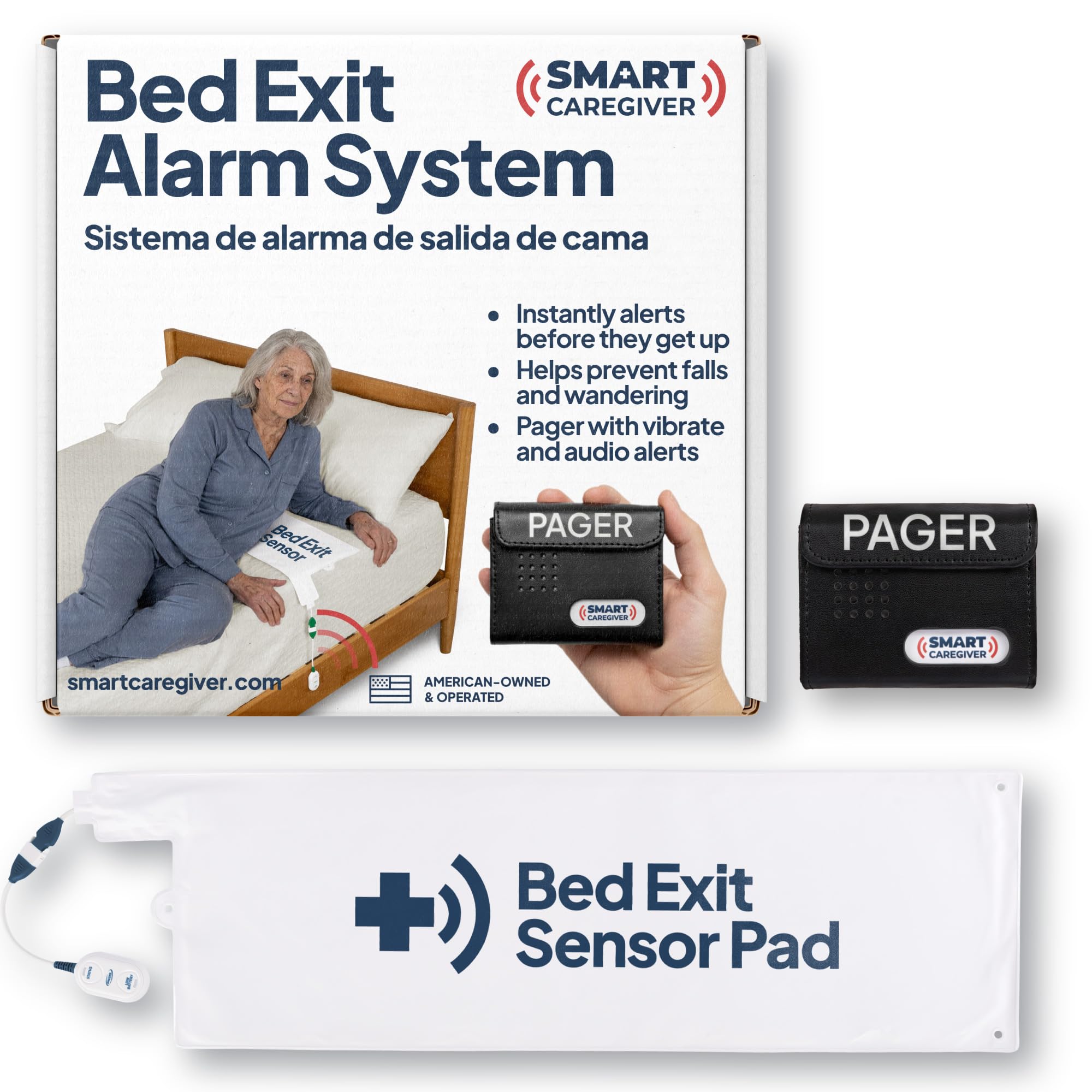
This system targets a specific and critical use case: preventing falls from the bed. A thin 10-by-30-inch pressure pad slides under the mattress sheet and detects when the senior has shifted weight or fully left the bed. The wireless pager can be carried on a belt clip or placed in another room, and it offers both an audible alarm (70 decibels) and a silent vibrate mode that is preferred for dementia patients who startle easily. The pad is sensitive enough to detect small movements like turning over, which can be distinguished from a full exit by the duration of the vibration pattern.
The system supports up to six additional Smart Caregiver sensors — chair pads, floor mats, door exit sensors — so caregivers can build a comprehensive fall prevention network around a single pager. Users consistently report that the pad stays in place when tucked under the fitted sheet but needs daily checks to prevent slipping toward the foot of the bed. The belt clip on the pager is notably tight, making it difficult to fasten on thicker clothing, but this is a minor ergonomic issue in an otherwise well-engineered device. The American-based customer support team responds quickly and stands behind the product with a one-year warranty.
For families caring for a senior with dementia who wanders at night, this system is a proven lifesaver. The combination of early alert (the moment the person sits up in bed) and the vibrate-only option creates a quiet, non-disruptive monitoring experience. Unlike camera-based systems, there is no privacy concern — the pad is simply a pressure sensor under the sheet. It is a focused, effective tool for a single but very high-risk scenario.
Why it’s great
- Early weight shift detection prevents falls before they happen
- Vibrate mode avoids startling sensitive seniors
- Expandable with multiple sensor types for full coverage
Good to know
- Pad can shift under sheets and needs daily repositioning checks
- Belt clip is very tight and difficult to attach to thick fabric
- Range of 300 feet may not cover very large homes through multiple walls
3. Smart Caregiver Chair Exit Alarm System
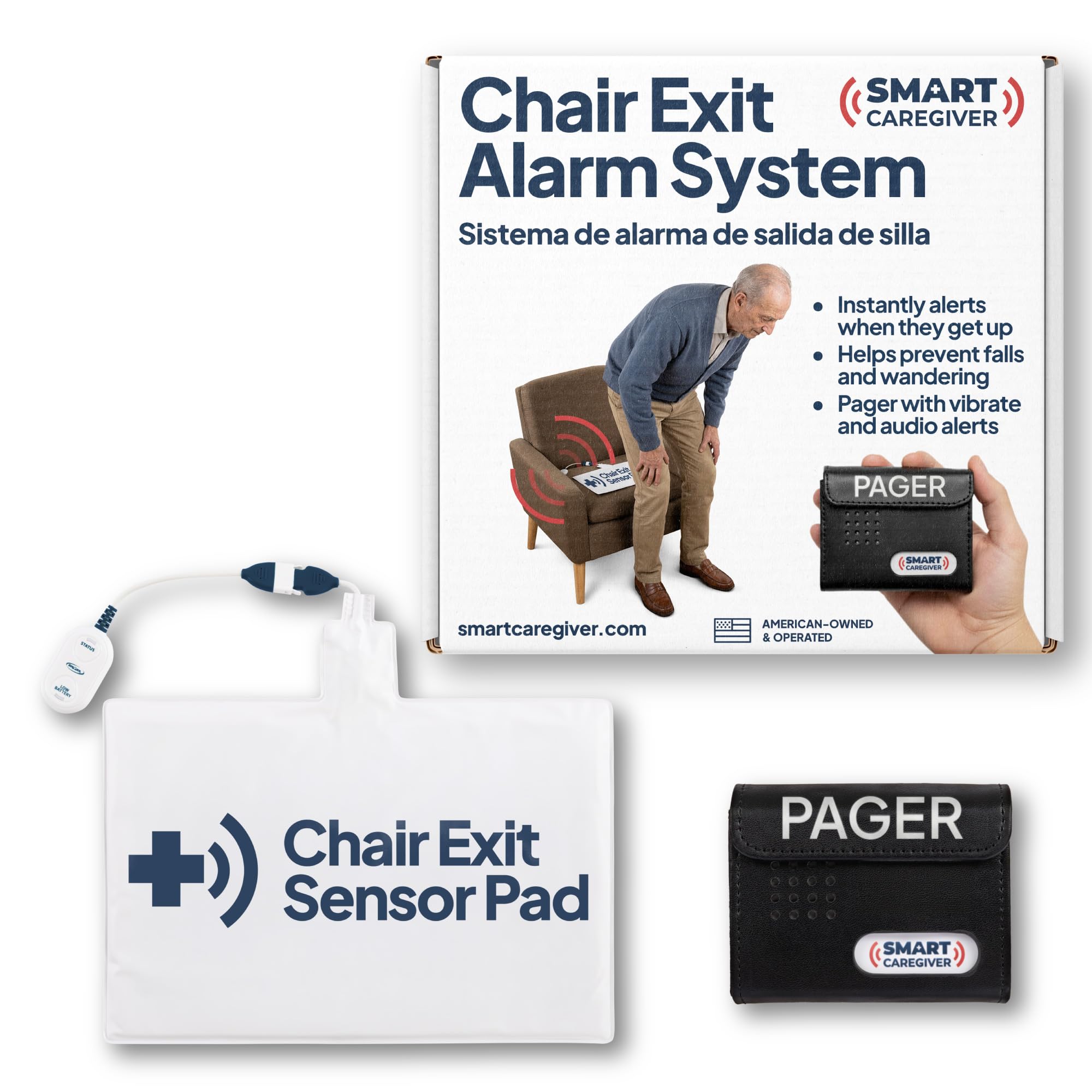
The chair version of the Smart Caregiver system uses a 10-by-15-inch pressure pad designed for recliners, sofas, and standard chairs. The pad is made of soft, latex-free vinyl with a thin foam interior, making it comfortable enough to sit on for extended periods without causing pressure points. When the user stands up, the pad instantly sends a wireless signal to the pager, which can be set to vibrate or play a loud doorbell-style tone. For dementia patients in the early to middle stages, the vibrate mode on the caregiver’s belt is the preferred option because it does not agitate the person in the chair.
Setup is straightforward — place the pad under the cushion or seat cover, insert the two included AA batteries into the pager, and the system works out of the box. Users report that the pad can occasionally slip between the cushion and the chair frame if not positioned carefully, and covering it with a towel helps keep it hidden from view. The range of 300 feet is sufficient for most homes, and the signal penetrates multiple walls without issue. The alarm is instantaneous — one reviewer noted that the pager in another room sounds the exact moment the person begins to stand, giving the caregiver immediate awareness.
The Smart Caregiver chair system is purpose-built for fall prevention, not fall detection. It stops falls by alerting before the person is upright and ambulatory. This distinction is crucial for caregivers managing mobility-impaired seniors who are at risk of falling when they try to walk unassisted. The system pairs with the same ecosystem of sensors as the bed exit alarm, allowing both pads to report to a single pager. For a caregiver managing a single senior at home, this is the most targeted and reliable chair exit monitor available.
Why it’s great
- Instant alert as the person begins to stand — prevents falls
- Vibrate mode is silent and non-startling for dementia patients
- Latex-free pad is comfortable for all-day seating
Good to know
- Pad may shift between cushion and chair frame over time
- No volume adjustment — alarm is fixed at one sound level
- Battery life on the pad sensor is not user-serviceable without tools
4. SecuLife Medical Alert Pendant
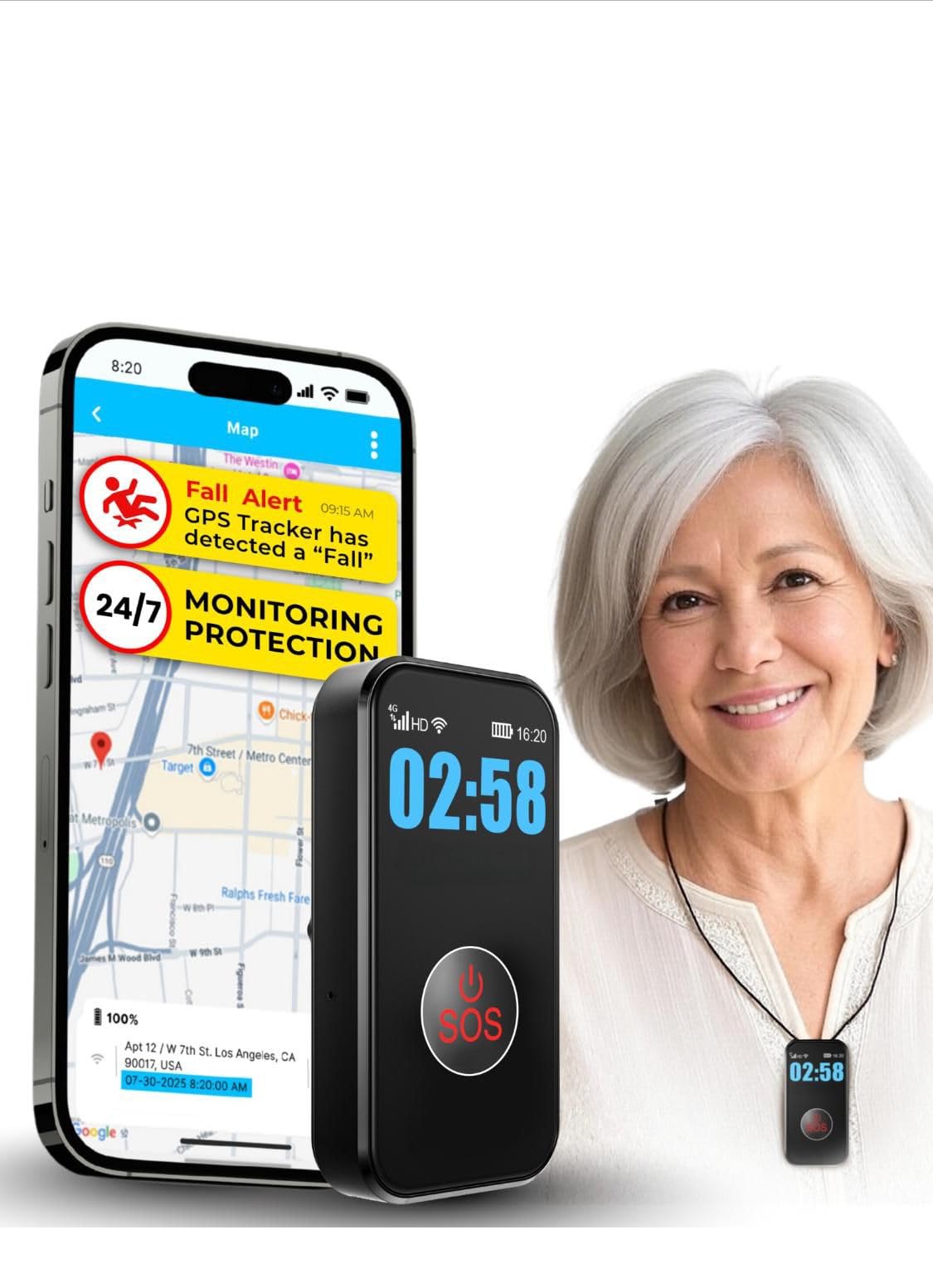
The SecuLife pendant is a full-featured mobile medical alert that communicates via 4G LTE cellular and does not require a smartphone for basic operation. It offers automatic fall detection using built-in accelerometers, real-time GPS tracking with geofence zones, and two-way hands-free calling to up to three pre-selected emergency contacts. The monthly subscription fee is notably lower than most competitor offerings, and the service includes unlimited fall alerts and live 24/7 customer care. The pendant is fully waterproof to IP67 standards, so it can be worn in the shower without removal.
Setup involves pressing the large SOS button to initiate the activation process — the device works out of the box with the included SIM card. The magnetic charging cable snaps on easily, and the 1000 mAh battery delivers up to six days of runtime with location tracking at one-hour intervals. The pendant’s display shows the time, battery level, and signal strength, which helps seniors confirm the device is operational at a glance. Users with arthritis report that the SOS button is easy to press despite reduced hand strength, and the speaker volume is clear enough for hearing-impaired users to converse during an emergency call.
There have been isolated reports of the fall detection failing to trigger during actual falls, and one review noted that customer support was difficult to understand. Geofencing zones must be set within the companion app, and the pendant calls emergency contacts in sequence — it does not directly call 911 unless programmed to do so. For active seniors who want GPS tracking and automatic fall alerts without a long-term contract, the SecuLife provides a compelling mix of features at a budget-friendly subscription rate.
Why it’s great
- GPS geofencing with real-time location history
- IP67 waterproof rating for 24/7 wear in the shower
- Large SOS button is easy to press for users with limited dexterity
Good to know
- Fall detection accuracy inconsistent — some falls not detected
- Customer support quality varies based on representative
- Subscriptions billed monthly starting at a base rate
5. Bay Alarm Medical SOS Mobile GPS

The Bay Alarm SOS Mobile is a dedicated medical alert device that connects to a professional 24/7 monitoring center via Verizon’s 4G LTE network. When the SOS button is pressed, a live USA-based operator speaks through the two-way speaker, assesses the situation, and follows the user’s emergency plan — this can include dispatching paramedics, contacting family, or simply talking the user through a non-emergency. The device also includes GPS location tracking so the operator knows exactly where the user is, making it suitable for seniors who spend time outdoors or in the yard.
The unit is compact — just 2.72 by 1.38 by 0.57 inches and weighing under 2 ounces — and can be worn on the included lanyard with a magnetic clasp or clipped to a belt. The IP67 water resistance protects against rain and shower use, though submersion is not recommended. Battery life is rated at up to six days, with the charging dock providing a low-battery email alert so caregivers know when to recharge. Setup is simple: activation is done by phone or online, no smartphone is required.
Some users note that the caregiver app lacks advanced customization options such as adding emergency contact information or door codes for responders. The app notifications can also be missed because they do not use iOS Critical Alerts. However, the core function — pressing the button and connecting to a live operator — has proven reliable across thousands of user reports. For seniors who live alone and need guaranteed access to emergency dispatch, the Bay Alarm SOS Mobile offers a proven, well-reviewed solution with a transparent subscription model and responsive support.
Why it’s great
- Live USA-based monitoring center with 24/7 operation
- GPS tracking helps operators pinpoint user location
- Magnetic clasp lanyard provides quick release for safety
Good to know
- Monthly subscription fee required for monitoring service
- Caregiver app lacks critical alert settings on iOS
- Limited to Verizon network — may not work well in weak coverage areas
6. Liotoin Caregiver Pager 4-Transmitter System

The Liotoin system provides four waterproof call buttons and four plug-in receivers for comprehensive in-home coverage. Each button is IP55-rated, meaning it can be placed in a bathroom near the shower or in a kitchen without concern for splashes or humidity. The receivers plug directly into wall outlets and offer 36 ringtone options with four volume levels ranging from 0 to 110 decibels, plus a flashing light reminder for visually alerting the caregiver. The operating range is rated at 600 feet in open air, and user reports confirm the signal travels reliably through multiple walls in standard residential homes.
The buttons can be worn on a lanyard around the neck, placed in a pocket, or mounted on a wall or bedside table using the included adhesive strips. Users have creatively assigned specific ring patterns — one press for a non-emergency request, two presses for immediate help — which works because each receiver displays which button was pressed (by LED indicator) and the sound stops after a short timeout, avoiding a constant alarm. The system has been used continuously for over 1.5 years in some households with no degradation in performance, and the buttons are powered by included 12V batteries that last a very long time.
The main interface limitation is that the receiver’s sound options include many musical tunes rather than simple beeps, and scrolling through all 36 options can be tedious. The lights on the receiver are also subtle when plugged directly into a wall outlet, reducing their effectiveness in bright rooms. For the price, however, this system provides four-button coverage that would cost significantly more from a monitored service, and the lack of monthly fees makes it a budget-friendly choice for families with a live-in caregiver.
Why it’s great
- Four waterproof buttons and four receivers for whole-house coverage
- 110 dB maximum volume with flashing light for hearing-impaired caregivers
- No monthly fees or subscriptions
Good to know
- Too many preloaded ringtones — hard to find a simple beep
- Receiver lights are dim when plugged directly into an outlet
- Sound stops automatically after a short period — cannot be changed
7. Sentinare Fall Detection & Activity Sensor

The Sentinare represents a fundamentally different approach to caregiver alert — instead of a wearable button or pressure pad, it uses an AI-powered camera that processes video on-device and transmits only anonymized stick figures to a smartphone app. This design eliminates the need for the senior to remember to wear or press anything, making it ideal for individuals with cognitive impairments who cannot reliably use a pendant or button. The sensor covers up to 20 feet and can detect slow falls that are common among seniors with mobility issues, and it ignores pet movement entirely.
Privacy is the core selling point — no video footage ever leaves the device. The app displays a simple stick figure outline that shows body position, movement, and whether the person is on the floor. The system also supports region-of-interest monitoring, which allows caregivers to set alert zones for bed exits, prolonged inactivity, or bathroom overstays. There is no monthly fee for the basic monitoring features, though the device itself sits at a premium price point. The IP67-rated housing and wall-mount design make it suitable for bathrooms and bedrooms, though the camera’s night vision performance is essential for 24/7 coverage.
Reliability reports are mixed. Some users praise the system for detecting falls that would have gone unnoticed with a pendant, while others report multiple false alerts per day from normal movements like dressing or bending over. The hand-wave feature for canceling alerts does not work in bright backlighting, and the Wi-Fi setup has been problematic on Android devices due to password push limitations. For caregivers who need constant awareness of a high-fall-risk senior without relying on wearables and who value privacy above all else, the Sentinare is a revolutionary product — but it demands technical comfort and tolerance for occasional false alarms.
Why it’s great
- No wearable device required — works for dementia patients who refuse pendants
- Stick figure view preserves privacy while showing body position
- No monthly subscription fee for basic monitoring features
Good to know
- False alerts can occur multiple times per day from normal movements
- Wi-Fi setup is problematic on many Android devices
- Camera must be placed with clear line of sight for fall detection to work
FAQ
Do caregiver alert systems require a monthly subscription?
What is the difference between a caregiver pager and a medical alert pendant?
How accurate is automatic fall detection in caregiver alert systems?
Can I use a caregiver alert system for someone with dementia or Alzheimer’s?
How do I choose between a bed pad and a wearable pendant?
Final Thoughts: The Verdict
For most users, the best caregiver alert system winner is the CallToU Wireless Calling System because it provides unmatched expandability, a display receiver with voice announcement, and industrial-grade reliability at a price that avoids recurring fees. If you need automatic fall detection and GPS tracking with 24/7 professional monitoring, grab the Bay Alarm Medical SOS Mobile for its proven response center and compact design. And for fall prevention in a single room where a senior is at risk of getting up unassisted, nothing beats the Smart Caregiver Bed Exit Alarm for its targeted, quiet pressure pad approach.

Mo Maruf
I created WellFizz to bridge the gap between vague wellness advice and actionable solutions. My mission is simple: to decode the research and give you practical tools you can actually use.
Beyond the data, I am a passionate traveler. I believe that stepping away from the screen to explore new environments is essential for mental clarity and physical vitality.