Our readers keep the lights on and my smoothie glass nicely filled. As an Amazon Associate, I earn from qualifying purchases.
A tablet screen strains your eyes after an hour. A backlit LCD kills your sleep cycle. Yet many shoppers looking for a cheap e reader end up buying a cheap tablet, wondering why reading feels like work. The difference comes down to display technology: a proper E-Ink screen uses zero backlight, reflects ambient light like paper, and draws power only when changing pages. That is what makes a device an e-reader, not just a small tablet.
I’m Mohammad Maruf — the founder and writer behind WellFizz. I spend my days tearing into spec sheets for digital paper displays, comparing front light color temperatures, pixel densities, firmware ecosystems, and battery endurance figures that other reviewers gloss over.
This guide cuts through the LCD noise to show you which models actually deliver a paper-like reading experience without demanding a premium. You’ll find the best cheap e reader options that respect your eyes and your wallet.
How To Choose The Best Cheap E Reader
When the budget is tight, the temptation is to reach for a general-purpose tablet because it does everything. But a dedicated e-reader does one thing better than any tablet ever can: it renders text on a reflective E-Ink panel that causes zero eye fatigue. Prioritize the specs that make reading effortless, not the ones that look good on a box.
Display Technology — E-Ink Carta vs. LCD
This is the only spec that truly matters. E-Ink Carta screens use microcapsules of charged particles to form text. There is no backlight blasting into your retinas. A cheap e reader with a 6-inch E-Ink display at 167 to 300 PPI will feel like reading a paperback. An LCD tablet of any price will feel like staring at a phone for hours. If the product page does not mention E-Ink or Carta, it is not an e-reader.
Front Light vs. No Front Light
A front light guides a thin layer of LED light across the surface of the E-Ink screen. It is not a backlight. It makes the text visible in the dark without the blue-light spike of an LCD. Models like the OBOOK5 and Kindle Basic include one. The XTEINK X4 does not. Decide whether you read in bed before choosing — a device without a front light is unusable in darkness.
Page-Turn Buttons vs. Touchscreen Only
Physical buttons let you turn pages without shifting your grip, which matters during one-handed reading on a bus or in bed. The XTEINK X4 and PocketBook Verse have them. The Kindle Basic and PocketBook Verse Lite rely entirely on touch. Neither is wrong, but if you read with one hand, buttons speed up the rhythm and reduce accidental screen taps.
File Format Support and Ecosystem Lock-In
Kindle devices lock you into Amazon’s ecosystem — you can sideload via email or USB, but KFX protection makes library borrowing harder. PocketBook and OBOOK support EPUB, PDF, MOBI, DOCX, and even CBR comic files without conversion. If you borrow from Libby or OverDrive, a device with native EPUB support and Adobe DRM saves you the headache of format-shifting every book.
Quick Comparison
On smaller screens, swipe sideways to see the full table.
| Model | Category | Best For | Key Spec | Amazon |
|---|---|---|---|---|
| Amazon Kindle 16GB | Premium | Pure, distraction-free reading | 6-inch, 300 PPI, front light | Amazon |
| PocketBook Verse | Premium | Library books & multi-format | 6-inch, SMARTlight color temp | Amazon |
| PocketBook Verse Lite | Mid-Range | Budget-friendly open ecosystem | 6-inch, front light, 25 formats | Amazon |
| OBOOK5 | Mid-Range | Pocketable readers with front light | 4.26-inch, 219 PPI, touchscreen | Amazon |
| XTEINK X4 | Mid-Range | Ultra-portable, button-only reading | 4.3-inch, no front light, 2.72 oz | Amazon |
| Amazon Fire HD 8 | Budget | Multimedia & casual reading | 8-inch LCD, 3GB RAM, 13h battery | Amazon |
| Like-New Amazon Fire 7 | Budget | Lowest entry point, video + reading | 7-inch LCD, 10h battery, 2GB RAM | Amazon |
In‑Depth Reviews
1. Amazon Kindle 16GB (newest model)
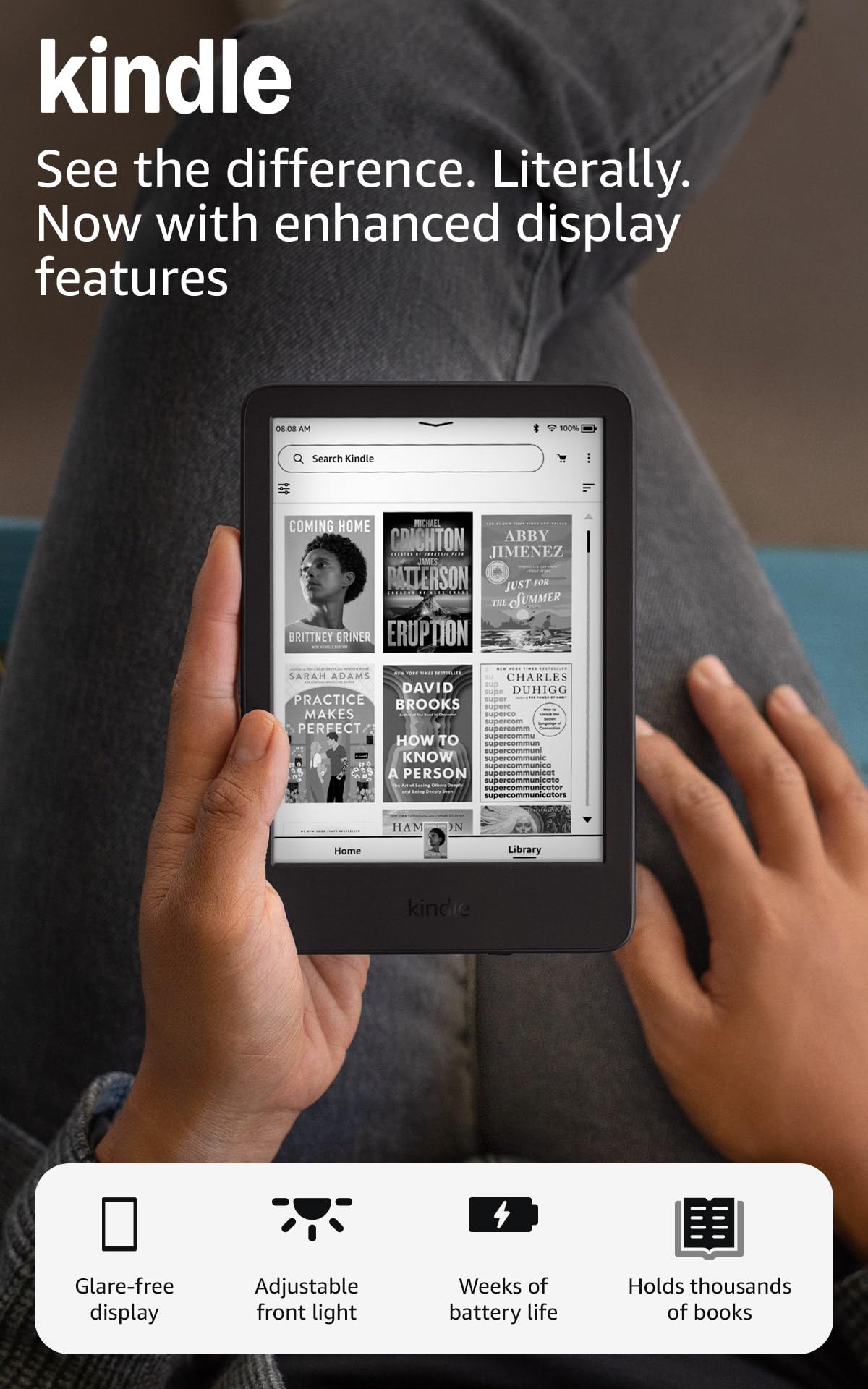
At 300 PPI, the Kindle Basic delivers the same sharpness as the Paperwhite at a significantly lower entry point. The 6-inch Carta display with a 25-percent-brighter front light makes page after page readable in pitch darkness, direct sunlight, and everything in between.
Battery life hits up to six weeks with daily reading habits. The 16GB of internal storage holds between 6,000 and 12,000 books depending on file size, so you will never worry about space. Page turns are noticeably faster than the previous generation, and the higher contrast ratio makes text look crisp against the off-white background that mimics real paper.
The trade-off is ecosystem lock-in. You can sideload EPUBs via Send to Kindle, but Amazon converts them to KFX. If you borrow from Libby, you need a US library card and the Libby app on your phone to transfer titles. The lockscreen shows ads unless you pay to remove them. Still, for a dedicated reading device at this spec level, nothing else in its price range delivers the same combination of build quality and display performance.
Why it’s great
- 300 PPI E-Ink Carta display with improved contrast
- 6-week battery on a single charge
- Lightest and most compact current-gen Kindle
Good to know
- Ads on lockscreen unless you pay the removal fee
- No physical page-turn buttons
- Amazon ecosystem makes library borrowing indirect
2. PocketBook Verse E-Reader

The PocketBook Verse is the go-to device for readers who refuse to be locked into a single store. It supports 25 file formats natively — EPUB, FB2, DJVU, PDF, CBR, CBZ for comics, and even JPEG — with zero conversion required. The SMARTlight feature goes beyond simple brightness control: you can adjust the color temperature from cool blue to warm amber, which makes a measurable difference for nighttime reading and sleep quality.
The 6-inch E-Ink Carta HD touchscreen delivers 300 PPI clarity, identical to the Kindle Basic, but the Verse adds physical page-turn buttons and a textured grip on the back. The 8GB internal storage (expandable via microSD up to 128GB) is generous, and the battery lasts roughly a month of regular use. The PocketBook Cloud syncs your library, annotations, and reading progress across devices without subscription fees.
The software is slightly slower than the Kindle OS when scrolling through libraries, and the cloud sync occasionally refuses to refresh. The European store defaults to non-English interfaces, but you can switch to English. The real benefit is Adobe DRM support: you can borrow EPUBs from Libby, OverDrive, or your local library and load them directly onto the device without needing a secondary app.
Why it’s great
- SMARTlight with adjustable color temperature
- 25 native file formats, no conversion needed
- Physical page-turn buttons + microSD expansion
Good to know
- Library scrolling is noticeably slower than Kindle
- Cloud sync can be erratic
- Default store interface may show non-English content
3. PocketBook Verse Lite
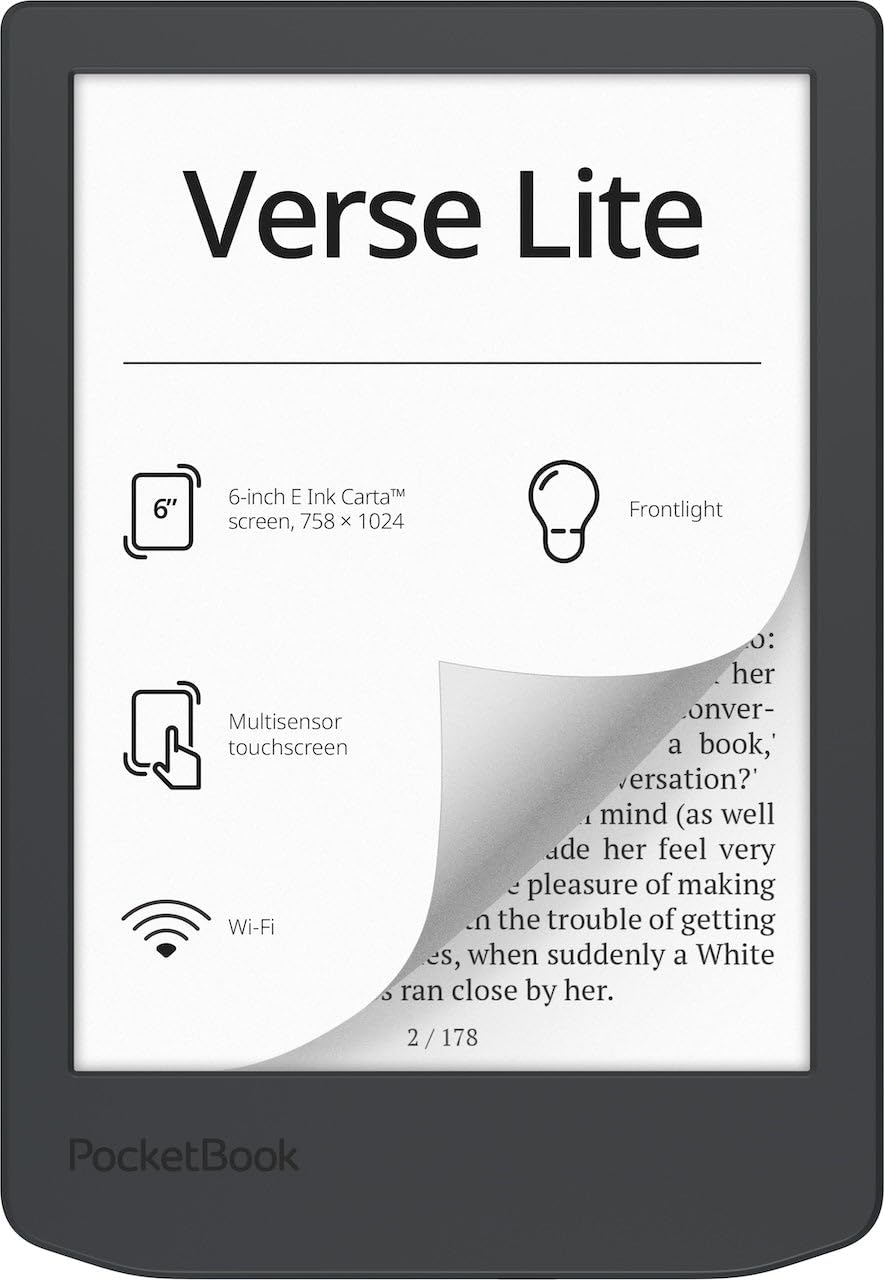
The Verse Lite strips out the color temperature adjustment and physical buttons of its bigger sibling but keeps the core features that matter: a 6-inch E-Ink Carta touchscreen with a built-in front light, support for over 25 file formats including EPUB, PDF, and MOBI, and Adobe DRM compatibility. For readers who primarily borrow library books or sideload their own EPUB collections, this is the most affordable way into an open ecosystem without losing the front light.
Battery endurance is the standout — up to two months on a single charge based on moderate daily reading. The 8GB storage holds several thousand books, and while there is no microSD slot, the internal capacity is sufficient for most personal libraries. The front light is evenly distributed across the screen with no hotspots, and the matte touchscreen surface reduces fingerprints better than the glossy Kindle display.
The biggest compromises are the lack of page-turn buttons and a slower processor. Navigating the menu and opening large PDFs takes an extra second or two compared to the Kindle Basic. Some users report screen flicker during page transitions, which is a characteristic of the older E-Ink firmware rather than a defect. The fingerprint magnet issue is real — the bezel picks up smudges quickly.
Why it’s great
- Native EPUB and Adobe DRM support for library books
- Up to 2-month battery life
- Even front light distribution with no hotspots
Good to know
- Touchscreen only, no physical buttons
- Processor is slower for library navigation
- Bezel attracts fingerprints quickly
4. OBOOK5 eBook Reader
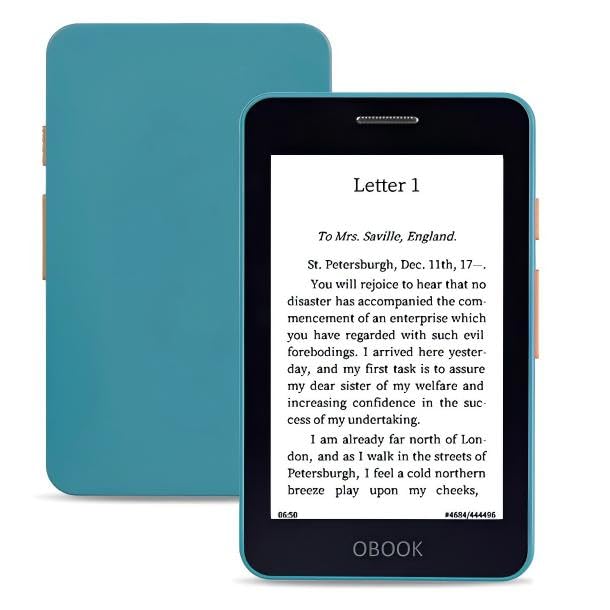
The OBOOK5 is one of the few sub‑ e-readers that combines an adjustable front light, touchscreen navigation, and physical page-turn buttons in a package small enough to disappear into a jeans coin pocket. The 4.26-inch E-Paper HD screen runs at 219 PPI — perfectly adequate for standard EPUB text, though comic panels and image-heavy PDFs will look pixelated. The front light is surprisingly uniform for the price bracket, with no distracting edge bleed.
Storage is generous at 32GB, enough for roughly 10,000 books. The built-in speaker and Bluetooth let you switch between reading and audiobooks on the same device, a rarity at this price point. Battery life sits around two weeks with the front light on and Wi-Fi off. File transfer is straightforward via USB-C drag-and-drop — no proprietary software required.
The caveat is screen quality. The 219 PPI resolution is lower than the 300 PPI panels on Kindle and PocketBook, so text has a faint jagged edge visible under close inspection. The stock software is ad-free and simple but sluggish when opening larger libraries. Some reviewers report buggy file transfer over MTP. If you value absolute text sharpness, spend a bit more for 300 PPI. If pocketability with a front light is your priority, this is the most capable small device.
Why it’s great
- Front light and touchscreen in a 4.26-inch ultraportable body
- 32GB storage and built-in speaker for audiobooks
- Ad-free software with simple drag-and-drop file transfer
Good to know
- 219 PPI screen shows jagged text at close range
- File transfer via MTP can be unreliable
- Sluggish interface when library grows large
5. XTEINK X4 E-Book Reader
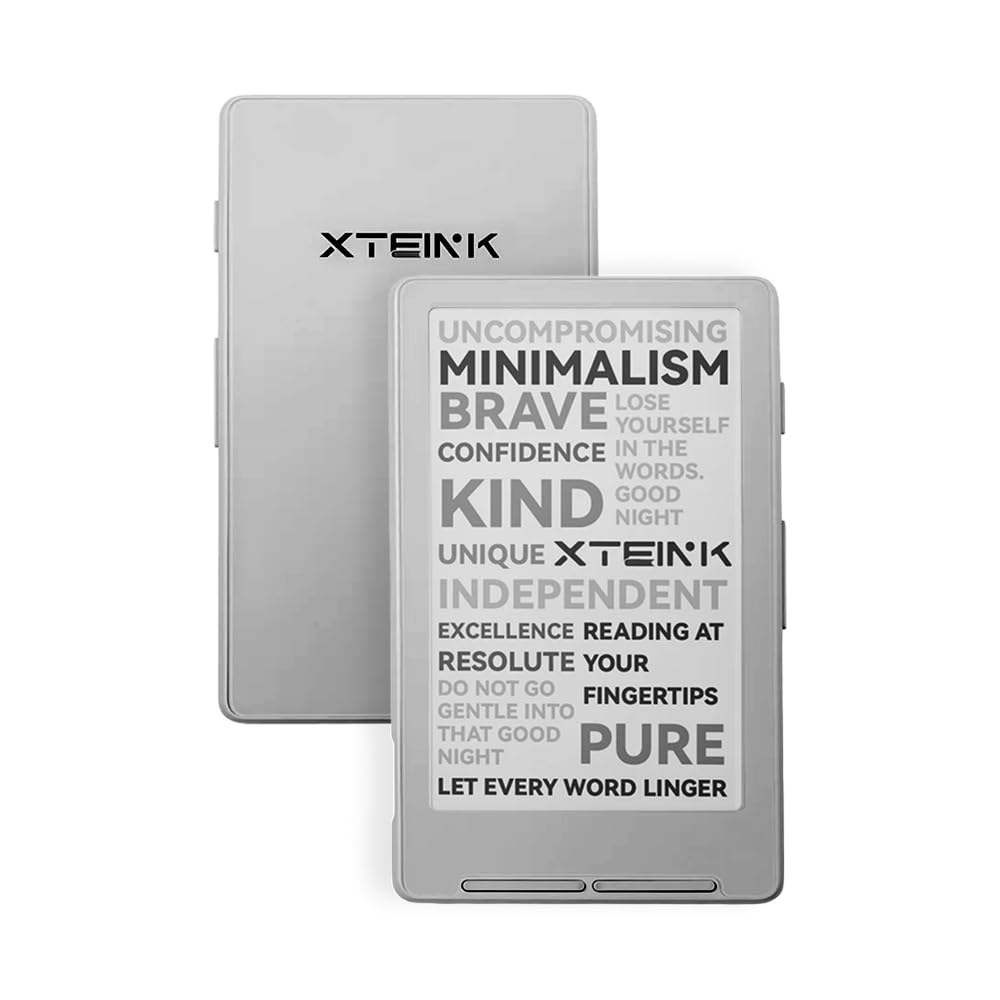
The XTEINK X4 is the most radical device on this list — a 4.3-inch E-Ink reader with no touchscreen, no front light, no Wi-Fi, and no distractions whatsoever. It weighs 2.72 ounces and is 0.23 inches thick. You navigate entirely through two responsive rocker buttons that are satisfyingly clicky. The 16GB internal storage plus microSD expansion means you can carry thousands of books in a device smaller than a wallet.
Battery life is rated at 14 days based on one to three hours of daily reading. The display uses high-aluminosilicate glass with etched finish, which improves scratch resistance and reduces glare outdoors. The magnetic-ready design includes stick-on rings for attaching to a phone case or bag. Many users flash the Crosspoint community firmware to unlock wireless transfers and a more intuitive interface.
There is no backlight, so this device is daylight-only. The stock firmware is clunky and slow. Without third-party firmware, transferring books requires connecting to a computer via USB-C. The page-turn buttons have a learning curve — you will occasionally skip forward two pages instead of one. This is a niche device for readers who want absolute distraction-free reading and do not mind tinkering with firmware.
Why it’s great
- Extremely light and pocketable at 2.72 ounces
- Physical page-turn buttons for one-handed reading
- Community firmware support adds features like wireless transfer
Good to know
- No front light — unusable in darkness
- Stock firmware is clunky and slow
- Requires USB-C cable for file transfer out of the box
6. Amazon Fire HD 8 (newest model)

The Fire HD 8 is not an e-reader. It is an 8-inch LCD tablet that happens to let you read on it. It runs Fire OS, which is a customized Android fork without Google Play Services.
The screen is bright and colorful, great for watching Netflix, browsing the web, or playing games. The built-in Alexa integration, 5MP rear camera, and support for Zoom video calls make it a functional home tablet. The recent software update added AI-powered tools for summarizing webpages and creating wallpapers. For casual reading of magazines or web articles in well-lit rooms, the LCD is tolerable.
But reading for longer than 30 minutes will cause eye strain compared to any E-Ink device on this list. The glossy LCD produces glare under direct light, and the blue light emission interferes with melatonin production if you read before bed. The Amazon Appstore has far fewer apps than Google Play, and sideloading Google Play requires workarounds that may break with updates. If your primary use is reading books, skip this. If you want a cheap tablet that can also display text, it works.
Why it’s great
- 3GB RAM for smooth multitasking and app switching
- Up to 1TB expandable storage via microSD
- 13-hour battery life for video and browsing
Good to know
- LCD screen causes eye fatigue during long reading sessions
- No Google Play Store without sideloading
- Glossy display creates glare in bright environments
7. Like-New Amazon Fire 7 (newest model)

The Fire 7 is Amazon’s cheapest tablet, and when bought as a certified refurbished Like-New unit, the price drops even lower. The 7-inch 1024×600 LCD is low-resolution by any modern standard — text looks fuzzy, and images lose detail. The 2GB RAM and quad-core processor are enough for basic web browsing, video streaming, and light app use, but multitasking between apps will cause lag.
Battery life is rated at 10 hours, which aligns with real-world use for mixed reading and video. The microSD slot supports up to 1TB of expandable storage, and the Fire OS interface is the same as the HD 8, including Alexa voice commands, Amazon Kids mode, and Zoom support. The Like-New certification means the device is tested, fully functional, and comes with the same warranty as a new unit.
The screen resolution is the main drawback. At 1024×600, the pixel density is roughly 170 PPI, which is lower than any E-Ink reader on this list. Reading text is possible but uncomfortable for extended periods. The LCD backlight, even at minimum brightness, is harsher than an E-Ink front light. If your budget is absolutely floor-level and you need a device that can both read and stream, this fills that role. If reading is the primary goal, save a bit more for the OBOOK5 or the Kindle Basic.
Why it’s great
- Lowest entry price for a Fire tablet with full Alexa support
- Certified refurbished Like-New with warranty
- Expandable storage up to 1TB via microSD
Good to know
- 1024×600 screen is low-resolution and fuzzy for text
- LCD backlight causes eye strain during long reading
- 2GB RAM is insufficient for heavy multitasking
FAQ
Can I read Kindle books on a PocketBook or OBOOK?
Is a cheap e reader better than reading on a phone?
Why do some cheap e readers lack a front light?
Do I need physical page-turn buttons?
Final Thoughts: The Verdict
For most users, the best cheap e reader winner is the Amazon Kindle 16GB because it delivers a 300 PPI Carta display with an adjustable front light at a price that undercuts every comparable model while maintaining the most refined reading software available. If you want native EPUB support and physical page-turn buttons, grab the PocketBook Verse. And for ultra-portable distraction-free reading at the lowest possible entry point without sacrificing E-Ink quality, nothing beats the XTEINK X4.

Mo Maruf
I created WellFizz to bridge the gap between vague wellness advice and actionable solutions. My mission is simple: to decode the research and give you practical tools you can actually use.
Beyond the data, I am a passionate traveler. I believe that stepping away from the screen to explore new environments is essential for mental clarity and physical vitality.