Our readers keep the lights on and my smoothie glass nicely filled. As an Amazon Associate, I earn from qualifying purchases.
The right AIO cooler means the difference between a CPU that boosts consistently under full load and one that throttles within seconds of starting a render or a gaming session. With radiator sizes ranging from 240mm to 360mm, pump speeds up to 3800 RPM, and fan noise levels that can turn your quiet workstation into a wind tunnel, choosing the wrong unit locks you into either thermal limits or acoustic frustration. Every degree and every decibel matters when you’re pushing a high-TDP chip from Intel or AMD.
I’m Mohammad Maruf — the founder and writer behind WellFizz. I’ve spent years analyzing closed-loop liquid cooler specifications, evaluating pump architectures, radiator fin density, and fan static pressure claims to separate genuine thermal performance from marketing noise.
After reviewing dozens of models across every price tier, I’ve ranked the options that deliver real-world temperature drops and reliable long-term operation in this guide to the best aio cooler for your specific build and budget constraints.
How To Choose The Best AIO Cooler
An AIO cooler is a sealed liquid-cooling loop that transfers heat from your CPU to a radiator, where fans exhaust it outside your case. The three decisions that define performance are radiator size, pump quality, and fan capability. Matching these to your CPU’s thermal output and case dimensions prevents wasted money or inadequate cooling.
Radiator Size and Case Compatibility
Radiator length — 240mm, 280mm, or 360mm — determines how much surface area is available to dissipate heat. A 240mm unit handles mid-range CPUs like the Ryzen 5 or Core i5 with headroom for overclocking. A 280mm radiator offers roughly 25% more surface area than a 240mm, making it ideal for Ryzen 7 or Core i7 chips under sustained load. A 360mm radiator delivers maximum thermal capacity for Ryzen 9, Core i9, or Threadripper processors but requires a case with top or front mounting support for three 120mm fans. Measure your case’s radiator mounting clearance before choosing—nothing derails a build faster than a radiator that doesn’t fit.
Pump Design and Cold Plate Material
Pump speeds above 2800 RPM typically indicate strong flow rates, but noise at those speeds varies widely between manufacturers. A ceramic-bearing pump, like the one in the MSI MAG Coreliquid A13, reduces long-term wear and resonance. The cold plate material matters equally: copper provides better thermal conductivity than aluminum, and a slightly convex cold plate (as used by Corsair) ensures maximum contact pressure against the CPU’s integrated heat spreader. Models with an integrated VRM fan, like the ARCTIC Liquid Freezer III Pro series, also cool the voltage regulators around the CPU socket, which improves stability during all-core workloads.
Fan Static Pressure and Noise Profile
Radiator fans must push air through dense fin stacks, so static pressure measured in mmH2O matters more than raw airflow (CFM). A fan with at least 2.0 mmH2O static pressure at maximum speed can penetrate a 38mm thick radiator effectively. Pay attention to noise ratings in decibels (dBA) at idle and under load—a difference of 5 dBA is roughly three times louder to the human ear. Models with daisy-chain fan connections, like the Thermalright FW360 SE, simplify cable management and reduce airflow obstruction inside the case.
Quick Comparison
On smaller screens, swipe sideways to see the full table.
| Model | Category | Best For | Key Spec | Amazon |
|---|---|---|---|---|
| ARCTIC Liquid Freezer III Pro 280 | 280mm AIO | High-TDP Ryzen 9 / Core i7 | 110 CFM airflow, 38mm radiator | Amazon |
| CORSAIR Nautilus 360 RS | 360mm AIO | Quiet operation under heavy load | 20 dBA pump noise, convex cold plate | Amazon |
| Thermalright FW360 SE ARGB V2 | 360mm AIO with LCD | Custom PC builds with screen display | 2-inch LCD, 2000 RPM fans | Amazon |
| ARCTIC Liquid Freezer III Pro 240 | 240mm AIO | Mid-range builds in compact cases | VRM fan, 0.08 Sones noise level | Amazon |
| MSI MAG Coreliquid A13 240 | 240mm AIO | Entry-level liquid cooling upgrade | 14.4 dBA noise, ceramic bearing pump | Amazon |
In‑Depth Reviews
1. ARCTIC Liquid Freezer III Pro 280

The ARCTIC Liquid Freezer III Pro 280 delivers the best balance of thermal capacity and noise control for high-performance desktop builds. Its 38mm thick radiator — 8mm thicker than standard 30mm units — combined with the P14 Pro fans that push 110 CFM at 2500 RPM, gives it roughly 25% more surface area than a standard 240mm AIO. The native offset mounting shifts the cold plate center toward the CPU’s hotspot, which translates directly to lower core temperatures without compromising idle noise. The integrated VRM fan is a smart addition for motherboards running all-core workloads on Ryzen 9 or Core i9 processors, keeping voltage regulators stable under sustained load.
Installation has a steeper learning curve than most AIOs due to the leaf spring retention system that requires firm downward pressure to engage the mounting screws. The stiff hoses also limit routing flexibility in narrower cases like the Corsair 4000D. Once mounted, the thermal performance is exceptional: reviewers report idle temperatures in the high 30s and load temperatures in the mid-70s on a Ryzen 9 9900X, a 20-degree improvement over a previous 240mm cooler. The pump runs quietly at lower speeds, and the PWM-controlled VRM fan only ramps up under heavy load.
The build quality is excellent across the board — a copper cold plate with micro skived fins, an aluminum radiator, and an integrated cable management system that routes all fan PWM wires through the hose sheathing so only one visible cable reaches the motherboard. There is no RGB lighting, no LCD screen, and no software required, which makes this a straightforward choice for builders who prioritize thermal performance and reliability over aesthetics. The 280mm radiator requires a case with 12.4 inches of mounting clearance, so verify fitment before purchase.
Why it’s great
- 38mm thick radiator with 110 CFM fans provides class-leading thermal headroom for high-TDP CPUs
- Integrated VRM fan improves voltage regulator cooling during sustained all-core workloads
- Native offset mounting and contact frame for Intel LGA 1851/1700 optimizes heat transfer to the CPU hotspot
Good to know
- Leaf spring mounting system requires significant downward force and can be frustrating during installation
- Stiff hoses reduce routing flexibility in compact or mid-tower cases
- No RGB or LCD options; purely performance-focused design
2. CORSAIR Nautilus 360 RS

The CORSAIR Nautilus 360 RS prioritizes silent operation without sacrificing cooling capacity, making it the ideal choice for noise-sensitive environments. Its 360mm radiator paired with three RS120 fans using AirGuide technology and Magnetic Dome bearings generates strong static pressure at just 36 dBA maximum noise — quieter than most 240mm AIOs under full load. The convex cold plate design is a deliberate engineering choice that improves contact pressure against the CPU’s integrated heat spreader, and the pre-applied thermal paste in an optimized pattern speeds up installation for first-time AIO users. The pump itself operates at a whisper-quiet 20 dBA, meaning the dominant noise source is airflow rather than mechanical hum.
Installation is straightforward thanks to the direct motherboard connection design that simplifies cable routing. The daisy-chain fan connections reduce the number of PWM headers needed to a single 4-pin header, which keeps the build clean and reduces airflow obstruction inside the case. Reviewers report idle temperatures around 28 degrees Celsius and gaming loads staying under 65 degrees Celsius on a Ryzen 9 9950X after replacing the pre-applied paste with a premium thermal compound. The 360mm radiator does require a case with at least 15.6 inches of clearance, so measure your case’s top or front mounting area before purchase.
Build quality is consistent with CORSAIR’s reputation — the tubing is reinforced, the radiator fins are evenly spaced without damage, and the mounting hardware covers Intel LGA 1851, LGA 1700, and AMD AM5/AM4 sockets out of the box. The lack of a non-RGB version may disappoint builders seeking a fully stealth aesthetic, but the fans’ lighting can be controlled through standard motherboard software. The pre-applied thermal paste works adequately but upgrading to a high-end paste yields an additional 10-degree improvement for demanding workloads.
Why it’s great
- Extremely quiet operation with 20 dBA pump and 36 dBA fans at full speed
- Convex cold plate ensures maximum contact pressure and heat transfer efficiency
- Daisy-chain fan connections require only a single 4-pin PWM header for all three fans
Good to know
- Large 360mm radiator requires ample case clearance; not suitable for compact builds
- Pre-applied thermal paste is adequate but upgrading yields better thermal performance
- No non-RGB variant available for stealth-focused builds
3. Thermalright FW360 SE ARGB V2
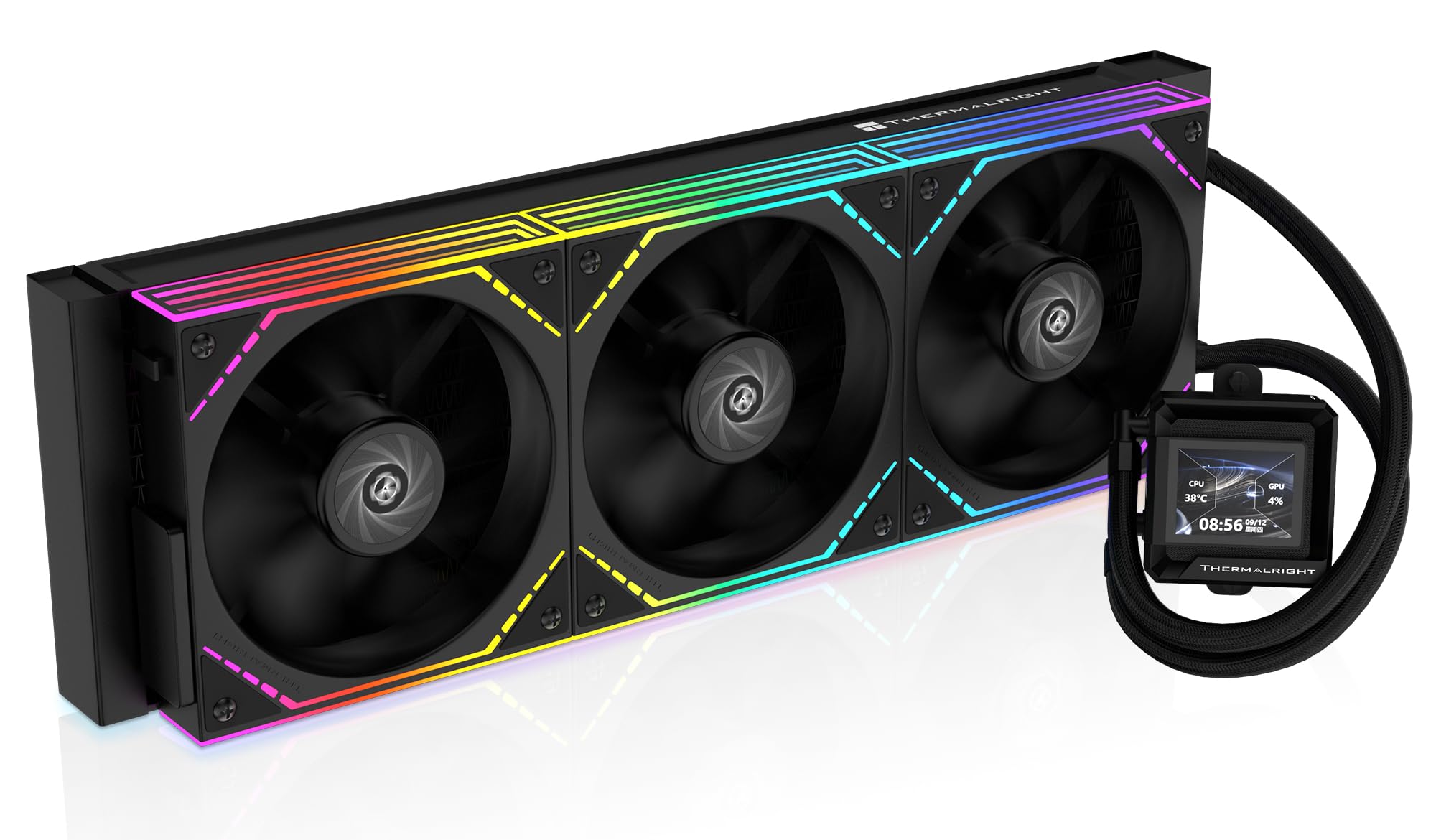
The Thermalright FW360 SE ARGB V2 packs a 360mm radiator, a customizable 2-inch LCD screen, and ARGB lighting into a mid-range package that outperforms many premium coolers on thermal benchmarks. The 3000 RPM pump delivers strong flow through the aluminum radiator, while the three TL-M12Q 120mm PWM fans spin up to 2000 RPM with 68.9 CFM airflow and 2.21 mmH2O static pressure — enough to handle sustained loads on a Ryzen 9 or Core i7 without thermal throttling. The daisy-chain fan connection design reduces cable clutter significantly, with only one PWM cable and one ARGB cable per fan chain running to the motherboard headers.
The 2-inch LCD screen is the standout feature at this price point. Through Thermalright’s software, users can display system stats like CPU temperature and pump speed, or upload custom images and animated GIFs for a personalized build. Reviewers note that the LCD installation requires a USB-C connection that can be finicky — some units arrived with connection issues that required Amazon replacement. Once running, however, the screen works reliably and adds a premium visual element typically found on coolers costing significantly more. The software is straightforward to install and offers many display customization options without bloatware.
Installation is straightforward with clear printed instructions covering fan replacement, screen setup, and socket compatibility for Intel LGA 1851, LGA 1700, 1200, 115X, and AMD AM5/AM4. The bracket system is tool-free for the mounting frame, and the included thermal paste tube is sufficient for one application. The silver mounting bracket may clash visually with black motherboards, but this is a minor aesthetic issue. The 5-year warranty provides long-term peace of mind, though LCD durability over that timeframe is unproven.
Why it’s great
- 2-inch customizable LCD screen provides system stats and custom imagery at a mid-range price point
- Daisy-chain fan design reduces cable clutter and simplifies build management
- 5-year warranty adds long-term reliability assurance
Good to know
- LCD screen USB-C connection can be unreliable; some users experienced connection issues
- Silver mounting bracket may not match black motherboard aesthetics
- LCD screen durability over several years of use is unverified
4. ARCTIC Liquid Freezer III Pro 240

The ARCTIC Liquid Freezer III Pro 240 brings the same engineering philosophy as its larger 280mm sibling — a 38mm thick radiator, native offset mounting, and an integrated VRM fan — into a compact 240mm form factor that fits most mid-tower and smaller cases. The P12 Pro fans deliver higher performance than the standard P12 at every speed point, making this 240mm unit competitive with some 280mm coolers on thermal benchmarks. The integrated VRM fan is particularly valuable for builds where motherboard voltage regulators run hot due to limited natural airflow around the socket, such as ITX or small-form-factor systems.
Installation requires attention to detail, particularly on AMD systems where the leaf spring system demands firm downward force to align the mounting screws. The paperless instruction set — a QR code leading to a video guide — can skip some critical steps, such as the correct orientation of the mounting plate for Intel LGA 1700. Once properly mounted, the cooler performs admirably: reviewers report a 10-degree improvement over air coolers on Core i7 processors, with idle temperatures well below 30 degrees and load temperatures staying under 70 degrees during gaming. The pump operates quietly at lower speeds, and the fans become audible only above 50% PWM duty cycle.
The build quality matches the 280mm version with an aluminum radiator, copper cold plate with micro skived fins, and integrated cable management that routes all fan PWM wires through the hose sheathing. The contact frame for Intel LGA 1851/1700 optimizes contact pressure distribution, reducing the risk of uneven thermal paste spread and extending CPU lifespan. There is no RGB lighting or LCD screen, which makes this a clean, no-frills option for builders who value thermal efficiency over visual flair. The 240mm radiator is compact enough to fit in most cases, but the 38mm thickness may interfere with tall RAM modules if mounted in the top position.
Why it’s great
- 38mm thick radiator in a compact 240mm format provides thermal headroom exceeding most standard 240mm AIOs
- Integrated VRM fan improves motherboard voltage regulator cooling in compact or ITX builds
- Contact frame for Intel LGA 1851/1700 ensures even contact pressure and optimal heat transfer
Good to know
- Paperless instruction set via QR code video can skip critical mounting steps
- Leaf spring mounting system requires significant downward force during installation
- 38mm radiator thickness may interfere with tall RAM modules depending on case layout
5. MSI MAG Coreliquid A13 240
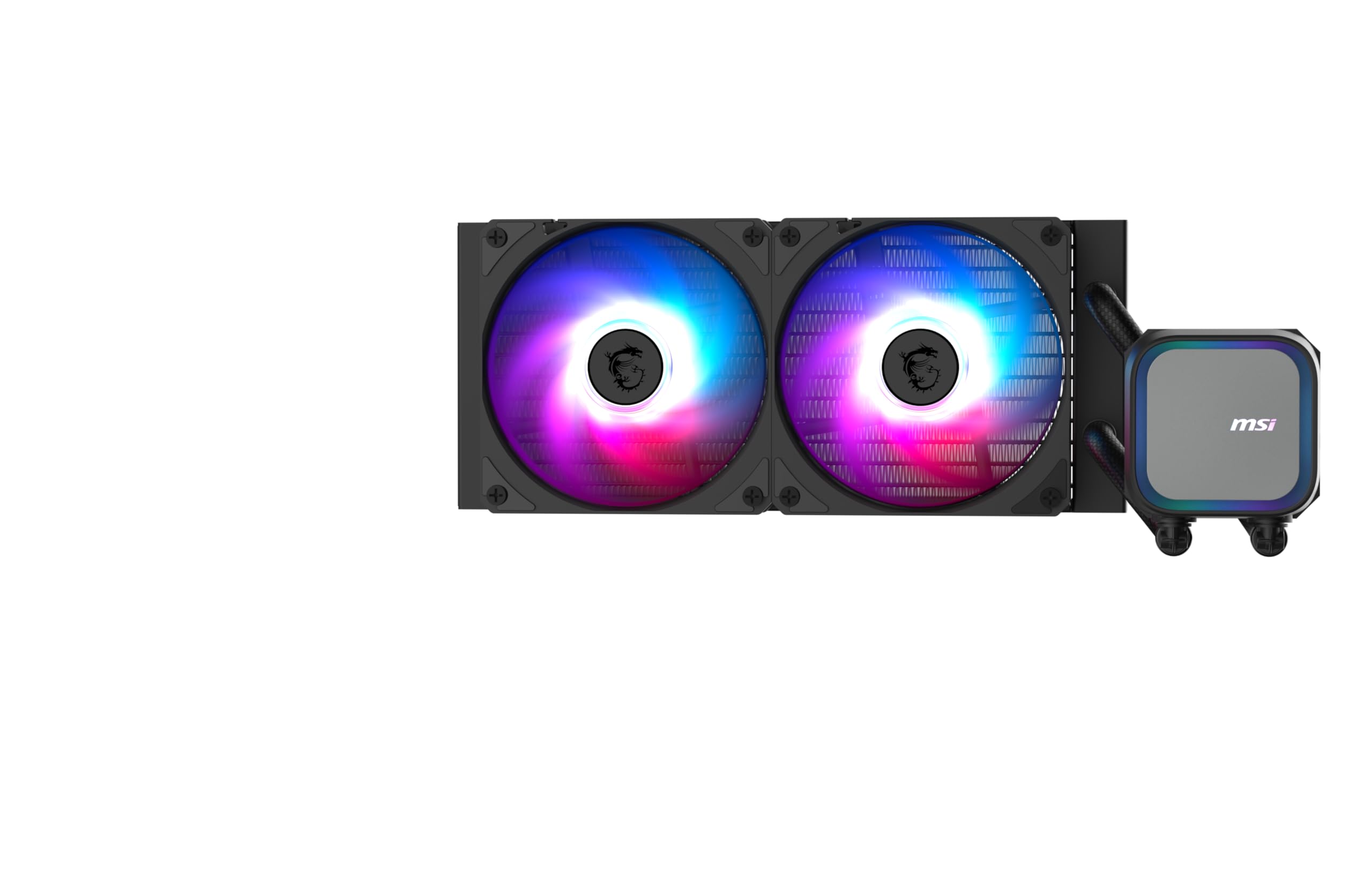
The MSI MAG Coreliquid A13 240 is a solid entry point into liquid cooling for builders transitioning from air coolers. Its split-flow radiator design with an integrated three-phase pump operating at 3800 RPM and ceramic bearings delivers reliable flow while keeping pump noise down to 14.4 dBA — effectively silent in most builds. The 240mm aluminum radiator paired with two 120mm ARGB PWM fans running at up to 5200 RPM provides 60.78 CFM of airflow, enough to keep a Ryzen 7 7800X3D or Core i7-14700KF under 65 degrees during gaming loads without audible pump or fan noise.
Installation is beginner-friendly with an easy-to-use mounting bracket that supports AMD AM5/AM4 and Intel LGA 1700/1851 out of the box, including thermal paste. The tubes rotate 90 degrees to accommodate both AMD and Intel motherboard layouts, and the 390mm triple-layered evaporation-proof tubing provides enough reach for front or top mounting in most mid-tower cases. Reviewers note that the included thermal paste is adequate but upgrading to a high-performance paste like Thermal Grizzly Kryonaut yields better thermal results for overclocked chips. The pump reports accurately through MSI’s UEFI and MSI Center software for easy monitoring.
Build quality is consistent with MSI’s MAG line — the split-flow aluminum radiator is well-constructed, the ceramic-bearing pump runs smoothly, and the ARGB lighting on the pump and fans is vibrant and software-controllable. The 3-year warranty is shorter than some competitors’ 5-year or 6-year coverage, but the ceramic bearing design typically outlasts standard sleeve bearings. The 14.4 dBA noise rating is among the quietest in the 240mm category, making this a strong choice for noise-sensitive users on a tighter build budget. The stock fans are decent but not class-leading in static pressure, so pushing this cooler to its limits with a high-TDP chip may require upgrading to higher-pressure fans.
Why it’s great
- Exceptionally quiet operation with 14.4 dBA noise level and ceramic bearing pump
- Split-flow radiator design with 3800 RPM pump delivers reliable cooling for mid-range CPUs
- Tool-free mounting bracket supports current Intel and AMD sockets with included thermal paste
Good to know
- 3-year warranty is shorter than the 5-year coverage offered by many competitors
- Stock fans have moderate static pressure; upgrading recommended for high-TDP chips
- Included thermal paste is adequate but not optimal for overclocked processors
FAQ
Can a 240mm AIO handle a Ryzen 9 7950X under full load?
What does the integrated VRM fan do on ARCTIC Liquid Freezer III coolers?
How often should I replace an AIO cooler’s thermal paste?
Final Thoughts: The Verdict
For most users, the best aio cooler winner is the ARCTIC Liquid Freezer III Pro 280 because its 38mm thick radiator, 110 CFM fans, and integrated VRM fan deliver class-leading thermal performance for high-TDP CPUs without unnecessary RGB or LCD features. If you want whisper-quiet operation with a 360mm radiator, grab the CORSAIR Nautilus 360 RS. And for a budget-conscious entry into liquid cooling with solid performance for mid-range chips, nothing beats the MSI MAG Coreliquid A13 240.

Mo Maruf
I created WellFizz to bridge the gap between vague wellness advice and actionable solutions. My mission is simple: to decode the research and give you practical tools you can actually use.
Beyond the data, I am a passionate traveler. I believe that stepping away from the screen to explore new environments is essential for mental clarity and physical vitality.