Our readers keep the lights on and my smoothie glass nicely filled. As an Amazon Associate, I earn from qualifying purchases.
A 1TB flash drive promises to carry an entire digital life in your pocket—years of photos, your game library, or every critical work file. But the real challenge isn’t finding one with enough capacity; it’s picking the drive that won’t throttle your workflow with sluggish write speeds or fail when you need it most.
I’m Mohammad Maruf — the founder and writer behind WellFizz. I’ve spent years analyzing storage benchmarks, controller chips, and real-world endurance data to separate the flash drives that deliver on their spec sheets from those that don’t.
This guide breaks down the seven best options on the market today, from pocket-sized SSDs to USB-C dual drives. Whether you edit 4K video on the go or just need reliable backups, you’ll find the right 1tb flash drive for your specific workflow without wasting time on gimmicks.
How To Choose The Best 1TB Flash Drive
Not all 1TB flash drives are created equal. The capacity is the same, but the controller, NAND type, and interface determine whether you get a responsive drive or a digital paperweight. Focus on these three factors before deciding.
Interface and Real-World Transfer Speed
The USB generation—3.0, 3.2 Gen 1, or 3.2 Gen 2—dictates the theoretical ceiling. But continuous write performance (how fast the drive can sustain a multi-gigabyte transfer after the SLC cache fills) matters more for professionals moving large video files or game installers. Many “1000MB/s” drives drop to 300-400MB/s after a few seconds. Check reviews for sustained write benchmarks, not just peak read numbers.
Form Factor and Thermal Management
Stick-style drives get hot under load. A metal or zinc alloy casing acts as a heat sink, delaying thermal throttling and maintaining higher sustained speeds. Plastic enclosures trap heat. Additionally, dual-interface drives (USB-C + USB-A) add versatility but often run warmer due to the compact design—consider whether you need the dual port or if a single Type-A connector is sufficient.
NAND Type and Endurance
Most 1TB flash drives use 3D TLC or QLC NAND. TLC generally offers better write endurance and sustained performance than QLC. SSD-grade controllers in premium stick drives improve wear leveling and reduce the chance of the drive becoming unreadable after repeated rewrites. For frequent, heavy use, prioritize drives with explicit TLC NAND and advanced thermal management.
Quick Comparison
On smaller screens, swipe sideways to see the full table.
| Model | Category | Best For | Key Spec | Amazon |
|---|---|---|---|---|
| MOVE SPEED 1TB | Premium Stick SSD | iPhone 4K ProRes recording | 1000MB/s R/W, 3-Stage Push-Pull | Amazon |
| PNY PRO Elite V3 | Performance Workhorse | Professional file transfers | 1000MB/s Read, 800MB/s Write | Amazon |
| Orlian 1TB Portable SSD | Dual-Port SSD | Phone and laptop file shuffling | 1000MB/s Read, USB 3.2 Gen 2 | Amazon |
| SSK 1TB Thumb Drive | Dual-Port Pocket SSD | Android phone and tablet expansion | 1000MB/s R/W, Zinc Alloy Shell | Amazon |
| Lexar D50E 1TB | Swivel Dual Drive | iPad Pro photo transfers | 390MB/s Read, 400MB/s Write | Amazon |
| SANDISK Ultra Flair 1TB | Classic High-Speed USB | General backups and boot drives | 150MB/s Read, USB 3.0 | Amazon |
| Kosbees 1TB External HDD | Budget Portable HDD | Large media storage at lowest cost | 120MB/s Read, 2.5-inch HDD | Amazon |
In‑Depth Reviews
1. MOVE SPEED 1TB External SSD

The MOVE SPEED WID 10 Series nails the trifecta of speed, thermal management, and dual-interface convenience. Its 1000MB/s read and write speeds are backed by an SSD-grade controller and a zinc alloy shell that keeps peak temperature at 122°F—remarkably cool for sustained 4K ProRes HDR transfers from an iPhone 15 Pro Max.
The 3-stage push-pull mechanism protects both USB-C and USB-A connectors without a detachable cap, eliminating the “lost cap” frustration reported on many dual drives. Real-world benchmarks from users show sustained writes holding around 700-800MB/s before throttling, thanks to the metal casing acting as a heat sink. The included braided lanyard adds portability without bulk.
Compatibility spans Windows, Mac, Android, PS5, and car audio systems. A few users reported drive failures after months of light use, but the majority of feedback highlights rugged reliability and blistering speed over a year of daily use. If you need one drive for phone, laptop, and console, this is the current gold standard.
Why it’s great
- Sustained 1000MB/s reads and writes with minimal thermal throttling
- Dual USB-C and USB-A with secure push-pull mechanism
- iPhone 4K ProRes HDR direct recording support
Good to know
- Phone cases may block the USB-C connector; a short dongle may be needed
- Some units have reported failure after several months of heavy use
2. PNY PRO Elite V3 1TB
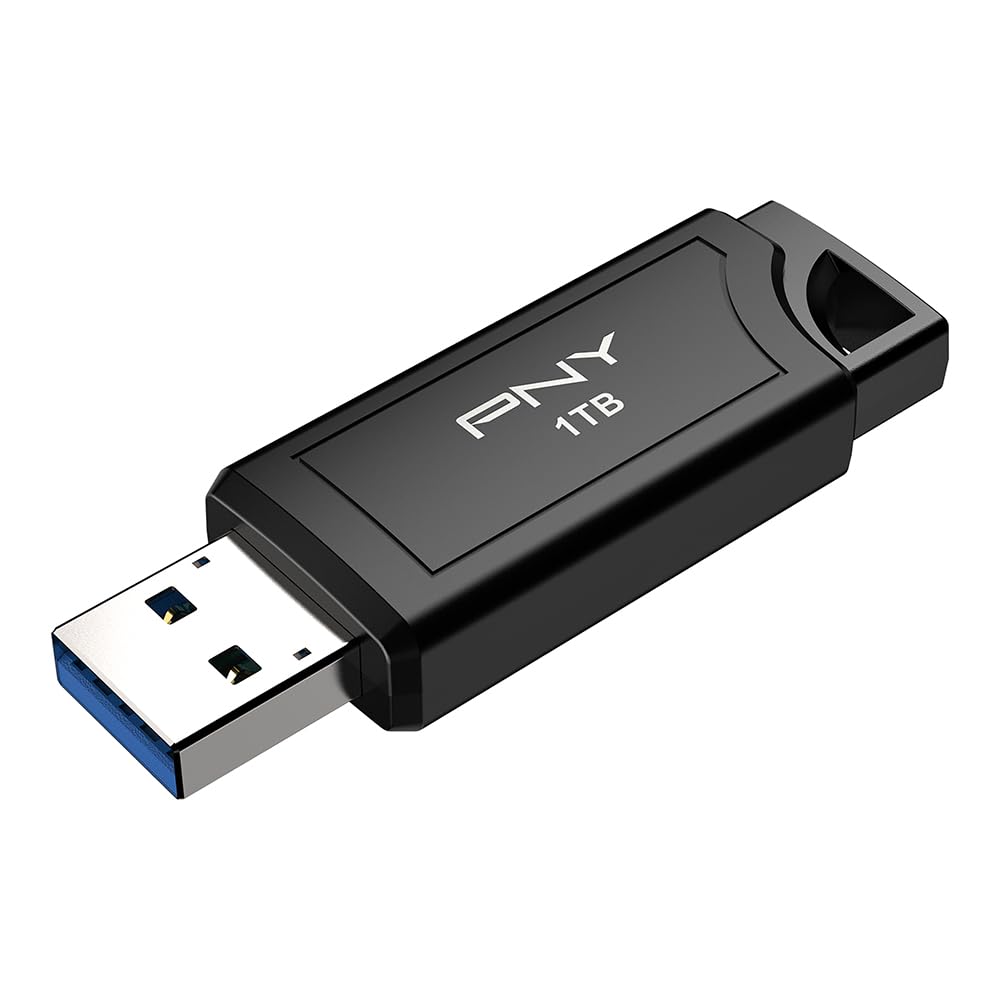
The PNY PRO Elite V3 redefines what a flash drive can do, delivering desktop SSD-level performance in a thumb-sized metal body. With read speeds up to 1000MB/s and write speeds up to 800MB/s, it cruises through enormous file sets—DJs report loading 500GB of music in minutes without hiccups during live gigs.
The USB 3.2 Gen 2 Type-A connector means you need a compatible port to unlock its full potential; on USB 3.0 ports it still outperforms most drives, but you’re leaving speed on the table. The all-metal casing stays cool during heavy transfers, and the sliding connector mechanism protects the port when not in use. It’s also backward compatible with USB 2.0 and 3.0.
Professional photographers and video editors will appreciate the sustained write performance after the SLC cache fills—testing shows around 327MB/s on a 100GB file transfer, far better than typical stick drives that drop to USB 2.0 speeds. The trade-off is a higher cost per gigabyte, but for mission-critical work, the speed and reliability justify the premium.
Why it’s great
- Industry-leading 800MB/s sustained write speeds
- Premium metal build with excellent heat dissipation
- Competitive value for SSD-level performance in a stick form factor
Good to know
- Type-A connector only; no USB-C option
- Requires USB 3.2 Gen 2 port for full speed
3. Orlian 1TB External Portable SSD
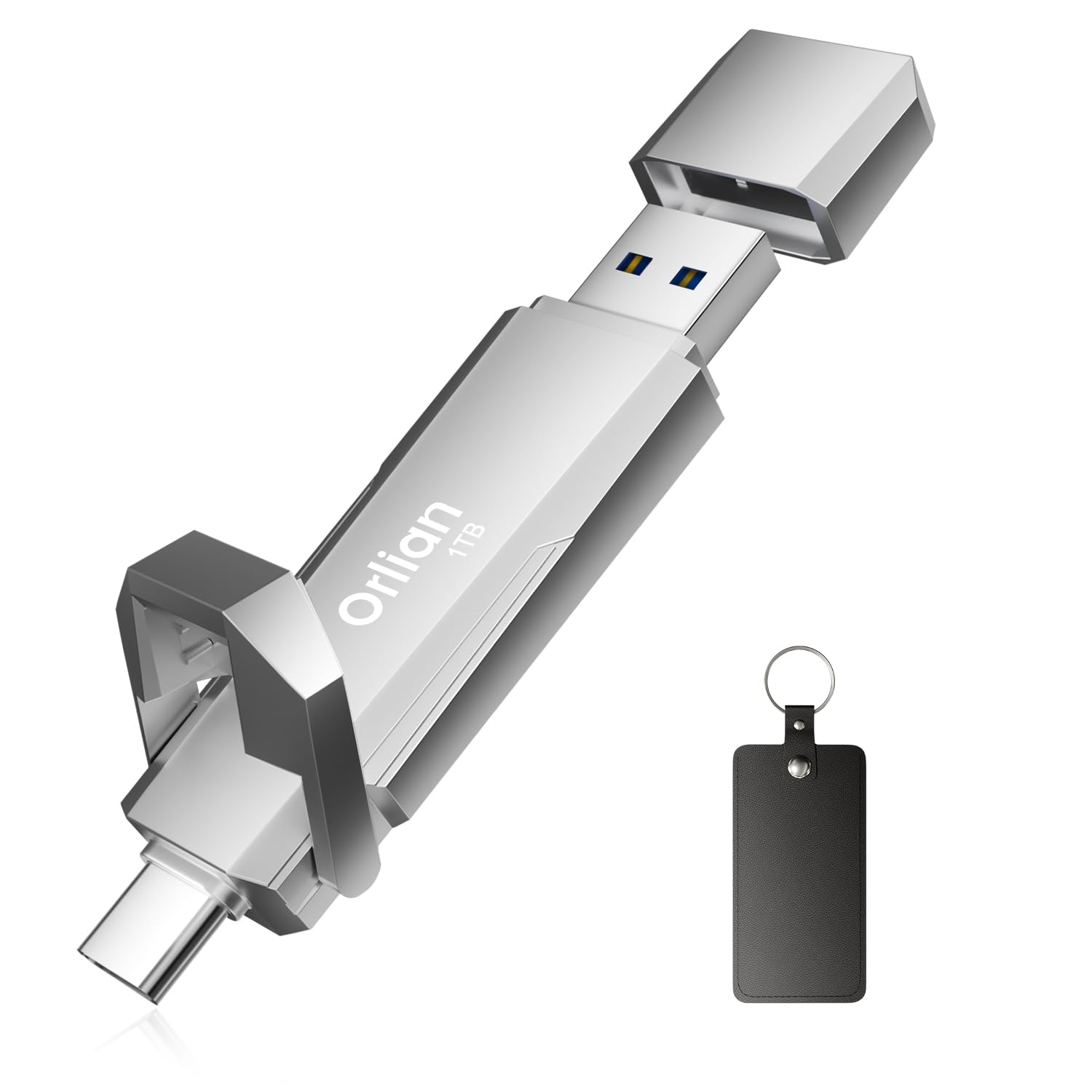
Orlian’s offering brings genuine dual-interface convenience at a price point that undercuts many competitors. The USB-C and USB-A ports are integrated directly into the compact body, eliminating the need for adapters when switching between a USB-C phone and a USB-A laptop. Read speeds reach a genuine 1000MB/s over USB 3.2 Gen 2, while writes hover around 800MB/s in optimal conditions.
The aluminium alloy enclosure provides robust heat dissipation, keeping the drive cool enough to avoid thermal throttling during extended sessions. Users report using it to store and play Steam games directly, noting load times comparable to internal SSDs. The plug-and-play compatibility with Windows, Mac, and Android is seamless—no reformatting required for basic file transfers.
Where it shines is the ecosystem bridge: photographers transfer RAW files from a Sony camera to an iPad Pro, editors move them to a Windows workstation, and the single drive handles it all. It’s also lightweight enough to hang on a keychain. Some units reported initial exFAT formatting quirks, but most modern devices recognize it instantly.
Why it’s great
- True dual USB-C and USB-A connectors in one compact package
- Fast 1000MB/s read speeds good for gaming and video work
- Strong aluminium build dissipates heat effectively
Good to know
- Some phones may require a case with a wide enough port opening
- Limited track record compared to established brands
4. SSK 1TB USB C Thumb Drive

SSK’s SD301 PRO squeezes 1000MB/s read and write speeds into a thumb drive the size of a ring finger. The zinc alloy shell provides the thermal mass necessary to sustain those speeds longer than plastic alternatives, though users report the drive gets hot during heavy transfers—hitting the 122°F mark typical of high-performance stick SSDs.
The design includes individual protective caps for both the USB-C and USB-A connectors. While the caps keep the ports clean, several reviews note they’re easy to misplace and there’s no lanyard loop to secure them. The included leather holder with a clip helps compensate, but it’s one more thing to carry.
Compatibility is broad—users have tested it on Pixel 9 phones, iPad Pros, Windows laptops, and MacBooks without driver issues. The exFAT pre-format works immediately with Android and Windows; Mac users may need a quick reformat. Performance is consistent with the Orlian drive, making SSK a strong alternative if the price is right or you prefer the cap-style design over push-pull mechanisms.
Why it’s great
- Incredibly compact yet delivers 1000MB/s sustained performance
- Zinc alloy housing manages heat effectively
- Comes with leather carrying case and keyring
Good to know
- Protective caps are easily lost; no attached cap mechanism
- Some units have reported failure after initial use
5. Lexar D50E 1TB Solid State Dual Drive
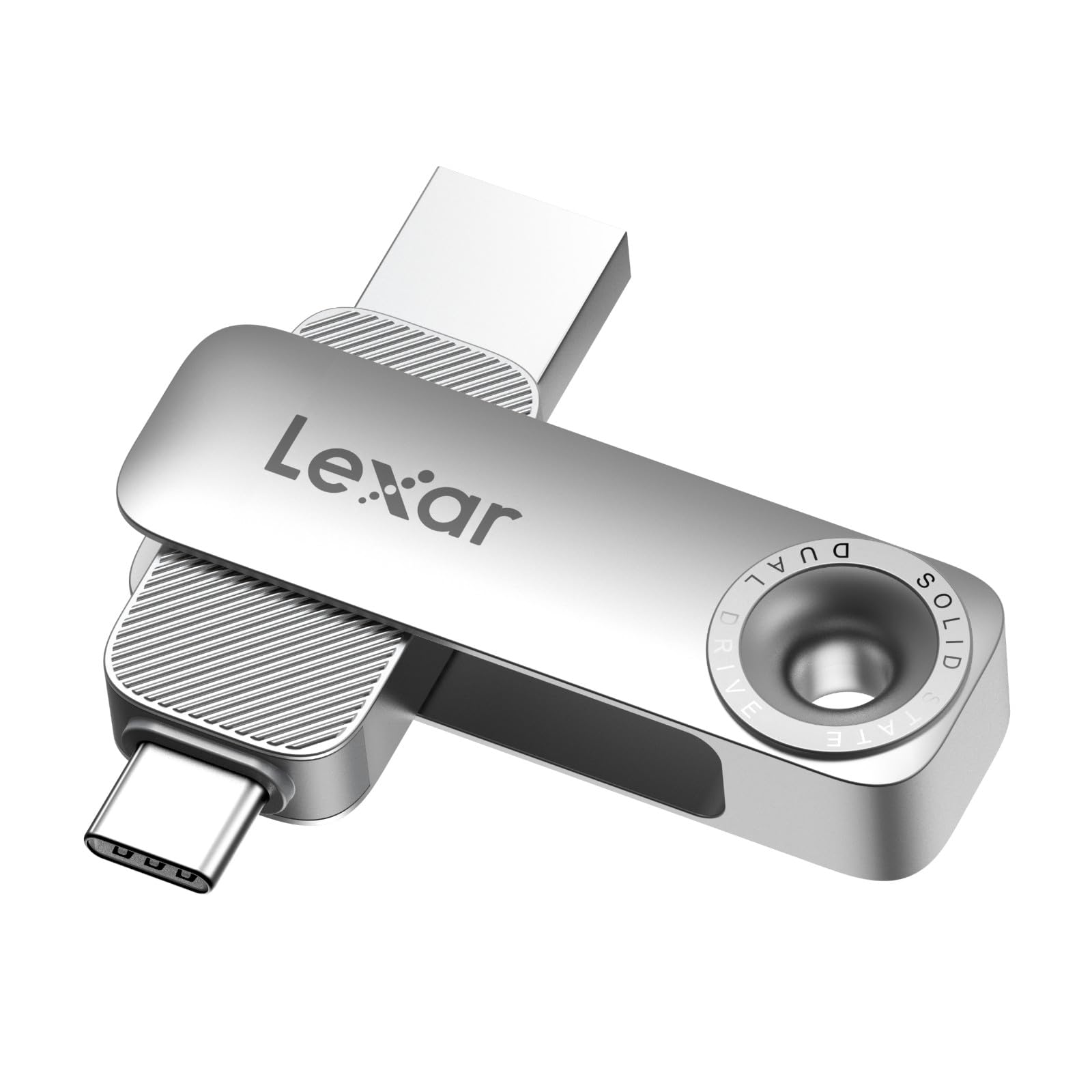
Lexar takes a different approach with the D50E’s swivel metal housing. Instead of caps or push-pull, the connectors rotate into the metal body when not in use, protecting both the USB-C and USB-A ports without any detachable parts. It’s a durable solution that feels built to last—users describe the diecast metal chassis as “robust” and “indestructible.”
Performance is rated at 390MB/s read and 400MB/s write, which is roughly 4x faster than typical USB 3.0 drives but well below the 1000MB/s tier. This makes it ideal for photographers transferring image libraries from an iPad Pro to a Windows laptop, where the bottleneck is often the device itself rather than the drive. The Lexar App adds automatic photo backup for iOS and Android.
The trade-off for the swivel design is speed; you’re paying a premium for the build quality, not raw performance. That said, the drive handles 4K video playback and large file transfers without stuttering. The tight connector fit reported by some users should loosen with use. If durability and convenience matter more than peak speed, this is a compelling choice.
Why it’s great
- Swivel metal housing protects both connectors without loose caps
- Seamless iPad to Windows file transfers
- Free Lexar App for automatic media backup
Good to know
- Significantly slower than 1000MB/s competitors
- Connectors fit very tight initially
6. SANDISK Ultra Flair 1TB
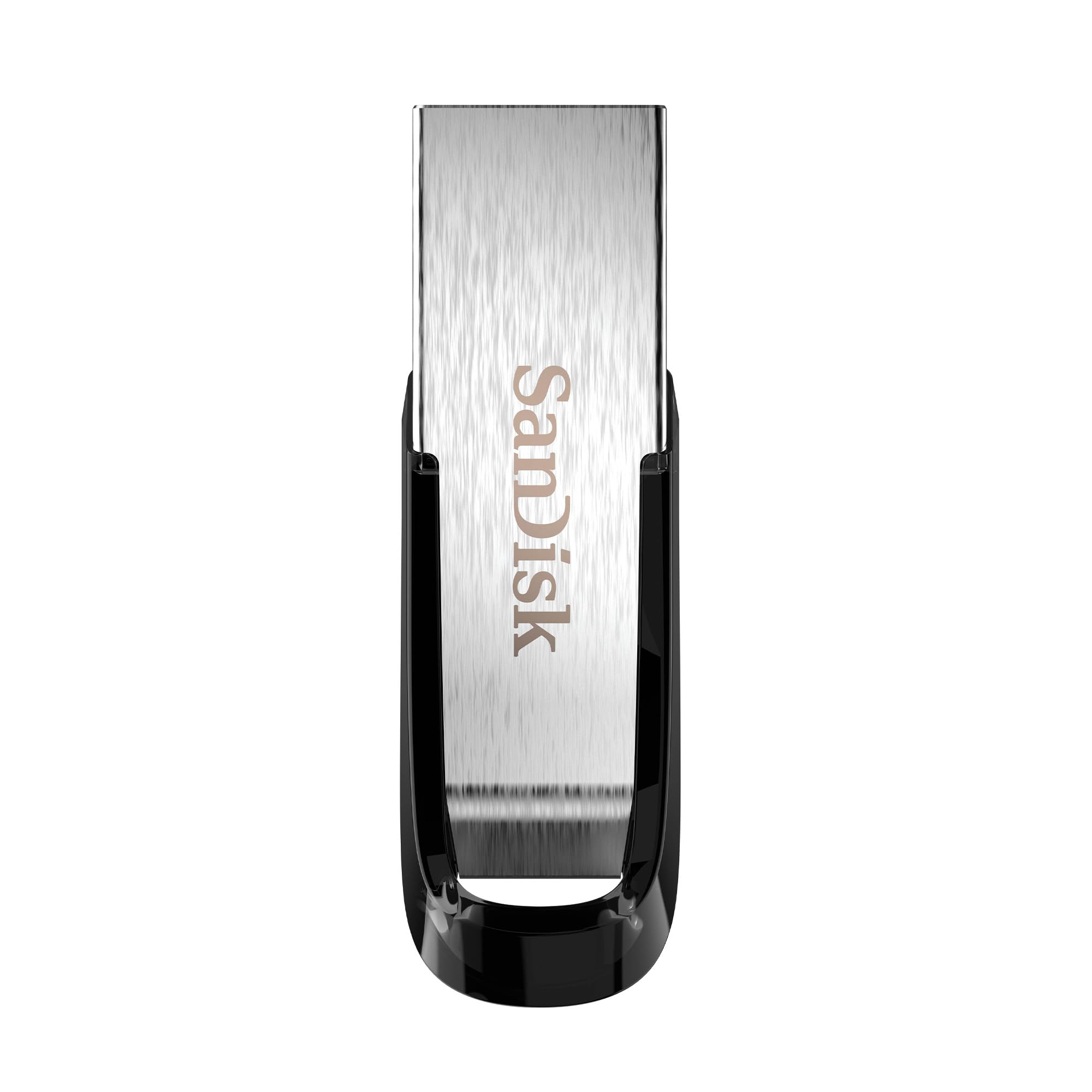
The SanDisk Ultra Flair is the evergreen choice for users who want reliable 1TB storage without chasing bleeding-edge speeds. Its 150MB/s read speed is 15x faster than USB 2.0 but falls short of the 1000MB/s premium drives. However, for daily backups, transporting document libraries, or creating bootable media, that speed is more than adequate.
The brushed metal casing is both stylish and durable—SanDisk’s build quality is legendary, with many users reporting drives lasting years of heavy use. The retractable design is absent here; it’s a fixed USB-A connector, which keeps the cost down but leaves the port exposed without a cap. The included SanDisk Memory Zone app helps with file management on Android devices.
Password protection via the SanDisk software adds a layer of security for sensitive files. The 1TB variant is the most cost-effective entry point for users who just need bulk capacity. Write speeds hover around 50-60MB/s in real-world use, which is fine for incremental backups but slow for moving a full 500GB library. If your workflow demands speed, look at the SSD-tier options above.
Why it’s great
- Trusted brand with proven long-term reliability
- Sleek metal casing is durable and pocket-friendly
- Good value for general storage and boot media
Good to know
- USB 3.0 speeds are a fraction of premium SSD drives
- No USB-C option; fixed USB-A connector only
7. Kosbees 1TB External HDD
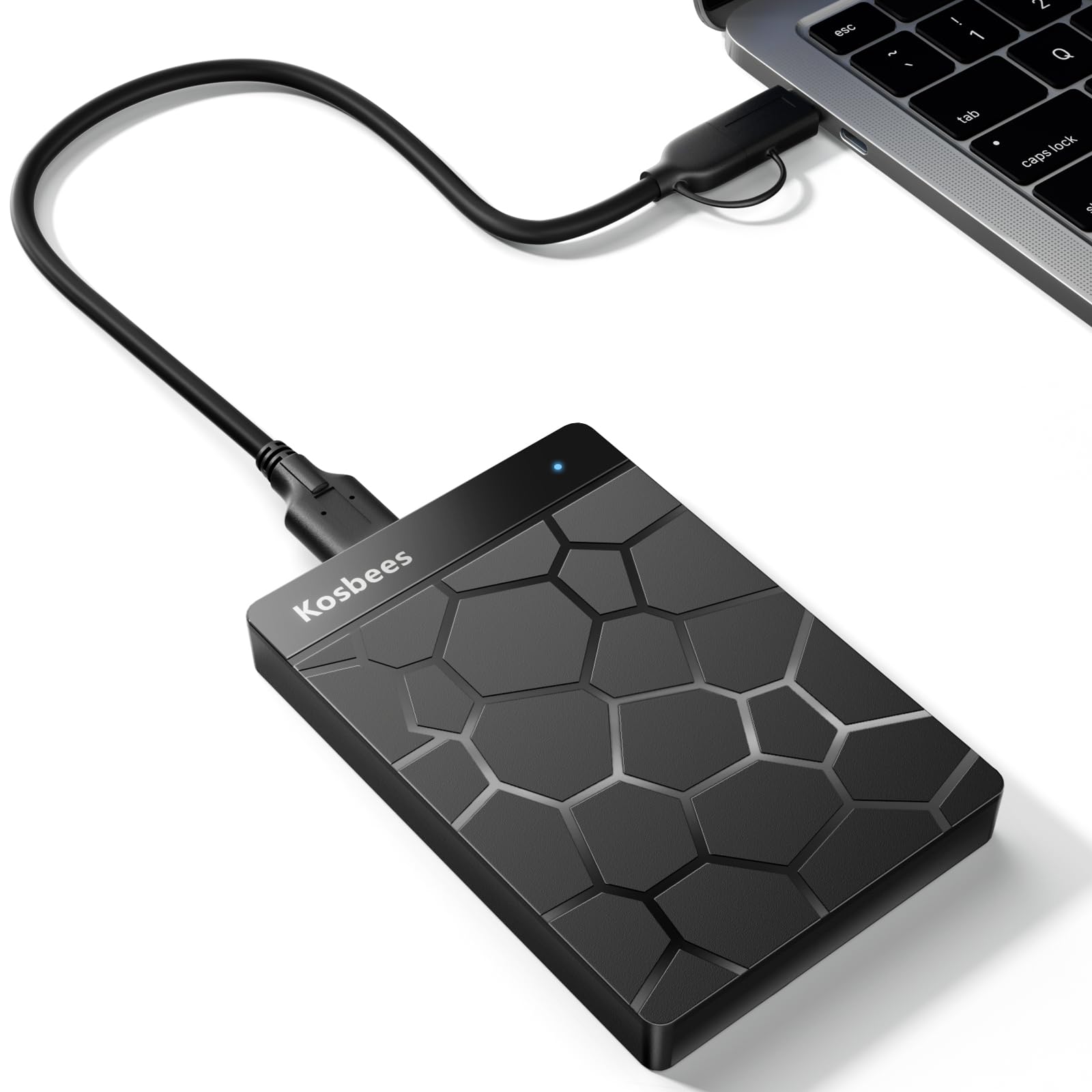
The Kosbees 1TB external HDD occupies a different category entirely—it’s a traditional 2.5-inch mechanical hard drive, not a flash drive. This distinction matters because the form factor is larger, slower, and less rugged than solid-state alternatives. However, it offers the lowest cost per gigabyte for users who need mass storage for archives, backups, or last-gen console games.
Read speeds top out around 120MB/s over USB 3.0, while write speeds hover near 103MB/s. That’s adequate for transferring a few movies or playing PS4/Xbox One games directly, but it will feel sluggish compared to any SSD. The plastic enclosure is light (0.6 lbs) but offers less drop protection than metal flash drives. Plug-and-play setup works on Windows, Mac, and gaming consoles.
Reliability is a concern here: while most reviews are positive, one verified buyer reported the drive failing to hold capacity and a poor customer service experience. The 2-year warranty is a safety net, but for primary storage, the speed advantage of even the entry-level SanDisk Ultra Flair makes it a better choice. This drive is best as a secondary backup for large, non-critical archives.
Why it’s great
- Lowest cost per gigabyte among 1TB options
- Compatible with PS4, Xbox One, and PC
- Plug-and-play, no software needed
Good to know
- Mechanical HDD is slower and less durable than flash drives
- Reported quality control and support issues
FAQ
Why does my 1TB drive show only 931GB of usable space?
Can I play PS5 games directly from a 1TB flash drive?
How do I choose between a regular flash drive and a portable SSD?
Final Thoughts: The Verdict
For most users, the 1tb flash drive winner is the MOVE SPEED 1TB External SSD because it combines true 1000MB/s sustained performance with a dual-interface design that works with every modern device, all at a price that undercuts many slower competitors. If you need the absolute fastest write speeds for professional video work, grab the PNY PRO Elite V3. And for everyday backups and boot media without breaking the bank, nothing beats the tried-and-true SANDISK Ultra Flair.

Mo Maruf
I created WellFizz to bridge the gap between vague wellness advice and actionable solutions. My mission is simple: to decode the research and give you practical tools you can actually use.
Beyond the data, I am a passionate traveler. I believe that stepping away from the screen to explore new environments is essential for mental clarity and physical vitality.