Our readers keep the lights on and my smoothie glass nicely filled. As an Amazon Associate, I earn from qualifying purchases.
A 24-inch monitor hits a sweet spot for many users: it is large enough to provide an immersive viewing experience for gaming and detailed work, yet compact enough to fit comfortably on a standard desk or in a multi-monitor setup. The key challenge is navigating the sea of specs, from panel types to refresh rates, to find the model that truly matches your daily needs without overspending on features you will never use.
I’m Mohammad Maruf — the founder and writer behind WellFizz. My research focuses on dissecting the hardware specifications of displays, from color gamut and response times to connectivity standards, to identify the monitors that deliver real-world value for specific use cases.
After analyzing the latest models, this guide will help you pick the ideal 24 inch monitor by focusing on concrete metrics and real performance factors that actually impact your experience.
How To Choose The Best 24 Inch Monitor
Choosing the right 24-inch monitor is not just about screen size. You need to match the panel technology, refresh rate, and connectivity to your primary tasks — whether that is competitive gaming, color-critical design work, or general productivity.
Panel Type: IPS vs VA vs TN
For a 24-inch monitor, the panel type defines the viewing experience. IPS panels offer the best color accuracy and wide 178-degree viewing angles, making them ideal for photo editing, design, and any scenario where you share your screen. VA panels provide higher native contrast ratios (1500:1 or higher) for deeper blacks, which is excellent for watching movies or playing single-player games in a darker room. TN panels are rare in new models but offer the fastest response times, though at the cost of poor viewing angles and washed-out colors. For the vast majority of users, an IPS panel is the safest and most versatile choice.
Refresh Rate and Response Time
For general office work and content consumption, a 60Hz or 75Hz monitor is perfectly adequate. However, a 120Hz or 144Hz panel provides noticeably smoother cursor movement and scrolling, which reduces eye strain over long hours. For competitive gaming, a 240Hz monitor with a 1ms response time (MPRT or GTG) offers a significant advantage by rendering fast motion with less blur and ghosting. An important distinction is between MPRT (Motion Picture Response Time) and GTG (Gray to Gray) — MPRT measures the duration a pixel remains visible, which directly impacts perceived blur during fast camera panning.
Connectivity and Ergonomics
The ports on the back of your monitor determine how many devices you can hook up and how clean your desk looks. An HDMI 2.0 port can handle up to 240Hz at 1080p, while DisplayPort 1.4 is necessary for higher bandwidth if you plan to use adaptive sync. A USB-C port with Power Delivery (65W) is a game-changer for laptop users — it transmits video, data, and charges your laptop through a single cable. On the ergonomics front, a stand with height adjustment, tilt, swivel, and pivot is a significant long-term comfort upgrade over a fixed stand, and VESA mount compatibility gives you the freedom to use a monitor arm.
Quick Comparison
On smaller screens, swipe sideways to see the full table.
| Model | Category | Best For | Key Spec | Amazon |
|---|---|---|---|---|
| ASUS TUF Gaming VG249QML5A | Gaming | Competitive, eSports | 240Hz, 0.3ms GTG | Amazon |
| ASUS ProArt PA247CV | Professional | Photo editing, Design | 100% sRGB, ΔE < 2 | Amazon |
| Samsung Odyssey G4 25″ | Gaming | High-refresh gaming | 240Hz, 1ms GTG | Amazon |
| Dell S2425HSM 24 Plus | Office | Productivity + Audio | 144Hz, 2x3W speakers | Amazon |
| LG UltraGear 24G411A-B | Gaming | Console + PC gaming | 144Hz (OC), HDR10 | Amazon |
| Sceptre E255B-FWD240 | Gaming | Budget 240Hz gaming | 240Hz, 1ms BR | Amazon |
| Samsung S32GF 24″ | Entry Level | Home and office | 120Hz, IPS panel | Amazon |
| ViewSonic VA2456A-MHD | Office | Budget productivity | 120Hz, FreeSync | Amazon |
| KTC H24F7 | Gaming | Budget 240Hz + HDR | 240Hz, HDR400 | Amazon |
In‑Depth Reviews
1. ASUS TUF Gaming VG249QML5A
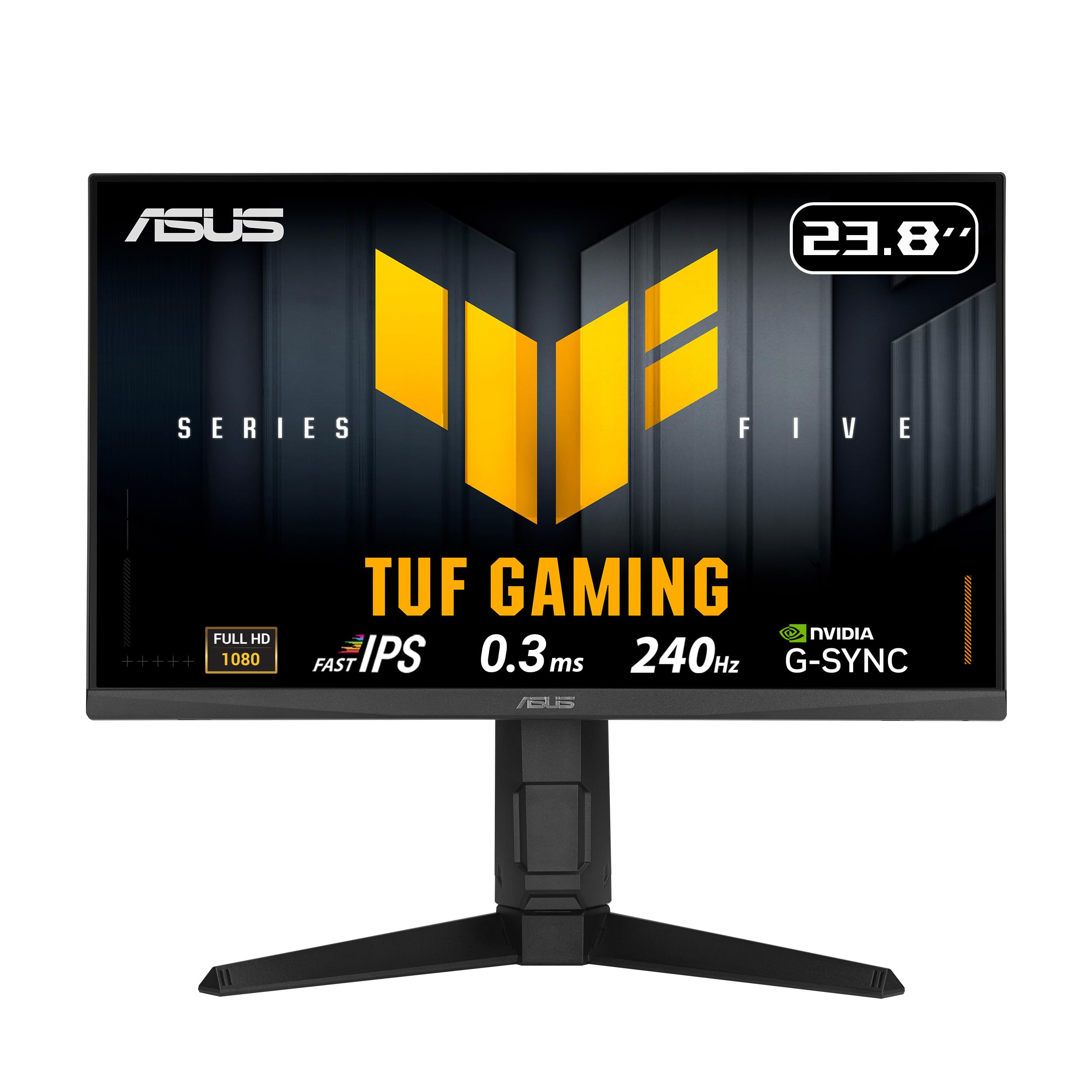
The ASUS TUF Gaming VG249QML5A is a powerhouse for competitive gamers who demand the fastest response times. Its Fast-IPS panel achieves a remarkable 0.3ms (min) response time, which eliminates ghosting even during the most frantic firefights. The 240Hz refresh rate, combined with ASUS ELMB SYNC technology, allows you to use variable refresh rate and backlight strobing simultaneously for incredibly sharp motion.
Beyond raw speed, this monitor caters to serious players with a fully ergonomic stand offering 0~120mm height adjustment, swivel, tilt, and pivot. The 99% sRGB coverage ensures colors are vibrant and accurate out of the box, making it a strong choice for those who game but also do light creative work. The inclusion of both G-Sync Compatible and FreeSync Premium support means it works flawlessly with both NVIDIA and AMD GPUs.
The only notable compromise is the 1000:1 contrast ratio, which is standard for IPS panels and means blacks are not as deep as on a VA monitor. However, for a 24-inch gaming display focused on speed and color, this trade-off is well worth it. The built-in speakers are present but are best used only for system sounds or casual use.
Why it’s great
- Industry-leading 0.3ms response time for zero ghosting
- Full ergonomic stand with height, pivot, and swivel adjustments
- ELMB SYNC eliminates tearing and motion blur simultaneously
Good to know
- Contrast ratio is typical IPS (1000:1), not ideal for dark-room movie watching
- Built-in speakers are mediocre
2. ASUS ProArt PA247CV

The ASUS ProArt PA247CV is the definitive choice for creative professionals who need accurate color out of the box. It covers 100% of both sRGB and Rec. 709 color gamuts and is Calman Verified with a factory-calibrated Delta E < 2, meaning you can trust the colors for photo retouching and video editing without needing your own calibration tool. This level of accuracy in a 24-inch package is rare and highly sought after.
Connectivity is where this monitor really shines for modern workflows. The USB-C port delivers 65W of Power Delivery, so it can charge a connected laptop like a MacBook Pro while simultaneously handling video and acting as a USB hub. This single-cable setup drastically reduces desk clutter. It also comes with a full suite of cables (USB-C, HDMI, DisplayPort) and a quick-release stand for easy assembly.
The 75Hz refresh rate is a step up from standard 60Hz, providing slightly smoother scrolling, but this is not a gaming monitor. Its strength lies in its consistent, reliable color accuracy and its role as a hub for a laptop-centric workspace. The integrated speakers are weak, suitable only for basic audio alerts, and you will likely want external speakers or headphones.
Why it’s great
- Factory-calibrated with Delta E < 2 for professional color work
- USB-C with 65W Power Delivery powers and connects a laptop
- Includes USB-C, HDMI, and DisplayPort cables in the box
Good to know
- Refresh rate is only 75Hz, not suited for high-FPS gaming
- Built-in speakers are very weak
3. Samsung Odyssey G4 25”

The Samsung Odyssey G4 is a well-rounded 240Hz gaming monitor that delivers excellent image quality and a premium feel. Its IPS panel produces vibrant colors with a high 400 cd/m² brightness, making HDR content look punchy and realistic. The 1ms GTG response time ensures that fast-moving objects stay clear without noticeable smearing.
One of its standout features is the fully adjustable ergonomic stand. You can raise, lower, swivel, tilt, and even pivot the screen into portrait mode, which is fantastic for programming or reading documents. The Auto Source Switch+ feature is a small but welcome convenience — it automatically detects and switches to the active input device, saving you from manually cycling through ports.
A critical omission for some buyers is that this monitor does not have built-in speakers. It does, however, have a 3.5mm audio-out jack, so you can connect external speakers or a headset. The 25-inch size is slightly larger than the standard 23.8-inch or 24-inch panels, which is a minor bonus for immersive gaming. The wide stand base takes up a fair amount of desk space.
Why it’s great
- High brightness (400 cd/m²) for excellent HDR visuals
- Full ergonomic stand with pivot, swivel, and height adjustment
- Auto Source Switch+ for seamless input switching
Good to know
- No built-in speakers; requires external audio
- Wide stand base occupies significant desk space
4. Dell S2425HSM 24 Plus

The Dell S2425HSM is a thoughtfully designed productivity monitor that does not cut corners on features that matter for daily comfort. Its 144Hz refresh rate makes scrolling through documents and web pages feel incredibly smooth, significantly reducing perceived eye fatigue compared to a standard 60Hz panel. The 1500:1 contrast ratio provides deeper blacks than typical IPS monitors, which adds richness to videos and images.
Audio quality is a major selling point here. The integrated dual 3W speakers deliver a wider frequency range and more volume than the single, tinny speakers found in most monitors. For a home office or a casual entertainment setup, this eliminates the need for a separate soundbar or external speakers. The monitor also features a 4-star TÜV-certified display that reduces blue light without washing out colors.
Ergonomics are fully addressed with a stand that allows height, tilt, swivel, and pivot adjustments. The Ash White finish is a refreshing departure from the usual black, and it looks clean and modern. The only downsides are the lack of a DisplayPort input or USB-C, relying solely on HDMI for video, which may be a limiting factor for some users with multiple devices.
Why it’s great
- Excellent built-in speakers (dual 3W) for rich audio
- 1500:1 contrast ratio for deeper blacks than typical IPS
- Full ergonomic stand and TÜV-certified eye comfort
Good to know
- No DisplayPort or USB-C input, only HDMI
- Limited to 1080p resolution
5. LG UltraGear 24G411A-B

The LG UltraGear 24G411A-B offers an attractive blend of high refresh rate and console-friendly features at a mid-range price. It runs at 120Hz natively and can be overclocked to 144Hz, providing fluid motion for both PC and console gaming. The IPS panel delivers 99% sRGB coverage and supports HDR10, making games and media look vibrant with good color saturation. The 1ms MBR (Motion Blur Reduction) feature is effective at reducing perceived motion blur during fast-paced scenes.
LG has packed this monitor with gaming-centric software features. Dynamic Action Sync reduces input lag, Black Stabilizer helps you spot enemies in dark corners, and the Crosshair overlay gives you a center-dot without permanently marking your screen. The Switch app allows you to split the screen into up to 6 sections for efficient multitasking between work and play. The slim bezel design gives it a clean, modern look.
The most common criticism is the quality of the stand. While it is functional and allows for tilt adjustment, it feels slightly unstable and can cause the monitor to wobble if you bump your desk. Many users opt for a VESA monitor arm to solve this. The brightness is also capped at 250 cd/m², which is adequate for indoor use but lacks the punch for a great HDR experience.
Why it’s great
- Overclockable to 144Hz for very smooth gameplay
- Extensive gaming features: Dynamic Action Sync, Black Stabilizer, Crosshair
- Good color accuracy with 99% sRGB coverage
Good to know
- Stand is wobbly and feels cheap
- Brightness is limited to 250 nits
6. Sceptre E255B-FWD240

The Sceptre E255B-FWD240 is designed to provide a high-refresh-rate gaming experience without the premium price tag. The 240Hz refresh rate and 1ms Blur Reduction technology deliver the silky-smooth motion and low latency that competitive gamers require. With a 2000:1 native contrast ratio, it offers better black depth than typical IPS monitors, giving a slight edge in visual immersion for games with dark environments.
It features a comprehensive port selection with two HDMI 2.0 and two DisplayPort 1.4 inputs, all supporting the full 240Hz refresh rate. The built-in speakers are unusually loud for a budget monitor, and while they distort at high volume, they are perfectly usable for general gaming. The monitor also includes Blue Light Shift technology to reduce eye strain during long sessions.
The trade-offs for the low price are mostly in the build and design. The color accuracy out of the box is described as mediocre and may require manual adjustment. The stand is stable but lacks height adjustment or swivel, and it cannot be lowered. It also is a 24.5-inch size, which is slightly larger than the standard, and the lack of a screwdriver in the box can make assembly less convenient.
Why it’s great
- True 240Hz refresh rate at a very low price point
- Excellent 2000:1 contrast ratio for deep blacks
- Loud built-in speakers and multiple display inputs
Good to know
- Out-of-box color accuracy is mediocre
- Stand lacks height adjustment and height cannot be lowered
7. Samsung S32GF 24″
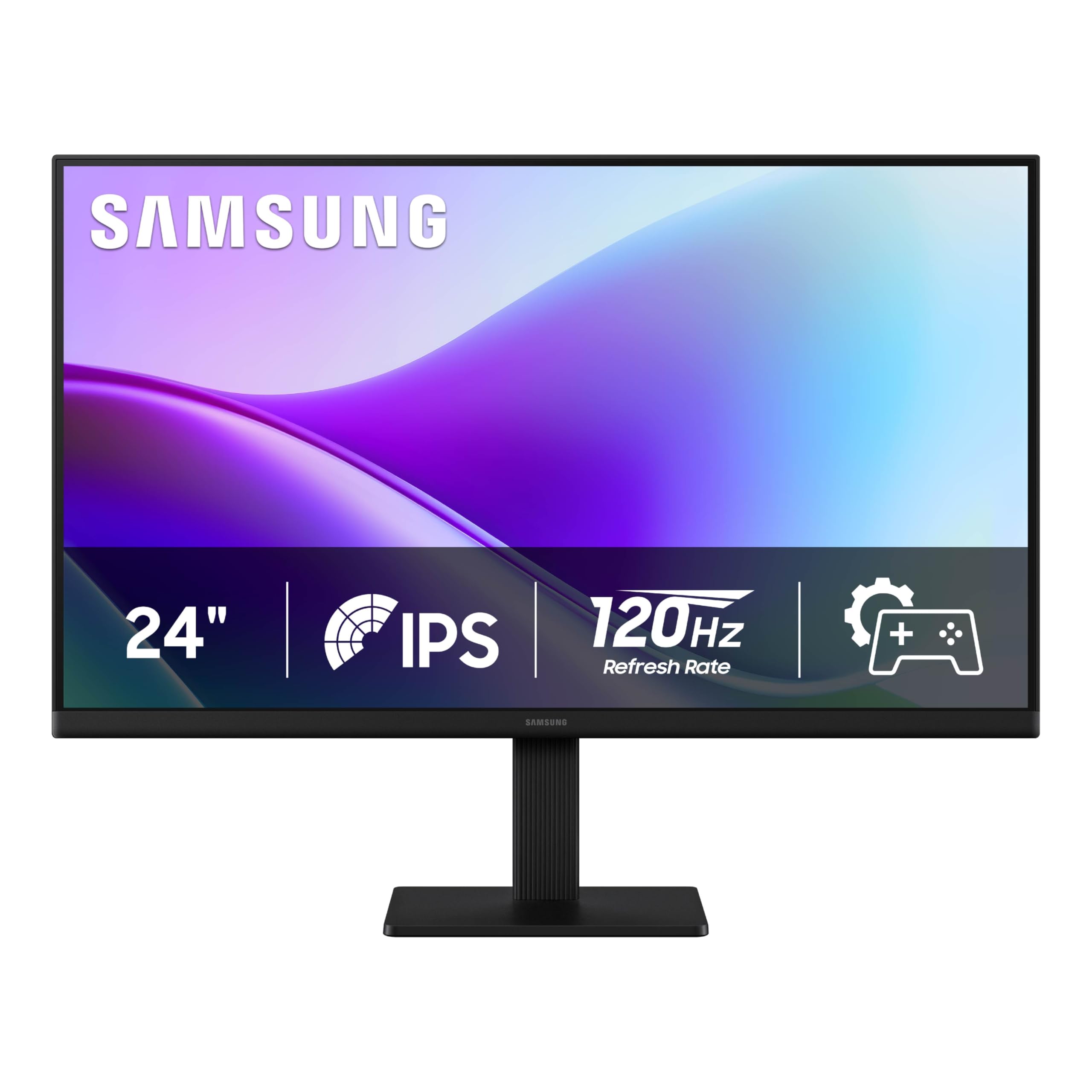
The Samsung S32GF is an excellent entry-level monitor for users stepping up from a basic office display. The 120Hz refresh rate is a tangible upgrade for everyday tasks, making mouse movement and window transitions feel visibly more fluid. The IPS panel ensures colors remain consistent and clear even when viewed from an angle, which is great for shared work or casual media consumption.
Samsung has included useful eye-care features, including Flicker-Free technology and an Eye Saver Mode that reduces blue light emission. The super-slim bezel design gives the monitor a modern, high-end aesthetic that looks more expensive than it is. Game Picture Mode offers preset optimizations for different game genres, allowing you to quickly adjust the image without diving into complex menus. It only connects via HDMI, which is a slight limitation.
The main compromise here is the fixed stand. It does not offer height or swivel adjustment, so you might need to prop it up on a riser or books to achieve your preferred eye level. The brightness is limited to 250 nits, which is acceptable for indoor use but not exceptionally bright. Overall, it is a solid, no-frills monitor that delivers a noticeably better experience than a standard 60Hz display.
Why it’s great
- Smooth 120Hz refresh rate for a much better everyday experience
- Stunning slim bezel design at a very accessible price
- Great eye-care features for long work sessions
Good to know
- Stand is fixed with no height adjustment
- Only has HDMI input, no DisplayPort or USB-C
8. ViewSonic VA2456A-MHD

The ViewSonic VA2456A-MHD is a straight-ahead productivity monitor that focuses on delivering a great image and flexible connectivity at a low price. The combination of an IPS panel with a 120Hz refresh rate is its strongest selling point — you get wide viewing angles and accurate colors alongside a buttery-smooth scrolling experience for both work and light gaming. The 1500:1 contrast ratio provides deeper blacks than the typical 1000:1 IPS display.
Connectivity is comprehensive for its price segment, offering HDMI, DisplayPort, and even a VGA input for legacy devices. This makes it very easy to hook up to older laptops or desktop PCs alongside modern machines. It also includes FreeSync support, which helps eliminate screen tearing when the frame rate drops during gaming. The bezel-less design looks clean and is well-suited for a multi-monitor setup.
The most notable downside is the lack of an ergonomic stand. There is no height or swivel adjustment, so you are locked into the default viewing position. The brightness is also limited to 250 nits, which is fine for a typical office but may struggle in a very brightly lit room. The built-in speakers are serviceable for basic audio, but lack bass and volume.
Why it’s great
- 120Hz refresh rate and IPS panel for a smooth, colorful experience
- Excellent port selection including VGA for legacy hardware
- FreeSync support for tear-free gaming
Good to know
- Stand is basic with no height or swivel adjustment
- Brightness is capped at 250 nits
9. KTC H24F7
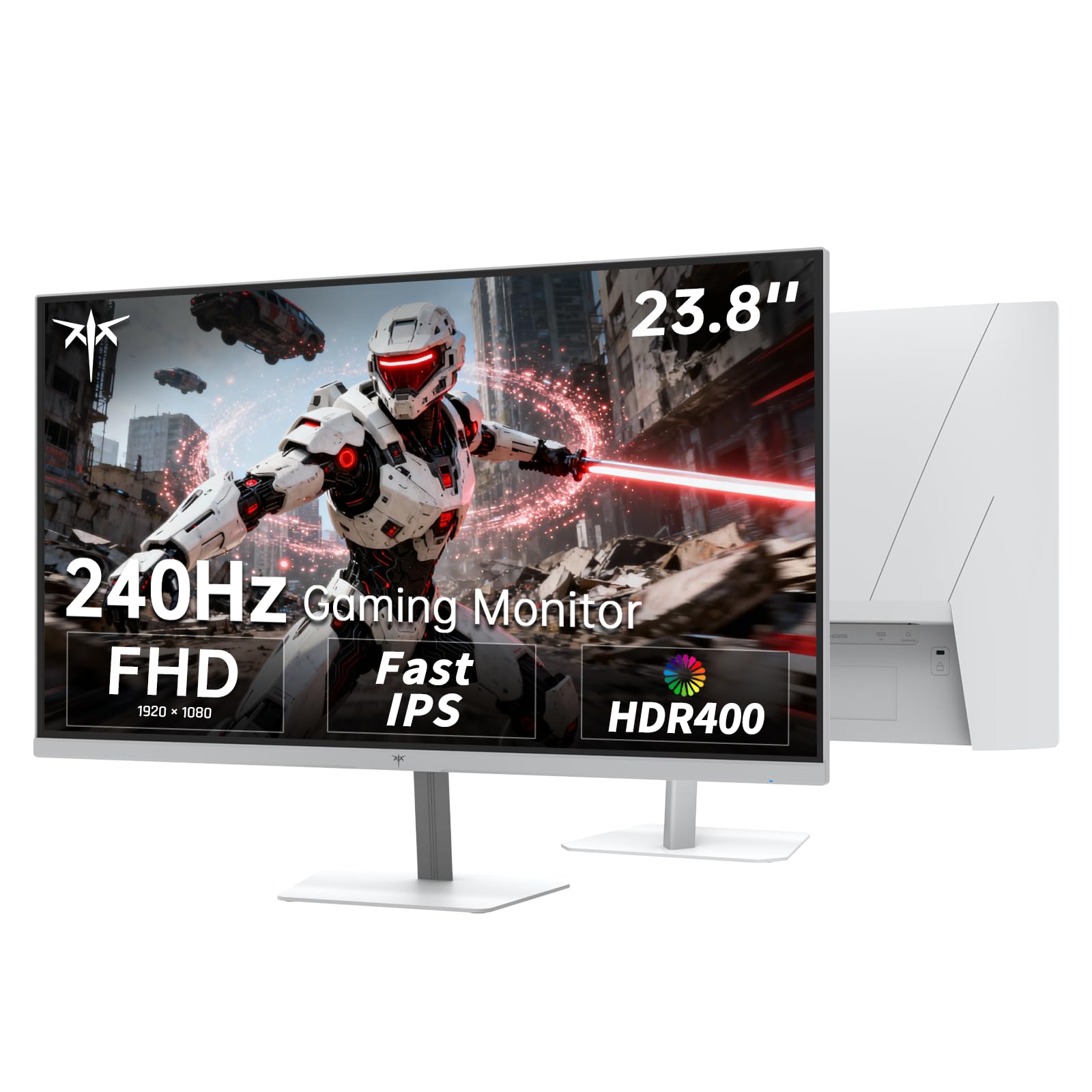
The KTC H24F7 stands out as a budget monitor that punches well above its weight with a 240Hz refresh rate and HDR400 certification. This combination is rare at this price tier, making it an attractive option for budget-conscious competitive gamers. The Fast IPS panel ensures good color reproduction with 116% sRGB color gamut area, and the 400 cd/m² brightness provides the punch needed to make HDR content look noticeably better than standard monitors.
Connectivity is robust with 2x HDMI 2.0 and 1x DisplayPort 1.4, all capable of driving the monitor at its full 240Hz refresh rate. It also includes a USB 2.0 port. The monitor supports both AMD FreeSync and NVIDIA G-Sync for tear-free gaming. The white color scheme is a refreshing alternative to the standard black, and the VESA mount compatibility (100x100mm) allows for easy arm installation.
A few compromises are worth noting. The included cables might not cover all your needs, and some users report minor software bugs related to settings resetting after sleep mode. The stand only offers tilt adjustment (-5° to 15°) and no height or swivel functionality. Overall, if you are looking for a budget-oriented 240Hz screen with better HDR performance than most, the KTC H24F7 is a compelling choice.
Why it’s great
- Rare 240Hz + HDR400 combo at an entry-level price
- Bright 400 cd/m² panel with 116% sRGB color gamut
- VESA mountable and supports both FreeSync and G-Sync
Good to know
- Stand is basic with only tilt adjustment
- Some users report software bugs with sleep mode
FAQ
Is a 240Hz monitor worth it for a casual gamer?
What is the difference between MPRT and GTG response time?
Can I use a 24-inch monitor for professional photo editing?
Final Thoughts: The Verdict
For most users, the 24 inch monitor winner is the ASUS TUF Gaming VG249QML5A because it delivers the highest level of motion clarity and competitive gaming performance with a robust set of ergonomic features and excellent color, all at a price that represents solid value. If you need a monitor for professional color-critical design and a single-cable laptop setup, grab the ASUS ProArt PA247CV. And for a pure productivity powerhouse with great built-in audio and a smooth 144Hz work experience, nothing beats the Dell S2425HSM 24 Plus.

Mo Maruf
I created WellFizz to bridge the gap between vague wellness advice and actionable solutions. My mission is simple: to decode the research and give you practical tools you can actually use.
Beyond the data, I am a passionate traveler. I believe that stepping away from the screen to explore new environments is essential for mental clarity and physical vitality.