Our readers keep the lights on and my smoothie glass nicely filled. As an Amazon Associate, I earn from qualifying purchases.
The 11-inch screen size strikes a near-perfect balance between a truly immersive viewing experience and genuine one-handed portability. Whether you’re sketching digital art, binging your favorite series, or juggling spreadsheets for work, this form factor sits right in the sweet spot—big enough to be productive, small enough to toss in a bag without notice. But beneath that sleek glass, the internals vary wildly, from budget-friendly octa-core chips to premium powerhouses, making your choice far from simple.
I’m Mohammad Maruf — the founder and writer behind WellFizz. I spend my time dissecting hardware specifications, comparing display technologies, and analyzing real-world performance data so you can cut through the marketing noise and find a tablet that delivers on its promises.
After weeks of research, I’ve narrowed down the top contenders to help you find the perfect match. Here is my curated list of the best 11 inch tablet options covering a wide range of budgets and use cases.
How To Choose The Best 11 Inch Tablet
An 11-inch tablet is a substantial investment in your daily media, work, and creativity. To make the right call, you need to look past the marketing taglines and focus on the hardware that determines how well this device will age over the next few years.
Display Quality: Resolution, Panel Type, and Refresh Rate
Not all 11-inch screens are equal. A budget tablet might offer a 1920×1200 IPS LCD at 60Hz, which is perfectly fine for reading email and casual video. Stepping up to a 2560×1600 resolution with a 90Hz or 120Hz refresh rate radically improves scrolling smoothness and pen responsiveness. The panel type matters even more: an AMOLED screen delivers infinite contrast, inky blacks, and vibrant colors that an LCD simply can’t match, making it the preferred choice for watching movies and photo editing.
Processor and Memory: The Real Engine
The processor dictates how the tablet handles multitasking, gaming, and future software updates. Chips like the Apple A16, Snapdragon 8 Gen 2, or MediaTek Dimensity 6300 represent different tiers of power. Don’t just count cores—pay attention to the specific model number and its generation. Paired with at least 8GB of RAM, you ensure the tablet can juggle split-screen apps, heavy browsers, and demanding art programs without stuttering.
Stylus Support and the Writing Experience
If you plan to take notes or draw, the stylus technology is your biggest consideration. A basic capacitive stylus feels like a blunt finger; an active pen with 4,096 pressure levels feels like a real pencil. Look for a tablet that includes a dedicated pen or supports one with low latency and palm rejection. The Galaxy Tab S9’s S Pen and the Wacom Pro Pen 3 are industry benchmarks for a natural, paper-like feel.
Quick Comparison
On smaller screens, swipe sideways to see the full table.
| Model | Category | Best For | Key Spec | Amazon |
|---|---|---|---|---|
| Samsung Galaxy Tab S9 11″ | Premium | Creative pros & power users | 11″ Dynamic AMOLED 2X, 120Hz | Amazon |
| Apple iPad 11-inch (A16) | Premium | Ecosystem users & students | Apple A16 Bionic chip | Amazon |
| Wacom MovinkPad 11 | Specialty | Digital artists on the go | Anti-glare etched glass, 8192 pen levels | Amazon |
| Samsung Galaxy Tab A9+ | Mid-Range | Media consumers & families | Snapdragon 695, 7040mAh battery | Amazon |
| Lenovo Idea Tab (8GB RAM) | Mid-Range | Students & note-takers | 2.5K IPS, 90Hz, includes pen | Amazon |
| TCL NXTPAPER 11 Gen 2 | Mid-Range | E-reader lovers & eye comfort | NXTPAPER 4.0 matte display | Amazon |
| Lenovo Idea Tab (4GB RAM) | Budget | Budget-focused students | Dimensity 6300, 2.5K display, pen | Amazon |
| TABWEE Android 16 Tablet (24GB/256GB) | Budget | Storage-heavy users | 24GB RAM (virtual), 256GB ROM | Amazon |
| TABWEE T90 (w/ Keyboard & Mouse) | Budget | Budget work & study station | Includes keyboard, mouse, stylus | Amazon |
In‑Depth Reviews
1. Samsung Galaxy Tab S9 11″ 256GB

The Galaxy Tab S9 is the king of the hill for anyone who demands an uncompromising visual experience. Its 11-inch Dynamic AMOLED 2X screen with a 120Hz refresh rate is a sight to behold—colors are saturated, blacks are perfectly deep, and the smooth motion makes every swipe feel instantaneous. Paired with the Snapdragon 8 Gen 2 processor, this tablet chews through heavy multitasking, photo editing, and even console-quality gaming without a hint of lag. The IP68 dust and water resistance is a rare bonus that gives you peace of mind at the pool or on the couch.
The included S Pen is a major asset for note-takers and artists, offering a natural writing feel with virtually no latency thanks to the high refresh rate. Samsung’s Galaxy AI suite, meanwhile, adds practical tools like transcript assist and note summarization that genuinely speed up work. The 8400mAh battery easily lasts through a full day of mixed use, and super-fast charging gets you back up to speed quickly.
This is a premium device through and through, and its price reflects it. However, for the combination of screen quality, raw performance, and ecosystem depth—including four years of OS updates—the S9 is the best long-term investment on this list. It is the tablet you buy when you want it all and don’t want to upgrade for years.
Why it’s great
- Stunning AMOLED display with inky blacks
- Snapdragon 8 Gen 2 handles anything you throw at it
- IP68 water and dust resistance is unique
Good to know
- Premium price makes it a significant investment
- No 3.5mm headphone jack
2. Apple iPad 11-inch (A16, 128GB)

If you live in the Apple ecosystem, the 11-inch iPad with the A16 chip is the obvious and best choice. The Liquid Retina display is bright, color-accurate, and features True Tone to adapt to your environment, making it comfortable for hours of reading or video streaming. The A16 brings enough horsepower for demanding photo editing, the latest immersive games, and smooth split-screen productivity without breaking a sweat. Starting at 128GB of storage, you have generous space for apps, photos, and files from day one.
The beauty of this iPad is its simplicity and integration. Setup takes minutes, and it works flawlessly with your iPhone and Mac for Handoff, AirDrop, and universal clipboard. The 12MP Center Stage camera tracks your face during video calls, keeping you centered and sharp. Pair it with an Apple Pencil (USB-C or 1st gen) for note-taking or a Magic Keyboard Folio for a laptop-like typing experience, and it transforms into a versatile workstation.
Where it falls short is the lack of an OLED panel—the Liquid Retina is excellent but can’t compete with AMOLED blacks. The 60Hz refresh rate also feels a generation behind some competitors. Still, for the combined power, app ecosystem, and unmatched resale value, this iPad is the safest, most reliable pick for students and professionals who want everything to just work.
Why it’s great
- Excellent app ecosystem and software support
- Fast A16 chip handles all daily tasks
- Center Stage camera for great video calls
Good to know
- 60Hz display is less smooth than competitors
- No OLED, just Liquid Retina LCD
3. Wacom MovinkPad 11

The Wacom MovinkPad 11 is not a general-purpose tablet; it is a dedicated mobile art studio that happens to run Android. Its 11.45-inch anti-glare etched glass screen feels just like drawing on paper, and the slim battery-free Pro Pen 3 delivers an astonishing 8,192 levels of pressure sensitivity. This pen offers a remarkably natural feel, with minimal parallax and excellent tracking that makes every stroke intuitive.
The Quick Draw feature is a stroke of genius—tap and hold the pen on the screen to instantly launch the Wacom Canvas sketching app, turning tablet into sketchbook in under a second. It comes with a two-year subscription to Clip Studio Paint Debut, a heavyweight in the digital art world. The Android 14 operating system is purposely distraction-free, and the lack of a computer requirement means you can work from anywhere, as long as you have the pen and a charged battery.
At 1.3 pounds, it’s light enough to carry alongside your regular laptop. The main drawback is its specialized focus: it’s not as versatile for general browsing, gaming, or streaming as a standard tablet, and the processor can struggle with intensive filter effects in Clip Studio. For professional and serious hobbyist artists who draw daily, however, the MovinkPad is unmatched.
Why it’s great
- World-class Wacom pen technology with 8192 levels
- Anti-glare screen feels like real paper
- No computer required for full drawing experience
Good to know
- Not a great general-purpose media tablet
- Processor can feel slow for some art filters
4. Samsung Galaxy Tab A9+ (128GB)
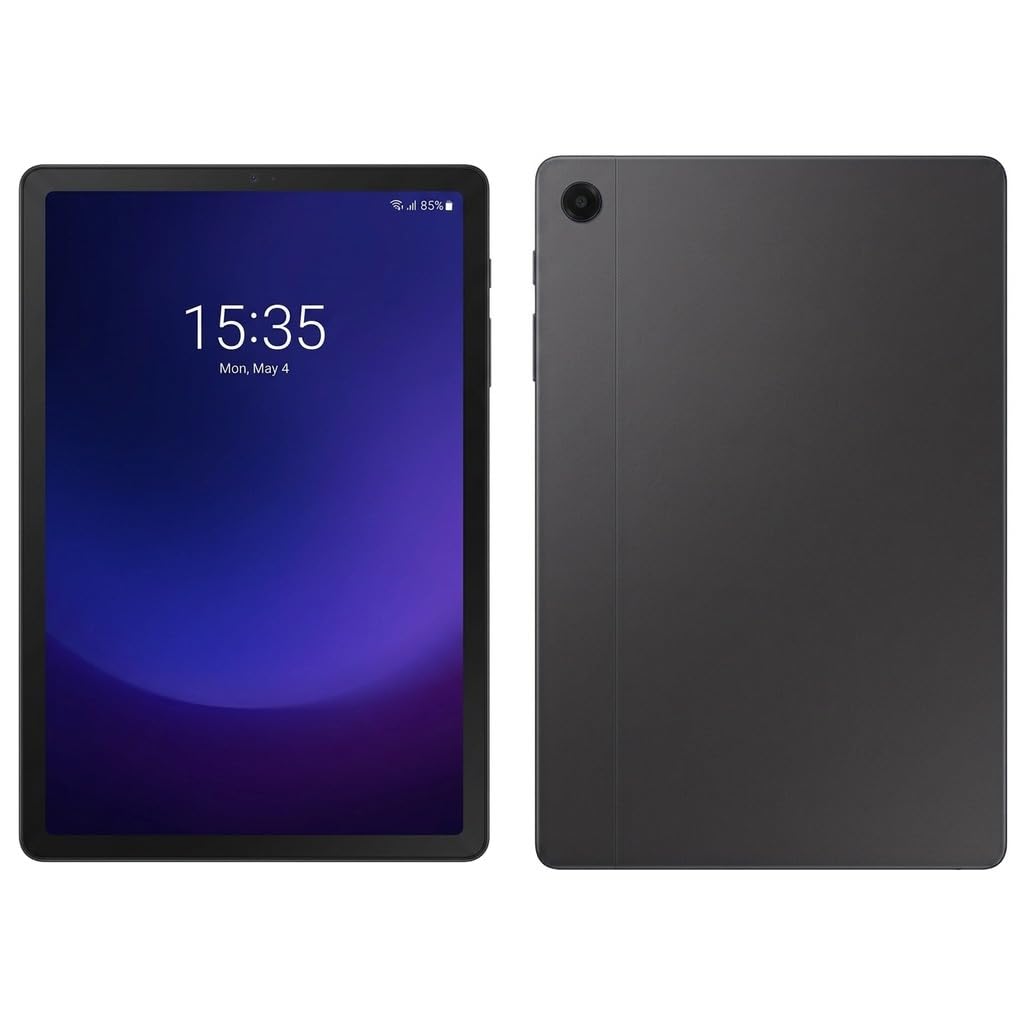
The Galaxy Tab A9+ is the sweet spot for anyone who prioritizes media consumption above all else and wants a well-rounded, reliable experience without spending a fortune. The 11-inch TFT LCD display runs at a surprisingly smooth 90Hz, making scrolling through social feeds, reading comics, and navigating the One UI feel fluid and responsive. The Snapdragon 695 processor is more than capable of handling streaming apps like Netflix and YouTube, along with light multitasking, without noticeable stutter.
Its 7040mAh battery is a true standout, consistently delivering an entire day of mixed use or multiple days of light reading. The quad AKG-tuned speakers with Dolby Atmos provide rich, clear sound that fills a room, making it an excellent companion for movies and music. Samsung’s One UI offers useful features like split-screen app pairs and a seamless connection to Galaxy Buds or a Galaxy phone for file sharing and call handoff.
The main trade-offs are the TFT LCD panel—which offers less vibrant colors and contrast than an IPS or AMOLED—and the lack of a bundled stylus. It also charges slowly by modern standards. Still, for the combination of a smooth 90Hz screen, long battery, and solid brand reliability, the A9+ is the best entry-level premium experience.
Why it’s great
- Excellent battery life for all-day use
- 90Hz display for smooth scrolling
- Rich quad speakers with Dolby Atmos
Good to know
- TFT LCD is less vibrant than IPS
- Slow charging speed
5. Lenovo Idea Tab (8GB RAM)
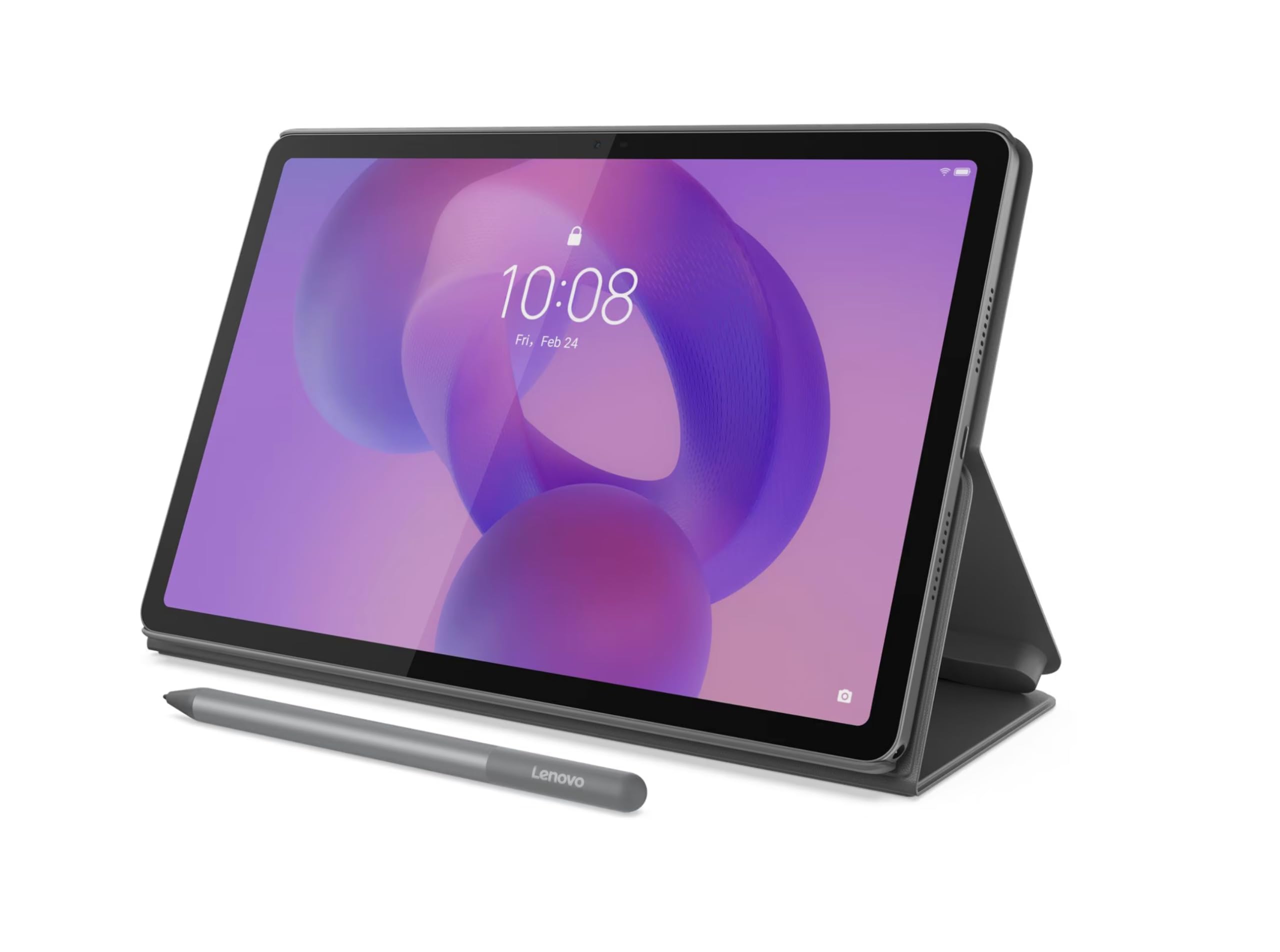
Lenovo’s Idea Tab with 8GB of RAM is a purpose-built study and note-taking machine that punches well above its price bracket. The 11-inch 2.5K IPS display at 90Hz is genuinely crisp and smooth, with excellent color reproduction that makes reading textbooks and watching educational videos a pleasure. The included Lenovo Tab Pen offers a solid writing experience for digital notes, with good palm rejection and low latency that feels natural for jotting down lecture highlights.
The MediaTek Dimensity 6300 processor paired with 8GB of RAM provides enough headroom to run multiple apps in split-screen—like a browser and a note-taking app—without dropping frames. Lenovo bundles several productivity apps, including Lenovo AI Note and MyScript Calculator, which genuinely help organize study material. The battery delivers roughly 12 hours of mixed use, easily surviving a full campus day.
The battery capacity is slightly smaller than some rivals at 5100mAh, and the included charger is on the slower side for a full recharge. However, the bundle’s value is hard to beat: a crisp, high-resolution display, a functional pen, and a folio case all included out of the box. For any student looking to replace a stack of notebooks, this is among the smartest buys available.
Why it’s great
- Sharp 2.5K display with smooth 90Hz refresh
- Includes a capable pen and folio case
- Good multitasking performance with 8GB RAM
Good to know
- 5100mAh battery is average for the class
- Charging is not particularly fast
6. TCL NXTPAPER 11 Gen 2

The TCL NXTPAPER 11 Gen 2 is a niche hero for anyone who suffers from eye strain after long reading sessions or screen time. Its NXTPAPER 4.0 technology uses a combination of a matte anti-glare coating, DC dimming, and TÜV-certified low blue light to create a paper-like viewing experience that is genuinely comfortable even after hours of use. The screen’s matte finish eliminates reflections almost completely, making it an exceptional e-reader for comics, novels, and long documents.
Beyond eye comfort, the tablet is versatile. The included T-PEN stylus with 4,096 pressure levels allows for decent digital drawing and note-taking. You can switch between three display modes—Regular, Ink Paper, and Color Paper—directly in settings to optimize the screen for video, reading, or art. The 8000mAh battery provides robust endurance, easily lasting a full day of heavy use and two to three days of moderate reading and browsing. It even supports reverse charging for your phone.
The MediaTek Helio G80 processor is not a powerhouse—gaming is limited and the interface can feel slightly slow on boot-up. The speakers are average, and there’s no headphone jack. But if your primary use case is reading with reduced eye fatigue, the NXTPAPER 11 has no real competitor at this price.
Why it’s great
- Excellent matte display reduces eye strain significantly
- Great battery life with 8000mAh capacity
- Versatile display modes for different content
Good to know
- Entry-level processor limits gaming
- Mediocre speakers and no headphone jack
7. Lenovo Idea Tab (4GB RAM)

The base Lenovo Idea Tab brings the same impressive 2.5K IPS display and Dimensity 6300 processor as its 8GB sibling, but at a more accessible budget. For students on a tight budget who need a crisp, high-resolution screen for reading and note-taking, this represents phenomenal value. The included Tab Pen and folio case complete the package, giving you everything you need to start studying right out of the box.
The 2.5K resolution (2560×1600) is noticeably sharper than the more common 1920×1200 screens found on direct competitors, making text and images appear incredibly clear. The 90Hz refresh rate ensures smooth scrolling through PDFs, web pages, and e-books. The MediaTek Dimensity 6300 is a modern chip that handles campus streaming, web browsing, and light office apps with ease, though it will show its limits with heavy gaming or complex multitasking due to the 4GB RAM ceiling.
The main trade-off for the lower price is the 4GB of RAM, which will require you to be more mindful of multitasking—you can’t have a dozen browser tabs open alongside a heavy note-taking app. Some users have also noted issues installing specific apps from the Google Play Store. However, for the core student tasks of note-taking, reading, and streaming, this Lenovo delivers a quality experience that punches well above its weight class.
Why it’s great
- Outstanding 2.5K display for the price
- Smooth 90Hz refresh rate
- Includes pen and folio case for students
Good to know
- 4GB RAM limits heavy multitasking
- Occasional app compatibility issues on Play Store
8. TABWEE Android 16 Tablet (24GB/256GB)
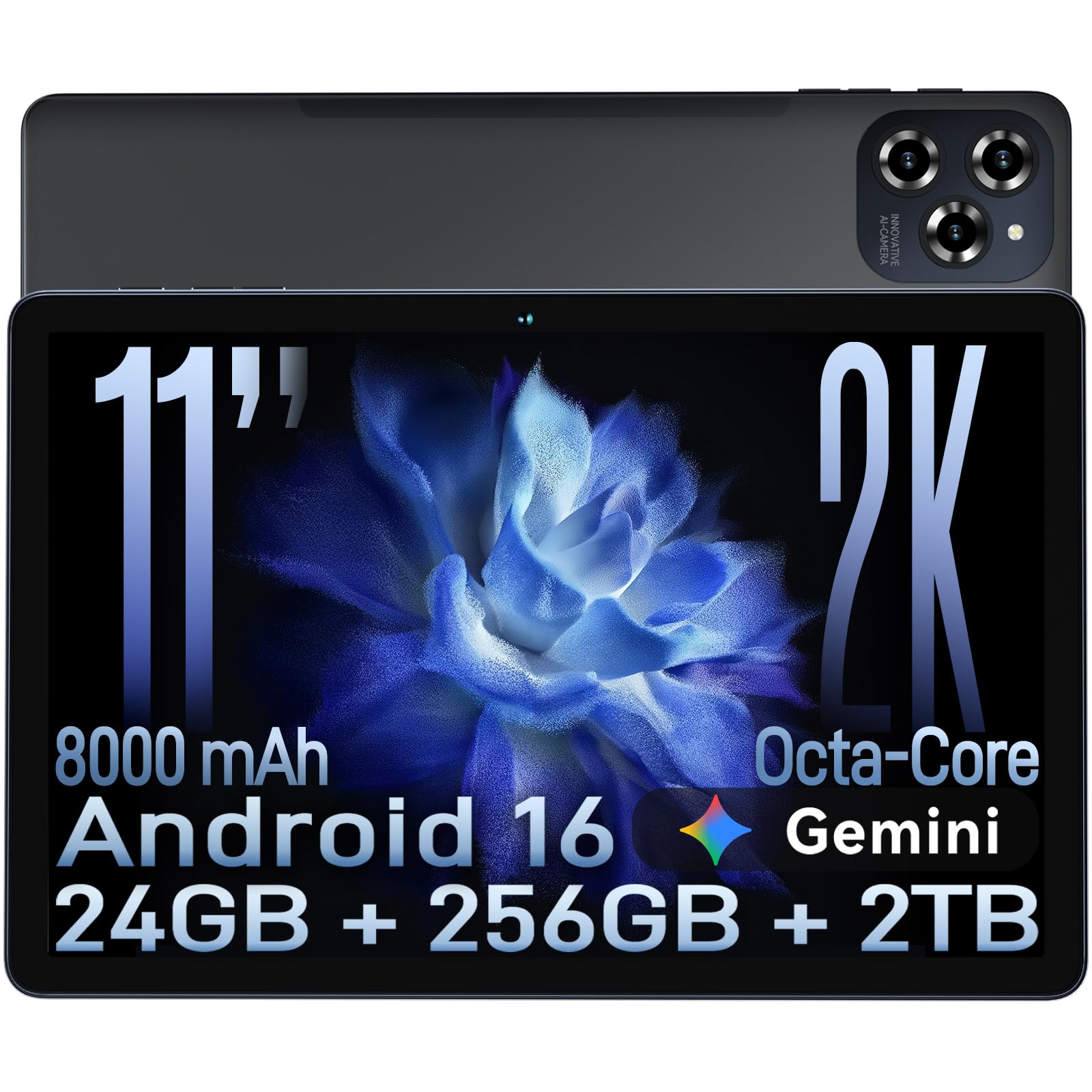
The TABWEE Android 16 tablet is built for users who crave massive storage and memory specs that look like they belong on a desktop. With a combined 24GB of RAM (8GB physical plus 16GB of virtual expansion) and 256GB of internal storage expandable to 2TB, you will never worry about running out of space for apps, offline movies, or documents. It runs on Android 16, which brings Gemini AI integration for real-time translation and smart text prediction.
The 11-inch FHD display (1920×1200) is sharp and includes TÜV low blue light certification for comfortable extended use. The 8000mAh battery with 18W fast charging keeps you going all day, and the 16MP rear camera with Google Lens is a useful tool for scanning documents and identifying objects. For the price, the sheer volume of specs—storage, RAM, battery, and camera—is unmatched.
The Unisoc T615 octa-core processor is not ideal for graphics-intensive gaming; users have reported lag and lower touch sensitivity compared to devices with the MediaTek G99 or Snapdragon chips. The virtual RAM expansion helps with basic multitasking but doesn’t replace the snappiness of fast physical RAM. This tablet is best for those who prioritize storing lots of media, reading, light productivity, and getting the most raw specs for their budget.
Why it’s great
- Massive 256GB storage with 2TB expandable option
- High 24GB combined RAM for smooth multitasking
- Widevine L1 support for HD streaming
Good to know
- Processor struggles with demanding games
- Virtual RAM doesn’t match physical RAM speed
9. TABWEE T90 (w/ Keyboard & Mouse)

The TABWEE T90 is the most fully-featured budget option, aiming to replace a laptop for light work and study through its generous accessory bundle. It comes with a keyboard, a mouse, and a stylus right in the box, transforming the 11-inch tablet into a 2-in-1 productivity station right out of the gate. The FHD IPS display (1920×1200) is bright and clear, and with Widevine L1 certification, you can stream Netflix in full HD without compromise.
Powered by the Unisoc T615 octa-core processor and 24GB of combined RAM (8GB physical + 16GB virtual), the T90 handles document editing, email, web browsing, and video calls without major issues. The 8000mAh battery provides a full day of mixed use. The Android 16 operating system with Gemini AI 3.5 adds smart features like note summarization and voice translation, genuinely aiding productivity. The included accessories mean you don’t have to spend extra money to get a laptop-like experience.
The bundled keyboard and mouse are functional but feel flimsy compared to those from major brands. The processor, like its TABWEE sibling, is not a gaming chip, and the virtual RAM is a supplement, not a substitute for real physical RAM. The tablet itself is on the heavier side at nearly 1.5 pounds. But for someone on a strict budget who needs a portable device for typing up reports, watching classes, and taking notes, the T90’s all-inclusive package is unmatched in value.
Why it’s great
- Keyboard, mouse, and stylus included in box
- Widevine L1 for full HD Netflix streaming
- Long battery life for all-day use
Good to know
- Bundled accessories feel cheap
- Heavier than most 11-inch tablets
FAQ
Is an 11-inch tablet good for note-taking and drawing?
What is Widevine L1 and do I need it for Netflix?
Can I replace my laptop with an 11-inch Android tablet?
Final Thoughts: The Verdict
For most users, the best 11 inch tablet winner is the Samsung Galaxy Tab S9 because its combination of a stunning AMOLED screen, top-tier Snapdragon processor, and included S Pen covers creative, professional, and entertainment needs without compromise. If you’re deeply embedded in the Apple ecosystem, the Apple iPad 11-inch (A16) is the most logical and reliable choice. And for digital artists who need a portable studio, nothing beats the Wacom MovinkPad 11.

Mo Maruf
I created WellFizz to bridge the gap between vague wellness advice and actionable solutions. My mission is simple: to decode the research and give you practical tools you can actually use.
Beyond the data, I am a passionate traveler. I believe that stepping away from the screen to explore new environments is essential for mental clarity and physical vitality.