Our readers keep the lights on and my smoothie glass nicely filled. As an Amazon Associate, I earn from qualifying purchases.
Printing a photo at home should deliver the same depth, contrast, and sharpness you see on your screen. The difference between a washed-out snapshot and a frame-worthy print comes down to the ink system, color gamut, and paper handling inside your all-in-one. Too many multi-function printers treat photo output as an afterthought, churning out muddy colors on glossy stock that looks fine from three feet but fails under closer inspection.
I’m Mohammad Maruf — the founder and writer behind WellFizz. I’ve spent years analyzing inkjet print engines, dye-versus-pigment trade-offs, and the real-world cost-per-print numbers that separate a smart long-term investment from a buyer’s regret.
This guide cuts through the noise to help you find the best aio printer for photos that fits your workflow, budget, and quality expectations.
How To Choose The Best AIO Printer For Photos
A multi-function printer that excels at photo reproduction needs more than a high DPI spec. The ink architecture, paper path design, and driver-level color management determine whether your 4×6 glossies look rich or flat. Here are the three criteria that separate a genuine photo-capable AIO from a general-office machine with a photo mode.
Ink System: Count the Colors, Check the Chemistry
Four-color process (CMYK) printers can produce acceptable snapshots, but six- or eight-color systems add light cyan, light magenta, and occasionally gray to smooth out tonal transitions in skies and skin tones. Dye-based inks typically deliver wider color gamuts and more vivid glossies, while pigment-based inks resist fading for decades and are essential for fine-art and archival prints. If your output will live in frames or albums, pigment is the safer bet.
Paper Handling: Dedicated Photo Tray vs. Multipurpose Feed
An AIO that forces you to swap plain paper for photo stock every time you print a 4×6 is a workflow killer. Look for a separate photo tray or a rear specialty-feed slot that stays loaded with glossy paper. Borderless printing on standard sizes (4×6, 5×7, 8.5×11) should be supported without manual trimming. For large-format work up to 13×19, verify the media path can handle thick paper without curling.
Ink Economics: Supertank vs. Cartridge
Photo printing burns through ink faster than document printing because of the high ink coverage per page. Supertank models ship with enough bottled ink for thousands of prints and offer the lowest cost-per-page long term. Cartridge-based printers often have a lower upfront price but require frequent replacement of multi-color cartridges that can cost as much as the printer itself after a year of regular photo output.
Quick Comparison
On smaller screens, swipe sideways to see the full table.
| Model | Category | Best For | Key Spec | Amazon |
|---|---|---|---|---|
| HP Envy Photo 7975 | Mid-Range | Family photo and document combo | Separate photo tray + ADF | Amazon |
| Canon Megatank G3290 | Supertank | High-volume budget photo printing | Up to 7,700 color pages per ink set | Amazon |
| Epson Expression Photo XP-970 | Photo Specialist | Vibrant 6-color glossies up to 11×17 | 6 Claria Photo HD ink cartridges | Amazon |
| Epson EcoTank ET-4950 | Supertank | Home office with frequent photo needs | 6,600 black / 5,500 color pages included | Amazon |
| HP Smart Tank 5101 | Supertank | Lowest cost-per-page for casual photos | Up to 2 years of ink included | Amazon |
| Canon PIXMA PRO-200S | Prosumer | Gallery-quality 13×19 prints | 8-color dye-based ink system | Amazon |
| Epson EcoTank Pro ET-5800 | Office Pro | High-speed color with 500-sheet capacity | 25 ppm black PrecisionCore | Amazon |
| Canon imagePROGRAF PRO-310 | Professional | Archival-grade pigment fine-art prints | 9-color Lucia Pro II pigment ink | Amazon |
| HP OfficeJet Pro 8138e | Entry-Level | Budget office with occasional photo use | 4,800 x 1,200 dpi color resolution | Amazon |
In‑Depth Reviews
1. HP Envy Photo 7975

The HP Envy Photo 7975 hits the sweet spot for households that split printing evenly between school projects and 4×6 glossies. Its dedicated photo tray keeps glossy stock loaded separately from the main paper tray, so you never have to swap media mid-task. The built-in auto document feeder also makes multi-page scanning painless, a feature rarely found on photo-first printers at this tier.
Print speed reaches 15 pages per minute in black and 10 in color, but photo output is where this unit differentiates itself. Users consistently report true-to-screen borderless prints with minimal color adjustment. The 3-month Instant Ink trial included with HP+ activation helps new owners gauge ongoing ink costs before committing to a subscription plan.
The white-and-portobello finish blends into a home office or living room without looking like industrial hardware. Setup via the HP Smart app typically finishes in under ten minutes, and the color touchscreen provides intuitive access to copy, scan, and maintenance functions without needing a computer.
Why it’s great
- Separate photo tray prevents media-swapping frustration
- ADF adds scanning efficiency absent from most photo AIOs
- Reliable wireless with strong app support
Good to know
- Instant Ink subscription becomes a recurring cost after trial
- Cartridge replacement cost adds up with frequent photo printing
2. Canon Megatank G3290

The Canon Megatank G3290 redefines value for photo-heavy households. Each full ink set yields up to 6,000 black pages and 7,700 color pages — a figure that translates to hundreds of borderless 4×6 prints before needing a refill. Replacement ink bottles cost a fraction of cartridge refills, making this supertank one of the most economical choices for regular photo output.
Auto duplex printing is included, a convenience often cut from budget supertanks. The 2.7-inch color touchscreen simplifies navigation through settings, and wireless connectivity paired with the Canon PRINT app provides reliable mobile printing. Users have reported no paper jams even after months of daily use, and the print heads are user-replaceable, extending the printer’s useful life.
The G3290 does require some color tuning out of the box to match screen brightness precisely. Red ink tends to deplete fastest, a common pattern for photo printing. The top-feed design also needs about a foot of clearance above the printer for loading envelopes or card stock.
Why it’s great
- Sub-dollar ink cost per refill for hundreds of photo prints
- Auto duplex saves paper on double-sided documents
- User-replaceable print heads prolong hardware life
Good to know
- Color tuning required for photo accuracy out of the box
- Top paper feed needs overhead clearance of 12 inches
3. Epson Expression Photo XP-970
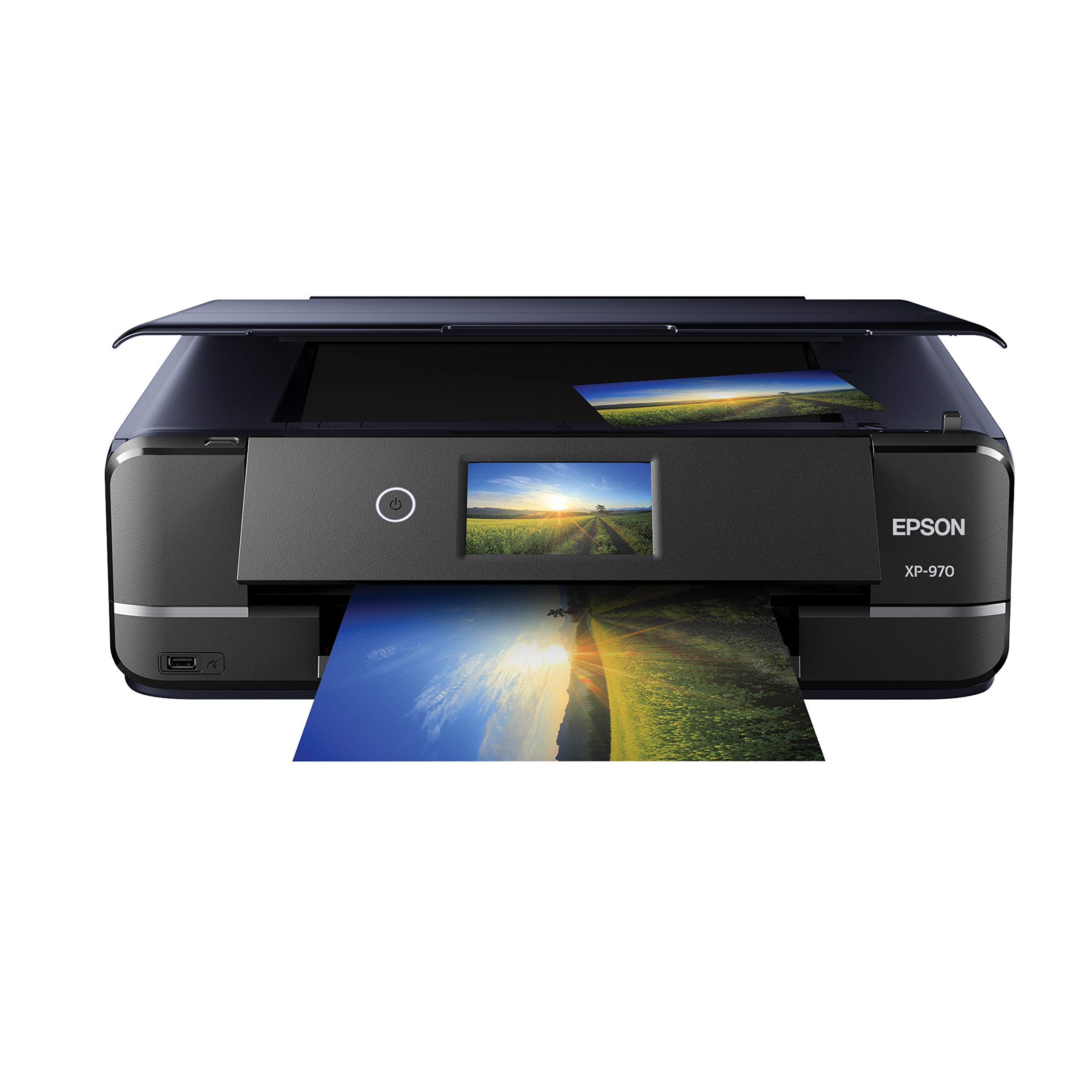
Epson built the XP-970 specifically for photo enthusiasts who demand six-color archival results without stepping up to a dedicated pro lab printer. The Claria Photo HD ink set includes light cyan and light magenta to eliminate visible grain in gradients and skin tones, producing glossies that rival drugstore kiosk output. Borderless support extends up to 11×17, making this a strong choice for matted presentations and large prints.
The innovative fold-over scan lid holds thick originals like magazine pages flat, a thoughtful detail often missing on flatbed scanners. Wireless setup via the Epson iPrint app is straightforward, and the 4.3-inch touchscreen makes mode switching fast. Print speed is moderate at 8.5 pages per minute monochrome, but photo quality remains the priority here.
Ink consumption is worth monitoring. The six cartridges deplete faster than a supertank system, and users report that magenta runs low after a dozen 8×10 prints. The photo tray is slightly finicky to load compared to a dedicated paper cassette, but the print results justify the minor friction.
Why it’s great
- Six-color Claria ink produces smooth tonal transitions
- Borderless 11×17 output expands framing options
- Fold-over scan lid handles thick originals
Good to know
- Cartridge replacement frequency is higher than supertank models
- Photo tray requires careful loading for consistent feeds
4. Epson EcoTank ET-4950

The Epson EcoTank ET-4950 represents the seventh generation of Epson’s supertank lineage, bringing refined ink delivery and an auto document feeder to a photo-capable AIO. The bundled ink bottles supply up to 6,600 black pages and 5,500 color pages out of the box, eliminating cartridge anxiety for years. The unique keyed bottle design prevents refilling the wrong tank — a small but critical quality-of-life detail.
Print speed hits 18 pages per minute in black with zero warmup time thanks to PrecisionCore Heat-Free technology. Color output is vibrant enough for borderless photos up to 8.5×14, and the 2.4-inch color touchscreen provides responsive menu navigation. Users report that wireless connectivity remains stable even in router-dense environments, and the 250-sheet paper tray handles mixed media without jamming.
Setup can take up to 45 minutes due to the initial ink charging and alignment cycle. The build feels slightly lighter than previous generations, though no functional issues have been reported after sustained use. For a home office that prints client presentations alongside the occasional 8×10, this supertank balances speed, volume, and photo quality effectively.
Why it’s great
- Years of ink included with uniquely keyed spill-proof bottles
- Auto document feeder streamlines multi-page scanning
- Fast monochrome speed with zero warmup
Good to know
- Initial setup can take nearly an hour with ink charging
- Build quality feels lighter than earlier EcoTank generations
5. HP Smart Tank 5101

The HP Smart Tank 5101 is the entry point into cartridge-free refillable printing. It ships with enough bottled ink for up to 6,000 color pages or 6,000 black pages, effectively covering two years of moderate household use. The refill system is genuinely mess-free — bottles drain into the tanks without squeezing, eliminating the drips and spills common with earlier refillable designs.
Print speeds of 12 pages per minute black and 5 pages per minute color are adequate for home use. The HP Smart app provides AI-powered formatting that strips unwanted content from web pages and emails before printing, a feature that reduces paper waste. Text quality is sharp, and color output is acceptable for casual snapshots and school projects.
Photo-specific limitations are worth noting. The lack of a dedicated photo tray means swapping paper manually. Several users report that mobile photo prints crop about 15 percent of the image edges, and colors can appear dark compared to screen previews. The manual duplex also slows double-sided document workflows.
Why it’s great
- Two years of ink included with mess-free bottle refill
- AI-driven web page formatting reduces paper waste
- Extremely low cost per page for regular document printing
Good to know
- No photo tray forces manual paper swaps for glossy stock
- Mobile photo cropping and color accuracy need refinement
6. Canon PIXMA PRO-200S

The Canon PIXMA PRO-200S is a dedicated photo printer that happens to include scan and copy functions — barely. Its 8-color dye-based ink system delivers the widest color gamut in this lineup, producing prints so vivid that they comfortably hang in gallery shows. Borderless printing spans from 3.5×3.5 inches up to 13×19, covering everything from wallet-sized keepsakes to portfolio-sized statement pieces.
Print speed is respectable for the quality level: a bordered 8×10 completes in about 53 seconds, and an A3+ print finishes in 90 seconds. The 3-inch color LCD provides ink level monitoring and printer status without requiring a companion app. Users consistently praise the low ink consumption after the initial setup cycle, and the printer operates quietly enough for a shared studio space.
This is not a general-purpose machine. It lacks duplex printing, auto document feeding, and fax functionality. Weight reaches 32 pounds, so the PRO-200S demands a dedicated table or stand. WiFi setup requires some technical comfort, and the printer is incompatible with third-party ink cartridges, locking users into Canon’s premium consumable pricing.
Why it’s great
- Eight-color dye system produces exceptional color vibrancy
- Borderless 13×19 output for portfolio-grade prints
- Quiet operation and efficient ink use after setup
Good to know
- No auto duplex or ADF limits multi-page productivity
- WiFi setup requires above-average technical tolerance
7. Epson EcoTank Pro ET-5800

The Epson EcoTank Pro ET-5800 bridges the gap between high-volume office printing and photo-capable output. Its 500-sheet paper capacity — split across two front trays plus a rear specialty feed — means you can keep letterhead, plain paper, and glossy stock loaded simultaneously. DURABrite pigment inks deliver instant-dry prints that resist smudging and fading, making them suitable for client-facing materials and archival photo storage.
Print speed reaches 25 pages per minute in black using PrecisionCore Heat-Free technology, with color output at 12 pages per minute. The large tilting color touchscreen simplifies navigation, and the keyed ink bottles eliminate filling errors. Users report that card stock up to 100 lb feeds reliably through the rear tray, and the motorized output tray extends automatically when a job starts.
Photo quality is good but not exceptional. Users upgrading from a dedicated photo printer like the Epson 8550 note that the ET-5800 delivers decent 8.5×14 borderless prints but lacks the extended gamut of a six- or eight-color system. Error handling can be finicky — some users report persistent “printer busy” messages that clear only after power cycling.
Why it’s great
- 500-sheet total capacity with three media sources
- Instant-dry pigment ink resists fading and smudging
- Fast print speeds with zero warmup time
Good to know
- Photo output lacks the vibrancy of dedicated photo printers
- Error handling quirks require occasional troubleshooting
8. Canon imagePROGRAF PRO-310

The Canon imagePROGRAF PRO-310 is the pinnacle of desktop photo printing, aimed squarely at fine-art photographers and studio professionals who demand pigment-based archival quality. Its nine-color Lucia Pro II ink system includes a dedicated Chroma Optimizer that eliminates bronzing and gloss differential on glossy papers, producing prints indistinguishable from lab-grade output. Matte black ink delivers exceptional density for deep shadows and wide dark-area reproduction.
Borderless printing spans from 4×6 to 13×19, and the anti-clogging system reduces maintenance downtime even after idle periods. Users report that ink efficiency is surprisingly good — 30 prints of mixed sizes used roughly half of the initial ink set. The 31.6-pound chassis and 28-inch depth require a sturdy workstation, but the build quality inspires long-term confidence.
The PRO-310 is a print-only device. It lacks scan, copy, fax, and duplex functionality. Print speed is intentionally slow — about 2 pages per minute — because each pass lays down micro-fine pigment droplets for maximum detail. The driver software also restricts custom paper sizes, which can frustrate users who print non-standard formats frequently.
Why it’s great
- Nine-color Lucia Pro II ink with Chroma Optimizer for gallery quality
- Deep matte black density for fine-art prints
- Anti-clogging system reduces maintenance during idle periods
Good to know
- No scan, copy, duplex, or ADF — photo-only machine
- Slow print speed prioritizes quality over throughput
9. HP OfficeJet Pro 8138e (Renewed Premium)
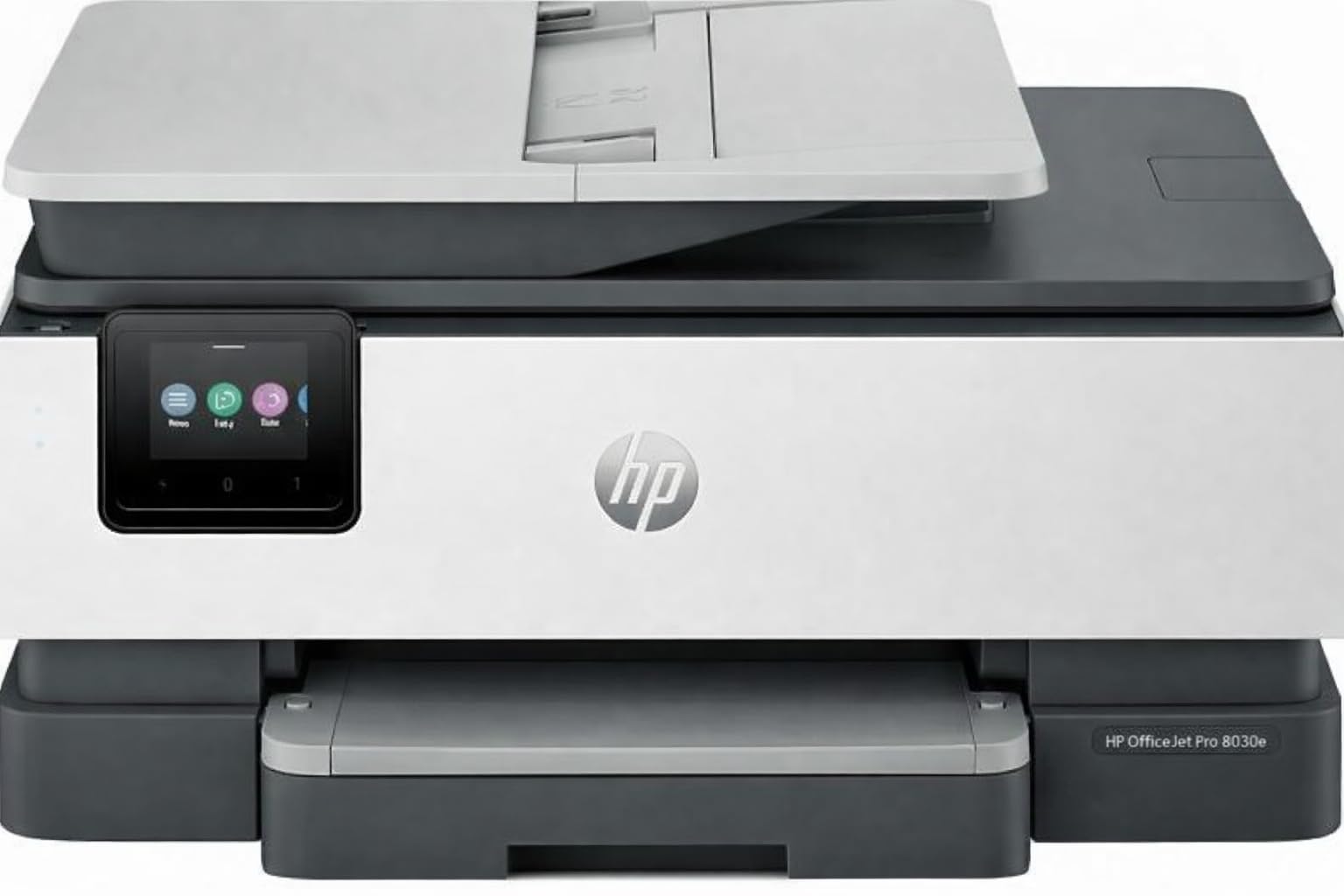
The HP OfficeJet Pro 8138e is a renewed all-in-one that packs office-grade features into a budget-friendly entry point. It offers print, scan, copy, fax, and automatic duplexing alongside a 225-sheet input tray and a 2.7-inch color touchscreen. The 4,800 x 1,200 dpi color resolution produces acceptable glossy prints for casual use, and the included setup cartridges get you started immediately.
Wireless connectivity is robust, supporting Apple AirPrint, Wi-Fi Direct, the HP Smart App, and Mopria certification. The auto document feeder streamlines multi-page scanning and copying. Users who purchased renewed units report that the hardware appears and functions like new, with quick print speeds and reliable WiFi performance once initial setup quirks are resolved.
Photo quality is not this printer’s strong suit. Color output lacks the saturation and smooth gradients of dedicated photo printers, and the four-cartridge CMYK system shows visible banding in large sky or skin-tone areas. Some renewed units have experienced Ethernet port issues and inconsistent build quality. For users who need a capable office AIO first and occasional photo output second, this is a functional value play.
Why it’s great
- Full office suite including fax, ADF, and auto duplex
- Renewed units offer significant savings over new retail
- Broad wireless protocol support for multi-device households
Good to know
- Photo output shows banding and muted colors
- Refurbished units may have minor hardware inconsistencies
FAQ
Can a supertank printer produce photo-lab quality prints?
What does the Chroma Optimizer in the Canon PRO-310 do?
How long do pigment-based photo prints last compared to dye-based prints?
Final Thoughts: The Verdict
For most users, the best aio printer for photos winner is the HP Envy Photo 7975 because it combines a dedicated photo tray, auto document feeder, and vibrant dye-based output in a home-friendly footprint. If you want the lowest cost-per-page for high-volume printing, grab the Canon Megatank G3290. And for gallery-quality pigment prints that belong in a frame, nothing beats the Canon imagePROGRAF PRO-310.

Mo Maruf
I created WellFizz to bridge the gap between vague wellness advice and actionable solutions. My mission is simple: to decode the research and give you practical tools you can actually use.
Beyond the data, I am a passionate traveler. I believe that stepping away from the screen to explore new environments is essential for mental clarity and physical vitality.