Our readers keep the lights on and my smoothie glass nicely filled. As an Amazon Associate, I earn from qualifying purchases.
A blaring alarm clock can spike cortisol and leave an older adult disoriented before the day even begins. For seniors managing vision loss, memory challenges, or hearing difficulties, a standard bedside clock is more of a frustration than a useful tool—displaying illegible numbers, using confusing abbreviations, or lacking the volume needed to wake a heavy sleeper.
I’m Mohammad Maruf — the founder and writer behind WellFizz. I have spent years analyzing hardware specifications for home wellness products, evaluating display resolution, audio output in decibels, auto-dimming light sensors, and battery backup systems to identify which models truly serve aging users and their caregivers.
This guide breaks down the essential features, real performance tradeoffs, and smart-buyer considerations you need before selecting a best alarm clock for seniors that delivers clarity, comfort, and reliability every single day.
How To Choose The Best Alarm Clock For Seniors
Not all large-display clocks are senior-friendly. The wrong choice can cause confusion about AM versus PM, make setting alarms a chore, or fail during a power outage. Focus on the following factors to find a clock that truly supports an older adult’s daily routine.
Display Readability and Non-Abbreviated Text
Standard alarm clocks use small fonts and abbreviations like “Wed” for Wednesday or “Mar” for March, which can confuse seniors with memory loss or impaired vision. The best models for this demographic use 7-inch or larger screens with full, spelled-out words for the day and date. High-resolution IPS panels (1280×800) deliver sharp text that remains readable from across the room, even without glasses. Look for high contrast ratios—white or yellow text on a dark background works best.
Voice Announcement and Alarm Loudness
Seniors with hearing loss or visual impairments benefit enormously from voice-announcement clocks. A single button press should audibly state the time, day, and date in a clear, natural voice. Alarm volume is another critical spec—models that reach 85 decibels or higher ensure the user wakes up. Some clocks also offer adjustable volume levels and multiple alarm tones, allowing caregivers to fine-tune the sound to the senior’s sensitivity.
Auto-Dimming and Night Mode
Bright screens at night can disrupt sleep and cause discomfort. A senior-friendly clock should include automatic dimming that lowers the display brightness during evening hours—typically around 50 cd/m² at night versus 250 cd/m² during the day. The transition should be gradual and soft, not abrupt. Some premium models offer sunset simulation that dims to a warm red glow, reducing sleep disruption while still being readable if the user wakes at night.
Reminder Alarms and Battery Backup
For seniors managing medications, hydration, or appointments, customizable reminder alarms are essential. The best clocks let caregivers set multiple daily alarms with text labels like “Take Pills” or “Drink Water,” often paired with recognizable icons. Battery backup or internal memory is equally critical—without it, a power outage resets all settings, creating confusion. Models with internal batteries that preserve time, date, and alarm settings through blackouts offer peace of mind for both the user and their family.
Quick Comparison
On smaller screens, swipe sideways to see the full table.
| Model | Category | Best For | Key Spec | Amazon |
|---|---|---|---|---|
| Mitoart Digital Dementia Clock | Digital Large Display | Dementia & vision loss | 7″ auto-dimming from 250 to 50 cd/m² | Amazon |
| Pastigio 7″ Digital Clock | Multi-Alarm Reminder | Daily routine reminders | 1024×600 IPS with 6 alarms | Amazon |
| Sunrise Simulation Alarm Clock | Wake-Up Light | Gentle waking & white noise | Sunrise simulation 10–60 min | Amazon |
| Véfaîî 30 Alarms HD Clock | Custom Reminder Pro | Heavy reminder scheduling | 8″ 1280×800 HD with remote | Amazon |
| Top Life Talking Clock | Talking/Voice | Hearing & vision impaired | 85 dB voice announcement | Amazon |
| Véfaîî 19 Alarms Dementia Clock | Award-Winning Design | Dementia care & picture frame | 8″ HD, 19 alarms, USB photo display | Amazon |
| American Lifetime Upgraded Day Clock | Wood Frame Classic | Elegant home integration | Wood frame, 5 alarms, auto-dimming | Amazon |
In‑Depth Reviews
1. Véfaîî 30 Alarms Extra Large Digital Clock
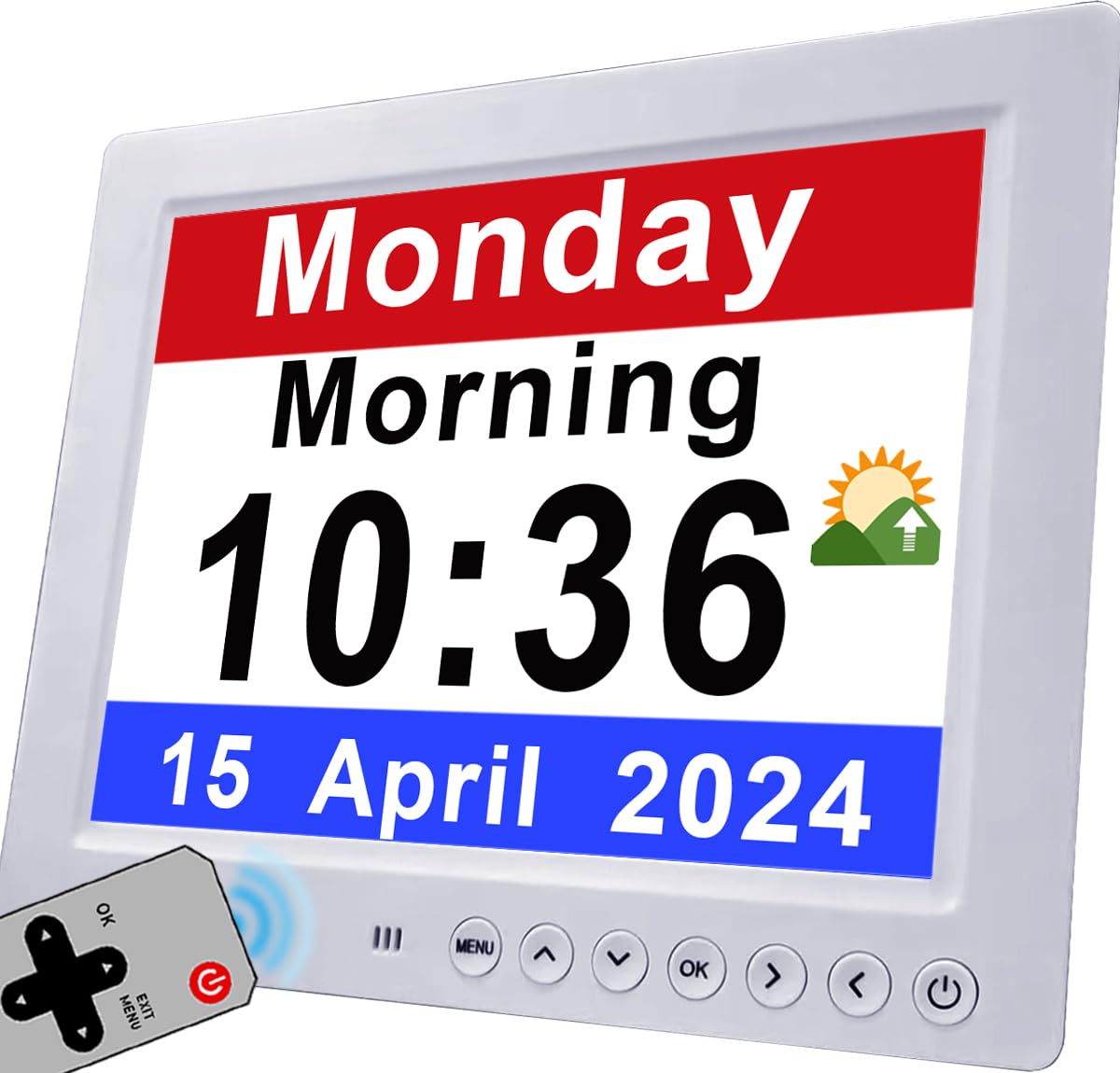
The Véfaîî 30 Alarms clock uses an 8-inch 1280×800 HD display that delivers razor-sharp text and 160-degree viewing angles, making it readable from 15 feet away. The screen completely avoids confusing abbreviations—every day and month is fully spelled out—which is a significant advantage for seniors with memory loss. Its preset alarms include colored icons for “Drink Some Water,” “Medications,” and “Appointment,” which helps users follow daily routines without needing a caregiver’s constant input.
Auto DST adjustment and an internal battery that retains all settings during a power outage mean you never have to re-enter alarms or re-sync the time. The included remote control lets seniors adjust brightness, font color, and switch between six display modes without reaching for the device. Users report that the red, white, and blue color themes are particularly easy for elderly eyes to differentiate, even in dim light.
Caregivers appreciate that the packaging excludes the words “Dementia,” “Alzheimers,” and “Memory Loss,” making it a sensitive gift option. The clock also supports multiple languages and different time formats, accommodating diverse households. The only downside is the alarm tone duration—some users find the alarm plays longer than preferred before automatically silencing.
Why it’s great
- Exceptional 1280×800 resolution with full non-abbreviated text
- 30 programmable alarms with colored reminder icons
- Auto DST and power-loss time retention
- Remote control for easy adjustments
Good to know
- Alarm duration feels long to some users
- Screen may appear dim when viewed from extreme angles
2. Véfaîî 19 Alarms Dementia Clock 8 Inch

Designed by Unforgettable—winner of the National Dementia Care Awards—this clock is purpose-built for memory care. The 8-inch 1280×800 HD display spells out the day, date, and year in full, while a smart “Before Dawn” after midnight display prevents seniors from waking at 2 AM and starting their day. The clock offers five adjustable font colors (white, yellow, green, red, blue) and a non-glare surface that protects aging eyes.
What sets this model apart is its digital picture frame feature: you can load .jpg images from a USB drive, turning the clock into a rotating photo display that can comfort seniors with familiar faces. Combined with 19 preset reminders and 20 fully customizable alarms, it functions as both a time-telling device and a memory aid. The auto-dimming feature adjusts brightness across 10 levels based on ambient light, ensuring the display never disturbs sleep.
The remote control works from up to 16 feet away, and the plug-in design includes an internal battery backup that restores the correct time after a power outage. The removable kickstand also allows wall mounting. Some users note the front controls are slightly small for arthritic hands, but the remote mitigates this issue effectively.
Why it’s great
- Award-winning dementia-specific design
- USB picture frame function for personalized comfort
- 19 preset reminders plus 20 custom alarms
- Internal battery preserves time through blackouts
Good to know
- Front buttons can be tricky for arthritic hands
- Plastic frame feels less premium than wood models
3. Top Life Talking Clock

For seniors who cannot read even the largest screen, the Top Life Talking Clock solves the problem with a single large button. Press it once to hear the time spoken aloud; press it again to hear the day, date, and year. The male voice is clear and neutral, and at 85 decibels it is loud enough for most hearing-impaired users. A nighttime mode lets you turn off the display entirely—eliminating all light disturbance—while retaining full voice functionality.
The 12/24-hour display features high-contrast digits that remain visible during the day, but the real value lies in the voice system. Setup is remarkably simple: one button programs the time and alarms, and the clock retains all settings even when switching between AC power and 3 AA batteries. This portability means the clock can move from bedside to living room to kitchen without losing its configuration.
Users with severe vision loss report that the large tactile button is easy to locate in the dark. The device also offers a snooze function and a pleasant wake-up chime. However, the alarm volume is not adjustable separately from the voice volume, and some users wish the voice offered a female option. The red casing is functional but may clash with bedroom decor.
Why it’s great
- Loud 85 dB voice announcement for hearing/vision impaired
- One-big-button interface with no confusing menus
- Display-off mode with full voice-only operation
- AC and battery dual power with setting retention
Good to know
- No separate volume control for alarms vs. voice
- Red plastic case may not suit all home decors
4. Mitoart Digital Dementia Clock
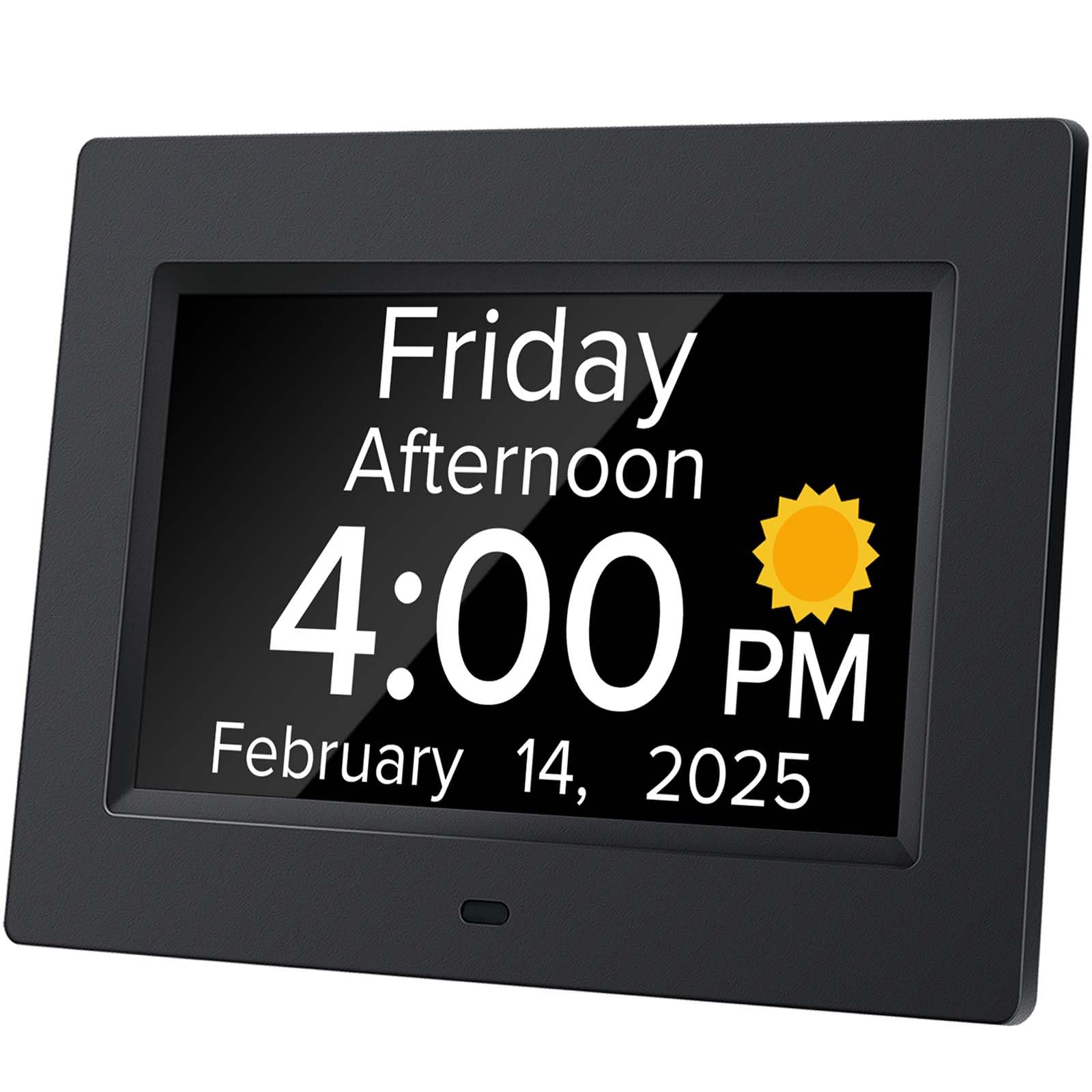
Mitoart’s 7-inch clock is engineered around automatic light adaptation: at 7:00 PM the display drops to a soft 50 cd/m², and at 7:00 AM it brightens to 250 cd/m²—a smooth transition that avoids startling the user. The large font shows the week, month, and date in bold, un-abbreviated text, making it one of the most readable options for seniors with macular degeneration or cataract-related vision issues.
Beyond visual clarity, this model includes a voice timing function triggered by pressing the OK button on the back or the included remote. The voice supports 9 languages, a rare feature for bilingual households or seniors who are more comfortable in a non-English language. Multiple alarm settings accommodate medication reminders, appointment schedules, and daily check-ins, which directly aids those with Alzheimer’s or dementia.
The interface is deliberately simple—one-click setup with no complex menus. Users report the clock feels intuitive even for those who have never used a digital clock before. The 0.44 kg weight makes it easy to reposition, and the front-free design (no buttons on the face) prevents accidental setting changes. The only limitation is the shorter cord, which may require an extension outlet for some nightstand layouts.
Why it’s great
- Automatic dimming from 250 to 50 cd/m² at set times
- Voice announcement with 9-language support
- No front-facing buttons prevents accidental changes
- One-click setup ideal for non-tech-savvy users
Good to know
- Power cord is relatively short
- Display is 7-inch, smaller than premium 8-inch models
5. Pastigio 7″ Digital Clock
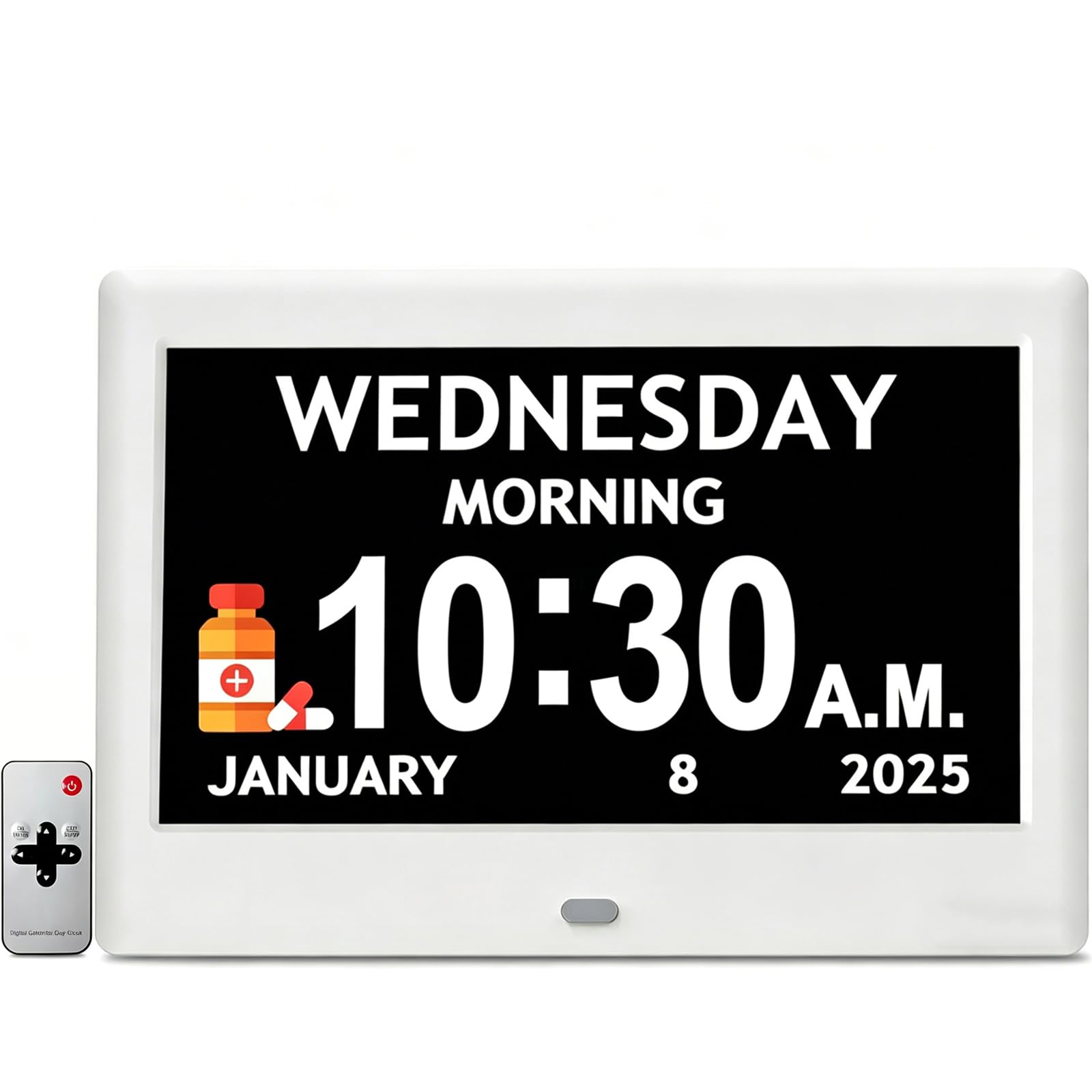
Pastigio’s 7-inch IPS screen delivers a 1024×600 resolution that makes text crisp and sharp, even from across the room. The clock offers 4 different interface styles and 5 font colors, giving caregivers the flexibility to choose a display that a senior can distinguish most easily—white on black is a popular start, but yellow, green, blue, and red are also available. The auto brightness adjusts through 5 levels or can switch to a time-based schedule that dims the screen at night.
The 12 customizable reminders include built-in icons for activities like “take medicine,” “drink water,” and “take shower,” which are particularly useful for seniors with memory loss. With 6 alarm settings, 5 alarm sounds, and 5 volume levels, caregivers can match the tone and loudness to the senior’s sensitivity. The remote control and device buttons both offer full control, making it easy to adjust settings whether the clock is wall-mounted or desk-placed.
Power interruption handling is solid—the clock retains accurate time after a blackout, so no re-programming is needed. Setup out of the box takes minutes, with clear instructions that even non-tech-savvy users find manageable. Some users reported interference between the remote control and nearby space heaters, causing the clock to power cycle, so placement matters. Overall, the customization range makes this a standout for families who want to tailor the interface to a senior’s specific visual preferences.
Why it’s great
- 4 interface styles and 5 font colors for custom visibility
- 12 icon-based reminders for daily routines
- 6 alarms with 5 sounds and 5 volume levels
- Remote control plus device buttons for dual operation
Good to know
- Remote can interfere with some space heaters
- Plastic build feels light but not luxury-grade
6. Sunrise Simulation Alarm Clock
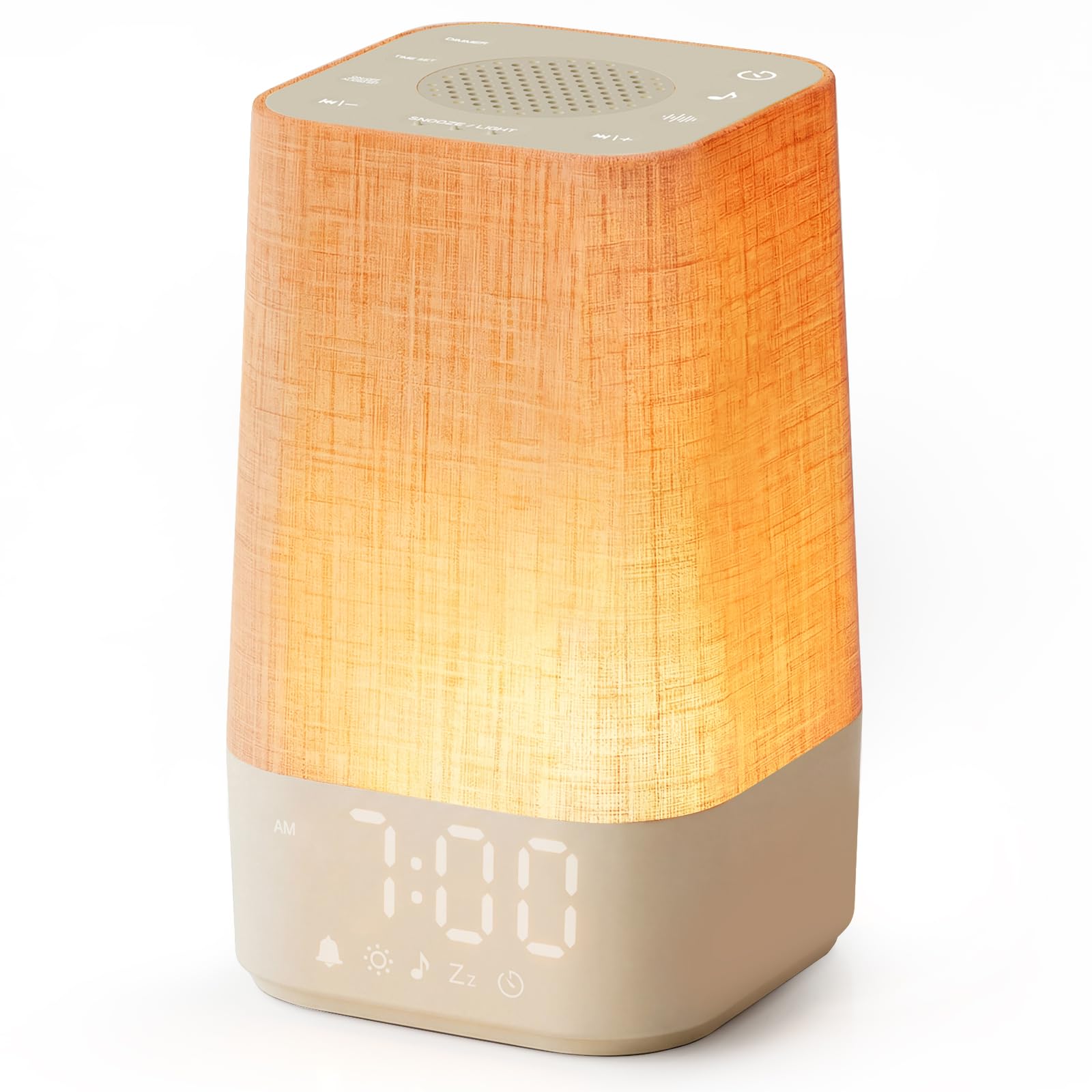
This sunrise simulation clock uses a different philosophy altogether: instead of jarring the user awake, it gradually brightens from deep red to warm white over a 10- to 60-minute window, mimicking natural dawn. The effect is particularly beneficial for seniors who experience heightened cortisol spikes from traditional alarms, or those with dementia who find abrupt noise confusing. The 13 brightness levels and 30-level volume control let caregivers dial in the perfect wake-up intensity.
The device doubles as a white noise machine with 30 sounds—white, brown, and pink noise, plus nature sounds like rain, birdsong, and lullabies. Sunset mode reverses the process: light gradually shifts from warm yellow through orange to deep red, then turns off, creating a wind-down ritual that helps seniors fall asleep more naturally. A sleep timer ranges from 30 to 480 minutes, so the sound can accompany them through the night.
Setup requires no app, no Wi-Fi, and no subscription—backlit tactile buttons let you adjust everything in the dark. A 9-minute snooze is standard, and the memory function saves all settings after a power interruption. The 3.74 x 7.08-inch footprint is compact enough for small nightstands. However, the button logic (press-and-hold for certain functions) can be confusing for seniors with cognitive decline, so initial caregiver setup is recommended.
Why it’s great
- Gradual sunrise simulation prevents shock waking
- 30 sounds including white/brown/pink noise and nature
- Sunset mode aids natural sleep onset
- No app, Wi-Fi, or subscription required
Good to know
- Button hold/press functions may confuse some seniors
- Short power cord limits placement options
7. American Lifetime Upgraded Day Clock
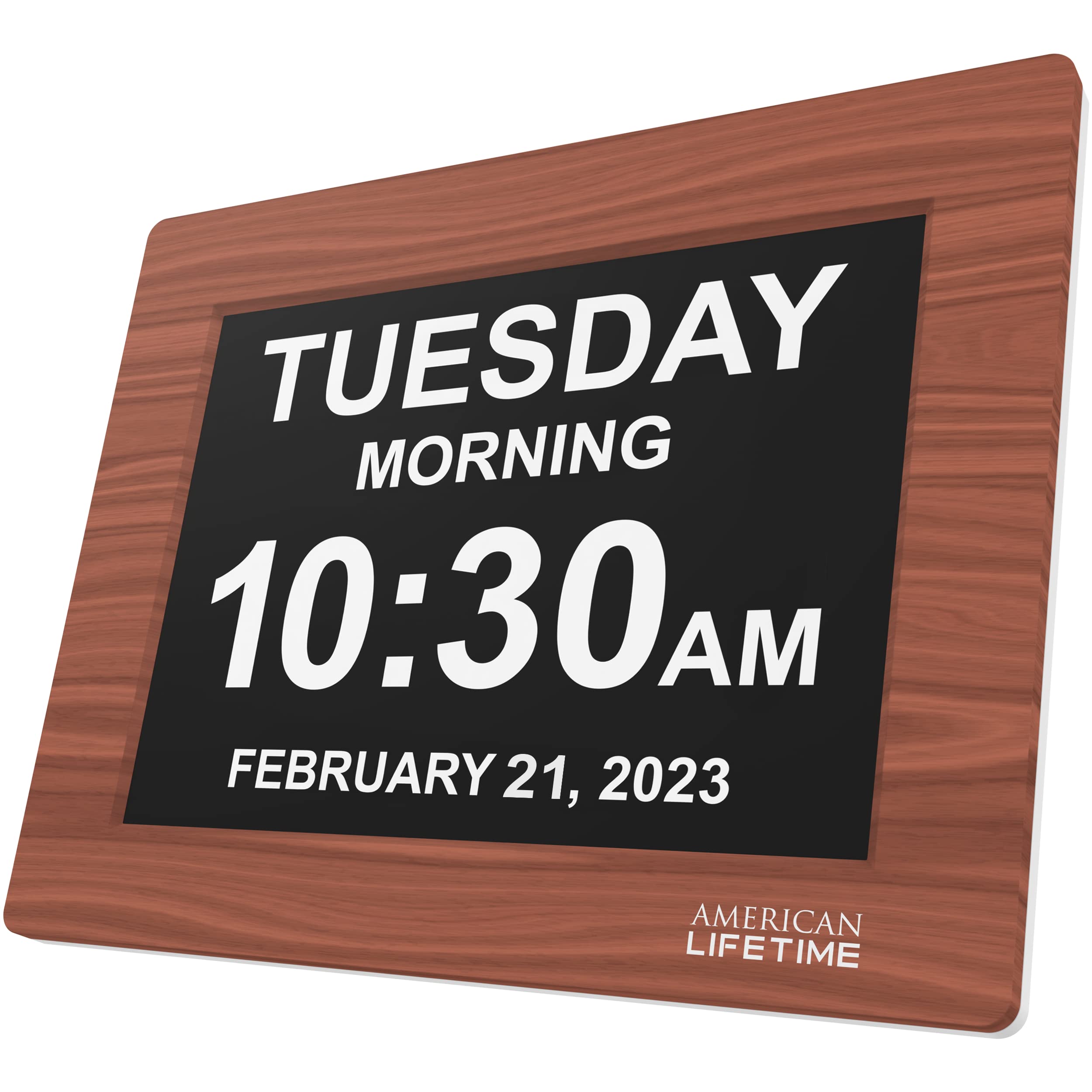
The American Lifetime clock stands apart with its brown wood frame and classic design that blends into traditional home decor—no stark white plastic or clinical aesthetic. The large, high-contrast digital display shows the day, date, year, and time with a clear morning/afternoon indicator that is easier to understand than AM/PM alone. The 8 x 6-inch footprint is compact but the font size is generous, making it readable from across the room.
Setup is straightforward for caregivers: plug it in, follow the printed manual, and program up to 5 daily alarms for medication, meals, or appointments. The auto-dimming feature detects ambient light levels and adjusts brightness accordingly, so the clock remains legible at night without creating glare. The robust construction—built to survive accidental drops—adds peace of mind for households where the clock may be handled by unsteady hands.
The adapter is included, and the clock is corded for continuous operation. Users consistently report that the clear morning/evening indicator helps seniors reorient themselves when waking during the night. However, at 5 alarms, the reminder capacity is lower than competitors offering 19 or 30 alarms, making this clock better suited for simpler routines. The wood frame is attractive but prone to showing scratches over time.
Why it’s great
- Brown wood frame blends with home decor
- Large display with morning/afternoon indicator
- Durable construction withstands drops
- Auto-dimming adjusts to room light
Good to know
- Only 5 alarms—limited for complex schedules
- Wood frame shows scuffs more than plastic
FAQ
What size display is easiest for a senior with poor vision to read?
Are sunrise simulation clocks effective for seniors with dementia?
How many alarms do I need for medication and daily reminders?
Can a talking clock replace a large display for a blind senior?
Final Thoughts: The Verdict
For most users, the best alarm clock for seniors winner is the Véfaîî 30 Alarms Extra Large Digital Clock because its 8-inch HD display, 30 customizable alarms with visual icons, and auto-DST plus battery backup cover every essential need for both the senior and the caregiver. If you want a voice-announcement clock that works for blind or severely vision-impaired seniors, grab the Top Life Talking Clock. And for a gentle, cortisol-free wake-up experience that replaces the blaring alarm entirely, nothing beats the Sunrise Simulation Alarm Clock.

Mo Maruf
I created WellFizz to bridge the gap between vague wellness advice and actionable solutions. My mission is simple: to decode the research and give you practical tools you can actually use.
Beyond the data, I am a passionate traveler. I believe that stepping away from the screen to explore new environments is essential for mental clarity and physical vitality.