Our readers keep the lights on and my smoothie glass nicely filled. As an Amazon Associate, I earn from qualifying purchases.
Upgrading to a multi-gigabit home network isn’t just about raw speed—it’s about eliminating the frustrating bottlenecks that slow down your work, gaming, and streaming. The right 10Gb router transforms your connection from a congested highway into an open freeway, ensuring every device gets the bandwidth it deserves.
I’m Mohammad Maruf — the founder and writer behind WellFizz. My expertise lies in dissecting complex market data and technical specifications to cut through the marketing hype and identify which hardware truly delivers on its promises.
Navigating the specs of Wi-Fi 7 and multi-gigabit ports can be overwhelming, but our research simplifies the process. Our comprehensive analysis of current market data and user feedback reveals the top performers that ensure your network isn’t bottlenecked, pinpointing the best 10gb router for seamless high-speed connectivity in any home.
How To Choose The Best 10Gb Router
Selecting a 10Gb router is about more than just a fast port. It’s about ensuring your entire network infrastructure can handle tomorrow’s speeds today. Focus on these core aspects to match a router to your specific home or office needs.
Port Configuration is Paramount
The “10Gb” label typically refers to a Wan port for your internet connection, but your local network matters too. Look for a combination of 10G, 2.5G, and 1G LAN ports. A router with multiple high-speed LAN ports is essential for connecting a NAS, gaming PC, or mesh node without creating a bottleneck. Some premium models even include an SFP+ port for direct fiber connections.
Wi-Fi Generation and Band Strategy
Wi-Fi 7 is the latest standard, offering significant improvements in speed, capacity, and latency over Wi-Fi 6. For a 10Gb router, it’s a logical pairing. Consider the band configuration: tri-band (2.4GHz, 5GHz, 6GHz) is excellent for dense device environments, while some dual-band models focus raw speed on the 5GHz and 6GHz bands. The new 6GHz band offers clean air for the fastest wireless speeds but has shorter range.
Coverage, Capacity, and Expandability
Check the stated coverage area, but remember it’s an estimate. Internal antenna design with beamforming often provides more reliable coverage than external antennas. Device capacity—how many devices the router can handle smoothly—is crucial for smart homes. For larger spaces, ensure the router supports a mesh system (like AiMesh, EasyMesh, or the brand’s proprietary system) for seamless whole-home coverage.
Software and Security Features
A powerful router needs intelligent software. Look for robust quality-of-service (QoS) tools to prioritize traffic, comprehensive parental controls, and built-in VPN support for secure remote access. Subscription-free security suites, like ASUS’s AiProtection or TP-Link’s HomeShield basics, add valuable protection without an ongoing fee.
Quick Comparison
On smaller screens, swipe sideways to see the full table.
| Model | Type | Best For | Key Feature | Amazon |
|---|---|---|---|---|
| ASUS RT-BE88U | Dual-Band Wi-Fi 7 | Power users with many wired devices | Dual 10G ports + SFP+, 34G capacity | Amazon |
| TP-Link Archer BE800 | Tri-Band Wi-Fi 7 | Future-proofing with premium design | Dual 10G ports, LED screen, 8 antennas | Amazon |
| ASUS ROG GT-BE98 PRO | Quad-Band Wi-Fi 7 | Competitive gaming and extreme performance | Quad-band, dual 10G, triple-game acceleration | Amazon |
| NETGEAR Nighthawk RS700S | Tri-Band Wi-Fi 7 | High-speed homes with many concurrent users | BE19000 speeds, 1-year Armor security | Amazon |
| eero Max 7 | Dual-Band Wi-Fi 7 Mesh | Simple, reliable whole-home mesh coverage | TrueMesh intelligence, Thread/Matter hub | Amazon |
| TP-Link Archer BE900 | Quad-Band Wi-Fi 7 | Showcasing top-tier specs and unique design | Quad-band, dual 10G, LED touch screen | Amazon |
| FRITZ!Box 4690 | Dual-Band Wi-Fi 7 | European users needing DECT telephony | Integrated DECT base, 10G WAN/LAN | Amazon |
| NETGEAR Nighthawk RS600 | Tri-Band Wi-Fi 7 | Stable performance for large homes | BE18000 speeds, 3300 sq. ft. coverage | Amazon |
| TP-Link Archer BE700 | Tri-Band Wi-Fi 7 | Balanced upgrade to Wi-Fi 7 | BE15000 speeds, 10G + 2.5G port combo | Amazon |
| TP-Link Archer BE550 Pro | Tri-Band Wi-Fi 7 | Budget-conscious Wi-Fi 7 adoption | 10G WAN, four 2.5G LAN ports | Amazon |
| TP-Link Archer BE600 | Tri-Band Wi-Fi 7 | Entry into 10G and Wi-Fi 7 | Cost-effective 10G port, tri-band Wi-Fi 7 | Amazon |
In‑Depth Reviews
1. ASUS RT-BE88U

The ASUS RT-BE88U stands out not for having the most wireless bands, but for offering unparalleled wired flexibility. Its dual 10G ports—one standard RJ45 and one SFP+ fiber combo—coupled with four 2.5G and four 1G LAN ports, create a staggering 34G of total wired capacity. This makes it a dream for homes with NAS devices, gaming PCs, and multiple mesh nodes that benefit from wired backhaul.
Despite being a dual-band router (lacking the 6GHz band), it fully supports Wi-Fi 7 features like MLO and 4096-QAM on its 5GHz band. Users report rock-solid stability and exceptional range, easily covering large homes. The powerful 2.6GHz quad-core CPU handles dozens of devices without breaking a sweat, and the inclusion of lifetime AiProtection Pro security provides peace of mind without subscriptions.
While enthusiasts might miss the 6GHz band for ultimate wireless speeds, the RT-BE88U’s philosophy is clear: provide a bullet-proof, massively connected wired foundation. For power users, small office environments, or anyone with a complex wired network, this router’s port selection and robust software make it an incredibly versatile and reliable choice.
Why it’s great
- Unmatched wired port selection with dual 10G and SFP+.
- Extremely stable performance and strong coverage for large areas.
- Includes lifetime subscription-free AiProtection Pro security.
- Powerful hardware that easily manages heavy network traffic.
Good to know
- Dual-band design means no dedicated 6GHz Wi-Fi 7 band.
- The web interface is powerful but can be complex for beginners.
- Physical size is substantial, requiring adequate shelf space.
2. TP-Link Archer BE800

The Archer BE800 is TP-Link’s
3. ASUS ROG GT-BE98 PRO

The ASUS ROG GT-BE98 PRO is the undisputed flagship for those who demand the absolute maximum in wireless technology and gaming optimization. As a quad-band router, it features two separate 6GHz radios alongside the standard 5GHz and 2.4GHz bands, creating an immense amount of airspace to prevent congestion among hundreds of devices. Its aggressive, angular design houses eight high-performance external antennas and a powerful 2.6GHz processor.
Gaming is the core focus, with triple-level acceleration that prioritizes traffic from the gaming port through the router and all the way to the game server. The inclusion of dual 10G ports and four 2.5G ports ensures both your internet and local network are future-proofed for the fastest connections available. User reports after subsequent firmware updates praise its incredible stability and blistering Wi-Fi 7 speeds for compatible devices.
This router represents the peak of consumer networking technology. It’s designed for enthusiasts, competitive gamers, and smart homes with an extreme number of devices where budget is secondary to performance. The extensive customization options in the ASUSWRT interface, combined with the raw hardware power, make it a long-term investment for the most demanding home networks.
Why it’s great
- Unmatched quad-band design with dual 6GHz radios for massive capacity.
- Extensive gaming-specific features and traffic optimization tools.
- Extremely powerful hardware that handles intense network loads with ease.
- High level of customization and control in the software interface.
Good to know
- Premium price point, representing a significant investment.
- The bold, large design may not suit all decors.
- Overkill for users with simpler internet needs or fewer devices.
4. NETGEAR Nighthawk RS700S

The NETGEAR Nighthawk RS700S is a powerhouse tri-band Wi-Fi 7 router built to deliver reliable, high-speed coverage across large homes. With a stated coverage of up to 3,500 square feet, its compact design houses a high-performance antenna array engineered for 360-degree signal distribution. It’s powered by a robust Broadcom Wi-Fi 7 chipset designed to maximize throughput across all connected devices.
A key advantage is the inclusion of a one-year subscription to NETGEAR Armor, powered by Bitdefender, which provides advanced security for all devices on your network. The 10G internet port ensures you can leverage the fastest available plans from providers like Xfinity or fiber services. Users highlight its easy setup via the Nighthawk app and impressive real-world speeds, especially on the 6GHz band with compatible phones and laptops.
This router strikes a balance between top-tier performance and user-friendliness. It’s an excellent choice for households with multiple heavy users—streamers, gamers, and remote workers—who need consistent performance and appreciate the added value of a full year of comprehensive security software right out of the box.
Why it’s great
- Strong, reliable coverage for large home spaces.
- Includes a valuable one-year subscription to NETGEAR Armor security.
- Consistently fast performance on Wi-Fi 6 and Wi-Fi 7 devices.
- Sleek, compact footprint compared to many high-end routers.
Good to know
- Some users note occasional firmware updates can introduce minor bugs.
- The companion app, while functional, offers less advanced control than web interfaces.
- LAN ports are primarily 1G, with only the single 10G port for high-speed wired needs.
5. eero Max 7
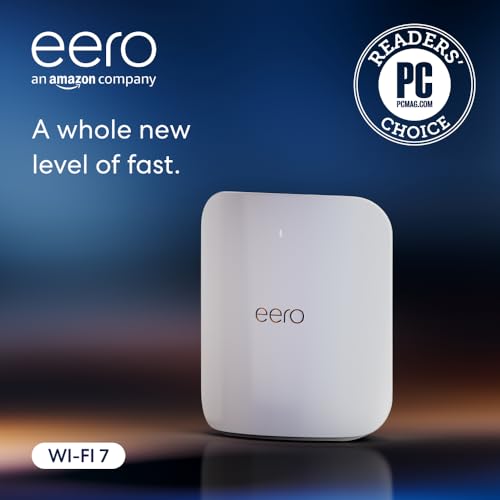
The eero Max 7 takes a different approach, focusing on simplicity, reliability, and seamless whole-home coverage as part of a mesh system. Its standout feature is the patented TrueMesh technology, which intelligently routes data between nodes to avoid congestion and maintain speed. This single unit can cover a significant area, and adding more nodes is incredibly straightforward through the intuitive eero app.
Beyond Wi-Fi 7 speeds and dual 10G Ethernet ports, it doubles as a smart home hub, supporting Thread and Matter (as a controller) for connecting compatible devices without additional hardware. Users consistently praise the rock-solid stability and “set-it-and-forget-it” nature of eero systems. The setup process is famously simple, migrating settings from an old eero network in minutes, which is a huge time-saver.
This is the ideal choice for users who prioritize a stable, blanket of coverage over granular technical control. It’s perfect for smart home enthusiasts and families who want powerful performance without the complexity of managing a traditional router. The three-year warranty also provides exceptional long-term confidence.
Why it’s great
- Exceptionally easy setup and reliable, self-optimizing mesh performance.
- Functions as a Thread and Matter smart home hub.
- User-friendly app perfect for managing family internet use.
- Backed by an industry-leading three-year warranty.
Good to know
- Advanced configuration options are limited compared to traditional routers.
- Premium pricing for the ecosystem, especially when purchasing multiple nodes.
- Dual-band design (though with Wi-Fi 7) may not have the same multi-device capacity as tri-band models in dense environments.
6. TP-Link Archer BE900

The TP-Link Archer BE900 is a statement piece, featuring a unique design with a front-facing LED touch screen for at-a-glance network info and controls. As a quad-band Wi-Fi 7 router, it offers immense wireless capacity across twelve internal antennas. Its dual 10G ports (one being a combo SFP+/RJ45) provide flexible connectivity for the fastest possible wired backbone.
This router is built to be the centerpiece of a high-tech home, offering not just speed but also a level of interactive control. The touchscreen allows for quick settings adjustments and displays real-time data transfer rates. Performance-wise, it’s designed to handle an extreme number of devices across its four separate bands, making it ideal for crowded networks in large households or for users with many smart home gadgets.
While it shares the top-tier performance of other flagships, the BE900 differentiates itself with its distinctive aesthetics and interactive display. It’s for the user who wants cutting-edge technology that also serves as a conversation starter, offering both formidable specs and a unique user experience.
Why it’s great
- Unique LED touchscreen provides interactive control and status info.
- Quad-band Wi-Fi 7 offers exceptional capacity for hundreds of devices.
- Powerful internal antenna array with twelve elements for strong coverage.
- Flexible dual 10G ports including SFP+ for fiber connections.
Good to know
- The distinctive design is large and may not appeal to all tastes.
- Early firmware had stability issues, though updates have largely resolved them.
- A premium option where the unique display contributes to the cost.
7. FRITZ!Box 4690

The FRITZ!Box 4690 is a uniquely European take on the high-performance router, combining Wi-Fi 7 with a feature set tailored for that market. Its most distinctive feature is the integrated DECT base station, which can support up to six cordless phones, making it a true all-in-one communication hub for homes that still utilize landline telephony.
On the networking front, it offers a solid 10G WAN port and a 10G LAN port alongside three 2.5G ports, providing excellent wired connectivity. The FRITZ!OS software is renowned in Europe for its stability and powerful features, including a comprehensive firewall and VPN support. Users with European fiber connections, like those from Deutsche Telekom or TIM, praise its compatibility and performance.
This router is a niche but superb choice for users in Europe, or those with specific needs for integrated telephony. It excels as a replacement for an ISP’s router-modem combo, offering superior control and features while maintaining compatibility with local services. The interface may be less familiar to users accustomed to ASUS or Netgear, but it is deeply capable.
Why it’s great
- Integrated DECT base station for cordless phone connectivity.
- Excellent compatibility with European ISP fiber and DSL services.
- Stable, feature-rich FRITZ!OS software with strong security.
- Clean 10G WAN and LAN port configuration.
Good to know
- Interface and documentation may be less intuitive for users outside Europe.
- Dual-band Wi-Fi 7, not tri-band.
- Primarily targeted and optimized for the European market.
8. NETGEAR Nighthawk RS600

The NETGEAR Nighthawk RS600 is a workhorse tri-band Wi-Fi 7 router designed to deliver stable, high-speed internet across a very large area—up to 3,300 square feet. It leverages a sleek, modern design with a smaller footprint than previous Nighthawk models, making it easier to place in a home. The 10G internet port is ready for multi-gigabit plans, and it includes a 30-day trial of NETGEAR Armor for security.
User reports emphasize its reliability and strong signal penetration. Those upgrading from older Wi-Fi 5 or even Wi-Fi 6 routers note dramatic improvements in speed and consistency, especially for streaming and gaming on multiple devices simultaneously. The setup process through the Nighthawk app is straightforward, getting users online quickly.
This router is an excellent choice for large homes where a single, powerful unit can provide sufficient coverage without immediately needing a mesh system. It offers a balanced set of features at a mid-range point, making advanced Wi-Fi 7 performance accessible for families needing to eliminate dead zones and congestion.
Why it’s great
- Extensive coverage area from a single router unit.
- Proven stability and reliable day-to-day performance.
- Modern, compact design that doesn’t dominate a space.
- Significant performance leap for users upgrading from older standards.
Good to know
- LAN ports are primarily 1G, which may limit wired backhaul for mesh nodes.
- Advanced configuration requires using the web interface, as the app is more basic.
- Security suite beyond the trial requires a subscription.
9. TP-Link Archer BE700

The TP-Link Archer BE700 offers a compelling blend of high-end Wi-Fi 7 specs and a more accessible price point. It delivers tri-band BE15000 speeds, featuring a 10G WAN port for your internet, a 2.5G LAN port for a high-speed device like a NAS, and additional 1G ports for everything else. This port selection covers the needs of most users stepping up to multi-gigabit internet.
Its six internal antennas with beamforming provide strong, consistent coverage for medium to large homes. Users appreciate the easy setup with the Tether app and the inclusion of TP-Link HomeShield’s basic free features for network security and parental controls. The performance is noted to be excellent, particularly for Wi-Fi 6E and Wi-Fi 7 devices, making it a great “future-proof” upgrade.
Positioned as a balanced option, the BE700 gives you the core benefits of Wi-Fi 7 and a 10G connection without the cost of extra premium features like dual 10G ports or a display. It’s an intelligent choice for users who want next-gen performance but don’t require the absolute maximum in wired port configuration.
Why it’s great
- Excellent tri-band Wi-Fi 7 performance at a competitive point.
- Practical port mix with 10G WAN and a 2.5G LAN for key devices.
- Easy to set up and manage with the Tether app.
- Strong coverage thanks to internal beamforming antennas.
Good to know
- Lacks multiple high-speed LAN ports for building a fully multi-gig local network.
- The design is functional but not as distinctive as some flagships.
- Advanced HomeShield features require a subscription.
10. TP-Link Archer BE550 Pro
The TP-Link Archer BE550 Pro is a standout for bringing a 10G WAN port and four 2.5G LAN ports to a very accessible price point. This configuration is incredibly thoughtful, allowing you to connect a multi-gigabit modem and then distribute high-speed connections to several wired devices—like a PC, NAS, and mesh node—simultaneously without bottlenecking.
As a tri-band BE9700 Wi-Fi 7 router, it supports all the latest wireless technologies, including 320MHz channels on the 6GHz band. Users confirm that the 10G port operates correctly at 2.5G and other multi-gig speeds, making it flexible for various internet plans. The performance is robust for its class, offering a significant upgrade in both wired and wireless capabilities over previous-generation routers.
This model is arguably one of the best values for users who need serious wired networking capabilities alongside modern Wi-Fi. It’s perfect for tech enthusiasts on a budget, small office setups, or as a primary node in a wired EasyMesh system, providing a high-speed backbone at an entry-level cost.
Why it’s great
- Exceptional value with a 10G WAN port and four 2.5G LAN ports.
- Full tri-band Wi-Fi 7 support with the latest features.
- Proven multi-gig compatibility on the 10G port.
- EasyMesh support for future expansion.
Good to know
- Some users report occasional firmware or stability issues that may require troubleshooting.
- Build and design are more utilitarian compared to premium models.
- Coverage area is average, suitable for medium-sized homes.
11. TP-Link Archer BE600

The TP-Link Archer BE600 serves as the most accessible entry point into the world of 10Gb and Wi-Fi 7 networking. It packs a surprising amount of technology into a budget-friendly package: a 10G WAN/LAN port, a 2.5G WAN/LAN port, and three additional 2.5G LAN ports. This port selection is generous and future-oriented for its class.
Wi-Fi 7 performance is solid, offering the benefits of Multi-Link Operation and 320MHz channels to compatible devices. It’s designed to cover up to 2,600 square feet and handle 120 devices, making it suitable for most average-sized smart homes. Users upgrading from older routers note a dramatic improvement in speed and network responsiveness.
While it sits at the budget end of this list, the BE600 is by no means underpowered. It represents the democratization of high-speed networking, making core next-generation features available to a wider audience. It’s an ideal first step for users with burgeoning multi-gigabit internet plans who want to ensure their router isn’t the weak link.
Why it’s great
- The most cost-effective way to get a true 10G port and Wi-Fi 7.
- Surprisingly robust port selection with multiple 2.5G connections.
- Easy setup and management via the Tether app.
- Provides a tangible performance leap from Wi-Fi 5 or early Wi-Fi 6 routers.
Good to know
- As an entry-level model, long-term stability can be mixed; some units may have issues.
- Internal hardware is less powerful than more expensive options, which may show under very heavy loads.
- Build quality and design are basic, prioritizing function over form.
Understanding the Specs
Wi-Fi 7 (802.11be)
This latest wireless standard introduces key technologies like Multi-Link Operation (MLO), which allows devices to transmit data across multiple frequency bands simultaneously for increased speed and reliability. It also supports wider 320MHz channels and 4K-QAM for denser data packing. While you need compatible devices (like newer phones and laptops) to unlock its full potential, Wi-Fi 7 routers also improve the performance of older Wi-Fi 6 and Wi-Fi 5 devices through better traffic management.
Multi-Gigabit Ports
Not all high-speed ports are the same. A 10G (10,000 Mbps) port is essential for connecting to multi-gig or 10-gigabit internet plans. 2.5G (2,500 Mbps) ports are incredibly useful for local network devices like NAS systems or high-end PCs, providing faster-than-gigabit speeds without the need for expensive 10G switches. Look at the mix of WAN (Internet input) and LAN (device output) ports to ensure the router can handle both your incoming speed and your internal network needs.
FAQ
Do I need a 10Gb router if my internet is only 1 gigabit?
What is the difference between a 10G WAN port and a 10G LAN port?
Is Wi-Fi 7 backward compatible with older devices?
Can I use any of these routers with my current cable or fiber modem?
Final Thoughts: The Verdict
For most people, the best 10gb router winner is the ASUS RT-BE88U because it offers the most practical and powerful wired foundation with dual 10G ports and an SFP+ slot, paired with excellent Wi-Fi 7 performance, all without a subscription. If you want the ultimate in wireless technology and gaming optimization, grab the ASUS ROG GT-BE98 PRO. And for simple, reliable whole-home mesh coverage that just works, nothing beats the eero Max 7.

Mo Maruf
I created WellFizz to bridge the gap between vague wellness advice and actionable solutions. My mission is simple: to decode the research and give you practical tools you can actually use.
Beyond the data, I am a passionate traveler. I believe that stepping away from the screen to explore new environments is essential for mental clarity and physical vitality.