Our readers keep the lights on and my smoothie glass nicely filled. As an Amazon Associate, I earn from qualifying purchases.
Specs are compiled from manufacturer listings and verified buyer reviews and can change over time — please confirm the key details on the product page before buying.
Getting a strong, reliable Wi-Fi signal on every floor of your home can feel like a lost cause. The router in the basement might stream 4K just fine in the living room, but the upstairs office gets buffering, and the guest bedroom at the far end is a dead zone. The fix isn’t a single super-powered router — it’s a mesh system that blankets your whole house in steady coverage.
I’m Mohammad Maruf — the founder and writer behind WellFizz. This guide is built by comparing the manufacturers’ published specifications and the patterns across verified customer reviews, so you get each pick’s real strengths and trade-offs instead of marketing spin.
You will find the nine best mesh systems on the market, from budget-minded Wi-Fi 6 kits to flagship tri-band Wi-Fi 7 monsters, all picked because they actually handle the vertical climb and material density of a multi-story home. These are the wi-fi equipment for houses with multiple floors that owners consistently say solve the dead-zone problem.
Our Picks at a Glance



How To Choose The Best Wi-Fi Equipment For Houses With Multiple Floors
The secret to blanketing a multi-story home is a mesh system — a set of two or three nodes that talk to each other and broadcast one unified network. A single router has to punch through floors and furniture, which kills its range. Mesh nodes spread the work, so the signal strength stays high from the basement to the top floor.
Coverage vs. Construction
Always match the system’s claimed coverage to your home’s square footage plus a buffer for the floors. Concrete, brick, and thick insulation act like a blanket for radio waves. Systems with tri-band radios or a dedicated backhaul band handle vertical signal loss much better, because the nodes keep talking to each other on a separate path.
Wi-Fi Generation: 6, 6E, or 7
Wi-Fi 6 is plenty fast for streaming and work and works with nearly everything right now. Wi-Fi 6E adds a clean 6 GHz band that avoids congestion but has shorter range through floors. Wi-Fi 7 is the newest standard, with blistering speeds up to 11 Gbps and features like Multi-Link Operation (MLO) that combine bands for a stable connection — but you need compatible devices to see the full benefit.
Wired Backhaul: The Multi-Floor Boss
If you can run an Ethernet cable between your nodes (or use existing coax wiring with MoCA adapters), you get the best possible speeds on every floor. Wired backhaul frees up wireless bandwidth for your devices and eliminates any chance of a weak node-to-node link. Many systems support it, but a few require it for top performance.
Quick Comparison
| Model | Best For | Coverage (Sq. Ft.) | Max Speed | Wi-Fi Standard | Amazon |
|---|---|---|---|---|---|
| TP-Link Deco 7 BE23★ Best Overall | Future-Proof Fast Speeds | 6,500 | 3.6 Gbps | Wi-Fi 7 | Amazon |
| TP-Link Deco X15Best Value | Best Value & Reliability | 5,600 | 1.5 Gbps | Wi-Fi 6 | Amazon |
| NETGEAR Orbi 770Top Speed | Top-Tier Tri-Band Wi-Fi 7 | 8,000 | 11.0 Gbps | Wi-Fi 7 | Amazon |
| Tenda ME6 Pro | Budget Wi-Fi 7 Entry | 2,500 | 5.1 Gbps | Wi-Fi 7 | Amazon |
| Linksys Atlas MX2000 | Strong Signal Consistency | 4,500 | 3.0 Gbps | Wi-Fi 6 | Amazon |
| Google Nest Wifi Pro | Simple Google Ecosystem | 6,600 | — | Wi-Fi 6E | Amazon |
| NETGEAR Orbi 370 | Pre-Owned Value | 6,000 | 5.0 Gbps | Wi-Fi 7 | Amazon |
In‑Depth Reviews
1. TP-Link Deco 7 BE23
Our pick — 4.5★ from 650+ verified ratings; the strongest balance of quality and price.
You get next-gen Wi-Fi 7 speed without overspending — ideal for a multi-floor home.
This three-pack uses the latest Wi-Fi 7 standard to deliver a combined 3.6 Gbps (gigabits per second) across a dual-band 4-stream layout. The 5 GHz band (the one most of your devices use for speed) alone hits 2882 Mbps, which is enough to keep a dozen 4K streams and a few Zoom calls running without a stutter. Each of the three nodes packs two 2.5 Gbps WAN/LAN ports (wide-area network / local-area network), so you can plug a gaming PC or a NAS drive directly into a node on the second floor and get near-wired speeds.
The standout feature here is AI-Roaming — the system learns where you move in the house and hands your device off between nodes before you feel a drop. Set up takes about ten minutes through the free Deco app, and owners say the system “still running great after 1 year” with no major issues. The catch, as a long-term review points out, is that QOS (Quality of Service) bandwidth control is limited to just 4 devices, and all advanced admin settings live in the phone app only — there is no full web interface. If you want per-device priority control for a house full of gamers and streamers, that is a real limit.
The Tenda ME6 Pro below is more affordable but covers 2,500 sq. ft. compared to the TP-Link’s 6,500 sq. ft. For the price, the Deco 7 BE23 gives you modern Wi-Fi 7 hardware with the coverage to actually use it across three stories.
Why Owners Grab This One
- Setup is a breeze — the app walks you through pairing all three nodes in minutes.
- Signal quality is excellent, with consistent speeds across a 6,500 sq. ft. home.
- Fast 2.5 Gbps wired ports for high-performance devices like gaming PCs or NAS.
The Trade-Offs
- QOS (bandwidth control) only works for four devices at a time.
- Full network management requires the Deco app; the web admin panel is very limited.
Reach for this if: you want the newest Wi-Fi 7 standard with enough coverage (6,500 sq. ft.) for a large multi-floor home, and you are comfortable managing settings from a phone app.
Think twice if: you need granular per-device bandwidth controls or a full web dashboard to tweak every setting.
2. TP-Link Deco X15
The reliable workhorse that solves dead zones while staying affordable.
This is the most popular pick on the list for a reason — it consistently delivers on the basics that matter most for a multi-floor home. The three-pack covers up to 5,600 sq. ft. with Wi-Fi 6 speeds (AX1500, meaning 1,201 Mbps on the 5 GHz band and 300 Mbps on the 2.4 GHz band). Each of the three nodes has two Gigabit Ethernet ports, giving you six wired ports total to plug in devices that need a steady connection. The thing owners praise most is reliability. In a long two-story house, wired backhaul via coax adapters solved every dead zone without a hitch.
The Deco app handles setup in under ten minutes, and the system supports up to 120 devices simultaneously, which is plenty for a family with smart lights, tablets, and work laptops. For a house with multiple floors, the 5,600 sq. ft. rating gives you the headroom to place one node per level and still have signal to spare in the garage and patio.
The honest catch is that some owners had to disable Fast Roaming (a feature that helps devices jump between nodes) because it caused connection drops on older gadgets. If you have a few aging smart plugs or an older laptop, you might need to turn that setting off. The other long-term note: several owners mention firmware updates stopped being offered after a year, which is a concern for security-conscious households.
Perfect for: households that want a proven, stable Wi-Fi 6 mesh for a large (5,600 sq. ft.) multi-story home at a price that leaves room in the budget.
3. NETGEAR Orbi 770
The speed king that crushes vertical barriers with tri-band Wi-Fi 7.
For homes where sheer throughput is the priority — think 4K streaming on every floor, heavy video conferencing, and a houseful of gaming rigs — the Orbi 770 is the definitive answer. It is a tri-band Wi-Fi 7 system that reaches a theoretical top speed of 11 Gbps (gigabits per second) and covers up to 8,000 sq. ft. The three-pack includes a router and two satellites, each with a dedicated backhaul band that keeps the node-to-node link fast even when all 100 connected devices are pulling data. The 2.5 Gig internet port means you can plug in a multi-gig fiber plan and actually see those speeds on wired devices.
Setting up is straightforward through the Orbi app — buyers report the whole process taking about 20 minutes, with one satellite able to extend strong service out to a detached garage for smart irrigation. The tri-band design with Enhanced Backhaul ensures that moving from the basement to the third floor doesn’t cause a drop. As owners put it: “No shut downs or lag on the WiFi.” The speed is remarkable — a PC hardwired to a satellite in another room can pull 900+ mbps.
The biggest drawback, shared by a number of owners, is that the initial pairing of satellites can be frustrating. Some required multiple factory resets and restarts before they would lock onto the network. If you are not comfortable with a slightly finicky setup process, this system might test your patience. Once it is running, however, it is “rock-solid stable with no reboots needed.”
What Makes It Fast
- Tri-band Wi-Fi 7 with a dedicated backhaul band for flawless multi-floor performance.
- Massive 8,000 sq. ft. coverage that handles up to 100 devices.
- 2.5 Gig Ethernet ports on every node for wired speeds.
Setup Hiccups
- Satellite pairing can be temperamental, sometimes requiring multiple resets.
- No detailed setup guide included — you get a quick start card and that is it.
Grab it for: a large (8,000 sq. ft.) multi-floor home where raw speed and device capacity (100 devices) matter most, and you are willing to work through a slightly tricky initial setup.
skip it if: you want a simple plug-and-play experience or you only need coverage for a smaller space.
4. NETGEAR Orbi 370

A compact Wi-Fi 7 kit that brings multi-gig speeds to moderate multi-floor homes.
The Orbi 370 is the budget-friendly way to step into Wi-Fi 7 without spending flagship money. It is a dual-band system (meaning no dedicated 6 GHz band, unlike the more expensive Orbi 770) that covers up to 6,000 sq. ft. with a combined max speed of 5 Gbps. The three-pack includes one router and two satellite extenders, each with a 2.5 Gig WAN/LAN port. The router also sports an additional 2.5 Gig port, so you can fully use a multi-gig internet plan. The system supports up to 70 devices at once — enough for a busy family.
Owners coming from older Google mesh systems report it is a “massive upgrade,” with stronger signal, faster speeds, and smooth roaming — no more dead zones. Setup is straightforward through the Orbi app, and the compact units sit neatly on any shelf. The Enhanced Backhaul keeps the node-to-node connection stable as you move around, so video calls and streaming stay smooth.
The limit is that this is a dual-band system — it lacks the 6 GHz band that the Orbi 770 uses for an extra-clean backhaul. Performance can drop at extreme range, and some owners mention that satellite nodes occasionally drop offline, especially when paired with a smart home hub like Philips Hue. If you have a house that is very long or has thick internal walls, the Orbi 770’s tri-band design would be a better fit.
Great for: a moderate-sized multi-floor home (up to 6,000 sq. ft.) that wants Wi-Fi 7’s speed and capacity (70 devices) without paying for a tri-band flagship.
Not ideal if: your home has extremely thick walls or you need a tri-band backhaul for maximum range reliability.
5. Google Nest Wifi Pro

The easiest system to set up if you are already in the Google smart home orbit.
Google’s latest mesh router uses Wi-Fi 6E with a tri-band radio (2.4 GHz, 5 GHz, and the new 6 GHz band) to cover up to 6,600 sq. ft. with a three-pack. The system’s main selling point is its deep integration with the Google Home app — setup takes just minutes, and you can manage your network, pause devices, and create a guest network from the same app that controls your Nest cameras and thermostats. The auto-monitoring feature watches network health and can fix common issues on its own, which is a nice perk if you are not into troubleshooting.
Owners say the speed is a clear improvement over older Wi-Fi 5 or 6 systems. The 6 GHz band gives newer phones and laptops a clean, fast channel. “Smart devices run smoothly without lag” is a common observation. For a 1,600 sq. ft. home with dead spots, a four-unit setup (router in the basement, three nodes upstairs) covers everything, including Nest cameras in the backyard.
The biggest issue reported by some owners is that node-to-node range can be surprisingly weak. In one case, a second node couldn’t connect just two rooms away from the router with no obstructions. This is especially problematic for multi-floor homes where you need nodes on different levels. If your house has thick floors or an irregular layout, you may need more nodes than expected to get full coverage. Also, this system is not backward-compatible with older Google Wifi or Nest Wifi hardware, so you cannot add your existing Google nodes to this network.
Why It Stands Out
- Deep Google Home app integration — manage your whole smart home from one place.
- Self-monitoring network that diagnoses and fixes common issues automatically.
- Tri-band Wi-Fi 6E with a 6 GHz band for ultra-fast connections on new devices.
Know Before You Buy
- Node-to-node range can be inconsistent, requiring careful placement on each floor.
- Not compatible with older Google Wifi or Nest Wifi equipment — you start fresh.
Best for: Google smart home users who want the simplest possible setup and management, and have a reasonably open floor plan on each level.
Think twice if: your home has thick floors or a complex layout that demands maximum node-to-node range.
6. Tenda ME6 Pro
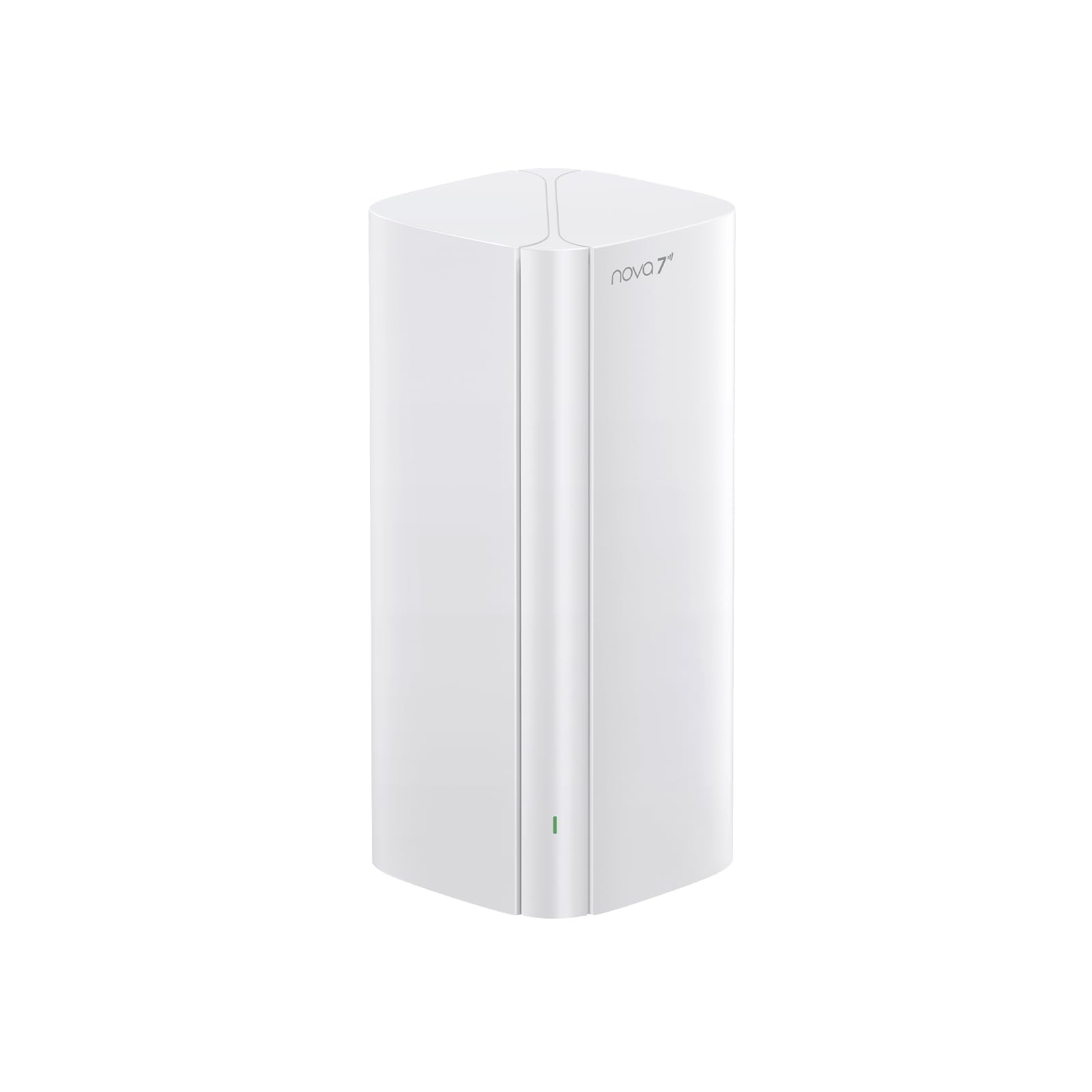
The most affordable entry point into the Wi-Fi 7 world for smaller multi-floor homes.
If you are on a tighter budget but still want the latest Wi-Fi 7 tech, the Tenda ME6 Pro gets you there. This is a single-node system (the “ME6 Pro 1-Pack”) covering up to 2,500 sq. ft., so for a two-story house or a large apartment with a loft, one unit might be enough. It is a dual-band system with speeds up to 5.1 Gbps (5100 Mbps), featuring a 2.5 Gbps WAN/LAN port (wide-area network / local-area network port that auto-senses which mode to use) plus two 1 Gbps Gigabit Ethernet ports. The built-in EasyMesh support means you can add another Tenda ME6 Pro node later to expand coverage without replacing anything.
Owners coming from older Wi-Fi 4 or 5 equipment see a massive difference. One review sums up the experience: “900 Mbps plan yields 600–800 Mbps over Wi-Fi.” That is excellent real-world throughput. The MLO (Multi-Link Operation) feature helps combine bands for lower latency, which is great for gaming and video calls. Setup is simple through the Tenda WiFi App, and the system offers VPN client/server support for privacy-conscious users.
The biggest catch is that a single node covers only 2,500 sq. ft., which is tight for a house with three floors. You would likely need to buy a second or third node to get reliable coverage on every level, and those purchases add up. Another point of concern: the customers-say summary flags reliability as “mixed,” with several owners reporting that the unit stopped working after a week and customer support was unhelpful. This is a budget system, and the support experience reflects that.
Ideal for: an apartment or a compact two-story home (up to 2,500 sq. ft.) where you want Wi-Fi 7 speeds on a tight budget, and you are willing to take a risk on reliability.
Not for: larger multi-floor homes where coverage across three levels is critical, or if you want reliable after-sale support.
7. Linksys Atlas MX2000

A dependable Wi-Fi 6 mesh that prioritizes rock-solid daily performance over flashy specs.
The Linksys Atlas MX2000 two-pack covers up to 4,500 sq. ft. with Wi-Fi 6 speeds up to 3.0 Gbps (AX3000) and an advanced Qualcomm chipset that keeps 50+ devices running without a hiccup. It uses Intelligent Mesh Technology to dynamically boost speed as you move around, so you get consistent signal from the living room to the upstairs bedroom. The system supports WPA3 (the latest Wi-Fi security standard) and offers automatic firmware updates, separate guest networks, and parental controls right from the start — no subscription required.
Owners consistently mention that the connectivity is excellent — signal reaches every room, the garage, and even the front lawn without a problem. If you run into the known app bug where it fails to pair, a simple manual reset (press the reset button five times) gets it working.
The mixed feedback centers on speed — while many owners see excellent speeds for streaming and gaming, some report the actual speed is slower than the promised AX3000 rating, especially with older devices. This is a common trade-off with Wi-Fi 6 systems: they are fantastic for modern phones and laptops, but your older 2017 tablet will not get a magical speed boost. If you want absolute peak speed on every single device, a Wi-Fi 7 system like the TP-Link Deco 7 BE23 above would be a better fit.
What Owners Love
- Excellent connectivity and signal strength — covers the whole house, garage, and yard.
- Reliable long-term performance — customers note it is “flawless” for over a year.
- Easy app-based setup with automatic firmware updates for security.
Be Aware
- Some devices see slower than advertised speeds, especially older Wi-Fi 5 gadgets.
- Initial app setup may fail for some users, requiring a manual reset to proceed.
Perfect for: a medium-sized multi-floor home (up to 4,500 sq. ft.) where you want a set-and-forget system that is proven reliable over multiple years.
Not the best fit if: you need the absolute fastest speed for every device and are willing to pay more for Wi-Fi 7 hardware.
Understanding the Specs
Coverage (Square Feet)
This is the manufacturer’s estimate of how much area the system can cover. For a multi-story home, a good rule of thumb is to get a system rated for at least 1.5 times your actual square footage. The walls and floors eat into the range, so a 5,600 sq. ft. system is a safe bet for a 3,500 sq. ft. house. Mesh nodes placed on each floor keep the signal strong throughout.
Wired Backhaul
This is a feature that lets you connect the mesh nodes to each other using Ethernet cables instead of relying on wireless signals. It is the single best thing you can do for a multi-floor home. When nodes talk to each other over a wire, they do not compete for the same radio airwaves that your phone or laptop uses. Your speeds stay high and stable on every floor, even in homes with thick concrete or brick walls.
FAQ
Will a mesh system work through concrete or brick floors?
How many mesh nodes do I need for a two-story house?
Is Wi-Fi 7 worth it for a multi-floor home right now?
What is the difference between dual-band and tri-band mesh?
Can I mix different brands of mesh nodes?
Does a mesh system replace my existing router?
What is the 6 GHz band in Wi-Fi 6E and Wi-Fi 7?
How hard is it to set up a mesh Wi-Fi system?
Will a mesh system work with my existing smart home devices?
How long does a mesh Wi-Fi system usually last?
Final Thoughts: The Verdict
If you want one dependable pick, the wi-fi equipment for houses with multiple floors winner is the TP-Link Deco 7 BE23 because it delivers fast Wi-Fi 7 speeds with enough coverage (6,500 sq. ft.) for a typical three-story home, all at a price that undercuts premium rivals. If you want the absolute maximum speed for gaming and heavy streaming across 8,000 sq. ft., grab the NETGEAR Orbi 770. And for the best value that still covers a large house reliably, the TP-Link Deco X15 is the one to reach for.
How We Picked
We do not accept paid placement. Every pick is matched to a real buyer and a real use-case; we do not hands-on test units.
Sources & Methodology
Specifications: manufacturer listings and product documentation. Review insights: verified customer reviews, as of July 2026. Pricing: not shown on this page (it changes often); check the current price via the retailer link.
As an Amazon Associate, WellFizz earns from qualifying purchases. This does not affect which products we feature.
Related Guides

Mo Maruf
I created WellFizz to bridge the gap between vague wellness advice and actionable solutions. My mission is simple: to decode the research and give you practical tools you can actually use.
Beyond the data, I am a passionate traveler. I believe that stepping away from the screen to explore new environments is essential for mental clarity and physical vitality.