Our readers keep the lights on and my smoothie glass nicely filled. As an Amazon Associate, I earn from qualifying purchases.
That single USB-C port on your laptop is a bottleneck. Every time you unplug your monitor to grab a flash drive, or hunt for an SD card reader mid-editing session, you lose momentum. A quality dongle turns one port into a full workstation hub — but most fail under real load, overheating or dropping connections at the worst moment.
I’m Mohammad Maruf — the founder and writer behind WellFizz. I’ve spent hundreds of hours analyzing data transfer benchmarks, video output stability tests, and build quality across dozens of USB-C hubs to separate the workhorses from the disposable models.
After evaluating real-world charging throughput, video resolution support, and construction materials, I’ve narrowed the field to deliver a clear verdict on the best usb-c dongle for your specific setup.
How To Choose The Best USB-C Dongle
Not every dongle delivers the same stability. The difference between a tool that serves for years and one that fails in weeks comes down to a few key specs. Focus on these three factors before you decide.
Video Output and DisplayPort Alt Mode
If you need an external monitor, your laptop’s USB-C port must support DisplayPort Alt Mode. A dongle with HDMI 2.0 can deliver 4K@60Hz, but only if the host device passes the video signal through. Check your laptop manual — many budget notebooks and some tablets omit this feature entirely.
Data Transfer Speed and Shared Bandwidth
Look for USB 3.2 Gen 2 (10Gbps) ports on the hub, especially if you move large video files or work with external SSDs. Be aware that multiple high-speed devices sharing the same upstream cable splits the bandwidth. A dongle with one 10Gbps port and several 5Gbps or 480Mbps ports handles mixed loads better than one where every port competes for the same lane.
Power Delivery Throughput and Heat Management
Passthrough charging wattage matters — a 100W PD port keeps your laptop topped off even under heavy load, but the effective power reaching your device may drop when all ports are active. Aluminum enclosures dissipate heat far more effectively than plastic, preventing thermal throttling and long-term port failure.
Quick Comparison
On smaller screens, swipe sideways to see the full table.
| Model | Category | Best For | Key Spec | Amazon |
|---|---|---|---|---|
| Acer 5-in-1 USB-C Hub | Mid-Range | Data-heavy workflows | 4x USB-C 3.2 Gen 2 at 10Gbps | Amazon |
| Hiearcool 8-in-1 USB-C Hub | Mid-Range | Reliable wired networking | 1Gbps Ethernet + 4K@60Hz HDMI | Amazon |
| Lemorele 7-in-1 USB-C Hub | Mid-Range | Dual 4K display setups | HDMI + USB-C DP Alt Mode (both 4K@60Hz) | Amazon |
| Anker 7-in-1 USB-C Hub | Premium | Proven long-term durability | 85W PD + 4K@30Hz HDMI | Amazon |
| VVB 14-in-1 USB-C Docking Station | Premium | Full desk workstation setup | Dual HDMI + DP, triple display support | Amazon |
In‑Depth Reviews
1. Acer 10 Gbps USB-C Hub
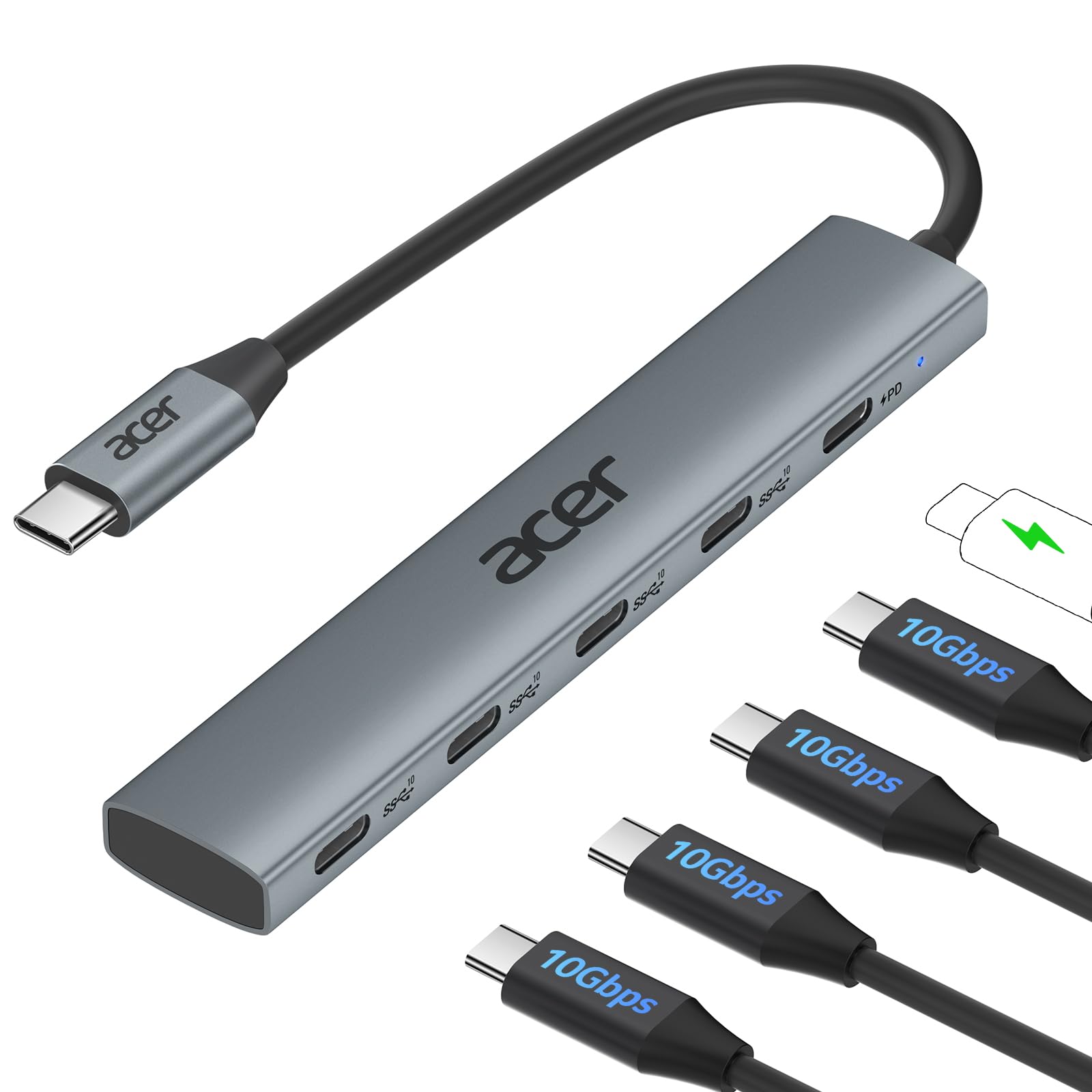
The Acer hub is a focused tool for anyone who moves large files between USB-C drives. All four downstream ports operate at USB 3.2 Gen 2 speeds — a rare configuration that lets you run multiple fast SSDs without bottlenecks. The 100W PD port keeps laptops charged, though the host power is shared across the hub’s internal circuitry.
This unit has no video output, which limits its appeal for monitor users. The aluminum body handles heat well, and the compact footprint makes it easy to slip into a laptop sleeve. Early reviews report consistent performance with MacBooks, iPads, and Windows machines running Linux or Chrome OS.
For professionals who need pure data throughput without monitor support, this is the cleanest solution in the mid-range tier. The lack of HDMI or Ethernet means you need a separate dongle for display connections, but the 10Gbps lanes are genuinely useful for video editors and photographers.
Why it’s great
- Four full-speed 10Gbps USB-C ports
- Aluminum enclosure for steady thermal performance
- Plug-and-play across multiple operating systems
Good to know
- No video output ports whatsoever
- PD port does not charge peripherals
- Requires a 10Gbps-compatible source port for rated speed
2. Hiearcool 8-in-1 USB-C Hub

The Hiearcool 8-in-1 fills the most common office gap — a stable wired network connection. Its 1Gbps Ethernet port delivers consistent latency for video calls and large downloads, and the 4K@60Hz HDMI output keeps external monitors crisp. Three USB-A 3.0 ports handle mice, keyboards, and flash drives without contention.
Built-in SD and microSD slots make this a practical choice for photographers who need quick card transfers alongside a monitor and network connection. The aluminum housing stays cool during extended use, and the compact design uses a short cable that keeps the hub close to the laptop edge.
Long-term reviews highlight reliable performance over a year of daily use, with several users noting it replaced flimsier hubs that failed within months. If you need one device that covers display, network, card reading, and legacy USB-A peripherals, this is the most balanced option in the mid-range.
Why it’s great
- Stable 1Gbps wired Ethernet for low-latency work
- 4K@60Hz HDMI output with consistent signal
- Dual card reader slots for SD and microSD
Good to know
- USB-A ports are limited to 5Gbps each
- No USB-C data ports for modern peripherals
- May not wake connected monitors from sleep on some systems
3. Lemorele 7-in-1 USB-C Hub
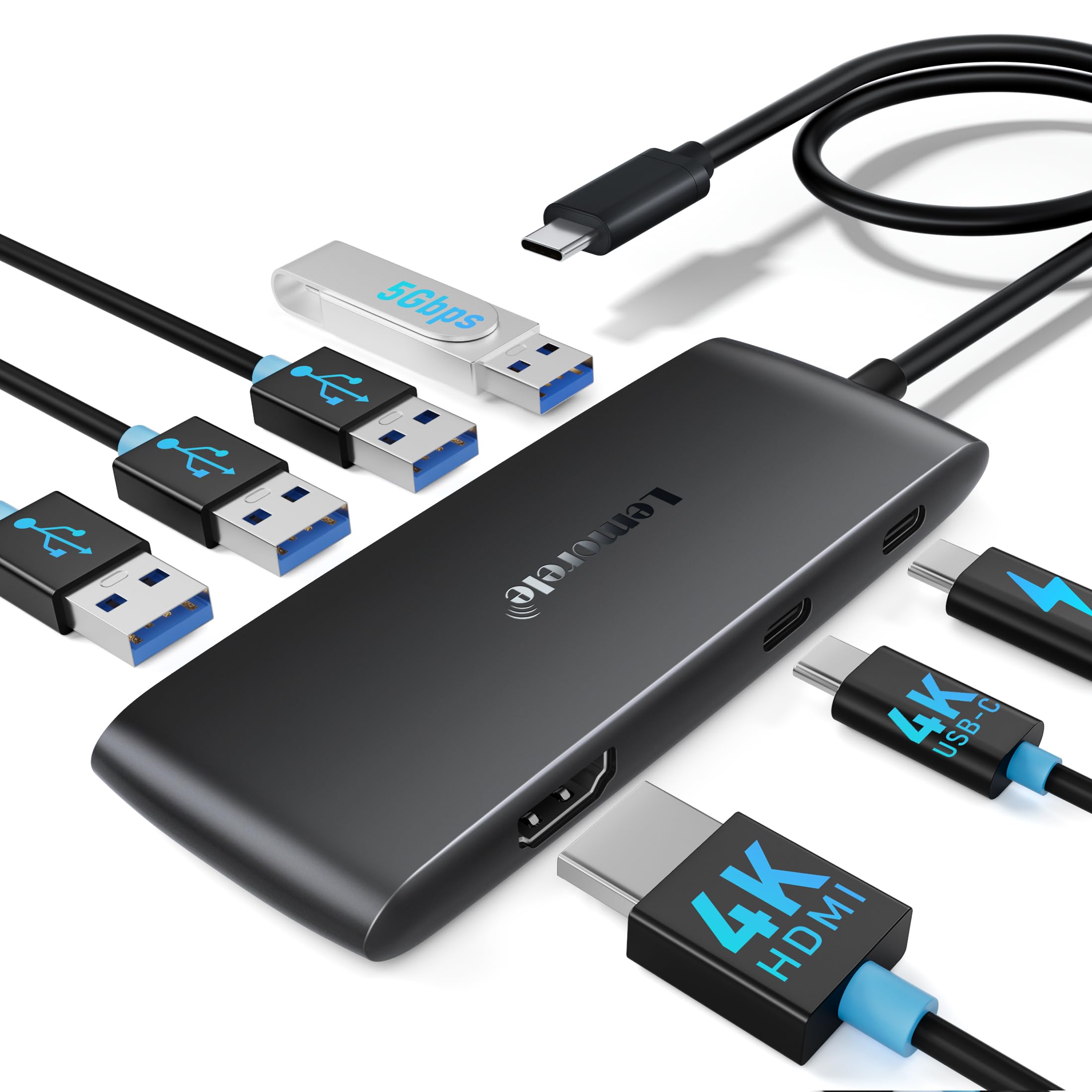
The Lemorele 7-in-1 stands out for its dual video path — an HDMI 2.0 port and a dedicated USB-C DisplayPort Alt Mode port both support 4K@60Hz. This allows you to connect a monitor and AR glasses or a portable display simultaneously, a capability most hubs in this price range lack.
Beyond video, it offers one 5Gbps USB-A 3.0 port and three 480Mbps USB-A 2.0 ports, which is sufficient for most input devices. The 100W PD pass-through keeps your laptop charged, and the compact ABS plastic body keeps weight low for travel. Note that macOS machines only support mirrored output across external displays, not extended mode.
User feedback confirms stable 4K output and reliable plug-and-play operation with Windows and macOS. The plastic shell runs slightly warmer than aluminum alternatives, but the dual-DP feature justifies the trade-off for users juggling a monitor and a secondary USB-C display.
Why it’s great
- Two independent 4K@60Hz video outputs
- USB-C DP Alt Mode supports AR glasses and portable monitors
- Lightweight and ultra-portable form factor
Good to know
- Plastic enclosure retains more heat than aluminum
- MacOS restricts external displays to mirror mode
- No Ethernet port included
4. Anker 7-in-1 USB-C Hub
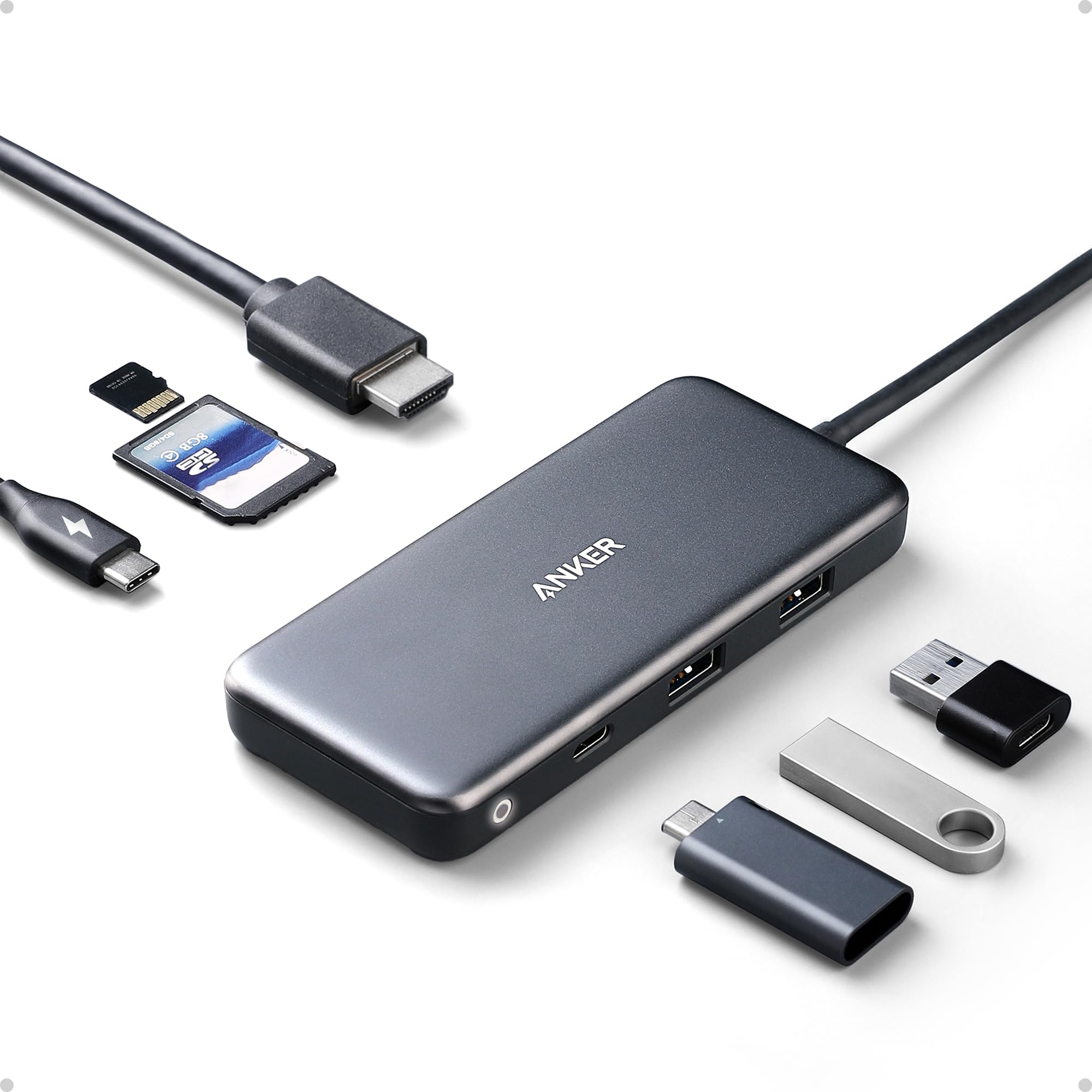
Anker’s 7-in-1 hub has earned a reputation for durability — several verified reviews report consistent performance after three and four years of daily abuse. It delivers 4K output at 30Hz via HDMI, two 5Gbps USB-A ports, one USB-C data port, and dedicated SD and microSD slots. The 85W PD pass-through keeps most ultrabooks charged during heavy use.
The plastic shell lacks the premium feel of aluminum rivals, but the build quality is robust enough to survive drops, pets, and water exposure according to long-term owners. Compatible with Windows, macOS, and Linux, this hub works effortlessly with Chromebooks and Android devices as well.
The trade-off for that legendary reliability is a 30Hz HDMI cap and a separate power supply requirement (not included). If you prioritize years of trouble-free operation over maximum refresh rate, this hub justifies its position with sheer dependability and brand trust.
Why it’s great
- Proven durability over multiple years of daily use
- Reliable SD and microSD card reader performance
- Broad compatibility including Linux and Android
Good to know
- HDMI limited to 4K@30Hz, not 60Hz
- Plastic enclosure gets warm under load
- Requires external 100W charger; not included
5. VVB 14-in-1 USB-C Docking Station

The VVB 14-in-1 is the most comprehensive dock in this roundup, offering two HDMI ports, a DisplayPort, 1Gbps Ethernet, 10Gbps USB 3.1 ports, and a 3.5mm audio jack. It supports triple monitor setups on Windows, with the primary HDMI hitting 4K@60Hz and secondary outputs stepping down to 4K@30Hz or 1080P@60Hz depending on configuration.
The aluminum body dissipates heat efficiently during extended multi-monitor sessions, and the 100W PD port delivers up to 87W to the host laptop. The included USB-C cable is on the shorter side, but the dock’s low desk footprint compensates. MacOS users should note that external displays will mirror content rather than extend.
While most buyers report reliable long-term operation, a small number of units have experienced HDMI failure within the first week. The manufacturer has offered refunds in those cases, but the occasional defect means you should verify functionality early. For Windows power users needing a permanent desk hub, this dock delivers unmatched port density.
Why it’s great
- Triple display support for Windows workstations
- High-speed 10Gbps USB 3.1 data ports
- Aluminum enclosure with stable thermal performance
Good to know
- Occasional HDMI port failure reported in early units
- Short USB-C cable limits placement options
- MacOS restricts external displays to mirrored mode only
FAQ
Will any USB-C dongle work with my MacBook?
Why does my hub get hot during use?
Can I charge my laptop and use all ports at the same time?
Final Thoughts: The Verdict
For most users, the best usb-c dongle winner is the Hiearcool 8-in-1 because it balances Ethernet, 4K@60Hz video, card reading, and USB-A ports in a reliable aluminum frame. If you need pure data speed without monitor support, grab the Acer 5-in-1. And for a full triple-display workstation dock on Windows, nothing beats the VVB 14-in-1.

Mo Maruf
I created WellFizz to bridge the gap between vague wellness advice and actionable solutions. My mission is simple: to decode the research and give you practical tools you can actually use.
Beyond the data, I am a passionate traveler. I believe that stepping away from the screen to explore new environments is essential for mental clarity and physical vitality.