Our readers keep the lights on and my smoothie glass nicely filled. As an Amazon Associate, I earn from qualifying purchases.
Adding a second monitor to your workflow isn’t just about more screen real estate—it’s about eliminating the constant alt-tabbing that kills your focus. Whether you’re stacking spreadsheets, keeping Slack open while you code, or extending a laptop display for design work, the wrong panel choice introduces eye fatigue and color mismatch that undermines the whole point of a dual setup. The key is matching refresh rates, resolution, and panel type to your primary display so your eyes don’t compensate for a jarring visual gap every time you glance sideways.
I’m Mohammad Maruf — the founder and writer behind WellFizz. I’ve spent years analyzing display hardware specifications, from pixel density and color gamut coverage to ergonomic adjustability and adaptive sync compatibility, to help buyers cut through the marketing noise and find a monitor that actually complements their main screen.
After evaluating dozens of models across resolution tiers and refresh rate brackets, the most practical best second monitor balances your primary display’s resolution with a fast enough refresh rate to eliminate cursor lag, while keeping bezels thin enough for a seamless side-by-side setup.
How To Choose The Best Second Monitor
Picking a secondary display requires a different mindset than buying a primary monitor. You’re not looking for the biggest or the flashiest—you want a panel that integrates seamlessly with your existing setup, minimizes bezel gap, and reduces eye strain when you glance between screens for hours. Focus on resolution parity, refresh rate compatibility, and physical ergonomics first.
Resolution and Pixel Density Matching
If your main monitor runs at 1440p, pairing it with a 1080p second screen creates a noticeable difference in sharpness and icon size when you drag a window across. For most productivity users, matching the resolution exactly is the cleanest path. If your primary is 4K, a 1440p secondary can work if you scale the desktop properly, but a 1080p panel will feel soft in comparison. For budget-focused buyers, a 1080p IPS panel remains the most common and cost-effective match for a dual setup.
Refresh Rate and Adaptive Sync
Running a 60Hz second monitor alongside a high-refresh primary can cause micro-stutter or a feeling of uneven motion when moving your cursor between displays. For a smooth desktop experience, aim for at least 100Hz on the second monitor. Adaptive Sync (FreeSync or G-Sync Compatible) also helps eliminate tearing and stutter, especially if you occasionally game or watch video content on the second screen.
Bezel Thickness and Physical Fit
Thin bezels are critical for a dual-monitor setup—the narrower the frame, the less visual disruption between screens. Check the physical dimensions and bezel width listed in the specs. A VESA mount pattern (typically 100x100mm) gives you the flexibility to place the monitor on an arm, reducing desk clutter and allowing you to align the panels perfectly at eye level.
Quick Comparison
On smaller screens, swipe sideways to see the full table.
| Model | Category | Best For | Key Spec | Amazon |
|---|---|---|---|---|
| LG 27U411A-B | IPS 120Hz | Smooth dual-screen productivity | 120Hz / 1ms MBR / IPS | Amazon |
| Acer Nitro KG271U | QHD 180Hz | 1440p gaming & creative work | 2560×1440 / 180Hz / IPS | Amazon |
| Dell S2725QS | 4K 120Hz | High-res professional setups | 3840×2160 / 120Hz / IPS | Amazon |
| Sceptre C275W-FW100T | Curved 100Hz | Immersive secondary display | 1500R / 100Hz / VA panel | Amazon |
| Dell SE2725HM | 100Hz IPS | Office & spreadsheet work | 100Hz / ComfortView Plus | Amazon |
| Amazon Basics 27 Inch | 100Hz USB Hub | Clutter-free desk setup | Built-in speakers / 4 USB ports | Amazon |
| AOC 27B35H3 | 120Hz Budget | Cost-effective dual upgrade | 120Hz / 1ms / IPS | Amazon |
| Acer SB273 G0bi | 120Hz Zero-Frame | Near-seamless multi-monitor | 120Hz / 1ms VRB / ultra-thin bezel | Amazon |
| ViewSonic VS2747-H | 100Hz IPS | Simple home office extension | 100Hz / SuperClear IPS | Amazon |
In‑Depth Reviews
1. LG 27U411A-B 27-Inch IPS Monitor

The LG 27U411A-B hits the ideal balance for a dual-monitor setup: a 120Hz IPS panel with 1ms Motion Blur Reduction that matches the fluidity of most primary gaming or productivity displays. The 99% sRGB color gamut and HDR10 support ensure that when you move a design file or video timeline to the second screen, the color remains consistent enough for professional reference work rather than looking washed out. The 3-side virtually borderless design minimizes the bezel gap, making the transition between your main and secondary display feel physically continuous.
The Dynamic Action Sync feature reduces input lag, which helps if you occasionally game across both monitors or run real-time monitoring software. The tilt-adjustable stand offers a -5° to 20° range, giving you enough flexibility to angle the screen toward your seated eye line without needing an aftermarket arm. The Reader Mode lowers blue light emissions, which is a tangible benefit for the hours you spend reading documents or articles on the secondary panel.
Where this LG really earns its position is the combination of 120Hz smoothness and IPS color accuracy at a mid-range price point. The stand is stable with a metal base, though it lacks height adjustment—a minor concession given the VESA 100x100mm mount pattern lets you add an arm later. For anyone upgrading from a 60Hz second monitor, the difference in desktop fluidity is immediately noticeable.
Why it’s great
- 120Hz refresh matches high-refresh primaries for tear-free cursor movement
- IPS panel delivers wide viewing angles and accurate sRGB color
- Ultra-thin bezels create a near-seamless dual-monitor layout
Good to know
- Stand offers tilt only, no height or swivel adjustment
- HDR10 implementation is basic and not suitable for serious HDR content
2. Acer Nitro KG271U 27-Inch QHD Gaming Monitor

The Acer Nitro KG271U brings 1440p resolution to the second monitor slot—a meaningful upgrade if your primary display is also QHD and you want pixel-perfect alignment when dragging windows across. The 180Hz refresh rate via DisplayPort and a 0.5ms GTG response time make this one of the fastest panels you can use as a secondary, which matters if you run real-time data dashboards, trading platforms, or watch high-frame-rate video content while working. The DCI-P3 95% color gamut coverage is exceptional for color-critical work on a secondary screen.
The zero-frame design keeps the bezel thickness low, and the IPS panel ensures that color doesn’t shift when you view the second monitor from an off-center angle—common in a dual setup where the screens form a V-shape on your desk. AMD FreeSync support eliminates tearing even at high refresh rates. The built-in speakers are basic but functional for system sounds and casual video calls without needing external desktop speakers.
The main compromise is the stand: it feels lightweight and wobbly compared to the rest of the monitor’s build quality. For a permanent dual-monitor arrangement, you’ll likely want to invest in a VESA monitor arm to stabilize the panel and free up desk space. Despite that, the combination of QHD resolution, 180Hz smoothness, and wide color gamut makes this the best second monitor for anyone who needs high-resolution secondary real estate without compromising on speed.
Why it’s great
- 2560×1440 QHD matches high-end primary displays for seamless window dragging
- 180Hz and 0.5ms GTG response deliver desktop fluidity
- DCI-P3 95% color gamut suits creative professionals
Good to know
- Included stand is flimsy and lacks height adjustment
- Built-in speakers are adequate only for basic audio
3. Dell 27 Plus 4K Monitor – S2725QS

The Dell S2725QS is the premium choice for anyone whose primary display is 4K and refuses to compromise on pixel density for the second screen. The 3840×2160 resolution with a 120Hz refresh rate ensures that every window, from code editors to design files, looks identical in sharpness and motion smoothness between the two panels. The 350-nit brightness and 1500:1 contrast ratio provide deeper blacks and more pop than the 250-nit monitors on this list, making it suitable for HDR-ready photo and video review on the secondary side.
The built-in speakers are a step above the typical monitor audio—Dell claims a wider frequency response and greater output power compared to the previous gen, and in practice they handle conference calls and background media without the tinny quality common to integrated drivers. The ComfortView Plus reduces blue light to 35% or less while holding color accuracy, which matters when you’re reading or referencing documents on the second screen for long stretches. The stand offers tilt, swivel, pivot, and height adjustment, giving you full ergonomic control to align the second monitor perfectly with your primary.
At a higher price point, this Dell earns its spot for users who treat their second monitor as a true equal to the primary, not a downgraded afterthought. The ash white finish may not match black peripherals, but the ultra-thin bezels and VESA compatibility make it a flexible addition. The yellow tint issue reported by some users is an edge case, but worth checking the panel upon arrival.
Why it’s great
- True 4K resolution matches high-end primary monitors for seamless workflow
- Full ergonomic stand with height, pivot, and swivel adjustment
- Improved built-in speakers surpass typical monitor audio quality
Good to know
- Premium price point—best for those already invested in a 4K ecosystem
- Occasional reports of color tint variance between units
4. Sceptre Curved 27-Inch C275W-FW100T

The Sceptre C275W-FW100T brings a 1500R curve to the second monitor slot—a design choice that helps reduce eye strain by keeping the entire display surface at a consistent distance from your eyes, particularly effective when you angle the secondary panel toward your primary. The VA panel delivers a 1,000,000:1 dynamic contrast ratio, producing noticeably deeper blacks and richer colors than typical IPS screens, which makes it a strong pairing for media consumption or dark-themed apps on the second display. The 100Hz refresh rate and 1ms Blur Reduction keep motion smooth for desktop use and casual video watching.
With two HDMI ports and a DisplayPort, you can connect multiple sources without cable swapping—useful if your setup includes a work laptop and a desktop sharing the same second monitor. The Blue-Light Shift technology reduces harmful emissions, and the built-in speakers provide a basic audio solution for notifications and background video. The near-zero bezel design minimizes the gap between this curved panel and your primary flat screen, creating a more immersive combined field of view.
The trade-off is the lack of height adjustment on the stand, which means you’ll need to rely on desk positioning or a VESA arm to get the alignment right. The sound quality from the integrated speakers is functional but unremarkable—fine for system beeps but not for music or detailed dialogue. For anyone looking to add a curved monitor as their secondary for about the same price as a flat IPS, the Sceptre delivers an immersive feel that flat panels can’t match.
Why it’s great
- 1500R curvature reduces eye strain and creates an immersive secondary view
- VA panel delivers high contrast ratio for deep blacks
- Multiple video inputs (2x HDMI, DisplayPort) for flexible source switching
Good to know
- Stand lacks height adjustment—plan for a monitor arm or careful desk alignment
- Built-in speakers are adequate only for basic system audio
5. Dell 27 Monitor – SE2725HM

The Dell SE2725HM is built for the office environment where a second monitor needs to be reliable, easy on the eyes, and simple to set up without any fuss. The 100Hz refresh rate is a meaningful step up from standard 60Hz office monitors, making document scrolling and web browsing noticeably smoother without the premium cost of gaming-oriented panels. The ComfortView Plus certification from TÜV Rheinland reduces blue light emissions without shifting the color temperature into a yellow cast, which is critical for professionals who spend their entire workday looking between two screens.
The anti-glare matte screen finish is a practical advantage in an office with overhead lighting or a window nearby—it cuts reflections far better than a glossy coating. The built-in power supply and cable holder on the stand keep the desk tidy, which is a small but appreciated detail when you’re already managing multiple cables from a docking station. The tilt adjustment (-5° to 21°) gives you enough range to angle the screen toward your seated position, and the VESA 100x100mm mount pattern offers the option to add a monitor arm later.
The lack of built-in speakers means you’ll need to route audio through your primary monitor or external speakers. The 250-nit brightness is adequate for most indoor office lighting but may feel dim in a very bright room. For anyone seeking a no-compromise office second monitor that prioritizes eye comfort and build quality over flashy features, the Dell SE2725HM is exactly that—a dependable secondary display with a 100Hz smoothness bonus.
Why it’s great
- 100Hz refresh eliminates 60Hz stutter for smooth office workflow
- ComfortView Plus reduces blue light without color shift
- Matte anti-glare screen works well in lit office environments
Good to know
- No built-in speakers—requires external audio for system sounds
- Brightness is capped at 250 nits, not suitable for very bright rooms
6. Amazon Basics 27 Inch Monitor

The Amazon Basics 27 Inch Monitor solves a specific desk clutter problem: with four USB ports integrated into the display, you can plug your keyboard, mouse, webcam, and flash drive directly into the monitor rather than reaching behind your computer. For a dual-monitor setup where the secondary screen sits nearby, having these ports within arm’s reach reduces cable wrestling and keeps your workspace organized. The 1080p IPS panel delivers clear, consistent colors at a 100Hz refresh rate, which is perfectly adequate for productivity apps, web browsing, and document work without the premium of higher-tier monitors.
The built-in speakers are a practical addition for a second monitor that also handles video calls or background music—you don’t need to route audio through your primary display or invest in separate desktop speakers. The VESA compatibility lets you mount the panel on an arm, and the matte screen finish reduces glare from ambient light. The plug-and-play setup means you can attach the monitor to a laptop or desktop via HDMI or DVI and have it recognized immediately, which is exactly what you want from a secondary display that you don’t want to fiddle with.
Some users note that the monitor leans slightly forward on the included stand, which isn’t height-adjustable. This is a minor flaw, but it’s easily fixed with a VESA arm or a small shim under the stand. The 100Hz refresh is an upgrade over basic 60Hz office panels, though not as smooth as the 120Hz options in the same price range. For the money, the USB hub functionality and built-in speakers make this the most versatile second monitor for a multi-device desk setup.
Why it’s great
- Four USB ports serve as a convenient desktop hub for peripherals
- Built-in speakers eliminate the need for separate audio on the second screen
- 100Hz IPS panel provides smooth desktop navigation
Good to know
- Stand may cause a slight forward lean, no height adjustment
- Resolution is capped at 1080p, not suitable for 1440p primary matching
7. AOC 27B35H3 Casual Gaming Monitor
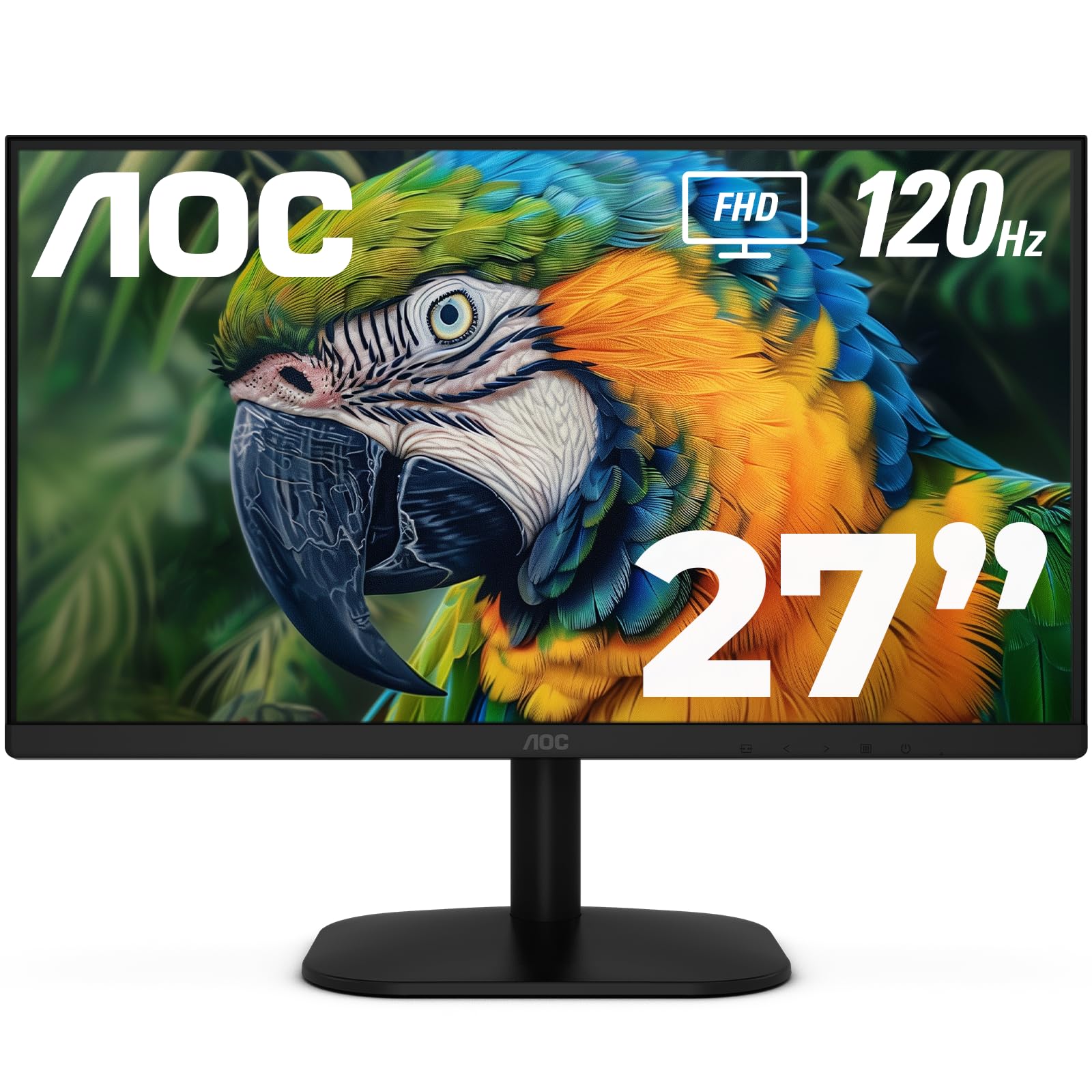
The AOC 27B35H3 competes at a budget-friendly price point while delivering a 120Hz refresh rate and 1ms response time—specs that typically cost more. For a second monitor, this means you get desktop smoothness that rivals mid-range displays without overpaying for features you don’t use as a secondary. The IPS panel covers 100.1% sRGB and 81% NTSC color gamuts, providing accurate color for casual photo browsing and spreadsheet color-coding, though it’s not calibrated for professional design work. The tilt adjustment lets you angle the screen downward slightly for better viewing when the monitor is placed to the side of your primary.
The Adaptive Sync (FreeSync) support ensures that when you do drag a game or video window to the second screen, you won’t see tearing or stutter. The flicker-free backlight and low blue light mode reduce eye fatigue during extended dual-monitor sessions. The VESA mount compliance (100x100mm) and ultra-thin bezel design make it easy to position this AOC flush against your primary display for a near-continuous viewing experience. The eco mode power consumption of just 13W is notable if you leave both monitors on all day.
The included stand is functional but basic—tilt only, no height or swivel adjustment. The bezels are thin, but the plastic build feels lighter than the Dell or LG options. For anyone building a dual-monitor setup on a tight budget who still wants a 120Hz refresh rate, the AOC 27B35H3 is the strongest value proposition, offering gaming-level smoothness at an entry-level price.
Why it’s great
- 120Hz refresh and 1ms response at a budget-friendly price point
- Low 13W power consumption in eco mode for all-day use
- IPS panel with wide sRGB coverage for accurate color reproduction
Good to know
- Stand only offers tilt adjustment, no height or swivel
- Build quality feels lighter than premium competitors
8. Acer SB273 G0bi 27-Inch IPS Monitor

The Acer SB273 G0bi is designed for the dual-monitor purist who hates bezel gaps. The zero-frame design pushes the panel nearly to the edge of the chassis, so when you place this monitor next to your primary, the visual break between screens is minimal. The 120Hz refresh rate with 1ms VRB response keeps motion smooth whether you’re scrolling code, browsing documents, or monitoring real-time data feeds. The IPS panel delivers consistent colors and 178-degree viewing angles, so the image doesn’t wash out when you glance at the secondary screen from a seated position.
The Adaptive-Sync (FreeSync compatible) support matches the refresh rate to your graphics card, eliminating tearing without adding input lag. The wide contrast ratio of 100,000,000:1 (dynamic) helps text pop on the second screen, making it easier to read long documents or review spreadsheets. The included HDMI cable gets you up and running immediately, and the tilt adjustment lets you angle the display for optimal viewing. The stable stand design was noted in customer reviews as wobble-free, which is a plus for a secondary screen that gets incidental bumps during desk use.
The power cord is notably short, which may require a nearby outlet or an extension cable. The lack of height adjustment means you’ll need to position the monitor on a riser or mount if your seated eye level doesn’t align with the default height. For the price, the zero-frame design and 120Hz refresh make this an excellent choice for a near-seamless dual setup where bezel thickness is your biggest pet peeve.
Why it’s great
- Zero-frame bezel design minimizes the gap between monitors
- 120Hz refresh with 1ms VRB ensures smooth desktop motion
- Stable included stand with no wobble during desk use
Good to know
- Power cord is short—may need an extension for some desk layouts
- Stand lacks height and swivel adjustment
9. ViewSonic VS2747-H 27-Inch 1080p Monitor

The ViewSonic VS2747-H is a straightforward entry-level second monitor that gets the basics right without unnecessary complexity. The 27-inch Full HD IPS panel with a 100Hz refresh rate provides a noticeable improvement over standard 60Hz office monitors, making cursor movement and window dragging feel responsive. The SuperClear IPS technology maintains color accuracy and brightness consistency from wide viewing angles, which is important when the second monitor sits at an angle to your primary. The thin bezels keep the display footprint compact, and the anti-glare screen reduces reflections from overhead lights.
The Eye Care technology includes a flicker-free backlight and a blue light filter, reducing fatigue during long dual-monitor work sessions. The optimized view settings (Game, Movie, Web, Text, Mono presets) allow you to quickly switch the second screen’s profile based on what you’re doing—useful for toggling between reference documents and video content. The HDMI and VGA inputs offer basic connectivity for laptops and older desktops, though the lack of DisplayPort is a limitation for modern GPU setups.
The sound quality via the monitor’s speakers was noted by some users as good enough for basic system audio, though it’s not designed for serious media consumption. The image quality is clean and sharp for 1080p, but the brightness level of 250 nits is standard—adequate for indoor use but not for bright rooms. For a no-fuss, reliable second monitor that prioritizes eye comfort and consistent IPS color at an accessible price point, the ViewSonic VS2747-H delivers exactly what it promises.
Why it’s great
- 100Hz IPS panel smooths out the 60Hz desktop experience
- Eye Care features reduce fatigue for all-day dual-monitor use
- Multiple display presets adapt the second screen to different tasks
Good to know
- No DisplayPort input—relies on HDMI and VGA for connectivity
- 250-nit brightness is adequate but not suitable for bright rooms
FAQ
Does my second monitor need to match my primary monitor’s refresh rate?
Can I use a curved monitor as a second display in a dual setup?
Do I need a graphics card that supports multiple monitors for a second display?
Is a 24-inch or 27-inch second monitor better for dual-screen productivity?
Final Thoughts: The Verdict
For most users, the best second monitor winner is the LG 27U411A-B because it delivers 120Hz smoothness and IPS color accuracy at a mid-range price, making it the most seamless companion for a primary gaming or productivity display. If you want QHD resolution to match a high-end primary, grab the Acer Nitro KG271U. And for those building a dual 4K workstation, nothing beats the Dell S2725QS with its full ergonomic stand and 120Hz 4K panel.

Mo Maruf
I created WellFizz to bridge the gap between vague wellness advice and actionable solutions. My mission is simple: to decode the research and give you practical tools you can actually use.
Beyond the data, I am a passionate traveler. I believe that stepping away from the screen to explore new environments is essential for mental clarity and physical vitality.