Our readers keep the lights on and my smoothie glass nicely filled. As an Amazon Associate, I earn from qualifying purchases.
Specs are compiled from manufacturer listings and verified buyer reviews and can change over time — please confirm the key details on the product page before buying.
Choosing the right external monitor means sorting through acronyms like IPS versus VA, QHD versus 4K, and 60Hz versus 300Hz, while matching the screen to your real desk life: spreadsheets, gaming, or photo editing. The biggest mistake is buying a refresh rate you cannot feel or a resolution your graphics card cannot drive, locking you into a screen that fights your workflow.
I’m Mohammad Maruf — the founder and writer behind WellFizz. This guide is built by comparing the manufacturers’ published specifications and the patterns across verified customer reviews, so you get each pick’s real strengths and trade-offs instead of marketing spin.
The result is a ranked set of eleven monitors covering budget Full HD panels, color-accurate 1440p workstation screens, and flagship OLED models, each judged on real-world usability. This is our guide to the best external monitor choices for just about any desk today.
Our Picks at a Glance


How To Choose The Best External Monitor
An external monitor is a multi-year investment, so matching specs to your actual use-case matters more than chasing the biggest numbers. Three core pillars define the buying decision: panel technology, resolution and refresh rate pairing, and connectivity that fits your laptop.
Panel Technology: IPS vs VA vs OLED
IPS panels give you consistent color and brightness from almost any angle — ideal for shared desks, design work, and anyone who tilts the screen often. VA panels trade a narrower viewing angle for much deeper blacks and higher contrast, which makes dark scenes in games and movies look punchier. OLED panels deliver true black by turning off individual pixels, producing near-infinite contrast and vivid colors, but they cost more and require some care with static elements to avoid burn-in over years of use.
Resolution and Refresh Rate
For a 27-inch screen, 1080p (Full HD) is workable for budget setups but text looks noticeably softer next to a 1440p (QHD) panel, which doubles the sharpness. 4K at 27 inches gives you a dense pixel count that makes fonts razor-sharp — excellent for coding, writing, and photo editing — but you will likely need to run scaling in your operating system. Refresh rate (measured in Hz) determines how many times the image updates per second; 60Hz is the baseline, 100-120Hz makes scrolling and mouse movement feel noticeably smoother, and 240Hz and above only benefits competitive gaming where split-second reactions matter.
Connectivity That Matches Your Device
USB-C with power delivery (often 65W or 90W) is the single most convenient feature for laptop users — a single cable carries video signal and charges your machine simultaneously, keeping the desk clean. If your laptop only has HDMI or DisplayPort, make sure the monitor includes the right cable in the box. VESA mount compatibility gives you the freedom to use a monitor arm, freeing up desk space and letting you adjust the screen height and angle more precisely than any built-in stand.
Quick Comparison
| Model | Best For | Resolution | Refresh Rate | Panel Type | Amazon |
|---|---|---|---|---|---|
| Dell SE2725HM★ Best Overall | Everyday office & eye comfort | 1920×1080 | 100Hz | IPS | Amazon |
| ViewSonic VS2725-2KBest Value 1440p | Budget 1440p clarity | 2560×1440 | 100Hz | VA | Amazon |
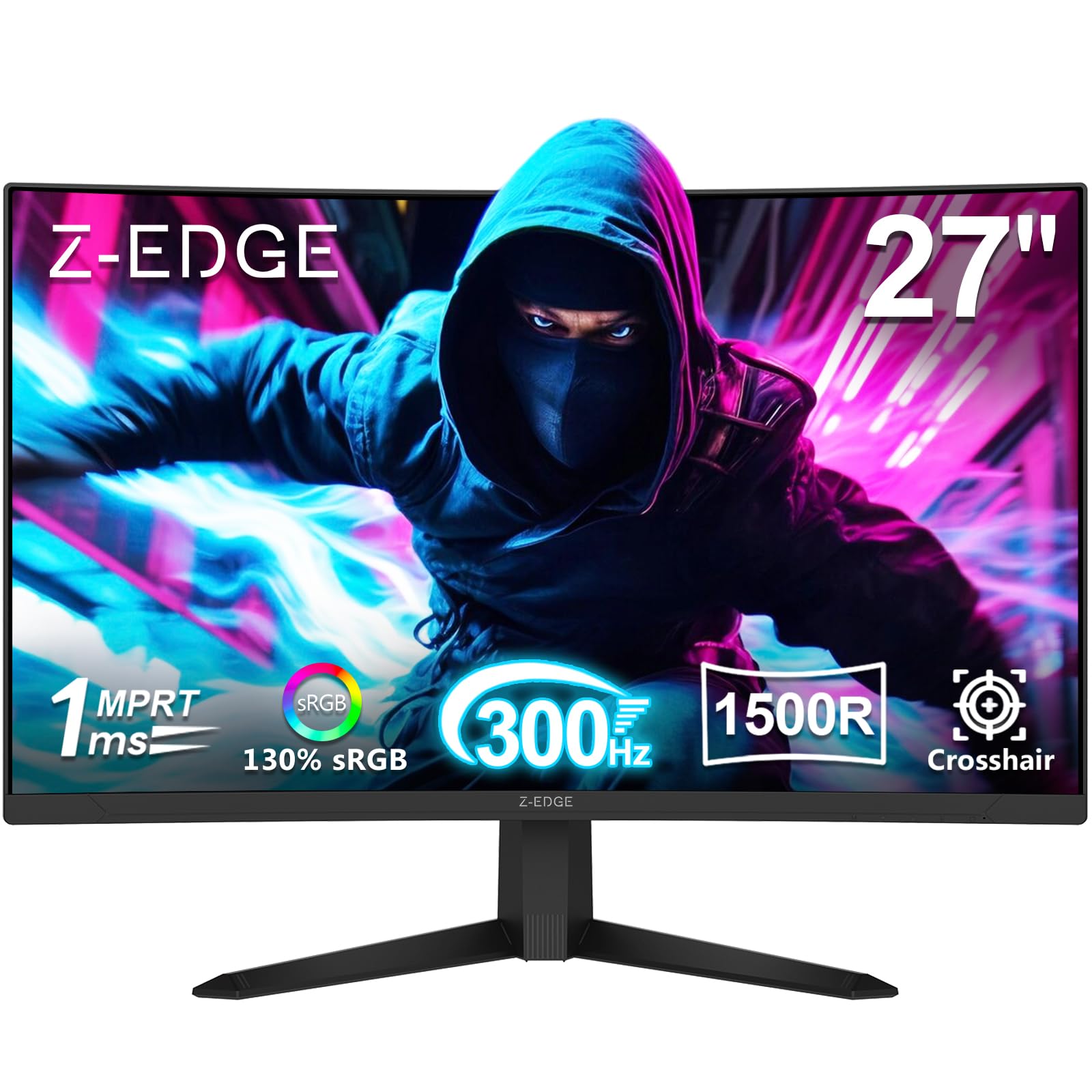
| Z-Edge UG27SSpeed Champion | High-speed competitive gaming | 1920×1080 | 300Hz | VA | Amazon |
| Samsung Odyssey G5 (G51F) | Mid-range 1440p gaming | 2560×1440 | 180Hz | VA | Amazon |
| KTC H32D6 | Large-screen productivity | 2560×1440 | 120Hz | IPS | Amazon |
| ASUS ZenScreen MB16ACV | Ultra-portable travel monitor | 1920×1080 | 60Hz | IPS | Amazon |
| LG 27US500-W | Affordable 4K desktop setup | 3840×2160 | 60Hz | IPS | Amazon |
| ASUS ProArt PA278CV | Professional color work | 2560×1440 | 75Hz | IPS | Amazon |
| Dell S2725QS | Sharp 4K for productivity | 3840×2160 | 120Hz | IPS | Amazon |
| Alienware AW2725DF | Competitive OLED gaming | 2560×1440 | 360Hz | OLED | Amazon |
| LG 45GX950A-B | Ultra-wide flagship immersion | 5120×2160 | 165Hz (Dual 330Hz) | OLED | Amazon |
In‑Depth Reviews
1. Dell 27 Monitor SE2725HM
Our pick — over 4.5★ from 800+ verified ratings; the strongest balance of quality and price.
The monitor that feels faster than it costs, with eye relief built right in.
The 100Hz refresh rate at this price makes scrolling through documents and web pages noticeably smoother than the standard 60Hz you expect at this tier. Dell pairs that with ComfortView Plus, their built-in blue-light reduction that minimizes harmful emissions without washing out colors, so your eyes stay fresher during an eight-hour workday. The 1000:1 contrast ratio and 250-nit brightness are typical for an IPS panel at this level, but the anti-glare coating does an excellent job cutting reflections in a bright room.
Buyers report that the matte surface, combined with the sharp 1080p resolution, makes tiny text on engineering plans and spreadsheets readable again — as one owner put it, “my eyes are getting worse as I age” and this monitor “has really helped with quality.” The 5ms response time is slower than the 1ms panels on gaming monitors, so ghosting is visible in fast-paced shooters, but for everyday use this is a non-issue. The stand only tilts, but the small footprint and built-in cable holder keep the desk tidy.
Color uniformity across units is rare at this price, making multi-monitor setups look consistent without calibration. The honest trade-off is the lack of USB ports or built-in speakers; you will need a separate hub or soundbar.
What wins people over
- 100Hz refresh makes everyday scrolling feel premium and fluid.
- ComfortView Plus reduces eye strain effectively without a yellow tint.
- Dead-center VESA mount allows balanced 90-degree pivot on an arm.
What to plan for
- No USB ports or built-in speakers — you will need separate peripherals.
- 5ms response time shows motion blur in fast-paced gaming.
Your daily driver: Perfect for anyone whose workday is spreadsheets, documents, and web apps — the 100Hz fluidity and eye-care certification make it a no-brainer for the office.
Not for competitive gamers: The slower response means fast FPS titles will look blurry; look at the Z-Edge or Alienware picks instead.
2. ViewSonic VS2725-2K 27 Inch 1440p Computer Monitor
QHD sharpness and VA contrast that beats IPS for less.
This monitor delivers a real resolution upgrade — 2560×1440 pixels — which gives you 78% more screen real estate than 1080p, making text noticeably crisper and letting you fit more windows side by side without squinting. The VA panel is the star here: a contrast ratio of 4000:1, compared to the Dell’s 1000:1, which means blacks look genuinely deep and dark scenes in movies have punch rather than a washed-out gray glow. The 100Hz refresh rate keeps scrolling smooth, and the variable refresh rate (VRR) technology matches the frame rate output of your GPU to eliminate image tearing during lighter gaming.
Owners praise the picture quality most — 64 buyers call the text sharp and video exceptionally clear for the price. The anti-glare finish works well in offices with bright daylight, as one owner describes it: “I have a good amount of daytime light in my office and these are easily viewed and easy on my eyes.” The frameless edge-to-edge design makes multi-monitor setups feel smooth, with a very thin bezel between screens. At 27 inches, the 1440p resolution is a balance where you do not need scaling on Windows or Mac.
The recurring complaint is the joystick control on the back — it is fiddly and overly sensitive, making power-off and menu navigation more annoying than it should be. The stand also lacks rotation and feels slightly wobbly on the desk. Still, for a pure productivity and media monitor that punches above its weight on image depth, this is a fantastic choice.
Outstanding image depth: The 4000:1 contrast ratio makes this the best budget pick for movie watching and any dark-themed interface work.
Control quirk: The rear joystick is awkward to use daily; you will learn to live with it for the picture quality you get.
Your best budget step-up: Ideal for office workers and media consumers who want noticeably sharper text and real contrast without spending mid-range money.
Skip for multi-screen rotation: The stand does not pivot, so you will need a VESA arm to use it in portrait mode.
3. Z-Edge 27 inch Curved Gaming Monitor (UG27S)
A 300Hz 1080p panel that puts frame-rate above everything else.
If your priority is pure motion clarity in competitive esports, this monitor delivers a massive 300Hz refresh rate — compared to the 100Hz Dell — paired with a 1ms response time that virtually eliminates ghosting and input lag. The 1500R curved screen wraps around your field of view, making fast-paced shooters feel more rich, and the 4000:1 contrast ratio provides deep blacks that give HDR content surprising depth for the price. The FreeSync Premium adaptive sync synchronizes with compatible graphics cards to prevent screen tearing.
Owners mention excellent color accuracy for the category — one owner, a non-gamer, noted it is “great for Photoshop” and has better colors than their older LG. The two DisplayPort 1.4 ports both support the full 300Hz, while the dual HDMI ports cap at 240Hz for consoles. A recurring early-adopter note is that the included DisplayPort cable can be faulty and cause boot-recognition issues; replacing it with a high-end cable resolves the problem instantly. The built-in speakers are weak, as expected for a gaming monitor, and the stand feels flimsy — this is a panel designed to be VESA-mounted on an arm.
The 1080p resolution on a 27-inch screen means pixel density is lower than the 1440p monitors above, so text will look less sharp for productivity work. Combine that with a common VA-panel trait of some backlight bleed in specific dark scenes. But for pure speed at a budget-friendly price, this panel is tough to beat.
Motion clarity king: 300Hz at 1ms gives you a tangible competitive edge in fast esports titles like Valorant or Overwatch.
Productivity trade-off: 1080p at 27 inches means noticeably softer text than a 1440p panel; this is a gaming-first screen.
Reach for this if: You play competitive shooters and want maximum frame-rate fluidity without spending OLED money.
Look elsewhere if: You need the screen for text-heavy office work or color-accurate creative tasks.
4. Samsung 27″ Odyssey G5 (G51F) Series QHD Gaming Monitor

1440p resolution meets a fast 180Hz panel with a fully adjustable stand.
This Samsung Odyssey G5 strikes a rare balance between sharpness and speed: 2560×1440 resolution provides a high pixel density, while the 180Hz refresh rate and 1ms response time keep motion smooth and responsive. The VA panel contributes a 3000:1 contrast ratio, giving dark in-game areas real depth, and HDR10 support adds brighter highlights and more nuanced shadows. The Black Equalizer feature lets you brighten dark shadow areas in games without overexposing the rest of the image — a genuine advantage for spotting enemies in corners.
The ergonomic stand is a standout at this price level — it offers height adjustment, tilt, pivot, and swivel, so you can easily find a comfortable viewing position or switch to portrait mode for coding. Buyers praise it as reliable for both work and gaming, with one specifically noting it works “absolutely perfect for fps and cinematic games” with no ghosting visible. The virtual aim point is a built-in crosshair overlay that helps in FPS games that lack a centered reticle. The 300 cd/m² brightness is adequate for a moderately lit room, though HDR highlights will not be as punchy as a premium display.
The picture settings receive mixed feedback — a few owners found the default colors a bit off and needed calibration. VA panel black smearing is minimal but can be noticed by sensitive eyes during fast dark-scene transitions. The hard power LED is very bright in standby; some owners unplug it to sleep.
Versatility winner: The combination of QHD sharpness, high refresh, and a full ergonomic stand makes this a true dual-use monitor for work and play.
Calibration note: Expect to spend a few minutes tweaking color settings from the start for best results.
Your sweet-spot pick: Great if you game seriously but also need a crisp display for productivity during the day — the adjustable stand seals the deal.
Think twice if: You are a professional photo editor needing factory-calibrated color; the ProArt below is better suited.
5. KTC 32 Inch 2K Computer Monitor (H32D6)

A generous 32-inch IPS canvas that keeps colors consistent from every seat.
At 32 inches with 2560×1440 resolution, this KTC monitor gives you a huge, rich workspace without pushing into the ultra-wide price bracket, and the IPS panel ensures color and brightness remain consistent even when you are viewing from the side. The refresh rate is 100Hz from the start and can be overclocked to 120Hz, delivering smooth motion for everyday gaming and video. The 350 cd/m² brightness is noticeably higher than the 250-nit monitors in the budget tier, making the screen easier to see in a bright room, and the 109% sRGB color gamut area with Delta E < 2 color accuracy means hues are vibrant and true-to-life straight from the start.
Customers note that the IPS panel delivers “clear display with awesome color” and that it works flawlessly with a MacBook Pro M2 via USB-C for a single-cable setup. The -5° to 20° tilt adjustment and 100x100mm VESA compatibility give you flexible positioning options, though the stand does not offer height adjustment natively. Connectivity includes 1x DP 1.4 and 2x HDMI 2.0, all capable of 120Hz, plus Adaptive Sync and G-Sync compatibility to eliminate screen tearing.
The matte white finish stands out on a dark desk and resists fingerprints well. The most common caveat is the stand’s lack of height adjustment — you will likely want a monitor arm for comfortable ergonomics at this screen size. A narrow viewing angle was noted by a few owners even for single-user setups, though this is atypical for IPS and may vary by unit.
Generous workspace: 32 inches at 1440p gives you room for three documents side by side without needing scaling.
Stand limitation: No height adjustment means a monitor arm or a stack of books is almost mandatory for proper ergonomics.
Pick this if: You want the biggest IPS screen possible without stepping up to a 4K price tag, and you have a VESA arm ready.
Skip if: You need height adjust from the start; the Samsung G5 or Dell S2725QS have proper ergonomic stands.
6. ASUS ZenScreen 15.6 Inch Portable Monitor (MB16ACV)

A lightweight second screen that runs off a single USB-C cable from your laptop.
This 15.6-inch 1080p IPS portable monitor weighs less than three pounds and draws both power and video through a single USB-C cable, so there is no separate power adapter to pack — ideal for business travel, coworking spaces, or working from a coffee shop. The built-in kickstand props the screen up in either portrait or landscape orientation, and the anti-glare IPS panel keeps reflections manageable under office lights. TÜV Rheinland-certified Flicker-free and Low Blue Light technologies help reduce eye fatigue during extended use.
Buyers consistently praise how easy it is to set up: “plugs in and starts up” with driver installation needed only for extended desktop mode (duplicate mode works immediately). The 1/4-inch tripod mount gives you additional mounting options for video conferencing or on-location monitoring. Owners use it as a second screen for photo editing, note-taking while researching, and even running Slack or Spotify off the main display. The included sleeve and USB-C-to-A adapter make it compatible with older laptops that lack USB-C.
The honest compromise is picture quality — it is clear and perfectly usable, but it is not as brilliant as a laptop’s built-in display or a desktop monitor, with one owner noting “do not expect a crisp picture… it is clear, but not 4k clear.” It also requires your laptop’s USB-C port to support DisplayPort Alt Mode, or you will need to install a DisplayLink driver, which adds a slight overhead. It is not intended for gaming due to the 60Hz refresh rate and USB bandwidth.
Travel-ready design: Single USB-C cable for power and video, plus a kickstand and sleeve — truly grab-and-go.
Picture trade-off: 1080p resolution and modest brightness mean it is a productivity companion, not a media editing monitor.
Your road-warrior companion: Perfect for remote workers and frequent travelers who need a reliable, lightweight second screen that tucks into a bag.
Not for: Gaming or color-critical creative work; choose a desktop monitor for those needs.
7. LG 27US500-W Ultrafine Monitor 27-Inch 4K UHD

True 4K resolution that makes fonts razor-sharp, at a price that rewrites the entry point.
This LG UltraFine monitor delivers 3840×2160 pixels on a 27-inch IPS panel — a pixel density that makes text look printed rather than displayed, which is a standout for reading, writing, and code. The HDR10 support with up to 90% DCI-P3 color gamut means colors look vivid and lifelike, with a wider spectrum than standard sRGB monitors. The 1000:1 contrast ratio is standard for IPS, but the 300 cd/m² brightness and wide viewing angles make this a solid choice for shared or bright workspaces. The Onscreen Control software splits the display into custom zones with a few mouse clicks.
The display quality earns the most praise — 52 owners single it out, calling the 4K clarity “perfectly clear and good size” for a Linux system where font rendering is typically less sharp than on Windows. The stand only tilts (no height adjustment), and it is described as “a bit wobbly,” which is the most-discussed negative. Buyers also note the power adapter is large and may block a second outlet, and the included HDMI cable is short at roughly four feet. VESA 100x100mm mounting is supported, so a monitor arm solves both the stability and the cable reach issues.
Reliability is mixed, with a small number of reports of units stopping working after a month. The return rate is low but worth being aware of. For the price, the 4K resolution and color coverage are hard to match — just budget for a better mount.
Stunning text clarity: 4K at 27 inches makes 10-point fonts perfectly readable at 200% scaling — ideal for Linux, coding, and writing.
Stand concern: Wobbly and tilt-only; a VESA arm fixes both the instability and the short cable issue.
Reach for this if: You want the sharpest possible text for an affordable price and are willing to use a monitor arm for proper ergonomics.
Look elsewhere if: You need a stable stand from the start or 120Hz smoothness for gaming; the Dell S2725QS is a better match.
8. ASUS ProArt PA278CV 27 Inch 1440p QHD USB-C Professional Monitor

Factory-calibrated Delta E < 2 accuracy that creative professionals can trust from the start.
This is a monitor built specifically for color-critical work: it is Calman Verified with Delta E < 2 color accuracy, covers 100% sRGB and 100% Rec. 709 color gamuts, so what you see matches what prints or broadcasts. The IPS panel delivers consistent color across the full viewing angle, and the 2560×1440 resolution gives you a sharp, spacious canvas for editing timelines and tool palettes. The USB-C port delivers 65W of power to your laptop while carrying video and data through a single cable — a desk-clearing convenience that owners consistently praise as a top feature.
Connectivity is genuinely professional-grade: DisplayPort daisy-chaining lets you link up to four displays, and the full USB hub means you can plug peripherals directly into the monitor. The ergonomic stand offers height, tilt, swivel, and a 90-degree pivot for portrait mode — perfect for coding or long documents. Reviewers point out it works smoothly with MacBook Pro for photo and video editing, delivering “accurate colors and high resolution” that outperform some larger curved monitors from Dell. The 75Hz refresh rate and FreeSync support handle casual gaming well.
The most-discussed trade-off is the 75Hz refresh cap — owners wish it hit at least 100Hz for smoother cursor movement, and the contrast ratio, while good for IPS, does not match VA or OLED panels for black depth. Windows 10 users may need to manually download drivers from ASUS. The warranty is a strong point: a 5-year coverage plan with 3 years standard plus 2 years extension via online registration.
Pros for Creators
- Calman Verified Delta E < 2 ensures accurate color from the start without manual calibration.
- USB-C with 65W power delivery charges your laptop and connects the screen with one cable.
- Full ergonomic stand (height, tilt, swivel, pivot) plus DisplayPort daisy-chaining for multi-monitor setups.
Cons for Gamers
- 75Hz refresh rate is fluid enough for casual play but far behind 120-180Hz gaming monitors.
- IPS contrast ratio (1000:1) means blacks are grayish in a dark room vs VA or OLED.
Your creative workstation: Ideal for photographers, video editors, and graphic designers who need reliable color accuracy and a clutter-free USB-C desk setup.
Not for: Competitive gaming or deep-contrast movie watching; the VA panels above (ViewSonic or Samsung G5) serve those needs better.
9. Dell 27 Monitor S2725QS, 4K UHD IPS

A 4K 120Hz IPS screen that pairs stunning sharpness with buttery motion — and loud built-in speakers.
This Dell S2725QS takes everything great about the SE2725HM and improve it to a true premium experience: 3840×2160 4K resolution for impossibly sharp text, 120Hz refresh rate for silky smooth scrolling, and a 1500:1 contrast ratio that delivers noticeably deeper blacks than typical IPS panels. The 350 cd/m² brightness provides excellent clarity even in bright rooms, and the 99% sRGB color gamut means colors are vibrant and accurate from the start. ComfortView Plus reduces harmful blue light to 35% or below while maintaining color fidelity, letting you work all day without eye fatigue.
The image quality is what wins people over — it earns the highest mention count in the data, with owners calling it “bright, crisp, 120hz, 4k display” and noting its near-OLED black performance for an IPS panel. The ergonomic stand is a highlight: it adjusts for height, swivel, pivot, and tilt, making it easy to find the perfect position. The built-in speakers are genuinely usable — they produce louder, fuller sound than the previous Dell generation, with deeper frequency response, which saves desk space by eliminating the need for separate speakers. Shoppers say it works flawlessly with a Mac mini and supports G-Sync despite not being certified.
The most honest trade-off is noticeable ghosting in fast gaming — the response time is not fast enough for competitive FPS titles, where even slight motion blur is a disadvantage. The matte coating can also show a slight grainy texture in a dark room. A small number of owners reported a persistent yellow tint that could not be corrected. For productivity and casual gaming, however, this is one of the best-balanced 4K monitors available today.
Best all-rounder for 4K: Sharp text, smooth 120Hz, good contrast, great stand, and actually decent speakers — a rare combination.
Competitive gaming miss: Noticeable ghosting makes this unsuitable for fast-paced shooters where every millisecond of blur matters.
Your premium productivity pick: Perfect for professionals who want the sharpest possible text, smooth scrolling, and a screen that handles spreadsheets by day and casual gaming by night.
Skip for esports: The ghosting in fast scenes means competitive players should choose the Alienware AW2725DF or Z-Edge UG27S instead.
10. Alienware AW2725DF OLED Gaming Monitor

OLED blacks with 360Hz speed — a gaming monitor that sees everything and blinks at nothing.
The QD-OLED panel delivers infinite contrast (1.5 million:1) and true blacks by turning off individual pixels, so stars in a night sky genuinely look like pinpricks of light rather than bright gray circles. The 360Hz refresh rate paired with a 0.03ms gray-to-gray response time produces motion clarity that is effectively instantaneous — moving objects stay razor-sharp with zero blur or ghosting, giving competitive gamers a tactile advantage in tracking enemies. The DCI-P3 99.3% color coverage with Delta E < 2 accuracy means colors look vibrant and lifelike across the entire spectrum.
The build quality is premium: a fully ergonomic stand with height, tilt, swivel, and pivot adjustment, plus an I/O cover that hides cable connections for a clean look. Buyers consistently call it the best monitor they have ever owned, describing the picture quality as “god-like” and noting that “OLED delivers true blacks, vibrant colors, and incredible contrast.” The 1440p resolution at 26.7 inches is a sharp balance that does not require scaling, and the 3-year burn-in warranty provides confidence for long-term ownership. The Alienware comes with a factory calibration report in the box.
The investment comes with two important caveats: OLED panels require periodic pixel refresh cycles to prevent burn-in, and static desktop elements (taskbar, icons) can cause uneven wear over years of daily use. The text clarity is slightly less sharp than a high-PPI LCD due to the subpixel layout, and the coating can show a faint purple tint and attract fingerprints. A small number of owners experienced failures within 30 days, though support handled replacements. This is a specialist tool for those who prioritize visual fidelity and motion clarity above all else.
class-leading visual fidelity: The combination of true blacks, infinite contrast, and 360Hz makes this a benchmark for gaming image quality.
Burn-in awareness needed: Pixel refresh and static-image care are part of OLED ownership; the 3-year warranty covers burn-in, which is a strong safety net.
Your competitive edge: Ideal for serious gamers and enthusiasts who want the best motion clarity and color available today, and are comfortable with OLED maintenance.
Not for: General office work with fixed UI elements all day; a high-quality IPS 4K monitor (like the Dell S2725QS) is safer and more practical.
11. LG 45GX950A-B 45-inch Ultragear 5K2K OLED Curved Gaming Monitor

A 45-inch 5K2K OLED canvas that replaces three monitors with one smooth curve.
This is the world’s first 5K2K WUHD (5120 x 2160) OLED gaming monitor, and it is an absolute beast: a massive 45-inch curved screen with a steep 800R radius that wraps around your peripheral vision, delivering an rich experience that feels like sitting inside a cockpit rather than in front of a desk. The OLED panel reaches up to 1300 nits peak brightness with a 1.5M:1 contrast ratio and DisplayHDR True Black 400 — so HDR content looks explosively bright where it should and truly black where it should, simultaneously. The 125 PPI pixel density reduces color fringing for noticeably sharper text than earlier OLED ultrawides, making it viable for mixed productivity and gaming use.
The Dual Mode feature lets you toggle between 5K2K at 165Hz for visually rich story-driven games and Wide Full HD (2560×1080) at 330Hz for ultra-responsive competitive FPS action, all with a near-instantaneous 0.03ms response time. Connectivity is future-proof: DisplayPort 2.1 delivers the bandwidth needed for this resolution at high refresh, plus two HDMI 2.1 ports and a USB-C port with 90W power delivery for your laptop. The 21:9 aspect ratio offers more useful horizontal space than a 32:9 super-ultrawide, making it better for split-screen multitasking without neck strain.
Owners are blown away by the immersion, calling it “insanely rich” with “stunning colors, deep blacks, excellent contrast.” The LG software installs some background utilities that raise privacy concerns for Windows users — a few owners flagged this as a reason to avoid the PC ecosystem. The dual mode scaling in the monitor’s native implementation is not great; some prefer to use black bars rather than stretched scaling. The 45-inch size also demands a deep desk and a strong monitor arm — this is a statement piece that requires a compatible workspace.
Ultimate immersion machine: 5K2K OLED with 800R curve, 165Hz, and true HDR makes this the most cinematic desktop display available.
Ecosystem caution: LG’s monitor software has been flagged by owners for adware behavior on Windows; Mac users and gamers using standalone hardware should be fine.
Your one-screen kingdom: Ideal for enthusiasts who want a single ultra-wide that handles AAA gaming, creative work, and multi-window productivity without compromise.
Think twice if: Your desk is shallow, your budget is tight, or you prefer a simple plug-and-play monitor without proprietary software.
Understanding the Specs
Refresh Rate (Hz)
This number tells you how many times per second the screen redraws the image. 60Hz is the baseline for standard office monitors and feels perfectly usable for typing and reading. 100Hz or 120Hz makes scrolling and mouse movement feel noticeably smoother — the cursor tracks your hand more closely, reducing that slight laggy float you may have tolerated for years. 240Hz and above only matters if you play competitive shooters where split-second target tracking gives you a real edge. For most people, 100-120Hz is the balance that makes everyday computing feel premium without costing extra.
Panel Type: IPS, VA, and OLED
IPS (In-Plane Switching) panels keep colors and brightness consistent from almost any viewing angle — ideal for shared desks, design work, or when you tilt the screen. VA (Vertical Alignment) panels trade a narrower viewing angle for much higher contrast, producing deeper blacks and richer dark scenes in movies and games. OLED (Organic Light Emitting Diode) panels turn off individual pixels to create true black, delivering near-infinite contrast and the most vivid colors, but they cost more and require some care with static elements to avoid long-term burn-in. Choose IPS for color consistency, VA for contrast and value, and OLED for the absolute best image quality.
FAQ
Is a 100Hz monitor a meaningful upgrade over 60Hz for office work?
Will a 1440p monitor look blurry if I run it at 1080p for gaming?
Can I use a USB-C monitor with my older laptop that only has USB-A ports?
Do I need a 4K monitor for photo editing, or is 1440p enough?
How do I know if my GPU can handle a 1440p 144Hz monitor?
What does a 1ms response time actually mean in real-world use?
Is a curved monitor better than a flat one for productivity?
Can I mount any of these monitors on a monitor arm?
What is the difference between HDR10 and DisplayHDR True Black 400?
How do I decide between an IPS monitor and a VA monitor for mixed use?
Final Thoughts: The Verdict
For most people shopping for the best external monitor, the winner is the Dell 27 Monitor SE2725HM because it delivers a smooth 100Hz experience and serious eye comfort at a genuinely entry-level price point — the kind of monitor that improve every hour at your desk without making you pay for gaming features you will not use. If you want sharper 1440p resolution and deeper contrast for movies and media, the ViewSonic VS2725-2K gives you the best value upgrade. And for pure creative work where color accuracy matters above all else, the ASUS ProArt PA278CV is the one to reach for — its Calman Verified calibration and USB-C convenience make it a true professional tool.
How We Picked
We do not accept paid placement. Every pick is matched to a real buyer and a real use-case; we do not hands-on test units.
Sources & Methodology
Specifications: manufacturer listings and product documentation. Review insights: verified customer reviews, as of July 2026. Pricing: not shown on this page (it changes often); check the current price via the retailer link.
As an Amazon Associate, WellFizz earns from qualifying purchases. This does not affect which products we feature.
Related Guides

Mo Maruf
I created WellFizz to bridge the gap between vague wellness advice and actionable solutions. My mission is simple: to decode the research and give you practical tools you can actually use.
Beyond the data, I am a passionate traveler. I believe that stepping away from the screen to explore new environments is essential for mental clarity and physical vitality.