Our readers keep the lights on and my smoothie glass nicely filled. As an Amazon Associate, I earn from qualifying purchases.
Specs are compiled from manufacturer listings and verified buyer reviews and can change over time — please confirm the key details on the product page before buying.
Your photos, music libraries, and years of work documents are only as safe as the drive they sit on. A good backup drive should be invisible in your routine — plug it in, let it run, and forget it exists until the day you actually need it.
I’m Mohammad Maruf — the founder and writer behind WellFizz. This guide is built by comparing the manufacturers’ published specifications and the patterns across verified customer reviews, so you get each pick’s real strengths and trade-offs instead of marketing spin.
You need a drive that balances capacity, speed, and reliability without wasting money. We sorted through the crowd favorites to find the best external hard drive for backup that actually protects your data instead of just storing it.
Our Picks at a Glance


How To Choose The Best External Hard Drive For Backup
Choosing a backup drive really depends on three things: how much data you need to store, how you plan to move files around, and how long you expect the drive to last. Get those three right, and you will never have to worry about losing your files again.
Capacity vs. Portability
Portable drives trade space for convenience. A 2TB pocket drive slips into a bag and runs off the USB port alone, but a 16TB desktop drive needs a wall outlet and sits on a desk. Think about where you back up — if it is always the same desk, a bigger desktop drive makes sense; if you move between home and office, portability wins.
Speed Is Not The Whole Story
Backups happen in the background, so a drive that transfers at 130MB/s vs. 270MB/s rarely changes your day. What matters more is that the drive connects reliably and never drops your data mid-transfer. Focus on a stable connection and a proven brand rather than chasing the fastest number on the box.
Reliability Is Everything
A backup drive that fails is worse than no backup at all because you trusted it. Look for drives with long warranties and a reputation for lasting years. A slightly cheaper drive that dies in six months costs you more in lost files than any savings at checkout.
Quick Comparison
| Model | Best For | Capacity | Drive Size | Transfer Speed | Amazon |
|---|---|---|---|---|---|
| WD 2TB Elements★ Best Overall | Plug-and-play on everything | 2 TB | 3.5-inch | 5 Gbps | Amazon |
| Seagate Portable 2TBTop Performer | Drag-and-drop simplicity | 2 TB | Portable | 130 MB/s | Amazon |
| WD 2TB My Passport | Password protection and encryption | 2 TB | 2.5-inch | 5 Gbps | Amazon |
| Toshiba Canvio Basics 1TB | Budget travel backup | 1 TB | 2.5-inch | 5 Gbps | Amazon |
| WD 5TB Elements | Massive media libraries | 5 TB | 2.5-inch | 1 MB/s | Amazon |
| UnionSine Desktop 16TB | Whole-office archive storage | 16 TB | 3.5-inch | 130 MB/s | Amazon |
In-Depth Reviews
1. WD 2TB Elements Portable External Hard Drive
Our pick — over 4.5★ from 165,000+ verified ratings; the strongest balance of quality and price.
The crowd-champion backup drive that simply works on Windows, Mac, and consoles alike.
This is the drive that wins on sheer trust — a 4.7-star average across more than 165,000 owners makes it the most-vetted pick in this lineup. It carries 2TB of storage in a small plastic enclosure that disappears into a laptop bag, and the SuperSpeed USB 3.2 Gen 1 connection moves data at 5Gbps, so a big photo folder transfers without you waiting around.
Plug-and-play is the whole point here. There is no software to install, no setup wizard, just connect it and drag files over; it is pre-formatted to work with both PC and Mac from the start. It also plays nicely with gaming consoles like Xbox One and PS4, which makes it a flexible second home for game captures and screenshots. Buyers report it is “a small, good backup drive with adequate storage for my system” and that it sets up and then runs quietly in the background.
The honest trade-off is the 3.5-inch form factor, which makes it physically larger than the slimmer 2.5-inch My Passport below. It is still portable, just not the most pocket-friendly option here. The plastic shell feels functional rather than premium, but that is part of why the price stays so reasonable for 2TB.
What Wins People Over
- 2TB capacity at a value that reviewers keep calling unbeatable
- True plug-and-play on Windows, Mac, and game consoles
- Compact enough to travel while holding a huge media library
Before You Buy
- 3.5-inch body is bulkier than slimmer portable rivals
- Plastic enclosure feels basic compared to aluminum builds
Reach for this if: you want the safest, most-tested 2TB backup choice that works with every device you own.
Look elsewhere if: you need the thinnest possible drive for daily pocket travel — the My Passport is sleeker.
2. Seagate Portable 2TB External Hard Drive
The backup drive built around the simplest possible idea — just drag and drop your files.
Seagate takes the opposite approach to the Elements: instead of a bigger body, it packs 2TB into a slim portable case and leans hard on ease of use. It connects to a computer for automatic recognition with no software required, and the included 18-inch USB 3.0 cable is long enough to reach a tower on the floor without a fight. The data transfer rate runs at 130 megabytes per second, which is plenty for nightly backups.
This 2TB drive matches the WD Elements on capacity, but the real difference is the included 1-Year Rescue Service — Seagate’s data recovery plan that covers you if the drive ever fails. That is meaningful confidence for a backup device, since the whole point is protecting data you do not want to lose. It works with Windows or Mac computers and even pairs with PlayStation and Xbox for extra game storage.
The catch is that a Mac will need a one-time reformat before first use — the drive arrives formatted for Windows, so Mac owners should expect a quick Disk Utility step. Owners mention it is small, runs cool, and handles full backups flawlessly once that initial setup is done, making it a favorite for photographers saving memory items for later.
The standout: the 1-Year Rescue Service turns a simple drive into a real safety net, which is rare at this price tier.
The fit note: Mac users trade a few minutes of reformatting for a drive that works flawlessly afterward.
3. WD 2TB My Passport Portable External Hard Drive

The 2.5-inch slimline that adds password protection to your backup routine.
This is the drive to choose when your backups contain sensitive files. The My Passport pairs a slim aluminum enclosure with password protection and hardware encryption, so even if the drive is lost or stolen, the data inside stays locked. It also comes with device management software that includes defense against ransomware, and the whole package is backed by a 3-year limited warranty — the longest coverage in this lineup.
At 2.5 inches, this is the slimmer, more portable sibling to the 3.5-inch Elements above — a 40% smaller form factor that slides into a pocket or sleeve far more easily. The transfer speed stays at 5Gbps over USB 3.1/USB 3.0, and customers note it is extremely fast with reasonable read and write speeds. One owner built a full backup system with two of these drives — one as the backup and one as the mirror — and reports they perform great at twice the capacity of a pricier SSD for a fraction of the cost.
The one common gripe is that it ships with a USB-A cable rather than a USB-C connector, so newer MacBooks may need an adapter or a converter cable. It is a minor hassle for what is otherwise a very polished, very secure little drive.
Why It Stands Out
- Password protection plus hardware encryption on every 2TB
- Slim 2.5-inch aluminum body travels beautifully
- 3-year warranty is the best coverage here
Keep In Mind
- Comes with USB-A, not USB-C — newer Macs need an adapter
- No protective case included, so handle the aluminum carefully
Best for: anyone backing up tax documents, contracts, or personal files that need an extra layer of protection.
Think twice if: you are on a USB-C-only laptop and hate carrying dongles.
4. Toshiba Canvio Basics 1TB Portable External Hard Drive

The entry-level travel drive that keeps it simple, small, and affordable.
If you only need a lighter backup for documents and a few photo albums, this 1TB drive trims everything down. The sleek profile has a matte, smudge-resistant finish that stays clean in a bag, and the polycarbonate shell keeps it light enough for travel. It is plug-and-play with no software to install, and it works over USB 3.0 and USB 2.0 with no external AC power cord needed — just the cable.
This is the half-capacity option in the list, sitting at 1TB against the 2TB twins above, which makes it the logical pick for a secondary drive or a first backup for someone with a modest file library. It comes pre-formatted NTFS for Windows, so Mac users will need to reformat it before use. Buyers love its simplicity — “this is a great little drive” sums up the general feeling — and note it is small, great for travel, and easy to use with HP and other Windows machines.
The honest caveat is that reliability gets mixed feedback in the review pool, with a minority reporting failures within a year of purchase. That makes it a solid budget choice, but not the drive to trust with your only copy of irreplaceable files — keep a second backup somewhere.
The trade-off: you trade some capacity and long-term certainty for the lowest entry point and a genuinely pocketable size.
Who it fits: a student or casual user backing up school work and phone photos, not a professional archivist.
5. Western Digital WD 5TB Elements Portable External Hard Drive

The 5TB warehouse that holds an entire media collection in a portable shell.
This is the drive that ends “I am out of space” for good. At 5TB, it holds more than double the 2TB drives in this list — enough for a massive photo library, years of home videos, and a whole music collection, all in a 2.5-inch portable case. It connects with SuperSpeed USB 3.2 Gen 1 (5Gbps), and it is plug-and-play ready for Windows, Mac, and tablets right from the start.
What makes it versatile is the compatibility list. It works with desktops, laptops, and tablets, and it pairs with the Microsoft Xbox 360 and Sony PlayStation 4, so you can use it to expand game storage as easily as you back up documents. Reviewers consistently praise the build quality and the value for the storage capacity, noting it holds a surprising amount of data for its compact size.
The honest note is that reliability gets mixed feedback — most owners have zero problems, but a meaningful slice report failures within six months, so this is a case for keeping important files in more than one place. The transfer rate is also listed modestly, so do not expect lightning-fast rebuilds of a huge library.
The Big Appeal
- 5TB capacity dwarfs the 2TB options for serious collectors
- Works across Windows, Mac, tablets, Xbox 360, and PS4
- Build quality and value are the most-praised traits
The Reality Check
- Reliability is a mixed bag in the review pool
- Listed transfer rate is modest for a drive this big
Pick this for: a media hoarder or gamer who needs one drive to rule a huge library.
skip it if: you want the bulletproof dependability of a higher-rated smaller-capacity drive.
6. UnionSine Desktop External Hard Drive 16TB
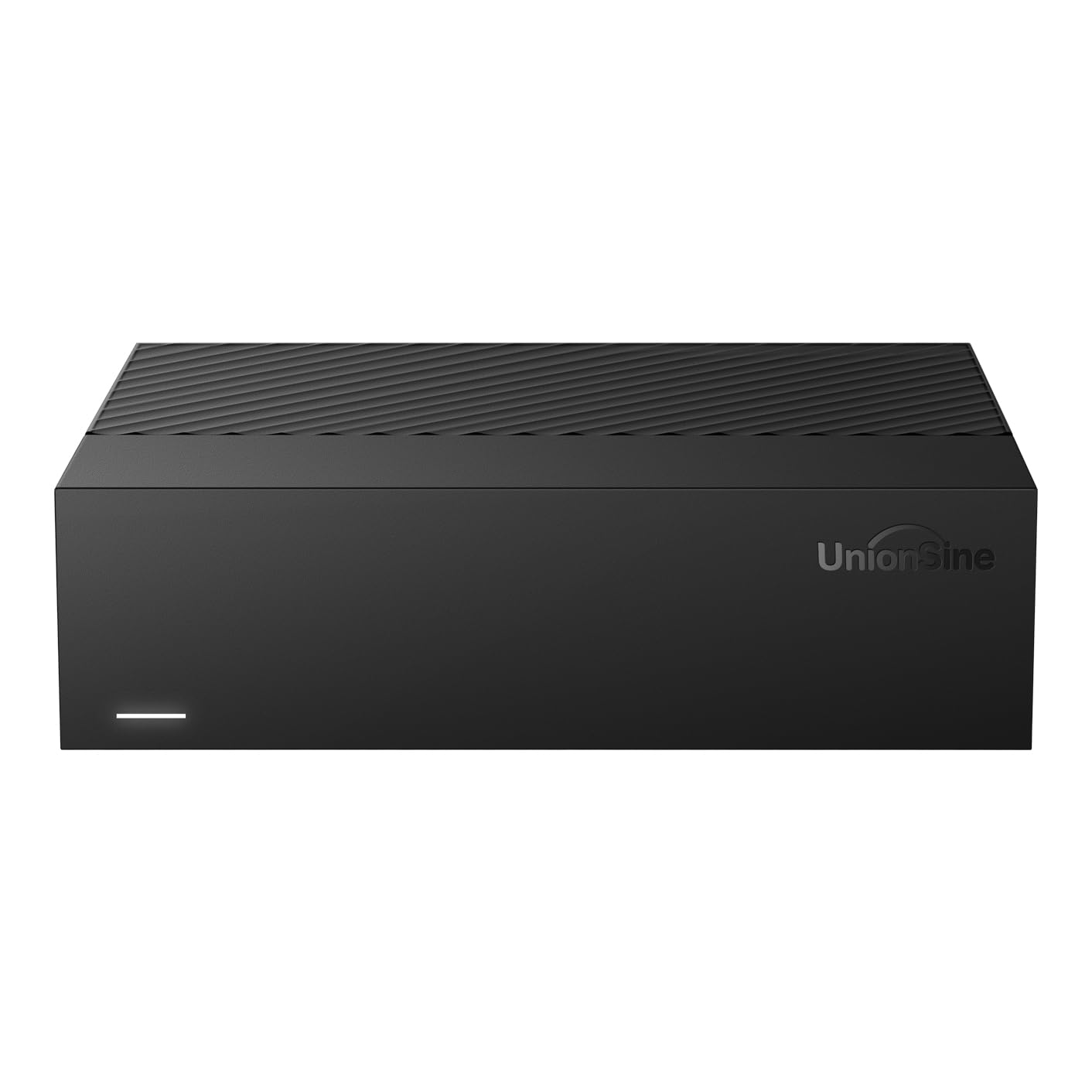
The whole-office archive that swallows 16TB of data and keeps spinning.
This is the heavyweight for anyone who needs serious archive space. The UnionSine packs 16TB into a 3.5-inch desktop enclosure with a 5400 rpm drive, ideal for backing up an entire office, a 4K video project, or a decade of family photos. It runs on a 12V/3A power supply for stable transfers, and anti-vibration silicone inside keeps the noise down while it works.
Transfer speeds run up to 130-270MB/s over USB 3.0, which is fast enough for large files over 4GB and for TV recording or 4K video storage. Compatibility is wide — it works with Windows, Mac, Linux, Android, TV, DVD, and Xbox. The ASM chip solution inside is what enables that broad device support, and reviewers highlight that files transfer quickly without needing any software installation.
The honest caveat is the actual capacity: the manufacturer notes that 16TB is roughly 14.5TB of usable space due to the different measurement standard, so plan your storage accordingly. There is also a rare but real report of a defective unit arriving with a sparking power supply, which is worth checking on delivery. Noise level gets mixed feedback too — some find it quiet, others notice the drive during active transfers.
The big draw: 16TB of storage in a single box for a fraction of what cloud storage would cost over a year.
The caveat: expect roughly 14.5TB of usable space, and inspect the unit carefully on arrival.
Understanding the Specs
Transfer Speed (Gbps vs. MB/s)
You will see two different speed numbers on drives. USB 3.0 and USB 3.2 Gen 1 both advertise 5Gbps, which is the theoretical connection speed, but real-world file movement is measured in MB/s — like 130MB/s on the Seagate. For backup purposes, either speed is fine because the transfer happens in the background while you work.
Form Factor (2.5-inch vs. 3.5-inch)
This is the physical size of the drive inside. A 2.5-inch drive is slim, light, and runs off USB power alone, making it the go-to for travel. A 3.5-inch drive is a desktop unit — bigger, heavier, needing a wall outlet, but it can hold far more data like the 16TB UnionSine and often costs less per gigabyte.
FAQ
How much storage do I actually need for backups?
Why does a 16TB drive only show about 14.5TB of usable space?
Can I use a Windows-formatted drive with a Mac?
Is a portable or desktop drive better for backup?
How long does an external hard drive last?
Can I back up a gaming console with these drives?
What is the difference between the WD Elements and WD My Passport?
Do I need a backup drive with password protection?
Why does the UnionSine require a power adapter when others do not?
Should I use one big drive or two smaller ones for backup?
Final Thoughts: The Verdict
For most buyers, the best external hard drive for backup is the WD 2TB Elements because it combines a massive, proven user base with true plug-and-play simplicity on every device you own. If you want password protection and a sleeker build, grab the WD My Passport. And for a media hoarder or gamer who needs serious room, the WD 5TB Elements is the one to reach for.
How We Picked
We do not accept paid placement. Every pick is matched to a real buyer and a real use-case; we do not hands-on test units.
Sources & Methodology
Specifications: manufacturer listings and product documentation. Review insights: verified customer reviews, as of August 2026. Pricing: not shown on this page (it changes often); check the current price via the retailer link.
As an Amazon Associate, WellFizz earns from qualifying purchases. This does not affect which products we feature.
Related Guides

Mo Maruf
I created WellFizz to bridge the gap between vague wellness advice and actionable solutions. My mission is simple: to decode the research and give you practical tools you can actually use.
Beyond the data, I am a passionate traveler. I believe that stepping away from the screen to explore new environments is essential for mental clarity and physical vitality.