Our readers keep the lights on and my smoothie glass nicely filled. As an Amazon Associate, I earn from qualifying purchases.
Specs are compiled from manufacturer listings and verified buyer reviews and can change over time — please confirm the key details on the product page before buying.
The first fork in the road is choosing between an all-in-one dock with a built-in GPU and an empty enclosure that needs your own card and power supply. Plug-and-play docks get you gaming in minutes, while enclosures demand a screwdriver and a careful compatibility check before you ever see a frame. Here’s how to pick the right box for your laptop, mini PC, or handheld.
I’m Mohammad Maruf — the founder and writer behind WellFizz. This guide is built by comparing the manufacturers’ published specifications and the patterns across verified customer reviews, so you get each pick’s real strengths and trade-offs instead of marketing spin.
If your laptop or handheld console struggles with demanding games or creative apps, an external gpu (eGPU, a box that holds a desktop graphics card and connects to your computer) can give you desktop-class graphics without buying a new machine. The picks below span travel-friendly docks to full-size desktop GPU chassis.
Our Picks at a Glance


How To Choose The Best External GPU
The external GPU market splits into two camps: integrated docks that contain a laptop-grade graphics chip, and bare enclosures that accept a full-size desktop graphics card you buy separately. Your choice depends on instant portability versus maximum upgradeable performance.
Match the Connection to Your Machine
Before anything else, check what port your laptop or handheld has. Thunderbolt 3 and Thunderbolt 4 are the most common, but the newest Thunderbolt 5 delivers 80 Gbps of bidirectional bandwidth. If your device only has USB4, many docks still work, but the bandwidth varies wildly — some USB4 ports run at 20Gbps while others hit 40Gbps, which directly caps your frame rate. OCuLink is a separate, faster PCIe lane connection found on many gaming handhelds, but it requires a dedicated port.
Decide: Built-In GPU or Empty Enclosure
An all-in-one dock (like the Nimo or BOSGAME options) pairs a laptop-class GPU with a power supply in a small shell — you just plug in one cable and go. An enclosure (like the Razer Core X V2 or Sonnet Breakaway Box) is a bare chassis where you install your own desktop graphics card and power supply. Enclosures offer far more performance headroom since you can drop in an RTX 4090 or 5070 Ti, but they cost more upfront and require you to buy those parts separately.
Check Power Delivery for Laptop Charging
Many docks include a feature called Power Delivery (PD), which lets a single USB-C cable both boost your graphics and charge your laptop. A 65W PD rating is enough for most ultrabooks and handhelds, while a 100W or 140W rating can power a heavier workstation. If the enclosure lacks PD, you will need to keep your laptop’s own charger plugged in alongside the eGPU, which defeats the single-cable convenience.
Quick Comparison
| Model | Best For | Connection | Graphics Power | Max Resolution | Amazon |
|---|---|---|---|---|---|
| Nimo eGPU (RX 7600M XT)★ Best Overall | Portable all-in-one gaming | USB4 80Gbps & OCuLink | 8GB GDDR6 Built-in | 7680×4320 | Amazon |
| Razer Core X V2Top Performer | Upgradeable desktop GPU enclosure | Thunderbolt 5 (80 Gbps) | Your own GPU + PSU | — | Amazon |
| Sonnet Breakaway Box 750exBest Value | Business & dock replacement | Thunderbolt 3 | Your own GPU (750W PSU) | 3840×2160 | Amazon |
| Sonnet Breakaway Box 750 | Quiet single-GPU enclosure | Thunderbolt 3 | Your own GPU (750W PSU) | 5120×2880 | Amazon |
| Nimo eGPU Dock (120W) | AI tasks & 8K output | USB4 80Gbps & OCuLink | 8GB GDDR6 Built-in (120W) | 8K@60Hz | Amazon |
| BOSGAME GVP 7600M | Multi-display productivity | Thunderbolt 3/4, USB4, OCuLink | 8GB GDDR6 Built-in (120W) | 4x Displays | Amazon |
| GIGABYTE AORUS RTX 5060 Ti AI Box | High-end Thunderbolt 5 gaming | Thunderbolt 5 (80 Gbps) | 16GB GDDR7 Built-in | 7680×4320 | Amazon |
| ONEXGPU (RX 7600M XT) | Handheld console gaming | Thunderbolt 3/4, USB4, OCuLink | 8GB GDDR6 Built-in (120W) | 3840×2160 | Amazon |
| ASUS ROG XG Mobile (RTX 5070 Ti) | Premium portable performance | Thunderbolt 5 (120 Gbps) | 12GB GDDR7 Built-in | 7680×4320 | Amazon |
| GIGABYTE AORUS RTX 3080 Gaming Box | Water-cooled legacy power | Thunderbolt 3 | 10GB GDDR6 Built-in | 7680×4320 | Amazon |
In‑Depth Reviews
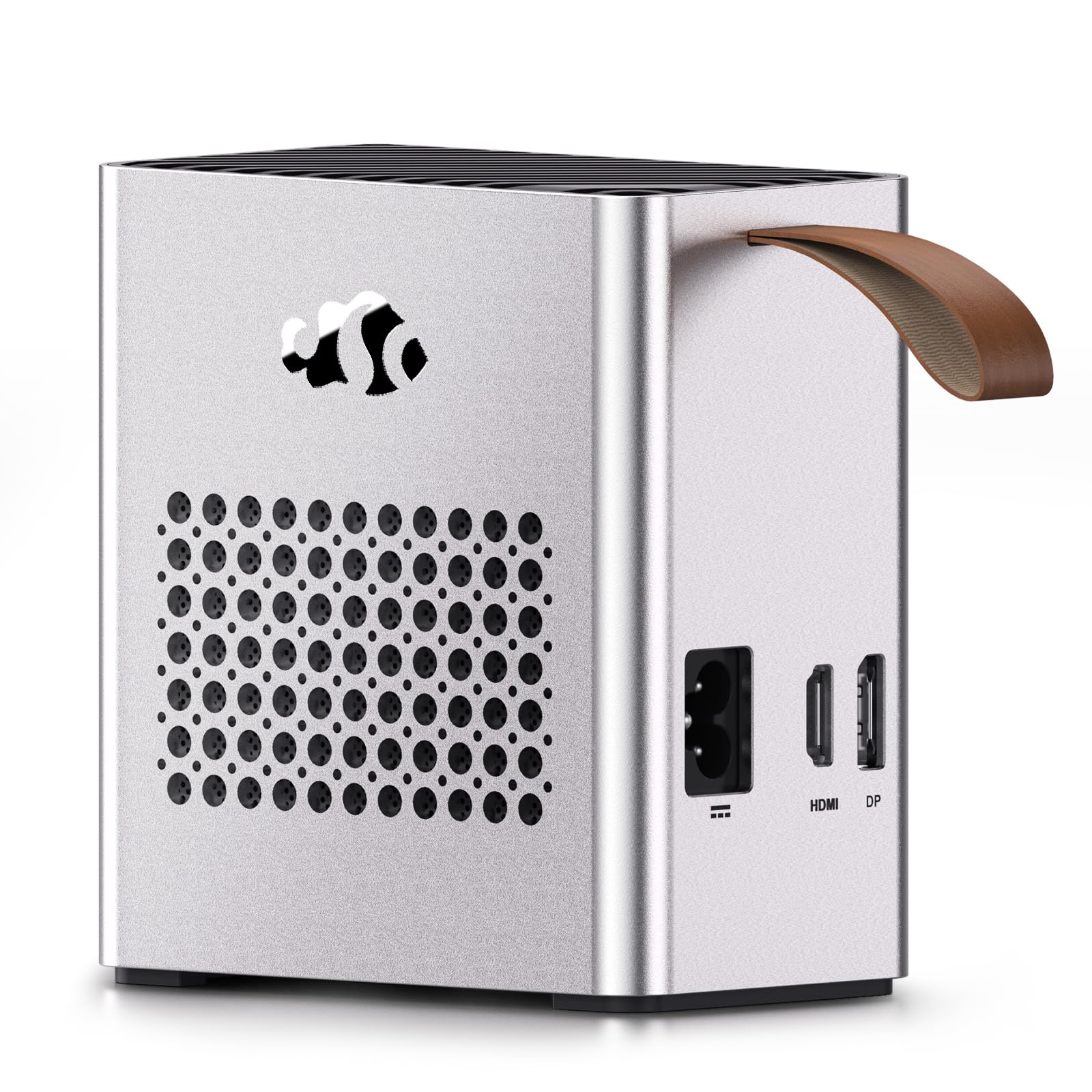
1. Nimo eGPU External Graphics Card Enclosure
Our pick — over 4★ from 100+ verified ratings; the strongest balance of quality and price.
The pocket-sized dock that skips the screwdriver and delivers desktop-class gaming from a backpack.
This is the rare external GPU that works the moment you plug it in, because the AMD Radeon RX 7600M XT with 8GB of GDDR6 memory and a 240W power supply are already built right in. You do not need to buy a separate graphics card, find a power supply, or open any chassis — just connect the USB4 or OCuLink cable and start gaming. That plug-and-play simplicity makes it the easiest path for anyone who wants a performance boost without the DIY stress.
Portability is the headline here. At just 2.4 pounds and measuring only 63×115×120.5mm (listed as 2.5 x 4.5 x 4.7 inches), this 0.8L dock slips into a backpack for business trips or hybrid work. The USB-C port also delivers 65W of Power Delivery to charge your laptop while you play, so you can leave the laptop’s own power brick at home. For visual output, it drives up to two 8K@60Hz or 4K@120Hz monitors through DisplayPort 2.0 and HDMI 2.1 — a resolution ceiling of 7680×4320 that beats the Sonnet 750ex’s 3840×2160 by a wide margin.
The crowd response is genuinely enthusiastic — it holds a strong 4.4-star average across over 100 owners. Reviewers repeatedly describe it as well-built and fast, with several noting it handles many open tabs and demanding programs without overheating. The one real complaint is customer support, which some found difficult to communicate with at times. For the price, the value is hard to argue with: you get a complete GPU system in a box smaller than a paperback novel.
Why It Wins
- True plug-and-play — GPU and 240W PSU are built in
- Ultra-portable 2.4 lb design fits in a backpack
- 65W PD reverse charging powers your laptop via one cable
- 8K dual display output at 7680×4320 max resolution
The Trade-Offs
- Customer support has drawn criticism for slow communication
- Laptop-class GPU can’t match a full-size desktop card
Reach for this if: you want a travel-ready, all-in-one graphics boost with zero assembly required.
Look elsewhere if: you plan to upgrade the GPU later — the chip is soldered in and cannot be swapped.
2. Razer Core X V2 External Graphics Enclosure
The upgradeable workhorse that runs a full-size desktop GPU over the fastest Thunderbolt connection yet.
If you already own a powerful desktop graphics card — or want the freedom to buy one later — this enclosure is built to house it. The Razer Core X V2 accepts PCIe desktop graphics cards up to 4 slots wide, including the latest NVIDIA GeForce and AMD Radeon models, and connects to your laptop over next-gen Thunderbolt 5 (a high-speed port standard) at up to 80 Gbps of bandwidth. That speed lets demanding creative apps and AAA games run at their smoothest, but remember the GPU and power supply are sold separately.
The modular design is a standout for future-proofing. You can swap in the newest GPU or an ATX power supply using included thumbscrews — no tools needed — or upcycle an older card with PCIe Gen 4 support. The vented alloy steel chassis keeps things cool with a built-in 120mm fan that ramps up automatically under heavy load. Owners praise the build quality most of all, with 11 reviews highlighting it as the enclosure’s defining strength, alongside an easy assembly process that five reviewers called out positively.
Real-world results are impressive: pairing it with an RTX 4090, one owner reported 21K in a Resident Evil benchmark, and with an Xbox Ally X they hit 120fps in Cyberpunk without DLSS and 165fps with it enabled. Power delivery reaches 140W to the host device. The catch? A few owners noted it does not come with a power supply, and the fan gets loud above 70% speed at 1500 RPM. It is not the most beginner-friendly option, but for enthusiasts it is arguably the best enclosure for non-eGPU cards on the market.
The Upside
- Thunderbolt 5 delivers 80 Gbps, while Thunderbolt 4 is 40 Gbps
- Tool-free modular install for GPU and PSU swaps
- Sturdy, well-ventilated alloy steel construction
- 140W Power Delivery charges your laptop
What to Know
- GPU and power supply are not included — a hidden extra cost
- Fan is loud above 70% speed; some found setup finicky
Best suited to: PC builders who want a future-proof home for their own desktop GPU and don’t mind supplying the parts.
Think twice if: you want a ready-to-go system — this enclosure is only a shell until you fill it.
3. Sonnet eGPU Breakaway Box 750ex
A desktop GPU enclosure that doubles as a full dock, replacing your USB hub and Ethernet adapter too.
The 750ex stands apart because it does more than boost graphics — it replaces your entire docking station. Beyond the Thunderbolt 3 connection to your laptop, it adds four 5Gb/s USB Type A ports for peripherals and an RJ45 Gigabit Ethernet port for wired networking. Business users found this transformative: one setup drove six monitors, handled Zoom, and ran dozens of browser tabs through a Radeon R7 350 4GB card, all while keeping the desk clean with a single cable.
Power is handled by a built-in 750W supply, which Sonnet designed to support the latest GPU cards and future higher-power models. It accepts a wide range of cards including AMD Radeon VII, RX, RX Vega, Pro W and Pro WX models, plus NVIDIA GeForce RTX series, TITAN, and Quadro cards via a PCI-Express x16 interface. The maximum display resolution here is 3840×2160 — a full 4K ceiling that is perfectly fine for most monitors. Owners note it is very quiet under load, with one calling the build quality excellent and praising the included zip ties for cable management.
The value story is strong: rather than buying a new desktop, a Lenovo Legion Go owner paired this with an RTX 3060 and saw a noticeable performance boost across the board. The main caveat is compatibility — several users reported it does not work with the RTX 3090, and some found the included PSU emitted a strong smell, though the standard parts made swapping in a different unit easy. It is a solid, plug-and-play choice for Windows and Intel Mac users who need a GPU dock that also cleans up their peripheral situation.
Dock-and-boost combo: The 4 USB ports and Ethernet replace a separate docking station, making this a two-in-one buy for productivity users.
Compatibility check: It handles most modern cards, but the RTX 3090 and some USB4/TB4 machines have reported hiccups — verify your setup first.
4. Sonnet eGPU Breakaway Box 750

The quietest configurable eGPU system around, built for creators who hate fan noise during long renders.
Sonnet claims this is the quietest configurable eGPU, thanks to a large, variable-speed, temperature-controlled fan that stays inaudible during light work. It connects to your computer via Thunderbolt 3 using the included 0.7-meter cable (which carries 40Gbps and 100W of power), and supports AMD Radeon VII, RX, RX Vega, Pro W and Pro WX models alongside NVIDIA GeForce RTX, TITAN, and Quadro cards. The 750W power supply gives you headroom for the latest power-hungry GPUs.
Owners consistently report easy setup — that is the most-praised aspect, with 7 reviewers calling it straightforward, and one calling it “plug and play” after a small BIOS change on a Lenovo Legion Go. An MSI laptop owner found it worked flawlessly with a GeForce 3060 12GB, while a Dell XPS 15 user said the laptop immediately recognized the external card after adjusting one Windows 10 setting. The max display resolution here reaches up to 5120×2880, giving you 5K-capable output for high-end monitors.
Performance varies by laptop — some owners see brilliant results, others underwhelming gains. A Dell G7 17 with a 4070 Ti only reached a portion of the card’s potential, likely due to laptop throttling through Thunderbolt 3’s bandwidth limits. Compatibility is also a concern, with multiple users noting it does not work with Ubuntu Linux. If you run Windows and have a supported laptop, this is a quiet, reliable workhorse; if you are on Linux, look elsewhere.
Strong Points
- Large temperature-controlled fan keeps noise minimal
- 750W PSU handles power-hungry modern cards
- Includes 0.7m Thunderbolt 3 cable with 100W power
- 5K display support up to 5120×2880
Watch Out For
- Performance varies by laptop — TB3 can bottleneck high-end cards
- Not compatible with Ubuntu or M1 Macs
Choose this for: quiet creative work on a Windows laptop where you want a stable, supported GPU enclosure.
skip it if: you run Linux or expect full desktop performance from a top-tier card through Thunderbolt 3.
5. Nimo eGPU Docking Station (120W)
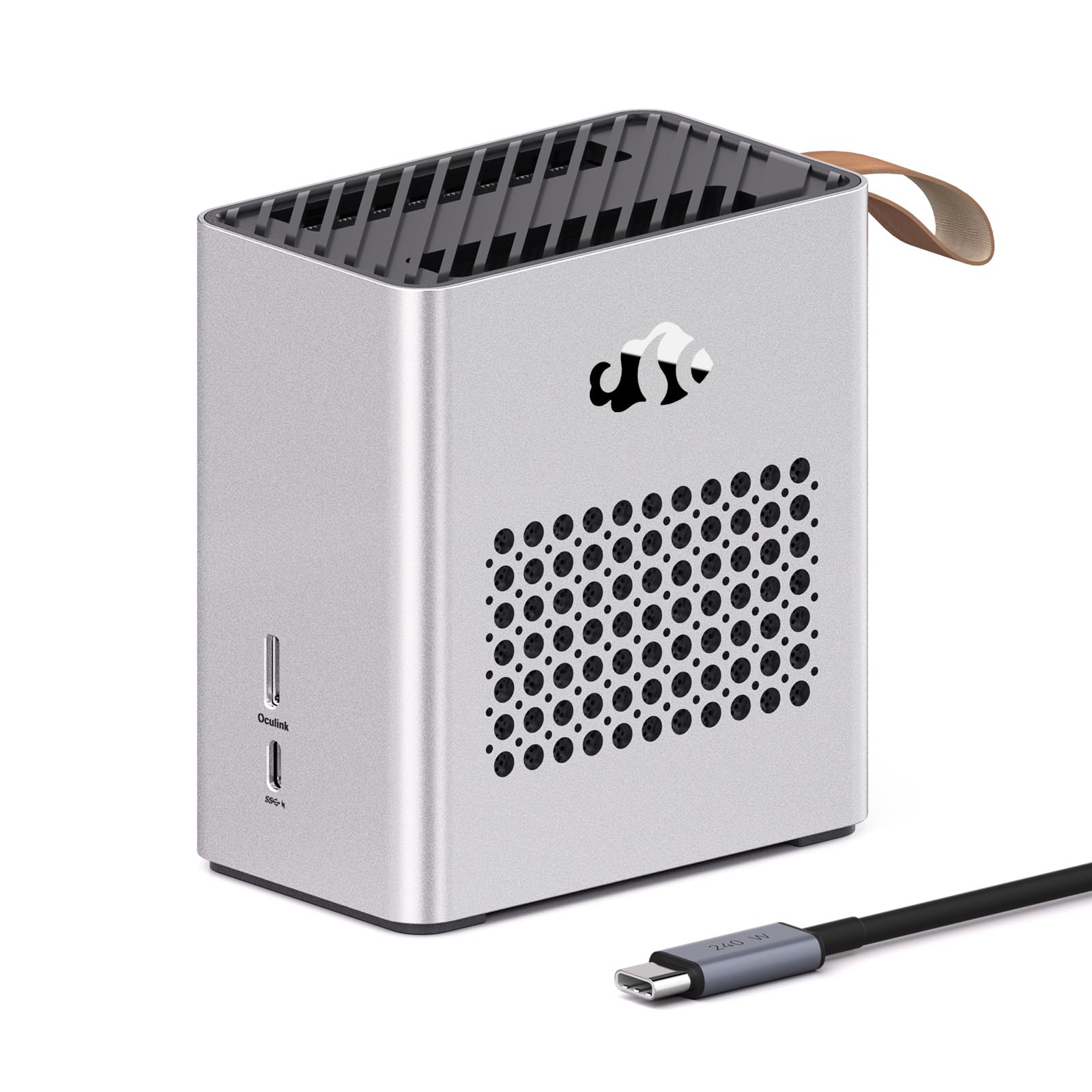
The AI-capable pocket dock that runs local language models and doubles your gaming frame rate.
This Nimo dock targets a specific buyer: the creator or AI enthusiast who wants local machine learning without a desktop tower. The AMD Radeon RX 7600M XT features a full 120W TGP with 8GB of GDDR6 memory, delivering performance the maker compares to an RTX 4060 Laptop GPU. The RDNA 3 architecture includes dedicated AI accelerators, so it can handle entry-level tasks like Stable Diffusion image generation and quantized LLMs such as Llama 3 — all without cloud dependency. The USB-C and OCuLink interfaces keep data flowing efficiently for PyTorch workflows.
Visual output is a strong suit here. The HDMI 2.1 and DisplayPort 2.0 ports drive a single 8K@60Hz monitor or a dual 4K@120Hz setup, ideal for YouTubers who need smooth 4K timeline previews and professional color grading across multiple screens. The front USB-C port provides 65W of Power Delivery, so one cable charges your laptop while boosting graphics. A smart Auto-Power-On feature wakes or shuts the dock down with your laptop — no reaching under the desk to press buttons. Enterprise-grade ESD protection (±8KV Air/±4KV Contact) and EMI/EMC margin of 3DB keep static and interference from disrupting your Wi-Fi 6E or Bluetooth gear.
Owner feedback skews overwhelmingly positive, with performance the most-praised aspect at 17 mentions and reliability close behind at 13. Users report the dock improves FPS in games over Thunderbolt, stays tiny and quiet, and draws minimal power. The build quality earns praise too, with a premium metal chassis and active cooling that prevents thermal throttling during intense sessions. It comes with a 2-year manufacturer’s warranty and 90-day returns. The main limitation: it requires Windows, as Steam OS support remains buggy.
What Shines
- AI-ready with dedicated accelerators for local LLM tasks
- 120W TGP keeps AAA games at high FPS
- Auto-Power-On syncs with your laptop
- 8K@60Hz or dual 4K@120Hz output via HDMI 2.1 and DP 2.0
Keep In Mind
- Windows required for full functionality
- Laptop-class GPU, not a desktop-card replacement
Grab it for: AI tinkering and 4K video editing on a thin-and-light Windows laptop or handheld.
Pass on it if: you need the raw frame rates of a full-size desktop GPU for competitive esports.
6. BOSGAME GVP 7600M eGPU Dock
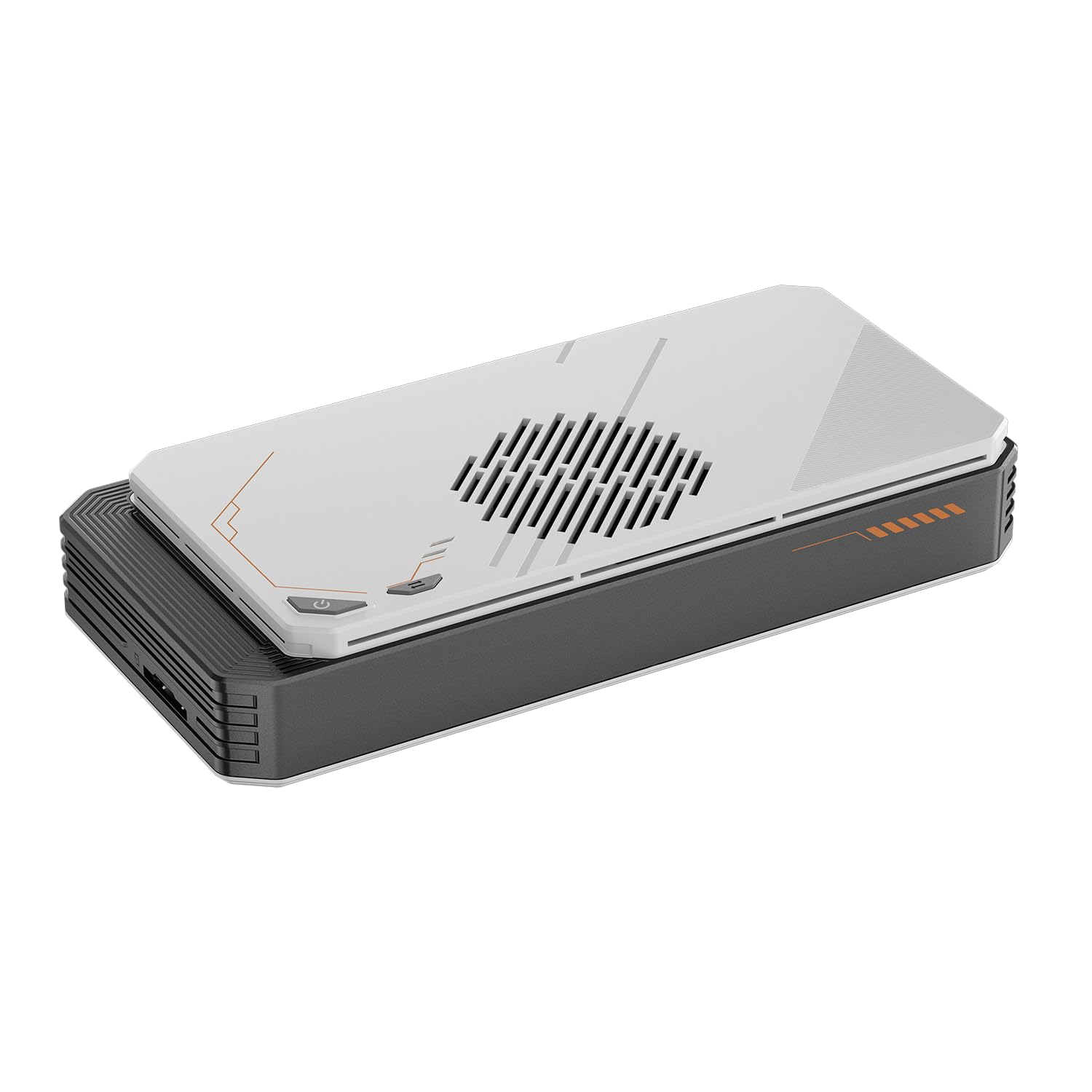
The multi-monitor powerhouse with a built-in M.2 SSD slot that turns a tablet into a gaming PC.
If your workflow spans multiple screens, this dock’s display arsenal is class-leading in the portable category. The BOSGAME GVP 7600M drives four displays simultaneously through 2x HDMI 2.1 (4K@60Hz) and 2x DP 2.0 (4K@120Hz) ports — a setup that most laptops cannot manage on their own. Beyond video, it packs a surprise: a built-in M.2 2280 PCIe 3.0 slot (a standard slot for solid-state drives) that supports up to 4TB of extra SSD storage. That turns this eGPU into a storage expansion dock, an RJ45 Ethernet adapter, and a two-port USB-A 3.2 hub all in one.
Performance comes from the built-in AMD Radeon RX 7600M XT with 8GB of GDDR6 memory on RDNA 3 architecture — the maker rates it equal to an RTX 4050 laptop. A Turbo Button lets you toggle between 100W and 120W of GPU TDP for extra performance when you need it. At just 1.92 pounds in a sleek aluminum alloy shell, it connects to laptops, PCs, and handheld consoles via Thunderbolt 3/4, USB 4, or OCuLink. One owner transformed their Surface Pro 9 into a gaming machine, hitting 32.7 FPS in X-Plane 12 at 1440p max settings.
The reviews highlight performance as the top praise at 18 mentions, with graphics performance, noise level, and value for money each earning 5 mentions. Owners note it runs cooler and quieter than the comparable ONEXGPU, and the laptop-style power brick is a welcome improvement over wall-brick designs that fall out. A gaming-focused user called it ideal for travel after achieving 60fps at medium/high settings on modern games with an ROG Ally X. The honest trade-off: one reviewer felt the materials feel cheaper than the premium price suggests, and it only ships with a 1-year warranty.
Display-first design: Four simultaneous screens plus a 4TB M.2 SSD slot make this the most versatile dock for multi-monitor productivity.
Material note: It performs beautifully, but the build uses more budget-friendly materials than the price implies — fine for occasional use, less confidence-inspiring for daily heavy travel.
7. GIGABYTE AORUS RTX 5060 Ti AI Box
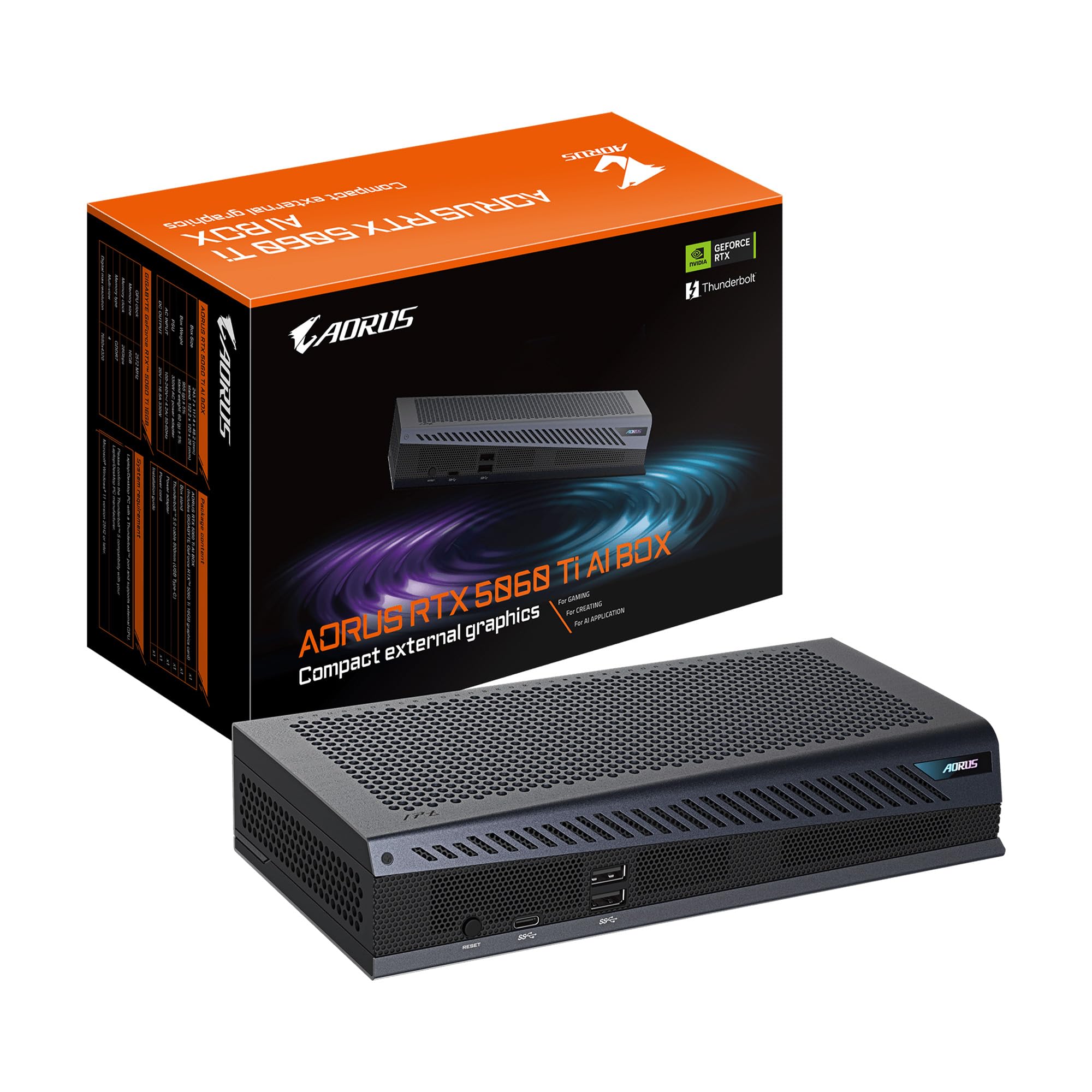
A full desktop-class RTX 5060 Ti in a compact box, ready for gaming and AI workloads over Thunderbolt 5.
This is the rare all-in-one dock that does not compromise on graphics horsepower. Inside is a GeForce RTX 5060 Ti with 16GB of GDDR7 memory on NVIDIA’s Blackwell architecture, which brings DLSS 4 for high frame rates, NVIDIA Studio acceleration for creators, and AI-powered features. Connected via Thunderbolt 5’s 80Gbps bidirectional bandwidth, it delivers near-desktop performance to laptops and handhelds. A built-in Ethernet port keeps latency low during competitive multiplayer sessions.
Cooling is a genuine engineering highlight. The WINDFORCE system uses server-grade thermal gel, Hawk fans, and a direct-contact copper plate with heat pipes to keep things quiet even under sustained load. An owner testing it with games maxed at 1080p/1200p reported a steady 60-75fps with DLAA, and GTA V Enhanced never dipped below 60fps. The compact metal chassis supports both horizontal and vertical placement via a magnetic stand, and Power Delivery 3.0 delivers up to 100W of fast charging to your host device with daisy-chain support.
Setup earns consistent praise — performance and ease of use are the two most-mentioned aspects. One owner called it perfect for handhelds and older laptops, noting the simple process involves just the Gigabyte driver and the NVIDIA app. The occasional USB4 caveat appears: bandwidth varies by machine, with one Beelink SER6 Pro showing only 20Gbps versus 40Gbps on a Legion Go Z1 Extreme. There was a single report of a dead unit on arrival, but that is an outlier against the broad satisfaction. For a serious gaming or AI workload on a Thunderbolt 5 laptop, this box delivers desktop-class results.
The Highlights
- 16GB GDDR7 with DLSS 4 for high-refresh gaming
- 100W Power Delivery charges your laptop while gaming
- Compact design with vertical or horizontal placement
- Server-grade thermal gel keeps it quiet under load
The Caveats
- USB4 bandwidth varies — check your port’s speed first
- Plastic stand lacks a locking mechanism and can tip
This is for: gamers and creators who want desktop-class RTX performance in a portable plug-and-play box.
Not ideal if: your laptop only has a slower USB4 port, which will bottleneck the GPU’s full potential.
8. ONEXGPU eGPU Dock (RX 7600M XT)

The handheld companion that turns a Legion Go into a 1600p gaming powerhouse — when the stars align.
Built specifically with handheld consoles in mind, the ONEXGPU connects to devices with Thunderbolt 3/4, USB 4, or OCuLink ports, and the maker also lists compatibility with Intel-MacBook and Legion Go. Inside sits the AMD Radeon RX 7600M XT with 8GB of GDDR6 memory on RDNA 3 architecture, delivering performance the maker compares to an RTX 4060 laptop. A Turbo Button toggles the GPU between 100W and 120W of power, and the aluminum alloy shell weighs just 1.92 pounds. The 330W power supply keeps everything fed.
Connectivity is generous: up to 4TB of M.2 2280 SSD expansion, an RJ45 Ethernet port, two USB-A 3.2 ports, and video output through 2x HDMI 2.1 (4K@60Hz) and 2x DP 2.0 (4K@120Hz) for a four-display setup. Military users who travel constantly found it a standout — one owner paired it with a Legion Go, portable monitor, and travel keyboard for a genuinely mobile gaming rig. In Red Dead Redemption 2, a Legion Go owner reported 60-70fps on high settings in handheld mode and 80+ on an external monitor.
This is where the honest caveats get serious. The most-discussed feedback is instability: several buyers report the USB4 controller crashes during gaming sessions, connections drop, and Linux will not boot with the dock attached. Setup is described as painful, often requiring Reddit guides and driver verification. One frustrated returner waited a month for a refund. If you are willing to tinker and have a supported device, the raw performance is there, but this is the pick for enthusiasts comfortable with troubleshooting — not a plug-and-play solution for the faint of heart.
What It Does Well
- Turbo button switches GPU between 100W and 120W
- 4TB M.2 SSD expansion and four-display support
- Light 1.92 lb aluminum alloy build
- OCuLink 4.0 for low-latency handheld connection
The Hard Truth
- USB4 crashes and disconnects reported during gaming
- Linux unsupported; setup often needs expert tinkering
- Refund process drew sharp criticism from one owner
Consider it if: you are a handheld enthusiast who loves tweaking and wants maximum portable power for the money.
Walk away if: you need reliability from the start — the instability reports are too frequent to ignore.
9. ASUS ROG XG Mobile (RTX 5070 Ti)
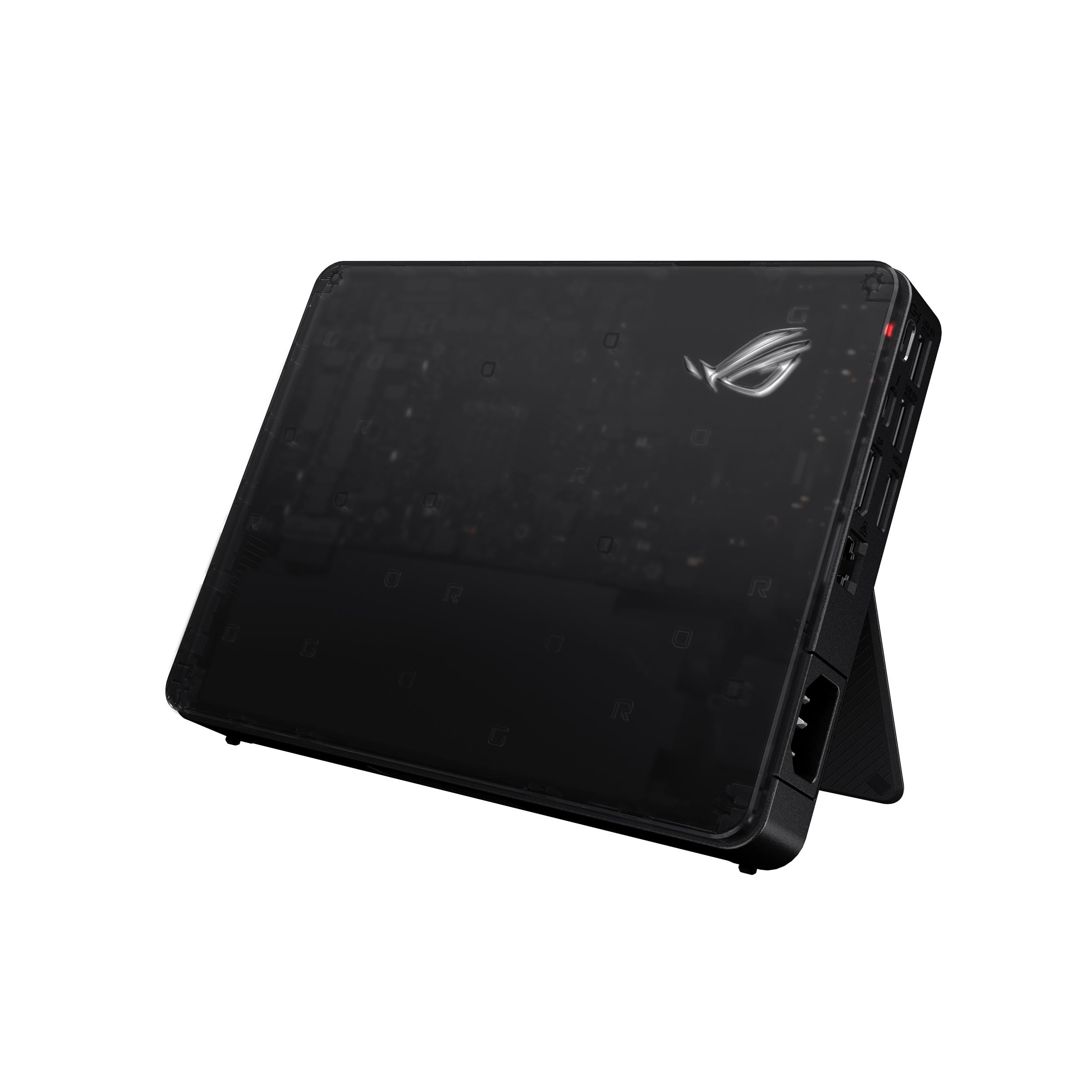
The featherweight that outruns built-in laptop graphics — 2.09 pounds of RTX 5070 Ti muscle.
This is the most powerful portable eGPU here, yet it weighs just 2.09 pounds. The ROG XG Mobile packs an NVIDIA GeForce RTX 5070 Ti Laptop GPU with 12GB of GDDR7 VRAM (listed as 16GB in some spec fields) into a 2.09-pound shell that fits in small bags. It connects over Thunderbolt 5 with a massive 120Gbps of throughput — the fastest connection here — supporting 8K video for creators and up to three 4K displays at 144Hz simultaneously. A redesigned vapor chamber provides additional cooling surface area compared to a standard heatpipe design, keeping noise low even under load.
Benchmarks confirm the performance claims. One owner pair it with a 2025 Asus Flow Z13 and reported it outperformed the laptop’s built-in graphics on an LG OLED 1440p 240Hz monitor. An Xbox Ally X owner hit over 110 FPS on ultra settings in Hogwarts Legacy and Outer Worlds, with the system running silent and under 75°C. Fortnite jumped from ~150 FPS to ~300 FPS on a triple OLED 240Hz setup. It even helps non-gamers: freeing the integrated GPU lets a CPU like the Core Ultra 7 155H reach higher clock speeds, with CUDA support for AI workloads at 55-80 tokens per second on a 9B model.
Setup is refreshingly simple — one owner called it plug-and-play, with drivers updated via the Microsoft Store in under 2 minutes. Note that non-ASUS devices need the Armoury Crate software and the latest Windows. The semi-transparent case shows off customizable AURA Sync RGB lighting, and the MOSFET design cuts 150g of weight while maintaining a 330W power profile. The obvious drawback is cost — this is firmly a premium investment. But for travelers who want desktop-tier gaming performance in the lightest possible package, it justifies every dollar.
The Best Parts
- Fastest connection here at 120Gbps Thunderbolt 5
- Under 2.1 lbs with a redesigned vapor chamber cooler
- Silent operation with three 4K@144Hz display support
- Auto-updates NVIDIA drivers in under 2 minutes
The Price of Power
- Premium price tag that reflects its class-leading performance
- Non-ASUS laptops need Armoury Crate and latest Windows
Worth it for: the traveler who demands desktop-tier gaming and AI performance in the lightest possible carry-on companion.
pass on it if: your budget tops out below the premium tier — there are cheaper docks with solid 1080p performance.
10. GIGABYTE AORUS RTX 3080 Gaming Box

The water-cooled RTX 3080 dock that still delivers 4K gaming thrills on a single Thunderbolt 3 cable.
This all-in-one box is a powerful time capsule: a GeForce RTX 3080 with 10GB of GDDR6 memory wrapped in a WATERFORCE all-in-one liquid cooling system. That cooling approach is what makes it special — water cooling keeps the card dramatically quieter and cooler than any fan-based dock, with one owner reporting temperatures around 60°C under load. It connects over Thunderbolt 3 for true plug-and-play operation, works on Windows 11, and even throws in 3x USB 3.0 ports and an Ethernet port to act as a simple dock.
Performance remains genuinely impressive for a portable dock. A GPD Win Max 2 owner ran Overwatch 2 at 4K HDR Epic settings around 100 FPS, with dynamic scaling pushing it to 144 FPS, and reported no input lag at all. Another owner playing on a cheap HP Spectre 2-in-1 with an MX250 chip ran 4K gaming on all ultra settings. The built-in USB hub and single-cable dock functionality mean you can connect peripherals and network alongside the GPU boost. Max digital resolution reaches 7680×4320 for 8K-capable output.
This box earns honest caveats. Driver compatibility is the most-discussed issue, with 13 mentions splitacross mixed experiences — some systems work flawlessly while others fight proprietary drivers. The noise level also draws mixed feedback; while water cooling is generally quiet, a few owners describe a constant hum. Given the older Thunderbolt 3 connection, expect some bandwidth bottleneck with the most demanding titles like Cyberpunk. And the price remains high for a last-gen card. If you find one at a steep discount, it is a steal; at full price, newer options offer better value.
Water-cooled wonder: The integrated liquid cooling keeps this RTX 3080 quiet and cool at ~60°C, a rarity among portable docks.
The legacy catch: Driver quirks and Thunderbolt 3 bandwidth limits mean this shines brightest for 1080p and 1440p gaming, not 4K esports.
Understanding the Specs
Bandwidth: Thunderbolt 3 vs 4 vs 5
This number decides how much of your GPU’s power actually reaches your screen. Thunderbolt 3 and 4 both cap at 40Gbps, which works well for most games but can bottleneck high-end cards like the RTX 4090. Thunderbolt 5 doubles that to 80Gbps of bidirectional bandwidth, nearly eliminating the bottleneck and enabling smoother 4K and 8K experiences. USB4 is trickier — its bandwidth varies by implementation, ranging from 20Gbps to 40Gbps, so always check your laptop’s specific port speed before pairing it with a powerful eGPU.
Power Delivery (PD) and Wattage
Power Delivery (PD, a feature that lets a cable carry power as well as data) lets a single USB-C cable both boost your graphics and charge your laptop. A 65W PD rating handles most ultrabooks and handhelds, while 100W or 140W charges heavier workstations. For enclosures that accept your own graphics card, the power supply wattage matters more — a 750W PSU supports most modern GPUs, while 850W gives you headroom for the most power-hungry cards like the RTX 4090 or future models. If the enclosure lacks PD, you’ll need to keep your laptop’s own charger plugged in alongside the eGPU.
FAQ
Will an external GPU work with my MacBook?
What is the difference between an all-in-one dock and an empty enclosure?
How much performance loss should I expect with an eGPU?
Can I use an eGPU with a gaming handheld like the ROG Ally X?
Is OCuLink better than Thunderbolt for eGPUs?
Do I need to install special software or drivers for an eGPU?
Can an eGPU also charge my laptop while gaming?
What is the maximum resolution I can output with an eGPU?
Final Thoughts: The Verdict
Across the board, the external gpu winner is the Nimo eGPU because it delivers true plug-and-play performance with a built-in 240W PSU and 8K dual display support in a 2.4-pound package. If you want raw upgradeable power, grab the Razer Core X V2 and pair it with your own desktop GPU. And for the ultimate portable performance, the ASUS ROG XG Mobile with its RTX 5070 Ti is the one to reach for.
How We Picked
We do not accept paid placement. Every pick is matched to a real buyer and a real use-case; we do not hands-on test units.
Sources & Methodology
Specifications: manufacturer listings and product documentation. Review insights: verified customer reviews, as of August 2026. Pricing: not shown on this page (it changes often); check the current price via the retailer link.
As an Amazon Associate, WellFizz earns from qualifying purchases. This does not affect which products we feature.
Related Guides

Mo Maruf
I created WellFizz to bridge the gap between vague wellness advice and actionable solutions. My mission is simple: to decode the research and give you practical tools you can actually use.
Beyond the data, I am a passionate traveler. I believe that stepping away from the screen to explore new environments is essential for mental clarity and physical vitality.