Our readers keep the lights on and my smoothie glass nicely filled. As an Amazon Associate, I earn from qualifying purchases.
Specs are compiled from manufacturer listings and verified buyer reviews and can change over time — please confirm the key details on the product page before buying.
If you spend your workday clicking and scrolling, the wrong mouse can turn your wrist into a source of daily pain. The real challenge isn’t just finding a mouse that looks different — it’s picking one that genuinely supports your hand, lasts through a full work week without a recharge, and doesn’t cost a fortune. This guide cuts through the marketing noise to help you find an ergonomic wireless mouse that actually delivers on its promises.
I’m Mohammad Maruf — the founder and writer behind WellFizz. This guide is built by comparing the manufacturers’ published specifications and the patterns across verified customer reviews, so you get each pick’s real strengths and trade-offs instead of marketing spin.
Whether you have wrist fatigue, carpal tunnel, or simply want a more comfortable desk setup,, the choice depends on a few key specs that matter in daily use. Here is exactly what you need to know before picking the right ergonomic wireless mouse for your hand and workflow.
Our Picks at a Glance


How To Choose The Best Ergonomic Wireless Mouse
Picking the right ergonomic mouse depends on matching its shape and features to your hand size, daily tasks, and preferred work style. The most important factors to consider before you buy are the tilt angle, battery life, and if you want a vertical mouse or a trackball.
Vertical Angle vs. Trackball: Which shape fits your pain
Vertical mice (typically with a 58 to 59 degree tilt) keep your wrist in a natural handshake position, reducing forearm strain for people who spend hours with a traditional flat mouse. Trackball mice, on the other hand, keep your hand completely still while your thumb or fingers move the cursor — making them ideal for tight desks or if you have shoulder pain from moving your whole arm. There is usually a 1 to 2 week adaptation period with either style.
Battery life and how you charge
Rechargeable mice with a built-in battery (typically 500mAh) can deliver anywhere from 100 to 200 hours of use per charge. Some models also offer emergency top-up features — a quick 5-minute charge that gives you an hour of use. If you hate disposable batteries, look for a model with USB-C charging. A few premium models also support wireless charging pads.
DPI and multi-device switching
DPI (dots per inch) controls how fast the cursor moves across your screen. A range of 800 to 4000 DPI covers most office and creative work, while some premium mice go up to 8000 DPI for high-resolution monitors. Multi-device connectivity (usually up to 3 devices via Bluetooth and a USB receiver) lets you switch between a laptop, tablet, and desktop with one click — a huge time saver for anyone working across multiple screens.
Quick Comparison
| Model | Best For | Battery Life | DPI Range | Connectivity | Amazon |
|---|---|---|---|---|---|
| PHILIPS SPK7858★ Best Overall | Best Overall Value | 200 hours | 800 – 4000 | BT + USB-A/C | Amazon |
| Logitech MX Master 3STop Performer | Premium All-Rounder | Up to 70 days | Up to 8000 | BT + Logi Bolt USB | Amazon |
| Logitech MX Ergo SPremium Trackball | Premium Trackball | Up to 120 days | — | BT + Logi Bolt USB | Amazon |
| Acer OMR290 | Small Hands Vertical | Battery-powered | 1200 – 4000 | BT 5.2 + 2.4GHz | Amazon |
| ProtoArc EM11 NL | Budget Vertical | 100 hours | 1000 – 2400 | BT + USB-A | Amazon |
| Perixx PERIMICE-713RX | Wireless Charging | Long-lasting (no exact hours) | 1000 – 1600 | 2.4GHz USB-A | Amazon |
| Nulea M501 | Trackball Comfort | Weeks on a charge | Adjustable DPI | BT + USB | Amazon |
| SABLUTE MAM1 Pro | Adjustable Angle | Long-lasting (2-3 weeks per charge) | 800 – 4800 | BT + USB | Amazon |
| ELECOM Huge Plus | Large Trackball | Up to 5 months | 3 settings | BT + 2.4GHz + Wired | Amazon |
In‑Depth Reviews
1. PHILIPS Ergonomic Wireless Mouse, Multi-Device Bluetooth (USB-A/C)
Our pick — over 4.5★ from 950+ verified ratings; the strongest balance of quality and price.
A 200-hour battery champ.
The PHILIPS SPK7858 dominates this list because it delivers features you normally see on pricey premium mice — 200 hours of battery life, dual scroll wheels, and 5-level DPI up to 4000 — at a mid-range price that feels like a steal. The 500mAh rechargeable battery, coupled with smart auto-sleep, is the star here: it easily powers through a month of heavy 8-hour workdays. And when you are running low before a meeting, a 5-minute emergency top-up gives you a full hour of tracking — a lifesaver that buyers consistently rave about, as the owner summaries say it is “an absolute steal for the price.” The library-quiet silent clicks mean your coworkers will never hear you grinding through spreadsheets, and the thumb-side horizontal scroll wheel lets you fly across Excel columns without dragging the cursor.
That said, the mouse is built for right-handed users only, and the textured scroll wheel has a dotted surface that a few owners noted can feel unusual after several hours. The overall build quality, however, matches what buyers expect from a name-brand peripheral — solid, responsive, and well-balanced at just 97 grams.
Why it wins
- Dual scroll wheels (main + thumb-side) boost spreadsheet and editing speed
- Emergency 5-minute charge yields 1 hour of use
What to consider
- Right-handed only — lefties need a different model
- Scroll wheel texture takes a short adjustment period
Pick this for: anyone who wants the longest battery life in the mid-range bracket and a feature set that rivals premium options without the premium price tag.
Think twice if: you are left-handed or prefer a completely smooth scroll wheel with deep ridges.
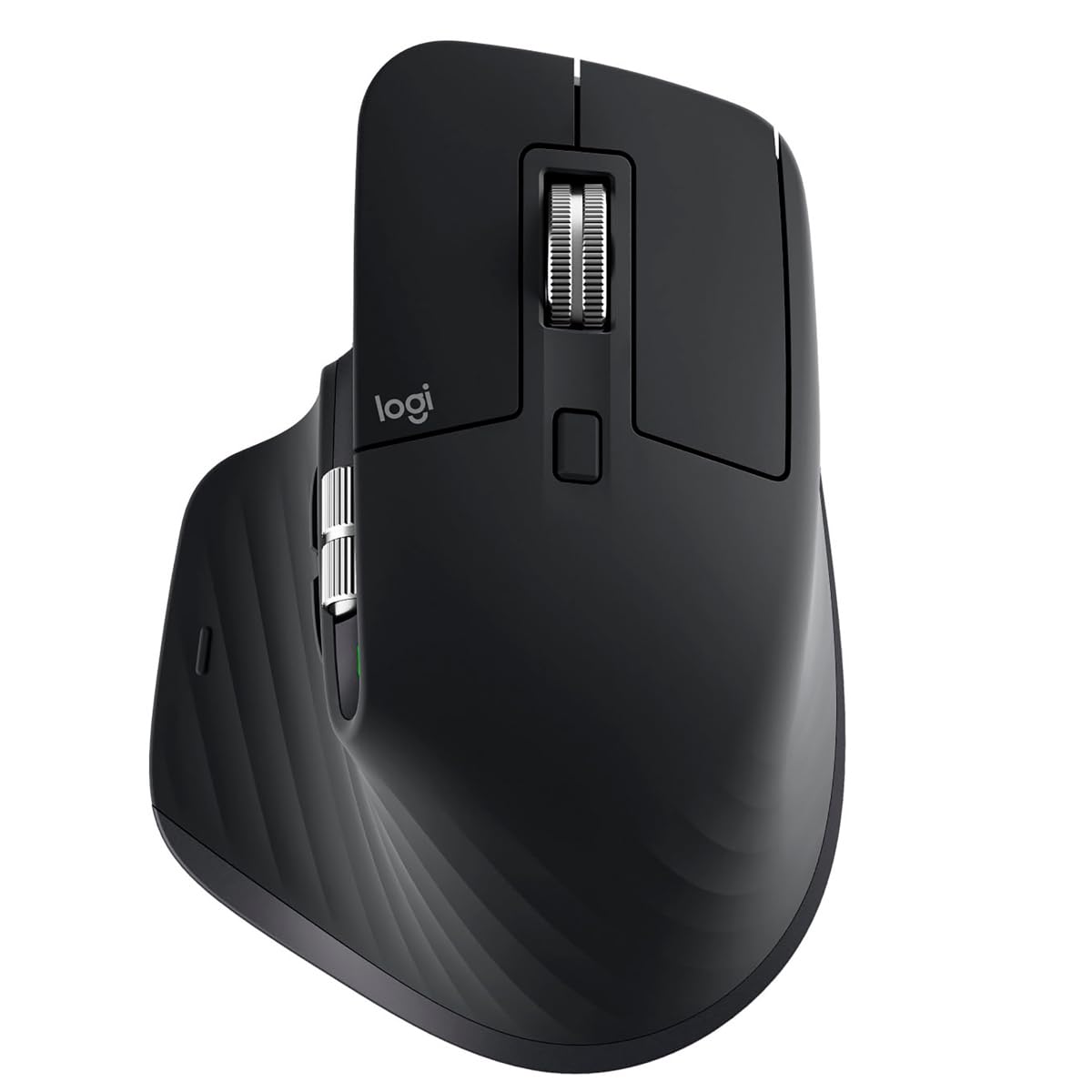
2. Logitech MX Master 3S
The professional’s mouse that tracks on glass with ultra-quiet MagSpeed scrolling.
The MX Master 3S is the benchmark every other ergonomic mouse is measured against, and for good reason. Its 8000 DPI Darkfield sensor works on any surface, including glass — so you never need a mouse pad again. The MagSpeed electromagnetic scroll wheel is the standout feature: buyers describe it as both fast and precise, switching easily between hyper-fast free-spin and a clicky ratchet mode. The “Quiet Clicks” reduce noise by 90%, and the sculpted silhouette with an optimally placed thumb rest keeps your hand in a natural posture all day. Battery life stretches to 70 days on a full charge, and the Logi Options+ software lets you create app-specific shortcuts and profiles.
The biggest trade-off is the price — this is a premium investment. Some owners also note that the FLOW cross-computer feature can be finicky and requires occasional re-setup. For those with smaller hands, the shape may feel a bit large. But for sheer performance and build quality, this mouse is the crowd favorite.
Why it leads
- 8K DPI sensor tracks on any surface, including bare glass
- MagSpeed scroll wheel delivers fast, precise, and near-silent navigation
- Up to 70 days of battery life per charge
What to consider
- Premium price point — not a budget buy
- FLOW software feature can be unreliable across devices
Perfect for: power users and professionals who need a mouse that works flawlessly on any surface and offers deep customization.
skip it if: your budget is tight or if you have very small hands that prefer a more compact shape.
3. Logitech MX Ergo S
A trackball with a 20-degree adjustable tilt that the manufacturer claims reduces forearm muscle strain by 27%.
The MX Ergo S is the trackball equivalent of the MX Master 3S — a premium, ergonomically certified tool designed for people who want to keep their arm still while they work. Its 20-degree adjustable tilt positions your forearm in a better posture, and the manufacturer claims it reduces muscle strain by 27%. The thumb-operated trackball gives highly precise control with minimal movement, and the 6 programmable buttons (customizable via Logi Options+) let you set up macros and shortcuts for complex workflows. Battery life is exceptional: a 1-minute quick charge gives you 24 hours of use, and a full charge lasts up to 120 days.
The main downsides are size-related. The mouse is designed for medium to large hands, and owners with smaller hands report that the sculpted shape can feel too open, causing fatigue. The silicone coating also attracts dust and can wear shiny over time. But for anyone battling wrist or shoulder pain from repetitive arm movement, the MX Ergo S is a proven solution that owners call “Owners call it a proven solution for carpal tunnel pain..”
Ergonomic strengths
- 20-degree tilt reduces forearm muscle strain (manufacturer claim: 27%)
- 120-day battery life with USB-C fast charging
- 6 programmable buttons with deep software customization
Size considerations
- Too large for small hands — reviewer with 5-inch hands found it uncomfortable
- Silicone coating attracts dust and may wear over time
Best for: people with medium-to-large hands who want a trackball that eliminates arm and shoulder movement.
Not for: small-hand users or anyone who prefers a vertical mouse over a thumb-operated trackball.
4. Acer Ergonomic Mouse Wireless with Side Scroll

A 59-degree vertical mouse specially sized for small to medium hands.
The Acer OMR290 stands out because it is designed specifically for smaller hands — a segment many ergonomic mice overlook. At 87 grams (just over 3 ounces), it is the lightest vertical mouse on this list, and its 59-degree tilt puts your wrist in a natural handshake position without feeling bulky. The side scroll wheel has three fixed modes (Window Toggle, Zoom In/Out, Horizontal Scrolling) that you cycle with a single click, which is genuinely useful for multitasking. It also connects to 3 devices via Bluetooth 5.2 or 2.4GHz, and the 4-level DPI (up to 4000) covers everything from precision work to fast cursor movement.
The catch is that this is a battery-powered mouse (2 AAA batteries, not included) — not rechargeable. Some buyers report that the mouse drains batteries quickly and, in a few cases, stops working within 30 days. The clicking and wheel noise is also louder than other options on this list. If you prefer rechargeable convenience and quiet operation, this may not be your best choice. But for the price and the specific small-hand fit, many buyers find it solves wrist pain effectively.
Small-hand advantage
- Designed for small to medium hands — a rare fit in vertical mice
- Lightweight at 87 grams (3 oz), easy to move
- 3-mode side scroll wheel with useful presets
Trade-offs
- Not rechargeable — uses AAA batteries not included
- Loud clicks and wheel noise in quiet environments
Choose this if: you have small hands and want an affordable vertical mouse to test the ergonomic waters.
Look elsewhere if: quiet clicks or rechargeable battery are must-haves for your desk setup.
5. ELECOM Huge Plus Wireless Trackball Mouse
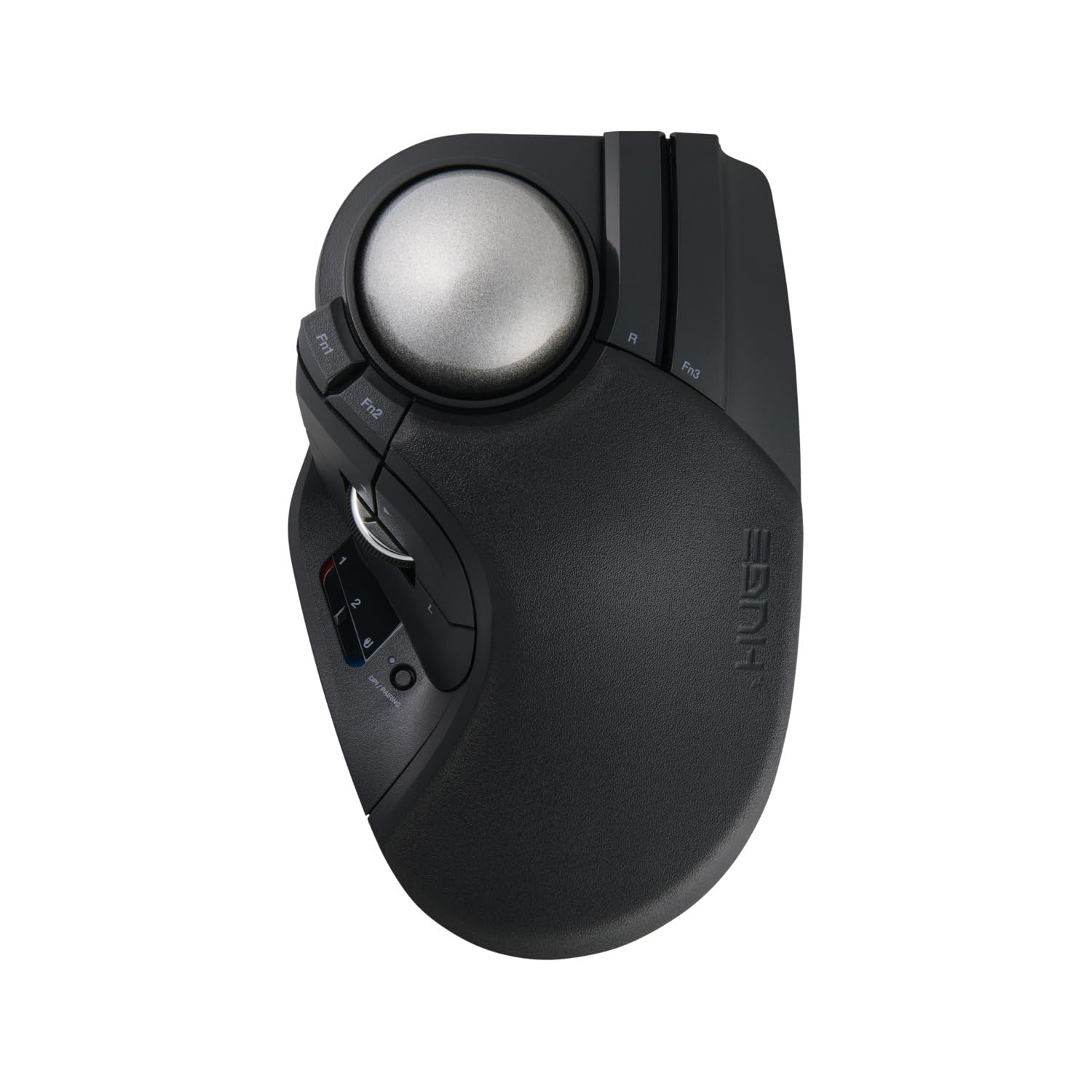
A 52mm trackball with swappable steel bearings for finger-operated precision.
The ELECOM Huge Plus is a finger-operated trackball (not thumb-operated) with a massive 52mm ball that gives you fluid, precise cursor control using your index and middle fingers. The big differentiator here is the MinebeaMitsumi steel bearings, which you can swap or upgrade to ruby bearings for even smoother rotation. With 10 programmable buttons, tri-mode connectivity (Bluetooth, 2.4GHz, and wired USB-C), and up to 5 months of battery life, this is the most feature-dense trackball on this list. It also supports a wired 1000Hz polling rate for near-instant response, which owners say is a major upgrade over the original Huge model.
The ergonomics are a mixed bag — some owners find the aggressive palm slope awkward for medium hands and recommend a 3D-printed palm rest. The initial stiction (sticky feel on the ball) can also be an issue before the bearings wear in. But for those willing to dial in the setup, the precision and reliability are class-leading in this category.
High-precision design
- 52mm finger-operated trackball with swappable steel or ruby bearings
- 10 programmable buttons for deep customization
- Up to 5 months battery life; works while charging wired
Setup caveats
- Ergonomics may feel awkward for medium hands without an added palm rest
- Bearings need a wear-in period or lubrication to eliminate stiction
Best for: enthusiasts and gamers who want a finger-operated trackball with upgradeable bearings and wired precision.
pass on it if: you want a plug-and-play device without a break-in period or extra modifications.
6. SABLUTE MAM1 Pro Trackball Mouse
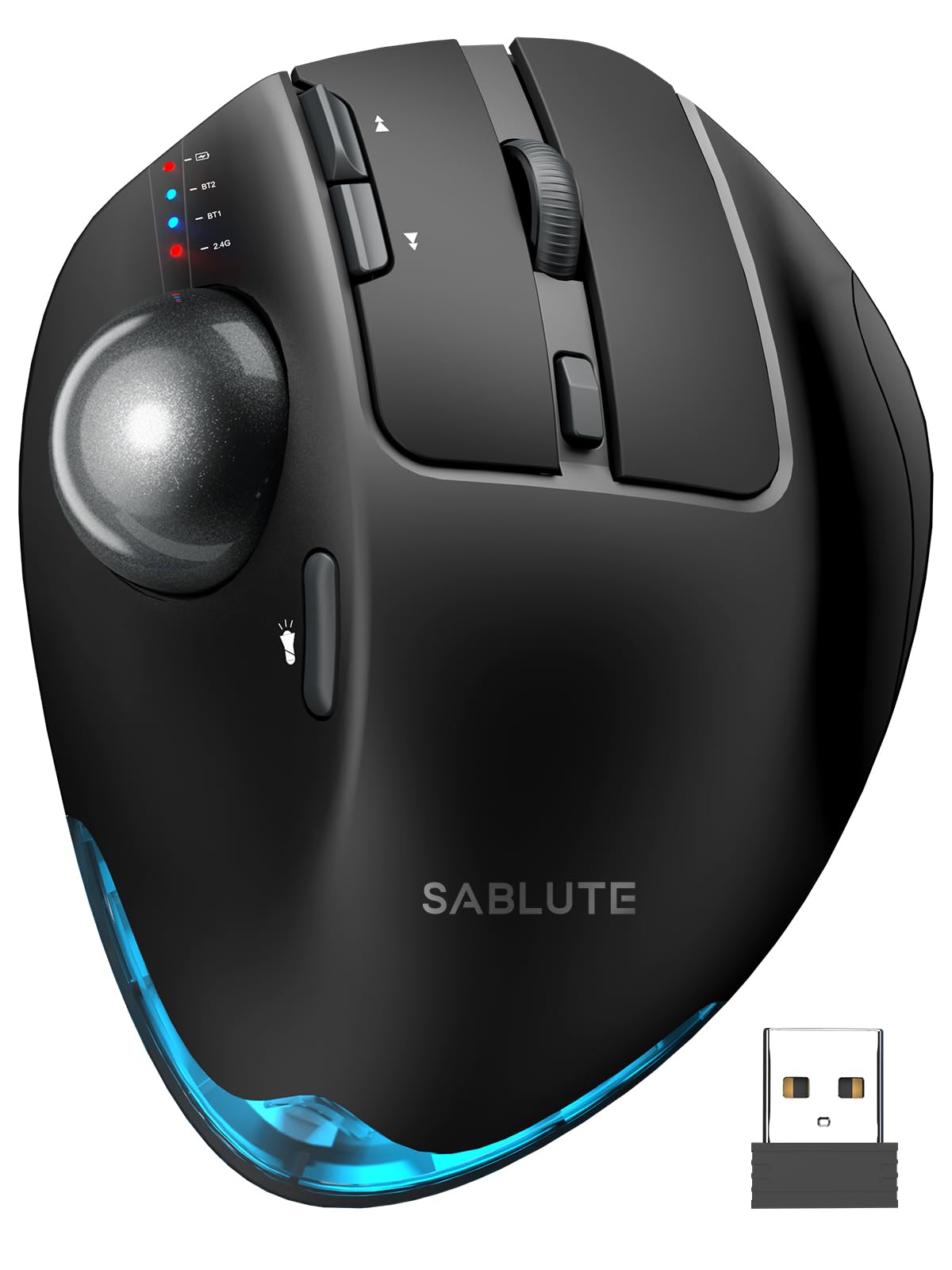
A trackball with a unique 0 or 18-degree tilt that adapts to your wrist’s natural angle.
The SABLUTE MAM1 Pro is the only trackball on the list that lets you physically adjust the tilt angle — choose between flat (0 degrees) or a 18-degree raised position that follows your wrist’s natural resting posture. This is a clever design for people who are not sure if a vertical or flat trackball works for them. The thumb-operated trackball provides smooth cursor control, and the 5 adjustable DPI levels (800 to 4800) give you granular speed control. Owners consistently praise the ergonomics and adjustable tilt as the top features, and the ability to connect to 3 devices via dual Bluetooth and a 2.4GHz receiver adds convenience.
The build quality is solid with a weighty metallic base (12.64 ounces), and the quiet clicks reduce noise by 95%. A few owners note that the trackball can be overly sensitive, and the “very clicky” buttons are prone to accidental taps if you rest your fingers on them. The downloadable driver for customization works on Windows only, not Mac. But for the price, the adjustability is a genuine differentiator.
Unique tilt feature
- 0 or 18-degree adjustable tilt — a rare feature in trackball mice
- 800 to 4800 DPI range for precise or fast cursor movement
- 95% noise reduction on buttons for quiet shared spaces
Sensitivity notes
- Buttons are very clicky and prone to accidental presses
- Customization software is Windows-only, not Mac-compatible
Perfect for: users who want to experiment with tilt angles on a trackball without committing to a single fixed posture.
Not ideal if: you need Mac-compatible customization software or prefer a lighter, more portable mouse.
7. ProtoArc EM11 NL Wireless Ergonomic Mouse

A 58-degree budget vertical mouse that punches well above its weight class.
The ProtoArc EM11 NL is the most popular vertical mouse on this list by far, and the reason is simple: it delivers quality and comfort at a price that undercuts the competition. Its 58-degree angle keeps your wrist in a relaxed handshake posture, and the 500mAh rechargeable battery gives you up to 100 hours of use (or 200 days of standby). Owners rave about the build quality — it is the most-praised aspect with over 500 mentions — and the comfort level is a close second. The textured surface, satisfying quiet clicks, and smooth scroll wheel add up to a daily driver that feels more expensive than it is.
The biggest downside is size: the EM11 NL is designed for small to medium hands (under 7.5 inches), and owners with larger hands find the pinky drags uncomfortably. The DPI range (1000/1600/2400) is also limited compared to competitors. If your hands are on the larger side, you will want to look at the Logitech MX Master 3S or the Perixx vertical mouse.
Quality and value
- Build quality is the most praised feature — over 500 owners highlight it
- 100 hours of use per charge with 200-day standby
- Silent clicks and a comfortable textured surface
Size limitations
- Designed for small to medium hands only — large-hand users will feel cramped
- 3 DPI presets (1000/1600/2400) offer less granular control than rivals
Grab this if: you have small or medium hands and want a high-quality, rechargeable vertical mouse at a budget price.
Pass if: your hand length exceeds 7.5 inches — the ergonomics will not work for you.
8. Perixx PERIMICE-713RX Wireless Rechargeable Vertical Mouse

A vertical mouse that charges wirelessly or via USB-C — with a charging pad included.
The Perixx PERIMICE-713RX is the only mouse on this list that supports both USB-C wired charging and wireless charging, and it comes with a charging pad in the box. The pad itself is a useful desk accessory — it supports 7.5W charging for iPhones, 10W for Samsung Galaxy S20-S25 series, and 5W for earbuds or other mice. The vertical shape keeps your wrist in a neutral upright position, and the soft rubber-coated build gives a secure, comfortable grip. Buyers consistently report that their wrist pain disappears during the workday, and many use the charging pad for their phone when the mouse is fully charged.
The trade-off is limited DPI options (only 1000 and 1600) and no macOS support for the back/forward buttons. The scroll wheel is smooth without tactile steps, which some users find less satisfying. An occasional unit may arrive with a missing dongle, though the brand’s customer service is widely praised for sending replacements quickly. For a mid-range vertical mouse with a useful charging bonus, this is a solid pick.
Charging convenience
- Dual charging (USB-C wired and wireless) — includes a 3-mode charging pad
- Soft rubber coating for a secure non-slip grip
- Owners mention noticeable wrist pain relief during extended use
Limitations
- Only two DPI settings (1000 and 1600) — limited precision control
- Back/forward buttons and software not supported on macOS
Best for: anyone who wants a clutter-free desk with a single charging pad that works for both the mouse and phone.
it’s not for you if: you need more than two DPI options or require full macOS button support.
9. Nulea M501 Wireless Trackball Mouse

A thumb-operated trackball that brings reliable ergonomics to a wider audience.
The Nulea M501 is a solid, no-nonsense trackball mouse that has earned the trust of over 12,000 owners. Reliability is the top-praised feature (with over 700 mentions), and the comfort level follows closely. The thumb-operated trackball lets you control the cursor without moving your wrist or arm — ideal for messy desks, tight spaces, or just reducing shoulder strain. It connects to up to 3 devices via Bluetooth or the 2.4GHz USB receiver, and the built-in rechargeable battery lasts weeks on a single charge (customers note around 10 weeks of use). The included comfort wedge is a nice bonus that owners say makes a real difference in wrist angle.
The main drawback is size — the M501 is large, and owners with small hands report hand fatigue after heavy use. The Bluetooth also disables when your computer’s Bluetooth is turned off for other devices, which can be an annoyance if you share a Bluetooth connection. The trackball itself is smooth and accurate, comparable to the more expensive Logitech M570, making this a strong budget-friendly entry into the trackball world.
Reliable trackball
- Reliability is the top praise — over 700 owners highlight it
- Weeks-long rechargeable battery (approximately 10 weeks per charge)
- Included comfort wedge improves wrist angle further
Size and Bluetooth
- Large size causes hand fatigue for small-hand owners during heavy use
- Bluetooth disables when PC Bluetooth is turned off for other devices
Choose this for: a reliable, affordable thumb-operated trackball that works well for medium-to-large hands and dual-computer setups.
Consider alternatives if: you have small hands or need Bluetooth to stay active independently of your system settings.
Understanding the Specs
DPI: How fast the cursor moves
DPI (dots per inch) measures how many pixels the cursor moves across the screen for every inch you move the mouse. A higher DPI means the cursor zips across faster — useful for large, high-resolution monitors. A lower DPI gives fine control for detailed design work. Most ergonomic mice offer adjustable DPI (usually 800 to 4000), so you can switch between tasks. The Logitech MX Master 3S goes up to 8000 DPI for ultra-high-res displays.
Battery Life Hours vs Days
Battery life is measured in hours of continuous use or days of standby, but the real-world figure depends on how many hours a day you work. A mouse with 200 hours of battery life will last roughly 25 eight-hour workdays. A mouse with 100 hours covers about 12 days. The emergency top-up feature (like the Philips SPK7858’s 5-minute charge for 1 hour of use) is a lifesaver if you forget to charge overnight.
Vertical Tilt vs Trackball
A vertical mouse (typically tilted 58 to 59 degrees) keeps your wrist in a handshake position, reducing pressure on the carpal tunnel. A trackball mouse keeps your hand completely stationary while your thumb or fingers rotate a ball to move the cursor. Trackballs are ideal if you have limited desk space or shoulder pain from moving your arm. Both styles require a 1 to 2 week adjustment period for first-time users.
Multi-Device Connectivity
Most ergonomic mice on this list connect to up to 3 devices via Bluetooth or a USB receiver. The ability to switch between a desktop, laptop, and tablet with one click saves time if you work across multiple screens. Some mice (like the ProtoArc EM11 NL and the Logitech MX Master 3S) support both Bluetooth and a dedicated receiver, giving you two simultaneous connections plus a third via a second Bluetooth channel.
FAQ
How long does an ergonomic wireless mouse take to get used to?
Is a vertical mouse or a trackball mouse better for wrist pain?
Can I use an ergonomic wireless mouse with a Mac?
How often do I need to charge an ergonomic wireless mouse?
What does DPI mean and how much do I need?
Can I connect an ergonomic mouse to multiple devices at once?
Are ergonomic wireless mice good for gaming?
What hand size works best for a vertical mouse?
Do ergonomic mice work on glass surfaces?
What is the difference between a thumb trackball and a finger trackball?
Final Thoughts: The Verdict
If you want one dependable pick, the ergonomic wireless mouse winner is the PHILIPS SPK7858 because it combines 200 hours of battery life, dual scroll wheels, silent clicks, and a wide DPI range at a mid-range price — a rare balance of value and features. If you want the premium all-rounder with glass tracking and MagSpeed scrolling, grab the Logitech MX Master 3S. And for a budget-friendly vertical mouse that delivers exceptional build quality and comfort for small to medium hands, the ProtoArc EM11 NL is the one to reach for.
How We Picked
We do not accept paid placement. Every pick is matched to a real buyer and a real use-case; we do not hands-on test units.
Sources & Methodology
Specifications: manufacturer listings and product documentation. Review insights: verified customer reviews, as of July 2026. Pricing: not shown on this page (it changes often); check the current price via the retailer link.
As an Amazon Associate, WellFizz earns from qualifying purchases. This does not affect which products we feature.
Related Guides

Mo Maruf
I created WellFizz to bridge the gap between vague wellness advice and actionable solutions. My mission is simple: to decode the research and give you practical tools you can actually use.
Beyond the data, I am a passionate traveler. I believe that stepping away from the screen to explore new environments is essential for mental clarity and physical vitality.