Our readers keep the lights on and my smoothie glass nicely filled. As an Amazon Associate, I earn from qualifying purchases.
Specs are compiled from manufacturer listings and verified buyer reviews and can change over time — please confirm the key details on the product page before buying.
Wrist pain from a standard flat mouse creeps up on you — an ache by lunch that turns into a burning numbness by the end of the week. The fix is a vertical or trackball design that keeps your forearm in a natural handshake posture, and the difference is something you feel on day one. This guide cuts through the dozens of options to the seven best ergonomic mice, ranked by real-world owner feedback and the specs that actually prevent repetitive strain.
I’m Mohammad Maruf — the founder and writer behind WellFizz. This guide is built by comparing the manufacturers’ published specifications and the patterns across verified customer reviews, so you get each pick’s real strengths and trade-offs instead of marketing spin.
Whether you are battling carpal tunnel or want to avoid it altogether, choosing the right best ergonomic mice depends on your hand size, your preferred grip style, and how many devices you need to control without reaching for another cable or dongle.
Our Picks at a Glance


How To Choose The Best Ergonomic Mice
Your choice depends on three things: the shape that fits your hand, the type of movement your desk setup allows, and how often you switch between devices. Your choice depends on three things: the shape that fits your hand, the type of movement (or stillness) your desk setup allows, and how often you switch between your laptop, tablet, and desktop.
Vertical Angle vs. Trackball
A vertical mouse tilts your hand so your wrist stays straight rather than twisted flat. Angles between 57° and 59° are the most common, and they require you to still move your arm across the mouse pad. A trackball mouse stays stationary — your thumb or finger rolls the ball while your arm rests in place. Trackball users love it for tight desks, but it takes about a week to build the muscle memory.
Battery Strategy: Rechargeable vs. Disposable
Rechargeable mice with a built-in battery free you from buying AAAs forever, but a dead battery means you pause to plug in. Mice that run on a single AA — like the Logitech Lift — can last up to two years, so you change the battery maybe once and forget about it. If you hate cords on your desk, a rechargeable model with a USB-C cable that doubles for charging is the cleaner setup.
Multi-Device Connectivity
If you switch between a work laptop, a personal MacBook, and an iPad, a mouse that pairs with three devices via Bluetooth or a 2.4GHz dongle saves you the hassle of unplugging and re-pairing. Most models let you tap a button on the bottom to hop between devices in seconds.
Quick Comparison
| Model | Best For | Angle / Type | Battery Life | Buttons | Amazon |
|---|---|---|---|---|---|
| PHILIPS SPK7858★ Best Overall | Mid-Range All-Rounder | Contoured Right-Hand / Vertical | 200 hours (rechargeable) | 5 programmable | Amazon |
| Logitech MX Ergo SPremium Pick | Premium Trackball Comfort | 20° Tilt / Trackball | 120 days (rechargeable) | 6 programmable | Amazon |
| SABLUTE MAM1 Pro | Adjustable Angle Versatility | 0° or 18° Tilt / Trackball | 2-3 weeks per charge | 8 programmable | Amazon |
| Logitech Lift for Mac | Mac Ecosystem & Small Hands | 57° Vertical | Up to 2 years (AA) | 4 programmable | Amazon |
| TECKNET Trackball | Budget Trackball Value | 16° Vertical / Trackball | High (500mAh, 24h per charge) | 6 | Amazon |
| Lekvey Vertical | Budget Vertical Relief | Vertical Handshake / Standard | 150 hours per charge | 6 | Amazon |
| Acer OMR290 | Vertical on a Tight Budget | 59° Vertical | AA battery (not included) | 8 | Amazon |
In‑Depth Reviews
1. PHILIPS Ergonomic Wireless Mouse (SPK7858)
Our pick — over 4.5★ from 950+ verified ratings; the strongest balance of quality and price.
A comfortable, quiet daily driver that outlasts mice costing five times as much.
This PHILIPS mouse packs a 500mAh battery that owners say easily outdoes the Logitech MX Ergo S on battery life, and it costs far less. The contoured right-handed shell with an anti-slip thumb rest supports wider grips naturally, and the library-quiet switches mean you never wake a sleeping partner or annoy a coworker on a call. At just 97 grams, it is light enough to toss in a bag without noticing.
The standout productivity trick is the dual scroll wheels: a tactile main wheel plus a thumb-side horizontal wheel for slicing through Excel columns or wide design timelines. You get 5 adjustable DPI levels (800 to 4000) so you can dial in cursor speed on the fly. The included dual-format 2.4GHz receiver comes in both USB-A and USB-C, and Bluetooth pairs with up to three devices — iPad, Windows PC, and Mac — switching instantly. A 5-minute emergency charge gives you an hour of tracking if you forget to plug in overnight. One fine-print quirk: the dotted texture on the scroll wheel can feel rough after hours of scrolling, and it needs a matte surface to track properly. But for mid-range money, the value is undeniable.
Wireless comfort champion
- Dual scroll wheels (main + side) speed up spreadsheet and timeline work
- Quiet clicks and a silent wheel keep shared offices peaceful
- 500mAh battery with auto-sleep lasts a full work month
- USB-A and USB-C receiver in the box — no adapter hunting
Grip size limitations
- Scroll-wheel dots can irritate after extended use
- Optical sensor skips on glossy table surfaces
- USB plug fit can loosen over time per some owners
Best for small hands: This is the mouse to buy if you want a durable, feature-packed ergonomic upgrade without spending luxury money. It handles multi-device workflows, quiet-office needs, and long battery life in one package.
Skip for big palms: you work across a laptop and iPad all day and hate juggling dongles. Look elsewhere if: you have very large hands or need a rechargeable vertical design rather than a contoured horizontal one.
2. Logitech MX Ergo S Advanced Wireless Trackball
A premium thumb-controlled trackball that eliminates wrist movement entirely.
The MX Ergo S uses a thumb-operated ball so your arm stays completely still while your thumb does the work — a direct solution for desk workers with persistent wrist and shoulder pain. Logitech claims the 20-degree tilt reduces forearm muscle strain by 27%, and the click mechanism is 80% quieter than the previous generation. Six programmable buttons give you Smart Actions and app-specific shortcuts through the Logi Options+ software.
Battery life is the headline here: a one-minute USB-C charge delivers 24 hours of use, and a full charge keeps it running for up to 120 days. It connects via Bluetooth or the included Logi Bolt receiver, and the Easy-Switch button toggles between devices. The sculpted body with a soft rubber grip is built for medium to large hands — owners with smaller hands, around 5 inches from palm to fingertip, report that the size forces their hand too open, causing its own fatigue. The silicone coating also attracts dust and may wear over time. That said, nearly every long-term owner calls it the most durable trackball they have owned, with many reporting it solved carpal tunnel pain after years of suffering.
Trackball precision king: Anyone with existing wrist, elbow, or shoulder strain from a standard mouse — it keeps your whole arm stationary. The trade-off is a real 1-2 week learning curve for thumb control and a design that truly suits medium-large hands only.
Best for wrist pain: The gold standard for trackball ergonomics, with a 20-degree tilt that reduces forearm muscle strain by 27%. If your wrist pain is severe and you want a premium build that lasts years, this is your mouse.
Skip for gaming: you have medium to large hands and want to stop moving your arm across the desk. Look elsewhere if: your hands are small or you want a vertical mouse that lets you keep a standard moving-grip style.
3. SABLUTE MAM1 Pro Adjustable Trackball
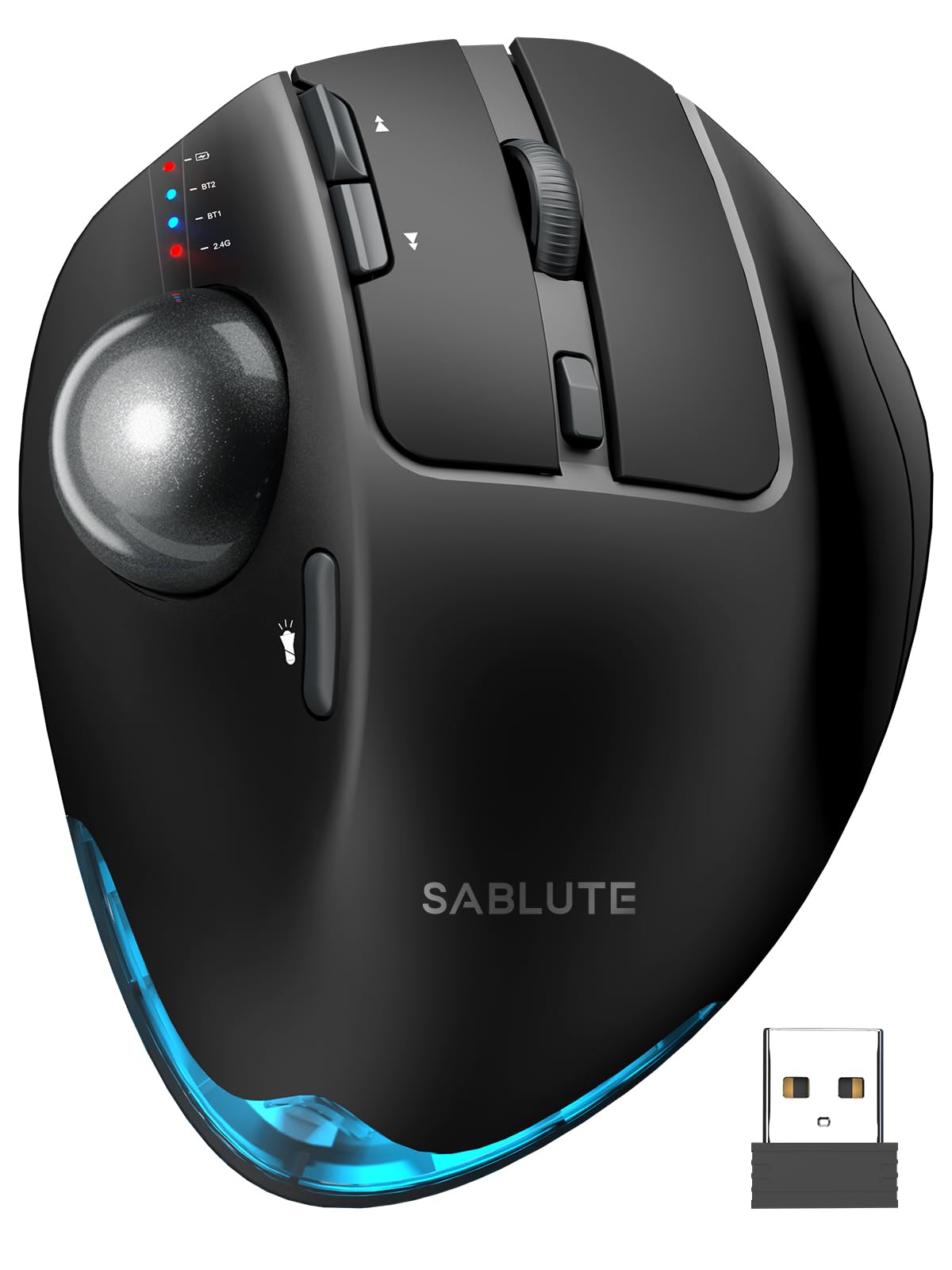
A trackball that lays flat or tilts 18° — whichever your wrist prefers today.
This is the only mouse on the list that lets you change the angle itself. The SABLUTE MAM1 Pro has a hinge that lets you choose between a flat 0° position or an 18° tilt that follows your wrist’s natural resting angle. It is a metal-and-plastic build at 12.64 ounces — noticeably hefty and stable — and that weight gives it a premium, non-slip feel on the desk. Connectivity spans dual Bluetooth modes plus a 2.4GHz USB receiver, so you can pair up to three devices and switch with a button.
Buyers report excellent battery life, charging only once every two to three weeks with 5-7 hours of daily use. The 8 buttons are fully programmable via downloadable software, and the thumb-operated ball is smooth and responsive. The pinch is the button sensitivity — the main buttons are very clicky and prone to accidental presses until you adjust. A few owners also mention a “clanking” sound from the trackball when the mouse is tilted left. Still, the adjustability and solid build make it a strong rival to the Logitech MX Ergo S at a significantly lower price point.
Adjustable ball control
- Adjustable 0°/18° tilt — the only mouse here with this feature
- Hefty metallic base means zero sliding during use
- 8 programmable buttons with downloadable driver (Windows only)
- Three-device switching with Bluetooth + 2.4GHz
Build feels cheap
- Very clicky primary buttons — accidental clicks happen initially
- Trackball can rattle when tilted left
- Driver software not compatible with macOS
Best budget trackball: The adjustable tilt is a genuine innovation for people whose wrist needs shift during the day. If you like the idea of a trackball but want the option to switch between flat and angled, start here.
Skip for durability: your wrist feels better at different angles throughout the day. Look elsewhere if: you want whisper-quiet buttons — these are distinctly clicky.
4. Logitech Lift for Mac Vertical Ergonomic Mouse

A 57° vertical mouse built specifically for Mac and iPad users with small hands.
The Lift for Mac connects exclusively via Bluetooth Low Energy (no USB receiver) and works smoothly with MacBook Pro, MacBook Air, iMac, and iPad — Apple users report immediate relief from arthritis or carpal tunnel pain. The 57-degree vertical angle puts your hand in a relaxed handshake position, and the compact body is designed for small to medium hands. Owners call it “the mouse I didn’t know I needed” for its immediate relief from arthritis or carpal tunnel pain.
The battery life is absurdly good: a single AA battery lasts up to two years, so you change it maybe twice during the entire lifespan of the mouse. Clicks are whisper-quiet, and the magnetic SmartWheel scrolls silently and smoothly. Four customizable buttons give you forward/back navigation and horizontal scrolling through the Logitech Options app. The catch is Bluetooth-only connectivity — there is no included dongle, so older PCs without Bluetooth won’t pair. A few owners also note the scroll wheel can feel sticky or produce an occasional click/recoil sound. But as a dedicated Mac companion, it is the most comfortable vertical mouse in its class.
Mac-tune ergonomics: If your primary computer is a MacBook or iMac and your hands are small to medium, this is the ergonomic upgrade that fits your ecosystem. The 2-year battery life means you set it up and forget it.
Best for Mac users: The most comfortable vertical mouse for Apple users with smaller hands, with a 57-degree angle and a two-year AA battery. The single AA battery that lasts nearly two years is a genuine convenience advantage over the rechargeable PHILIPS SPK7858.
Skip for lefties: you use a Mac or iPad and want a lightweight, quiet vertical mouse. Look elsewhere if: your hands are large or you need a USB dongle for an older Windows PC.
5. TECKNET Wireless Trackball Mouse
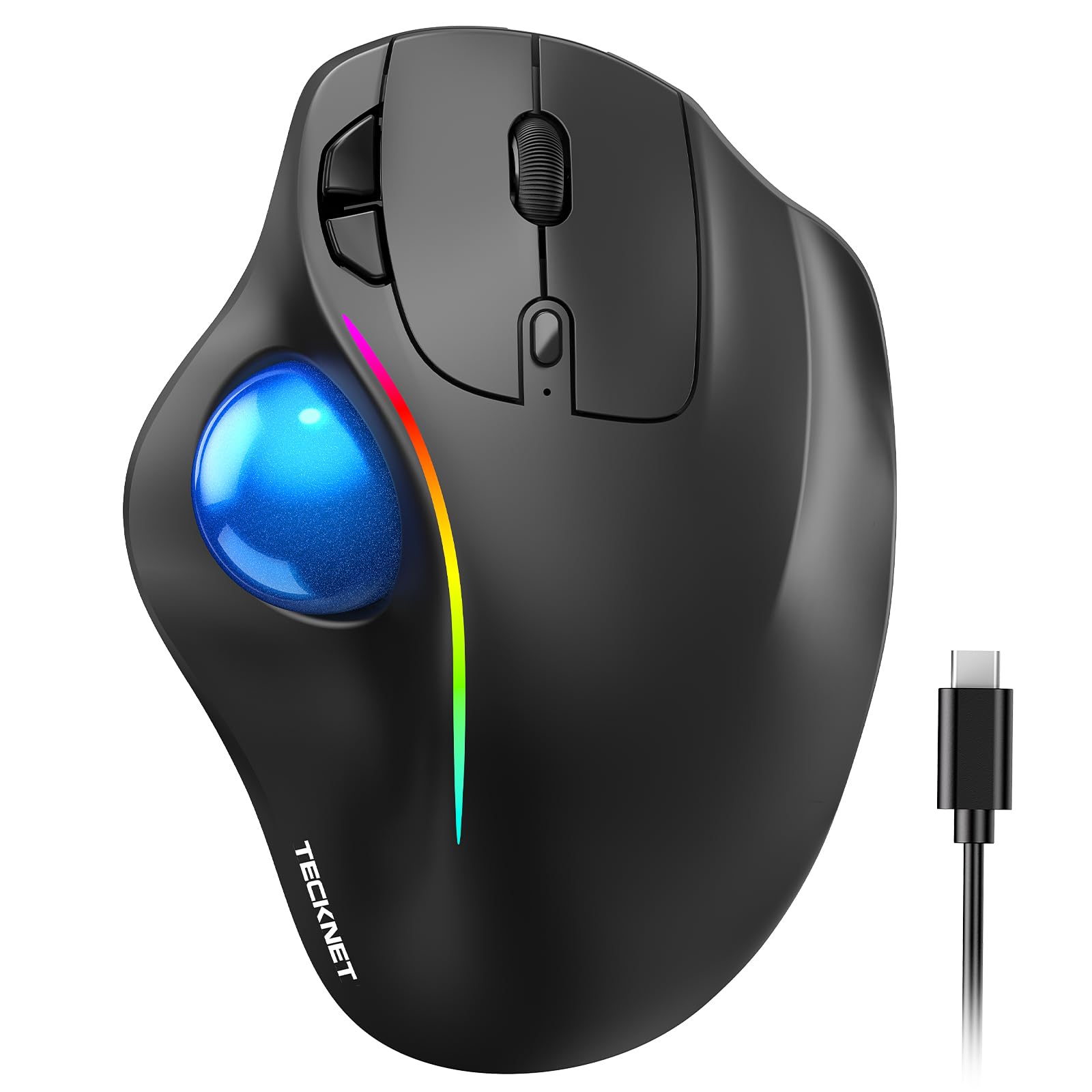
A trackball that punches way above its price, with ergonomics and reliability that rival premium models.
Over 6,200 owners have rated the TECKNET trackball, and reliability is the most-praised quality. The design combines a 16° vertical angle with a thumb-operated trackball, so you get a partial handshake posture plus the arm-stationary advantage of a trackball. It is sized for medium to large hands at 5.5 inches by 4.1 inches, and the RGB lighting adds a bit of personality to a desk setup.
The 500mAh rechargeable battery is one of the best in its class: a 15-minute charge powers a full day of use. Five DPI levels from 100 to 1200 let you adjust sensitivity for everything from fine photo editing to fast cursor sweeps across dual monitors. It connects to three devices via Bluetooth and 2.4GHz and switches with a tap. The main durability note is that some owners mention the scroll wheel becoming erratic after a year or more of heavy use — bouncing or reversing direction. But for the price, the build quality and comfort are exceptional. Many customers note it survived years of daily abuse without issues.
Budget trackball value
- Reliability is the top praise — over 860 owners mention it positively
- Quick 15-minute charge for a full day of work
- 16° angle plus trackball reduces wrist movement significantly
- Tri-device pairing with instant switching
Scroll wheel noise
- Scroll wheel can become erratic after 12+ months of heavy use
- Built for medium-large hands; small-handed users may struggle
- RGB lighting is fixed; cannot be customized
Best cheap trackball: The best budget-friendly trackball that doesn’t feel cheap, with a 16-degree angle and a 500mAh battery that charges in 15 minutes. If you are new to trackball mice and want to try the format without spending Logitech money, start here.
Skip for quiet: you have medium-large hands and want a reliable trackball that charges fast. Look elsewhere if: your hands are small or you need programmable buttons beyond basic DPI and device switching.
6. Lekvey Ergonomic Vertical Mouse
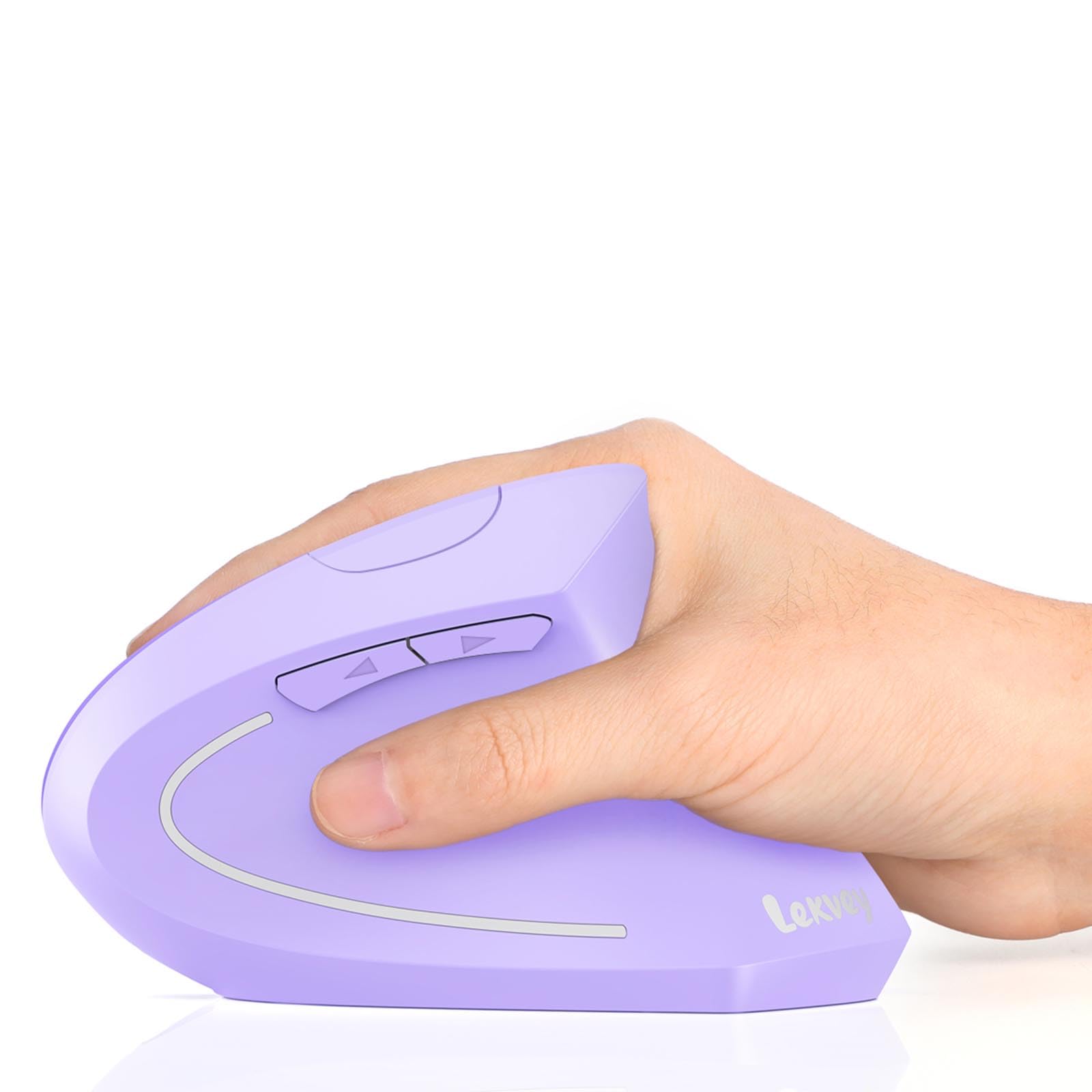
A vertical mouse with a 600mAh battery that many owners say erased their wrist pain.
At 600mAh, the Lekvey holds 20% more battery capacity than the PHILIPS SPK7858 (500mAh). That translates to about 150 hours of use on a full 3-hour charge, plus 120 days of standby. The vertical shape encourages a natural handshake grip, and owners with carpal tunnel report the pain “subsided again” when they switched back to this mouse after trying a standard one.
The 2.4GHz USB receiver gives a strong connection up to 33 feet away, and the six buttons include dedicated page-back and page-forward navigation. Three DPI levels (1000/1200/1600) are limited compared to competitors, but they cover the most common sensitivity ranges for office work. The clicks are whisper-quiet, rated for 9 million clicks. The main limitation is compatibility: the forward and back buttons do not work on macOS, and none of the buttons are programmable. Owners with medium hands find it a comfortable fit, but it is a light plastic build at 0.16 kg, so it does not have the premium heft of the SABLUTE or Logitech trackballs.
Long battery life: The 600mAh cell is the largest in this guide. If you want a rechargeable vertical mouse that stays on for weeks without a top-up, and your budget is tight, this is the one to grab.
Best battery life: A straightforward, affordable vertical mouse with a 600mAh battery that provides 150 hours of use per charge. It gets the ergonomics right and works well for Windows users.
Skip for big hands: you use Windows, want the biggest battery in this class, and need a simple plug-and-play vertical mouse. Look elsewhere if: you use a Mac (forward/back buttons won’t work) or need advanced programmability.
7. Acer Ergonomic Vertical Mouse (OMR290)

The steepest 59° vertical design on the list, built specifically for small to medium hands.
The Acer OMR290 tilts a full 59° — that is 2° more than the Logitech Lift — putting your wrist in a near-vertical handshake posture. It is also the lightest option at just 87 grams (3 oz), making it ideal for tossing into a laptop bag. With 8 buttons and a 3-in-1 side scroll wheel that toggles between window switching, zoom in/out, and horizontal scrolling, it packs serious productivity features into a small frame.
Acer explicitly designed this for small to medium hands — a detail many budget ergonomic mice ignore. The dual-mode connection lets you switch between Bluetooth and 2.4GHz with a double-click of the DPI button, and four DPI levels (1200/2400/3200/4000) give good range. The catch is that it runs on two AAA batteries (not included), and it is not rechargeable. Some reviewers point out the original unit stopped working within 30 days and drains batteries quickly — a reliability inconsistency that shows up enough to mention. On the plus side, the Acer customer service team has a reputation for sending replacements when issues arise, and owners who get a good unit love the comfort and size.
Vertical grip relief
- 59° tilt is the steepest angle — aggressive wrist relief for the converted
- Ultra-light at 87g, easy to carry between desks
- 8 buttons including a 3-mode side scroll wheel
- Good DPI range up to 4000
Sensor tracking jitter
- Not rechargeable — requires AAA batteries you supply
- Reliability split: some units stop working within weeks
- Loud clicks and wheel noise compared to competitors
- Connection can drop after 5 seconds of inactivity
Best vertical entry: The cheapest vertical mouse that actually gets the ergonomic angle right for small hands. It is a solid one-try purchase if you accept the battery and reliability trade-offs.
Skip for precision: you have small hands, a tight budget, and want the steepest wrist angle possible. Look elsewhere if: you want a rechargeable mouse, large-hand comfort, or guaranteed long-term reliability without a warranty claim.
Understanding the Specs
DPI — Cursor Sensitivity
DPI stands for dots per inch — the number of pixels the cursor moves for every inch you move the mouse. A higher DPI means the cursor zips across the screen with a small hand movement, which is useful for large or multi-monitor setups. A lower DPI gives you fine control for detailed work like photo editing. Most ergonomic mice offer adjustable DPI levels (from 800 to 4800) so you can switch between tasks without digging into system settings.
Vertical Angle — The Handshake Posture
Vertical mice tilt your hand so your palm faces inward rather than flat against the desk. This keeps your wrist in a neutral position and reduces pressure on the carpal tunnel. Angles between 57° and 59° are the most common. Some trackball mice add a smaller tilt (16° to 20°) to combine the stationary arm advantage with a slight wrist angle. A steeper angle generally provides more relief but also demands a longer adjustment period — typically 1-2 weeks.
Trackball vs. Vertical Grip
A trackball mouse stays stationary while you roll a ball with your thumb or finger — your entire arm rests on the desk, which eliminates shoulder movement. A vertical mouse still requires you to move your arm across the mouse pad, but your wrist stays straight. Trackball mice are ideal for small desks or for people with existing shoulder pain. Vertical mice feel more natural to first-time ergonomic users because the hand moves the same way it would with a standard mouse.
Battery Type — Rechargeable vs. Disposable
Rechargeable mice with USB-C charging eliminate battery waste cost over time but require a charging habit — you plug them in every few weeks. Disposable-AA mice like the Logitech Lift can run for up to two years on a single battery, which means you never worry about a dead mouse during a workday. The trade-off is ongoing battery purchases and slightly more environmental waste. If you frequently forget to charge devices, a long-life AA model is the lower-friction choice.
FAQ
Will a vertical mouse really stop my wrist pain?
How do I know whether a trackball or vertical mouse is better for me?
Can I use an ergonomic mouse with my Mac or iPad?
What DPI setting should I use for everyday work?
How long do rechargeable ergonomic mice last on a single charge?
Can I connect one mouse to both my work laptop and personal PC?
Are ergonomic mice good for gaming?
Why do some shoppers say an ergonomic mouse stopped working after a few weeks?
Do I need special software to use an ergonomic mouse?
What is the difference between Bluetooth and 2.4GHz connectivity?
Final Thoughts: The Verdict
For most buyers, the best ergonomic mice winner is the PHILIPS SPK7858 because it blends comfortable ergonomics, dual scroll wheels, multi-device connectivity, and a long-lasting rechargeable battery into a single affordable package — and owners consistently say it outpaces far more expensive mice on daily usefulness. If you want the ultimate in wrist-stationary control and the build quality of a premium trackball, grab the Logitech MX Ergo S. And for Mac users with small to medium hands who value battery longevity above all, the Logitech Lift for Mac is the one to reach for.
How We Picked
We do not accept paid placement. Every pick is matched to a real buyer and a real use-case; we do not hands-on test units.
Sources & Methodology
Specifications: manufacturer listings and product documentation. Review insights: verified customer reviews, as of July 2026. Pricing: not shown on this page (it changes often); check the current price via the retailer link.
As an Amazon Associate, WellFizz earns from qualifying purchases. This does not affect which products we feature.
Related Guides

Mo Maruf
I created WellFizz to bridge the gap between vague wellness advice and actionable solutions. My mission is simple: to decode the research and give you practical tools you can actually use.
Beyond the data, I am a passionate traveler. I believe that stepping away from the screen to explore new environments is essential for mental clarity and physical vitality.