Our readers keep the lights on and my smoothie glass nicely filled. As an Amazon Associate, I earn from qualifying purchases.
Specs are compiled from manufacturer listings and verified buyer reviews and can change over time — please confirm the key details on the product page before buying.
You got burned by a tablet. A glowing screen that kept you up, a pile of notifications that killed the mood, and a backlit glare that hurt after ten pages. So you swore off digital reading entirely. The problem is that your phone and your tablet are just that—glowing LCD or OLED screens. An ereader is a totally different machine, built with an E Ink display (a screen that uses tiny microcapsules of ink particles to mimic the look of real paper), and it has zero social media, zero email alerts, and zero backlight bleed. This guide cuts through the marketing noise to find the one device that finally makes digital reading feel natural—even if you have hated every ereader you have ever touched.
I’m Mohammad Maruf — the founder and writer behind WellFizz. This guide is built by comparing the manufacturers’ published specifications and the patterns across verified customer reviews, so you get each pick’s real strengths and trade-offs instead of marketing spin.
If you swore off digital books because tablets feel like work, the right device changes everything — here is our take on the ereader for people that hate ereaders.
Our Picks at a Glance


How To Choose The Best Ereader For People That Hate Ereaders
To pick the right ereader, you need to ignore the brand hype and focus on what actually makes you hate reading on screens. The fix is a glare-free display you can read in sunlight, a battery that lasts for weeks (so you are not hunting for a charger), and an interface that blocks out all other apps. The three specs below are the only ones that matter for converting a skeptic.
Display Type: E Ink vs LCD/OLED
A cheap tablet has an LCD or OLED screen that emits its own light straight into your eyes. An ereader uses E Ink (a display made of millions of tiny black-and-white particles suspended in a clear fluid) that reflects ambient light just like a printed page. No glare, no blue-light fatigue, and no eye strain after two hours. If you hate reading on screens, you must pick E Ink.
Battery Life Measured in Weeks
A phone lasts a day. A tablet lasts an afternoon. A proper ereader should last between two and twelve weeks on a single charge because E Ink only draws power when the page changes. A short battery life is a sign of a bad ereader that is wasting energy on something else, like a slow processor or a gimmicky feature.
Closed vs Open Ecosystem
A closed ecosystem (like Amazon’s Kindle) locks you into its store and file format. An open ecosystem (like Android-based ereaders or a brand that supports standard EPUB files) lets you download books from public libraries, independent stores, or your own collection. If you hate being told where to buy your books, go open.
Quick Comparison
| Model | Best For | Display | Battery Life | Storage | Amazon |
|---|---|---|---|---|---|
| Kindle Paperwhite 16GB★ Best Overall | The overall winner | 7″ Glare-Free E Ink | 12 weeks | 16 GB | Amazon |
| Kobo Clara BWOpen Ecosystem Favorite | Open ecosystem freedom | 6″ Glare-Free E Ink | 2 weeks | 16 GB | Amazon |
| PocketBook VerseBattery Beast | Long battery extreme | 6″ E-Ink Carta HD | 1 month | 8 GB + microSD | Amazon |
| PocketBook Verse Lite | Budget open ecosystem | 6″ E-Ink Carta | 2 months | — | Amazon |
| Amazon Kindle 16GB | Lightest Kindle | 6″ Glare-Free | 6 weeks | 16 GB | Amazon |
| NOOK GlowLight 4 Plus | Large waterproof screen | 7.8″ E Ink | — | 32 GB | Amazon |
| NOOK Glowlight 4 | Physical button feel | 6″ 300-dpi E Ink | Weeks | 32 GB | Amazon |
| OBOOK6 eReader | Cheapest Android e-reader | 6″ 300ppi E Ink | 2 weeks | 32 GB | Amazon |
| OBOOK5 eBook Reader | Tiny pocket reader | 4.26″ E Ink | 2 weeks | 32 GB | Amazon |
In‑Depth Reviews
1. Amazon Kindle Paperwhite 16GB
Our pick — over 4.5★ from 21,500+ verified ratings; the strongest balance of quality and price.
The one that finally makes a skeptic realize ereaders are not tablets.
This is the fastest Kindle Paperwhite Amazon has ever made, with a new 7-inch glare-free screen that has a higher contrast ratio and delivers 25% faster page turns than the previous model. What that means in real life is that flipping pages feels instant, and the text is dark and sharp on a bright white background that looks nothing like a phone screen. The ultra-thin design is surprisingly lightweight, making it comfortable to hold with one hand for hours. The absence of social media, notifications, or any other distracting apps means you simply open the book and disappear into it — the core promise that skeptics need.
The battery life is the biggest argument for trying an ereader at all — a single USB-C charge lasts up to 12 weeks. Compared to the OBOOK5 which manages 2 weeks, that is a massive real-world advantage; you can forget where the charger is and never worry. The adjustable front light lets you shift from white to amber, so reading in bright sunlight or in complete darkness is equally easy on the eyes. The waterproof build (IPX8 rating) means you can take it by the pool, into the bath, or anywhere without second-guessing. With 16GB of storage, it holds thousands of books. The main trade-off is that it is a closed Amazon ecosystem — you buy books from the Kindle Store, and you cannot easily borrow from a local library’s ePub collection. For most people that convenience trumps the flexibility, but it is worth knowing.
Thousands of owners rave about the battery and glare-free reading experience. The bezel color gets mixed reactions, a minor style gripe.
What wins people over
- 20% faster page turns and a higher contrast 7-inch screen that is crisp and sharp.
- 12-week battery life on a single charge means zero charger anxiety.
- Waterproof design and adjustable warm light for any reading environment.
The honest trade-off
- Closed Amazon ecosystem; no native support for library ePub side-loading.
- No physical page-turn buttons (all touchscreen).
- The bezel color divides opinion.
Reach for this if: you want the most polished, distraction-free reading experience with the longest battery life and a display that actually disappears in sunlight.
Consider the Kobo if: you already own hundreds of ePub books from public libraries and need an open file-format system.
2. Kobo Clara BW
The lightweight rebel that frees your library from any one store.
If you refuse to be locked into Amazon’s bookstore, the Kobo Clara BW is your strongest contender. It packs a 6-inch glare-free E Ink Carta 1300 HD display that owners describe as “crisp, clear, and easy on the eyes — particularly in night mode”. The ComfortLight PRO feature adjusts both the brightness and the color temperature, removing blue light so the screen does not interfere with your sleep. It also supports Dark Mode and audiobooks via Bluetooth.
One of the biggest advantages here is the open format support — it reads EPUB, PDF, and MOBI files natively. That means you can borrow from your local library through OverDrive directly on the device, load books from third-party stores, or use software like Calibre to manage a personal collection without any format conversion headaches. A reviewer who upgraded from a 2020 Kindle Paperwhite called the Clara BW “faster page turns and downloads, less cluttered interface”. The device is notably lighter than the Paperwhite at just 6.14 ounces, making it vanish in one hand. The IPX8 waterproof rating is on par with the Kindle Paperwhite, so poolside reading is safe. The honest caveat is the battery — it lasts around 2 weeks, which falls far short of the Paperwhite’s 12 weeks. You will charge it noticeably more often.
Why it wins for library lovers: direct OverDrive integration and native ePub support mean you never have to buy a book from a single store. The screen is genuinely beautiful, and the comfort light keeps you reading without eye fatigue.
Who might hesitate: readers who want to charge once every season will prefer the Paperwhite’s 12-week battery. Also, you cannot read Kindle-format books here without converting them.
Choose this if: you borrow from public libraries, already have an ePub library, or just do not want to feed the Amazon ecosystem.
Stick with the Paperwhite if: you plan to buy all your books from Kindle and want the absolute longest battery on the market.
3. PocketBook Verse
An open, expandable reader that lasts a month and plays games.
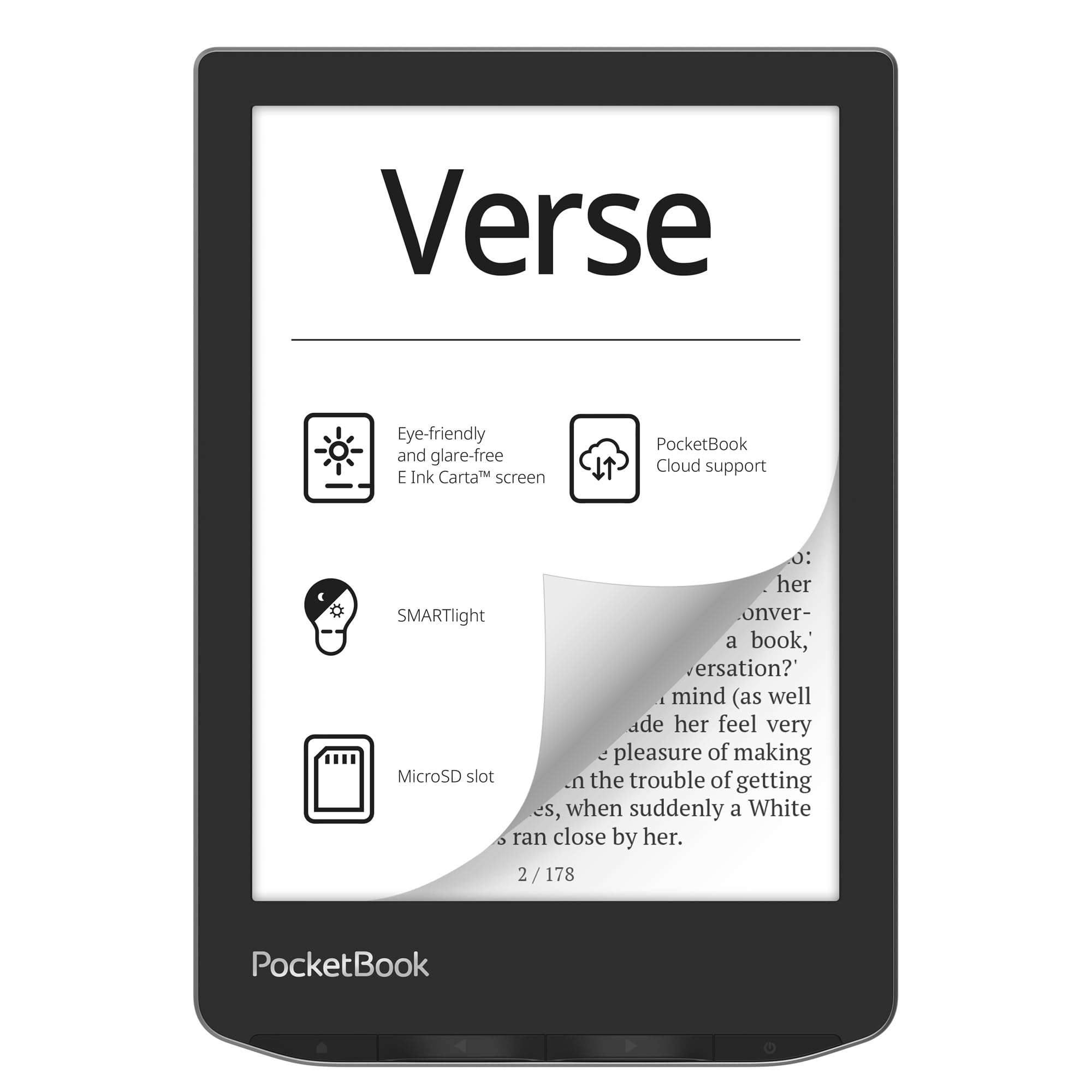
The PocketBook Verse takes an entirely different approach to battery life. While the Kobo Clara BW gives you 2 weeks and the Kindle Paperwhite gives you 12 weeks, the Verse sits in a luxury middle ground at up to one month per charge. But it offers something neither of those can match: expandable storage via a microSD card slot that supports up to 128GB. That means your library is effectively limitless. The 6-inch E-Ink Carta HD touchscreen is crisp, and the SMARTlight feature lets you adjust both brightness and the color temperature from warm to cool, which owners call “eye-friendly for long reading sessions.”
The file format support is the widest of any reader on this list — it handles EPUB, FB2, DOC, DJVU, PDF, JPEG, CBR, CBZ, and even Adobe DRM-protected files. You can sync via PocketBook Cloud, free from any single bookstore. A long-term owner reports using it with Calibre and a 128GB SD card for a 5,000-book library with no issues; after nearly a year of light reading, they had only recharged once. The device also includes simple built-in games, which is a surprising extra for downtime. The flip side is that the initial setup can feel slightly sluggish due to limited RAM, and some owners find the highlighting tool frustrating. There is also a concern about Mozilla ending the PocketBook cloud service for US users, which limits remote syncing. At 0.34 kg (about 12 oz), it is slightly heavier than the ultra-light Kobo, but still comfortable for one-handed reading.
What makes it special
- Expandable storage up to 128GB via microSD card slot.
- Supports 25+ file formats including CBR/CBZ comics and Adobe DRM.
- Battery lasts a month of real reading with Wi-Fi off.
The trade-offs
- Cloud sync service may become unreliable in the US.
- Onboard software can be glitchy; some buyers report cache issues.
- No Libby/library app support natively (as of early 2026).
Go for this if: you have a massive personal collection of eBooks in varying formats and want a device that just opens them all without conversion.
Skip this if: you rely heavily on library apps like Libby — the Kobo Clara BW is a smoother fit for that.
4. PocketBook Verse Lite

A stripped-down reader that prizes battery over frills.
The PocketBook Verse Lite drops the SMARTlight color temperature and the microSD slot of its bigger sibling, but it keeps the core open-format philosophy and adds an incredible 2-month battery life. That is actually longer than the Paperwhite’s 12 weeks in a different measurement context — the Lite is rated for up to 2 months between charges, which is the kind of figure that makes a tablet user laugh and then reconsider their entire approach to reading. It uses a 6-inch E Ink Carta touchscreen with a built-in frontlight that is glare-free, so you can read in direct sunlight without squinting. The device is compact and weighs 328 grams (about 11.6 oz), which is in the same one-handed ballpark as the Kobo.
Format support covers EPUB, PDF, MOBI, TXT, DOC/DOCX, and HTML, plus Adobe DRM and LCP DRM-protected files. That means it works with public library books through Adobe Digital Editions. One owner who compared it to Kindle called it “a lightweight and legible alternative” but noted the PocketBook store is heavily German-language and the device does not support Amazon proprietary formats. If you already own a scattered library from multiple sources, this is a cheap way to unify it. The catch is that the ecosystem is messy — syncing books is less smooth than a Kindle or Kobo, and the few reviews mention the screen can flicker randomly on some units. It is a no-frills tool, not a polished appliance.
The strongest argument: two months of reading on one charge and the ability to load any standard book file from any source. Perfect for a dedicated reader who resents being sold a subscription.
The honest catch: the store ecosystem is not well-supported in English, so you must be comfortable side-loading your own files. Random flickering is a rare but possible defect.
Pick this if: you side-load your own books and want maximum battery life on a budget without being locked to Amazon.
Stick with the Kobo if: you want a slick app-based library lending experience rather than manual file transfers.
5. Amazon Kindle 16GB

The entry-level Kindle that sneaks into bags unnoticed.
This is the lightest and most compact Kindle Amazon makes, and its defining trait is portability. The 6-inch glare-free display has a front light that is now 25% brighter at max setting, plus a dark mode for nighttime reading. At 16GB, it holds thousands of books, and the battery life reaches up to 6 weeks on a single charge — which is still excellent compared to any phone or tablet. Owners rave about the size, calling it “perfect for traveling” and noting that it fits in pockets and purses. It is noticeably lighter than the Paperwhite, which makes it the easiest to hold for long periods, especially if you have smaller hands or read in bed.
The entry-level positioning means it skips a few features: it is not waterproof, it lacks the warm light adjustable color temperature of the Paperwhite, and the ad-supported version has lock-screen ads (you can pay to remove them). The screen resolution here is still crisp and adjustable, but it does not have the 300ppi sharpness of the Paperwhite. Still, for the price, it is a fantastic gateway drug for someone who has sworn off digital reading entirely — the low weight and long battery make the switch almost frictionless. A reviewer who upgraded from a 2014 Kindle Fire said “very light, one-handed use, adjustable brightness for night reading.”
What makes it great
- Lightest and most compact Kindle, fits in a jacket pocket.
- 6-week battery life with USB-C charging.
- 25% brighter front light at max setting for sunny days.
What you give up
- No waterproofing, no warm light adjustment.
- Basic model has lock-screen ads by default.
- Lower screen resolution than the Paperwhite.
Buy this if: you want the lightest possible reader for a bag or purse and are okay with a no-frills basic Kindle experience.
Upgrade to the Paperwhite if: you need waterproofing, a 7-inch screen, or the warm amber light for reading in bed.
6. NOOK GlowLight 4 Plus 7.8″

A giant seven-inch plus screen for those who find standard readers too cramped.
If you hate ereaders because the screen felt like reading on a postage stamp, the NOOK GlowLight 4 Plus solves that with a 7.8-inch E Ink display. That is a substantial 64% more screen area than a 6-inch reader like the OBOOK5, giving you more words per page and fewer page turns. Owners call it “way better to read than the 6 inch found in many other similar priced products.” It comes with 32GB of storage, a waterproof design, physical page-turn buttons, and a soft-touch finish on both front and back that makes it easy to grip. The night mode and Bluetooth support (for audiobooks) round it out.
The tricky part is reliability. This renewed model has a mixed track record: some owners mention a device that “runs Android” and can be customized with alternative launchers, which is a major plus for tinkerers. But others report random crashes, failed firmware updates that brick the device, and poor customer support. The battery life also gets mixed feedback — some say it holds a good charge, others report charging issues. A reviewer switching to a competing brand summed it up: “software, battery, and hardware inferior to competitors; only advantage is page-turn buttons.” For the right buyer — someone who wants a large, waterproof screen on a budget and does not mind some risk — it is a great value. For the average person who hates troubleshooting, the Kindle Paperwhite is safer.
Why it stands out: that 7.8-inch screen is genuinely more comfortable for extended reading, and the physical page-turn buttons give it a book-like feel that touch-only readers lack.
Who should be cautious: if reliability and low-maintenance operation are your top priorities, the mixed reviews on software stability and battery life make this a riskier bet than the Paperwhite or Kobo Clara.
Best for: a second-hand bargain hunter who wants a large screen and knows how to sideload custom software in an Android environment.
Skip it for: a first-time ereader buyer or anyone who wants a low-maintenance device. The Paperwhite or Kobo are far more polished.
7. NOOK Glowlight 4 (6″)

A classic Nook with physical buttons that give you a tactile page-turn.
The NOOK Glowlight 4 is a 6-inch 300-dpi high-resolution screen with a built-in glare, scratch, and fingerprint-resistant lens, so it stays clean and readable in sunlight. The headline feature is the physical page-turn buttons — if the thing you hate most about ereaders is tapping a glass screen, this gives you a satisfying click every time. Owners say the buttons are “precise and comfortable” and the larger side bezels help with grip for large hands. This renewed model comes with 32GB of storage, which is double what the standard Kindle offers, and the warm amber backlight is described as “eye-friendly” for evening reading.
The battery life is the biggest caveat here. While the product claims “read for weeks on a single charge,” the owner consensus is that the battery is problematic, with one owner calling it “the only con” — it never holds a charge properly for some units. This seems to be a common issue with older Nook hardware, so it is a real gamble. On the positive side, owners love that it supports ePub files and allows easy side-loading of books from public libraries, a feature that makes it “better than Kindle for this reason.” At 5.95 ounces, it is about the same weight as the Kobo Clara BW, so it is comfortable for extended holds.
The strong points
- Physical page-turn buttons provide a satisfying, book-like tactile response.
- 32GB storage and native ePub support for library books.
- 300-dpi screen with scratch-resistant lens is sharp and durable.
The honest downside
- Battery life is widely reported as a problem — treat it as a known risk.
- Renewed unit may have varying cosmetic or performance quality.
- No USB-C charging; older micro-USB port.
Best for: readers who miss the feel of turning a page and want a large storage capacity for library eBooks without the Kindle lock-in.
Consider the Kobo Clara BW if: you also want physical buttons but cannot gamble on a spotty battery; the Kobo is more reliable overall.
8. OBOOK6 eReader (6″)
A surprisingly capable Android reader for a bargain price.
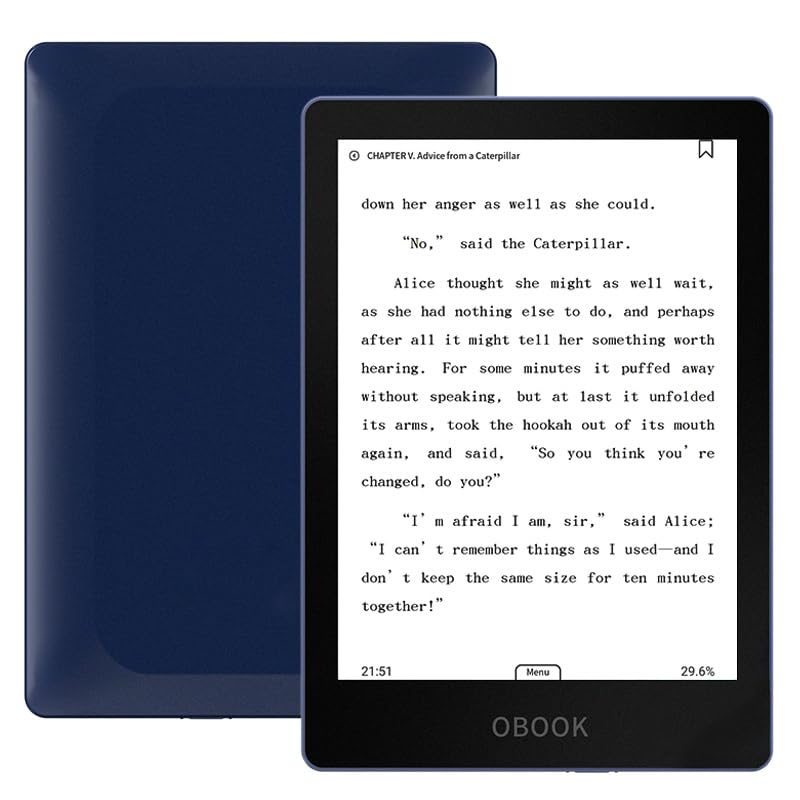
The OBOOK6 is the cheapest way to get a modern, open Android-based e-reader with a backlight. It uses a 6-inch 300ppi glare-free E Ink display that provides crisp text, and the adjustable front light lets you read in bright or dim settings. Because it runs Android, you can download your favorite reading apps directly — whether that is Libby for library books, Google Play Books, or a third-party reader like Moon+ Reader. It is the freedom that the Kindle ecosystem denies you. Owners say it is “surprisingly well-built for the price” and “cheapest basic e-ink reader with backlight on the market.” With 32GB of storage, you can hold a massive library without worrying about space.
The low price comes with compromises. The battery life is rated at 2 weeks, which is half the Paperwhite’s, and heavy users report 3 to 4 days of real-world use with Wi-Fi on. A few customers note the screen is easily damaged by light pressure after a short time, and customer service is nonexistent. The initial setup can feel slightly sluggish due to small RAM, and one owner found the dark blue color off-putting enough to return it. For around the same money, the entry-level Kindle is more polished and reliable, but it locks you into Amazon. If you need an open system and a low budget, the OBOOK6 is a solid, if slightly rough, contender.
Why it is interesting: Android means you are not trapped in any one store — Libby, Kobo, Google Play, and standard ePub files all work. It is faster and more responsive than some competing budget Android readers.
The catch: build quality concerns from a few owners, a screen that can be fragile, and a battery that demands weekly charging if you read heavily.
Pick this if: you absolutely must have an open Android system and are on a tight budget — the price-to-flexibility ratio is class-leading.
Go with the base Kindle if: you want a more reliable, polished reading experience. The OBOOK6 is for tinkerers, not for everyone.
9. OBOOK5 eBook Reader (4.26″)
A tiny reader that fits a man’s wallet and goes anywhere.
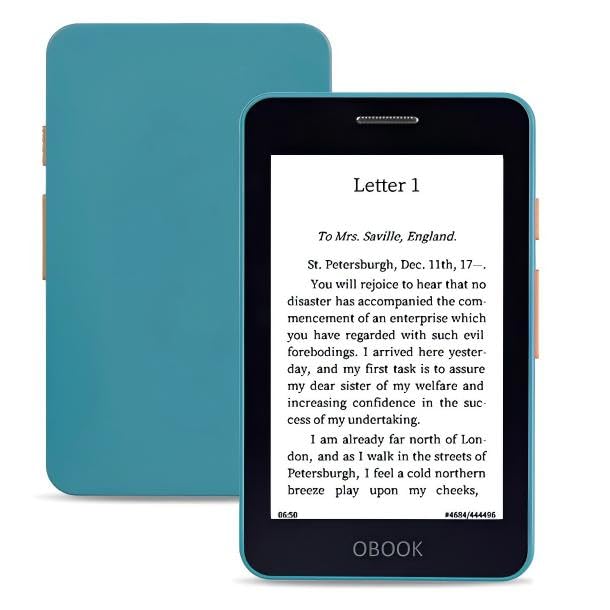
The OBOOK5 is the most portable ereader on this list by a wide margin. Its 4.26-inch glare-free E Ink display is about the size of a smartphone screen, but it is dedicated entirely to reading. At 4.92 inches by 2.76 inches and just 0.32 inches thick, it genuinely disappears into a pants pocket. Owners call it “ultra-lightweight, pocketable, fits hand for one-handed reading.” It supports audiobooks via a built-in speaker or Bluetooth headphones, and the adjustable front light lets you read in darkness. The 32GB of storage holds thousands of books, and the battery lasts about 2 weeks. The page-turn buttons make one-handed reading easy.
The biggest trade-off is the screen quality. Several reviewers point out that “text can look pixelated; font settings help” — the low pixel density means you see the E Ink grid up close, which defeats the “real paper” illusion for some. The operating system is a closed system (no Android), so you cannot install third-party apps like Libby. There is no dictionary, and transferring books to the device requires a manual cable connection. One owner who was disappointed said “avoid, screen quality is awful and the interface is slow and sluggish.” For the right person — someone who values pocketability above all else and reads mostly outdoors where pixel density matters less — it is a genuinely unique device. For anyone else, a 6-inch reader is a better reading experience.
The unique appeal
- Pocket-sized portability — it is the only ereader on this list that fits in a jeans pocket.
- Page-turn buttons, backlight, and audiobook support in a tiny package.
- 32GB storage and a very low entry price.
The real downsides
- Screen pixelation is noticeable up close; the low PPI is distracting.
- Closed system, no dictionary, no app support, manual file transfers.
- Some shoppers say sluggish interface and poor software quality.
Reach for this if: your number-one requirement is a device that slips into a pocket for bus, subway, or waiting-room reading and you are not fussy about text sharpness.
Skip this if: you want a crisp, high-resolution screen for literary fiction or dense non-fiction. The Kobo Clara BW or Kindle Paperwhite are far better for that.
Understanding the Specs
E Ink vs LCD/OLED: The Real Difference
An E Ink display is not a screen in the traditional sense. It is a sheet of tiny microcapsules filled with charged black and white pigment particles. When you turn a page, an electric field flips the particles to form text, and then the screen stops drawing power entirely. That is why you get weeks of battery — the device only uses energy during page turns, not to keep the text visible. An LCD or OLED screen, by contrast, is constantly emitting light and drawing power, which is why a tablet lasts only a few hours. If you hate screens because of eye strain, E Ink is the answer.
Battery Life: How It Is Measured
Manufacturers list battery life based on “30 minutes of reading per day with Wi-Fi off and front light at a specific brightness setting.” That means a 12-week battery in the spec translates to roughly 42 hours of actual reading time. In real-world use, if you read for three hours every day, that battery will last closer to two weeks. The key takeaway is that any ereader on this list outlasts a phone or tablet by a huge margin. The real question is how often you want to think about charging: once a season (Paperwhite at 12 weeks) vs once a month (PocketBook Verse) vs every two weeks (Kobo Clara BW).
Screen Resolution (PPI / dpi)
PPI stands for pixels per inch — the number of tiny dots of ink the display uses to create each letter. A 300 PPI screen (like the Kobo Clara BW, the Kindle Paperwhite, the NOOK Glowlight 4, and the OBOOK6) produces sharp, book-quality text with no visible jagged edges. A 212 PPI screen (like the PocketBook Verse) is still very readable but you can see the faint grid if you look closely. Below 200 PPI (like the OBOOK5 at 219 PPI but on a small 4.26-inch screen), the text can look pixelated, especially in smaller font sizes. For extended reading, 300 PPI is the balance.
Open vs Closed Ecosystem
A closed ecosystem (Kindle) means all your books come from the Kindle Store and are locked in Amazon’s proprietary format (AZW/KFX). You cannot borrow from a public library using the Kindle’s native software. An open ecosystem (PocketBook, Kobo, Android-based readers like OBOOK) supports standard EPUB files, which are the format used by 99% of public libraries and independent bookstores. You can download a book from your library’s website, transfer it via USB, and start reading in seconds. If you hate being told where to shop, an open ecosystem is essential.
FAQ
Can I read library books on these ereaders?
What is the difference between E Ink and a regular tablet screen?
How long does the battery actually last in real-world use?
Can I read in the dark without a backlight?
Can I listen to audiobooks on these ereaders?
Which ereader is best for reading in direct sunlight?
What file formats do these ereaders support?
Can I read comics or manga on these ereaders?
Which ereader has the best build quality?
Final Thoughts: The Verdict
For most people who hate ereaders, the winner is the ereader for people that hate ereaders: the Amazon Kindle Paperwhite 16GB because it delivers the best combination of a large, crisp 7-inch screen, a 12-week battery that removes charging anxiety entirely, and a distraction-free interface that simply disappears so you can focus on reading. If you refuse to be locked into Amazon’s ecosystem and want library support, the Kobo Clara BW is the best alternative with its native OverDrive integration and lightweight, waterproof design. And for maximum battery life and the widest file format support, the PocketBook Verse with expandable microSD storage is a fantastic choice for those who side-load their own books.
How We Picked
We do not accept paid placement. Every pick is matched to a real buyer and a real use-case; we do not hands-on test units.
Sources & Methodology
Specifications: manufacturer listings and product documentation. Review insights: verified customer reviews, as of July 2026. Pricing: not shown on this page (it changes often); check the current price via the retailer link.
As an Amazon Associate, WellFizz earns from qualifying purchases. This does not affect which products we feature.
Related Guides

Mo Maruf
I created WellFizz to bridge the gap between vague wellness advice and actionable solutions. My mission is simple: to decode the research and give you practical tools you can actually use.
Beyond the data, I am a passionate traveler. I believe that stepping away from the screen to explore new environments is essential for mental clarity and physical vitality.