Our readers keep the lights on and my smoothie glass nicely filled. As an Amazon Associate, I earn from qualifying purchases.
Specs are compiled from manufacturer listings and verified buyer reviews and can change over time — please confirm the key details on the product page before buying.
Comics on a standard ereader usually look like muddy gray blobs where the art’s punch is gone. The fix is a color e-ink screen, but not all color screens are equal for panel-by-panel reading. You want the right display size, storage, and color tech so your graphic novels feel like paper, not a washed-out phone screen.
I’m Mohammad Maruf — the founder and writer behind WellFizz. This guide is built by comparing the manufacturers’ published specifications and the patterns across verified customer reviews, so you get each pick’s real strengths and trade-offs instead of marketing spin.
This list flexes on screen size to catch the best color models for your favorite graphic novels, and every pick here earned its spot for how it renders artwork. Find the right ereader for comics that keeps panels sharp and colors true.
Our Picks at a Glance


How To Choose The Best Ereader For Comics
Comics are a different beast from novels. They are visual first, so the screen’s color reproduction and size matter more than text sharpness. You need to know what makes a screen good for art before you buy.
Screen Size and Color Technology
Standard 6-inch ereaders make you zoom constantly on detailed panels. For comics, look for 7 inches or larger, though even 7-inch models benefit from a panel view feature that lets you focus on one panel at a time. Color e-ink screens use a filter layer, which softens tones compared to a phone or tablet.
Storage and File Support
Comic files are big, especially full-color graphic novels. A 16 GB model can still hold hundreds of titles, but 32 GB gives you breathing room for a serious collection. Check that the device reads common comic formats like CBZ or CBR if you buy files outside the brand’s own store.
Physical Features for Long Reads
Weight and grip shape decide if you can read for an hour comfortably. Some models add page-turn buttons, which are a genuine help when you are holding a larger device. Waterproofing is a nice safety net if you read at the pool or in the bath.
Quick Comparison
| Model | Best For | Screen Size | Storage | Water Rating | Amazon |
|---|---|---|---|---|---|
| Kindle Colorsoft 16 GB | Balanced color comics and novels | 7 inches | 16 GB | Waterproof | Amazon |
| Kobo Libra Colour | Library borrowing and buttons | 7 inches | 32 GB | IPX8 | Amazon |
| PocketBook InkPad Color 3 | Bigger color canvas | 7.8 inches | 32 GB | IPX8 | Amazon |
| Kindle Colorsoft Signature Bundle | Wireless charging convenience | 7 inches | 32 GB | Waterproof | Amazon |
| PocketBook InkPad Eo | Large-screen note-taking | 10.3 inches | 16 GB | Not specified | Amazon |
| Kindle Scribe Colorsoft 64GB | Reading and writing on one page | 11 inches | 64 GB | Not specified | Amazon |
| reMarkable Paper Pro | Paper-like writing focus | 11.8 inches | Not specified | Not specified | Amazon |
In-Depth Reviews
1. Amazon Kindle Colorsoft 16 GB
The color Kindle that makes panel-view reading feel like holding the paper original.
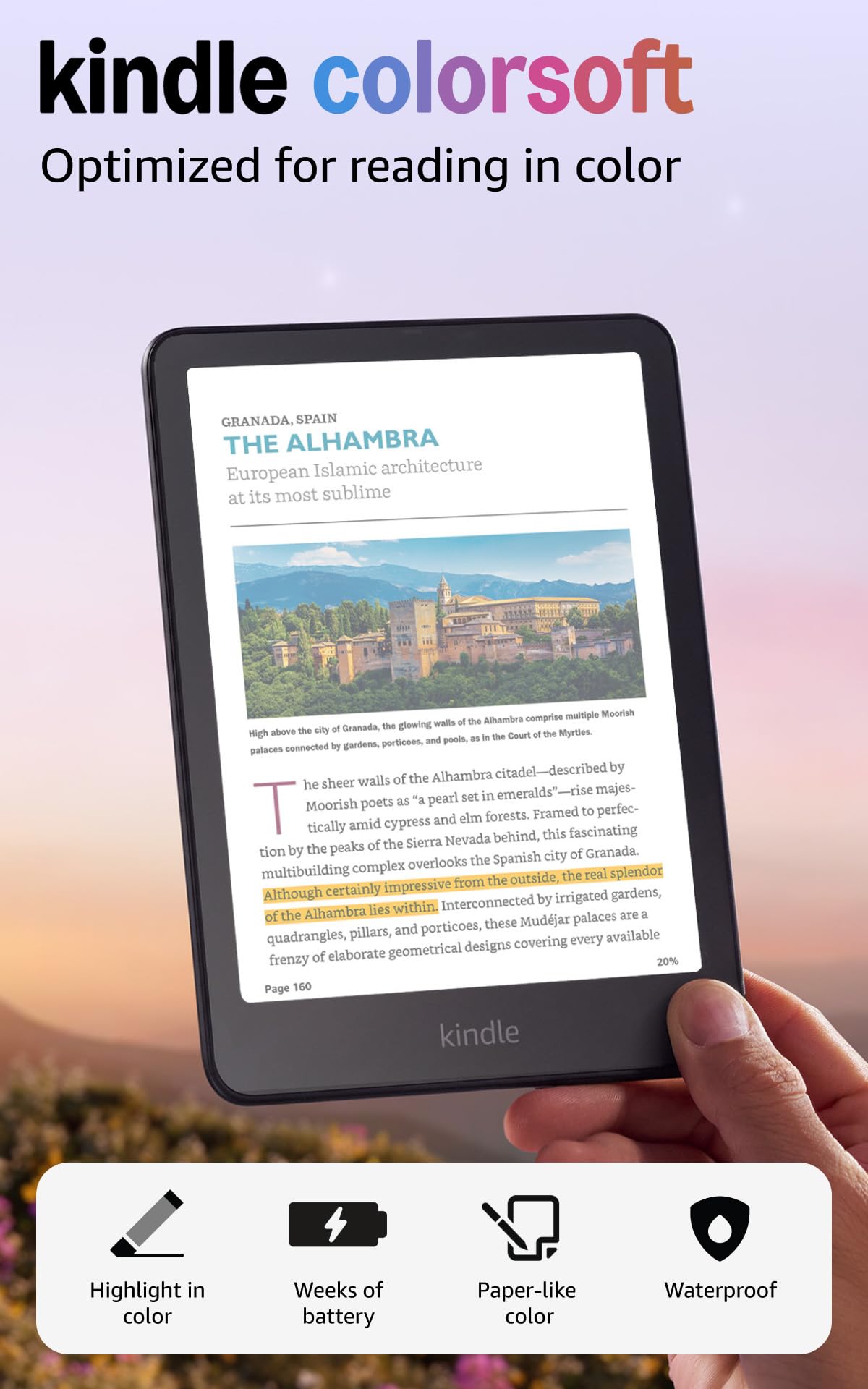
A 4.5-star average across thousands of owners makes this the crowd favorite for versatility. Its 7-inch Colorsoft display renders muted, newsprint-like tones that reviewers consistently call excellent for comics and graphic novels, especially when you switch to panel view. The color is not vibrant like a tablet, but it is calm and paper-like, which is exactly what long reading sessions need.
Battery life is the standout daily convenience: a single USB-C charge lasts up to 8 weeks, so you can leave the charger at home on a long trip. The waterproof build means poolside or bath reading is safe, and the adjustable white-to-amber light handles bright sunlight and dark bedrooms alike. Owners also love highlighting scenes in yellow, orange, blue, and pink, a small feature that makes a big difference for studying art.
The honest trade-off is text sharpness. Black-and-white text is slightly less crisp than the Paperwhite, and you may need to bump brightness up about 5 points. Buyers report the color is duller than an iPad app, one comparing it to a 90s computer screen, but for comics specifically, this is the model they recommend when the price is not a factor. As owners put it: “Muted colors like newsprint; excellent for comics/graphic novels, panel view preferred.”
What wins people over
- Color highlighting in four shades works beautifully for marking up art
- 8-week battery life on one charge means true low-maintenance travel
- Waterproof build survives poolside and bath reading sessions
Where it compromises
- Text is less sharp than the Paperwhite for pure novel reading
- Colors are muted and quieter than a tablet’s vivid palette
- Needs a brightness bump in some lighting conditions
Reach for it: comic readers who want the best all-around color experience with the reassurance of Amazon’s massive store and a proven track record.
Look elsewhere: if your library is mostly text novels and color is just a bonus, the Paperwhite gives you sharper text for less.
2. Amazon Kindle Colorsoft Essentials Bundle (Fabric Cover)
The color Kobo with physical page-turn buttons and double the storage of the base Kindle.
The Kobo Libra Colour impresses with a 7-inch color e-ink screen that owners say makes book covers, comics, and graphic novels come to life. The ergonomic design includes page-turn buttons plus left and right screen rotation, so you can hold it comfortably in either hand. At 7.05 ounces it is genuinely light, and the IPX8 waterproof rating means it survives up to 60 minutes in up to 2 meters of water.
You can carry up to 24,000 eBooks or 150 Kobo Audiobooks thanks to the 32 GB of storage, so your whole comic collection fits in your bag. It reads CBZ files natively (a compressed format for comic pages), which is a huge plus if you have your own archives. Owners call direct library borrowing a standout versus other brands., and the adjustable blue light (a setting that reduces eye strain) is a nice touch for night reading.
The downsides are few but real. Power button placement is awkward, there is no corded headphone support, and the color is less bold than a black-and-white e-ink screen. Some note the screen lacks brightness and contrast compared to Kindle models, and library browsing is curated lists rather than organized by genre or author.
What makes it special
- Physical page-turn buttons make one-handed comic reading easy
- 32 GB storage holds a massive collection without worry
- Native CBZ support means your own comic files just work
Where it falls short
- Screen contrast is softer than a dedicated black-and-white ereader
- Power button placement takes getting used to
- No headphone jack for wired audio
Grab it: comic readers who already have CBZ files or borrow heavily from their local library, and want buttons over taps.
Skip it: if you are invested in Amazon’s Kindle ecosystem and want your purchases to sync automatically.
3. PocketBook InkPad Color 3 32GB
A 7.8-inch canvas that owners call the best Kaleido 3 screen they have seen, with audio built in.
The InkPad Color 3 steps up to a 7.8-inch display, noticeably larger than the 7-inch competition, which helps with full-page comic art. Owners call it the best Kaleido 3 screen for its sharper image, whiter background, and more vibrant colors.. That larger size means less zooming on dense panels, though some still find it too small for comics without panning.
It pulls double duty as an audiobook player with a built-in speaker, Bluetooth, and text-to-speech in multiple languages. The IPX8 waterproof rating and battery that lasts up to one month on a charge make it a strong travel companion. A recessed screen design gives excellent clarity and contrast, with text that reads darker at matched brightness.
The 7.8-inch size is a genuine in-between: some owners find it too big for text ebooks and too small for comics, requiring constant zooming. The Linux-based OS is limited, with no Play Store access, and speed is mixed — menus lag initially even though pages load fast. A few report light gradient issues and occasional freezes, so quality control seems to vary, though the quad-core UI is generally fast.
Why owners like it
- Larger 7.8-inch screen reduces zooming for full-page art
- top-tier color for a Kaleido 3 display
- Built-in speaker and Bluetooth for audiobooks
What holds it back
- Awkward middle size that suits neither novels nor full comics perfectly
- Menus lag initially and the OS feels limited
- No Play Store access limits app flexibility
Choose it if: you want the largest color e-ink screen in this price range plus audiobook support in one device.
Pass if: you read mostly text novels or want a device that handles both novels and comics without compromise.
4. Amazon Kindle Colorsoft Signature Edition Bundle

The Signature Edition adds double storage, auto-adjusting light, and wireless charging to the color Kindle you already love.
This bundle takes the 7-inch Colorsoft display and upgrades it to a 32 GB Signature Edition, doubling the storage for your growing comic collection. The included wireless charging dock keeps the battery topped up between reading sessions, a genuinely convenient addition. Owners say the color highlighting alone justifies the upgrade, with the screen barely dimmer than the Paperwhite..
The auto-adjusting front light adapts to your surroundings, brightening in sunlight and dimming at night without you touching a thing. The bundle also includes a premium leather cover with a microfiber interior to protect the screen. Access to over 13 million titles in the Kindle Store means you are never short on content, and the ad-free experience keeps you focused on reading.
Owners say the device is lightweight and easy on the eyes, with the color making a real difference. The leather cover patinas with time, adding character as it ages. The trade-off is that the Signature Edition commands a higher price for the extra storage and wireless charging, which not every reader needs if they mostly read one book at a time.
Upgrade value: the 32 GB storage and wireless dock make sense for comic collectors who load hundreds of graphic novels at once, not casual readers.
Reach for this: if your library is large and you hate hunting for charging cables, the dock plus 32 GB is a real convenience.
Consider the base instead: if you read a few titles at a time and do not mind plugging in occasionally.
5. PocketBook InkPad Eo 10.3″
A 10.3-inch color canvas with a stylus that turns comic reading into active note-taking.
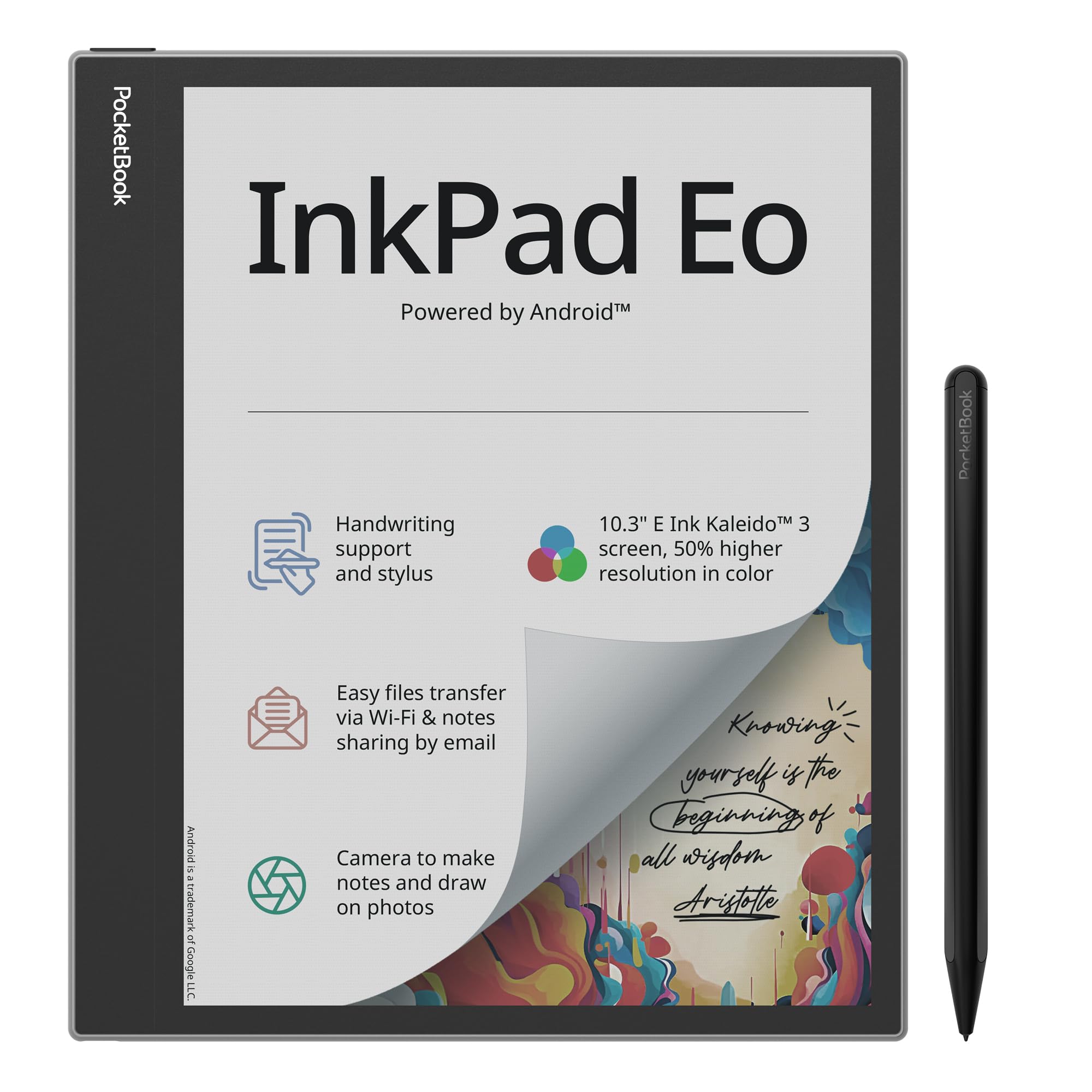
The InkPad Eo jumps to a massive 10.3-inch color E Ink Kaleido 3 screen that offers 50% better color resolution than previous versions. At 470g it is surprisingly light for its size, and the included stylus excels at handwriting and note-taking. This is the reader for people who want to sketch, draw, and annotate their comics, not just consume them.
Android 11 opens the door to a wide range of third-party apps, and Bluetooth 5.0 plus stereo speakers make audiobook listening a pleasure. The integrated camera lets you take notes directly on photos, and the adjustable SMARTlight personalizes brightness and color tone. The Send-by-Email feature makes sharing notes easy.
The big catch is that comic colors are disappointing here. Reviewers describe them as faded and washed out, with 150dpi text that requires constant zooming on detailed panels. A 1-star owner explicitly says to pass on this for comics and use an iPad or Kindle Scribe instead. The interface is also criticized for being clunky rather than clean Android, and several report severe ghosting and slow downloads.
What works
- Huge 10.3-inch screen shows full pages without zoom
- Stylus writing feels natural and responsive
- Android 11 supports a range of apps
What disappoints
- Comic colors appear faded and washed out
- Text at 150dpi requires constant zooming
- Severe ghosting and slow downloads frustrate
Best for: students and creative professionals who want a large note-taking device that also reads books, not dedicated comic fans.
Not for: anyone whose primary goal is vibrant comic panels, where the color quality misses the mark.
6. Amazon Kindle Scribe Colorsoft 64GB

An 11-inch color display that finally lets you read a whole comic page and write in the margins.
The Scribe Colorsoft takes the color experience to 11 inches, a massive canvas where full comic pages render beautifully without zooming. At just 5.4mm thin and 400g light, it is surprisingly portable for its size. The oxide-based display delivers high-contrast, paper-like color without writing flashes, and owners praise the non-bleeding vibrant covers.
The included Premium Pen requires no charging and writes with a natural pencil feel, and flipping the pen erases. The built-in notebook with AI-powered tools can generate summaries, refine handwriting, or convert notes to text. You can import documents from Google Drive and Microsoft OneDrive to mark up, and export notebooks to Microsoft OneNote. With 64 GB of storage, this is the capacity king for comic collections.
Owners love the color highlighting and doodling, calling it perfect for reading and productivity.. The trade-off is that highlighting is inconsistent across formats, palm rejection needs refinement, and the size is awkward for some — neither a notebook nor a book. One owner returned it, calling it too large and expensive for the use case, though the writing experience feels genuinely paper-like.
Why it wins
- 11-inch color display shows full pages without zoom
- 64 GB storage holds a massive comic and manga library
- Pen writing feels like real paper with no charging needed
What holds it back
- Highlighting works inconsistently across different book formats
- Palm rejection needs refinement during writing
- Size feels awkward for some, neither book nor notebook
Choose this: if you want one device for reading full-page comics and writing notes, with the largest color Kindle display available.
Think twice: if you want a compact device for casual reading, the 7-inch Colorsoft is easier to hold.
7. reMarkable Paper Pro with Marker Plus

The ultimate paper tablet for writing that happens to read in color, with an 11.8-inch Canvas Color display.
If you want to write on your device, the reMarkable Paper Pro shines with an 11.8-inch color display that feels like paper. The included Marker Plus has a built-in eraser and comes with 6 spare tips, plus a premium black leather Book Folio. Owners call the writing natural and the battery long-lasting, so you can take notes and read without frequent charging..
The low-glare display reflects natural light for outdoor reading without eye strain, and the adjustable light keeps you working in the dark.. You can sort notes with folders and tags, write directly on PDFs, and instantly convert handwriting to typed text. It is a distraction-free zone with no office apps, browser, or media.
For comics specifically, the color quality is mixed. Reviewers point out colors that fade away and a screen that some describe as dim, with one reviewer saying the device “Do Not Buy, Worth -300 Max.” Several units stopped working within two weeks, and screen quality issues like lines throughout made some unusable. There is no direct ebook import, no purple color option, and limited drawing tools.
What it does best
- class-leading paper-like writing feel with realistic friction
- Large 11.8-inch display shows full pages clearly
- Distraction-free design with excellent battery life
Where it struggles
- Color quality fades and some find the screen dim
- Reliability concerns with units stopping within weeks
- No direct ebook import and limited drawing tools
Get this: professional writers and note-takers who want the best writing tablet that also displays color documents and PDFs.
Avoid for comics: the color quality and reliability issues make it a risky choice for dedicated comic reading.
Understanding the Specs
Color E Ink Screens
Color e-ink uses a filter layer over the black-and-white display, which softens colors compared to a tablet. The most common tech is Kaleido 3, which renders muted, newsprint-like tones. That is fine for comics if the screen is used in panel view, where you focus on one panel at a time instead of a whole page.
Storage Capacity
Comic files are large because of full-color art, so storage matters more than with text novels. A 16 GB base model holds hundreds of graphic novels, while 32 GB or 64 GB gives you room for a serious collection without managing files. Think about how many titles you want on the device at once before choosing.
FAQ
Are color ereaders good for reading comics?
What is panel view and why does it matter for comics?
How much storage do I need for a comic collection?
Can I read CBZ and CBR comic files on these ereaders?
Is a 7-inch screen big enough for comic reading?
What is the difference between Kaleido 3 and other color e-ink screens?
Do color ereaders have good battery life?
Is the Kindle Scribe Colorsoft better than the 7-inch Colorsoft for comics?
Final Thoughts: The Verdict
For the majority of shoppers, the best ereader for comics is the Amazon Kindle Colorsoft 16 GB because it balances a proven 7-inch color display, 8-week battery life, and waterproofing with a massive content ecosystem. If you want page-turn buttons and native CBZ support for your own files, grab the Kobo Libra Colour. And for full-page reading without zoom on a giant canvas, the Kindle Scribe Colorsoft 64GB is the one to reach for.
How We Picked
We do not accept paid placement. Every pick is matched to a real buyer and a real use-case; we do not hands-on test units.
Sources & Methodology
Specifications: manufacturer listings and product documentation. Review insights: verified customer reviews, as of August 2026. Pricing: not shown on this page (it changes often); check the current price via the retailer link.
As an Amazon Associate, WellFizz earns from qualifying purchases. This does not affect which products we feature.
Related Guides

Mo Maruf
I created WellFizz to bridge the gap between vague wellness advice and actionable solutions. My mission is simple: to decode the research and give you practical tools you can actually use.
Beyond the data, I am a passionate traveler. I believe that stepping away from the screen to explore new environments is essential for mental clarity and physical vitality.