Our readers keep the lights on and my smoothie glass nicely filled. As an Amazon Associate, I earn from qualifying purchases.
Specs are compiled from manufacturer listings and verified buyer reviews and can change over time — please confirm the key details on the product page before buying.
Getting crisp, centered engraving on a curved stainless steel tumbler without ghosting or misalignment is the single hardest thing to pull off in this hobby. A flat-bed laser or a generic heat press simply cannot wrap a design evenly around a 360° surface — you need a machine built specifically for the cylinder. This guide cuts through the confusion, covering the exact specs that matter for tumblers, from rotary roller quality to focal depth, so you know which rig actually delivers.
I’m Mohammad Maruf — the founder and writer behind WellFizz. This guide is built by comparing the manufacturers’ published specifications and the patterns across verified customer reviews, so you get each pick’s real strengths and trade-offs instead of marketing spin.
Whether you are personalizing gifts or running a small production line, choosing the right engraver for tumblers depends on power consistency, rotary precision, and how easily the software handles a curved canvas.
Our Picks at a Glance

How To Choose The Best Engraver For Tumblers
The curved surface of a tumbler creates two main problems the machine has to solve. First, the laser or heat element must maintain a consistent distance from the surface as the cylinder rotates — any wobble blurs the image. Second, the focal point of a diode laser changes on a curve, so a flat-bed engraver will burn the center and fade at the edges. You need either a dedicated rotary roller or a machine that can adjust the laser angle. Below are the key factors that separate a tumbler-ready engraver from a general-purpose one.
Rotary Attachment vs. Built-in Roller
A rotary attachment is the part that spins the tumbler while the laser stays stationary. Some machines include it in the bundle (like the xTool S1 Rotary Bundle), others sell it separately. The attachment should handle a range of diameters, from a skinny 16oz tumbler up to a 40oz mug, without you having to manually re-level the laser each time. Look for adjustable jaws or rollers that grip both the inside and outside of the cylinder — this keeps the rotation smooth and the engraving depth even.
Laser Power: 10W vs. 20W vs. 40W
On a coated stainless steel tumbler, the laser has to burn through the colored coating to reveal the bare metal beneath. A 10W diode laser can do this just fine, but it may need multiple passes or a slower speed. A 20W machine cuts the engraving time roughly in half for the same design, and a 40W unit is overkill for tumblers unless you also plan to cut thick wood or acrylic. Power is measured in mW — 10,000mW equals 10W, so the xTool S1 40W is a 40,000mW unit that, in the data, slices through 18mm cherry wood in one pass.
Software and Workflow
You will spend as much time on the computer as you do at the machine. LightBurn is the industry standard for laser engravers — nearly every machine here is compatible with it. The benefit is that LightBurn handles cylindrical mapping automatically through its rotary setup. Some factory apps, like xTool Creative Space (XCS) or WeCreat MakeIt, are beginner-friendly and include pre-tested material profiles; others, like the CutLab app on the WAINLUXPRO, have more limitations. If you plan to make hundreds of tumblers, skip the frustration and make sure the machine works with LightBurn.
Safety and Enclosure
A Class 1 laser safety rating means the machine is fully enclosed and blocks laser light so you do not need goggles. This is critical if you are engraving indoors, near kids, or in a home workshop. Open-frame diode lasers (often Class 4) require dedicated safety glasses rated for the specific wavelength. Every tumbler engraver in this list that is enclosed also helps contain the smoke and smell that comes from burning the coating — a detail owners consistently mention.
Quick Comparison
| Model | Best For | Power | Rotary Type | Work Area | Amazon |
|---|---|---|---|---|---|
| xTool S1 40W★ Best Overall | Production & large batches | 40,000 mW | Included rotary bundle | 23.93″ x 15.16″ | Amazon |
| BetterSub Heat PressBest for Sublimation | Sublimation on 11–40 oz | 500W | Split attachments included | Fits up to 40 oz | Amazon |
| WAINLUXPRO 5WCompact Starter | Ultra-portable & small DIY | 5,000 mW | Optional (sold separately) | 3.15″ x 3.15″ | Amazon |
| CREALITY FALCON 10W | Entry-level with rotary kit | 10,000 mW | 4-in-1 rotary roller included | 17.32″ x 9.33″ | Amazon |
| Algolaser 10W | Touchscreen beginners | 10,000 mW | Rotary roller included | 25.28″ x 23.7″ | Amazon |
| LaserPecker LP2 | Portability & speed | — | Versatile electric roller | 4″ wide, up to 196″ length | Amazon |
| TOOCAA NOVA 10W | Smart auto-focus & ease | 10,000 mW | 360° rotary kit included | — | Amazon |
| WECREAT Vista 10W | FlipLaser — no bulky riser | 10,000 mW | 9-in-1 rotary included | 16.34″ x 11.42″ | Amazon |
| xTool S1 20W | Mid-power workhorse | 20,000 mW | Included rotary bundle | 23.93″ x 15.16″ | Amazon |
| WECREAT Vision 20W | Auto-lifting for tall cups | 20,000 mW | Simplest rotary system included | — | Amazon |
In‑Depth Reviews
1. xTool S1 40W Laser Cutter and Laser Engraver for Tumblers
Our pick — over 4.5★ from 200+ verified ratings; the strongest balance of quality and price.
The 40W powerhouse that cuts tumblers fast enough to run a business on.
This is the machine you reach for when you want to engrave a tumbler in a fraction of the time it takes a 10W unit — and still have the power left to slice through 18mm cherry wood like butter in a single pass. The 40,000mW laser, combined with the included rotary bundle, handles curved surfaces right from the start. The bed is spacious at 23.93″ by 15.16″, so you can queue up 119 dog tags in one go or a large door sign without repositioning. The enclosed Class 1 design filters 99% of laser light and uses five flame sensors, so you do not need goggles and the unit is safe with kids and pets around.
Setup is surprisingly straightforward: buyers report it arrives nearly fully assembled, and the xTool Creative Space (XCS) software has pre-tested settings for over 400 materials. You can preview, click, and engrave without fiddling with power tables. The rotary bundle includes a riser for taller items, and the patented Pin-point Positioning technology holds alignment on curved surfaces. If you are doing production runs, the blazing 600mm/s speed and AutoPassthrough Technology — which accommodates projects up to 118 inches — are the difference between a side hustle and a real business.
The trade-off depends on weight and price. The machine is heavy — owners note it needs two people for unboxing and setup. The 40W version is a serious investment, and some owners find the Z-probe (a spring-loaded metal sensor) prone to false readings, with one owner 3D-printing a flush foot to fix it. But the crowd favorite verdict, backed by quality and ease-of-use praise from owners, is that it is worth the money for anyone serious about laser engraving as a craft or business.
What wins people over
- 40W laser cuts 18mm cherry wood in a single pass and engraves tumblers fast.
- Rotary bundle included, no extra purchases needed for curved items.
- Enclosed Class 1 safety with 5 flame sensors — safe indoors without goggles.
The honest trade-offs
- Heavy unit requires two people to unbox and set up.
- Z-probe sensor can give false readings; some owners modify it.
- Cups with handles may need a third-party rotary kit.
Production-ready verdict: Choose this if you are running a small business or you want the fastest, most capable tumbler engraver on this list.
Who should look elsewhere: Casual hobbyists on a budget will find the upfront cost and the heavy footprint harder to justify.
2. BetterSub Sublimation Heat Press
The heat-press alternative that wraps full-color designs around 40oz mugs without ghosting.
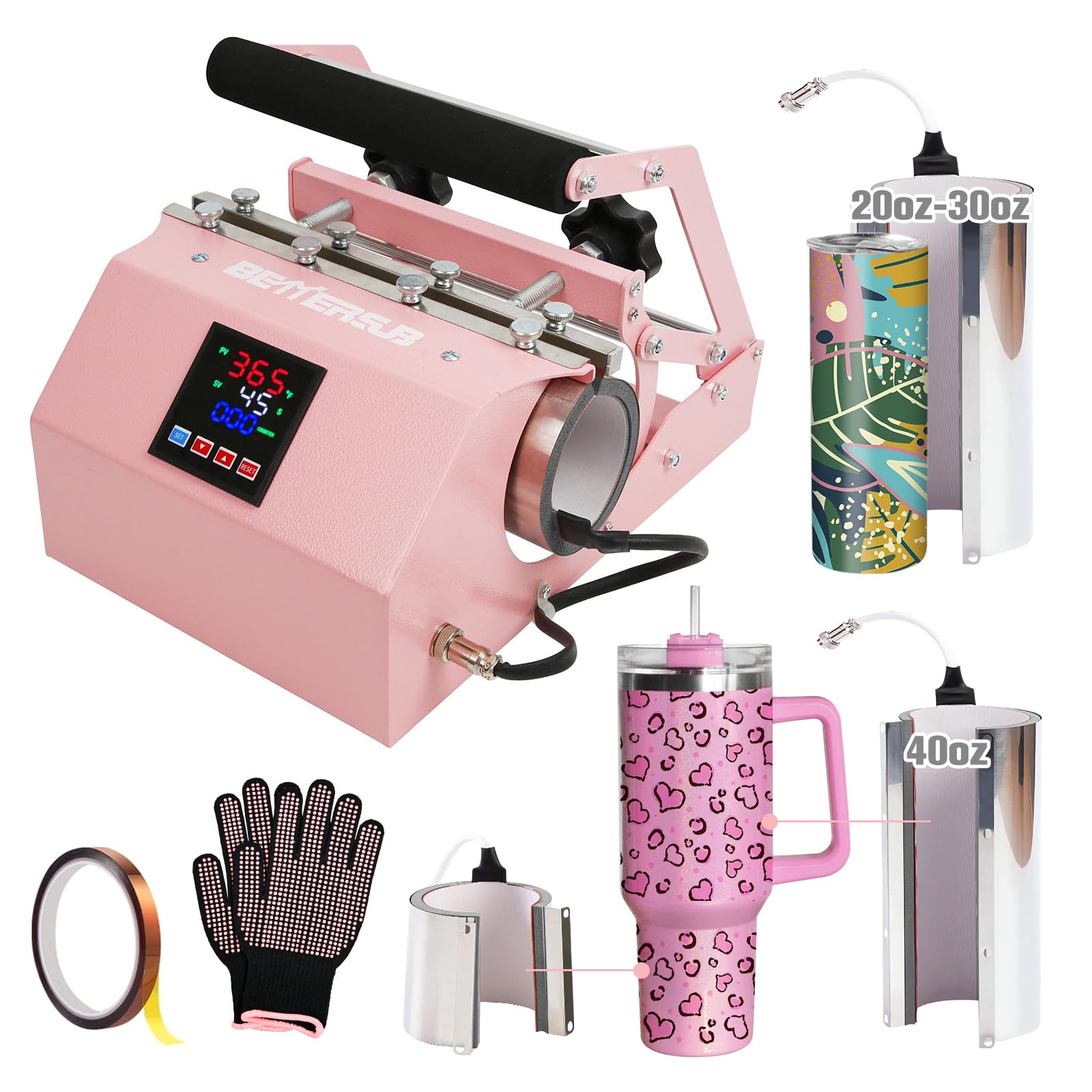
Not every mug or tumbler needs a laser. If you are applying full-color sublimation prints — gradients, photos, logos — a heat press is actually the better tool because it transfers a dye rather than burning a mark. The BetterSub press handles sizes from an 11oz mug all the way up to a 40oz tumbler, and it includes split attachments that let you press two 11oz mugs at the same time. The digital LCD panel gives you temperature control from 0 to 482°F and a timer up to 999 seconds, so you can dial in the exact settings for different coatings.
The build quality is a strong point: the high-grade aluminum heating element and silicone pads spread heat evenly, which owners say produces vibrant, professional transfers with minimal trial and error. The dual pressure knobs make swapping between a skinny 16oz tumbler and a wide 40oz mug straightforward — no tools needed. And the UL certification at 110V and 500W means it is safe for consistent home or commercial use. When owners mention “Presses 16oz to 40oz with superb results, no ghosting,” they are describing the even heat distribution that prevents the blurry edges common on cheaper press designs.
The honest caveat is that this is a dedicated sublimation tool — it cannot engrave or cut like a laser. And the initial learning curve includes a normal temperature drop when you place the cold cup, which you account for in your timing. But for full-color wraps on stainless steel or ceramic tumblers, this press is the right tool for the job.
Color-wrap specialist: Best if you do sublimation printing rather than laser engraving, and you want a machine that handles 11oz to 40oz with even, ghost-free results.
Reach for this if… your workflow is based on dye-sublimation prints (full color, photographic) on coated tumblers.
Look elsewhere if… you need to cut materials or engrave bare metal — you need a laser for that.
3. WAINLUXPRO 5W Laser Engraver
A pocket-sized laser that proves you do not need a big budget to start engraving tumblers.
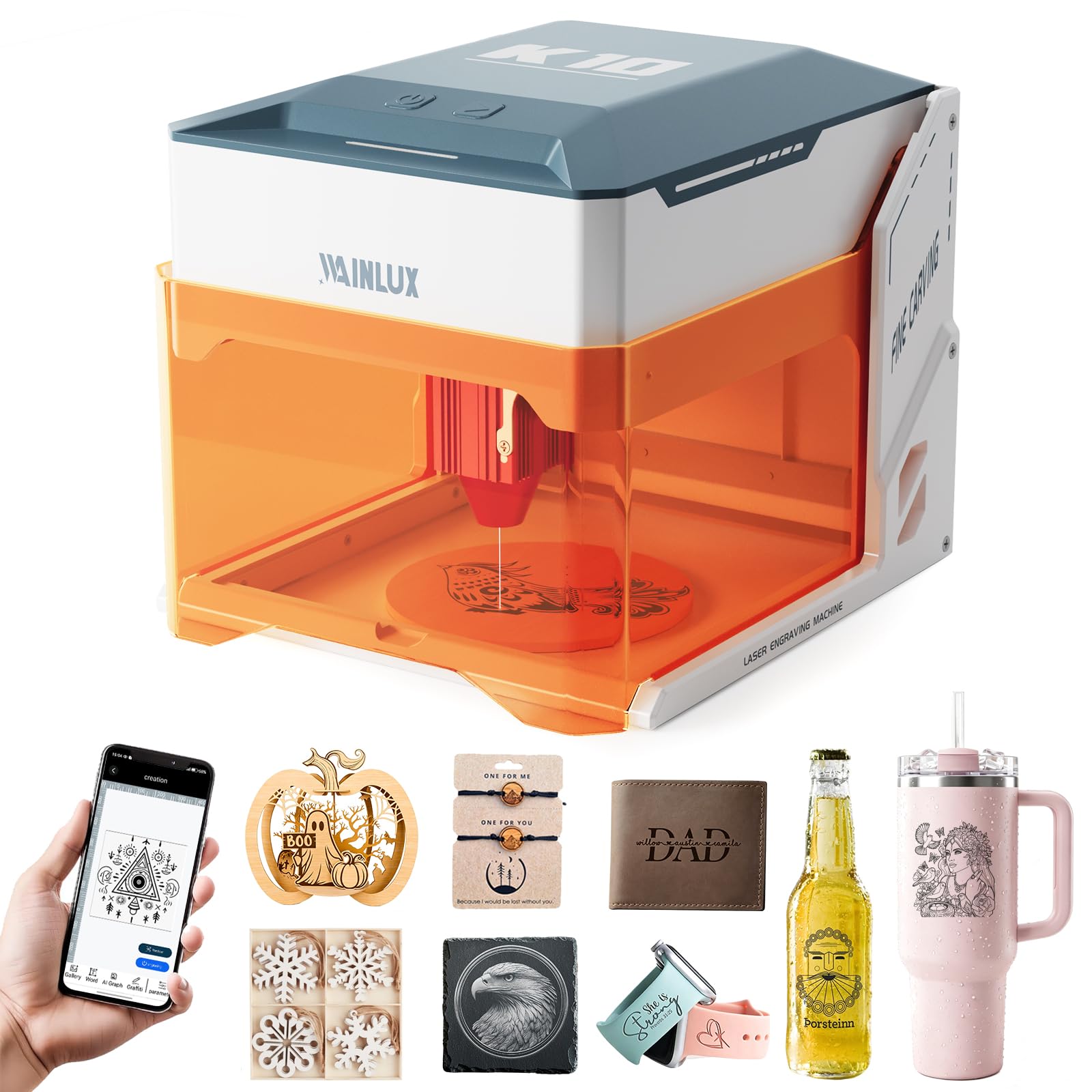
The WAINLUXPRO is a 5W diode engraver with an 80mm by 80mm work area, and it is designed to get you engraving within minutes of opening the box — no assembly required. It works on wood, leather, coated metal, and even glass (with a dark marker coating), and it connects via WiFi, USB, or offline via a TF card for standalone operation. The Class 1 safety rating means the orange viewing window protects your eyes, and auto-stop sensors kick in if the unit tilts 13° or the cover opens.
The rotary attachment is sold separately, so you need to factor that into the total cost for tumbler use. The 5W laser is slow on coated steel — you will run multiple passes compared to a 10W or 20W unit — but for small DIY projects like a single personalized tumbler, it gets the job done. Owners point out that the free CutLabX app can be buggy, but the machine also supports LightBurn and LaserGRBL, which are more stable and give you cylindrical mapping for rotary work. At 6.78 pounds, it is genuinely portable; you can move it from a desk to a garage shelf without help.
The main limitation is the work area: 3.15 inches square is fine for a coaster or a keychain, but for a full-wrap tumbler design you are limited to a small patch. And the 5W laser cannot cut basswood thicker than a few millimeters. Still, for someone who wants to test the laser engraving hobby without a large commitment, this is a safe entry point.
Low-risk introduction: Perfect if you are not sure engraving is for you and want a portable, affordable unit to learn on.
Who it suits: Hobbyists and first-timers who want to engrave small items and are okay with slower, multi-pass tumbler work.
Who should skip it: Anyone planning a tumbler business or wanting full-wrap designs — the work area is too small.
4. CREALITY FALCON 10W Laser Engraver

The 10W bundle that gives you a 4-in-1 rotary kit without the premium price tag.
Creality is well-known in the 3D-printing world, and the FALCON 10W brings that same approach to laser engraving: a solid, open-frame machine with an included 4-in-1 rotary roller that handles cylindrical objects from 1mm to 110mm diameter. The 10,000mW laser cuts 12mm wood board in one pass and can handle coated metal, leather, acrylic, and glass, making it a versatile option for tumbler work. The air assist system — adjustable airflow that clears smoke from the cut path — keeps the engraving lines clean and prevents scorching around the edges.
Assembly takes 10 to 20 minutes, and the machine is 99% pre-assembled from the start. It works with both LaserGRBL and LightBurn, so you are not locked into a single software ecosystem. The Class 4 laser means you must use safety glasses — the included green glasses are not adequate for blue diode lasers; owners recommend orange/red ANSI-certified glasses instead. The instructions have a reputation for being poorly written, with typos and missing steps, but the online community fills the gaps quickly.
On the durability front, the rotary roller is versatile — it clamps objects from the outside, propping from the inside, and even holds spheres and rings — but the machine has a limited upgrade path compared to the xTool S1. Owners note that the 10W power is enough for most tumbler engraving, but if you need faster production, you will outgrow it. The crowd consensus is that it is the best value for a starter-to-intermediate engraver who wants a rotary kit from day one without a separate purchase.
Why it stands out
- 4-in-1 rotary roller included — covers tumblers, bottles, spheres, and rings.
- Air assist system keeps cuts clean and reduces burn marks.
- Compatible with LightBurn and LaserGRBL for flexible workflow.
What to know
- Open-frame Class 4 laser requires dedicated safety glasses.
- Poor instruction manual with typos and missing information.
- Limited upgrade potential for higher power later.
Best starter value: Choose this if you want a rotary kit in the box and enough power to engrave tumblers without spending over.
Think twice if: You need a fully enclosed machine for indoor use around kids or pets — this is open-frame.
5. Algolaser 10W Laser Engraver
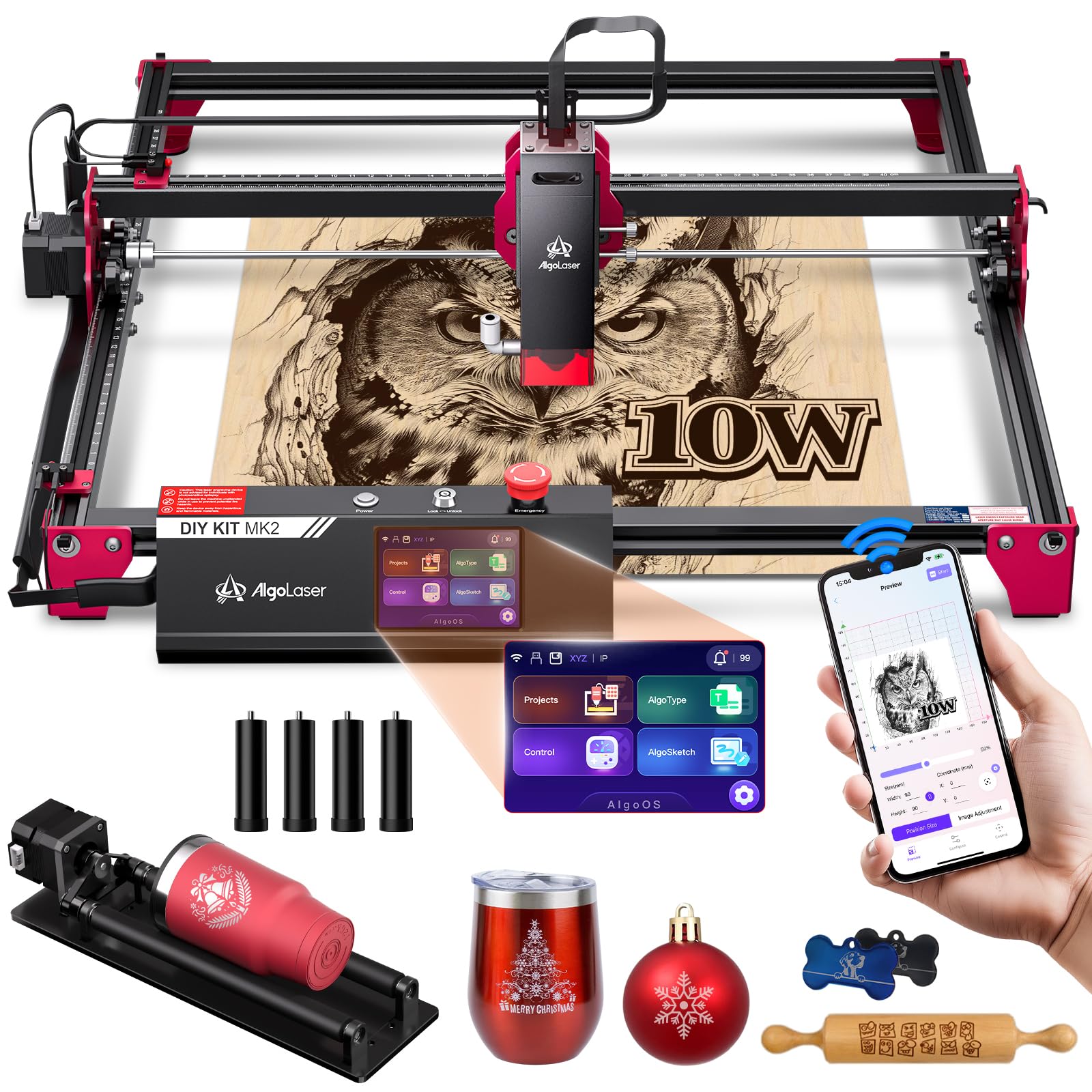
The 3.5-inch touchscreen lets you start engraving without touching a computer.
Most engravers force you to sit at a laptop with LightBurn open, but the Algolaser 10W includes a built-in touchscreen running AlgoOS, so you can create, preview, and start a job directly from the machine. That is a genuine time-saver if you do multiple small runs of tumblers each day — you upload your designs via WiFi, USB, or TF card, and the on-screen controls handle the rest. The 10,000mW laser hits speeds up to 12,000mm/min and works on wood, coated metal, leather, acrylic, and glass.
The bundle includes a rotary roller and a riser base, so tumbler engraving is set up from the start. The riser lifts the laser higher to accommodate taller items like a 20oz or 30oz tumbler without buying an extra accessory. The Class 1 fully enclosed safety design includes flame detection and tilt protection, which makes it suitable for home workshops. Owners note that the machine runs quietly and that the touchscreen interface is intuitive enough for someone who has never used a laser engraver before.
The feedback is not entirely one-sided: some owners mention the wiring and plastic components feel less premium than the xTool or WeCreat machines, and a few report the lens fogging after a handful of engravings. The 10W power is fine for tumblers, but if you need to cut thick acrylic or wood, you will want more wattage. For a dedicated tumbler engraver with minimal computer dependency, this is a strong mid-range option.
Standalone operation: The on-board touchscreen and AlgoOS make this the most beginner-friendly choice if you hate dealing with software.
Reach for if: You value a simple, screen-based workflow over constant LightBurn tinkering.
skip it if: You need to cut thick materials (above 3mm wood) or want a heavy-duty production machine — the build is entry-level in spots.
6. LaserPecker LP2 Laser Engraver with Roller

A portable galvo laser that engraves tumblers at 1,417 inches per minute.
The LaserPecker LP2 is a different breed from the diode lasers above. It uses galvo technology — a pair of mirrors that steer the laser beam at high speed — instead of a gantry that moves the laser head physically. This makes it incredibly fast: the max engraving speed hits 1,417 inches per minute, with a preview speed of 8,858 inches per minute. The compressed laser spot of 0.05mm captures fine details on coated metal, wood, leather, and stainless steel. The versatile electric roller included in the suit set handles cylindrical objects, so you can set a tumbler on the roller and the machine wraps the design around it.
The portability is the headline feature. The whole setup — laser unit, roller, and stand — fits into a small case, and owners mention taking it to art shows and craft fairs for on-site customization. The smartphone app connects via Bluetooth and gets you engraving within 15 minutes of opening the package. The unit can also be used handheld for engraving items that are too large or awkward to place on the stand.
The honest trade-off is that the LP2 cannot engrave pure or shiny metals — it is limited to coated, brushed, or dark surfaces. The proprietary companion apps get mixed feedback: they are easy for basic work but limited for complex designs, and Bluetooth connectivity has been flagged as a recurring issue. For a fast, portable tumbler engraver that you can take on the road, it is an excellent specialist tool, but it is not a replacement for a full-size desktop machine if you plan on high-volume production.
On-the-go engraver: Best if you do custom tumbler engraving at events and need something that fits in a tote bag.
Who it suits: Craft fair vendors and mobile engravers who value speed and portability over maximum power.
Who should pass: Anyone needing to engrave on raw, uncoated metal — the LP2 cannot handle it.
7. TOOCAA NOVA 10W Smart Laser Engraver
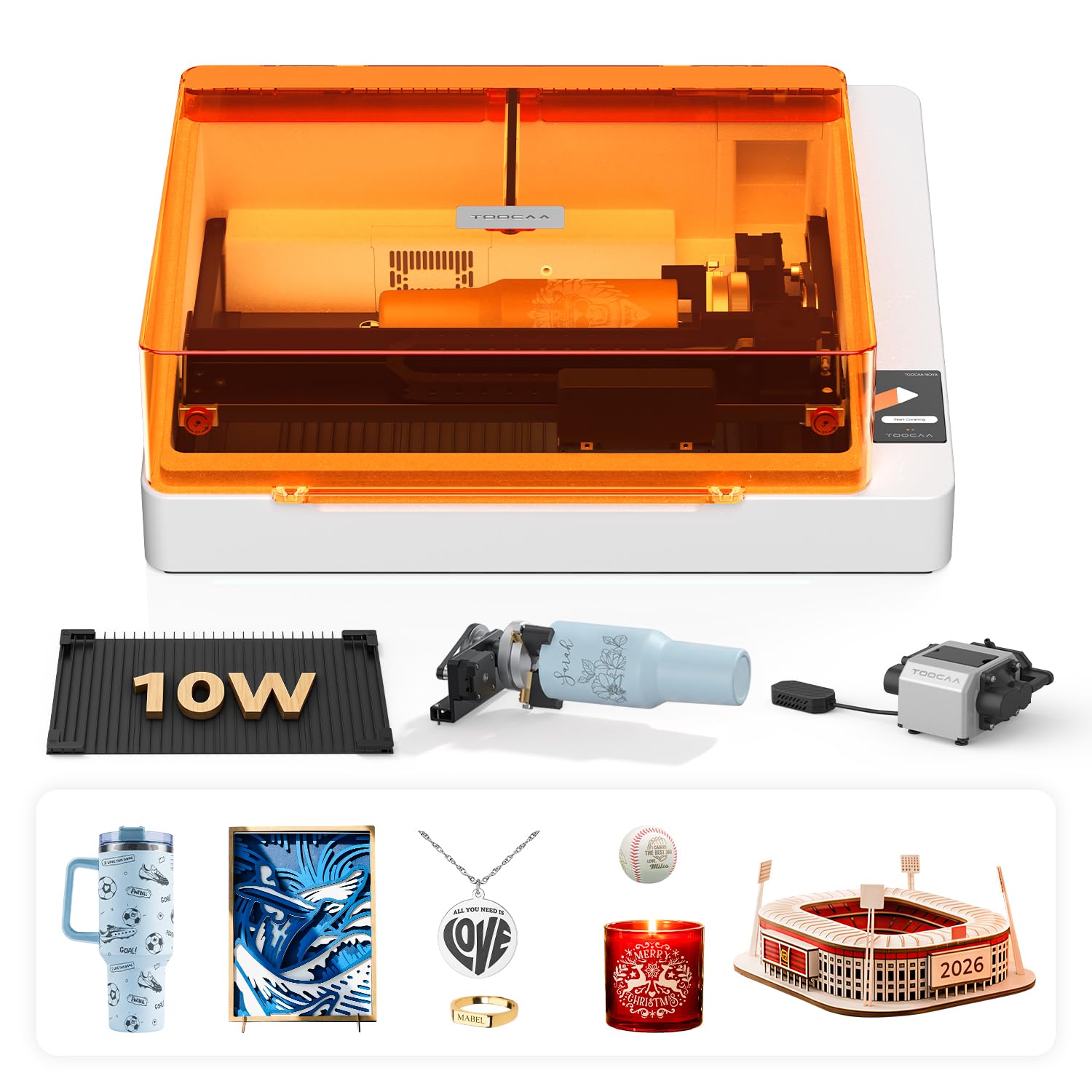
A 5MP camera and AI material recognition mean you barely have to guess at settings.
The TOOCAA NOVA is designed to remove the guesswork from laser engraving. The built-in 5MP HD camera gives you a real-time preview of your material, and you simply drag your design onto the exact spot where you want it engraved. The 3-second auto-focus and AI material recognition — using the included recognition card — automatically choose the optimal power and speed settings. For a beginner who has never touched a laser, this reduces the trial-and-error process from hours to minutes.
The exclusive 360° rotary system is built right into the design and requires no extra risers or attachments to engrave tumblers, bottles, and rings. The patented dual-channel exhaust keeps the back of your material cleaner, which owners say results in hardly any burn marks on wood projects. The Class 1 fully enclosed design filters 99% of laser light and includes flame detection, tilt protection, and a child lock, making it safe for home or classroom use. The TOOCAA Studio software includes over 1,000 commercial templates and AI text-to-image generation, so you can design without any prior graphics experience.
The downside is that this is a relatively new machine with a smaller owner community, so troubleshooting tips are harder to find compared to xTool or Creality. At 35 pounds, it is not portable. And the 10W power, while adequate for coated tumblers, will not be the fastest option if you run production batches. For a smart, beginner-focused engraver that does the thinking for you, this is a compelling choice.
Set-and-forget engraving: The AI camera and auto-focus make this the least intimidating machine for complete beginners.
Perfect if: You want the simplest possible path from unboxing to your first engraved tumbler, with no manual tuning required.
Not for you if: You are an experienced user who wants full manual control and a large community of guides — the ecosystem is still young.
8. WECREAT Vista 10W Laser Engraving Machine

The patented FlipLaser solves the biggest headache of tumbler engraving: bulky riser bases.
Most laser engravers need a riser to lift the laser head high enough for a tall 40oz Stanley cup, but the WeCreat Vista uses a patented 90° FlipLaser design. The laser head flips vertically to adjust for height, so you do not need to buy or assemble a separate riser kit — it just works on your desktop. The 10,000mW laser has a 0.06 by 0.04mm spot size, which delivers crisp details on thin materials like fabric and acrylic as well as coated metal. The included 9-in-1 rotary attachment covers everything from small rings to large tumblers.
The TopView camera ensures 100% alignment accuracy: you see a distortion-free image of the work area on your screen and drop your design exactly where you want it. Air assist and a fume extractor system (CleanAir) are built-in for smoke management, and the unit is Class 1 safety rated with a fire-retardant metal enclosure. The WeCreat MakeIt software includes over 2,000 design projects and 500 typefaces, updated weekly, which is a huge library for someone who does not want to create designs from scratch.
Owners give high marks to customer support for resolving issues, and they note that the machine is heavy (53.9 pounds) but feels solid. The main caveat is that the rotary pro attachment, which handles the largest tumblers most securely, is an extra purchase. And the MakeIt software, while generous in templates, does not have the deep customization of LightBurn for fine-tuning rotary mapping. It is a premium-feeling machine for a buyer who wants convenience and a polished out-of-box experience.
What makes it special
- FlipLaser design eliminates the need for a bulky riser to engrave tall cups.
- TopView camera gives distortion-free alignment preview.
- Over 2,000 built-in design projects and weekly additions.
Considerations
- Heavy at 53.9 pounds — not easily moved once placed.
- Rotary pro attachment for largest tumblers is sold separately.
- Proprietary software is beginner-friendly but less flexible than LightBurn.
Best all-in-one package: Go with the Vista if you want a machine that does not need risers and includes a sturdy design library.
Look elsewhere if: You prefer the open flexibility of LightBurn for production work and do not mind a bit more setup.
9. xTool S1 20W Laser Cutter and Laser Engraver for Tumblers

The 20W version of xTool’s S1 gives you 85% of the speed of the 40W at a lower entry point.
The xTool S1 20W is the same chassis, same 23.93″ by 15.16″ bed, same Class 1 safety enclosure, and same included rotary bundle as the 40W model above, but with a 20,000mW laser instead. For tumbler engraving specifically, 20W is a balance: it cuts through 10mm cherry wood in a single pass, and on coated stainless steel it is noticeably faster than a 10W machine but without the premium of the 40W. The 600mm/s engraving speed, AutoPassthrough Technology for projects up to 118 inches, and the same Pin-point Positioning on curved surfaces are all present here.
The build quality is identical — a 3mm aerospace-grade aluminum frame with 71,830 hours of rigorous testing behind the design. Owners who have experience with other brands say the xTool S1 arrived nearly fully assembled and produced professional-quality results on wood, alloy, and coated stainless steel right away. The XCS software is intuitive, and the company is praised for responsive customer service. Some owners note a discrepancy: the included riser base is a Class 1 type that limits functionality compared to the pass-through version shown in some promotional materials, so check the exact bundle before you buy.
The trade-off between the 20W and 40W is speed on thick materials. If you only do tumblers and the occasional wood project, 20W is plenty. If you plan to cut 18mm hardwood slabs or run large batch jobs where every minute counts, the 40W is worth the step up. At 85.8 pounds, the S1 is a permanent fixture — you will not be moving it around.
Mid-power workhorse: The 20W S1 delivers the same precision and safety as the 40W at a lower cost, ideal if your primary work is tumblers.
Reach for if: You want xTool’s proven rotary system and build quality but do not need the extreme power of the 40W.
Think twice if: Your business depends on cutting thick hardwood slabs — the 40W finishes those jobs much faster.
10. WECREAT Vision 20W Desktop Laser Engraver
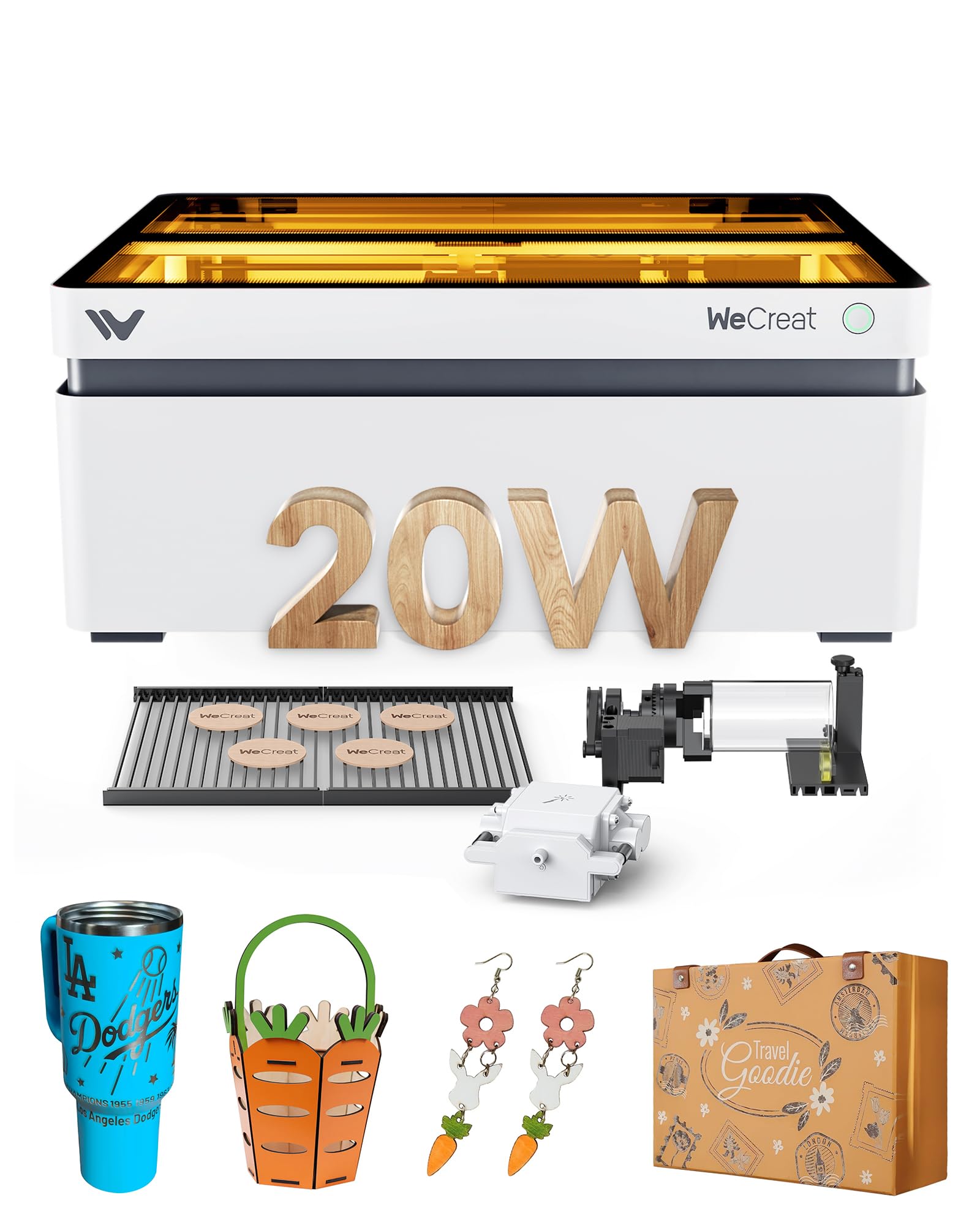
The world’s first auto-lifting desktop laser adapts to cup height without a riser.
Most laser engravers require you to manually raise the bed or buy a riser to accommodate a tall tumbler. The WeCreat Vision solves this with an auto-lifting design that adjusts the laser head height from 1mm up to 140mm (roughly 5.5 inches) with no tools and no extra parts. That means you can go from engraving a flat wooden sign to a 40oz tumbler in seconds, and the machine remembers the height setting. The 20,000mW laser cuts through 10mm wood or 8mm opaque black acrylic in a single pass and has 0.01mm accuracy, so the detail on a tumbler design is sharp.
The included 4-in-1 kit has the laser, an intelligent air assist with up to 30L/min automatic airflow, the simplest rotary system WeCreat makes, and two specially designed laser beds that claim to leave fewer burn marks than traditional honeycomb. The built-in HD camera gives you a what-you-see-is-what-you-get preview, and the Quick View Matrix lets you pick the perfect setting for over 100 materials in one click. The software works with both WeCreat’s proprietary platform and LightBurn, and there are over 1,000 ready-to-print images and 1,000 editable projects included.
The catch is reliability: customers note that the auto-focus feature does not always work correctly, with one owner calling customer service and being told the company is “having trouble with the auto focus.” A few units arrived with functional issues, and the customer support response has been slow in those cases. At 66.9 pounds, this is a heavy, desk-dedicated machine. For a buyer who wants 20W power with the convenience of automatic height adjustment, the Vision is a forward-looking choice, but you may need patience with the auto-focus until a software fix arrives.
Why it stands out
- Auto-lifting bed adjusts to 140mm height with no riser needed.
- 20W laser delivers fast engraving and cuts 10mm wood in one pass.
- Two unique laser beds reduce burn marks compared to honeycomb.
Known issues
- Auto-focus feature is unreliable according to multiple owner reports.
- Heavy unit (66.9 lbs) and large footprint require permanent placement.
- Customer service has been slow to resolve functional defects.
Innovative design: The auto-lift mechanism is genuinely useful if you switch between flat materials and tall tumblers frequently.
Proceed with caution if: You rely on auto-focus working every time — this function has a known track record of problems.
Understanding the Specs
Laser Power (mW)
A laser’s power is measured in milliwatts (mW), and for tumbler engraving, this determines how fast the machine can burn through the colored coating. A 5,000mW (5W) laser works but is slow — you will need multiple passes. A 10,000mW (10W) unit is the baseline for comfortable tumbler work. A 20,000mW (20W) cuts the time roughly in half, and a 40,000mW (40W) handles tumblers almost instantly while also slicing thick wood. More power also means you can engrave darker, deeper marks on stainless steel, but it also adds heat to the metal, so always use the air assist.
Rotary Attachment Type
This is the mechanism that spins the tumbler in sync with the laser. The best rotary attachments use roller wheels that grip the outside of the cup, or adjustable jaws that clamp from both ends. A good rotary will accommodate a range of diameters — typically from a thin 16oz can up to a chunky 40oz mug — without you needing to re-level the laser. Some machines include the rotary in the box (like the xTool S1 bundle or the Creality Falcon 10W), while others sell it separately. For tumbler work, a built-in or included rotary is a major convenience and cost saving.
Class 1 vs. Class 4 Safety
A Class 1 laser is fully enclosed and blocks 99% of laser light, meaning no goggles are required and the machine is safe to use indoors around children and pets. A Class 4 laser is open-frame and requires dedicated safety glasses rated for the specific laser wavelength — you must wear them every time the machine is running. For home workshops or classrooms, a Class 1 machine is the safer, more convenient choice. The xTool S1, Algolaser, TOOCAA NOVA, and WeCreat machines are all Class 1; the Creality Falcon 10W and LaserPecker LP2 are not.
Software: LightBurn vs. Proprietary Apps
LightBurn is the industry-standard software for laser engravers. It handles cylindrical mapping for rotary work, allows custom power and speed profiles, and works across most machines. Proprietary apps like xTool Creative Space (XCS), WeCreat MakeIt, or the CutLabX app are easier for beginners but often have fewer advanced features. The best advice: buy a machine that supports LightBurn (or can be made to work with it) so you are not limited if you outgrow the factory software. Every machine on this list except the WAINLUXPRO supports LightBurn in some form.
FAQ
Can a regular flat-bed laser engrave tumblers?
What power laser do I need for a stainless steel tumbler?
Do I need a fume extractor or ventilation?
Does a sublimation heat press work on tumblers?Yes — a sublimation heat press like the BetterSub is actually the best tool for applying full-color designs to coated tumblers. It uses heat and pressure to transfer a dye onto the surface, rather than burning a mark. It works on ceramic, glass, metal, and aluminum tumblers, but it cannot engrave into bare metal.?
How long does a laser engraver last?
Will a 10W laser cut wood or just engrave it?
What software should I use for tumbler engraving?
Can I engrave a tumbler with a handle?
What is the difference between a diode laser and a CO2 laser?
Final Thoughts: The Verdict
For the majority of shoppers, the engraver for tumblers winner is the xTool S1 40W because it combines the highest laser power, a reliable included rotary bundle, and a safe enclosed design that owners consistently rate as professional-grade. If you are starting out and want a capable rotary kit without the premium price, the Creality Falcon 10W delivers solid 10W performance and a versatile 4-in-1 roller at a mid-range cost. And for sublimation work — full-color designs on coated tumblers — the BetterSub Heat Press is the right tool, handling 11oz to 40oz cups with even heat and strong customer backing.
How We Picked
We do not accept paid placement. Every pick is matched to a real buyer and a real use-case; we do not hands-on test units.
Sources & Methodology
Specifications: manufacturer listings and product documentation. Review insights: verified customer reviews, as of July 2026. Pricing: not shown on this page (it changes often); check the current price via the retailer link.
As an Amazon Associate, WellFizz earns from qualifying purchases. This does not affect which products we feature.
Related Guides

Mo Maruf
I created WellFizz to bridge the gap between vague wellness advice and actionable solutions. My mission is simple: to decode the research and give you practical tools you can actually use.
Beyond the data, I am a passionate traveler. I believe that stepping away from the screen to explore new environments is essential for mental clarity and physical vitality.