Our readers keep the lights on and my smoothie glass nicely filled. As an Amazon Associate, I earn from qualifying purchases.
Specs are compiled from manufacturer listings and verified buyer reviews and can change over time — please confirm the key details on the product page before buying.
You pay for electricity even when your devices are “off” but still sipping power — that standby drain is real, and smart plugs are the cheapest fix. These little outlets let you cut power completely to lamps, fans, and appliances on a schedule or with your voice, so nothing idles when it shouldn’t. Your choice hinges on which smart assistant and app ecosystem you already use.
I’m Mohammad Maruf — the founder and writer behind WellFizz. This guide is built by comparing the manufacturers’ published specifications and the patterns across verified customer reviews, so you get each pick’s real strengths and trade-offs instead of marketing spin.
You’ll find the energy saving devices that actually cut standby power, ranked by real-world reliability and ease of use for everyday homes.
Our Picks at a Glance

How To Choose The Best Energy Saving Devices
Smart plugs are the simplest entry point into cutting standby power, but they divide into two camps: hub-free Wi-Fi models that connect straight to your router, and hub-based ones that talk to a Zigbee or LoRa bridge. Your choice shapes setup difficulty, range, and how deep your energy data goes.
Check Your Wi-Fi Band First
Nearly every budget and mid-range plug runs on 2.4GHz Wi-Fi only — the older, longer-range band. If your router broadcasts 5G or 6GHz only, the plug won’t see it. A dual-band router that broadcasts 2.4GHz alongside is what you need, and some plugs pair over Bluetooth first to skip the password hassle.
Decide If You Want Energy Monitoring
A plain timer plug saves power by cutting standby draw, but an energy-monitoring plug also shows you exactly how many watts a device pulls in real time. That data turns guessing into numbers: you see the coffee maker idle-sucking 8W and decide it’s worth a schedule. If you just want lights on a timer, skip the monitoring to save money.
Quick Comparison
| Model | Best For | Connectivity | Amperage | Energy Monitoring | Amazon |
|---|---|---|---|---|---|
| Amazon Smart Plug★ Best Overall | Alexa households wanting the simplest setup | Wi-Fi (hub-free) | 15A | No | Amazon |
| GHome Dual Smart Plug 15ABest Value | Two devices from one outlet | Wi-Fi + Bluetooth (hub-free) | 15A | No | Amazon |
| Kasa Smart Plug Mini 15A (EP10P4)Ultra-Reliable | Reliable scheduling on a budget | Wi-Fi (hub-free) | 15A | No | Amazon |
| YoLink Smart Energy Plug | Long-range control across large properties | LoRa (hub required) | 15A | Yes | Amazon |
| Tapo Smart Plug Mini P110M | Matter compatibility and bill estimates | Wi-Fi + Matter (hub-free) | 15A | Yes | Amazon |
| Aqara Zigbee Smart Plug | Apple HomeKit and Zigbee mesh users | Zigbee (hub required) | 15A | Yes | Amazon |
| THIRDREALITY ZigBee Smart Plug | Home Assistant power users | Zigbee (hub required) | 15A | Yes | Amazon |
| Kasa Smart Plug HS103P4 | Simple 4-plug value for lamps | Wi-Fi (hub-free) | 15A | No | Amazon |
In‑Depth Reviews
1. Amazon Smart Plug
Our pick — over 4.5★ from 571,000+ verified ratings; the strongest balance of quality and price.
The crowd favorite—a 4.7-star plug that makes voice-controlled energy cutting genuinely easy for Alexa owners.
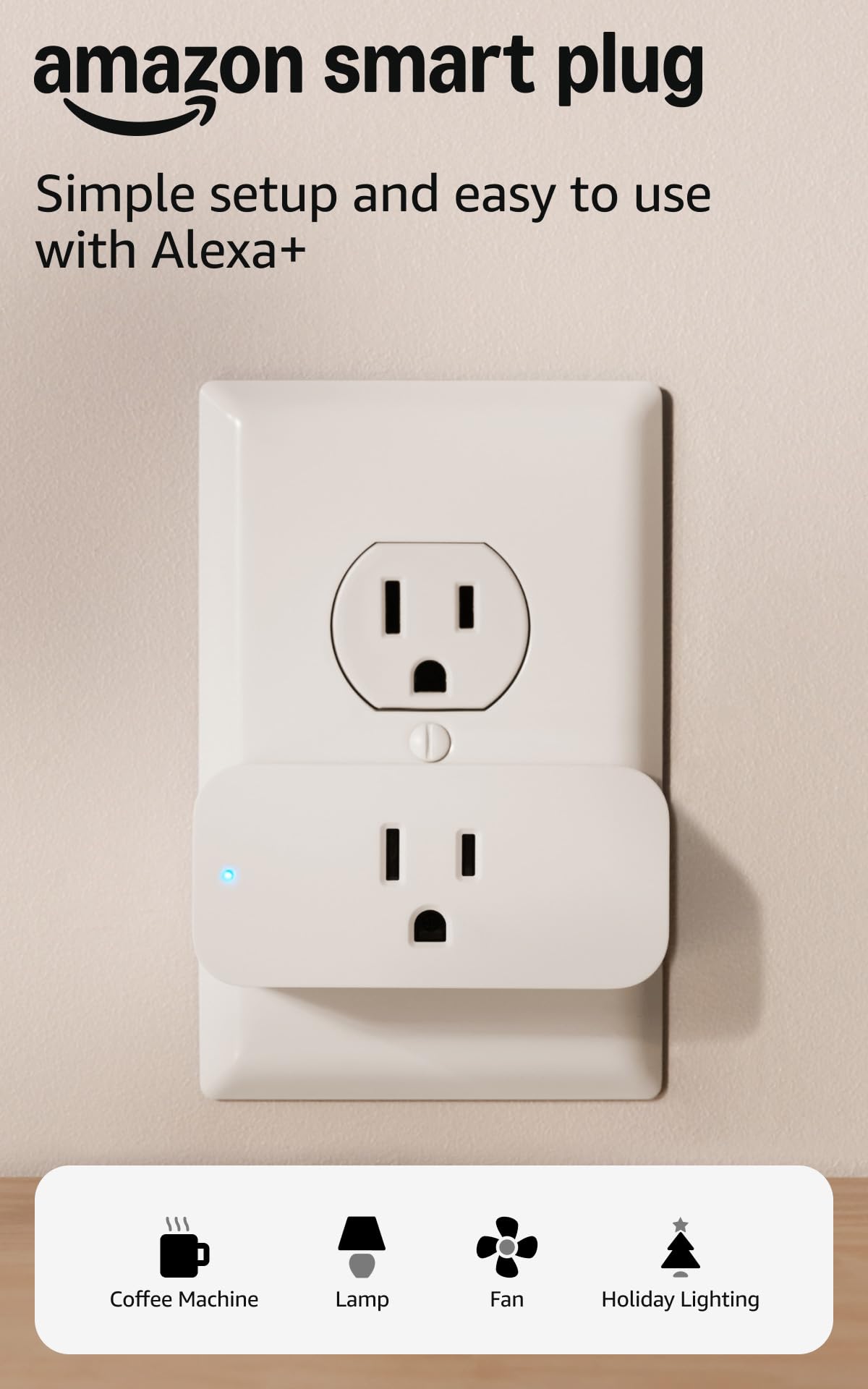
Setup is famously simple—one owner says it took seconds, with Alexa finding the plug instantly. No hub, no app gymnastics — you plug it in, open the Alexa app, and start scheduling lamps or coffee makers that have a physical on/off switch. It even reconnects to Alexa automatically after a power or Wi-Fi outage, which removes the most common smart-home frustration.
Reliability wins people over, with over 25,000 owners praising its functionality. Nearly 12,000 more owners highlight how easy it is to get running. The compact body keeps your second outlet free, so you can stack another plug right beside it for a second device.
Buyers report: “Easiest setup ever; Alexa found it instantly.” The honest trade-off is the single plug costs more than multi-packs from other brands, and a few owners found the QR-code scan finicky if their router signal was weak — a Wi-Fi extender fixed that.
What Owners Rave About
- Setup is famously fast and stress-free for beginners
- Auto-reconnects to Alexa after outages
- Compact enough to leave the second outlet usable
What to Know Before Buying
- Pricey for a single plug compared to 2-packs elsewhere
- Alexa-only — no Google Home support
- Weak Wi-Fi signals can make the QR scan fail
Reach for this if: you live in an Alexa home and want the lowest-friction smart plug money can buy.
Look elsewhere if: you use Google Home or want to monitor energy usage — this plug is purely on/off control.
2. GHome Dual Smart Plug 15A
One outlet, two independently controlled sockets — the space-saving pick that doubles your energy-saving reach.
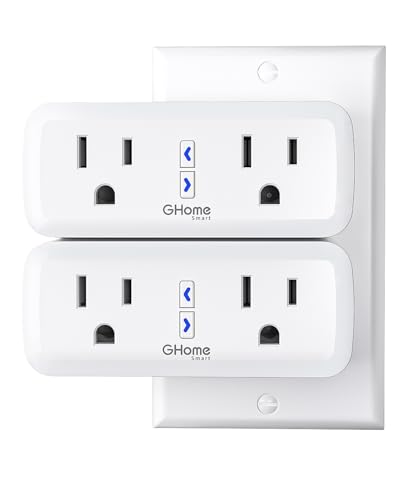
The headline feature is the 2-in-1 design: a single compact plug with two fully independent outlets, so a desk lamp and a fan can each run their own schedule from one wall spot. Rated for 15A/1800W, it handles heavy-duty devices without breaking a sweat, and the V0 fire-resistant casing plus overload and surge protection give it a genuine safety story.
Setup is a certified breeze — owners say it’s one of the easiest installs across 20+ smart devices, pairing via Bluetooth and 2.4GHz Wi-Fi in about 30 seconds through the SmartLife app, then linking to Alexa in moments. It works with both Alexa and Google Home, covering the two biggest voice assistants. The one catch: you must connect it to the GHome app first — it won’t link directly to Alexa or Google Home.
Owners mention these plugs run reliably through a full year of daily use, automating outdoor lights, fish tanks, reptile lamps, and holiday inflatables with zero disconnects. Note they’re rated IP00, so keep them out of the rain despite that outdoor track record.
Why It Wins People Over
- Two controlled outlets from one wall socket
- Surge and overload protection built in
- Fast Bluetooth-assisted Wi-Fi pairing
The Trade-Off
- Requires the GHome app before Alexa/Google linking
- Not weatherproof (IP00) — indoor use only
- 2.4GHz Wi-Fi only, no 5G support
Grab this for: rooms where you want two devices automated from a single outlet without the clutter.
skip it if: you need outdoor-rated hardware or a plug that links straight into Alexa without an extra app step.
3. Kasa Smart Plug Mini 15A (EP10P4)
Reliability is the story here — a plug trusted by over 6 million users that simply keeps working, day after day.
Reliability is the most-praised aspect, with over 2,000 owners highlighting it and 1,600 more celebrating painless setup. The compact design doesn’t block the second outlet, and customers note no disconnects even after moving homes — a stability that puts it above pricier rivals like WeMo in the review pages.
The scheduling is where the energy savings live: timers and countdown schedules automatically kill power to lamps, fans, humidifiers, and Christmas lights. One owner turned a scheduled 6 AM power cycle into a fix for a NordicTrack treadmill’s iFit lockups — turning manual reboots into automatic fixes. Voice control works with both Alexa and Google Home, and it’s UL certified with a 2-year warranty.
Reviewers point out setup completes in under five minutes over 2.4GHz Wi-Fi with the free Kasa app. The rare hiccup is Alexa linking, which failed for a small number of owners on the first tries before the Kasa app took over fine — so voice control may take a little troubleshooting on occasion.
What Keeps Owners Happy
- Rock-solid connection with no disconnects
- Compact body leaves the second outlet open
- Timer and countdown scheduling for energy cuts
What to Expect
- Alexa linking occasionally needs a retry
- No Apple HomeKit support
- Requires 2.4GHz Wi-Fi
Choose this when: you want a no-drama 4-pack for lamps and fans that you can set and forget.
Think twice if: you’re building a HomeKit setup — this plug stays out of that ecosystem.
4. YoLink Smart Energy Plug 15A
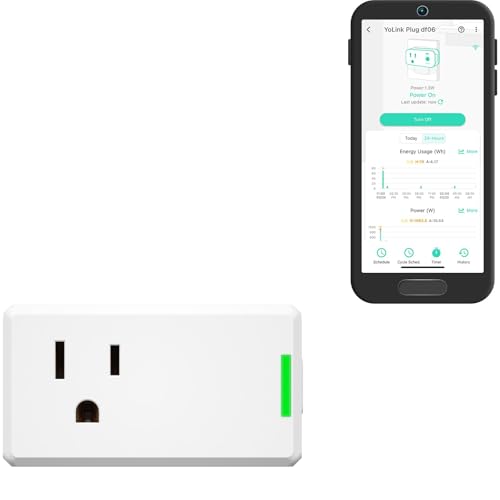
The range king — LoRa tech reaches a quarter mile, so even a concrete basement or outbuilding stays connected.
Instead of Wi-Fi, this plug uses LoRa (a long-range radio protocol) to reach up to 1/4 mile open-air through walls and obstacles — a verified capability owners rely on for large properties and outbuildings where Wi-Fi simply dies. It’s the standout pick if your smart plug needs to live somewhere your router can’t reach, with a concrete basement owner reporting rock-solid connection where Zigbee and Wi-Fi both failed.
It’s a true energy-saver too: real-time energy monitoring shows live wattage and exports historical reports so you can track consumption trends. The unique cycle schedule lets you set specific days, times, repeat intervals, and durations — perfect for fans, pumps, or dehumidifiers that run on precise cycles. Overload protection automatically powers off if things get too hot.
Shoppers say rock-solid smart connection across massive distances, with power monitoring graphs of wattage over time earning consistent praise. The catch: full functionality requires a YoLink Hub sold separately, and the plug tops out at 15A/1800W, so it’s not for 220V pumps.
The Standout Strengths
- 1/4 mile LoRa range through walls
- Real-time wattage with exportable reports
- Cycle scheduling for pumps and dehumidifiers
Before You Commit
- Requires a YoLink Hub (sold separately)
- Not rated for 220V appliances
- LoRa polling can feel slow for fast temp probes
Ideal for: large properties, outbuildings, or basements where ordinary Wi-Fi plugs drop signal.
Not for: anyone who doesn’t want to buy a hub or who needs 220V appliance control.
5. TP-Link Tapo Smart Plug Mini P110M
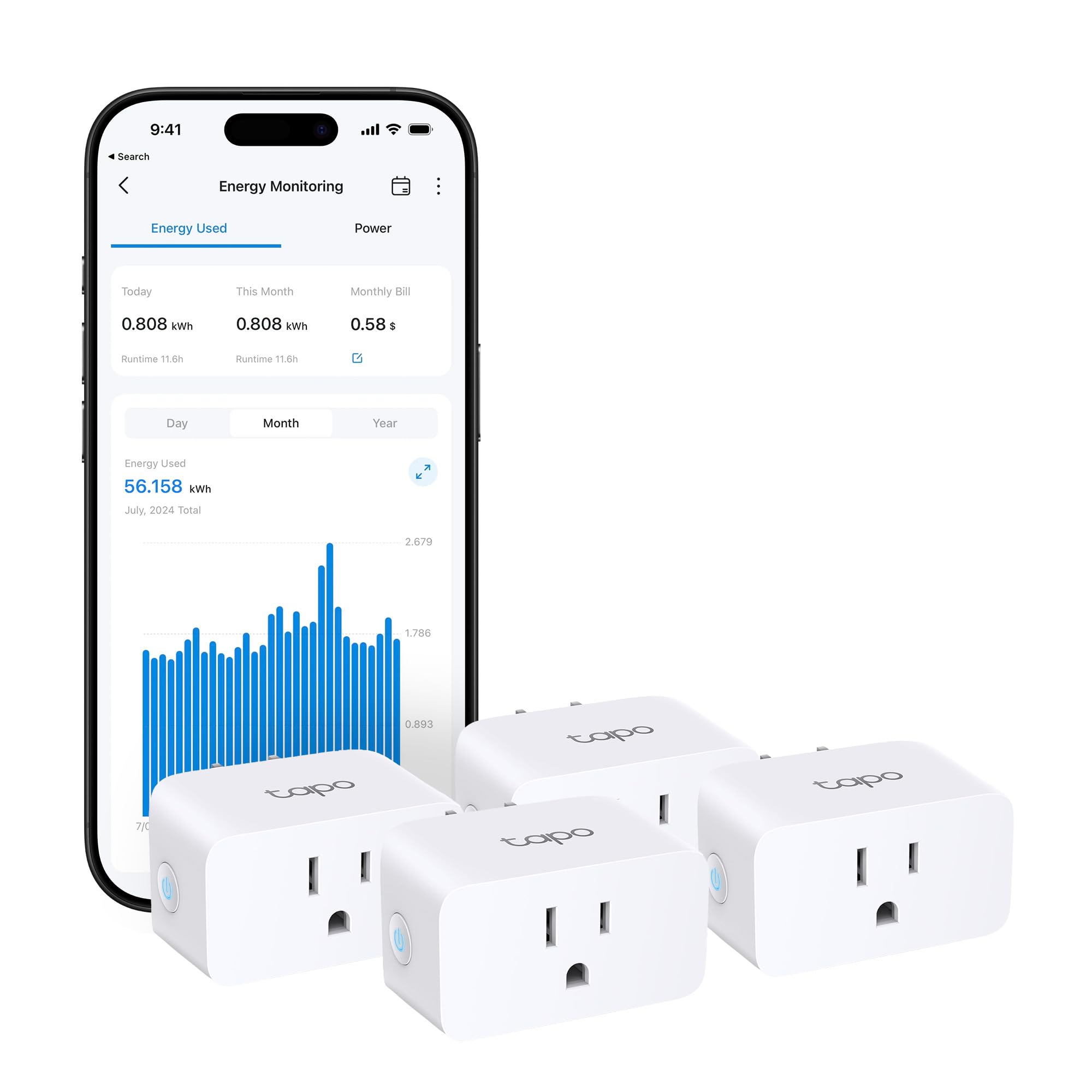
The ecosystem bridger — Matter certification lets it play nice with Alexa, HomeKit, Google, and SmartThings at once.
Matter is the new universal smart-home language, and this plug speaks it fluently — so it works across Amazon Alexa, Apple HomeKit, Google Home, and Samsung SmartThings regardless of which assistant you favor. That flexibility makes it the safe choice for homes still deciding on an ecosystem, and owners confirm flawless performance with both HomeKit and Google Nest.
The energy monitoring goes beyond basic wattage: it estimates your energy bill with both single and periodic readings, and programmable scheduling can run high-consumption devices during off-peak hours when rates drop. Overcharge prevention cuts power at user-set thresholds, protecting devices from overcurrents while conserving energy.
Buyers report the energy data is richer through the Tapo app than through Matter — real-time wattage, kWh, and history all live there. One owner set it up in 15 minutes versus multiple nights with an Emporia plug, and it connected through concrete walls on a mixed 2.4/5/6GHz router. The audible relay click is the only quirk some notice.
What Makes It Special
- Matter-certified across all major platforms
- Bill estimation with off-peak scheduling
- Overcharge prevention protection
What to Note
- Energy data best viewed in Tapo app, not Matter
- 2.4GHz Wi-Fi only
- Audible relay click when switching
Pick this if: you want one plug that works no matter which smart-home platform you eventually commit to.
Pass if: you need a simpler, cheaper plug without monitoring — the Tapo costs more for features you may not use.
6. Aqara Zigbee Smart Plug

The dual-duty plug — it controls appliances and doubles as a Zigbee signal repeater to strengthen your whole mesh.
This plug’s cleverest trick is the dual functionality: beyond switching 15A appliances like window air conditioners and space heaters, it acts as a Zigbee signal repeater that expands your mesh network, eliminating dead zones for sensors, lights, and locks. For Aqara and HomeKit households, that’s real value — every plug you add strengthens the whole system.
It works with Apple HomeKit, Alexa, and Google Assistant, with one owner praising how it “integrates great with iPhone Home app” and another noting no delay between voice command and action. Energy monitoring tracks connected appliance consumption to help you save, and schedule, timer, and scene options live in the Aqara Home app.
Owners mention quick command response and easy integration with Home Assistant and HomeKit. The honest catch is twofold: the Aqara Hub is required and sold separately, and at 3.04 ounces with a 1.37″D x 1.85″W x 2.64″H footprint, it’s not the smallest plug around. Owners also note the instructions are thin, so expect a little app digging.
Why It Stands Out
- Acts as a Zigbee mesh repeater
- Native Apple HomeKit support
- Handles 15A high-power appliances
Consider This
- Aqara Hub required and sold separately
- Setup instructions are minimal
- Power monitoring not exposed for automations on some hubs
Best suited to: existing Aqara or HomeKit setups that want every plug to pull double duty as a range extender.
Skip if: you don’t own a Zigbee hub — this plug is just a paperweight without one.
7. THIRDREALITY ZigBee Smart Plug 4 Pack

The tinkerer’s dream — flawless Home Assistant integration with real-time energy data that feeds straight into your automations.
If you run Home Assistant, this is the plug owners call “bulletproof” — outperforming more expensive brands with rock-solid Zigbee 3.0 connections and zero drops. Reliability is the most-praised aspect, with over 150 owners highlighting it, and compatibility comes second with nearly 100 mentions. It also acts as a Zigbee repeater, improving your whole mesh as you add plugs.
Setup with Echo devices is famously easy: plug it in and say “Alexa, discover my devices” and it’s found automatically. The real-time energy monitoring tracks current consumption and running total kWh with accurate power factor measurement — data that Home Assistant owners feed straight into dashboards and automations. A no-power-on-after-loss setting lets you customize the state after a power outage, which is a genuine safety feature.
It handles up to 15A/1500W, and one owner runs a 1200+W heater through it fine. The recurring gripes are physical: the plug is bulky, blocks duplex outlets, and takes up space on power strips. Buyers also advise against motors due to load spikes, keeping it to low-power devices like PCs and lamps.
The Power User Appeal
- Flawless Home Assistant integration
- Accurate real-time kWh and power factor data
- Auto-discovers on compatible Echo devices
What Holds It Back
- Bulky body blocks adjacent outlets
- Requires a Zigbee hub
- Not recommended for motor loads
Made for: Home Assistant enthusiasts who want deep energy data flowing into automations and dashboards.
Not ideal for: tight spaces or anyone without a Zigbee hub — the size and requirement rule it out.
8. Kasa Smart Plug HS103P4
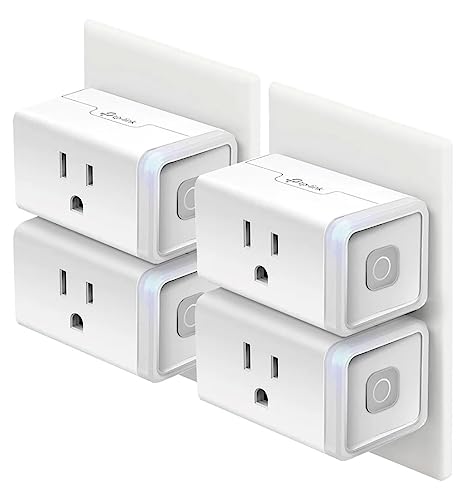
The proven four-pack — a massive owner base and a popular pick for lamp schedules that just work.
This is Kasa’s classic workhorse, designed in Silicon Valley and trusted by over 5 million users, with the PCMag 2020 Reader’s Choice nod behind it. The 4-pack gives you whole-home coverage in one box at a budget-friendly per-plug cost, and owners love how easy it is to set up versus other brands like Wemo — connecting to Wi-Fi easily and staying connected.
The app is the quiet hero: owners call it “simple to use and very functional,” from setting timers to remotely turning lights on and off from anywhere. Dusk-to-bedtime scheduling and random schedules for travel security are favorites — the random pattern makes it look like someone’s home while you’re away. Voice control works with both Alexa and Google Home.
It’s UL certified for safety and works with Android 5.0 or higher and iOS 10.0 or higher. The honest trade-offs: it’s bulkier than newer Mini models and sticks out from the wall, and it handles one outlet per plug, not two. A few owners hit occasional app pairing hiccups, though reliability overall earns strong marks.
Why It’s a Favorite
- Four plugs for a budget-friendly whole-home setup
- Simple app with dusk-to-bedtime scheduling
- Random schedules for travel security
The Fine Print
- Bulkier body sticks out from the wall
- One outlet per plug, no energy monitoring
- Occasional app pairing hiccups
Best for: lamp-heavy homes that want a proven, affordable 4-pack with solid scheduling.
Pass on it if: you need compact plugs for tight spaces or want energy-monitoring data.
Understanding the Specs
2.4GHz Wi-Fi vs 5G
Nearly every smart plug runs on 2.4GHz Wi-Fi only — the longer-range, slower band. Your router must broadcast 2.4GHz for these to connect. If you have a mesh or dual-band router, it usually does both, and your phone just needs to be on the 2.4GHz band during setup. Some plugs pair over Bluetooth first to skip the password hassle entirely.
Amperage Rating (15A)
The amperage tells you how much power a plug can safely switch. 15A is the standard for household outlets and covers most appliances — lamps, fans, coffee makers, space heaters, even window AC units. Check your appliance’s tag: if it draws more than 15A, you need a heavy-duty plug, not a standard smart one.
FAQ
Will a smart plug work with my 5G Wi-Fi network?
Do I need a hub for these smart plugs?
How much electricity can a smart plug actually save me?
What’s the difference between Wi-Fi, Zigbee, and LoRa plugs?
Can a smart plug control devices that don’t have a physical switch?
Will these plugs work with both Alexa and Google Home?
Can I monitor how much energy my devices use?
Are smart plugs safe to leave plugged in?
What’s the difference between Matter and regular smart plugs?
Will a smart plug work in an outdoor outlet?
Final Thoughts: The Verdict
For most buyers, the energy saving devices winner is the Amazon Smart Plug because it offers the most easy setup and rock-solid reliability for the largest smart-home ecosystem — Alexa. If you want two devices controlled from one outlet and support for both Alexa and Google, grab the GHome Dual Smart Plug. And for the budget-conscious who want proven performance across a whole home, the Kasa HS103P4 4-Pack is the one to reach for — it holds a strong 4.6-star average across over 150,000 owners, making it the most battle-tested pick in this lineup.
How We Picked
We do not accept paid placement. Every pick is matched to a real buyer and a real use-case; we do not hands-on test units.
Sources & Methodology
Specifications: manufacturer listings and product documentation. Review insights: verified customer reviews, as of August 2026. Pricing: not shown on this page (it changes often); check the current price via the retailer link.
As an Amazon Associate, WellFizz earns from qualifying purchases. This does not affect which products we feature.
Related Guides

Mo Maruf
I created WellFizz to bridge the gap between vague wellness advice and actionable solutions. My mission is simple: to decode the research and give you practical tools you can actually use.
Beyond the data, I am a passionate traveler. I believe that stepping away from the screen to explore new environments is essential for mental clarity and physical vitality.