Our readers keep the lights on and my smoothie glass nicely filled. As an Amazon Associate, I earn from qualifying purchases.
Specs are compiled from manufacturer listings and verified buyer reviews and can change over time — please confirm the key details on the product page before buying.
When your tablet’s stylus breaks or vanishes, you need a replacement that writes, erases, and snaps on exactly like the original — that’s the real question behind every EMR stylus (a pen that works with electromagnetic resonance, the tech inside many tablets) purchase. This guide compares eight EMR styluses across pressure sensitivity, eraser styles, and device compatibility.
I’m Mohammad Maruf — the founder and writer behind WellFizz. This guide is built by comparing the manufacturers’ published specifications and the patterns across verified customer reviews, so you get each pick’s real strengths and trade-offs instead of marketing spin.
Picking the right emr stylus means matching the pen’s eraser style, magnetic hold, and 4096 pressure levels (how finely it detects your press) to your tablet model — here’s how each one stacks up.
Our Picks at a Glance

How To Choose The Best EMR Stylus
EMR stands for electro-magnetic resonance, a technology where the pen itself is passive — the tablet’s screen generates the magnetic field that powers it. That means no battery, no Bluetooth pairing, and no charging dock to lose. EMR pens only work with tablets that have the technology built in, so confirm your model supports it first.
1. Check the eraser style first
EMR pens handle erasing in one of two ways. Some have an eraser built into the top end, so you flip the pen upside down to erase — that is the natural reMarkable style. Others require you to press and hold a side button to activate the eraser, which is the Samsung Galaxy Tab approach. Mismatching the eraser style to your tablet forces constant settings adjustments.
2. Match the magnetic strength to your tablet
Most reMarkable-style pens use magnets to attach to the side of the tablet. The strength varies wildly between brands — some grip firmly enough for travel, while others slide off into your bag. A weak magnet becomes a daily annoyance when you carry your e-ink tablet. If your tablet has a pen loop instead of a magnetic edge, the attachment may not matter to you at all.
3. Weigh the tip material and feel
All pens here share 4096 pressure levels, so the nib material is the real differentiator. Plastic tips glide smoothly but feel different from the paper-like friction of a reMarkable original. Some brands include spare tips in the box, which matters because EMR nibs wear down with heavy use. Pen weight shifts the writing feel—lighter models feel nimble but less substantial than OEM styluses.
Quick Comparison
| Model | Best For | Pressure Levels | Eraser Style | Magnetic | Amazon |
|---|---|---|---|---|---|
| Galaxy S24 Ultra S Pen★ Best Overall | Galaxy S24 Ultra owners | EMR Passive | None | No | Amazon |
| Ciscle EMR StylusBest Value | reMarkable & Samsung users | 4096 | Button + Rear | Yes | Amazon |
| Fondpen EMR StylusMost Versatile | Wide device compatibility | 4096 | Rear + Button | No | Amazon |
| TiMOVO Magnetic (B0GWHLPVC7) | reMarkable 2 & Kindle Scribe | 4096 | Rear Eraser | Yes | Amazon |
| NBT08 EMR Stylus | Budget reMarkable alternative | 4096 | Rear Eraser | No | Amazon |
| STAEDTLER Lumograph | Traditional pencil feel | 4096 | None | No | Amazon |
| TiMOVO Magnetic (B0DGY15BFH) | reMarkable Marker Plus feel | 4096 | Rear + Button | Yes | Amazon |
| abasuto Magnetic Stylus | High-volume note-takers | 4096 | Rear Eraser | Yes | Amazon |
In‑Depth Reviews
1. Galaxy S24 Ultra S Pen Replacement
Our pick — 4.5★ from 150+ verified ratings; the strongest balance of quality and price.
The drop-in S Pen replacement that pairs in a minute.
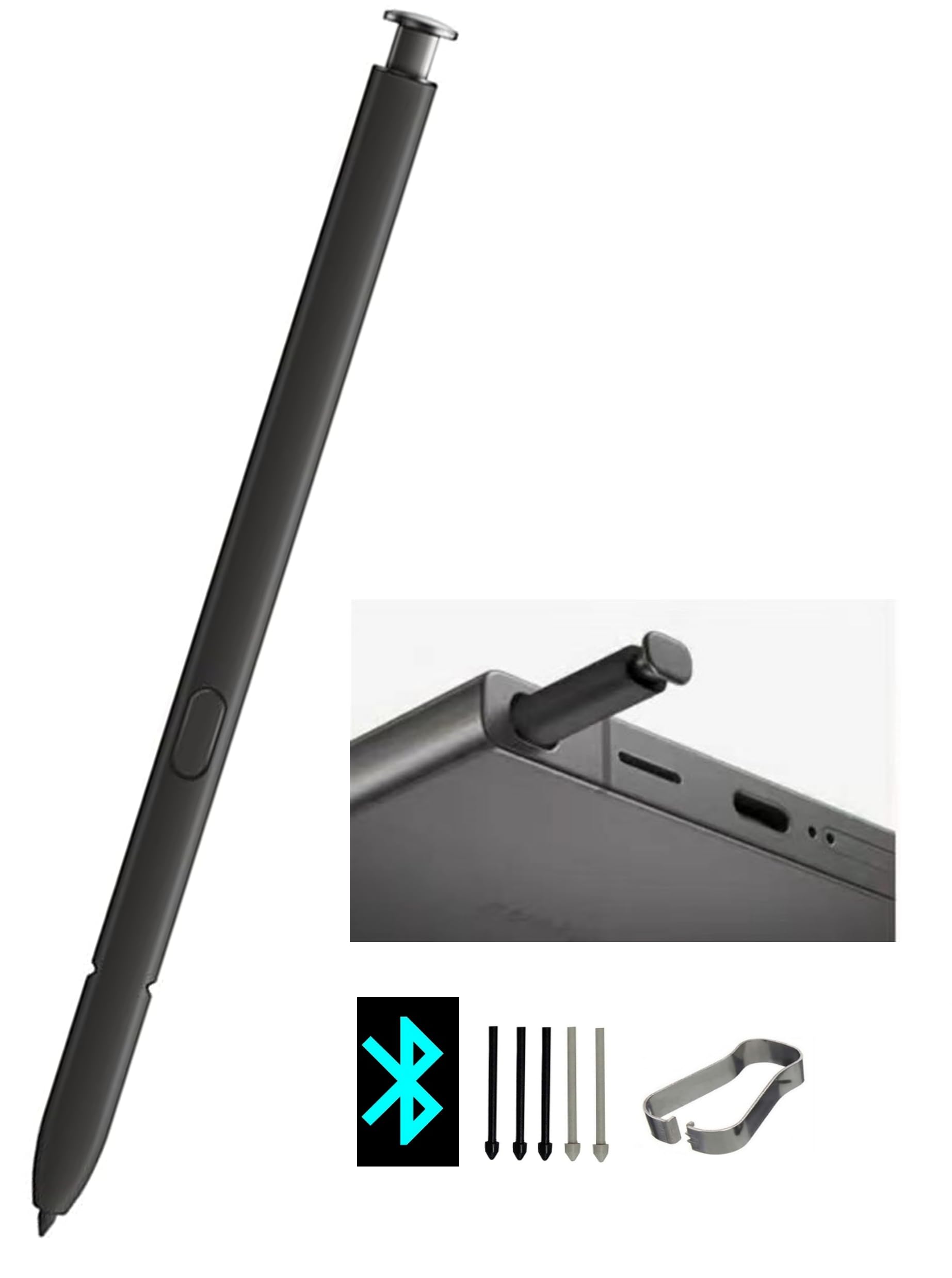
For Galaxy S24 Ultra owners, this black replacement pen is built to be indistinguishable from the original. It supports Bluetooth pairing for Air Actions gestures, a remote shutter for taking photos hands-free, and all the standard menu functions you expect from the S Pen experience. The passive EMR core draws power from the screen, so writing feel matches the stock pen’s digitizer.
The package includes 5 pen tips plus a tweezers tool, so swapping a worn nib is a simple clip-out, clip-in job. Compatibility tops the list of what wins people over — the pen slots into the phone and connects without fuss. One reviewer called it a perfect replacement that connected in about a minute. A few owners mention the tip feels slightly rough against the glass compared to the original; repurposing the original tip onto this pen solves it.
Unlike the reMarkable-focused pens below, this one is a single-device match for the S24 Ultra specifically. It weighs just 0.02 kg, so it vanishes into the phone’s silo and feels identical to what you lost. If your original S Pen has gone missing, this is the closest thing to a factory replacement without the factory price.
Why owners grab it
- Bluetooth pairing works in about a minute
- Includes 5 spare tips and tweezers
- Perfect physical fit in the phone
Where it falls short
- Tip can feel rough until you swap in a spare
- Single-device compatibility only
Your move if: you own a Galaxy S24 Ultra and want a drop-in replacement with full Bluetooth features.
Look elsewhere if: you are writing on a reMarkable or Kindle — this pen only fits the S24 Ultra.
2. Ciscle EMR Stylus for Remarkable 2
The dual-device EMR pen that outwrites the stylus it replaced.
This gray stylus works with both the reMarkable 2 and Galaxy Tab S6/S7/S8, making it a rare dual-tool pick in this list. Its 4,096 pressure levels and tilt support let angled strokes create graphite-like shading. Palm rejection lets you rest your hand flat on the screen while you write, and the lightweight ergonomic grip keeps long note-taking sessions comfortable.
Compatibility is what owners praise most — it works with the reMarkable 2, Samsung tablets, Supernote, and even a Meebook M8C. One buyer whose Meebook stylus died six weeks in found this pen “much better” and writes more cleanly than the original. The eraser lives at the rear end; on Samsung devices you press and hold the side button to activate it, while the reMarkable uses the flip-to-erase motion. The magnetic side attachment works, though a few owners note the magnet feels weaker than the OEM version.
Compared to the pricier TiMOVO options later in this list, the Ciscle packs the same 4096 pressure core at a friendlier price — and it comes with 5 tips, so the nib wear issue is covered for months. Durability gets mixed feedback; some find it very sturdy while others report it breaking quickly, so treat the seam gently.
What wins people over: the compatibility spread — a single pen that covers reMarkable and Samsung users without skipping a beat.
The honest trade-off: the magnetic hold is weaker than the stock reMarkable pen, and a few units have durability complaints.
3. Fondpen EMR Stylus Compatible with Remarkable 2
A classic pen-shaped EMR stylus with a pocket clip that keeps it from rolling away.
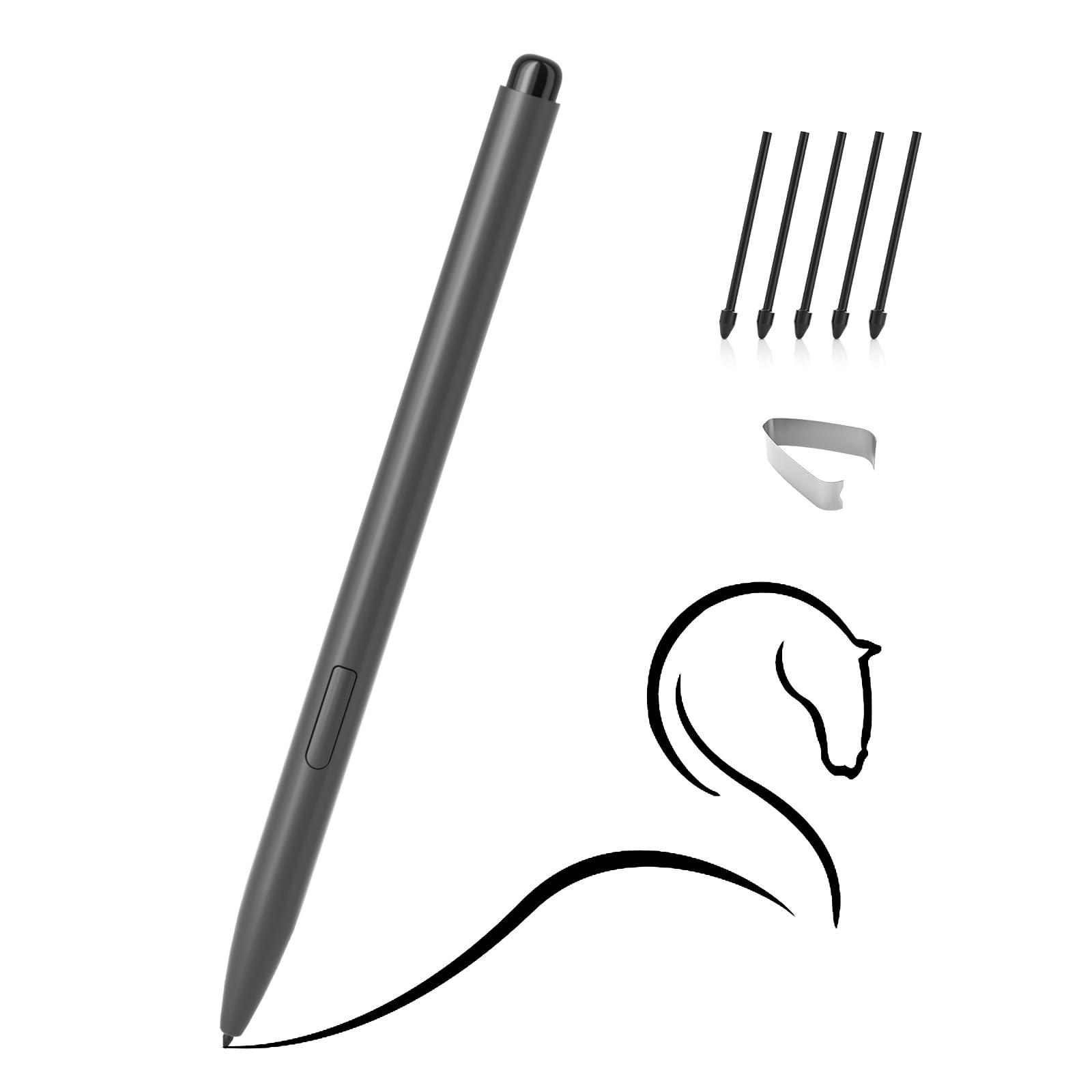
If your tablet supports a wide range of EMR devices, this Fondpen stylus is the most accommodating pick here — it works with the reMarkable 1 and 2, Kindle Scribe, Supernote, Wacom devices, and Galaxy Tab S6 through S9. The 7-gram pen body is light and comfortable, with a classic pen form factor rather than the streamlined look of the TiMOVO options. It uses the same 4,096 pressure levels, and the screen-friendly tip material is designed to protect your display from scratches.
The standout feature is the integrated clip, which owners love because it prevents the pen from falling off a desk or out of a bag — a real advantage over magnetic styluses that slip free. One buyer mentioned it is identical to the Fujitsu Quaderno Gen 2 stock pen apart from the black color, working perfectly without any setup. The eraser works from the rear end, or via the side button, and the no-charge EMR core means you just pick it up and write.
The recurring gripe is the eraser button placement — it sits right where some people grip the pen, causing accidental erases mid-sentence. A few owners also wish it had more weight for a more substantial feel. But for a pen that works across the broadest range of devices at this tier, it is hard to fault.
The defining edge: the clip — a simple addition that solves the “where did my pen go” problem permanently.
Reach for this if: you switch between several EMR devices and want one pen that works everywhere.
4. TiMOVO Magnetic EMR Stylus for Remarkable 2
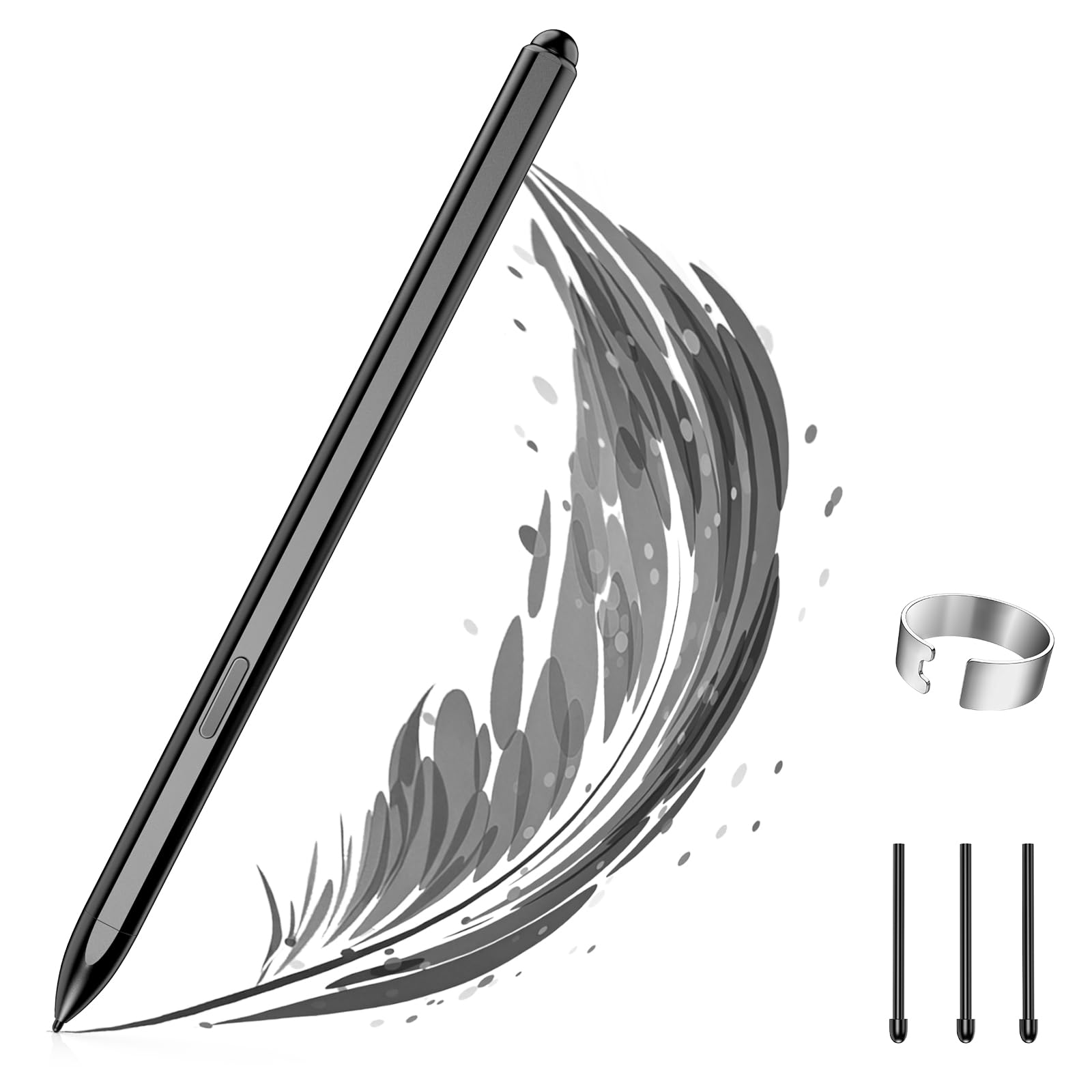
A featherweight 17-gram stylus that writes instantly with zero charging or pairing.
This TiMOVO pen is built for the reMarkable 2 and Kindle Scribe, delivering 4,096 pressure sensitivity with tilt support for natural shading. It is a battery-free EMR pen (a pen that draws power from the tablet screen, so it never charges and never pairs), and it works straight from the start. The fine tip and paper-like feel make it a strong pick for artists, designers, and heavy note-takers.
Palm rejection is precise, so you can write naturally with your palm resting on the screen. The rear eraser lets you flip the pen upside down to erase, and the magnetic body attaches to the side of the tablet for storage. It is not compatible with the reMarkable Paper Pro or any Apple device, so check your model before buying.
Compatibility is the top praise point, with ease-of-use close behind — owners note it works instantly and the color matches the reMarkable aesthetic perfectly. The honest caveat is reliability: a few buyers report the pen randomly shutting off sometimes, so treat it as a backup-friendly purchase rather than a lifetime tool.
Why it earns its spot
- Lightweight 17.01 g for fatigue-free drawing
- No charging, pairing, or setup required
- Includes 3 replacement tips
- Precise palm rejection
Know before you buy
- Not compatible with reMarkable Paper Pro
- Occasional random shutdown reported
Choose it for: a light, palm-rejecting pen for daily reMarkable 2 or Kindle Scribe note-taking.
Think twice if: you own the newer reMarkable Paper Pro — this one will not work with it.
5. NBT08 EMR Stylus for Remarkable 2

A slender 7-gram EMR pen with a built-in clip that outperforms pens twice its price.
This NibtouTech pen is the lightest of the reMarkable-compatible group at just 7 grams, and it pairs that with a built-in pocket clip — a rare combination. It works with the reMarkable 1 and 2, Galaxy Note, Galaxy Book, Galaxy Tab, and Galaxy S devices, using the standard 4,096 pressure levels and natural tilt support. The eraser is at the rear, so you flip the pen to erase, and the EMR core needs no charging or pairing.
Functionality is what owners praise most, with the clip drawing specific appreciation for holding better in the reMarkable’s cover than a magnetic stylus. One buyer found it works as a Marker Plus replacement with finer writing and a more precise eraser, while another noted it works on the Galaxy Note too. The writing is clear with no premature marks, and the eraser functions cleanly. Weight gets consistent praise — owners like how light it feels in the hand.
The most-discussed downside is that it is not magnetic at all. One owner noted the missing magnet makes it lighter to hold but takes away from the premium writing feel. The side button is undocumented and can trigger accidental presses, and the thin grip is less comfortable for large hands. If you want a featherweight pen with a clip and do not need magnetic attachment, this delivers.
The standout trait: the clip and featherweight body — a combination no other reMarkable pen here matches.
Who should skip it: anyone relying on magnetic side attachment, since this pen has none.
6. STAEDTLER Lumograph Digital Stylus Pen
A real wood-bodied hexagonal stylus that feels like holding a classic Lumograph pencil.
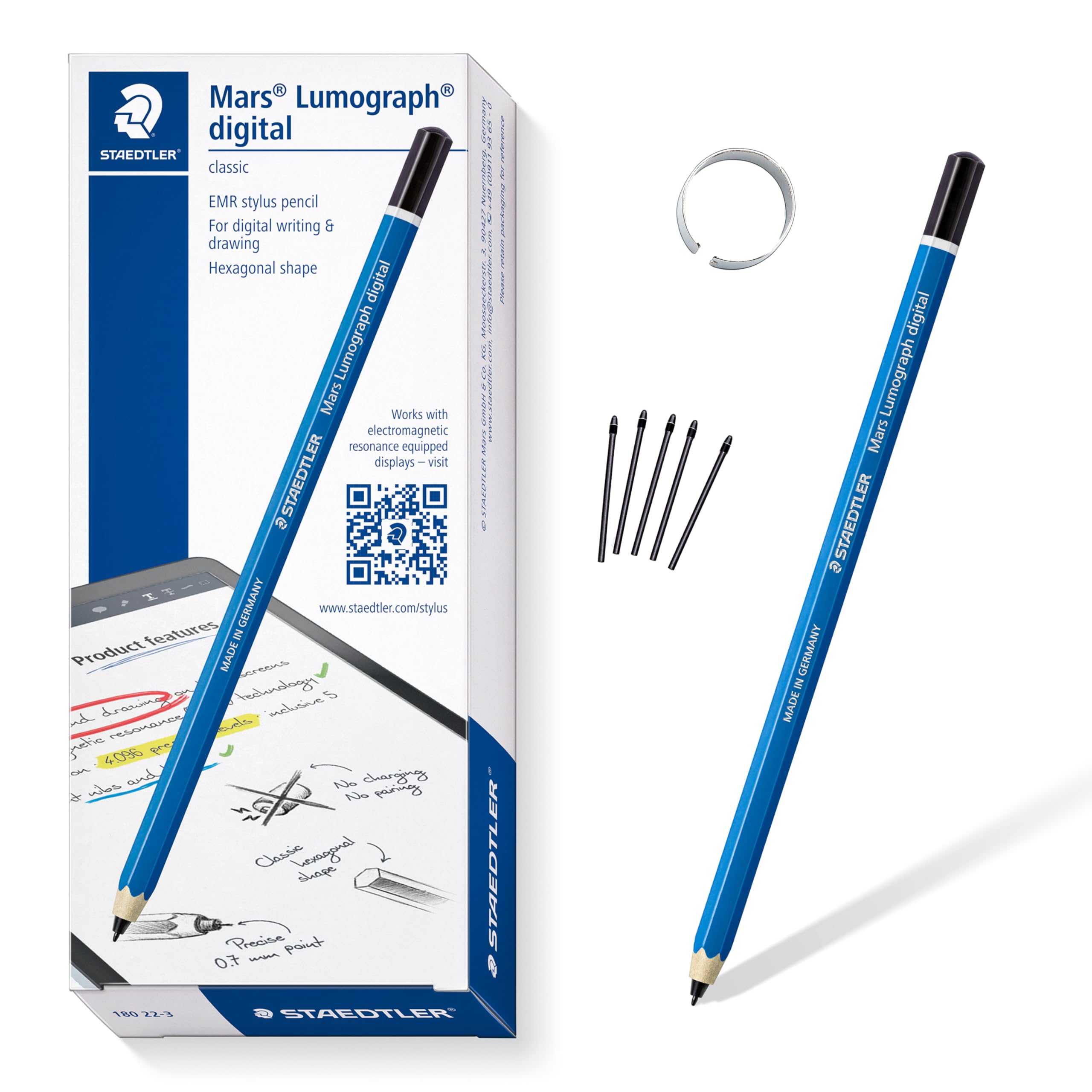
If the plastic bodies of other EMR pens feel hollow, the STAEDTLER Lumograph is the antidote. Its hexagonal wood body echoes the legendary Lumograph pencil, giving you a natural grip and writing angle that feels like traditional pencil on paper. It works across Samsung Galaxy Tabs, Kindle Scribe, reMarkable 2, BOOX, Supernote, and Wacom EMR devices, with the same 4,096 pressure levels — vary your line width just by pressing harder or softer. It comes with 5 replacement nibs and a tool for swapping them.
Ergonomics is the second most-praised aspect, and it is easy to see why — owners describe the feel as “dream”-like and note it is cheaper than the OEM replacement stylus for the Kindle Scribe. One artist noted it writes incredibly naturally on the Kindle Scribe, and another confirmed it works perfectly with the reMarkable 2 and a Supernote. The balance and weight of the wooden body give it a substantial presence no plastic pen here matches.
The big structural trade-off is that the standard version has no eraser at all — owners consistently flag this as the main annoyance. The pen is also thin, so it can slip out of a Kindle case loop, and there is no pen clip. If you rarely erase and want the most authentic pencil feel available, this is the one.
What makes it special
- Genuine wood body with hexagonal pencil grip
- Natural feel on reMarkable and Kindle Scribe
- Includes 5 replacement nibs and tool
- Works across the widest device range
What to know
- No eraser on the standard version
- Thin body slips out of some case loops
Reach for this if: you want the closest experience to writing with a real pencil and rarely need an eraser.
Look elsewhere if: erasing is a daily part of your workflow — this pen simply does not have one.
7. TiMOVO Magnetic EMR Stylus for Remarkable
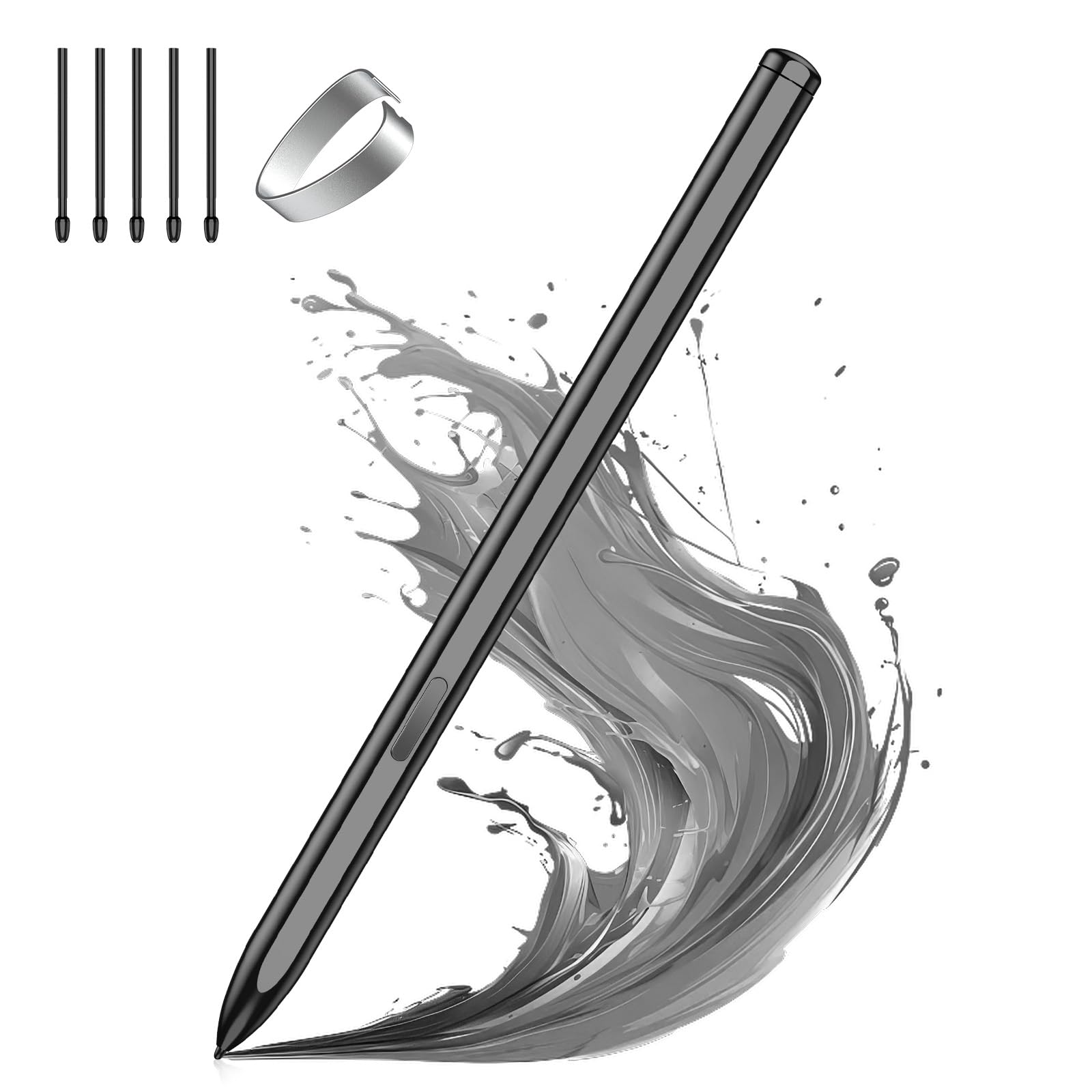
A 15.88-gram magnetic pen with POM nibs designed to mirror the reMarkable Marker Plus.
This higher-tier TiMOVO pen is aimed squarely at reMarkable Marker Plus owners who want a replacement that feels premium. It uses durable POM material for its nibs (a smooth, screen-friendly plastic that glides like a real pencil), and it comes with 5 replacement nibs, a pen clip, and a user manual. The 4096 pressure levels respond to the lightest touch, and the tilt-to-thicken function lets you angle the tip to draw natural shadows.
The magnetic design attaches the pen to the side of the tablet, and the rear eraser works by flipping the pen upside down — though on Samsung tablets you press and hold the side button instead. It is compatible with the reMarkable 1 and 2, Kindle Scribe, most Samsung Galaxy devices, and BOOX, with no charging or pairing needed. One owner reported the build quality beats cheaper alternatives like the Prosketch Digital Pen, though it still does not quite match the OEM feel.
Value for money is the most-praised aspect, with owners happy not to spend the extra for the Apple Pencil — though notably several reviews mention using it with iPads, which is outside its stated EMR compatibility. Compatibility gets mixed feedback: some users report it works well with certain devices while others flag connectivity issues on the reMarkable 2 specifically. One owner reported ghost writing on the reMarkable 2 from the very first use, so this is a pick to test quickly if your device is picky.
The pitch: premium POM nibs and a magnetic body that closely channels the Marker Plus experience.
The caveat: compatibility is genuinely mixed on the reMarkable 2 — verify it works on your unit early.
8. abasuto Magnetic Stylus for Remarkable 2

The crowd-sized value pick that cuts replacement cost in half for reMarkable and Kindle.
This abasuto stylus is the budget-conscious choice for reMarkable 1 and 2, Kindle Scribe, BOOX, Samsung, Lenovo, HP, Galaxy, and Wacom devices. It matches the original pen’s performance at roughly half the cost, using the standard 4,096 pressure levels and tilt support. The magnetic attachment sticks securely to your device, and the 13-gram body keeps it comfortable for extended note-taking and drawing sessions.
With a 5.0x gap in unit count versus the single-pen Galaxy option above, this package clearly wins on contents — you get the pen, 5 extra tips, and the magnetic body for a price that undercuts the reMarkable OEM stylus significantly. Owners praise the smooth, responsive tip, the strong magnetic hold, and the practical eraser. The writing feel is fluid and precise, and the palm rejection works reliably so you can rest your hand naturally.
The most-discussed trade-off is weight: some find the 13-gram body too light for a premium feel, though others appreciate how easy it is to handle. Compatibility also draws mixed feedback — it works well on many devices but not universally, so confirm your tablet model first. A few owners warn against pressing hard, as the nib can break like a mechanical pencil, so write with a light touch.
The value case
- Near-official performance at a fraction of the cost
- Includes 5 spare tips for long-term use
- Strong magnetic attachment for travel
- Works across the broadest device list
The honest limits
- Light 13-gram body feels less substantial
- Nibs can break under hard pressure
- Compatibility varies by device
Grab this for: a reliable, feature-complete backup or budget replacement with plenty of spare tips.
Step up instead if: you prefer a heavier, more premium-feeling pen for daily professional drawing.
Understanding the Specs
4096 Pressure Levels
This number tells you how finely the pen detects how hard you press. At 4096 levels, a feather-light touch produces a thin line while a firm press creates a bold stroke — essentially matching the range of a real pencil. Every pen in this guide offers this, so the real differentiator is how the tip material translates that pressure into feel.
Palm Rejection
EMR technology only recognizes the pen tip, not your hand. That means you can rest your palm flat on the screen while writing without leaving stray marks — the single biggest reason people switch from capacitive styluses. It is a built-in feature of the technology, so all true EMR pens have it.
Digital Eraser Styles
EMR pens erase in two ways: a rear eraser you activate by flipping the pen upside down, or a side button you press and hold. The reMarkable ecosystem uses the flip style, while Samsung tablets typically require the side button. Matching this to your tablet is the most common compatibility gotcha.
Magnetic Attachment
Many EMR pens use magnets to park on the side of your tablet. Strength varies a lot between brands — some hold firmly enough for bag travel, others slide off. If your tablet lacks a magnetic edge or has a pen loop instead, this spec matters far less to you.
FAQ
Does an EMR stylus work on any tablet?
Why does my EMR pen need no charging?
Can I use a reMarkable stylus on a Kindle Scribe?
What is the difference between a rear eraser and a side button eraser?
How long do EMR pen nibs last?
Can I use an EMR stylus on my iPad?
Why does my third-party stylus feel lighter than the original?
Is the Galaxy S24 Ultra S Pen interchangeable with other Samsung devices?
What does tilt support actually do for drawing?
Are all EMR pen tips interchangeable between brands?
Final Thoughts: The Verdict
For most buyers, the emr stylus winner is the Ciscle EMR Stylus because it nails the dual-device compatibility — reMarkable 2 and Samsung tabs — with 4096 pressure levels, a dual eraser system, and 5 spare tips at a budget-friendly price. If you want the authentic pencil feel and never charge anything, grab the STAEDTLER Lumograph. And for Galaxy S24 Ultra owners needing a true drop-in replacement, the Galaxy S24 Ultra S Pen is the one to reach for.
How We Picked
We do not accept paid placement. Every pick is matched to a real buyer and a real use-case; we do not hands-on test units.
Sources & Methodology
Specifications: manufacturer listings and product documentation. Review insights: verified customer reviews, as of August 2026. Pricing: not shown on this page (it changes often); check the current price via the retailer link.
As an Amazon Associate, WellFizz earns from qualifying purchases. This does not affect which products we feature.
Related Guides

Mo Maruf
I created WellFizz to bridge the gap between vague wellness advice and actionable solutions. My mission is simple: to decode the research and give you practical tools you can actually use.
Beyond the data, I am a passionate traveler. I believe that stepping away from the screen to explore new environments is essential for mental clarity and physical vitality.