Our readers keep the lights on and my smoothie glass nicely filled. As an Amazon Associate, I earn from qualifying purchases.
Specs are compiled from manufacturer listings and verified buyer reviews and can change over time — please confirm the key details on the product page before buying.
An electronic whiteboard replaces scattered paper calendars, sticky notes, and forgotten family meetings with one smart touchscreen you mount on the wall or sit on a desk. The real question isn’t if you need one — it’s which size, screen quality, and feature set actually fits how your household or office works without lock-in or hidden fees.
I’m Mohammad Maruf — the founder and writer behind WellFizz. This guide is built by comparing the manufacturers’ published specifications and the patterns across verified customer reviews, so you get each pick’s real strengths and trade-offs instead of marketing spin.
This roundup breaks down the top-rated models to help you choose the best electronic whiteboard for your specific setup without getting lost in spec-sheet jargon.
Our Picks at a Glance
How To Choose The Best Electronic Whiteboard
An electronic whiteboard is a long-term purchase for your home or office, so matching the right specs to your daily routine matters more than picking the biggest screen. Here is what to weigh before you buy.
Screen Size and Resolution
The display size dictates where you can put it and how many people can read it at once. A 15.6-inch model fits a kitchen counter or a desk nicely, while a 21.5-inch or larger board works better on a wall for the whole family to see from across the room. Resolution matters for clarity — a 1920 by 1080 (Full HD) screen keeps text and calendar entries crisp. Models with an IPS panel (a type of LCD screen that keeps colors accurate from wide viewing angles) ensure everyone in the room sees the same thing without washed-out colors.
Calendar Sync and Subscription Costs
The core convenience of an electronic whiteboard is automatic syncing with the calendars you already use — Google Calendar, iCloud, Outlook, or Yahoo. Real-time sync means when someone adds an appointment on their phone, it appears on the board instantly without manual input. The best models offer this with zero subscription fees. Some boards even support bidirectional operation (changes made on the board update your phone calendar and vice versa), which is the feature that keeps families truly coordinated.
Touchscreen Responsiveness and Extra Features
A responsive touchscreen makes the difference between a board that feels natural and one that frustrates. Look for infrared (IR) touch technology (which uses light beams across the screen to detect touch) for smoother interaction. Many electronic whiteboards also include chore charts with reward systems to motivate kids, meal planners that auto-generate grocery lists, and a built-in digital photo frame that displays your photos when the calendar isn’t in use. Extra storage, such as 32GB, lets you load more pictures without needing a memory card.
Quick Comparison
| Model | Best For | Screen Size | Resolution | Storage | Amazon |
|---|---|---|---|---|---|
| Dragon Touch Digital Calendar 21.5 Inch★ Best Overall | Best Overall | 21.5 inches | Touchscreen | 32GB | Amazon |
| DASFIWO 21.5 Inch Smart Digital CalendarBest Value Large Screen | Budget-Friendly Large Screen | 21.5 inches | 1920×1080 | 32GB | Amazon |
| Yemsd 15.6″ Digital Calendar Wall Touch Screen | Compact Family Organizer | 15.6 inches | HD Touchscreen | 32GB expandable | Amazon |
| Cozyla Calendar Plus 2 15.6″ | Customizable Smart Hub | 15.6 inches | Touchscreen | — | Amazon |
| JASZDOT 55” Smart Board 4K | Premium Interactive Display | 55 inches | 4K UHD | 128GB | Amazon |
| COOLHOOD 65″ Smart Board | Large Premium Conference Board | 65 inches | 4K UHD | 128GB | Amazon |
| Vibe S1 55 Inch Smart Board | Enterprise Collaboration | 55 inches | 4K UHD | 128GB | Amazon |
In‑Depth Reviews
1. Dragon Touch Digital Calendar 21.5 Inch Touch Screen
Our pick — over 4.5★ from 350+ verified ratings; the strongest balance of quality and price.
The largest family-friendly touchscreen that turns a wall into a command center.
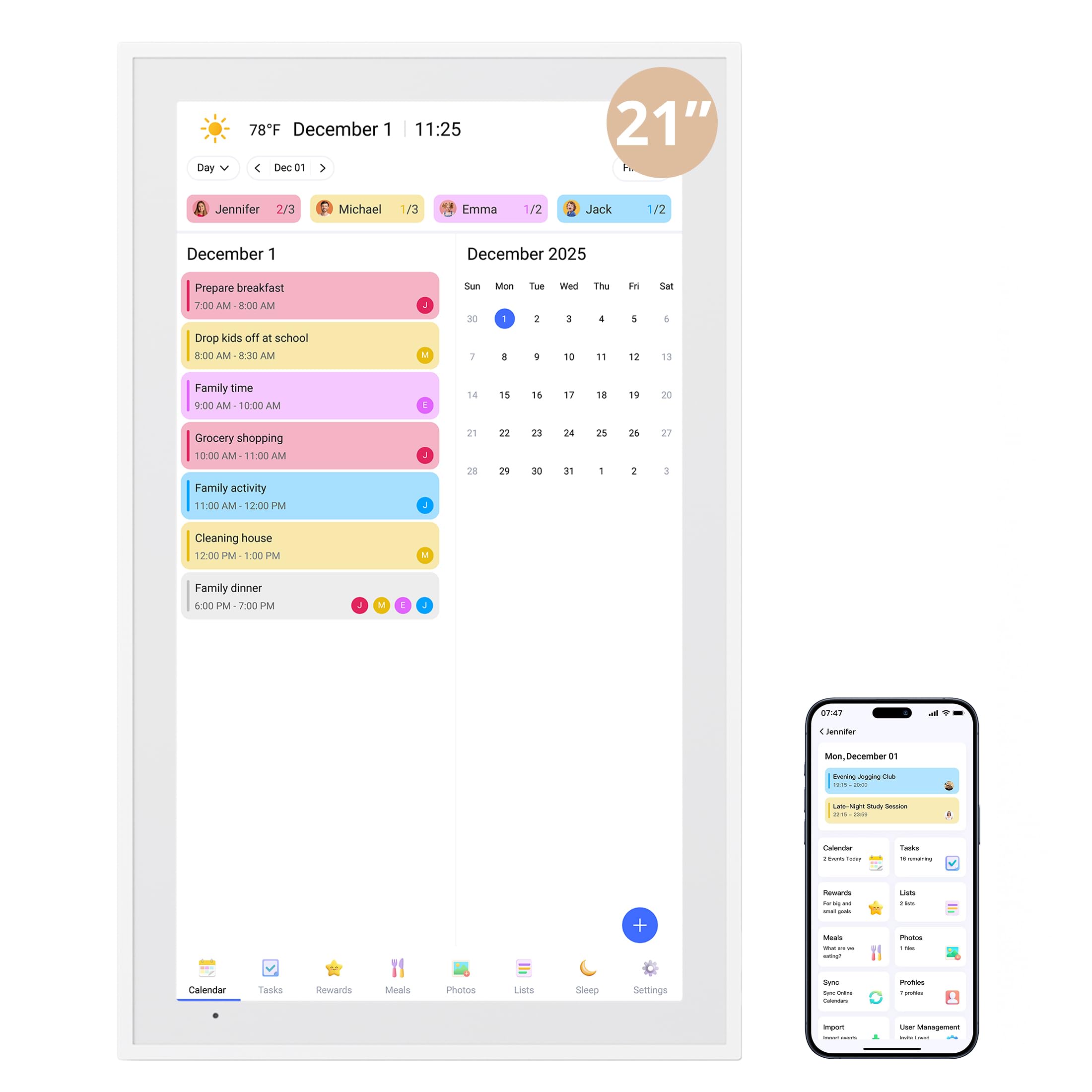
The 21.5-inch display is the biggest in this roundup among family calendar models, which means everyone in the kitchen can read the day’s schedule from across the counter without squinting. The touchscreen is responsive according to owners, and syncing with Google Calendar and iPhones happens through the dedicated app with no subscription fees — a major relief for families tired of paying monthly for organization tools. It doubles as a digital photo frame with 32GB of built-in storage (internal memory for holding your pictures), so when the calendar is idle, your favorite memories cycle across the screen.
What wins people over is how easy it is to set up and use daily: the chorus of owners calls the process smooth, the instructions clear, and the chore-reward system genuinely motivating for kids who earn stars for completing tasks. The included desk stand and wall-mountable design give you placement flexibility, and the energy-saving sleep mode (a setting that turns the screen off during set night hours to save power) means it won’t glow in the bedroom. At a 21.5-inch size with a 32GB capacity, this model offers more storage than any compact board here, which matters if you want a large photo library rotating through the frame.
The trade-off is that at 21.5 inches, it is larger than a 15.6-inch model like the Yemsd and demands more wall space or counter real estate, so it suits a dedicated family hub spot rather than a cramped nook. An occasional owner notes that the screen can show fingerprints, though cleaning is simple.
What Owners Rave About
- Large 21.5-inch touchscreen is easy for the whole family to see
- Syncs reliably with Google Calendar and iPhone with no subscription
- Doubles as a 32GB digital photo frame with sleep mode
A Note on Fit
- Requires decent wall or desk space — not for tiny kitchens
- Touchscreen attracts fingerprints, though they wipe off easily
Reach for this if: you want the largest family-sized screen with the most storage for photos and zero ongoing fees, backed by owners who find it genuinely easy to set up and use.
Think twice if: your space is tight and you prefer a more compact 15.6-inch board that tucks onto a countertop.
2. DASFIWO 21.5 Inch Smart Digital Calendar
A crisp Full HD screen at a lower entry point, with bidirectional sync that actually works both ways.
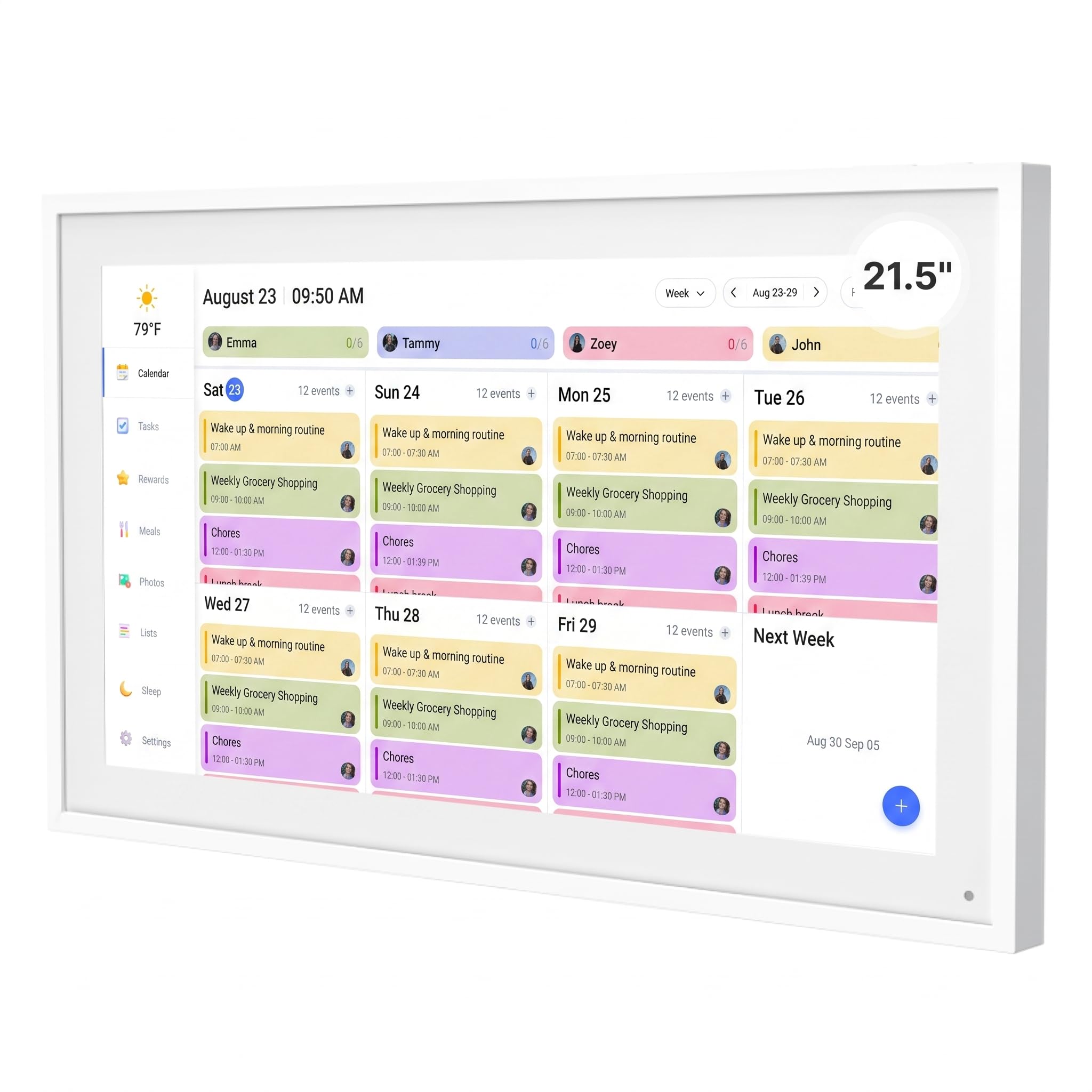
This 21.5-inch electronic whiteboard delivers a 1920 by 1080 IPS Full HD display (an LCD panel that offers vivid colors and wide viewing angles), making calendar text and photos look noticeably sharper than standard touchscreens. Buyers report that the setup is straightforward and that the board syncs in real time with Google Calendar and iCloud using a free app — the grocery list feature is a particular hit because it syncs to your phone, so you always have the current list when you are at the store. It also includes a weather function updated in real time and a sleep mode that turns the screen off at night so it does not disturb sleep.
The consensus among owners is that this board makes an amazing gift for family members who need help staying connected, and the 32GB of storage is generous for a photo frame rotation. The board supports both horizontal and vertical screen modes and comes with a 1-year warranty. The touchscreen is bright and responsive, and the modern white design looks clean on a wall. The larger screen makes it a better choice than a 15.6-inch model like the Cozyla for keeping schedules visible from across a room.
Where this pick splits from the crowd favorite is build consistency. While most owners are delighted, a few report that the unit stopped working after several months — the recurring gripe is reliability over time, so treat the warranty as your safety net. The unit also requires a wall outlet nearby because it is not battery powered, so factor in cord management when mounting.
Why It Stands Out
- Sharp 1920×1080 IPS display with wide viewing angles
- Bidirectional sync — changes on the board update your phone and vice versa
- 32GB storage, weather display, and sleep mode for night use
What to Keep in Mind
- A small portion of owners experienced hardware failure within months
- Needs a nearby outlet — plan cord routing before mounting
Best if: you want a large, sharp Full HD screen for under and value the bidirectional grocery list sync that keeps your phone current.
Pass if: long-term reliability is your top concern and you prefer a model with a longer track record.
3. Yemsd 15.6″ Digital Calendar Wall Touch Screen
The sweet-spot size with a chore-and-reward system kids actually enjoy.
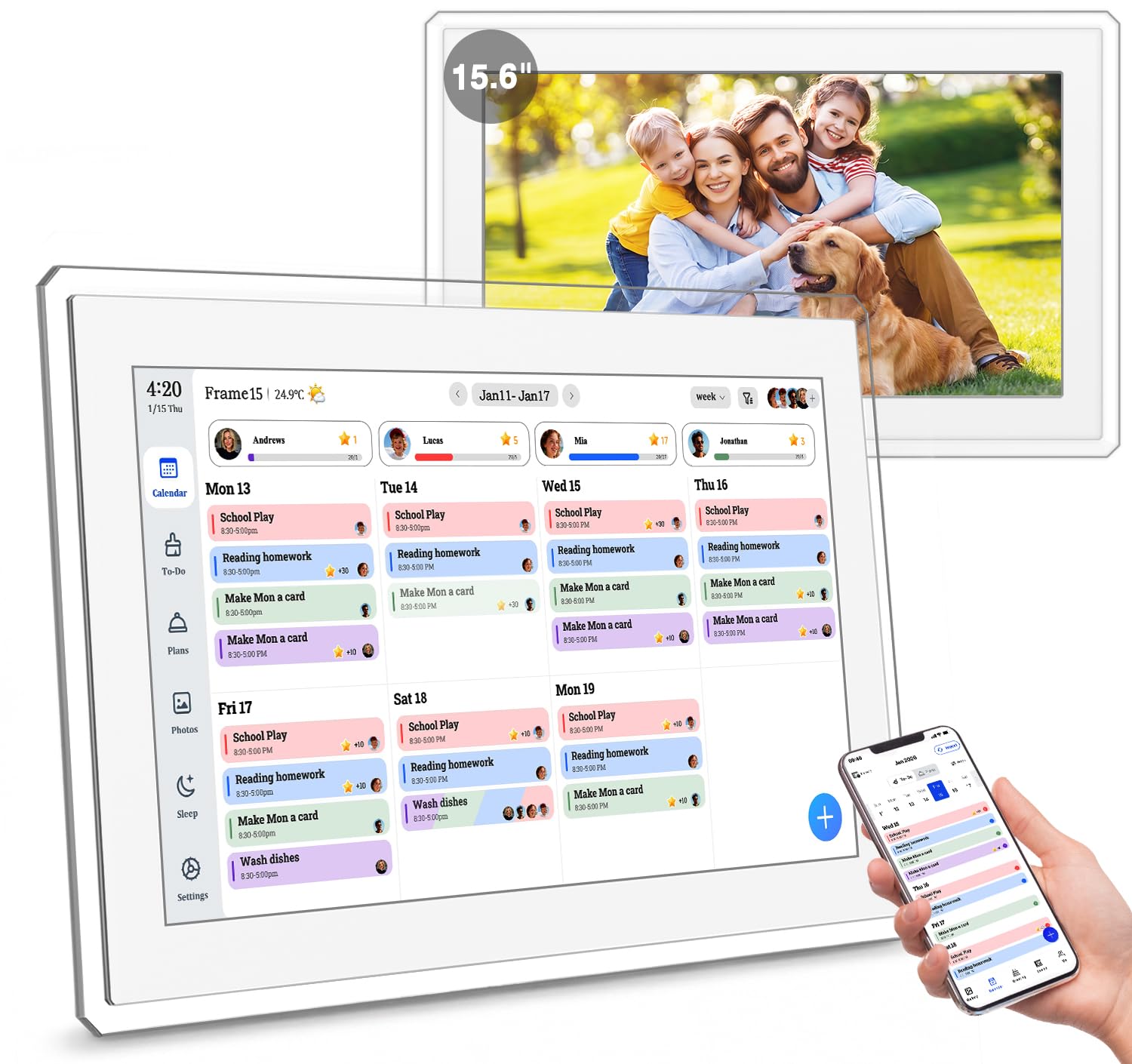
At 15.6 inches, this electronic whiteboard hits the size that fits comfortably on a kitchen counter or a small wall section without overwhelming the space. The glare-free HD touchscreen (a display with an anti-reflective coating so you can read it in bright kitchen light) keeps the calendar readable even when the sun hits it. Owners are especially vocal about how the chore chart with reward points turns daily routines into a game — children love checking off tasks to earn points, which reduces the need for parents to nag. The real-time sync with Google, Outlook, and iCloud lets multiple family members edit schedules at the same time, all with no subscription fees.
The clarity and brightness of the screen earn high marks, and the built-in digital photo frame with 32GB of expandable storage (you can add an SD card or flash drive for more photos) automatically cycles through enhanced family memories. The 2-year warranty and 24/7 customer support are standout perks that give confidence beyond the usual 1-year coverage. The board also includes AI photo restoration (a feature that automatically improves old or blurry images when displayed), adding a thoughtful touch for grandparents who want to see enhanced family photos.
The honest trade-off is screen size: at 15.6 inches, it is notably smaller than the 21.5-inch options like the Dragon Touch, so it works best as a close-up planning tool rather than a wall centerpiece for a large room. A few owners mention that the screen smudges easily, though it cleans with a quick wipe. The smaller footprint is actually an advantage if you are mounting it in a tight spot, but be realistic about how far away you will be reading it.
The Highlights
- 15.6-inch glare-free screen fits tight spaces without sacrificing clarity
- Chore-and-reward system motivates kids with points for completing tasks
- 2-year warranty and 24/7 customer support beat the industry standard
The Size Reality
- Smaller than 21-inch models — less readable from across a large room
- Screen shows fingerprints easily
Go for it if: you want a compact, glare-free organizer with a strong warranty and a kid-approved chore system that actually reduces nagging.
skip it if: your household needs a display that everyone can read from across a wide family room.
4. Cozyla Calendar Plus 2 15.6″ Smart Digital Calendar

An Android-powered board that lets you install your own apps and widgets for a truly personalized dashboard.
Unlike most electronic whiteboards that lock you into their preloaded software, the Cozyla runs on Android and gives you access to the Google Play Store, so you can download practically any app — including streaming services like Disney+ and Netflix for the kids. You can drag and drop widgets (small app modules that show info like weather, a to-do list, or a music player) onto a customizable home screen, creating a command center that shows exactly what your family needs. The real-time sync works with Google, Apple, Outlook, and Yahoo through the Cozyla+ companion app, and there are no subscription fees.
The built-in Cozyla AI assistant lets you use voice commands or scan a photo of a paper calendar to instantly convert events into digital entries — no manual typing. The meal planner auto-generates shopping lists from your recipes, and the chore chart with unique color avatars for each family member makes task tracking personal and fun. Owners note that the customer service is exceptional, with fast, friendly help when setting up. The board weighs 1.6 kg (about 3.5 pounds) and comes with a desk stand for portability around the house.
The catch is the 1-year warranty, which is shorter than the 2-year coverage on the similarly sized Yemsd board. The screen is 15.6 inches, so it shares the same size limitation as the Yemsd — best as a close-up planner. A few owners mention wanting an iPhone or Android widget for on-the-go access, though the app itself syncs reliably.
what separates it
- Google Play Store access lets you install apps like streaming services
- AI voice assistant converts paper notes to digital entries automatically
- Customizable dashboard with widgets, color avatars, and reward charts
The Trade-Off
- 1-year warranty is shorter than some competitors’ 2-year coverage
- 15.6-inch screen is compact — best for counter or desk use
Pick this if: you want an open ecosystem where you can install your own apps and use voice commands, with a portable design you can move between rooms.
Consider another if: a longer warranty is important to you or you need a larger screen for wall mounting.
5. JASZDOT 55” Smart Board 4K UHD Interactive Touchscreen
A true 4K UHD board with 20-point touch that turns classrooms and meeting rooms into interactive hubs.
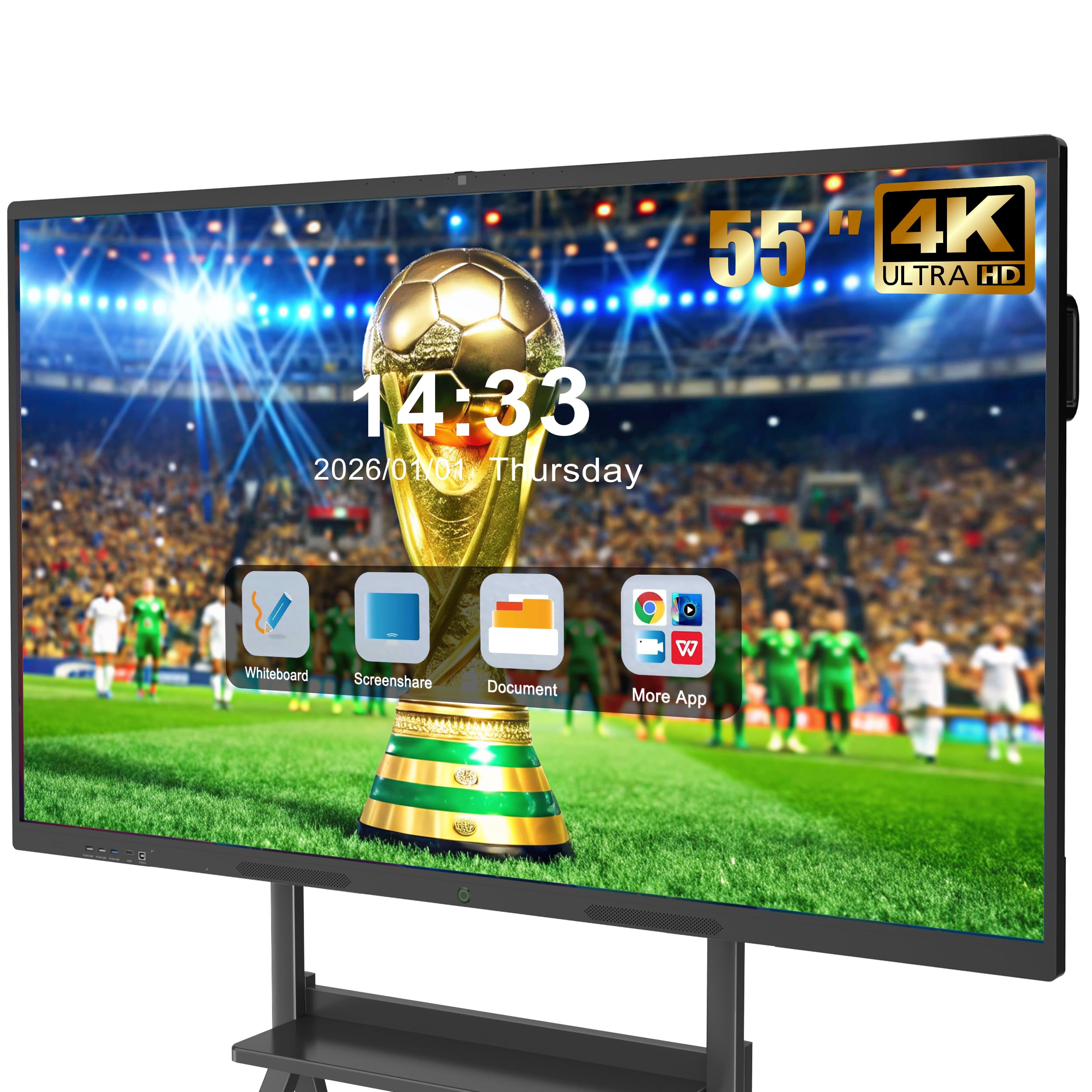
This is a giant leap from the family calendar models — a 55-inch 4K UHD display (3840 by 2160 pixels, four times the detail of Full HD) with over 400 nits of brightness (a measure of screen luminance that makes it viewable even in brightly lit rooms). It runs the latest Android 14 operating system with 8GB of RAM and 128GB of storage, so it handles apps, video streaming, and multitasking without lag. The 20-point infrared touch technology (the screen detects up to 20 simultaneous touch points) offers ±1mm precision and a fast 6ms response time, which means writing, drawing, and annotating feel immediate and natural — no noticeable delay between your finger or stylus and the mark on screen.
Buyers in education and business settings praise the crisp screen clarity and intuitive interface. It works as a built-in video conferencing hub for Zoom and other platforms, allows real-time screen sharing, and includes front USB and HDMI ports so you can plug in a laptop without reaching behind the board. The flicker-free and eye-care technology (a feature that reduces screen flicker to lessen eye strain during long sessions) makes it suitable for extended use in classrooms or offices. The 4K UHD resolution is a significant upgrade over the 1920×1080 screens on the smaller family boards like the Dragon Touch, making text and presentations razor-sharp even when viewed close up.
The honest consideration is the crowd favorite rating is exceptional — owners love it — but with fewer total reviews than the more established models, the long-term reliability picture is still forming. The 55-inch size requires serious wall space and a solid mount. It is not a portable family organizer; it is a professional-grade interactive board for teaching, training, and collaborative work. The cost is a step up from the family calendars, but you are getting a full Android computer with a 4K display and industrial-grade touch technology.
Standout Strengths
- True 4K UHD display at 400+ nits for vivid, sharp presentations
- 20-point infrared touch with 6ms response feels like real pen on paper
- Android 14 with 8GB RAM and 128GB storage for smooth app performance
What to Consider
- Large 55-inch size needs dedicated wall space and professional mounting
- Fewer reviews than established models — long-term data is thinner
Ideal for: teachers, trainers, and offices that need a true 4K interactive display with fast touch response and full Android app compatibility.
Not for: families wanting a simple wall calendar — this is a pro-level presentation tool.
6. COOLHOOD 65″ Smart Board 4K UHD Touchscreen

The biggest screen in the roundup, built for boardrooms and large classrooms that demand 4K clarity and multi-user collaboration.
At 65 inches, this is the largest electronic whiteboard here, offering a 3840 by 2160 4K UHD display with a 2000:1 contrast ratio (the difference between the brightest white and the deepest black, which makes text pop and videos look cinematic). It runs on an octa-core processor (eight computing cores — 4 Cortex-A73 and 4 Cortex-A53 — for smooth multitasking) with Android 13 and 128GB of storage. The 20-point multi-touch system matches the JASZDOT board with 6ms response time and ±1mm precision, so writing and annotating feel fluid even when multiple people are working on the screen at once.
The collaboration features are where this board shines: it supports wireless screen sharing across Mac, Windows, iOS, and Android devices, integrates with Zoom, Google Meet, Microsoft Teams, and Webex, and includes tools like smart voting, screenshot capture, and a timer for streamlined meetings. You can share files instantly by scanning a QR code, which eliminates the back-and-forth of emailing documents after a session. The display quality earns consistent praise from owners, who find it easy to set up and reasonably priced for the size and feature set.
The reliability picture is more mixed than the smaller boards. While many owners are very satisfied, a few report issues with functionality, including a security lockout that prevented access to settings. The COOLHOOD board also lacks a built-in camera for video conferencing, so you will need an external webcam for full video calls. The 65-inch size is the most demanding in terms of wall space and installation — ensure your mounting wall can support its dimensions (58 inches wide by 35 inches tall, with a depth of 3 inches).
What Makes It Big
- Giant 65-inch 4K display with 2000:1 contrast for stunning visuals
- QR code file sharing and multi-platform wireless screen mirroring
- Runs Android 13 with an octa-core processor and 128GB storage
Check Before Buying
- Reliability has mixed owner feedback — a few report lockout issues
- No built-in camera for video conferencing; needs external webcam
Choose this if: you need the largest possible 4K interactive display for a conference room or classroom with advanced collaboration tools.
Look elsewhere if: reliability is your top concern or you want an all-in-one solution with a built-in camera.
7. Vibe S1 55 Inch All-in-One Smart Board

A Chrome OS board with an infinite whiteboarding canvas and enterprise-grade security for professional teams.
The Vibe S1 takes a different approach than the Android-based boards: it runs VibeOS on Chromium OS (Google’s secure operating system also found on Chromebooks), which brings enterprise-level data protection and fleet management for IT administrators. The 55-inch 4K UHD touchscreen uses 10-point infrared touch with less than 8ms response time, and the whiteboard software offers an infinite canvas — you can zoom out and keep writing without running out of space. The S1 includes access to over 250 apps from the Vibe App Store, including Google Workspace and Microsoft 365, all within an open ecosystem designed for huddle rooms and small teams.
Owners highlight the split-screen mode that lets you pull up a Chrome browser and YouTube on one side while running a video call on the other, with notes that everyone — in the room and remote — can see in real time. The passive stylus included with the board (a pen that does not need batteries or charging) writes naturally on the screen, and the 50.7-pound unit (about 23 kg) comes with a freestanding mount for flexible placement. Wi-Fi 6 and Bluetooth 5.2 (the latest wireless standards for faster, more reliable connections) ensure smooth streaming and screen sharing even in busy office environments.
The cost is the highest in this roundup, reflecting the professional-grade features and security. Reliability and compatibility are mixed in owner feedback: while some find the board extremely functional for homeschooling and small business presentations, others report units arriving completely non-functional (no display at all) with unresponsive customer support. A few also note that certain work apps are not compatible. The versatility is praised, but the inconsistency in quality control and support makes this a riskier bet than the more proven JASZDOT for budget-conscious buyers.
Pro-Grade Features
- Chrome OS with enterprise security and fleet management for IT teams
- Infinite canvas whiteboard with 10-point touch and 8ms response
- 250+ apps including Google Workspace and Microsoft 365 from the start
Important Caveats
- Mixed reliability — some units arrive defective with poor support
- Highest cost in the roundup; not all work apps are compatible
Best for: enterprise teams that need Chrome OS security, fleet management, and an infinite whiteboarding canvas for professional collaboration.
Pass if: you want a reliable board from the start with strong customer support, or you are on a tighter budget.
Understanding the Specs
Screen Resolution: 4K UHD vs Full HD
Screen resolution tells you how many pixels the display packs. Full HD (1920 by 1080) is sharp enough for reading calendar text and viewing photos on screens up to 21.5 inches. 4K UHD (3840 by 2160) has a resolution of 3840 by 2160 pixels compared to Full HD’s 1920 by 1080, which matters on larger boards — 55 inches and up — where individual pixels become visible at close range. For a family calendar under 22 inches, Full HD is plenty. For a classroom or meeting room board 55 inches or bigger, 4K makes text and diagrams razor-sharp even when you are standing a few feet away.
Touch Technology: Infrared vs Capacitive
Infrared (IR) touch screens use a grid of light beams across the surface to detect touch. They support multiple simultaneous touch points (20-point on pro models) and work with a finger, stylus, or even a gloved hand. Capacitive touch, common on phones, relies on the electrical conductivity of your skin and supports fewer points. For an electronic whiteboard that multiple people may write on at once, IR touch is the standard because it is more responsive and does not require a special pen.
Storage and Photo Frame Capability
Internal storage (measured in GB) determines how many photos you can load onto the board for the digital photo frame mode. 32GB holds several thousand photos at standard resolution. Some boards allow expandable storage via an SD card or USB flash drive. If the photo frame feature matters to you — and many owners say it adds warmth to the kitchen or office — look for at least 32GB or expandable options so you are not forced to delete old memories to add new ones.
Real-Time Sync and Subscription Costs
Real-time sync means the board connects wirelessly to your phone and updates instantly when anyone adds or changes an event. Bidirectional sync goes further: edits made on the board also appear on your phone. The best boards offer this with zero subscription fees. Some cheaper models claim sync but may have delays or require a paid plan after a trial period. Always check that the board supports your specific calendar service (Google, iCloud, Outlook, Yahoo) before buying.
FAQ
Can I use an electronic whiteboard without a subscription?
Does a 15.6-inch board work for a family of four?
Can I mount an electronic whiteboard on the wall or does it need a stand?
How does the chore and reward system work on these boards?
Can I use an electronic whiteboard for video calls and presentations?
How long do electronic whiteboards typically last?
Can I add photos to the digital frame from my phone?
What happens if the wifi goes down — will the calendar still work?
Is a 55-inch board too large for a home kitchen?
Can I use the board to display recipes while cooking?
Final Thoughts: The Verdict
If you want one dependable pick, the best electronic whiteboard winner is the Dragon Touch Digital Calendar 21.5 Inch because it offers the largest family-friendly screen with 32GB of storage, real-time calendar sync with no subscription, and a star-based chore system that owners consistently find easy to set up and use every day. If you want a compact organizer with the strongest warranty and a kid-approved reward system, grab the Yemsd 15.6″ Digital Calendar. And for a professional 4K interactive board for classrooms and meeting rooms, the JASZDOT 55” Smart Board delivers true 4K resolution with 20-point touch at a more accessible price than the enterprise-focused Vibe S1.
How We Picked
We do not accept paid placement. Every pick is matched to a real buyer and a real use-case; we do not hands-on test units.
Sources & Methodology
Specifications: manufacturer listings and product documentation. Review insights: verified customer reviews, as of July 2026. Pricing: not shown on this page (it changes often); check the current price via the retailer link.
As an Amazon Associate, WellFizz earns from qualifying purchases. This does not affect which products we feature.
Related Guides

Mo Maruf
I created WellFizz to bridge the gap between vague wellness advice and actionable solutions. My mission is simple: to decode the research and give you practical tools you can actually use.
Beyond the data, I am a passionate traveler. I believe that stepping away from the screen to explore new environments is essential for mental clarity and physical vitality.