Our readers keep the lights on and my smoothie glass nicely filled. As an Amazon Associate, I earn from qualifying purchases.
Specs are compiled from manufacturer listings and verified buyer reviews and can change over time — please confirm the key details on the product page before buying.
Replacing your keys depends on one question: how do you want to get in every day? If you want speed, a fingerprint scanner beats fumbling for a key. If you want simplicity for kids and guests, a backlit touchscreen is easier. If you want control from your phone when you’re away, you need Wi-Fi built in. Your pick hinges on whether you prioritize speed, guest access, or remote control.
I’m Mohammad Maruf — the founder and writer behind WellFizz. This guide is built by comparing the manufacturers’ published specifications and the patterns across verified customer reviews, so you get each pick’s real strengths and trade-offs instead of marketing spin.
Here are nine electronic door locks that solve real entry problems, ranked by reliability, features, and what owners actually say after months of use. Find the best electronic door lock for your front door without wading through endless spec sheets and hype.
Our Picks at a Glance


How To Choose The Best Electronic Door Lock
Before you pick a lock, think about who uses it daily. A lock that works great for a single adult might frustrate a family with young kids or older parents. Your door’s thickness, your willingness to manage an app, and your need for a physical key all shape the right answer.
Match the open up method to your household
Fingerprint readers are the fastest way in—most scan in under half a second—but they can be finicky for children under six and adults over sixty-five. If that’s your household, a touchscreen keypad with large, backlit numbers is often the more forgiving pick. Some locks offer both, so you get speed and a reliable backup.
Decide how “smart” you need it to be
Basic keypad locks do one job: let you in with a code. Wi-Fi locks let you check status and open up from your phone anywhere, and some pair with Alexa or Google voice commands. The catch is setup complexity and battery drain. If you only want to stop hiding keys, a simpler lock is often smarter.
Check your door and security grade
Standard US doors run 1-3/8 to 2 inches thick, and most locks fit that range, but always measure first. For security, look for ANSI Grade 2 or Grade 3 certification—Grade 2 is a solid residential-plus rating, while Grade 3 is the entry-level standard. Higher grades mean tougher internals that resist forced entry.
Quick Comparison
| Model | Best For | open up Methods | Battery | Security Grade | Amazon |
|---|---|---|---|---|---|
| Yale Assure Touchscreen★ Best Overall | Simple, reliable keypad entry | Touchscreen + Key | 4 AA included | — | Amazon |
| Philips DDL210XBest Value | Budget fingerprint access | Fingerprint + Keypad + Key | 4 AA included | — | Amazon |
| TEEHO TK001HCompact Pick | Handleset with keypad | Keypad + 20 Codes + Keys | 4 AA (not included) | ANSI Grade 3 | Amazon |
| Veise VE06-L | App control + handle set | App + Codes + IC Card + Key | — | ANSI Grade 3 | Amazon |
| Wyze Lock Bolt v2 | Fast fingerprint + Wi-Fi | Fingerprint + Keypad + App + Key | 8 AA included (8 months) | BHMA2 | Amazon |
| Tapo DL110 | Rechargeable + Wi-Fi | Fingerprint + Keypad + App + Key | Rechargeable (1 year) | BHMA Grade 2 | Amazon |
| Philips DDL240X-1HW | Built-in Wi-Fi + voice control | App + Fingerprint + Keypad + Voice + Key | 8 AA included | — | Amazon |
| Schlage BE365 | Budget push-button keypad | Keypad + Key | — | — | Amazon |
| Schlage BE375 Touch | 100% keyless touchscreen | Touchscreen Only | 9V included | Grade 2/AAA | Amazon |
In‑Depth Reviews
1. Yale Assure Deadbolt Lock with Touchscreen
Our pick — over 4.5★ from 700+ verified ratings; the strongest balance of quality and price.
The touchscreen deadbolt that wins on sheer dependability, with a backup key you’ll rarely touch.
You get a smooth touchscreen keypad that wakes and opens quickly, so you can ditch the bulky keychain for good. The auto-lock timer is the feature owners rave about—set it to 30 seconds and the bolt throws itself every time you leave, so you never lie in bed wondering if you locked up.
Installation is genuinely beginner-friendly; it swaps onto a standard door (1-¾” to 2-¼” thick) with the included template and hardware, and four AA batteries power it. When you’re ready for phone control, the Yale Access Upgrade Kit (sold separately) adds remote locking, and owners note it plays nice with Alexa routines to auto-lock at night.
Buyers report this is the lock they reach for over fancier Wi-Fi models: “This one is my favorite, it works like a charm,” is a common refrain from folks who’ve dealt with flaky connected locks. The trade-off is that Wi-Fi isn’t built in—you pay extra later if you want it—but as a pure keypad deadbolt, it’s the crowd favorite with a 4.6-star average from 700+ owners.
What wins people over
- Auto-lock timer means you never forget to lock up
- Touchscreen keypad wakes and opens fast
- Easy install on standard doors with included hardware
Before you buy
- Wi-Fi upgrade requires a separate, sold-separately kit
- Doors under 1-⅜” thick need a thin door kit
Reach for it when: you want a rock-solid keypad deadbolt with a physical key backup and zero app fuss.
Look elsewhere if: remote phone control is a must-have today, not a someday upgrade.
2. Philips Fingerprint Keyless Entry Door Lock
A fingerprint reader that finally works for people whose prints never register anywhere else.
The defining trick here is the biometric scanner, which claims a 99.99% accuracy rate and recognizes your print in just 0.3 seconds. Owners with notoriously faint fingerprints—the kind that fail on phones and office doors—report this pad reads them cleanly, which is a rare win in this category.
Setup is where this Philips shines, with voice-guided programming walking you through in English, French, or Spanish. One owner called it “very easy install and really appreciate the voice prompt programming,” noting every function worked exactly as described. It runs on four AA alkaline batteries and supports unlimited one-time PIN codes, so you can hand out single-use codes to a delivery driver without ever reusing them.
Unlike the Yale above, this has no Wi-Fi at all—it’s purely fingerprint, code, and key. The trade-off: if you want app control or Alexa, the higher Philips series has it, but not this model. It’s a mid-range price for a lock that owners consistently describe as great value with long battery life versus competing smart locks they’ve owned before.
The honest read: you trade app control for a flawless fingerprint experience and a bargain price.
Pick this if: fingerprint speed matters most and you’re fine without phone connectivity.
skip it if: you need to open up from your phone or check status while away from home.
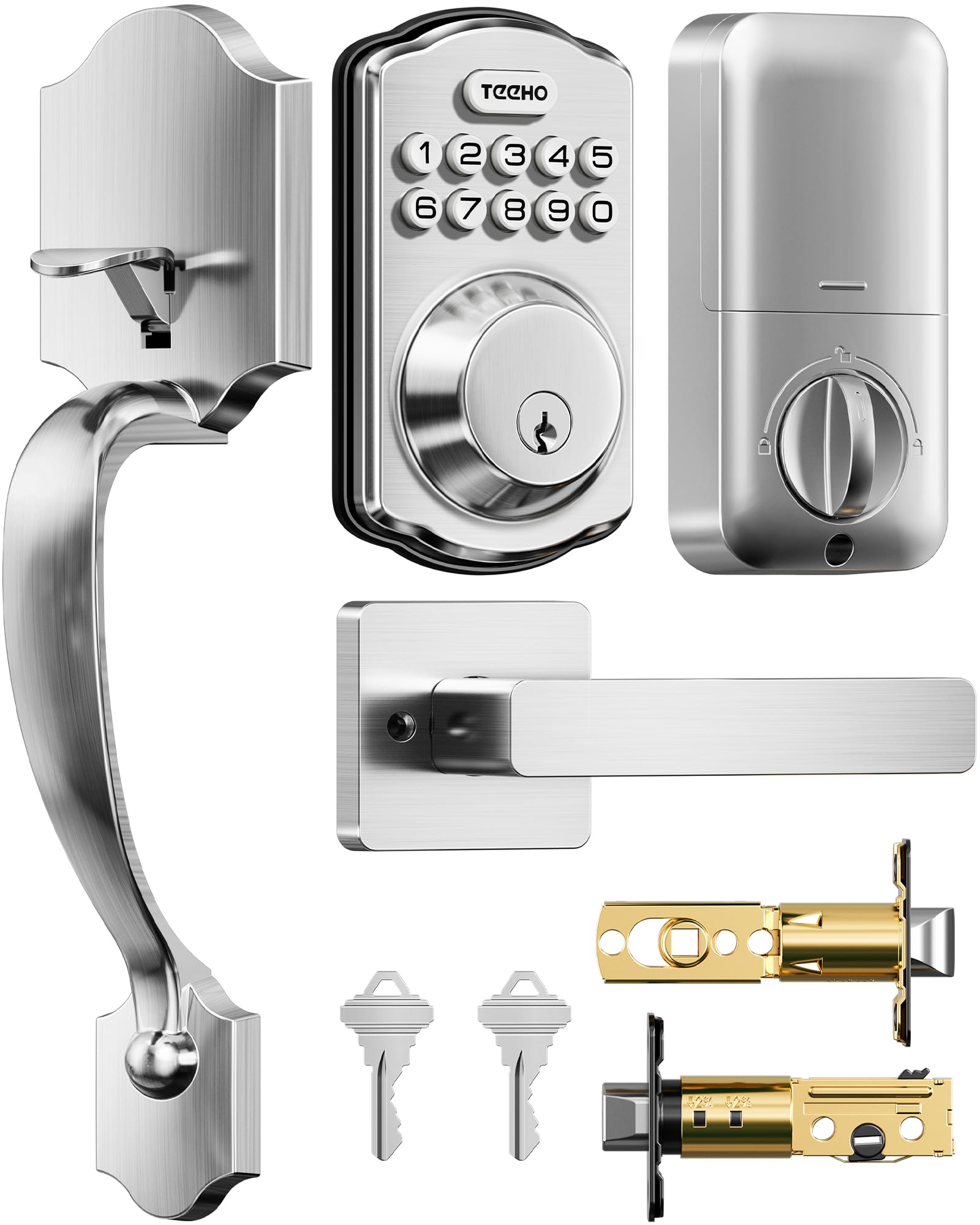
3. TEEHO TK001H Keyless Entry Door Lock Set
The full handleset kit that drops in without drilling new holes, tested to ANSI Grade 3.
This is the rare lock that comes with both the deadbolt and the lever handle, so you replace the whole entry set in one go. Owners specifically praise how the adjustable pin fits existing holes—”this one fit the existing holes! No new holes were needed,” is a recurring theme for retrofit installs.
You get four ways to open up: 20 user codes, two backup keys, one-time codes that auto-delete after use, and a passage mode for gatherings when you want the door to stay open. The auto-lock is adjustable from 10 to 99 seconds, and a 2-second hold on any keypad number locks it instantly. An IP54 water-resistance rating means it shrugs off rain for outdoor use.
On the security side, it’s built from aluminum and zinc alloy and tested to ANSI Grade 3. Anti-peep lets you add random digits before or after your real code so onlookers can’t guess it, and 10 wrong attempts triggers an anti-cracking lockout. It’s powered by four AA batteries (not included) that last up to a year, with a red low-battery flash below 15%. The main caveat: TEEHO is a newer brand, so long-term durability is less proven than Yale or Schlage.
Bottom line: the most complete all-in-one keypad entry kit at a mid-range price, with a 2-year warranty backing it.
Best for: anyone replacing a full handle-and-deadbolt set who wants one box, not two.
Not for: those who want smartphone control or voice assistants—this has no connectivity at all.
4. Veise VE06-L Smart Deadbolt Lock with 2 Lever Handle Set

A landlord-friendly smart lock with app control, fobs, and IC cards for up to 1,000+ users.
This one is built for people who manage access—landlords, property managers, and homeowners with frequent guests. Beyond codes and the app, you get fob control, 1,000+ IC card capacity, e-keys, and even Apple Watch compatibility. The free DDlock app lets you create permanent, scheduled, recurring, or one-time codes and view access logs, with no subscription fee.
Setup is the standout strength; owners consistently call it easy to install and a breeze to configure, with one praising the support team for walking through setup until fully understood. It’s built from solid zinc alloy, rated IP54 weatherproof, and certified BHMA/ANSI Grade 3 with a lifespan claim exceeding 10 years. open up via app, codes, web portal, IC cards, e-key, authorized admin, key, or Apple Watch.
The smart-home catch: for Alexa and Google voice control plus remote access, you need the G2 gateway, sold separately. Without it, you’re limited to close-range Bluetooth. Also, 5 wrong attempts locks the keypad for 2 minutes—secure, but a family member with bad aim will be annoyed. All lock data is encrypted locally via AES on the chip, so there’s no cloud leak risk.
Why it stands out
- Ease of use is the #1 thing owners praise—91 call it out
- IC card and fob support beat any other lock here
- Free app with no subscription for access logs
The setup reality
- Voice control and remote access need the separate G2 gateway
- Functionality draws mixed feedback; occasional touch delays noted
Go with this when: you rent out property or need to issue many temporary credentials.
Think twice if: you want voice control from the start without buying extra hardware.
5. Wyze Auto-Lock Bolt v2

The fingerprint lock that learns your print over time, with Wi-Fi built in and no hub required.
Wyze calls its scanner an AI learning scanner—it studies each touch and gets faster and more accurate the more you use it. Owners mention the fingerprint works flawlessly and open up in about 0.5 seconds, with one noting it replaced two August Smart Locks and is “much better.” The tempered glass surface resists scratches and smudges, keeping reads reliable.
On power, you get eight AA batteries included, rated for up to 8 months—and a USB-C emergency port that lets you power it from any common power bank if the batteries die. That’s a genuinely useful fallback that most competitors lack. The built-in Wi-Fi means remote lock/open up and notifications work from the start; pair it with a Wyze Video Doorbell and you can open up straight from the live feed to verify who’s there.
The electrostatic keypad is responsive with an immediate beep, and it carries a BHMA2 security rating and IP53 weather resistance. Owners love the auto-lock and the flexible access—fingerprint for speed, app for control, code for guests, physical key as backup. The catch: it’s bulkier than a standard deadbolt, visually sticking out more, and if you’re not in the Wyze ecosystem, the doorbell integration is a moot point.
What owners say: the fastest, most reliable fingerprint lock they’ve used, with an app that just works.
Choose this for: a Wi-Fi smart lock that beats the big names on price while matching them on reliability.
Pass if: you dislike the bulkier profile or want nothing to do with the Wyze app ecosystem.
6. Tapo Smart Wi-Fi Door Lock

The only lock here with a built-in rechargeable battery rated for a full year of use.
Skipping AA batteries entirely, the Tapo runs on a removable rechargeable pack—no buying batteries, no disposal, and a genuine year of continuous operation per charge. Customers note battery levels still at 100% after two months, which is exactly the low-maintenance promise this category rarely delivers.
You get six ways to access: fingerprint, custom passcodes, Wi-Fi from anywhere, close-range Bluetooth, a smart home assistant, or the included backup keys. The fingerprint sensor is fast and accurate, open up in 0.42 seconds, and you can save up to 100 fingerprints. It’s rated BHMA Grade 2, putting it a step above the entry-level Grade 3 locks.
Owners who came from a Nest x Yale call it a total upgrade: “Best Smart Lock Ever” is how one put it, praising the sleek design and the app’s clean, reliable interface. The common praise centers on quality and reliability—the two most-mentioned positives. The Wi-Fi connectivity does draw mixed feedback in a minority of cases, and power users note there’s no native Home Assistant support without a SmartThings bridge. If you’re deep in the TP-Link Tapo ecosystem, this is a smooth fit.
The strengths
- Rechargeable battery ends the AA-battery shuffle
- Quality and reliability are the top two things owners praise
- 100 fingerprint slots for a large household
The trade-offs
- Wi-Fi connectivity is the recurring mixed point
- No native Home Assistant integration without a bridge
Best for: anyone who hates changing lock batteries and wants a clean, rechargeable solution.
Not for: smart-home tinkerers who need direct Home Assistant or HomeKit support.
7. Philips Built-in WiFi Smart Lock DDL240X-1HW
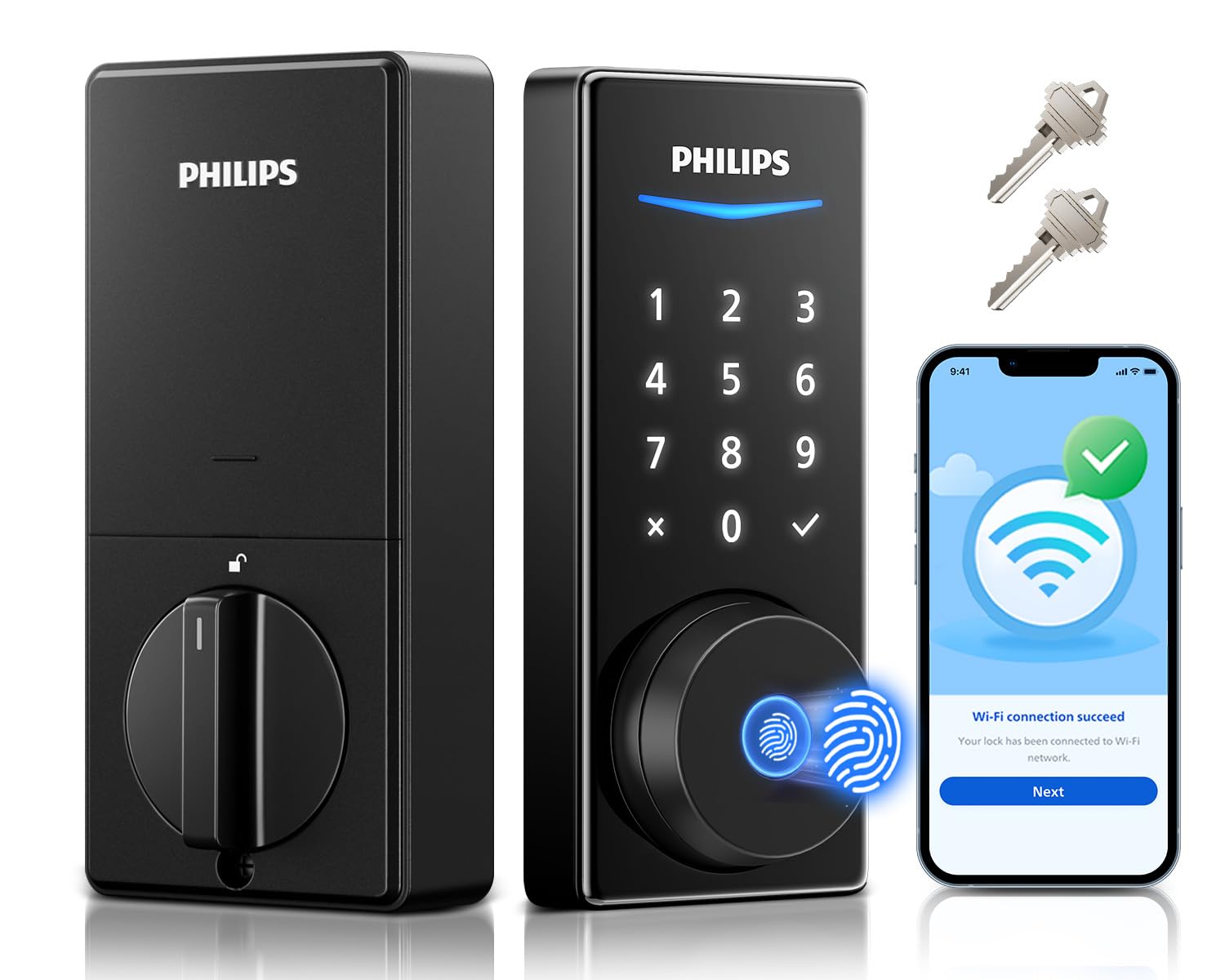
Built-in Wi-Fi with voice control, no hub needed, and a scanner that reads in 0.3 seconds.
Unlike the budget Philips above, this one has Wi-Fi baked in, so remote lock/open up and real-time notifications work straight from your phone with no extra hub. It also integrates with Alexa and Google Assistant, so you can open up with a voice command while your hands are full. Owners highlight that it’s a fast phone-tap and fingerprint open up in a solid, heavy build.
The 360° fingerprint reader claims recognition in 0.3 seconds, and reviewers point out it stays excellent even after months of use. The auto-lock timer is adjustable between 30–180 seconds, plus a 2-second keypad hold to lock instantly. It supports up to 100 user codes with permanent, one-time, scheduled, and recurring types—handy for family, renters, and housekeepers.
The door ajar sensor is a standout, accurately detecting even a tiny gap and alerting you via the app. Battery life is strong—one owner estimated around 8 months from the included 8 AA batteries, with an app indicator that doesn’t spam notifications. On the downside, some found the build less sturdy than expected, with one mounting screw breaking, and the fingerprint gets picky when wet. The 24-month warranty and US phone support ease those worries considerably.
The verdict: the most feature-complete Philips here, with Wi-Fi and voice built in for a premium price.
Go for it if: you want the full smart-lock package—remote, voice, fingerprint—without buying extra hubs.
pass on it if: you’re on a tight budget or need nothing beyond a basic keypad.
8. Schlage Electronic Keypad Deadbolt Lock BE365

The no-frills push-button Schlage that’s reliable enough for a wet coastal porch.
Schlage’s name carries real weight for security, and this Camelot-trim model delivers the basics with zero app complexity. It’s a push-button keypad deadbolt with a physical key backup—no wiring, no connectivity, no subscription. Owners specifically praise its durability in wet Oregon Coast weather, calling it “reliable, easy, durable” after replacing a cheaper problem lock.
Installation is straightforward on standard pre-drilled doors with just a Phillips screwdriver, and the included hardware covers everything. It’s easy enough that multiple owners note kids use it without issue, and battery life gets positive feedback for being power-efficient. The matte black finish draws consistent compliments.
The honest catch: reliability gets mixed feedback across the broader owner pool. Most experience flawless daily use, but a minority report the keypad becoming finicky and needing multiple tries—an occasional unit issue rather than a pattern. For a simple, trusted keypad deadbolt at a budget-friendly mid-range price, this is the one that owners who just want it to work tend to recommend.
In plain terms: a dependable, no-smarts keypad lock from a trusted security brand, best for pure keyless convenience.
Reach for this if: you want a proven brand and zero app setup, just a code and a key.
Think twice if: you expect smartphone control or value a more modern touchscreen over push buttons.
9. Schlage Touch Electronic Deadbolt Lock BE375
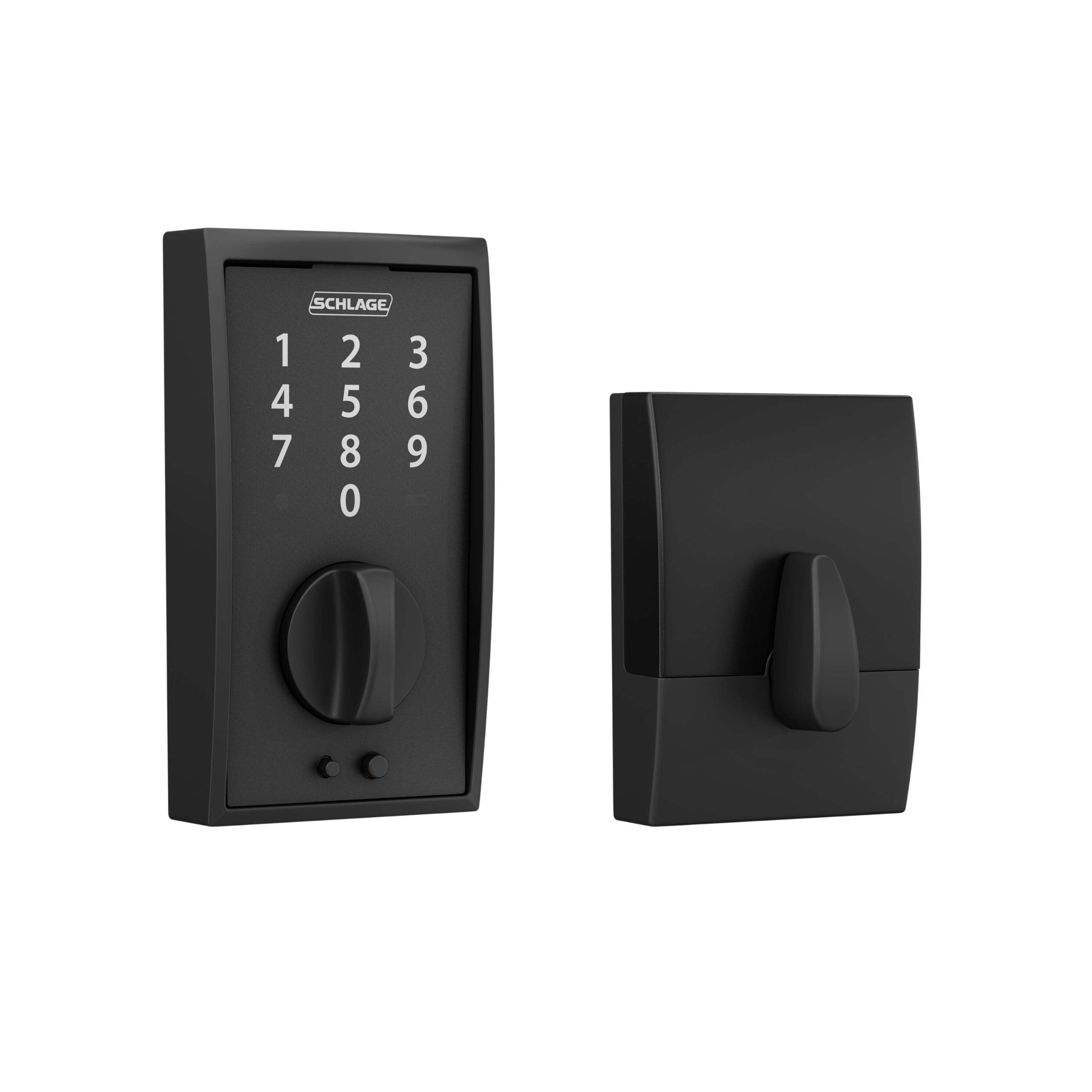
A cylinder-free touchscreen deadbolt with downlighting that guides your fingers in the dark.
This is Schlage’s 100% keyless answer: there’s no keyway at all, which means nothing to bump or pick. The touchscreen features downlighting that illuminates the numbers in the dark, and a fingerprint-resistant surface helps keep your code private. It ships with two pre-programmed codes for instant setup, with room for up to 19 total codes.
Power comes from an included 9V battery, and shoppers say it lasting over a year. If it ever dies, there’s a jumpstart feature—external terminals let you touch a fresh 9V battery to it for backup access. The slim profile is a practical win, fitting between a front door and a screen door without protruding. It carries a Grade 2/AAA security rating for residential and light commercial use.
The elegant Century trim is a big draw, and owners consistently call it high-quality with a nice finish. Battery life is genuinely impressive—”5 months, full battery” and “battery >1 year” are common notes. The durability does get mixed feedback, with some reporting failures after about 1.5 years, so it’s not the pick for anyone wanting 10-year confidence. Also note: there’s no auto-lock, so you manually actuate the deadbolt each time.
What stands out
- No keyway means no picking or bumping risk
- Downlighting makes night entry easy
- External 9V jumpstart for dead-battery emergencies
What to know
- No auto-lock option—you must lock it manually
- Durability draws mixed feedback over long-term use
Best for: design-conscious owners who want a sleek, keyway-free touchscreen with long battery life.
Pass if: you want auto-lock or a physical key as a backup option.
Understanding the Specs
ANSI / BHMA Security Grade
This is the industry’s toughness rating for locks. Grade 1 is the strongest, Grade 2 is a solid residential-plus tier, and Grade 3 is the entry-level standard. A Grade 2 lock like the Tapo DL110 (BHMA Grade 2) resists forced entry better than a Grade 3 model, but for most homes, Grade 3 is perfectly adequate. The real security question is whether the bolt and strike hold up—grades measure that, not the electronics.
Battery Life and Backup
Electronic locks typically run on 4 to 8 AA batteries or a rechargeable pack. Look for the stated battery life (ranging from 8 months to a full year) and always check the backup plan: a physical key is the most common, but some offer USB-C emergency power or external 9V jumpstart terminals. A lock with no keyway, like the Schlage BE375, relies purely on that backup method, so know which one you’re getting.
Fingerprint Scanner Speed
Biometric locks advertise recognition times—0.3, 0.42, or 0.5 seconds are common claims. The speed matters less than reliability: a lock that reads correctly 95% of the time beats one that’s marginally faster but picks up your print inconsistently. Note that fingerprint sensors can struggle with children under six and adults over sixty-five, so consider who lives in your home before choosing this open up method.
Connectivity: Wi-Fi vs. Bluetooth vs. None
Wi-Fi locks let you check status and open up from anywhere with a phone. Bluetooth-only locks limit you to close range unless paired with a separate gateway. Some locks have no connectivity at all—they’re pure keypad or fingerprint entry. More connectivity means more battery draw and setup complexity, so match the smarts to your actual need rather than buying max capability you’ll never use.
FAQ
Will an electronic door lock fit my existing door without drilling new holes?
What happens when the batteries die on a keyless lock?
Is a fingerprint lock more secure than a keypad lock?
Can I control an electronic door lock with Alexa or Google Assistant?
How long do electronic door lock batteries actually last?
What is the difference between ANSI Grade 2 and Grade 3 locks?
Can I give temporary or one-time codes to guests and delivery drivers?
Is the fingerprint scanner on a door lock reliable for kids and older adults?
Do I need a subscription for the smart lock app features?
What is a keyless deadbolt with a handle set versus a standalone deadbolt?
Final Thoughts: The Verdict
Across the board, the electronic door lock winner is the Yale Assure because it pairs a fast, reliable touchscreen with a physical key backup and a crowd-favorite 4.6-star track record. If you want the fastest entry in your life, grab the {“@context”: “https://schema.org”, “@graph”: [{“@type”: “ItemList”, “name”: “9 Best Electronic Door Lock”, “url”: “https://wellfizz.com/best-electronic-door-lock/”, “numberOfItems”: 9, “itemListElement”: [{“@type”: “ListItem”, “position”: 1, “name”: “Yale Assure Deadbolt Lock with Touchscreen”, “url”: “https://wellfizz.com/best-electronic-door-lock/#product-1”}, {“@type”: “ListItem”, “position”: 2, “name”: “Philips Fingerprint Keyless Entry Door Lock”, “url”: “https://wellfizz.com/best-electronic-door-lock/#product-2”}, {“@type”: “ListItem”, “position”: 3, “name”: “TEEHO TK001H Keyless Entry Door Lock Set”, “url”: “https://wellfizz.com/best-electronic-door-lock/#product-3”}, {“@type”: “ListItem”, “position”: 4, “name”: “Veise VE06-L Smart Deadbolt Lock with 2 Lever Handle Set”, “url”: “https://wellfizz.com/best-electronic-door-lock/#product-4”}, {“@type”: “ListItem”, “position”: 5, “name”: “Wyze Auto-Lock Bolt v2”, “url”: “https://wellfizz.com/best-electronic-door-lock/#product-5”}, {“@type”: “ListItem”, “position”: 6, “name”: “Tapo Smart Wi-Fi Door Lock”, “url”: “https://wellfizz.com/best-electronic-door-lock/#product-6”}, {“@type”: “ListItem”, “position”: 7, “name”: “Philips Built-in WiFi Smart Lock DDL240X-1HW”, “url”: “https://wellfizz.com/best-electronic-door-lock/#product-7”}, {“@type”: “ListItem”, “position”: 8, “name”: “Schlage Electronic Keypad Deadbolt Lock BE365”, “url”: “https://wellfizz.com/best-electronic-door-lock/#product-8”}, {“@type”: “ListItem”, “position”: 9, “name”: “Schlage Touch Electronic Deadbolt Lock BE375”, “url”: “https://wellfizz.com/best-electronic-door-lock/#product-9”}]}, {“@type”: “Product”, “position”: 1, “name”: “Yale Assure Deadbolt Lock with Touchscreen”, “image”: “https://m.media-amazon.com/images/I/61HF-nfu02L.jpg”, “brand”: {“@type”: “Brand”, “name”: “Yale”}, “url”: “https://www.amazon.com/dp/B06XX2VHHY/?tag=wellfizzmo-20”, “offers”: {“@type”: “Offer”, “url”: “https://www.amazon.com/dp/B06XX2VHHY/?tag=wellfizzmo-20”}}, {“@type”: “Product”, “position”: 2, “name”: “Philips Fingerprint Keyless Entry Door Lock”, “image”: “https://m.media-amazon.com/images/I/71gPmI5Au4L.jpg”, “brand”: {“@type”: “Brand”, “name”: “Philips”}, “url”: “https://www.amazon.com/dp/B0CLS4WRHH/?tag=wellfizzmo-20”, “offers”: {“@type”: “Offer”, “url”: “https://www.amazon.com/dp/B0CLS4WRHH/?tag=wellfizzmo-20”}}, {“@type”: “Product”, “position”: 3, “name”: “TEEHO TK001H Keyless Entry Door Lock Set”, “image”: “https://m.media-amazon.com/images/I/71xNUKMOMWL.jpg”, “brand”: {“@type”: “Brand”, “name”: “TEEHO”}, “url”: “https://www.amazon.com/dp/B0D53SVL58/?tag=wellfizzmo-20”, “offers”: {“@type”: “Offer”, “url”: “https://www.amazon.com/dp/B0D53SVL58/?tag=wellfizzmo-20”}}, {“@type”: “Product”, “position”: 4, “name”: “Veise VE06-L Smart Deadbolt Lock with 2 Lever Handle Set”, “image”: “https://m.media-amazon.com/images/I/71ZvEVAWvwL.jpg”, “brand”: {“@type”: “Brand”, “name”: “Veise”}, “url”: “https://www.amazon.com/dp/B0CWTSNYC7/?tag=wellfizzmo-20”, “offers”: {“@type”: “Offer”, “url”: “https://www.amazon.com/dp/B0CWTSNYC7/?tag=wellfizzmo-20”}}, {“@type”: “Product”, “position”: 5, “name”: “Wyze Auto-Lock Bolt v2”, “image”: “https://m.media-amazon.com/images/I/71NUWb+S75L.jpg”, “brand”: {“@type”: “Brand”, “name”: “Wyze”}, “url”: “https://www.amazon.com/dp/B0FD3WMV2T/?tag=wellfizzmo-20”, “offers”: {“@type”: “Offer”, “url”: “https://www.amazon.com/dp/B0FD3WMV2T/?tag=wellfizzmo-20”}}, {“@type”: “Product”, “position”: 6, “name”: “Tapo Smart Wi-Fi Door Lock”, “image”: “https://m.media-amazon.com/images/I/717rBdu8LVL.jpg”, “brand”: {“@type”: “Brand”, “name”: “Tapo”}, “url”: “https://www.amazon.com/dp/B0DKQQ6Z7Q/?tag=wellfizzmo-20”, “offers”: {“@type”: “Offer”, “url”: “https://www.amazon.com/dp/B0DKQQ6Z7Q/?tag=wellfizzmo-20”}}, {“@type”: “Product”, “position”: 7, “name”: “Philips Built-in WiFi Smart Lock DDL240X-1HW”, “image”: “https://m.media-amazon.com/images/I/61joMtYgCSL.jpg”, “brand”: {“@type”: “Brand”, “name”: “Philips”}, “url”: “https://www.amazon.com/dp/B0FFNCDBB9/?tag=wellfizzmo-20”, “offers”: {“@type”: “Offer”, “url”: “https://www.amazon.com/dp/B0FFNCDBB9/?tag=wellfizzmo-20”}}, {“@type”: “Product”, “position”: 8, “name”: “Schlage Electronic Keypad Deadbolt Lock BE365”, “image”: “https://m.media-amazon.com/images/I/61Dn7HImXLL.jpg”, “brand”: {“@type”: “Brand”, “name”: “Schlage”}, “url”: “https://www.amazon.com/dp/B089JJBCK6/?tag=wellfizzmo-20”, “offers”: {“@type”: “Offer”, “url”: “https://www.amazon.com/dp/B089JJBCK6/?tag=wellfizzmo-20”}}, {“@type”: “Product”, “position”: 9, “name”: “Schlage Touch Electronic Deadbolt Lock BE375”, “image”: “https://m.media-amazon.com/images/I/61KeHt5YqXL.jpg”, “brand”: {“@type”: “Brand”, “name”: “Schlage”}, “url”: “https://www.amazon.com/dp/B00N12E9JC/?tag=wellfizzmo-20”, “offers”: {“@type”: “Offer”, “url”: “https://www.amazon.com/dp/B00N12E9JC/?tag=wellfizzmo-20”}}, {“@type”: “FAQPage”, “mainEntity”: [{“@type”: “Question”, “name”: “Will an electronic door lock fit my existing door without drilling new holes?”, “acceptedAnswer”: {“@type”: “Answer”, “text”: “Most electronic deadbolts are designed to replace an existing deadbolt using the same holes. Standard US doors run 1-3/8 to 2 inches thick and fit most locks. The TEEHO TK001H owners specifically note it fit existing holes with no new drilling needed. However, check the lock’s stated door thickness range before buying—the Yale Assure, for example, requires a thin door kit for doors under 1-⅜ inches.”}}, {“@type”: “Question”, “name”: “What happens when the batteries die on a keyless lock?”, “acceptedAnswer”: {“@type”: “Answer”, “text”: “Every lock here has a backup plan, but they differ. The Yale Assure and Philips DDL210X include physical backup keys. The Wyze Lock Bolt v2 has a USB-C port that lets you power it from a power bank to open up. The Schlage BE375 uses external 9V jumpstart terminals. The Schlage BE365 and TEEHO include backup keys. Always know which fallback your lock offers before the batteries die.”}}, {“@type”: “Question”, “name”: “Is a fingerprint lock more secure than a keypad lock?”, “acceptedAnswer”: {“@type”: “Answer”, “text”: “Neither is inherently more secure—both are electronic entry methods. Fingerprint locks add biometric authentication, which can’t be shared or copied like a code, but they can be fooled by poor prints or fail on certain users. Keypad locks rely on code secrecy, so anti-peep features (adding random digits before or after your real code) help protect against shoulder-surfing. Your security is more about the physical deadbolt grade than the input method.”}}, {“@type”: “Question”, “name”: “Can I control an electronic door lock with Alexa or Google Assistant?”, “acceptedAnswer”: {“@type”: “Answer”, “text”: “Only if the lock has Wi-Fi connectivity and explicit voice-assistant support. The Philips DDL240X-1HW works with Alexa and Google voice commands from the start. The Veise VE06-L needs the separate G2 gateway for voice control. The Wyze Lock Bolt v2 integrates with Alexa. Locks with no connectivity, like the Yale Assure (without the upgrade kit) or TEEHO, cannot be voice-controlled.”}}, {“@type”: “Question”, “name”: “How long do electronic door lock batteries actually last?”, “acceptedAnswer”: {“@type”: “Answer”, “text”: “It varies by lock and usage. The Tapo DL110 uses a rechargeable battery rated for a full year, with owners confirming 100% levels after two months. The Wyze Lock Bolt v2 runs on 8 AA batteries for up to 8 months. The Schlage BE375 buyers report over a year on a 9V battery. The TEEHO lasts up to 1 year on 4 AA batteries. Heavier use—more open up, Wi-Fi connectivity—drains batteries faster.”}}, {“@type”: “Question”, “name”: “What is the difference between ANSI Grade 2 and Grade 3 locks?”, “acceptedAnswer”: {“@type”: “Answer”, “text”: “It’s a durability and security rating for the physical lock mechanism. Grade 2 is a stronger, commercial-lite tier suitable for residential plus light commercial use. Grade 3 is the entry-level residential standard. The Tapo DL110 carries BHMA Grade 2, while the TEEHO and Veise carry ANSI Grade 3. For a typical home, Grade 3 is adequate, but Grade 2 offers more resistance to forced entry.”}}, {“@type”: “Question”, “name”: “Can I give temporary or one-time codes to guests and delivery drivers?”, “acceptedAnswer”: {“@type”: “Answer”, “text”: “Yes, on most modern electronic locks. The Philips DDL210X supports unlimited one-time PIN codes that are single-use. The TEEHO one-time codes auto-delete after use. The Veise lets you create permanent, scheduled, recurring, or one-time codes remotely via the app. The Tapo DL110 supports one-time or scheduled codes for guests. The Yale Assure supports multiple passcodes, and the Schlage BE375 allows up to 19 codes total.”}}, {“@type”: “Question”, “name”: “Is the fingerprint scanner on a door lock reliable for kids and older adults?”, “acceptedAnswer”: {“@type”: “Answer”, “text”: “The Philips DDL210X warns its fingerprint reader may struggle with children under 6 and adults over 65. The Philips DDL240X-1HW’s 360° scanner reads fast, though owners say wet fingers can trip it up. If your household includes very young children or older adults, a touchscreen keypad lock like the Yale Assure or Schlage BE375 may be the more forgiving choice.”}}, {“@type”: “Question”, “name”: “Do I need a subscription for the smart lock app features?”, “acceptedAnswer”: {“@type”: “Answer”, “text”: “It depends on the brand. The Veise VE06-L’s DDlock app and web portal carry no subscription fee. The Tapo app’s basic lock functions are subscription-free. Wyze’s app access is free for its lock products. The Yale app requires a separate, sold-separately upgrade kit. Check each lock’s app terms before buying if subscription-free operation is a must.”}}, {“@type”: “Question”, “name”: “What is a keyless deadbolt with a handle set versus a standalone deadbolt?”, “acceptedAnswer”: {“@type”: “Answer”, “text”: “A standalone deadbolt (like the Yale Assure, Philips, Wyze, Tapo, or Schlage models) replaces only the locking mechanism and requires you to keep your existing door handle. A lock with a handle set (like the TEEHO TK001H or Veise VE06-L) includes both the keypad deadbolt and the lever handle, replacing the entire entry set in one install. Handleset kits are better when you’re upgrading the whole door hardware.”}}]}]}
Related Guides

Mo Maruf
I created WellFizz to bridge the gap between vague wellness advice and actionable solutions. My mission is simple: to decode the research and give you practical tools you can actually use.
Beyond the data, I am a passionate traveler. I believe that stepping away from the screen to explore new environments is essential for mental clarity and physical vitality.