Our readers keep the lights on and my smoothie glass nicely filled. As an Amazon Associate, I earn from qualifying purchases.
Specs are compiled from manufacturer listings and verified buyer reviews and can change over time — please confirm the key details on the product page before buying.
You bought a thin-and-light laptop for work, and now every game you try runs like a slideshow. An external GPU (eGPU) dock fixes that by giving your laptop a desktop-grade graphics card it can borrow over a single cable. This guide breaks down the enclosures that actually deliver, the ones that turn your ultrabook into a gaming or 3D-rendering machine, and the compatibility traps that waste money.
I’m Mohammad Maruf — the founder and writer behind WellFizz. This guide is built by comparing the manufacturers’ published specifications and the patterns across verified customer reviews, so you get each pick’s real strengths and trade-offs instead of marketing spin.
Find the best egpu card enclosure to boost your laptop’s performance for gaming and creative work without building a full desktop PC.
Our Picks at a Glance

How To Choose The Best eGPU Card
Before you buy, decide how much setup you want to do. An all-in-one dock has the graphics card built in, so you just plug it in and play. An empty enclosure lets you choose your own GPU, but you must buy a separate graphics card and power supply (PSU) and install them yourself.
Connection Type: Thunderbolt vs OCuLink
Thunderbolt (especially Thunderbolt 5) offers up to 80Gbps of bandwidth, which is great for plugging into modern laptops and handhelds. OCuLink uses a PCIe 4.0 x4 connection (64Gbps) that some users say delivers performance closer to a native desktop card, but it is a less common port. Your laptop must have one of these ports, so check the spec sheet first.
Power Supply Size
The PSU inside the dock must feed the graphics card and ideally charge your laptop. A dock with a built-in 800W power supply can handle flagship cards like an RTX 4090 or RX 7900 XTX, while a 240W unit suits mid-range mobile GPUs. Also look at Power Delivery (PD) wattage — 65W PD can often replace your laptop charger.
Form Factor and Ports
If you travel, a 0.8-liter dock that slips into a backpack beats a full-size chassis that sits on a desk. Check for extra USB ports, Ethernet, and HDMI/DisplayPort outputs — these can replace a separate dongle and keep your desk clean.
Quick Comparison
| Model | Best For | GPU Included | PSU Wattage | Connection | Amazon |
|---|---|---|---|---|---|
| Nimo RX 7600M XT★ Best Overall | All-in-one portable power | Yes (8GB) | 240W | USB4 / OCuLink | Amazon |
| AOOSTAR EG02Flexible Value | High-end GPU flexibility | No | — | Thunderbolt 5 / OCuLink | Amazon |
| AOOSTAR AG02Flagship Feeder | Flagship cards & mini PCs | No | 800W | USB4 / OCuLink | Amazon |
| Razer Core X V2 | Tool-free swaps | No | — | Thunderbolt 5 | Amazon |
| Sonnet Breakaway 750ex | Desk docks & peripherals | No | 750W | Thunderbolt 3 | Amazon |
| Sonnet Breakaway 750 | Quiet rendering rigs | No | 750W | Thunderbolt 3 | Amazon |
| Nimo N33Z5 Dock | Creators & 8K displays | Yes (8GB) | 240W | USB4 / OCuLink | Amazon |
| BOSGAME GVP 7600M | Handheld gaming | Yes (8GB) | 100W | OCuLink / TB4 | Amazon |
| GIGABYTE AORUS AI Box | Latest Blackwell tech | Yes (16GB) | — | Thunderbolt 5 | Amazon |
In‑Depth Reviews
1. Nimo eGPU Dock (RX 7600M XT)
Our pick — over 4★ from 100+ verified ratings; the strongest balance of quality and price.
The one-box answer that turns your laptop into a gaming rig without a single DIY step
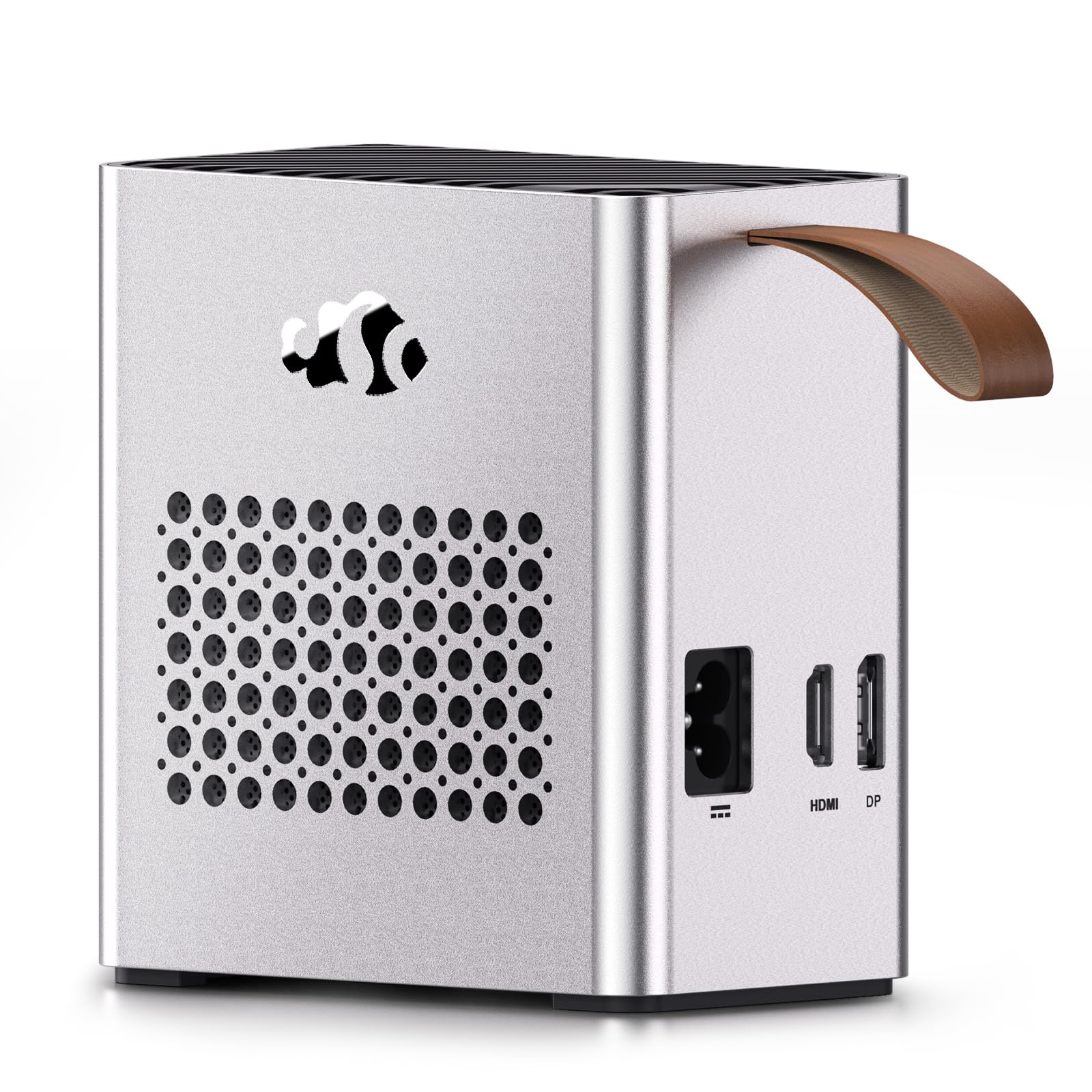
If installing a GPU and power supply makes you nervous, the Nimo is your answer. It comes with the AMD RX 7600M XT (a laptop-grade graphics chip) with 8GB GDDR6 memory and its own 240W PSU built in, all inside a 2.4-pound unit measuring 63×115×120.5mm — about the size of a chunky external drive. You connect one USB4 cable and game instantly; the built-in 240W brick means you never hunt for a separate power adapter.
Buyers report the performance genuinely holds up over USB4. Owners mention the performance genuinely holds up over USB4, with this compact unit delivering desktop-class power in a travel-sized body. The 65W Power Delivery (PD) on the USB-C port charges your laptop and boosts graphics over the same cable, streamlining a desk setup. Dual outputs drive two 8K@60Hz or 4K@120Hz monitors for productivity and gaming alike.
The catch is its single-minded design: the GPU is soldered in, so you cannot swap in a more powerful card later. That makes it perfect for a student or hybrid worker who wants a big boost now, but a poor fit for an enthusiast who plans to upgrade GPU generation by generation. At 4.4 stars across 100+ ratings, the crowd is clearly happy with what this box does from the start.
Why owners love it
- Truly plug-and-play — no separate GPU or PSU needed
- 0.8L size slides into a backpack for travel
- 65W PD charges the laptop while gaming
Know before you buy
- The RX 7600M XT is soldered in, so upgrades are impossible
- Windows-only for gaming; macOS is not supported
Who it fits: The traveler, student, or first-time eGPU buyer who wants maximum graphics gain with minimum setup.
Who should pass: Enthusiasts who want to swap cards over time — this dock is a sealed system.
2. AOOSTAR EG02 Dock
A bare-bones metal shell that lets you pick your own GPU and power supply
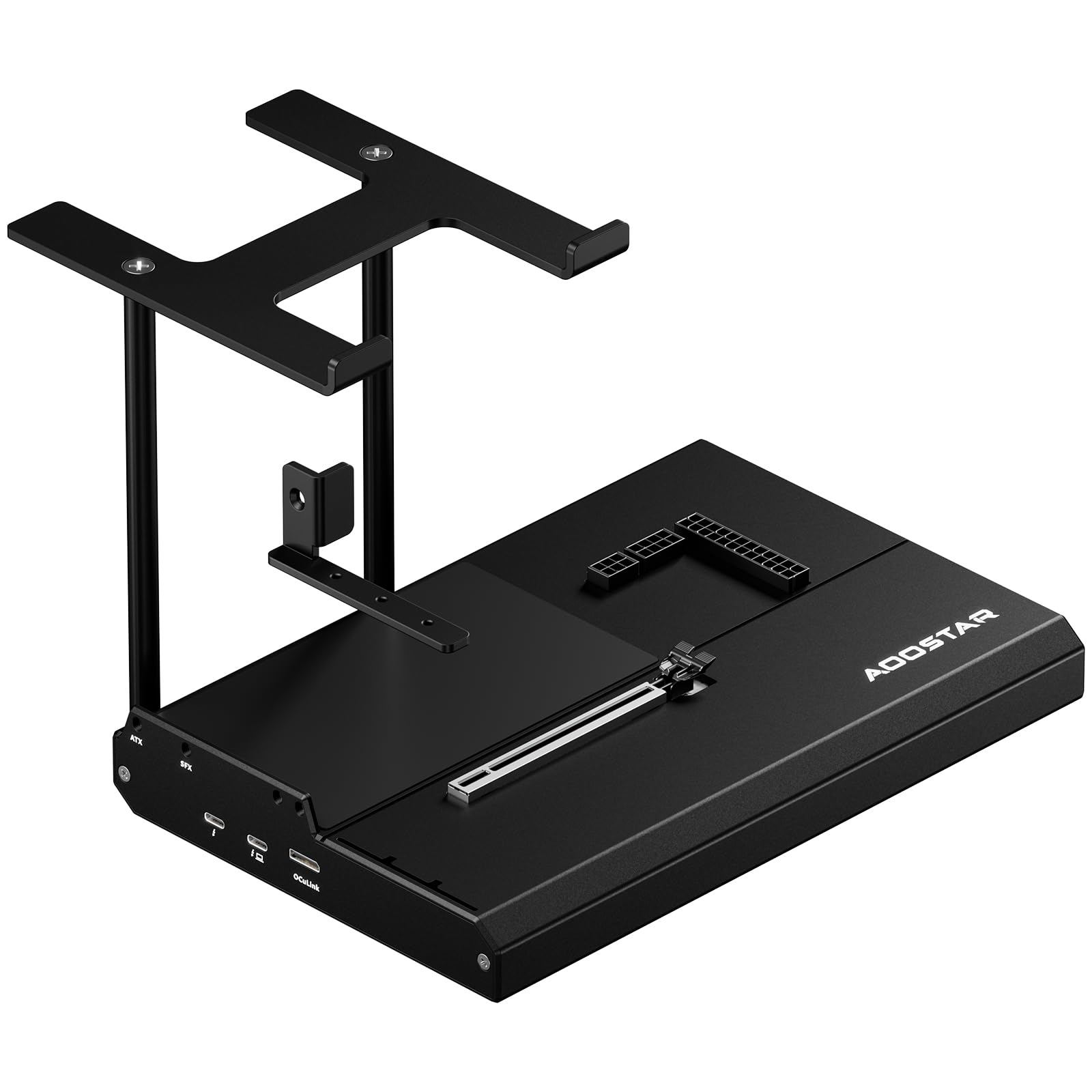
Unlike the sealed Nimo, the EG02 is a build-your-own enclosure: you supply the graphics card and PSU, and it provides the brains. It packs dual Thunderbolt 5 ports plus an OCuLink (PCIe 4.0 x4) interface, so it is future-proof for the fastest laptops and handles an 800W-rated power draw for flagship cards. The full-metal chassis is built around “300% greater pressure resistance than plastic bases,” which owners confirm translates to a rigid frame that survives daily transport.
The star testimonial here is about performance over USB4: an owner running an RX 7900 XTX connected to an AMD laptop reported the experience is “very close to the desktop” — straight from the review pages. Enthusiasts find the 800W envelope (versus the Nimo’s 240W) open up far more powerful GPUs, and the stacking metal stand saves desk space by letting you perch a mini PC on top. Buyers also note it cooperates with older Thunderbolt 3 hardware like the ThinkPad T480, a pleasant surprise for legacy laptops.
The honest friction: setup wants care. One owner flagged that a 3-slot card only gets two mounting screws and you may need to install them upside down to keep them seated, so read the manual before torquing anything. Another points out hot-plugging can cause enumeration issues — plug in after boot. If you enjoy choosing parts and don’t mind a 20-minute install, this is a mid-range price for a premium-flexible dock.
The strong points
- Dual Thunderbolt 5 ports offer the fastest modern connection
- Accepts both ATX and SFX power supplies
- Rigid metal frame built for daily travel
Watch outs
- 3-slot cards need careful screw alignment
- Hot-plugging can cause detection errors — boot first
Pick this if: You are building a permanent desktop-replacement setup and want to choose your own GPU and PSU wattage.
Reconsider if: You want a swift plug-and-play experience — this needs an hour of setup and a separate card.
3. AOOSTAR AG02 Dock
An open metal dock with an 800W built-in brick that feeds even an RTX 4090
If you already own a power-hungry flagship GPU and don’t want to manage a separate power supply, the AG02 is for you. It includes an internal 800W PSU rated for cards up to 600W, so it handles the RTX 4090 and RX 7900 XTX classes. Its open aluminum frame means there is no length limit on the card you install. Owners praise the build quality — the most-cited reason they picked this over cheaper docks — and call setup genuinely plug-and-play with a wide range of graphics boards.
One reviewer ran the numbers on their GTX 1070 over OCuLink and measured only a 1-2% performance loss versus a native desktop connection, which is about as close to a free upgrade as eGPU tech gets. That same owner noted it stayed quiet and handled a 3090 without complaint. The dock also doubles as a 3-in-1 hub: USB4 plus OCuLink plus power delivery for a mini PC, and owners say it offloads heat and noise from a struggling thin laptop.
One recurring complaint: the power button is only an indicator, not a real switch. Several customers note it does not shut the PSU off, so the fan may keep spinning until you cut power at the wall. Also verify your device has an OCuLink (a high-speed external GPU port) or USB4 port, because this dock (unlike the EG02) is not Thunderbolt-compatible and explicitly excludes the Legion Go and Ally X. Buy it for a mini PC or a laptop with OCuLink, and treat the always-on PSU as a quirk to work around.
What wins people over
- 800W internal PSU feeds top-tier cards up to 600W
- 1-2% performance loss over OCuLink on a GTX 1070
- Unlimited graphics card length in the open frame
The quirks
- Fan may stay on after shutdown until power is cut
- No Thunderbolt support; OCuLink-only for the data link
Best for: Mini PC owners and OCuLink-laptop users running a high-wattage flagship card who want a built-in PSU.
Avoid if: Your laptop only speaks Thunderbolt — you need the EG02 or a Thunderbolt dock instead.
4. Razer Core X V2

The tool-free chassis that lets you upcycle an older card into a laptop powerhouse
Razer’s second-generation enclosure is built around a simple promise: swap GPUs without tools. The Core X V2 uses thumbscrews for installation, accepts PCIe desktop cards up to 4 slots wide, and connects via a next-gen Thunderbolt 5 link at up to 80Gbps. Owners praise the vented steel chassis and its built-in 120mm fan, which one measured at a quiet 40dB — a large part of why “build quality” is the most-praised aspect in the reviews.
Real-world numbers from the review pages are impressive: an RTX 4090 inside this box hit 120fps on Cyberpunk without DLSS and 165fps with it, plus a 21K RE benchmark score. The dock also passes through 140W Power Delivery to charge your laptop. Enthusiasts call it the best enclosure for non-eGPU cards, and the tool-free design makes it a breeze to pull a card out when you fly.
Here is the trade-off that shows up in nearly every review: the PSU and graphics card are sold separately, so the sticker price is just the start. A few owners also mention setup can feel fiddly — the Razer switcher software is required, and one review reported random disconnects before settling in. If you already own a card and a power supply, this is a no-brainer; if you are buying from scratch, budget for both extras.
Why it stands out
- Tool-free thumbscrew install for fast card swaps
- Quiet 40dB fan under normal loads
- 140W PD to keep your laptop charged
Budget for extras
- GPU and PSU are not included in the box
- Requires Razer’s switcher software to run
Reach for this if: You already own a desktop GPU and PSU and want a premium, quiet, tool-free home for them.
Look elsewhere if: You are starting from zero and want an all-in-one; the extras will push this past budget rivals.
5. Sonnet Breakaway Box 750ex

The enclosure that moonlights as a dock, adding four USB ports and Ethernet to your desk
Most eGPU boxes are pure GPU carriers; the 750ex doubles as a peripheral hub. It packs a 750W PSU alongside four 5Gb/s USB Type-A ports and an RJ45 Gigabit Ethernet jack, so you can plug in a keyboard, mouse, and wired network all through one Thunderbolt 3 cable. Business users love this — one owner runs six monitors off it for Zoom and spreadsheet work, and another replaced their entire separate dock with a single TB cable. The 750W supply is future-proofed for the latest cards, supporting the RTX series and AMD Radeon VII through RX Vega class GPUs.
Owners consistently call it a solid, quality-built piece that is genuinely plug-and-play with compatible cards. One Lenovo Legion Go owner paired it with an RTX 3060 and saw a noticeable performance boost, saying it was “worth it vs a new desktop.” The temperature-controlled fan runs very quiet under load, which matters if it sits on your desk all day.
Compatibility is where this one gets tricky. Several reviewers point out it does not work with the RTX 3090, and it has mixed success with USB4 and Thunderbolt 4 machines unless chained through a TB3 hub. One owner needed a BIOS change on their Legion Go and had to supply their own USB-C cable. Check Sonnet’s compatibility chart before committing, especially if you are on the newest USB4 hardware.
The perks
- Built-in 4-port USB hub and Gigabit Ethernet
- 750W future-proof power delivery
- Very quiet variable-speed cooling fan
Compatibility notes
- Not compatible with RTX 3090 or M1 Macs
- Some USB4/TB4 machines need a TB3 hub to work
Who it suits: Desk-bound users who want one cable to feed a GPU and all their peripherals.
Who should hesitate: Owners of newer USB4 or M1-based laptops — check the manufacturer’s compatibility list first.
6. Sonnet Breakaway Box 750

A quiet 750W shell built to cut render times for editors and animators
The Breakaway 750 is the sibling of the 750ex without the USB hub — a focused, quiet enclosure for creative professionals. Its headline is the large built-in, variable-speed, temperature-controlled fan that Sonnet claims is the quietest configurable eGPU system available, and owners back that up as “very quiet under load.” The 750W PSU is designed to handle the latest compatible GPUs, including NVIDIA RTX, TITAN, and Quadro cards plus AMD Radeon VII and RX Vega models. For editors, the promised payoff is GPU acceleration that cuts time on rendering, color grading, and animation.
Setup is genuinely easy — one owner with a Dell XPS 15 said the computer immediately recognized the installed card, and another running an MSI laptop had a smooth experience with a GeForce 3060 12GB. Multiple shoppers say solid plug-and-play performance once the driver is loaded, confirming the “easy to set up” tag that dominates the review pages.
The reality check is that performance is heavily dependent on your laptop’s connection. One owner saw their RTX 4070 Ti run at only about 50% of its potential on a Dell G7 17, blaming Thunderbolt 3 bandwidth limits and laptop throttling. Another found render-time reductions on DaVinci Resolve came in around 25% instead of the expected 50% on a TB3 Lenovo Y740. TB3 laptops with a card like this will see a boost, but not the full desktop speed you might hope for — budget expectations accordingly.
What it does well
- 750W PSU future-proofed for high-end cards
- Exceptionally quiet temperature-controlled fan
- Genuinely plug-and-play once the driver is loaded
Set expectations
- Thunderbolt 3 laptops may cap card performance at ~50%
- Not compatible with M1 Macs or Thunderbolt 2
Best for: Creative pros on Thunderbolt 3 laptops who need GPU acceleration and a whisper-quiet work environment.
Think twice if: You expect desktop-identical frame rates — connection bandwidth will shave some performance.
7. Nimo N33Z5 Dock
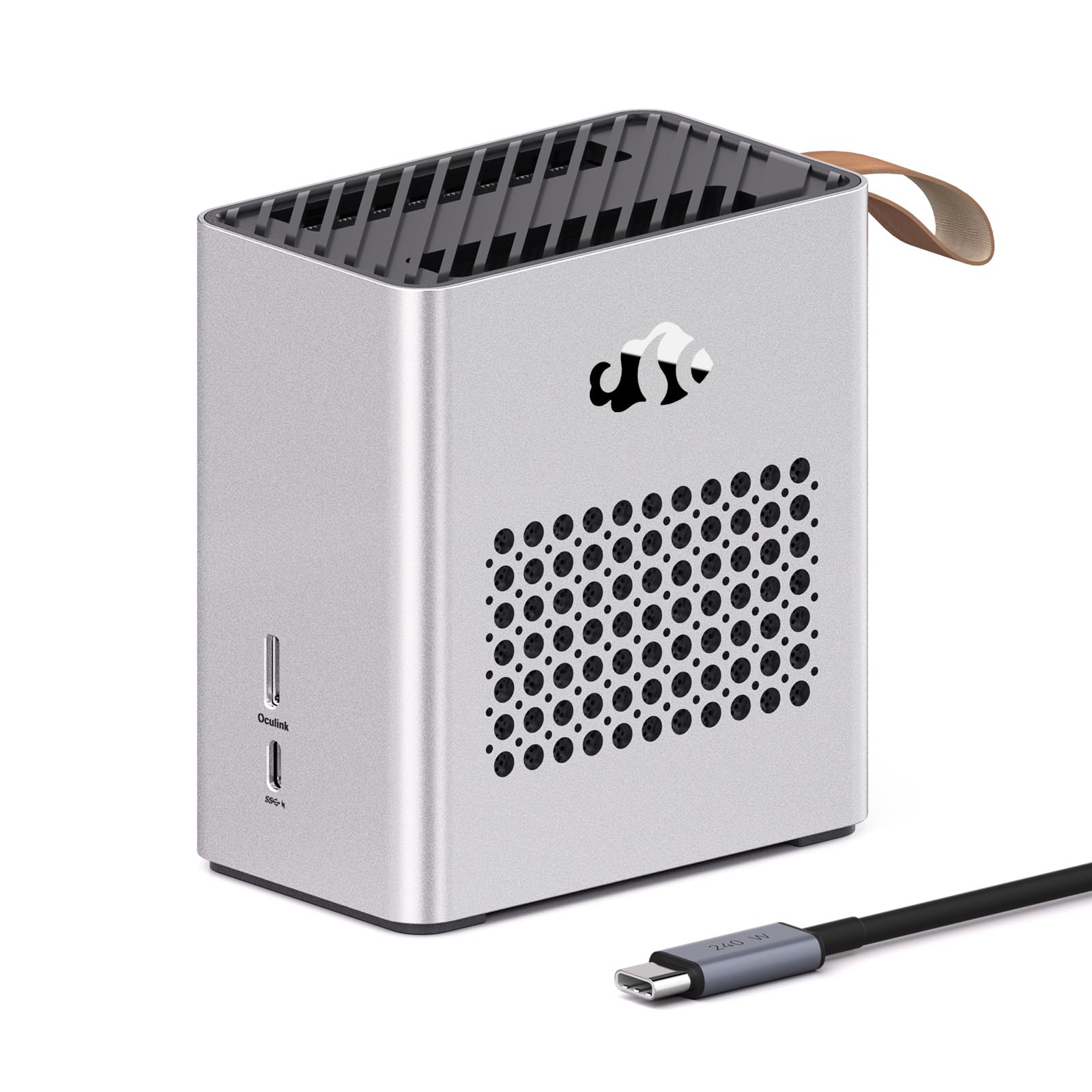
A soda-can-sized dock with full 120W TGP for creators juggling 8K timelines
This Nimo variant shares the core RX 7600M XT 8GB GDDR6 silicon with its sibling but frames itself squarely at video creators. The headline is its full 120W TGP (Total Graphics Power, the sustained power budget the GPU can draw) in an ultra-compact 0.8L chassis — literally smaller than a soda can, as the listing notes. That power target is what lets it perform at RTX 4060 Laptop GPU level, and the HDMI 2.1 and DisplayPort 2.0 outputs drive a single 8K@60Hz or dual 4K@120Hz monitors for smooth timeline scrubbing. Owners praise the performance and call it a genuine value for the price, with one noting it doubled their in-game FPS over a Thunderbolt connection.
What sets this unit apart is its enterprise-grade protection and warranty backing. It includes ESD (electrostatic discharge) protection rated at ±8KV air and ±4KV contact to resist static damage in dry rooms, plus EMI shielding that keeps Wi-Fi 6E and Bluetooth clean during heavy load. The 2-year manufacturer’s warranty and 90-day returns give you breathing room, and the Auto-Power-On feature wakes or shuts down with your laptop — no reaching under the desk. The 65W PD on the front USB-C port charges your laptop and transfers data on one cable.
The fine print: it requires Windows for full function, and one owner noted Steam OS ran buggy on it. It is also a sealed unit, so you cannot upgrade the GPU later. For a digital nomad or student who wants a portable desktop-replacement for 3D rendering and 4K editing on the go, this is about as polished as the category gets.
The highlights
- Full 120W TGP in a 0.8L travel-sized body
- ESD and EMI protection for reliable operation
- 2-year warranty and 90-day returns
Before you buy
- Windows-only; Steam OS support is buggy
- GPU is built-in and cannot be swapped later
Perfect for: Video creators and students who need 4K/8K monitor output and AI-assisted tasks in a travel-sized dock.
Not for: Seasonal gamers who want to upgrade the card next year — this is a sealed system.
8. BOSGAME GVP 7600M
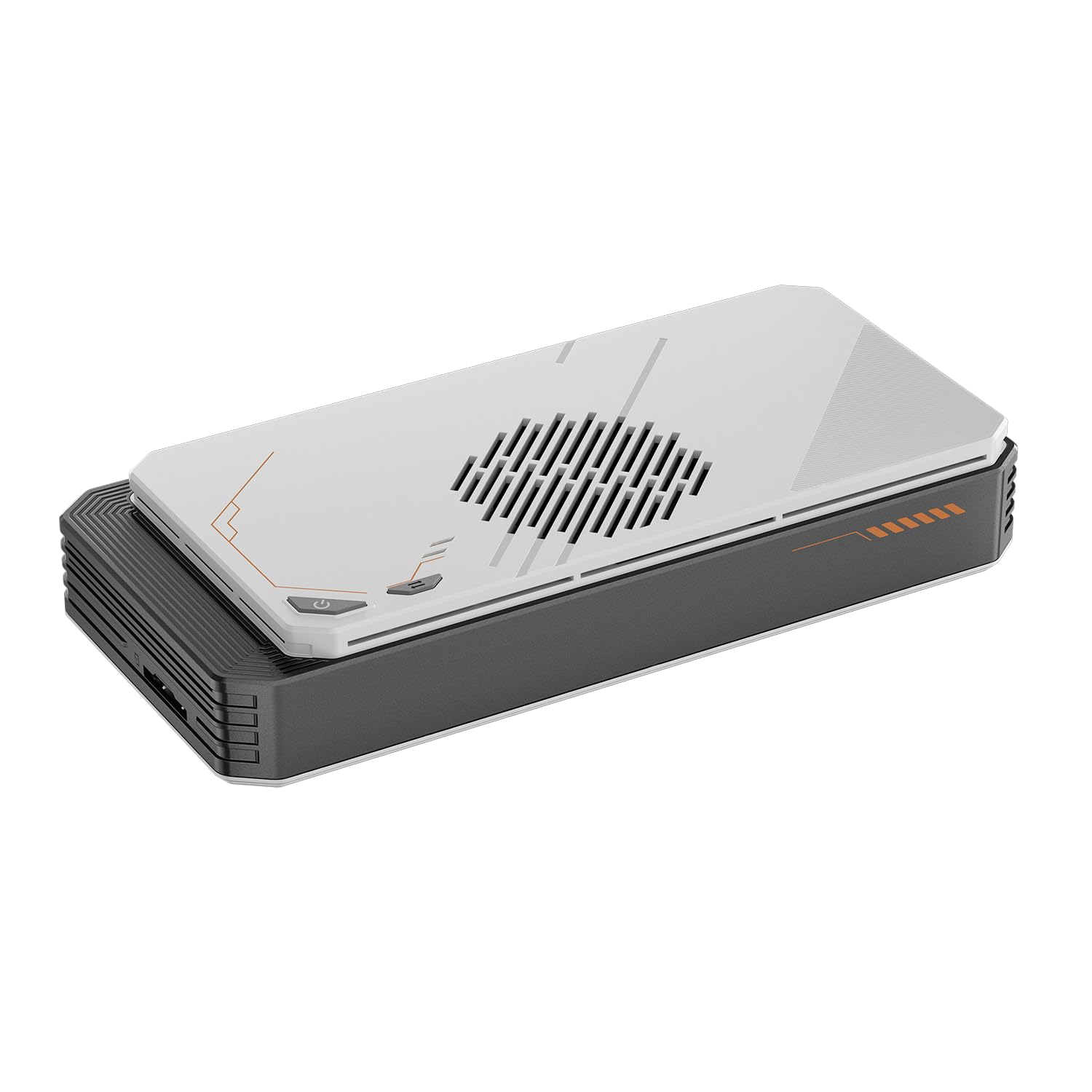
A 1.92-pound aluminum dock with a Turbo button for handheld console gaming
Built for the handheld crowd, the BOSGAME GVP 7600M targets ROG Ally X, Legion Go, and Steam Deck owners who want desktop-class frames on a plane. It is a sleek aluminum alloy enclosure weighing just 1.92lb, and its defining trick is a Turbo Button: the default GPU TDP of 100W jumps to 120W for more demanding titles. Owners confirm it is cooler and quieter than the OneXGPU alternative, with a lighter body and a laptop-style power brick that does not flop out of the wall. One Ally X owner credits it for enabling medium/high settings at 60fps in modern games.
Port selection is the deepest in this roundup: 2x HDMI 2.1 (4K@60Hz) and 2x DP 2.0 (4K@120Hz) support a 4-display setup, and there is also an RJ45 Ethernet port plus two USB-A 3.2 ports. It even has an M.2 2280 SSD slot supporting up to 4TB of storage expansion, turning the dock into a portable game library as well as a GPU. A Surface Pro 9 owner benchmarked it in X-Plane 12, hitting 42.8 FPS at 1440p tuned settings, and called the 4K video playback “smooth.”
Two honest caveats from the review pages: the plastic build materials are not premium — one owner called them “cheaper materials” even while admitting it “works fine for occasional use” — and setup requires a bit of tinkering, especially switching between the 120W orange mode and 100W green eco mode. It also ships with a 1-year warranty, which is shorter than the Nimo’s 2 years. For a travel-focused handheld dock that doubles as a storage hub, this is a strong, portable choice.
Where it shines
- Turbo button boosts TDP from 100W to 120W
- 4 display outputs plus Ethernet and 2 USB-A ports
- M.2 2280 slot expands storage up to 4TB
Trade-offs
- Plastic body feels less premium than metal rivals
- 1-year warranty is shorter than the Nimo’s 2 years
Reach for it if: You game on a handheld and want a cool, quiet, travel-friendly dock that also adds SSD storage.
skip it if: You are chasing a premium all-metal feel or a longer warranty; the Nimo edges it on both.
9. GIGABYTE AORUS AI Box
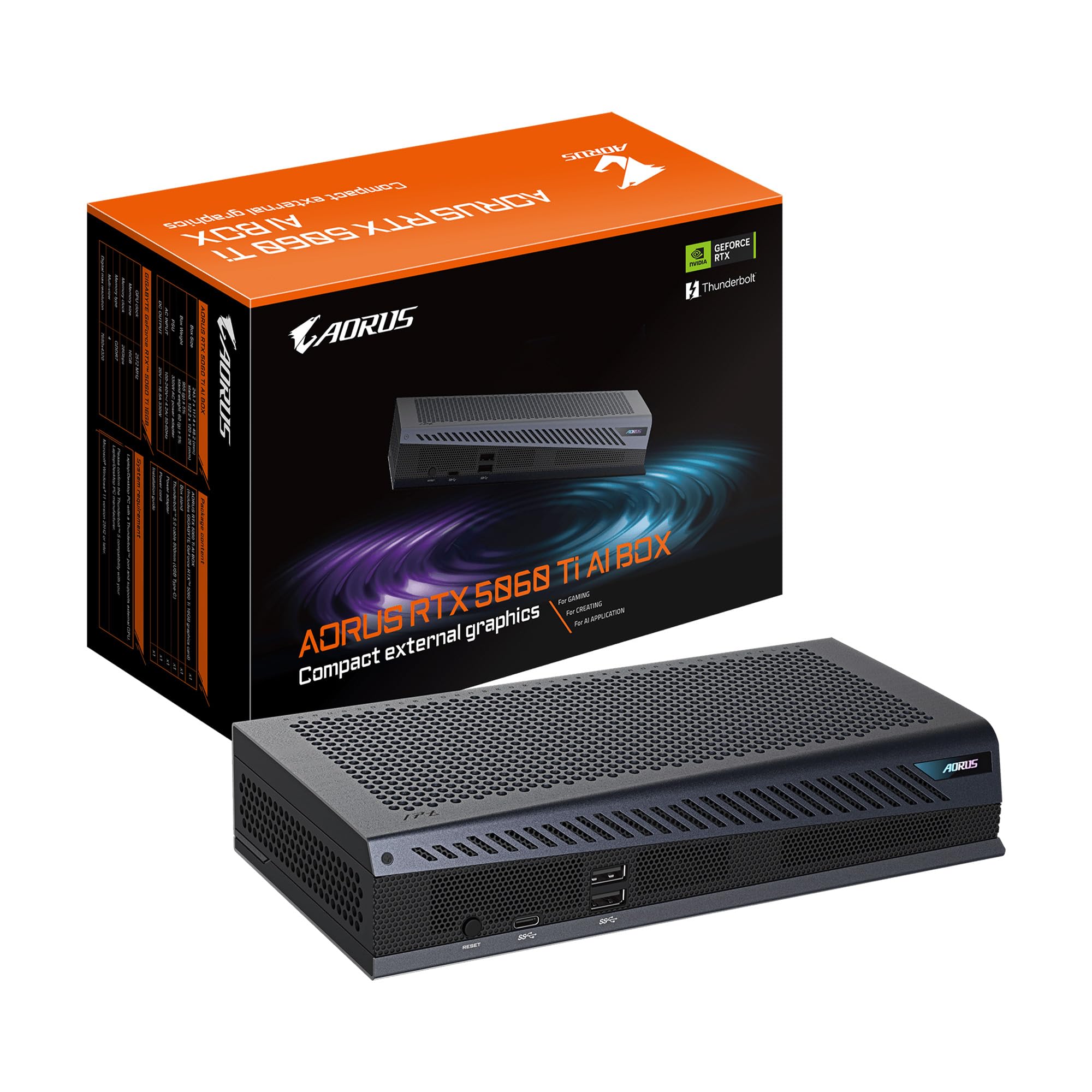
The latest Blackwell silicon in a Thunderbolt 5 box built for handhelds and AI tasks
This is the newest silicon on the shelf: a GeForce RTX 5060 Ti with 16GB of GDDR7 memory on NVIDIA’s Blackwell architecture, wrapped in a compact metal box. It connects over Thunderbolt 5 at up to 80Gbps bidirectional bandwidth, and the listing’s “AI-ready” framing is no marketing fluff — the 16GB GDDR7 VRAM is genuinely useful for local AI workloads like Stable Diffusion and LLM inference. The WINDFORCE cooling system uses server-grade thermal gel, Hawk fans, and a direct-contact copper plate with heat pipes to keep the card cool and, per owners, silent at full load.
Buyers report it is a standout for handhelds: a Legion Go runs GTA V Enhanced at never-below-60fps at 1920×1200, and other titles hit 60-75fps with DLAA. Setup follows a simple pattern — plug in the eGPU, wait 15-20 seconds, boot, install drivers — and the integrated Ethernet port reduces latency for competitive play. The compact frame supports both horizontal and vertical placement via a magnetic stand, and it has earned a 4.4-star crowd rating. One caveat: check your USB4 spec first. Owners warn that cheaper AMD mini PCs (like a Beelink SER6 Pro) only push 20Gbps over USB4, which halves the bandwidth versus a Legion Go Z1 Extreme’s 40Gbps and will throttle performance.
The trade-off is the top-tier price point and a few setup wrinkles. The manual driver is outdated and one owner recommended using AI chat support for step-by-step guidance including BIOS tweaks, plus a DDU clean install. An occasional unit arrives dead on arrival, and the magnetic stand lacks a locking mechanism so it can tip. If you want the latest architecture, daisy-chain support, and 100W Power Delivery 3.0 fast charging for your laptop, this is the most future-proof all-in-one you can buy today.
Why it leads
- RTX 5060 Ti 16GB GDDR7 with DLSS 4 and NVIDIA Studio
- Thunderbolt 5 at 80Gbps plus 100W PD charging
- Silent Hawk fan cooling at full load
Heads up
- Older USB4 devices may only deliver 20Gbps, throttling the card
- Setup can be fiddly; the manual driver is outdated
Pick this if: You want the newest GPU architecture, 16GB of VRAM for AI work, and a future-proof Thunderbolt 5 connection.
Pass if: Your laptop’s USB4 port only runs at 20Gbps or you want to spend less — older docks will serve you fine.
Understanding the Specs
Power Delivery (PD)
This is how many watts the dock sends back to your laptop through the same cable it uses for data. A 65W PD rating can often replace your laptop’s own charger, so you pack one less brick. Higher PD (like 100W or 140W) matters if you run a power-hungry gaming laptop that drains faster than it charges.
OCuLink
OCuLink is a dedicated PCIe 4.0 x4 port that pushes 64Gbps of bandwidth, often yielding performance closer to a native desktop card than Thunderbolt. The catch is that almost no consumer laptops have this port built in, so it mainly matters if your mini PC or handheld supports it — check before buying an OCuLink-only dock like the AG02.
FAQ
Will an eGPU work with any laptop?
What is the difference between Thunderbolt 5 and OCuLink?
Does an all-in-one eGPU outperform an empty enclosure?
How much performance loss should I expect over Thunderbolt?
Can I use an eGPU with a gaming handheld like the ROG Ally X?
Why do some docks need a separate power supply?
Does the eGPU fan run all the time?
Is 16GB of VRAM worth paying extra for in an eGPU?
Can an eGPU double as a dock for peripherals?
How long does an eGPU dock last before I need to upgrade?
Final Thoughts: The Verdict
If you want one dependable pick, the egpu card winner is the Nimo RX 7600M XT because it delivers plug-and-play performance with no separate card or PSU to buy. If you want to choose your own GPU and future-proof for a flagship card, grab the AOOSTAR EG02 with its dual Thunderbolt 5 ports. And for the newest Blackwell architecture with 16GB of VRAM for AI work, the GIGABYTE AORUS AI Box is the one to reach for.
How We Picked
We do not accept paid placement. Every pick is matched to a real buyer and a real use-case; we do not hands-on test units.
Sources & Methodology
Specifications: manufacturer listings and product documentation. Review insights: verified customer reviews, as of August 2026. Pricing: not shown on this page (it changes often); check the current price via the retailer link.
As an Amazon Associate, WellFizz earns from qualifying purchases. This does not affect which products we feature.
Related Guides

Mo Maruf
I created WellFizz to bridge the gap between vague wellness advice and actionable solutions. My mission is simple: to decode the research and give you practical tools you can actually use.
Beyond the data, I am a passionate traveler. I believe that stepping away from the screen to explore new environments is essential for mental clarity and physical vitality.