Our readers keep the lights on and my smoothie glass nicely filled. As an Amazon Associate, I earn from qualifying purchases.
Specs are compiled from manufacturer listings and verified buyer reviews and can change over time — please confirm the key details on the product page before buying.
I’m Mohammad Maruf — the founder and writer behind WellFizz. This guide is built by comparing the manufacturers’ published specifications and the patterns across verified customer reviews, so you get each pick’s real strengths and trade-offs instead of marketing spin.
You want a device that keeps your child learning without constant supervision. That means finding the educational tablet for kids that pairs tough hardware with controls you can actually manage from your phone.
Our Picks at a Glance


How To Choose The Best Educational Tablet For Kids
The best kids tablet balances three things: a case that survives daily life, software that keeps curious fingers out of trouble, and a screen that doesn’t strain young eyes. Skip any one of these and you will end up replacing the device sooner than you hoped.
Durability is the first filter
Look for a bundled case made of EVA foam or thick silicone. These materials absorb impact from drops and protect the screen edges. A tablet without a case is a cracked screen waiting to happen, no matter how careful your child is.
Parental controls decide your sanity
You want the ability to set screen time limits, approve apps, and filter content remotely from your own phone. Some tablets offer basic on-device settings, while others give you a dashboard to manage everything without touching the child’s tablet.
Storage and RAM determine how long it stays useful
Educational apps and downloaded videos eat storage fast. Look for at least 32 GB of internal space and a microSD slot for expansion. RAM matters for smooth multitasking; 4 GB is a comfortable baseline for young kids, while older kids benefit from more.
Quick Comparison
| Model | Best For | Screen Size | Storage | Battery Life | Amazon |
|---|---|---|---|---|---|
| Fire HD 10 Kids Pro★ Best Overall | Older kids 6-12 | 10.1″ HD | 32 GB | 13 hours | Amazon |
| PRITOM Touch10Budget Champion | Budget-first buyers | 10″ HD | 64 GB | 6 hours | Amazon |
| YosaToo K15Top Performer | Offline content | 10″ IPS | 64 GB | — | Amazon |
| Fire 7 Kids | Toddlers 3-7 | 7″ | 16 GB | 10 hours | Amazon |
| Plimpton Kids Tablet | Homework help | 10.1″ IPS | 64 GB | 8 hours | Amazon |
| WXUNJA Android 15 | Durable all-rounder | 10.1″ IPS | 64 GB | 6 hours | Amazon |
| URAO Kids Tablet | Fast charging | 10″ | 64 GB | 6 hours | Amazon |
| CFVOCUY Kids Tablet | Travel companion | 10.1″ IPS | 64 GB | 8 hours | Amazon |
| aiprotablet Android 16 | Large storage needs | 10″ IPS | 64 GB | 6 hours | Amazon |
In‑Depth Reviews
1. Amazon Fire HD 10 Kids Pro tablet
Our pick — 4.5★ from 11,500+ verified ratings; the strongest balance of quality and price.
The slim-cased powerhouse that outlasts the competition for older kids.
This is the tablet parents keep coming back to. The crowd favorite — 4.5 stars across 11,000+ owners — pairs a bright 10.1″ HD screen with a 13-hour battery that genuinely lasts through long car trips and movie marathons. The slim case is designed for kids 6-12, so it protects without feeling like a toy.
You get a full year of Amazon Kids+ included, which open up ad-free books, videos, and games from Disney, Marvel, and LEGO, plus STEM content from Nat Geo and PBS. The parental dashboard lets you set screen time limits remotely and see what your child is using—a feature buyers rave about.
If it breaks, the 2-year low-maintenance guarantee means Amazon replaces it free. Buyers report some units stop working after a couple of months, but the guarantee covers that. The 32 GB storage trails the Android rivals in this list—the YosaToo and PRITOM both offer 64 GB as standard—so you will rely on cloud streaming or an SD card for big downloads.
What wins parents over
- Industry-leading 13-hour battery
- Full year of Amazon Kids+ included
- 2-year replacement guarantee
- Best parental control dashboard
Honest trade-offs
- 32 GB is half the storage of some rivals
- Case is slim, not the thickest buffer
- Amazon ecosystem, not full Google Play
Grab it for: families who want a proven, long-lasting tablet with the best parental controls and a real replacement guarantee.
Think twice if: you need maximum storage for offline videos — the 32 GB fills up fast.
2. PRITOM 10 inch Kids Tablets Android
A budget tablet with a headrest strap that makes car rides bearable.
This 10-inch Android tablet is the entry-level pick that still checks the important boxes. The 6000mAh battery delivers around 6 hours of use, and the included EVA foam case is both child-safe and lightweight. The case even has a car headrest strap, which parents love for keeping kids entertained on long drives.
The iWawa app suite brings plenty of learning games and an AR Zoo feature. You create profiles for each child, filter content, and control screen time through the parental mode. Storage is a solid 64 GB, expandable up to 512 GB with a microSD card.
Reliability is the honest weak spot here. Owners mention the device can stop working after a few months, and one owner’s son had the screen fail after three months — though customer service did send a replacement without hassle. Battery complaints also surface, with some finding it stops holding a charge. The value is hard to argue with, but durability is a lottery.
Why it’s a bargain
- 64 GB storage beats pricier rivals
- Headrest strap for car use
- iWawa learning apps included
- Expandable to 512 GB
Where it falls short
- Reports of units failing after months
- Battery can stop holding a charge
- Performance runs a little slow
Best suited for: budget-conscious households that want a big screen and don’t mind a gamble on long-term reliability.
Look elsewhere if: you want a tablet that is guaranteed to survive heavy daily use for years.
3. Kids Tablet 10” Android 15 YosaToo K15
The Android 15 tablet with offline Montessori content that keeps kids learning without WiFi.
This YosaToo tablet stands out for its pre-loaded offline content. Kids aged 3-7 get access to Montessori activities, mini-games, STEM projects, and art tools that work without an internet connection — perfect for flights or road trips. The 2.0 GHz octa-core processor is advertised as 40%-50% faster than previous models, so apps launch quickly.
The 14GB (6+8GB) RAM is generous for a kids tablet, and the 64 GB ROM gives plenty of breathing room. You can expand via TF card up to 528 GB. The 1280*800 IPS display is bright and sharp for little eyes, and the whale-themed case is a hit with younger children.
Parents report it runs Minecraft and Roblox without lag, which is a strong sign for older kids too. The catch is battery longevity — one owner noted the battery declined after three months, though the manufacturer warranty replaced it after a request. A few units freeze and restart, so treat the warranty as part of the deal.
The strengths
- Offline Montessori and STEM content
- Fast 2.0 GHz octa-core processor
- 14GB RAM for smooth multitasking
- GMS certified for Play Store
The drawbacks
- Battery decline reported after months
- Some units freeze and restart
- 2MP front camera is basic
Choose this for: parents who want a fast Android tablet with built-in learning content that works offline.
skip it if: you need a battery that holds up perfectly for years of daily charging.
4. aiprotablet 10 inch Kids Tablet Android 16
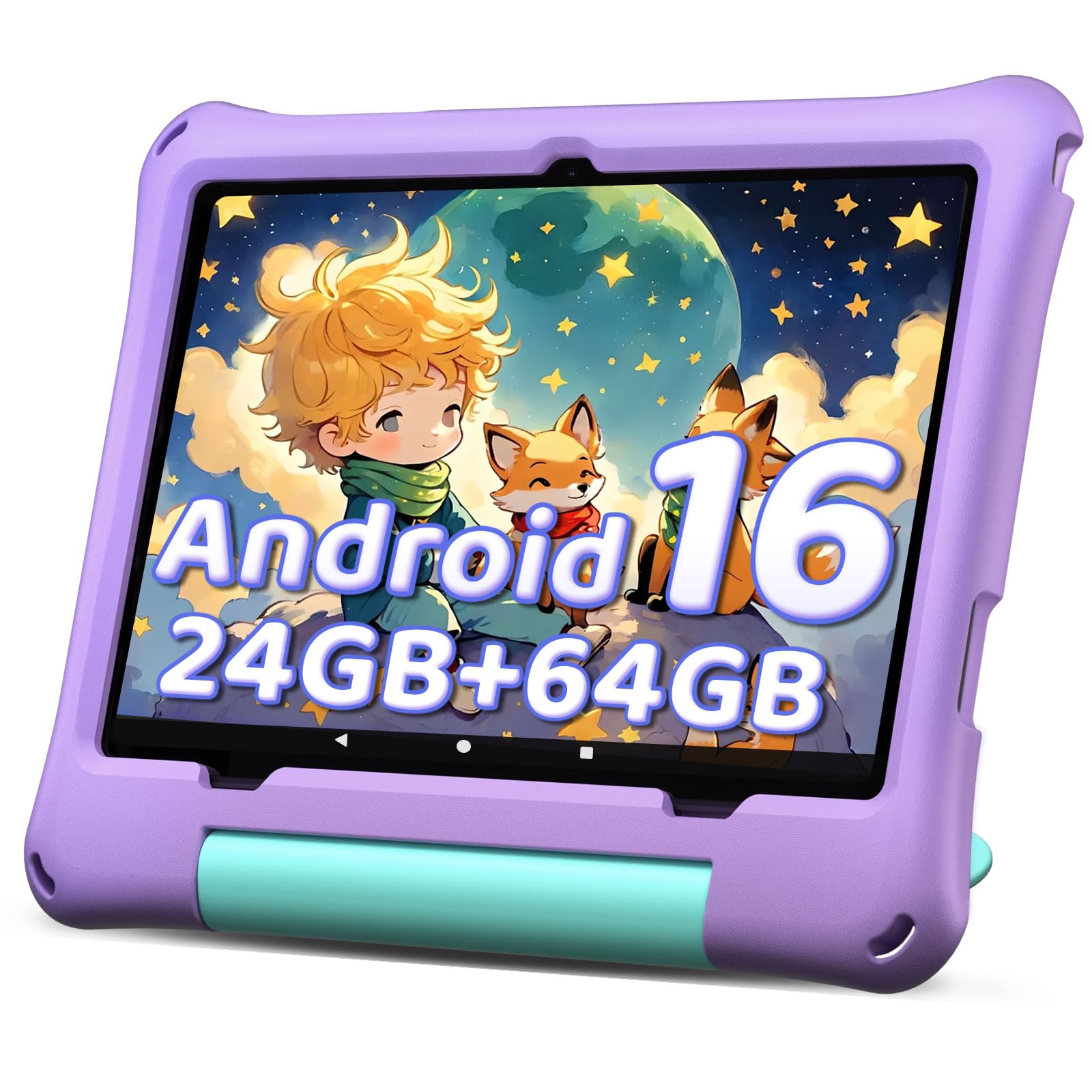
The purple tablet with 24GB RAM that handles streaming and games without breaking a sweat.
This aiprotablet is the smoothest operator in the budget-to-mid range. The 24GB RAM (4GB + 20GB virtual) keeps things running fast, and the 1280*800 IPS screen is designed with eye protection in mind. It supports 18W PD fast charging, so the 6000mAh battery refills quickly when it does run low.
The built-in parental control system lets you manage screen time and set learning goals. You can adjust settings as your child ages. The 64 GB internal storage expands up to 1TB via microSD, which is the biggest ceiling in this list alongside the URAO.
Parents of younger kids love this one — it is ideal for a 19-month-old in the car, easier to use than a Kindle 7″. The trade-off is mixed reliability: some customers note the battery stops taking a charge after three months or the touchscreen dies. The overall rating sits at 4.0, so most buyers are satisfied, but quality control varies.
The highlights
- 24GB RAM for smooth performance
- 1TB expandable storage
- 18W PD fast charging
- Face recognition open up
The risks
- Battery failures reported after months
- Touchscreen can stop working
- 6-hour battery is average
Pick this one if: you want a fast, expandable tablet for a young child and can handle some quality-control roulette.
Pass on it if: you need a tablet with a track record of years-long reliability.
5. Android 15 Kids Tablet 10.1 Inch WXUNJA
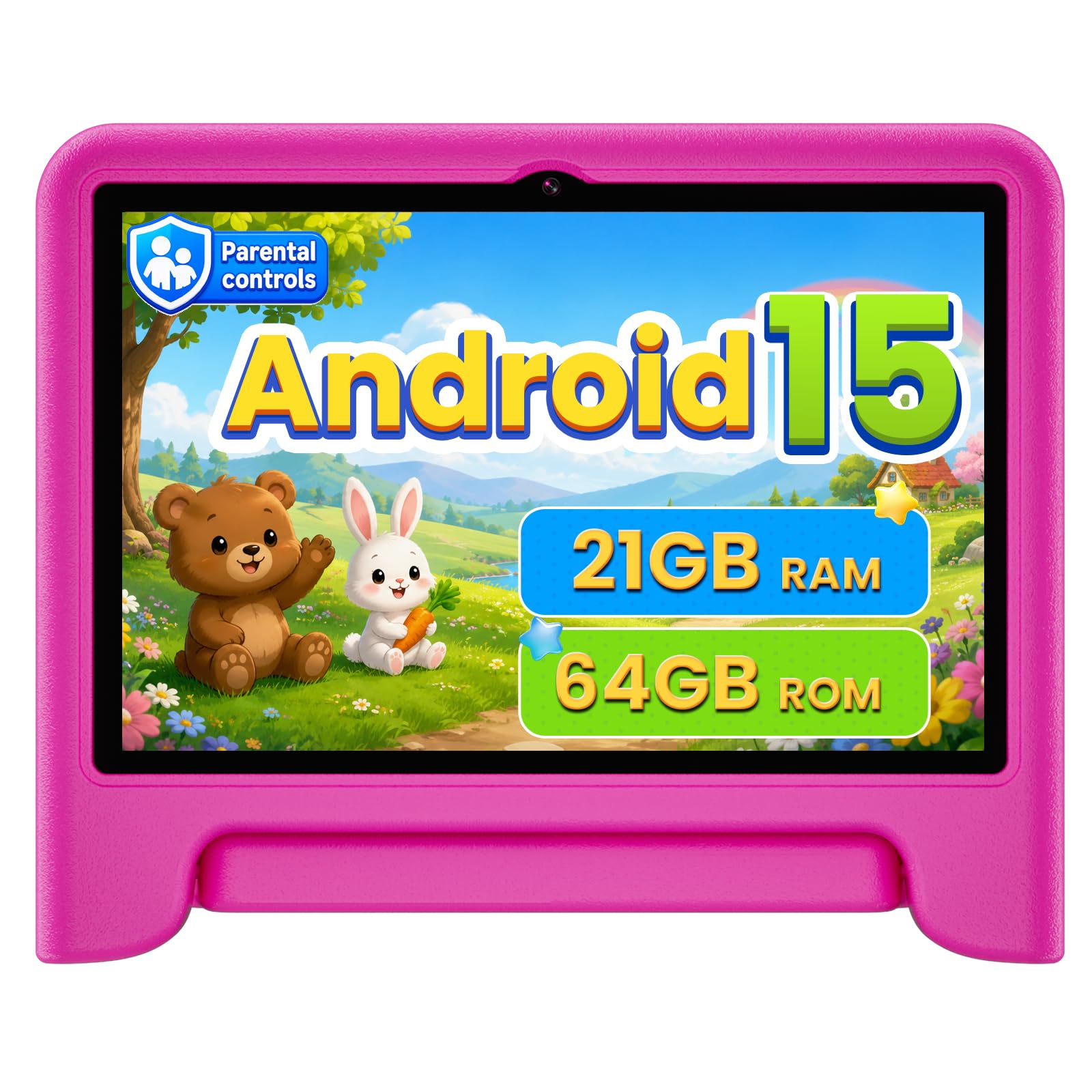
The pink tablet that survives throws from a six-year-old, according to the reviews.
Durability is the headline here. The thick silicone case and included screen protector have survived being thrown by an autistic six-year-old, per owner accounts. That ruggedness, combined with a bright pink color kids love, makes it a strong choice for rough-and-tumble toddlers.
Performance is solid with a 2.0 GHz octa-core processor and 21GB RAM (3GB + 18GB virtual). The 1280 x 800 IPS display is designed to reduce eye strain from blue light. A 6000mAh battery gives about 6 hours of video playback, and 18W PD fast charging gets it back up quickly.
The 2.4G/5G dual-band WiFi is a real advantage — it keeps streaming stable even when other devices crowd the network. The 5-year warranty is the longest in this list, signaling the manufacturer’s confidence in durability. Reliability is mixed in the reviews, with a few units failing to charge or turn on, but the warranty backs you up.
What stands out
- Survives serious drops and throws
- Dual-band WiFi for stable streaming
- 5-year warranty included
- Screen protector pre-installed
What to know
- Some units stop charging
- 6-hour battery is mid-pack
- Face recognition is a nice-to-have
Reach for it if: you have a very young child who throws things and you want a thick case plus a 5-year warranty.
Consider another if: you need longer battery life for all-day use away from chargers.
6. Urao Kids Tablet Android 16

The Android 16 tablet that fully charges in 1.5 hours and stands by for 3 days.
Charging speed is the Urao’s superpower. While many rivals take hours to refill, this one hits a full charge in 1.5 hours through its USB Type-C port. The 6000mAh lithium battery delivers about 6 hours of active use, and standby time stretches to 3 days — so it is ready when your child grabs it.
The 24GB RAM and 64GB ROM handle educational apps and videos smoothly. Storage expands up to 1TB via microSD, giving you the same big ceiling as the aiprotablet. The food-grade silicone case is a nice touch for younger kids who put things in their mouths.
Parents consistently praise how child-friendly it is, especially for YouTube Kids and educational content. Setup is easy, and the parental controls are simple to figure out. The 2.0 GHz octa-core processor is advertised as 40% faster than typical models, which shows in everyday use.
The standouts
- Fast 1.5-hour charging
- 3-day standby time
- Food-grade silicone case
- 1TB expandable storage
The limitations
- 6-hour battery is average for video
- Dual camera is basic
- LCD screen, not IPS
Great for: families who forget to charge and need a tablet that tops up fast between uses.
Not ideal if: you want the sharpest viewing angles for movies — the LCD panel is decent, not premium.
7. CFVOCUY Kids Tablet 10.1 Inch
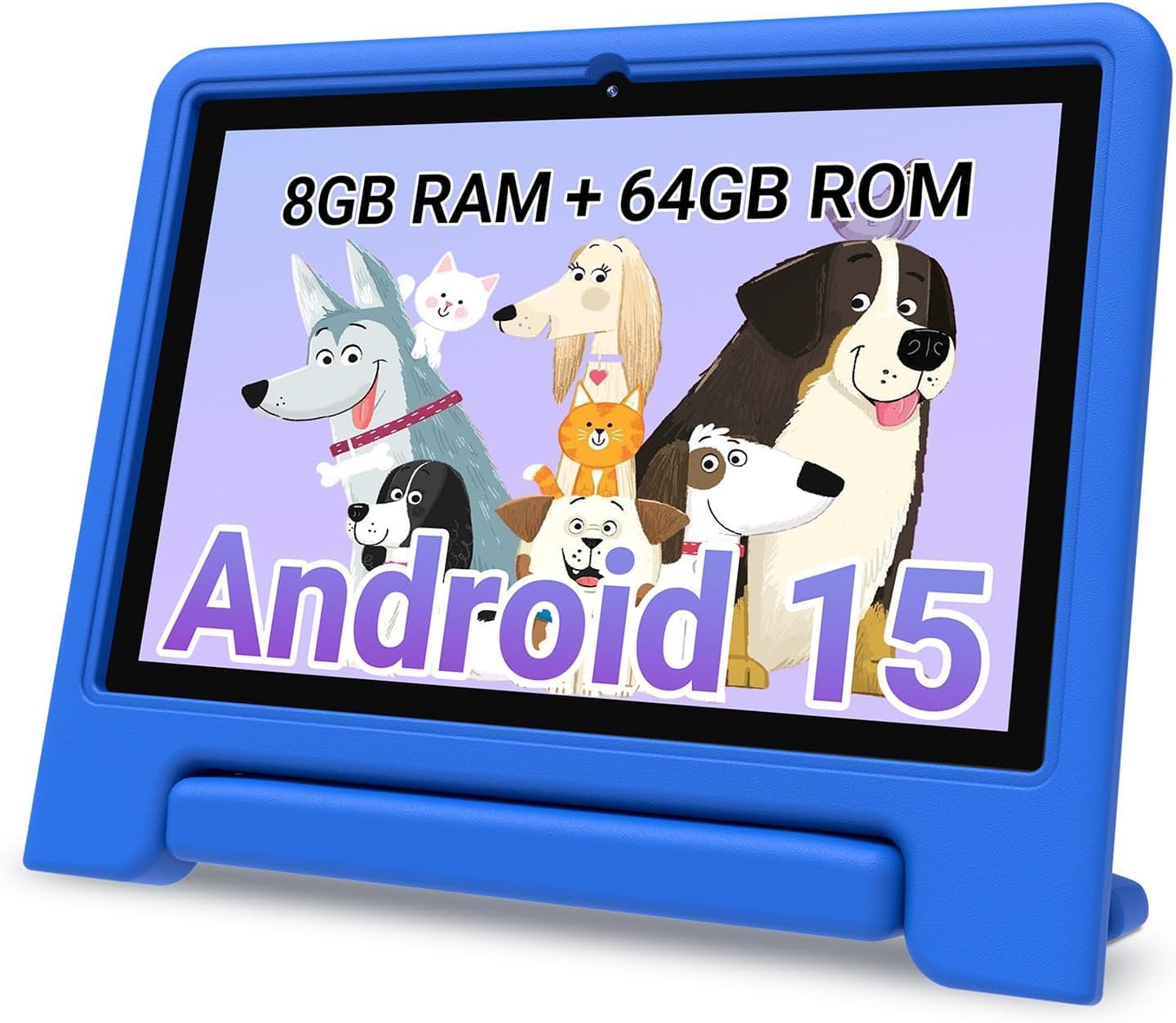
The WiFi 6 tablet with a 5000mAh battery built for long trips and rough play.
The CFVOCUY shines as a travel companion. The 5000mAh battery delivers up to 8 hours of reading, watching, and learning — the best runtime in the Android group. The ultra-light EVA case is built to survive drops and rough play, with a built-in stand for hands-free viewing.
WiFi 6 is the standout spec here, giving faster and more stable connections than older WiFi standards. The 1280*800 IPS HD touchscreen includes an eye-protection mode to reduce strain. Pre-installed educational apps mean it is ready to go from the start.
The 8GB RAM handles basic tasks fine, but reviewers point out it gets laggy when full and games can be unplayable. One owner flagged the volume as excessively loud with no comfortable setting. The rotating handle on the case is bite-resistant, which parents of teething toddlers will appreciate.
The wins
- 8-hour battery for travel
- WiFi 6 for stable connections
- Rotating, bite-resistant handle
- Eye-protection mode
The catches
- Touch response can lag
- No expandable storage mentioned
- Volume control is poor
Pick it for: long car rides and flights where battery life and a rugged case matter more than raw speed.
Avoid it if: your child plays demanding games — the lag will frustrate them.
8. Amazon Fire 7 Kids tablet

The compact 7-inch tablet perfectly sized for tiny hands aged 3 to 7.
For toddlers, smaller is often better. The 7-inch Fire Kids tablet is sized just right for 2 and 4-year-olds, and parents say it is “small but not too small.” The sturdy kid-proof case protects against drops, and the 10-hour battery means it is always ready for story time.
The bundle includes a full year of Amazon Kids+, giving access to thousands of ad-free books, games, and videos from Disney, Nickelodeon, and PBS Kids. The Parent Dashboard lets you filter content by age, set educational goals, and grant access to apps like Netflix and Disney+.
The honest trade-off is speed: this is a budget processor, and it will get slower over time as apps update. The 16 GB storage is the smallest in this list, though you can add up to 1TB via microSD.
Why it works
- Perfect size for small hands
- 2-year low-maintenance replacement
- 10-hour battery life
- Sturdy kid-proof case included
The trade-offs
- 16 GB storage is limited
- Processor runs slow, gets slower
- 7-inch screen is small for video
Best for: parents of toddlers who want a small, tough tablet with a real replacement guarantee.
pass on it if: you have an older child who needs more screen space and faster performance.
9. Plimpton Kids Tablet 10 Inch

The tablet with Gemini AI that helps with homework and explains concepts.
The Plimpton PlimPad Kids20 goes beyond typical kids tablets with its Gemini AI integration. It acts as a smart learning companion, assisting with homework and explaining concepts interactively at your child’s pace. That makes it a standout for school-age kids who need more than games.
The 10.1″ HD IPS glass screen offers a 1280 x 800 resolution with low blue light technology and automatic brightness adjustment. The 6000mAh battery provides about 8 hours of use, and The upgraded power system is advertised as roughly 30% longer runtime than the original model..
The 360° rotatable bracket on the EVA case lets kids find the perfect viewing angle without holding the tablet. Google Kids Space comes pre-installed with educator-endorsed apps. The 2-year warranty and 30-day return policy give confidence. Performance is mixed—some find the processor a bit slow, though it works fine for younger kids.
The advantages
- Gemini AI homework helper
- 8-hour battery life
- 360° rotatable bracket
- 2-year warranty
The drawbacks
- Processor can run slow
- Google Kids Space needs accounts
- LCD panel, not IPS
Choose it for: school-age kids who need homework help and interactive learning tools beyond basic games.
Look elsewhere if: you need blazing-fast performance for demanding apps and games.
Understanding the Specs
Battery Life
Battery life is measured in hours of active use, and it varies widely — from 6 hours on budget models to 13 hours on the Fire HD 10 Kids Pro. Standby time matters too; some tablets last days between charges while others drain quickly. For travel, look for 8 hours or more of video playback.
Storage and RAM
Storage (measured in GB) holds your apps, videos, and games. Kids tablets typically range from 16 GB to 64 GB, with many expandable via microSD. RAM (also in GB) affects how smoothly apps run. More RAM means less lag when switching between learning apps and games.
Screen Quality
Resolution matters for clarity. Most kids tablets offer 1280 x 800 resolution, which is sharp enough for educational content. IPS displays give better viewing angles than standard LCD screens, so the picture stays clear when kids tilt the tablet. Eye-protection modes reduce blue light.
Parental Controls
Good parental controls let you set screen time limits, approve apps, and filter content remotely. The best ones, like Amazon’s Parent Dashboard, work from your own phone so you don’t need to touch the tablet. Profile-based systems let you tailor content for each child’s age.
FAQ
How long does a kids tablet battery last on a single charge?
Is 32 GB enough storage for a kids tablet?
What is the difference between Amazon Kids and Google Kids Space?
Will my child’s tablet survive being dropped?
Can I control what my child watches on a kids tablet?
Is more RAM better for a kids tablet?
How long does a kids tablet last before needing replacement?
Are kids tablets safe for toddlers under 3?
Final Thoughts: The Verdict
For most people, the educational tablet for kids winner is the Amazon Fire HD 10 Kids Pro because it pairs the longest battery life with the best parental controls and a real 2-year replacement guarantee. If you want a faster Android tablet with more storage for school-age kids, grab the YosaToo K15. And for the tightest budgets, the PRITOM Touch10 is the one to reach for, provided you keep your expectations on long-term reliability in check.
How We Picked
We do not accept paid placement. Every pick is matched to a real buyer and a real use-case; we do not hands-on test units.
Sources & Methodology
Specifications: manufacturer listings and product documentation. Review insights: verified customer reviews, as of August 2026. Pricing: not shown on this page (it changes often); check the current price via the retailer link.
As an Amazon Associate, WellFizz earns from qualifying purchases. This does not affect which products we feature.
Related Guides

Mo Maruf
I created WellFizz to bridge the gap between vague wellness advice and actionable solutions. My mission is simple: to decode the research and give you practical tools you can actually use.
Beyond the data, I am a passionate traveler. I believe that stepping away from the screen to explore new environments is essential for mental clarity and physical vitality.