Our readers keep the lights on and my smoothie glass nicely filled. As an Amazon Associate, I earn from qualifying purchases.
Guessing where the wax ends and your eardrum begins is the reason most home ear cleanings end in irritation or a trip to urgent care. An ear camera replaces that blind excavation with a live, high-definition view of your ear canal, letting you see exactly what you are dealing with before you touch anything.
I’m Mohammad Maruf — the founder and writer behind WellFizz. I’ve spent dozens of hours combing through technical specs, medical device standards, and real user reports to narrow down which ear cameras actually deliver a usable, safe image instead of just a blurry dot on a screen.
This guide breaks down seven top-rated models across standalone screen units, phone-powered wands, and complete cleaning kits so you can confidently choose the best ear camera for your family’s health kit.
How To Choose The Best Ear Camera
Picking the right ear camera comes down to three factors: how you want to view the image, the physical design of the camera head, and whether you need a full cleaning system or just visual inspection. The wrong choice here can mean blurry feeds or a camera that is too thick to navigate a narrow canal.
Standalone Screen vs. Phone-Tethered
Standalone screen models let you turn on the device and look immediately — no app downloads, no Wi-Fi pairing, no phone battery drain. Phone-tethered cameras are typically slimmer and cheaper, but they rely on your phone’s screen and an app that may have connectivity hiccups. If you plan to check ears on multiple family members quickly, a built-in screen saves significant time.
Camera Diameter and Probe Tip Material
The diameter of the camera lens determines how easily it passes through the ear canal opening. Models with a 3.5mm to 3.9mm diameter are generally comfortable for adults and older children. Softer silicone specula are gentler on the canal skin than hard plastic tips. Check whether the kit includes multiple tip sizes so you can match the fit to the person being examined.
Lighting and Working Distance
Ear canals are dark, curved tubes. A camera with at least four adjustable LED lights gives you control over brightness to avoid washed-out images or dark shadows. Most 1080P otoscopes produce the clearest image at a working distance of roughly 1.5 to 2 cm from the eardrum — too close and the image blurs, too far and you miss detail. Manual focus lenses let you dial in sharpness, while fixed-focus models require you to find the sweet spot by feel.
Quick Comparison
On smaller screens, swipe sideways to see the full table.
| Model | Category | Best For | Key Spec | Amazon |
|---|---|---|---|---|
| ScopeAround MS450 | Premium | No-app family use with large screen | 4.5″ IPS, 3.9mm lens, gyroscope | Amazon |
| Kaugic Ear Wax Removal Kit | Premium | Complete cleaning + visual inspection | Irrigation system + camera, 4 pressure levels | Amazon |
| Anykit AKE390S | Premium | iPhone/iPad users wanting slim probe | 0.15 inch diameter, split-screen mode | Amazon |
| Aertnelz 1.38″ Screen Otoscope | Mid-Range | 1080P standalone with PC transfer | 1.38″ IPS, 1080P, 90° rotating head | Amazon |
| ScopeAround SA160 | Mid-Range | Manual focus for precise inspection | 3.9mm lens, 8GB card, manual focus | Amazon |
| Aertnelz 1.21″ Screen Otoscope | Mid-Range | Compact build with skin inspection tips | 1.21″ screen, 1080P, 2 probe tip types | Amazon |
| AnyScope Digital Otoscope | Budget | Phone-based viewing on a tight budget | 0.15 inch lens, OTG/UVC phone connection | Amazon |
In‑Depth Reviews
1. ScopeAround MS450 Digital Otoscope

The ScopeAround MS450 stands apart with its 4.5-inch IPS display, which is large enough to show the entire ear canal without squinting. The built-in gyroscope keeps the image oriented correctly as you rotate the wand, so the view on screen always matches the physical orientation inside the ear — a feature you will appreciate the first time you check a squirming child’s ear.
No app, no Wi-Fi, no phone pairing. You power it on and the live feed appears instantly on the screen. The 3.9mm diameter camera head is narrow enough for most adult ear canals, and the six adjustable LED lights give you fine control over brightness without washing out the eardrum. A 32GB memory card is included for saving photos and videos to share with a doctor.
Physicians who have used the MS450 note its sturdy metal wand and excellent battery life for multiple exams. The fixed-focus lens does require a steady hand to find the sharpest distance, but the gyroscope helps you keep the camera stable while you adjust. A sturdy stand frees your hands for cleaning or holding a child still.
Why it’s great
- Large 4.5-inch screen shows clear, real-time image without phone or app
- Built-in gyroscope keeps image upright during rotation
- Includes 32GB card for photo/video storage and doctor sharing
- Sturdy metal wand and long battery life for multiple family checks
Good to know
- Fixed-focus lens requires practice to hit the sharpest working distance
- Ear hairs can partially obstruct the view of the eardrum
- Included cleaning tools are basic; ear drops and irrigation work better for wax removal
2. Kaugic Ear Wax Removal Kit
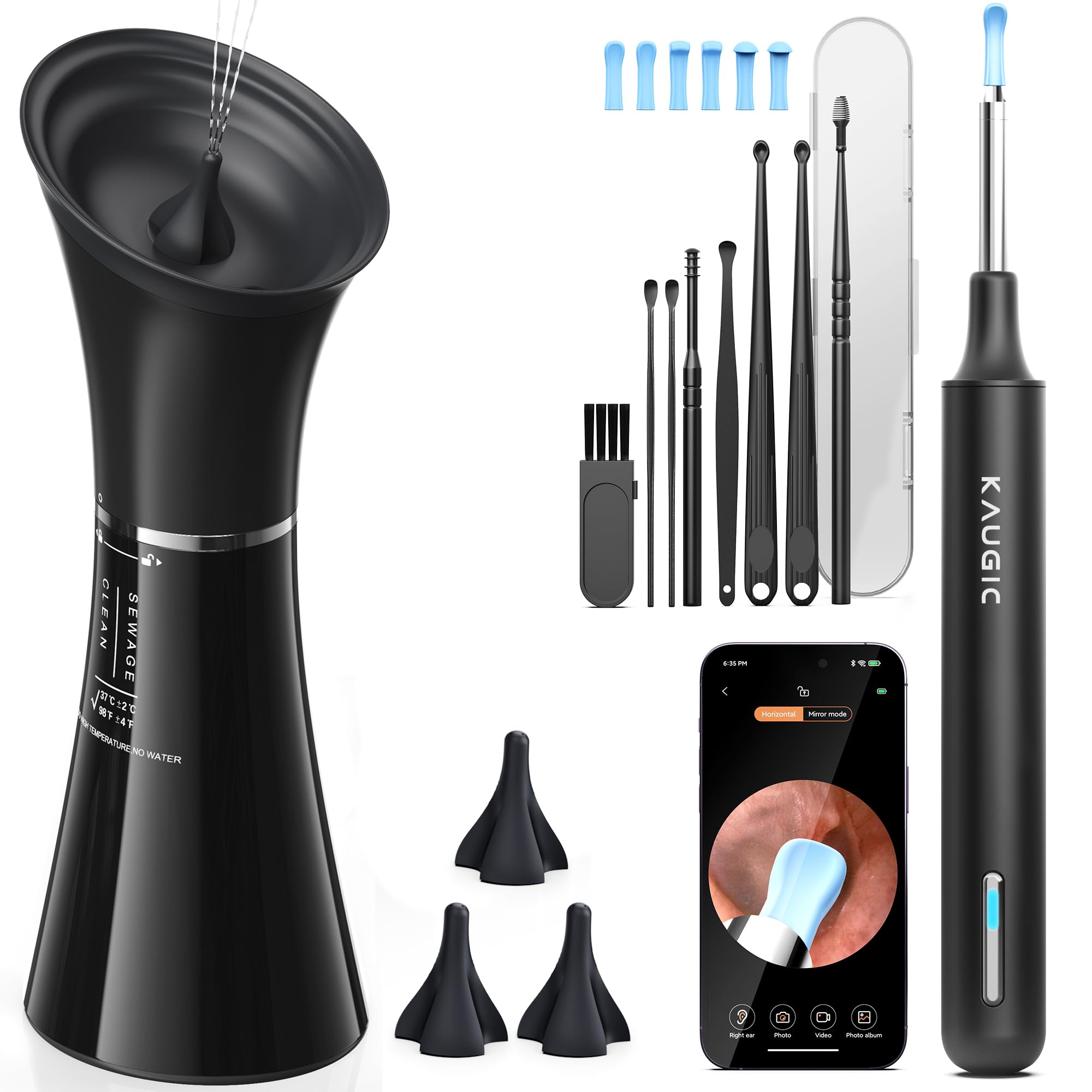
The Kaugic kit combines an electric ear irrigation system with a separate ear camera, creating a two-step cleaning workflow: inspect first, then flush. The irrigation unit features four adjustable water pressure levels and a smart temperature indicator that glows green when the water is at a safe temperature, then red if it gets too hot. Users who struggled with manual bulb syringes report that the pressurized spray dislodges stubborn wax that drops alone could not shift.
The included ear camera connects to your phone for real-time visual inspection before and after cleaning. The camera image is clear enough to spot remaining wax pockets, and the drainage basin on the irrigation unit catches runoff water so you do not end up with a wet towel. Multiple users note that cleaning the unit afterward is straightforward — the tips and reservoir rinse out without trapped residue.
This is not a standalone otoscope; it is a system. The camera and irrigator work together, meaning you need your phone for the visual feed. If you already have a phone-based ear camera, the irrigation unit alone may be redundant for some households. But for anyone dealing with chronic wax buildup, the combination saves trips to the clinic.
Why it’s great
- Two-step system lets you inspect before and after irrigation
- Four water pressure levels suit sensitive and normal ears
- Smart temperature indicator prevents accidental burns
- Drainage basin keeps water contained during cleaning
Good to know
- Camera requires phone app for viewing; no standalone screen
- Coordination between camera movement and water spray takes practice
- Softening wax with drops before irrigation improves results
3. Anykit AKE390S Digital Otoscope

The Anykit AKE390S uses an ultra-slim 0.15-inch diameter camera head that slides into tight ear canals with minimal resistance. This is a phone-tethered model that connects via USB-C to Android 8.0+ devices and iPhone 15 series (including iPads with USB-C). The Xscope app supports full-screen and split-screen modes, letting you compare a live view against a previously captured image to track changes over time.
Image quality is strong enough to visualize the tympanic membrane clearly, with adjustable brightness that avoids the glare that cheaper models produce against the eardrum. The included soft silicone ear picks are gentle for light cleaning, but the removal tips do partially block the camera view during active scooping — a limitation shared by most phone-based otoscopes. Users recommend using the camera primarily for inspection, then removing tools before attempting extraction.
A known limitation: the LEDs stay on whenever the camera is plugged into a powered device, which drains the host device battery if left connected. The camera lens is fixed and sealed, so there is no replaceable cover if it gets scratched. For hearing aid users who need regular eardrum checks, this wired model provides clear, consistent imaging at a competitive price point.
Why it’s great
- Ultra-slim 0.15-inch probe eases access in narrow canals
- Split-screen mode enables before-after image comparison
- Connects directly to USB-C iPhones and Android devices
- Soft silicone earpicks for gentle wax removal
Good to know
- LEDs cannot be turned off while connected, draining phone battery
- Wax removal tool blocks camera view during active scooping
- Fixed lens cannot be replaced if scratched
4. Aertnelz 1.38″ Screen Otoscope
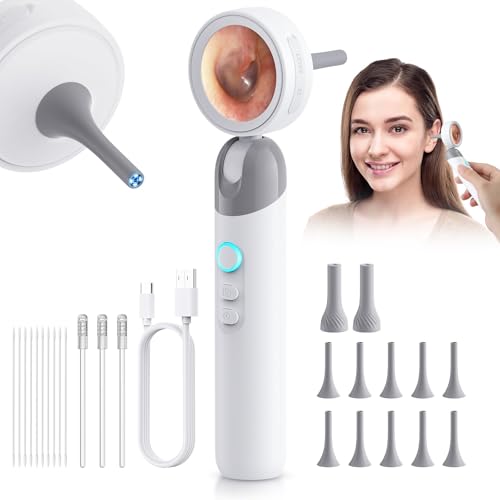
The Aertnelz 1.38-inch screen otoscope delivers 1080P HD resolution on a compact built-in display so you do not need a phone to see inside the ear. The 90-degree rotating inspection head is a standout design choice — it lets you angle the camera to follow the natural curve of the ear canal without twisting your wrist into an uncomfortable position. Four LED lights with multiple brightness levels prevent the washed-out look that single-LED cameras produce.
This model supports USB-C PC connection for viewing on a larger monitor and transferring files. The package includes 10 ear/nasal tips, 2 skin inspection tips, 3 adhesive ear sticks, and cotton swabs — one of the most complete accessory bundles in this price tier. Users note that the 1080P resolution is noticeably sharper than 720P models when examining the eardrum for redness or perforation.
One practical trade-off: the camera needs a MicroSD card (not included) to save photos and videos directly on the device. The manual is sparse on button functions, so expect a brief learning curve to navigate brightness levels and capture modes. For families who want a standalone screen with PC connectivity and a rotating head, this hits a strong value point.
Why it’s great
- 1080P HD resolution on a standalone 1.38-inch screen
- 90-degree rotating head follows ear canal curve naturally
- Comprehensive accessory kit with 10 ear tips and skin inspection tips
- USB-C PC connection for larger display viewing
Good to know
- MicroSD card required for onboard storage, not included
- User manual lacks clarity on button operation
- USB live view may not work on all Windows 10/11 systems
5. ScopeAround SA160 Digital Otoscope
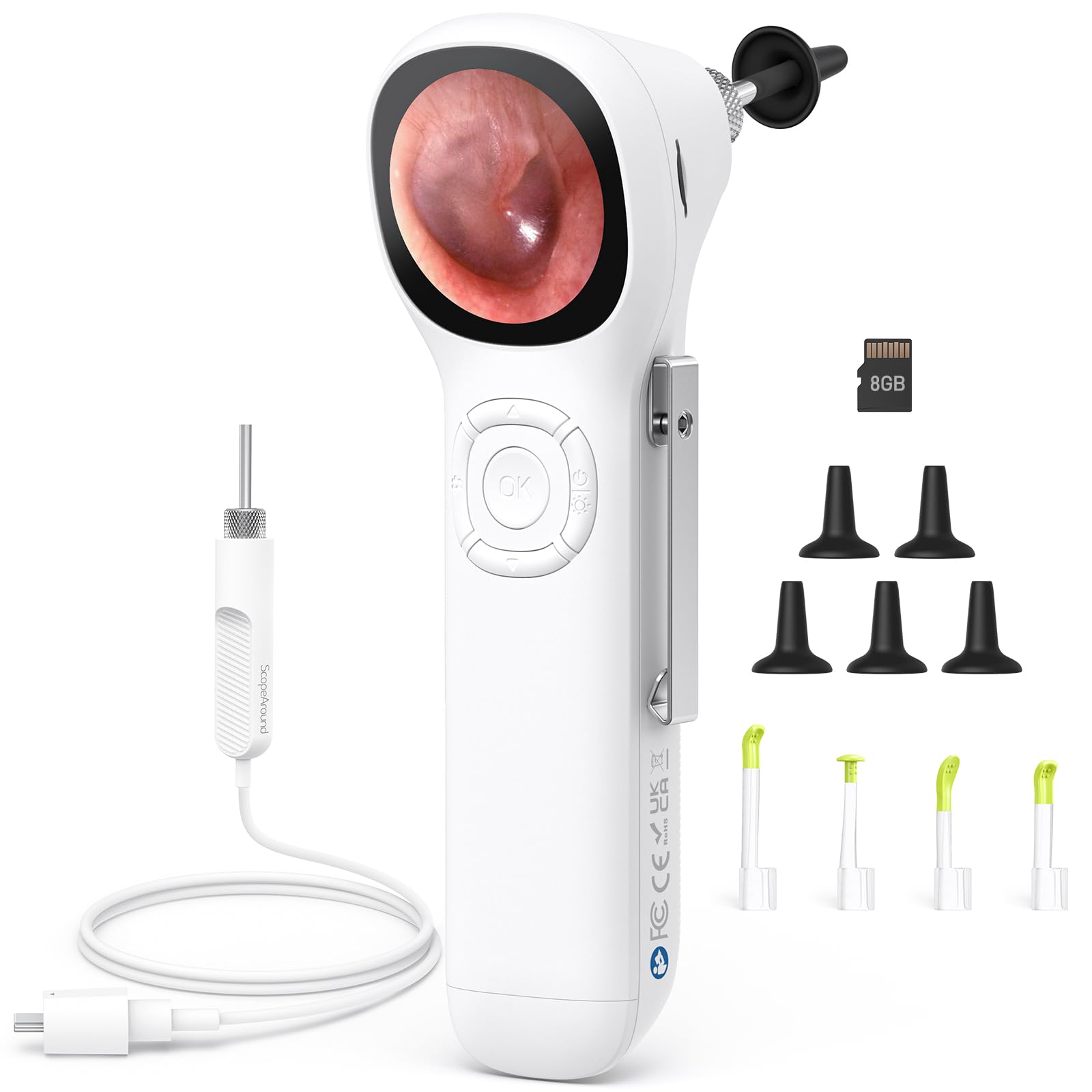
The ScopeAround SA160 uses a manual-focus lens, which gives you direct control over sharpness instead of relying on a fixed depth of field. The 3.9mm slim probe and 6 LED lights with three brightness levels provide clear illumination, and the detachable lens cable makes it easier to inspect your own ear by holding the screen in one hand while guiding the camera with the other. An 8GB memory card ships in the box for immediate photo and video storage.
This is a standalone screen model — no phone or app required. The IPS display delivers sharp, true-to-life images without glare, and users report being able to see fine details like Q-tip lint fibers lodged against the eardrum. The built-in screen makes it practical for checking multiple family members in a row, with no app reconnection delays.
Note that the effective still resolution is 720P, not 1080P. While the image is clear enough for home inspection, medical professionals may find the resolution lacking for documenting subtle changes. The manual focus ring requires a small rotational adjustment each time you change working distance, which adds a step compared to fixed-focus models that are point-and-shoot once you find the right distance.
Why it’s great
- Manual focus ring gives precise control over image sharpness
- Detachable lens cable aids self-inspection
- Includes 8GB memory card for out-of-the-box recording
- Three LED brightness levels reduce glare against eardrum
Good to know
- Effective still resolution is 720P, not 1080P
- Manual focus requires adjustment at each new working distance
- Camera head is delicate; avoid stepping or dropping on hard surfaces
6. Aertnelz 1.21″ Screen Otoscope
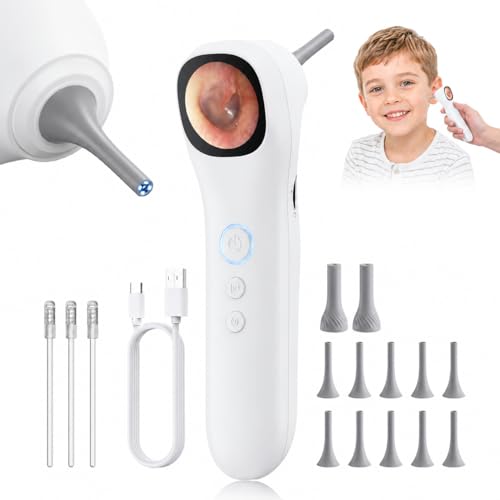
The Aertnelz 1.21-inch screen otoscope keeps a small footprint while delivering 1080P resolution and two interchangeable probe tip types — a pointed speculum for ear exams and a bell-shaped tip designed to stabilize skin inspections at close range. The ergonomic, non-slip grip makes it comfortable to hold steady during the several seconds needed to focus on the eardrum, and the 3x magnification helps spot small wax fragments or redness.
USB-C fast data transfer allows PC viewing, though some users report that the live USB feed does not work reliably on Windows 10 or 11. For onboard storage you need to supply a MicroSD card. The kit includes 10 ear/nasal tips, 3 skin inspection tips, 3 adhesive ear sticks, and a USB-C cable, making it a solid starter package for families who want a small standalone screen that fits in a medicine cabinet.
Battery life is a strong point — users report multiple exam sessions on a single charge. The main drawback is the same as other models in this form factor: ear wax on the lens can obstruct the view, and the rigid wand body makes maneuvering around severe curves less intuitive than a flexible-tip design would allow.
Why it’s great
- Compact 1.21-inch standalone screen fits small storage spaces
- Two probe tip types for ear and skin inspection
- 1080P resolution with 3x magnification for detail spotting
- Non-slip grip improves steady handling during exams
Good to know
- Requires MicroSD card for photo/video storage
- USB live PC viewing may fail on certain Windows versions
- Rigid wand is harder to maneuver in sharply curved canals
7. AnyScope Digital Otoscope
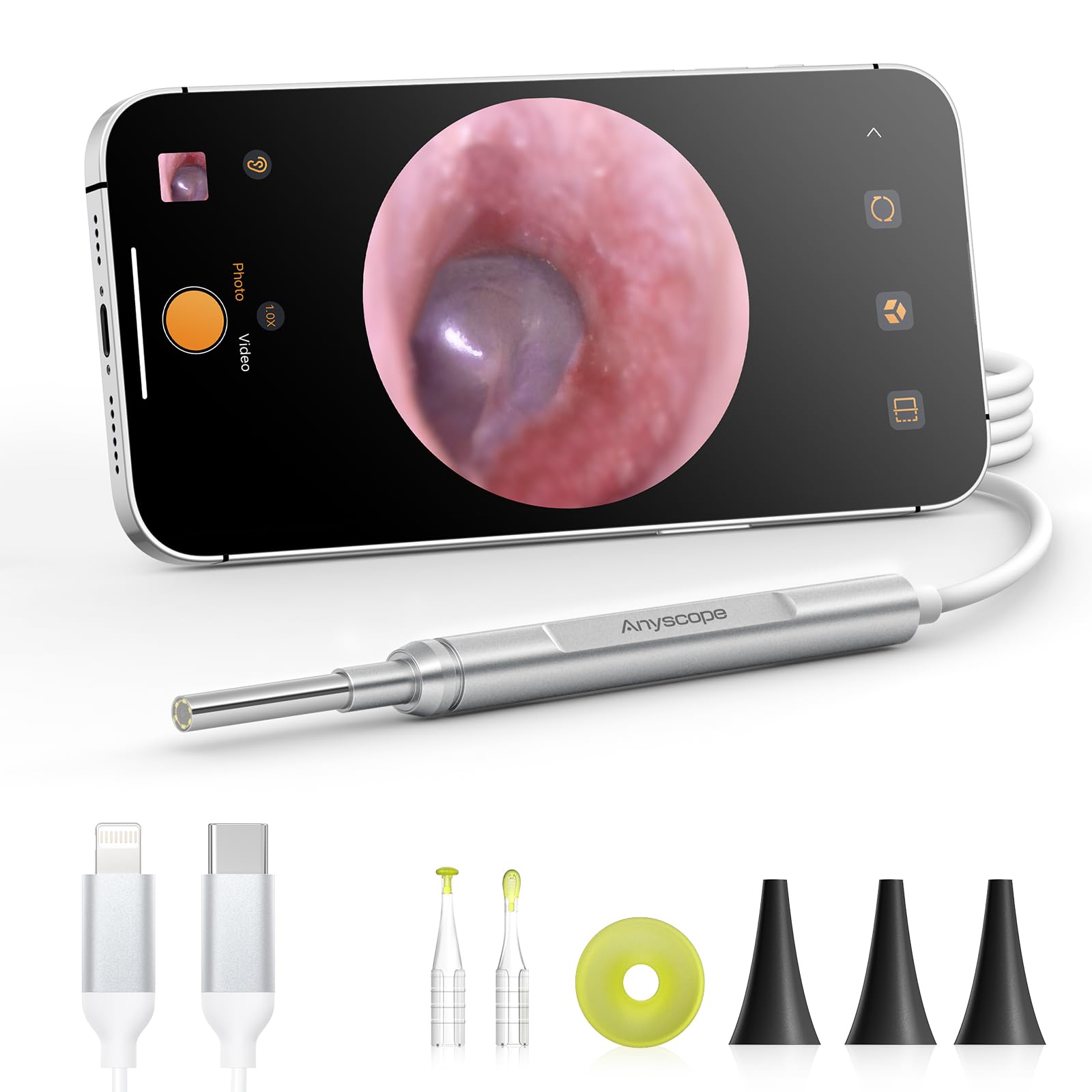
The AnyScope Digital Otoscope is an entry-level phone-powered ear camera that connects to Android 8.0+ (with OTG support) and iOS 9.0+ devices via its UVC-compatible plug. The 0.15-inch ultra-fine lens is among the thinnest available at this price point, and users report surprisingly clear imaging of the tympanic membrane after a simple app download. One-button photo and video capture saves directly to your phone’s gallery for easy sharing with a healthcare provider.
The adjustable protection cover and speculum help prevent the camera from going too deep, which is a genuine safety consideration for beginners. The kit includes silicone ear spoons for minor wax removal, though the spoon attachment will block the camera view during use — best used as a two-pass approach: inspect first, then remove the camera before scooping. A split-screen mode lets you compare a live view with a previous snapshot to track changes.
The biggest omission is a carrying case — the unit ships in a plastic holder inside a cardboard box, which makes it easy to misplace. Some Android users report that the LEDs stay on and drain the phone battery when connected, similar to other phone-tethered models. For the price, the AnyScope delivers reliable imaging that has earned praise from medical field workers who use it for quick at-home checks.
Why it’s great
- Ultra-slim 0.15-inch lens for easy canal entry
- One-button photo/video saves directly to phone gallery
- Adjustable protection cover prevents over-insertion
- Split-screen mode for before-and-after comparison
Good to know
- No storage case included; ships in plastic holder
- LEDs stay on while connected, draining phone battery
- Wax removal spoon blocks camera view during use
- Android device must support OTG function
FAQ
Can an ear camera see past ear wax to the eardrum?
Is it safe to use an ear camera on a child?
Do I need a prescription to buy an ear camera?
Why does my ear camera image look blurry?
Final Thoughts: The Verdict
For most users, the best ear camera winner is the ScopeAround MS450 because its large standalone screen, gyroscope stabilization, and included 32GB storage make it the most complete and user-friendly option for families who want to inspect ears without juggling a phone. If you need a full cleaning system, grab the Kaugic Ear Wax Removal Kit for its combined camera and irrigation workflow. And for a slim phone-tethered probe with excellent image quality on a budget, nothing beats the Anykit AKE390S.

Mo Maruf
I created WellFizz to bridge the gap between vague wellness advice and actionable solutions. My mission is simple: to decode the research and give you practical tools you can actually use.
Beyond the data, I am a passionate traveler. I believe that stepping away from the screen to explore new environments is essential for mental clarity and physical vitality.