Our readers keep the lights on and my smoothie glass nicely filled. As an Amazon Associate, I earn from qualifying purchases.
Specs are compiled from manufacturer listings and verified buyer reviews and can change over time — please confirm the key details on the product page before buying.
Between required reading, dense PDFs, and late-night study sessions, a phone or laptop screen burns your eyes and drains your focus. That is exactly where a dedicated e-reader changes the game — it gives you a paper-like, distraction-free screen purpose-built for long hours of text. This guide covers the best e-readers for students, from budget-friendly workhorses to premium note-taking tablets, so you can pick the one that actually gets you through the semester without the glare, the notifications, or the dead battery by 2 PM.
I’m Mohammad Maruf — the founder and writer behind WellFizz. This guide is built by comparing the manufacturers’ published specifications and the patterns across verified customer reviews, so you get each pick’s real strengths and trade-offs instead of marketing spin.
Whether you are a commuter burning through novels or a grad student annotating research papers, this is everything you need to find the right e-readers for students without wasting time or money on features you will never use.
Our Picks at a Glance


How To Choose The Best E-Readers For Students
Picking your first e-reader for school depends on a few real-world decisions. You do not need the most expensive model on the shelf — you need the one that fits how you actually read and study.
Screen Size and Display Quality
A 6-inch screen is perfectly portable and slips into a small bag or jacket pocket. A 7-inch screen gives you a bit more text per page, which means fewer page turns during long readings. The display technology — E-Ink Carta (a reflective screen tech that looks like real paper and produces zero glare in direct sunlight) — is what makes these screens look like real paper. Higher resolution (300 ppi, or pixels per inch) means crisp, sharp text that matches a printed textbook, so your eyes stay comfortable for hours.
Battery Life That Lasts the Semester
Unlike a phone or laptop that needs charging every night, a good e-reader runs for weeks on a single charge. Some models stretch to 12 weeks, which means you can toss the charger in your bag and forget about it. This matters most for commuters and students who spend long hours in the library without easy access to an outlet.
Storage Capacity
A student’s library grows fast. 16GB of storage holds thousands of eBooks — roughly 12,000 depending on file size — which is plenty for a full course load plus personal reading. If you plan to load audiobooks or comics, look for 32GB. Some models offer expandable storage via a memory card slot, which is a nice safety net.
Note-Taking and Annotation
If you highlight passages, jot margin notes, or keep a study journal, a note-taking e-reader with stylus support transforms how you interact with texts. Models like the Kindle Scribe let you write directly on the page, with AI tools to summarize or convert handwriting to typed text. It is a big step up from sticky notes and highlighter pens.
Quick Comparison
| Model | Best For | Screen Size | Storage | Battery Life | Amazon |
|---|---|---|---|---|---|
| Kindle Paperwhite 16GB★ Best Overall | Overall student reading | 7″ | 16 GB | 12 weeks | Amazon |
| PocketBook VerseFormat Champion | Open-format library | 6″ | 8 GB | 1 month | Amazon |
| Kobo Clara BWLightweight Waterproof | Lightweight waterproof reader | 6″ | 16 GB | 2 weeks | Amazon |
| PocketBook Verse Pro Color | Color reading & comics | 6″ | 16 GB | — | Amazon |
| Kindle Paperwhite Signature Edition 32GB | Premium reading experience | 7″ | 32 GB | 12 weeks | Amazon |
| Kobo Libra Colour | Color note-taking | 7″ | 32 GB | 4 weeks | Amazon |
| Kindle Scribe 16GB (Tungsten) | Note-taking & textbooks | 10.2″ | 16 GB | Weeks | Amazon |
| BOOX Go Color 7 Gen II | Android app flexibility | 7″ | 64 GB | 1-3 weeks | Amazon |
| Kindle Scribe 16GB (Original) | Budget note-taking | 10.2″ | 16 GB | Weeks | Amazon |
In-Depth Reviews
1. Amazon Kindle Paperwhite 16GB (Newest Model)
Our pick — over 4.5★ from 21,500+ verified ratings; the strongest balance of quality and price.
The student’s gold standard — one charge lasts an entire semester’s worth of reading.
For most students, this is the one to buy. The 7-inch display gives you noticeably more text per page than a 6-inch screen, which means fewer page turns during long readings. And the new screen has a higher contrast ratio with 25% faster page turns, so flipping through chapters feels snappy. The thing every owner raves about is the battery — a single charge via USB-C lasts up to 12 weeks. You can pack it in your bag at the start of the semester and never think about charging until finals.
It is also waterproof to an IPX8 rating (meaning it can be submerged in up to 2 meters of water for 60 minutes), so reading by the pool or in the bath is completely low-maintenance. The adjustable warm light shifts from white to amber, letting you read in bright sunlight or late at night without eye strain. Storage at 16GB holds roughly 8,000 books, which is enough for a full course load plus a personal library. The crowd favorite — 4.7 stars across over 21,000 owners — is hard to argue with. The crowd vote is unanimous: quality and battery life win by wide margins, with hundreds of owners calling out each.
Paperwhite waterproof display
- 12-week battery life means zero charger anxiety on campus.
- The 7-inch glare-free screen makes outdoor reading easy.
- Waterproof so a spilled coffee or rainy walk does not ruin it.
Amazon lock-in limits
- Locked into Amazon’s ecosystem — no native library app like Libby.
- No note-taking with a stylus; fine for reading only.
reach for this if: you want the best all-around student e-reader with the longest battery and a premium screen that works everywhere.
look elsewhere if: you need to annotate textbooks with a pen or borrow library eBooks directly on the device without a computer.
2. PocketBook Verse 6″ E-Reader
The one that reads everything — no file conversion needed before you start studying.
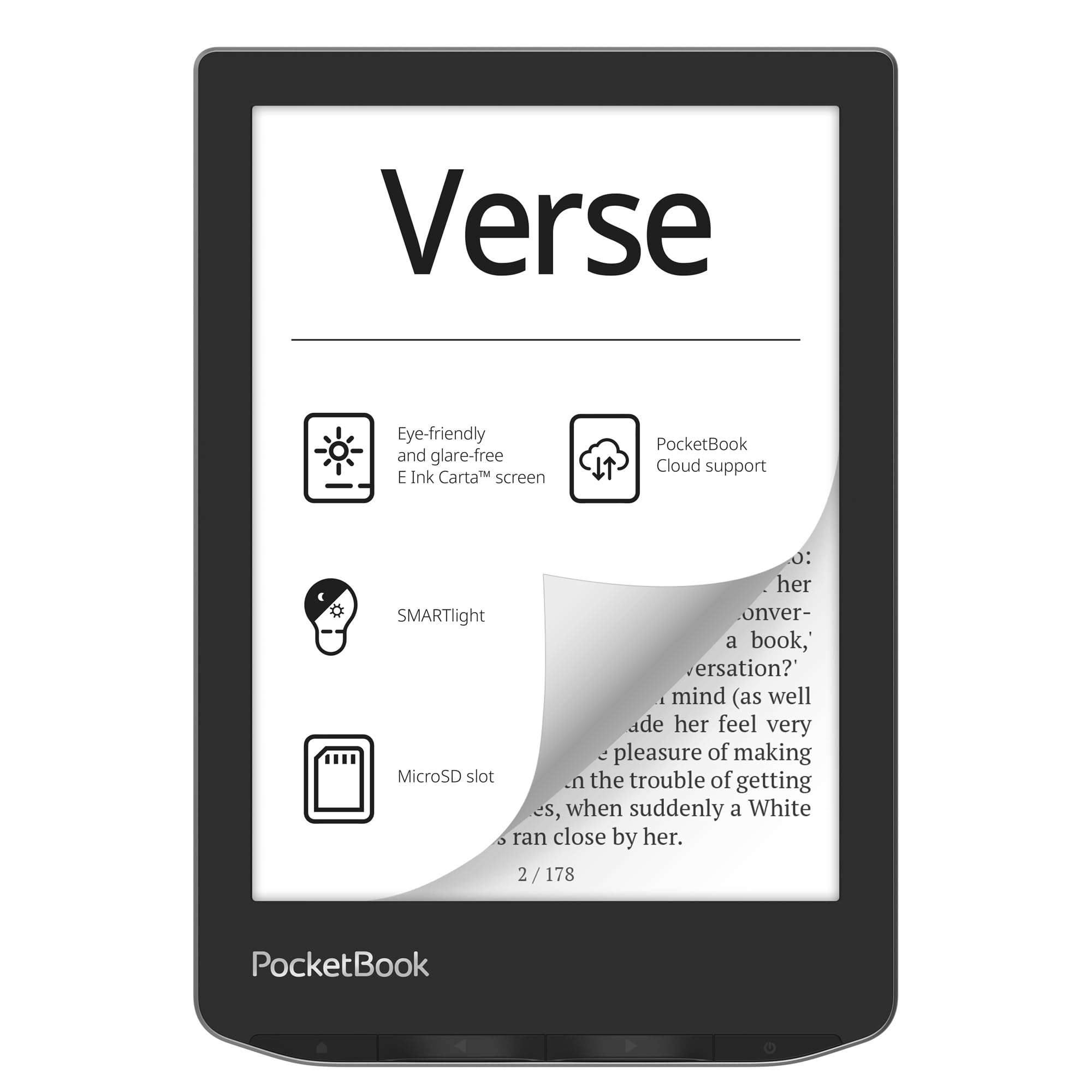
Unlike most e-readers that trap you inside a single store, the PocketBook Verse opens up to 25 different file formats including EPUB, FB2, DOC, PDF, and even comic formats CBR and CBZ. That means you can drag and drop that professor’s PDF or a borrowed EPUB from your local library without any conversion hassle. The 6-inch E-Ink Carta HD touchscreen is crisp and glare-free, with the SMARTlight (adjustable brightness and color temperature) letting you shift from cool to warm, which is a lifesaver for late-night reading in a dorm room.
Battery life stretches to roughly a month on a single charge, and one owner found it lasted months with Wi-Fi off. At just 182 grams, it is extremely light for one-handed reading. And the microSD card slot means you can add up to 128GB of extra storage — a huge advantage over sealed-device competitors. The crowd favorite — 4.2 stars with over 300 ratings — shows strong sentiment on build quality and versatility, though some flag the highlighting feature as unreliable.
best for: students who download textbooks and academic PDFs from multiple sources and refuse to be locked into one bookstore.
skip it if: you want a smooth, no-tinkering experience — the open system can feel slower and glitchier than a Kindle.
3. Kobo Clara BW 6″ eReader
Sharp, compact, and fully waterproof — built for the student who reads everywhere.
This Kobo is a direct rival to the Kindle Paperwhite, and it holds its own beautifully. The 6-inch E Ink Carta 1300 HD display delivers sharp, crisp text with no glare, and the ComfortLight PRO (a system that adjusts brightness and color temperature to reduce blue light) helps keep bedtime reading from wrecking your sleep. It is also IPX8 waterproof — good for up to 60 minutes in two meters of water — which means reading in the bath or during a rainy walk is completely fine.
At just 6.14 ounces, it is noticeably lighter than many competitors, making one-handed reading easy. The 16GB of storage carries up to 12,000 eBooks or 75 Kobo Audiobooks, and the battery lasts roughly two weeks with regular use. Owners overwhelmingly praise the screen quality, with one noting it is “crisp, clear, and easy on the eyes” even in night mode. The UI is slightly slower in menus, but once you are reading, it disappears. The Kobo store is not as vast as Amazon’s, but it supports library borrowing via OverDrive directly on the device.
pick this if: you want a lightweight, waterproof reader with a fantastic screen and direct library borrowing.
consider the paperwhite instea: you buy most books from Amazon or need the longer 12-week battery.
4. PocketBook Verse Pro Color 6″ e-Reader

Color on an e-reader — finally, your study diagrams and comics look right.
If your coursework includes colorful charts, diagrams, or graphic novels, this PocketBook is one of the few e-readers that shows them in color using E Ink Kaleido 3 technology (a color filter layer on top of the standard black-and-white E Ink that displays 4,096 colors). The 6-inch display is eye-safe and glare-free, and the SMARTlight lets you tune the color temperature for any lighting condition. It also supports Text-to-Speech, which reads any text file aloud, and Bluetooth 5.4 for wireless audiobooks — handy for “reading” during a commute.
The open-format support (EPUB, FB2, MOBI, PDF, and more) means you can load files from any source without conversion. It is also IPX8 waterproof, adding confidence for poolside or bath reading. Owners praise the build quality and the compact size. The color layer does dim the screen slightly compared to a monochrome display, and the frontlight helps compensate. Performance gets mixed marks — some find it fast, others report it is sluggish compared to a modern Kindle. The battery is efficient, and the device exposes a Linux file system for easy drag-and-drop transfers.
choose this if: you need color for study diagrams, comics, or magazines, and you value an open system with no store lock-in.
pass on it if: raw performance and snappy responsiveness are your top priorities — the color tech adds a speed penalty.
5. Amazon Kindle Paperwhite Signature Edition 32GB
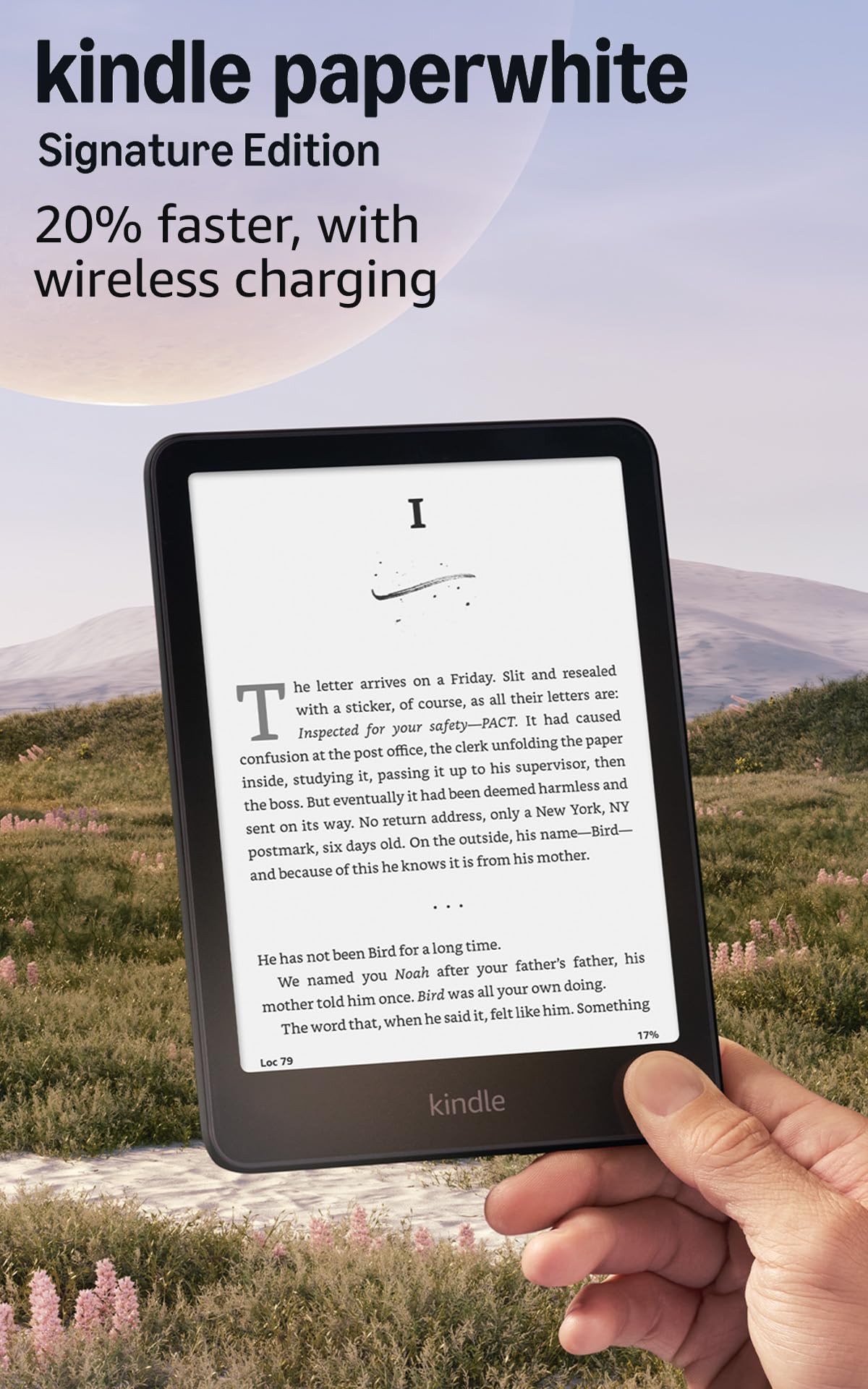
Everything the Paperwhite does, plus an auto light that adjusts as you move between rooms.
This is the Paperwhite’s deluxe edition, and it adds three upgrades that matter to a serious reader. First, the auto-adjusting front light senses your environment and changes brightness automatically — so moving from a bright library to a dim dorm room does not make you fumble with settings. Second, it supports wireless charging (dock sold separately), so you can just set it down to top up the battery. And third, the storage jumps to 32GB, which holds roughly 24,000 eBooks or a large audiobook collection.
The 7-inch display is the same excellent Paperwhite panel with a higher contrast ratio and 25% faster page turns. The battery still lasts up to 12 weeks on a single USB-C charge. Owners consistently praise the warm light, the responsive screen, and the lightweight design that lets you read for hours without wrist fatigue. Many note that they charge it weekly even with heavy use. At a premium price over the standard Paperwhite, you are paying for convenience features that make the reading experience feel easy.
reach for this if: you want the premium reading experience with zero manual brightness adjustments and the extra storage for a massive library.
Save money and get the standard Paperwhite if: you are fine tapping the brightness slider and do not need wireless charging or 32GB.
6. Kobo Libra Colour 7″ eReader

Color covers, color highlights, and physical page-turn buttons — a serious student’s tool.
The Kobo Libra Colour is built for students who want to take notes directly on their e-reader. It uses a 7-inch E Ink Kaleido 3 color display, so book covers, comics, and illustrations appear in full color. The included page-turn buttons and left/right screen rotation make it comfortable to hold in either hand, which is a big win for long reading sessions. With Kobo Stylus 2 (sold separately), you can annotate, highlight, and write notes directly on the page in color — a standout for marking up a textbook.
It packs 32GB of storage for up to 24,000 eBooks or 150 Kobo Audiobooks, and the battery lasts roughly four weeks. It is also IPX8 waterproof, good for 60 minutes in up to 2 meters of water. Owners appreciate the color features and the button controls, though they note the screen quality is less sharp than a monochrome display and some find the device a bit too large for comfortable one-handed use. The Kobo store has good sales and supports OverDrive for library borrowing, but it lacks Kindle Unlimited.
best for: students who take notes in color, read comics or magazines, and prefer physical page-turn buttons.
think twice if: you need the absolute sharpest text for pure reading — the color layer slightly reduces contrast versus a black-and-white screen.
7. Like-New Amazon Kindle Scribe 16GB (Tungsten)

A 10.2-inch canvas for reading your textbooks and writing your own ideas in the same device.
The Kindle Scribe is the answer for students who need to read PDFs, academic papers, and full textbooks while also taking notes. The massive 10.2-inch glare-free, 300 ppi display shows a full page of a textbook without zooming or scrolling, which is a massive productivity boost compared to a 6-inch reader. The included Premium Pen lets you write directly on the page using Active Canvas (a feature that creates a new space on the page for your notes, then lets you collapse them to see the original text).
It doubles as a full notebook with built-in AI tools that summarize your handwritten notes, change their tone, or convert them to typed text for emailing. The battery lasts weeks, and the device is distraction-free with no notifications or social media. One owner called it the favorite among their Kindles and uses it daily for journaling, planning, and reading. The AI summarization feature is genuinely useful for condensing lecture notes. The refurbished Like-New model gives you the full experience at a lower price.
Scribe note-taking large
- The large 10.2-inch display shows a full textbook page without scrolling.
- Premium Pen with eraser and shortcut button for natural note-taking.
- AI notebook summarization and handwriting-to-text conversion.
No page-turn buttons
- Cannot write directly on Kindle book pages — uses sticky note workaround.
- UI can feel clumsy for non-linear reading like jumping between chapters.
reach for this if: you are a grad student or researcher who reads and annotates PDFs and textbooks daily.
it’s not for you if: you mainly read novels and do not need note-taking — the smaller Paperwhite is lighter and cheaper.
8. BOOX Go Color 7 Gen II E Ink Tablet

An e-reader that runs full Android apps — including the Kindle, Kobo, and your university’s library app.
The BOOX Go Color 7 Gen II is different from every other e-reader here because it runs Android 13, meaning you can install the Kindle app, the Kobo app, Google Play Books, your university’s library app, or any other reading app. The 7-inch Kaleido 3 color display shows 4,096 colors at 150 ppi for color content and 300 ppi for black and white text. It has page-turn buttons, a G-sensor (a small motion sensor that detects orientation, so the screen rotates automatically) for auto-rotation, and a microSD card slot for expandable storage.
The 4GB of RAM and 64GB of internal storage are generous, and the USB-C port supports OTG (On-The-Go, meaning you can plug in a flash drive to transfer files). It comes with built-in speaker and microphone for audiobooks. Owners appreciate the Android flexibility and the ability to run Kindle apps without issues. However, the color E Ink technology has inherent limitations — the screen is naturally darker and grayer than LCD or LED screens, and the battery lasts 1 to 3 weeks depending on usage. It is also not waterproof. The crowd favorite — 3.9 stars across 326 ratings — notes it is amazing for those who like to tinker but not a turnkey solution.
pick this if: you want the flexibility of Android apps and need a device that can switch between multiple bookstore ecosystems.
Consider a simpler Kindle or Kobo if: you just want to read books without tinkering with settings or managing battery life.
9. Like-New Amazon Kindle Scribe 16GB (Original)

The original Scribe delivers the same large reading and note-taking screen at a friendlier price.
This is the first-generation Kindle Scribe, now available as a refurbished Like-New device. It gives you the same core experience as the newer model: a 10.2-inch 300 ppi Paperwhite display that is glare-free and front-lit, the Premium Pen for writing directly on pages, and Active Canvas that creates space for your notes within books. The battery life is excellent — one owner tracking 6% loss over 1.5 hours of sketching, and a college student using it 6 to 8 hours daily charged it every two days.
The AI notebook tools help summarize and refine your handwritten notes, and you can convert notes to text and email them. Owners say it transformed their handwriting habits from rare to daily use for notes, lists, and ideas. The refurbished unit looked and worked like new for many buyers. Some note a page freeze bug that happens multiple times an hour in intensive use, and the premium pen’s button can be accidentally pressed. The 32GB version has about 24.85GB of usable space. But for a student who wants a note-taking e-reader on a budget, this is a strong entry point.
best for: budget-conscious students who need the large screen for textbook reading and want note-taking capability.
upgrade to the newer scribe if: you need the latest AI features, a flush-front display, and a higher reliability rating.
Understanding the Specs
E-Ink Carta and Display Tech
E-Ink Carta is the display technology used in almost all modern e-readers. It mimics the appearance of real paper by reflecting light instead of emitting it, which means zero glare in direct sunlight and no eye-straining blue light. The “Carta” generation brings higher contrast and faster page turns than older E-Ink screens. Kaleido 3 is the color version — it adds a color filter layer on top of the black-and-white E-Ink, giving you 4,096 colors for covers, comics, and diagrams, but the screen is naturally a bit darker than a monochrome display.
Warm Light and ComfortLight PRO
Warm light (or ComfortLight PRO on Kobo devices) lets you shift the screen’s backlight from a cool blue-white to a warm amber tone. Blue light at night can suppress melatonin and make it harder to fall asleep. By adjusting the screen to a warmer tone in the evening, you can read in bed without disrupting your sleep cycle. SMARTlight on PocketBook devices does the same thing, letting you independently control brightness and color temperature.
Waterproof Ratings (IPX8)
An IPX8 rating means the device is fully waterproof and can be submerged in up to 2 meters of water for 60 minutes. This is not just marketing — it means you can read in the bath, by the pool, or in light rain without worrying about damage. Devices without this rating are splash-resistant at best, so if you read in wet environments, prioritize IPX8.
Storage and File Format Support
Storage in e-readers ranges from 8GB to 64GB. As a rule of thumb, 16GB holds roughly 12,000 standard eBooks or about 75 audiobooks. If you plan to load lots of PDFs, magazines, or audiobooks, go for 32GB or more. File format support matters because different stores use different formats — Amazon uses AZW/KFX, Kobo uses EPUB, and PocketBook supports 25+ formats including PDF, DOC, MOBI, and CBR. Some devices also support a microSD card slot for expandable storage, which is a big advantage.
FAQ
Can I check out library books on an e-reader?
Is a color e-reader worth it for a student?
How much storage do I need for textbooks and novels?
Can I take notes on an e-reader?
How long do e-reader batteries actually last?
Are e-readers better than a tablet for studying?
Can I use an e-reader to read PDFs and academic papers?
What is the difference between Kindle, Kobo, and PocketBook?
Do e-readers work with audiobooks?
Is the Kindle Scribe worth it for a college student?
Final Thoughts: The Verdict
For most students, the e-readers for students winner is the Amazon Kindle Paperwhite 16GB because it combines a large 7-inch glare-free display with a league-leading 12-week battery life and a waterproof build at a fair price. If you want to annotate textbooks and take handwritten notes, grab the Kindle Scribe 16GB with its 10.2-inch screen and AI notebook tools. And for library borrowing and open-format flexibility, the Kobo Clara BW is the one to reach for.
How We Picked
We do not accept paid placement. Every pick is matched to a real buyer and a real use-case; we do not hands-on test units.
Sources & Methodology
Specifications: manufacturer listings and product documentation. Review insights: verified customer reviews, as of July 2026. Pricing: not shown on this page (it changes often); check the current price via the retailer link.
As an Amazon Associate, WellFizz earns from qualifying purchases. This does not affect which products we feature.
Related Guides

Mo Maruf
I created WellFizz to bridge the gap between vague wellness advice and actionable solutions. My mission is simple: to decode the research and give you practical tools you can actually use.
Beyond the data, I am a passionate traveler. I believe that stepping away from the screen to explore new environments is essential for mental clarity and physical vitality.