Our readers keep the lights on and my smoothie glass nicely filled. As an Amazon Associate, I earn from qualifying purchases.
Specs are compiled from manufacturer listings and verified buyer reviews and can change over time — please confirm the key details on the product page before buying.
Your smart TV streams everything, but it probably cannot play your old DVD or Blu-ray discs. You need a separate player that connects over HDMI, and the best ones upscale to 1080p (making standard-definition discs look sharper on your big screen), play discs from any region, and include a USB port for digital files — all for a price that feels like pocket change.
I’m Mohammad Maruf — the founder and writer behind WellFizz. This guide is built by comparing the manufacturers’ published specifications and the patterns across verified customer reviews, so you get each pick’s real strengths and trade-offs instead of marketing spin.
The goal is simple: find you the right dvd player for smart tv that actually plays your discs, connects without head-scratching, and gives you clear, smooth picture and sound without costing a fortune.
Our Picks at a Glance
How To Choose The Best DVD Player For Smart TV
Choosing the right player depends on what discs you still own and where you plan to watch them. Here are the three things to check first.
Region-Free vs. Region-Locked
A player that is region-free plays DVDs from anywhere in the world (regions 1 through 6). If you have imported movies or old discs from another country, a region-locked player simply rejects them. For most buyers, going region-free removes the single biggest headache — a disc arriving with a “wrong region” error on the screen.
1080p Upscaling
Standard DVDs cap out at 480p, which looks soft on a big screen. A player with 1080p upscaling uses a process called progressive scan to fill in the missing resolution, giving you a noticeably sharper image that matches your smart TV’s native HD. Not all upscaling is equal, but even entry-level models do a respectable job smoothing out jagged edges.
Connectivity: HDMI vs. RCA
Your smart TV almost certainly has an HDMI port, and that single cable carries both video and audio in one plug — the simplest, cleanest connection. Look for a player that includes an HDMI cable in the box. The backup RCA (red/white/yellow) jacks are useful if you plan to use the player with an older CRT or a projector that lacks HDMI.
Quick Comparison
| Model | Best For | Video Upscaling | USB/SD Support | Weight | Amazon |
|---|---|---|---|---|---|
| ELECTCOM PRO (Product 1)★ Best Overall | Reliability & Large Remote | 1080p | USB (MP3/JPG) | 1.19 kg | Amazon |
| JOVELL DVD-168Best Value | All-Region Simplicity | 1080p | USB (64GB, AVI/MPG/VOB) | 1.04 kg | Amazon |
| Wxjwyt DVD-004 | Budget 1080p Upscaling | 1080p | USB (128GB, FAT32) | — | Amazon |
| ARAFUNA Mini | Ultra-Compact & Travel | 1080p | USB + SD (32GB) | 0.28 kg | Amazon |
| Nodrax FlexaPlay | Everyday Dependability | 1080p | USB (128GB, FAT32) | 1.6 lb (0.73 kg) | Amazon |
| ELECTCOM PRO (Product 6) | Senior-Friendly Control | 1080p | USB (MP3) | 1.05 kg | Amazon |
| NUTROMO Blu-Ray | Blu-Ray & TrueHD Audio | 1080p (Full HD) | USB (128GB) | — | Amazon |
In‑Depth Reviews
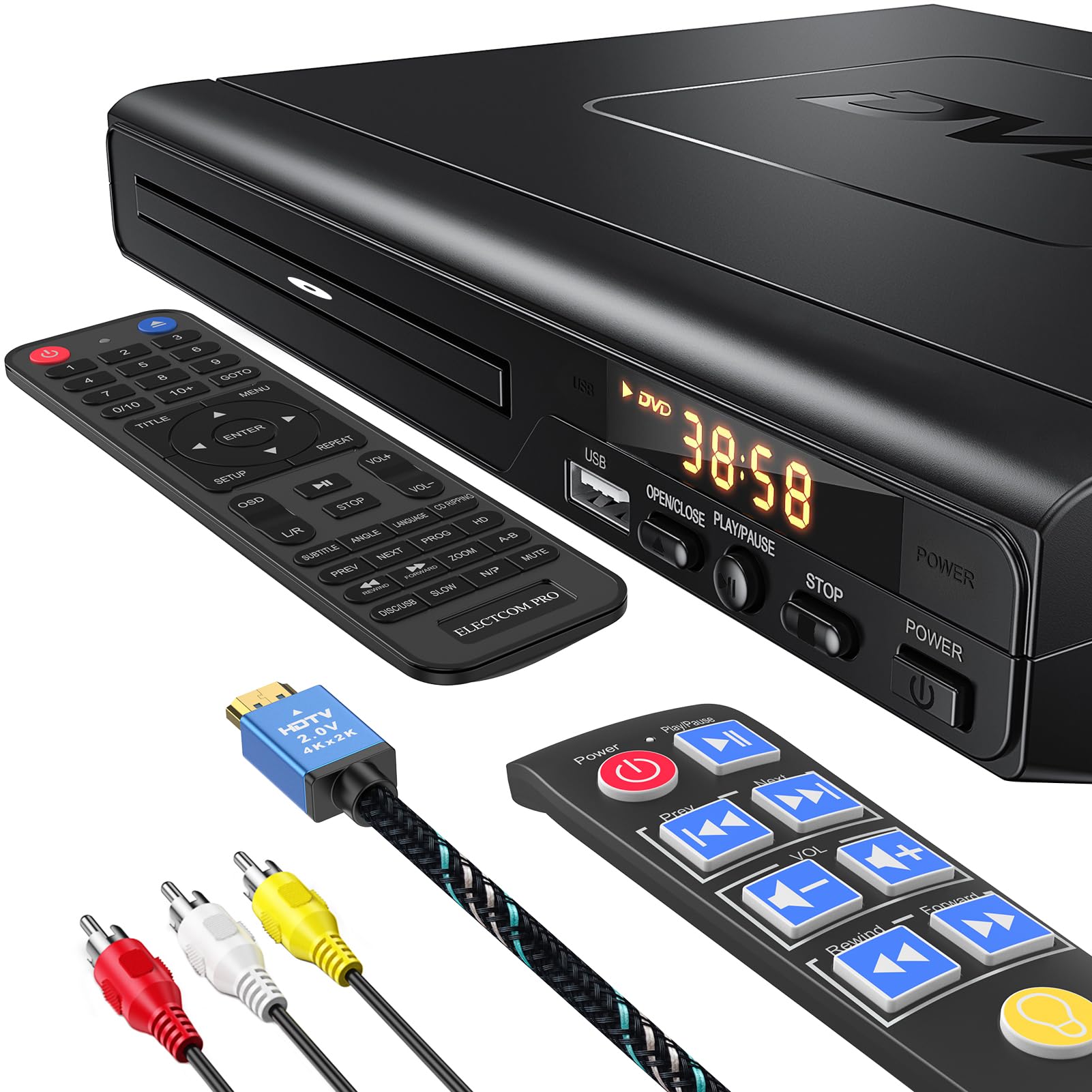
1. ELECTCOM PRO DVD Players for TV with HDMI that Play All Regions
Our pick — 4.5★ from 150+ verified ratings; the strongest balance of quality and price.
The remote your parents will actually enjoy using, paired with a workhorse drive.
The biggest reason people shelve their DVD collection is a frustrating remote — tiny buttons, no backlight, confusing labels. This ELECTCOM PRO fixes that with an upgraded remote that has large, clearly marked keys and an LED backlight so you can see what your finger is pressing even in a dark room. The player itself is region-free and upscales to 1080p, which means that old copy of a foreign film or a disc bought at a garage sale plays without the dreaded region error.
What wins people over is the build quality and reliability over time — it handles the daily spin cycle without hiccups. The unit weighs 1.19 kg and comes with both an HDMI cable and an RCA cable (the red, white, and yellow connectors for older TVs) in the box, so you can plug it into anything from a modern smart TV to an older set in the guest room. The USB port reads MP3 and JPG files but does not support MP4 video, so keep that in mind if you wanted to play video files from a thumb drive. The display stays on even when the player is off, which some find distracting, and there is no HDMI-CEC (a feature that lets one remote control both the player and TV), meaning you will need to manually switch your TV’s input. Compared to the JOVELL below, it weighs 1.19 kg versus 1.04 kg, giving it a more planted feel on a shelf — it does not slide when you press the tray button.
An honest limitation: the default aspect ratio is 4:3, so you may need to adjust your TV’s settings for a proper widescreen picture with some discs. And buyers report it does not play DIVX files, and the photo-viewing process is slow. Still, for a straightforward, reliable player with a truly usable remote, this is the crowd-pleaser.
Why it stands out
- Region-free — plays discs from regions 0 through 6
- Large, backlit remote makes operation simple in low light
- Includes both HDMI and RCA cables for flexible setup
- Sturdy 1.19 kg construction feels solid on a shelf
One thing to know
- USB port works for music and photos only — no MP4 video playback
- No HDMI-CEC — you have to switch inputs manually
Reach for this if: You want a no-surprises player with a remote that family members of any age can use comfortably, backed by solid region-free playback.
Look elsewhere if: You need to watch MP4 video files from a USB drive or want HDMI-CEC for single-remote control.
2. DVD Player Region Free DVD Players for TV, 1080P Upscaling, USB Input (JOVELL DVD-168)
A straightforward fix for anyone whose old player just won’t talk to a smart TV.
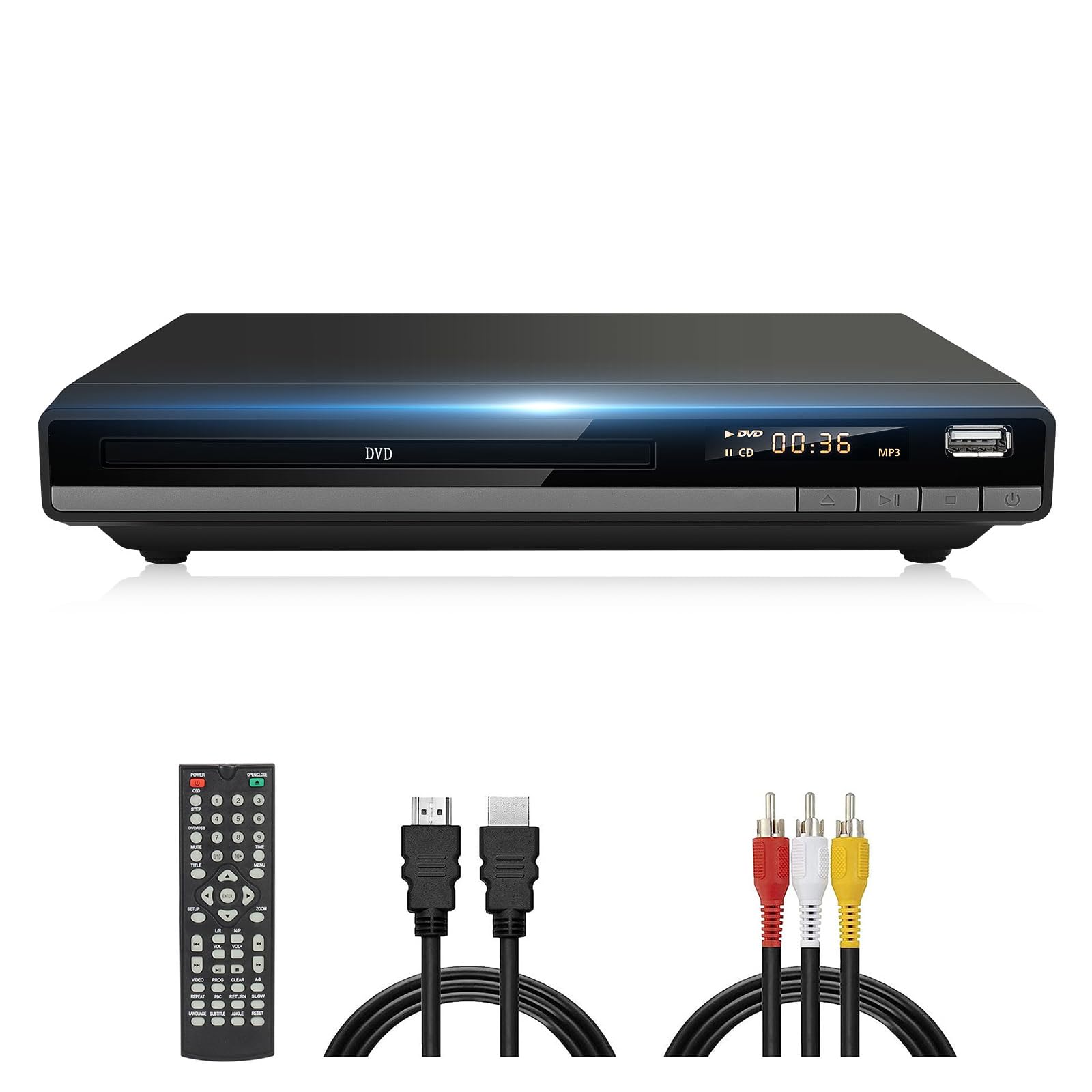
This is the player you grab when you just want your DVDs to play without fuss. The JOVELL DVD-168 is region-free (regions 1 through 6, except Japanese CPRM discs) and handles discs from CD to SVCD. It upscales to 1080p, and it uses a Sanyo drive core that the specs call out for faster reading and quieter operation — a real win if you watch movies at night and hate hearing a noisy spinner. It connects over HDMI or RCA, both cables included, and the USB port handles AVI, MPG, MPEG4, and VOB files from drives up to 64GB.
The thing people appreciate most is how quick and responsive it feels, especially the disc-loading speed and tray action. It is compact and lightweight at 1.04 kg, making it easy to move between rooms. At this price, the trade-off is the remote — it works perfectly but the buttons occasionally need a firmer press to register, a minor quibble that a few owners note. It also lacks HDMI-CEC, so you will need to reach for the TV remote separately to switch inputs.
The crowd favorite — 4.4 stars across roughly 360+ ratings — and buyers often call it a solid upgrade from an old all-in-one unit that could not handle a modern TV. Owners mention that it “exceeds my expectations” and “works great and it’s easy to hook up,” especially when replacing an old Toshiba DVD/VCR combo that refused to work with a smart TV.
What works
- Reads discs quickly and quietly thanks to the Sanyo drive core
- Region-free support for most international DVDs
- Compact size fits easily on a shelf or in a cabinet
What to expect
- Remote buttons sometimes require a firm press to register
- USB is limited to 64GB and does not support MP4 files
Best for: Anyone looking for a cheap, no-nonsense player that does exactly what it promises — play DVDs and CDs on a modern TV.
Skip if: You need larger USB capacity (64GB max) or want video playback via USB.
3. 1080P HD DVD Player for TV with HDMI, Region Free (Wxjwyt DVD-004)
The compact upscaler that plays nicely with almost every disc you throw at it.
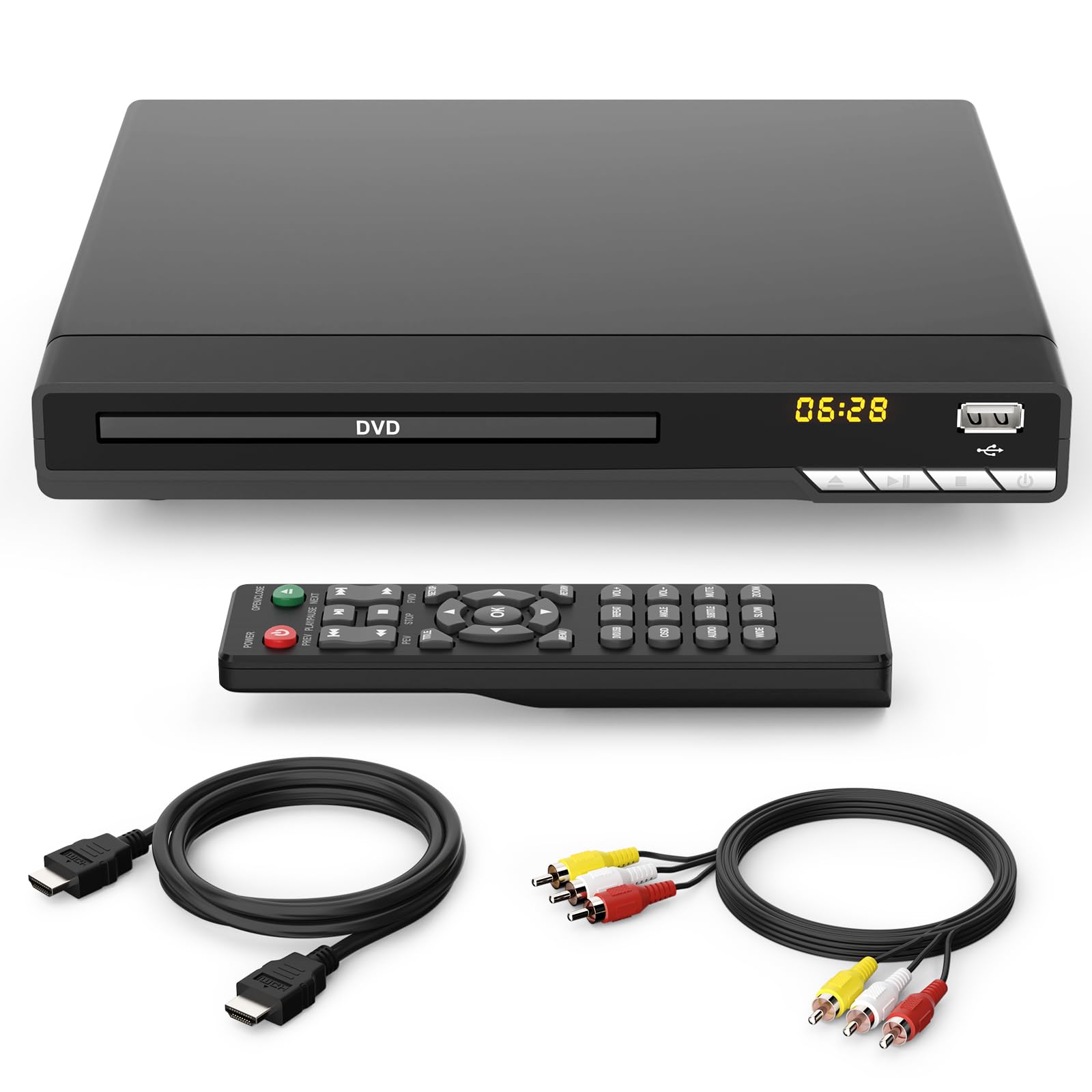
This Wxjwyt model does one thing particularly well: it takes standard DVDs and pushes them to near-HD quality using 1080p upscaling with progressive scan technology, which means less jaggies and smoother motion. It is region-free for regions 1 through 6 and supports both PAL and NTSC formats, so it works with discs from anywhere. The dimensions are a trim 8.86 by 7.36 by 1.65 inches, making it one of the slimmer options for tight media cabinets.
A standout feature here is the USB 2.0 port that handles drives up to 128GB in FAT32 format — double the capacity of the JOVELL above. You can play MP3 and WMA music and view JPEG photos, but not MP4 video. It also includes a coaxial digital audio output, something the more budget-friendly picks skip, which lets you connect to a multi-channel home audio system for surround sound. The package includes the HDMI and RCA cables, plus a 12-month warranty and 30-day free returns.
The small catch: a few units have arrived with issues, and reviews mention that functionality is mixed for some — most work fine, a vocal minority report problems. But for the price, the upscaling quality and broad format support make it a strong value play.
Smart pick if: You want 128GB USB capacity for a big digital music collection and coaxial audio out for your stereo system.
Not for you if: You need guaranteed video playback from a USB stick — this one sticks to music and photos.
4. ARAFUNA DVD Players for TV HDMI RCA, 1080P, All Region Free

Small enough to tuck in an RV glovebox, tough enough for the cabin.
The ARAFUNA is the smallest player on this list by a wide margin — it measures just 5.9 by 5.5 by 1.16 inches and weighs only 0.28 kilograms, about a quarter of the ELECTCOM PRO. That alone makes it the go-to pick for a campervan, an RV, or a second TV in a tight space. It runs on 12V power (comes with an AC adapter and a DC USB cable), which means it works straight off a vehicle’s electrical system.
It is region-free for all regions and supports a wide range of disc formats including DVD±R/RW, VCD, and SVCD. The built-in USB and micro SD card slot accept drives up to 32GB in FAT32 format, and it plays video files in AVI, DIVX, MPG, FLV, and VOB — far more versatile than the USB-only units above. The error-correction function is a practical touch, helping it recover data from scratched discs. The remote works fine, but a fair number of owners find it a bit fiddly; the sound quality also draws mixed feedback, with some calling it great and others wanting more.
The most-discussed aspect is reliability — with well over 90 owners vouching for its steady performance, that is the loudest signal. It has a strong following among RVers and cabin owners who need something compact that just works. One buyer replaced an old AC-only player and found it a perfect fit for a 12V RV system, noting “good build quality” after months of occasional use.
Reach for this if: Space is at a premium — RV, camper, small shelf, or travel bag. The SD card slot and versatile video support make it more than just a disc player.
Consider the trade-off: Sound quality is inconsistent per reviews, and the remote is not the best in class.
5. FlexaPlay Region-Free HDMI DVD Player for TV (Nodrax)
A mid-range player that acts more premium than its price suggests.
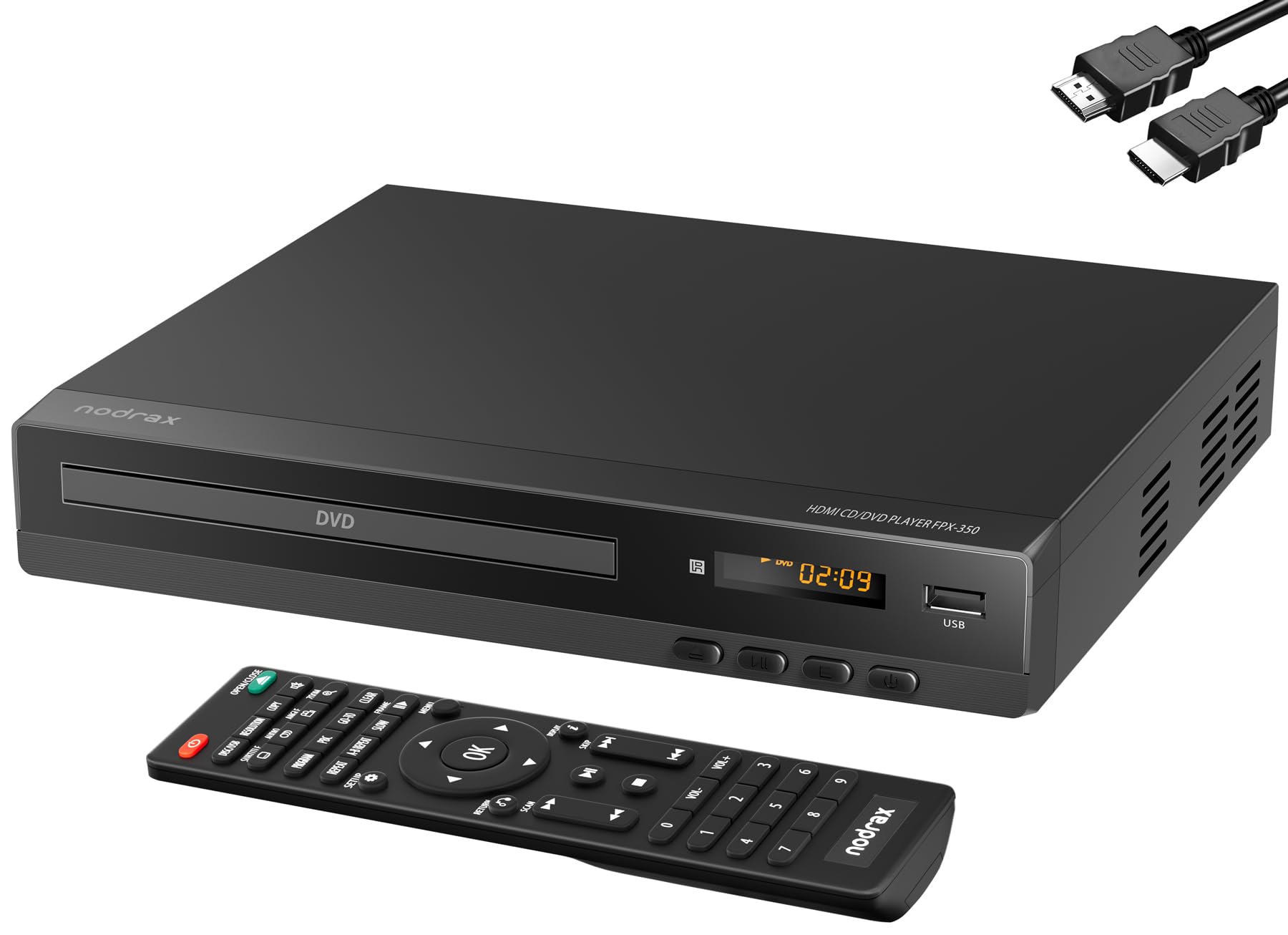
This Nodrax FlexaPlay is one of the best-rounded picks for someone who wants reliability first. It is a bit larger at 8.98 by 7.87 by 1.93 inches and weighs 1.6 pounds, with a solid feel that comes from “premium components” mentioned in the build description. The upscaling to 1080p is supplemented by anti-shock technology and advanced error correction, which means scratched discs are less likely to stutter or freeze mid-movie. It supports DVD, DVD+R/R DL, DVD+RW, DVD-R/R DL, DVD-RW, SVCD, VCD, plus audio CDs, MP3, WMA, and JPEG via USB (up to 128GB, FAT32 only).
One unique feature absent from the other picks: CD-to-USB recording. That means you can rip audio CDs directly to a flash drive using the player itself. It also includes coaxial digital audio output for surround receivers and supports fast/slow playback, zoom, repeat, resume, JPEG slideshow, and parental controls. The remote gets mixed feedback (some have noted it stops working after initial use), but the player itself earns high marks for reliability — it is the most-discussed positive point among owners.
This is the player to choose if you want a daily driver that feels built to last, with the extra versatility of CD ripping. It also beats the budget picks on format compatibility — it supports DVD+R/R DL discs, which the cheaper units often skip.
Why pick this one
- CD-to-USB recording lets you digitize your audio collection without a computer
- Anti-shock and error correction handle slightly scratched discs well
- Supports dual-layer DVD+R/R DL discs
Possible hiccup
- Remote control is the most common complaint — a small number stop responding after a few uses
- Heavier and larger than the ultra-compact ARAFUNA
Best for: Anyone who wants a dependable, full-featured player with CD ripping ability and strong disc error correction.
Think twice if: You need a super-small player for travel — the FlexaPlay is on the bulkier side.
6. ELECTCOM PRO Region-Free DVD Player for TV, with Large Button Remote

The team gives you two remotes — one standard, one with giant buttons and a backlight.
This is a sibling to the top pick but with a specific mission: making DVD playback accessible. The standout inclusion is the two-remote bundle — a standard controller plus an upgraded one with large, clearly marked buttons and an LED backlight. This second remote is hard to miss in a dark room and uses just nine buttons, stripping away the clutter that confuses casual users. It is a deliberate design for seniors, older adults, or anyone whose eyesight makes tiny remotes a daily frustration.
The player itself is region-free and upscales to 1080p. It is housed in a sturdy metal chassis, which gives it a more substantial feel compared to the all-plastic alternatives. It measures the same 8.9 by 7.5 by 1.9 inches as the top pick and weighs 1.05 kg. It connects via HDMI or RCA (both cables included) and the USB port reads MP3 files. The display on the front of the unit shows the current track or time, which is helpful when the player is used as a stand-alone CD player connected to a home stereo system.
The reliability aspect is a split story: while many customers note smooth operation for months, a small number of units have stopped reading discs after about a month — a risk to be aware of, especially if gifting this to someone who would struggle with returns. On the plus side, the large-print remote is widely praised, and the ability to play CDs through existing stereo speakers makes it more than just a movie box.
Ideal gift for: An older relative who has a stack of DVDs and CDs but finds modern remotes impossible to navigate. The backlit, nine-button remote is a genuinely thoughtful design.
Potential risk: A few reviews cite premature drive failure; the generous return policy is your safety net.
7. Blu Ray DVD Player Dolby Digital TrueHD/DTS and 1080P Full HD (NUTROMO)
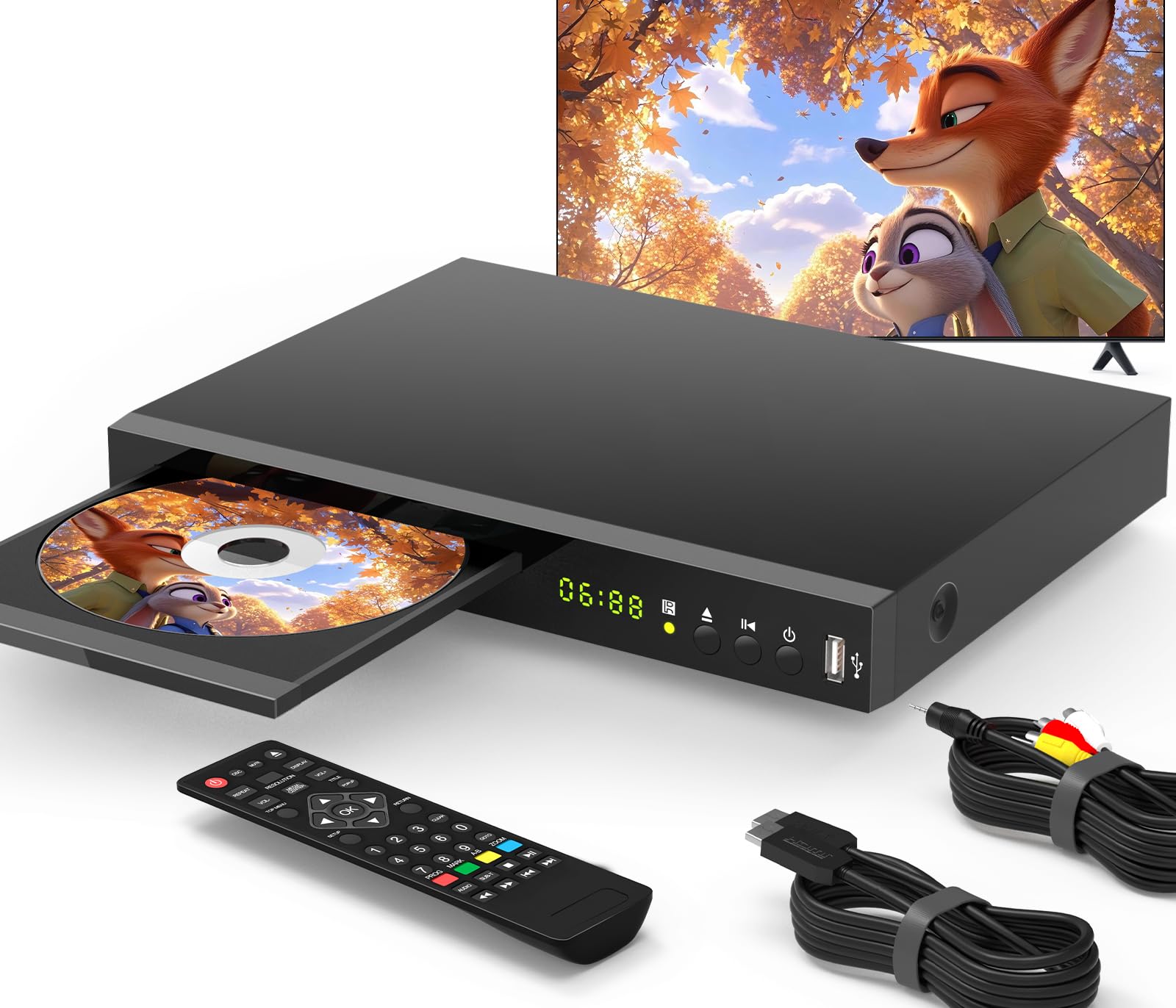
The only pick here that handles both Blu-Ray discs and lossless surround-sound codecs.
If your collection includes Blu-Ray discs, this NUTROMO is the one to buy — it is the only model on the list that plays Blu-Ray (Region A) alongside Region 1 DVDs. That alone changes what media you can watch. It outputs at native 1080p Full HD resolution and supports Dolby TrueHD and DTS-HD, the lossless audio codecs that give a home theater system its punch. The HDMI output carries both video and the high-bitrate audio signal in one cable.
The USB port accepts drives up to 128GB and plays MP4, AVI, MP3, and JPEG files — it is more accommodating with video formats than the DVD-only players. The player includes a coaxial audio output as well, giving you another path to a surround receiver. Owners consistently praise the picture quality (“stunning” is a recurring word) and the smooth, quiet disc loading. The remote is a point of mixed feedback — it works well for most, but a handful report missed presses.
The primary limitation: this is Region A for Blu-Ray and Region 1 for DVD, so it locks out most imported Blu-Rays and non-US DVDs. If your library is strictly US releases, that is not a problem. And for sound quality, it leads the pack — reviewers point out “flawless performance” and that the upscaling “works well” on standard DVDs.
Worth the upgrade for
- Plays Blu-Ray discs (Region A) for the best picture quality from physical media
- Dolby TrueHD and DTS-HD decoding for serious home theater setups
- USB port plays MP4 video — a rare feature among these players
Keep in mind
- Region-locked to US Blu-Rays (Region A) and Region 1 DVDs — not a global player
- Remote control quality is hit-or-miss per owner reports
Reach for this if: You own Blu-Ray discs and want lossless audio (Dolby TrueHD / DTS-HD) for a proper home theater experience.
Look elsewhere if: All your discs are standard DVDs and you do not need premium audio — the DVD-only players cost half as much.
Understanding the Specs
1080p Upscaling
Standard DVDs store video at 480p resolution. A player with 1080p upscaling uses progressive-scan processing to fill in the missing pixels, creating a sharper image that fills your HDTV screen without black bars from low resolution. The result is not true HD, but it is far more watchable on a big screen than raw 480p.
Region-Free vs. Region Locked
DVDs are coded by region to control distribution — Region 1 covers the US and Canada, Region 2 covers Europe and Japan, and so on up to Region 6. A region-free player ignores these codes and plays discs from anywhere. If you buy imported movies or have a mixed collection, region-free is essential.
USB / SD Card Support
A USB port or SD card slot lets you play digital media files without a disc. Not all players support video files through USB — many are limited to MP3 music and JPEG photos. Check the supported file formats (AVI, MPG, MP4, VOB) before assuming your video files will play. Capacity limits (32GB, 64GB, or 128GB) also matter for large libraries.
Coaxial vs. RCA Audio
A coaxial digital audio output sends a pure digital audio signal to a surround-sound receiver or soundbar, supporting codecs like Dolby Digital. RCA (red/white) cables carry analog stereo only. If you have a home theater system, coaxial output gives you better sound separation and multi-channel audio.
FAQ
Will a DVD player work with my smart TV if it only has HDMI ports?
What does “region free” mean and do I need it?
Can I play Blu-ray discs on a standard DVD player?
Why does the USB port on my new player not play MP4 files?
How do I connect the player if my TV has no HDMI and only RCA inputs?
What is the difference between 1080p upscaling and true 1080p?
Why do some reviews mention that a player “reads fast” and is that important?
Will any of these players work in my car or RV with a 12V system?
What is HDMI-CEC and should I care about it?
Can I use a DVD player as a CD player for my stereo system?
Final Thoughts: The Verdict
For most buyers, the dvd player for smart tv winner is the ELECTCOM PRO because it combines reliable region-free playback, a genuinely usable large-button remote, and a solid build at a very fair price. If you need the smallest footprint for travel or an RV, grab the ARAFUNA. And for Blu-Ray playback with premium Dolby TrueHD audio, the NUTROMO is the one to reach for.
How We Picked
We do not accept paid placement. Every pick is matched to a real buyer and a real use-case; we do not hands-on test units.
Sources & Methodology
Specifications: manufacturer listings and product documentation. Review insights: verified customer reviews, as of July 2026. Pricing: not shown on this page (it changes often); check the current price via the retailer link.
As an Amazon Associate, WellFizz earns from qualifying purchases. This does not affect which products we feature.
Related Guides

Mo Maruf
I created WellFizz to bridge the gap between vague wellness advice and actionable solutions. My mission is simple: to decode the research and give you practical tools you can actually use.
Beyond the data, I am a passionate traveler. I believe that stepping away from the screen to explore new environments is essential for mental clarity and physical vitality.