Our readers keep the lights on and my smoothie glass nicely filled. As an Amazon Associate, I earn from qualifying purchases.
Specs are compiled from manufacturer listings and verified buyer reviews and can change over time — please confirm the key details on the product page before buying.
Ripping a large CD or DVD collection is a test of endurance, and the drive you pick decides whether that test ends in flawless FLAC files or a pile of skipped tracks and coasters. The best ripping drives pair a fast read speed with rock-solid error correction, because a drive that misreads a disc once will do it again at track 12. This guide compares the top internal and external optical drives, focusing on the real-world specs that matter for clean, accurate digital extraction.
I’m Mohammad Maruf — the founder and writer behind WellFizz. This guide is built by comparing the manufacturers’ published specifications and the patterns across verified customer reviews, so you get each pick’s real strengths and trade-offs instead of marketing spin.
Whether you are archiving a legacy music library or backing up old software discs, finding the right dvd drive for ripping means balancing read speed, error correction, and connection type for your specific setup. This guide breaks down the top performers to help you choose wisely.
Our Picks at a Glance

How To Choose The Best DVD Drive For Ripping
Ripping is different from just playing a disc. When you play a movie, a skipped frame is invisible; when you rip a CD to FLAC, a skipped frame becomes a permanent pop or click in your digital file. You need a drive that reads confidently and corrects errors well, not just one that spins fast.
Read Speed vs. Write Speed
Look at the read speed, not the burn speed. A drive with a max 24x CD read speed will chew through a full audio CD much faster than an 8x model, which matters when you have hundreds of discs to archive. Write speed is for burning new discs, which is a separate job entirely.
Internal SATA vs. External USB
Internal SATA drives connect directly to the motherboard, offering a stable, high-speed data path that many rippers prefer for accuracy. External USB drives are portable and plug into any laptop, but their stability depends on the USB port’s power output and the quality of the cable.
Quick Comparison
| Model | Best For | Max CD Read Speed | Interface | Extras | Amazon |
|---|---|---|---|---|---|
| Lite-On 24X SATA★ Best Overall | Accurate PC ripping | 24x | SATA | Nero 12 Essentials | Amazon |
| ASUS SDRW-08V1M-UPremium Pick | Premium ultra-slim | 24x | USB-C | M-DISC, Encryption | Amazon |
| ROOFULL 7-in-1 | Versatile hub ripping | 24x | USB 3.0 Type-C | 7-in-1 Hub | Amazon |
| ORIGBELIE 6-in-1 | Portable with card slots | 24x | USB 3.0 Type-C | 6-in-1 Hub | Amazon |
| BUNUD LightScribe | Disc labeling | 24x | USB 3.0 & Type-C | LightScribe, SD Slot | Amazon |
| Disk Duplicator Rioddas | High-volume ripping | 24x | USB 3.0 Type-C | Self-powered | Amazon |
| Wbacon 7-in-1 | Budget laptop hub | 24x | USB 3.0 & Type-C | 7-in-1 Hub | Amazon |
In‑Depth Reviews
1. Lite-On 24X SATA DVD/CD Writer Drive
Our pick — over 4.5★ from 500+ verified ratings; the strongest balance of quality and price.
The internal workhorse that archives entire libraries without a single skipped track
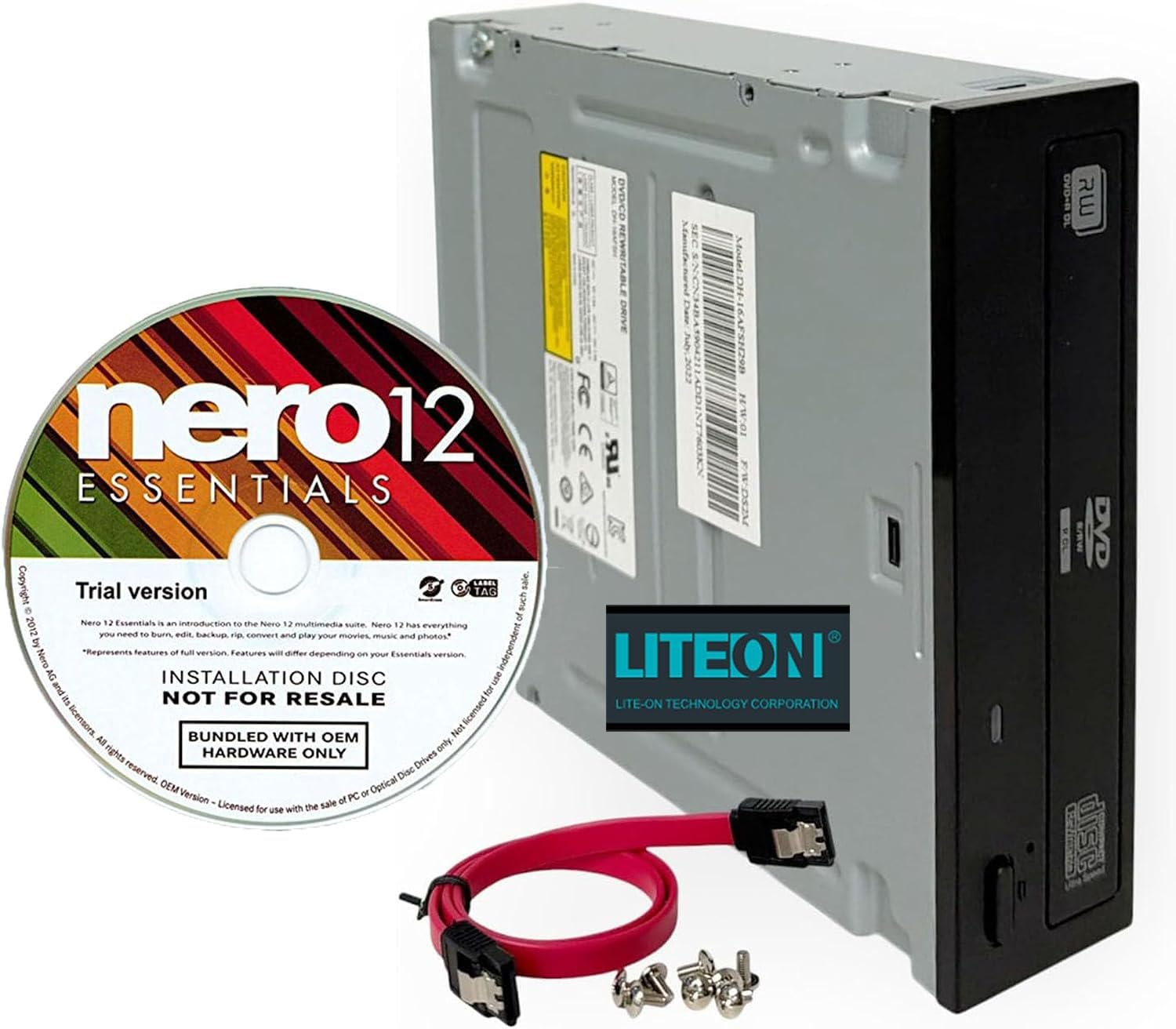
For serious rippers building a permanent digital archive, this internal drive is the accuracy king. It delivers a 24X high-speed DVD/CD write and read performance, which means it chews through a full audio CD in a couple of minutes. The SATA interface provides a stable, high-speed data path to your motherboard, eliminating the power fluctuations that can cause external USB drives to hiccup mid-rip.
Buyers report ripping 809 CDs flawlessly with EAC (Exact Audio Copy), a program that demands near-perfect reads. The durability is notable too — One owner reported a CD exploding inside the drive, yet the unit survived and kept working after reassembly.. That kind of resilience is exactly what you want when you are halfway through a 500-disc collection.
It ships as a complete installation kit with the SATA cable and mounting screws included, plus Nero 12 Essentials software for burning and backups. The bundled software gets mixed feedback, and the noise level is a small trade-off, but neither affects the core job of clean extraction. The drive supports DVDR, DVDRW, CD-R, and CD-RW formats for dependable disc burning and playback.
The Ripping Edge
- 24X speed handles CD ripping fast and reliably
- SATA connection provides stable, accurate data transfer
- Proven durability — survives even a disc explosion
- Includes SATA cable and mounting screws for easy setup
Before You Commit
- Internal 5.25″ form factor — needs a desktop tower, not a laptop
- Bundled Nero software is only a trial version
- Noise level gets mixed reviews from owners
Your best bet if: you own a desktop PC and want the most accurate rips possible from a drive that handles high-volume archiving without drama.
Think twice if: you need portability — this is a fixed internal unit, so it won’t travel with your laptop.
2. ASUS SDRW-08V1M-U External 8X DVD Writer
The ultra-slim premium option that brings M-DISC longevity and data encryption to your desk
If your ripping project involves creating archival discs that need to outlast standard media, this ASUS writer is the one to beat. It supports M-DISC, a special write-once format designed for long-term data preservation, which makes it a favorite for backing up irreplaceable photos and documents. The data encryption feature adds password control and hidden folders, so sensitive rips stay private even if the disc falls into the wrong hands.
At 14.6mm ultraslim, it is remarkably thin, and the clever cable-storage design keeps the built-in 24cm connecting cable tucked inside the body — no more lost cords when you pack it for travel. Ripping accuracy is solid, with a max 8X DVD read speed and 24x CD read speed. The USB Type-C connection is a big plus, and as one owner put it, this is a reliable replacement that explicitly works with Windows 11 when older drives fail.
Cross-platform support for Windows and macOS means it slots into almost any workflow. The main caveats are physical: it feels lightweight and fragile in hand, and the glossy border scratches easily. For pure ripping power it is not the fastest, but for archival quality, encryption, and disc longevity, no other drive here matches it.
Archival specialist: the M-DISC support and disc encryption make this the smart choice for long-term data preservation, not just fast extraction.
Handle with care: owners note the ultra-slim body feels fragile, so treat it gently when sliding it into a bag.
Reach for this if: you want premium build features like M-DISC, encryption, and a clean USB-C design for occasional rips and archival burns.
Look elsewhere if: raw ripping speed is your only priority — the 8X DVD read is slower than some cheaper rivals.
3. ROOFULL External CD DVD Drive with USB 3.0 Type-C Hub
A ripping drive that doubles as a USB hub, so you extract discs and connect peripherals at once
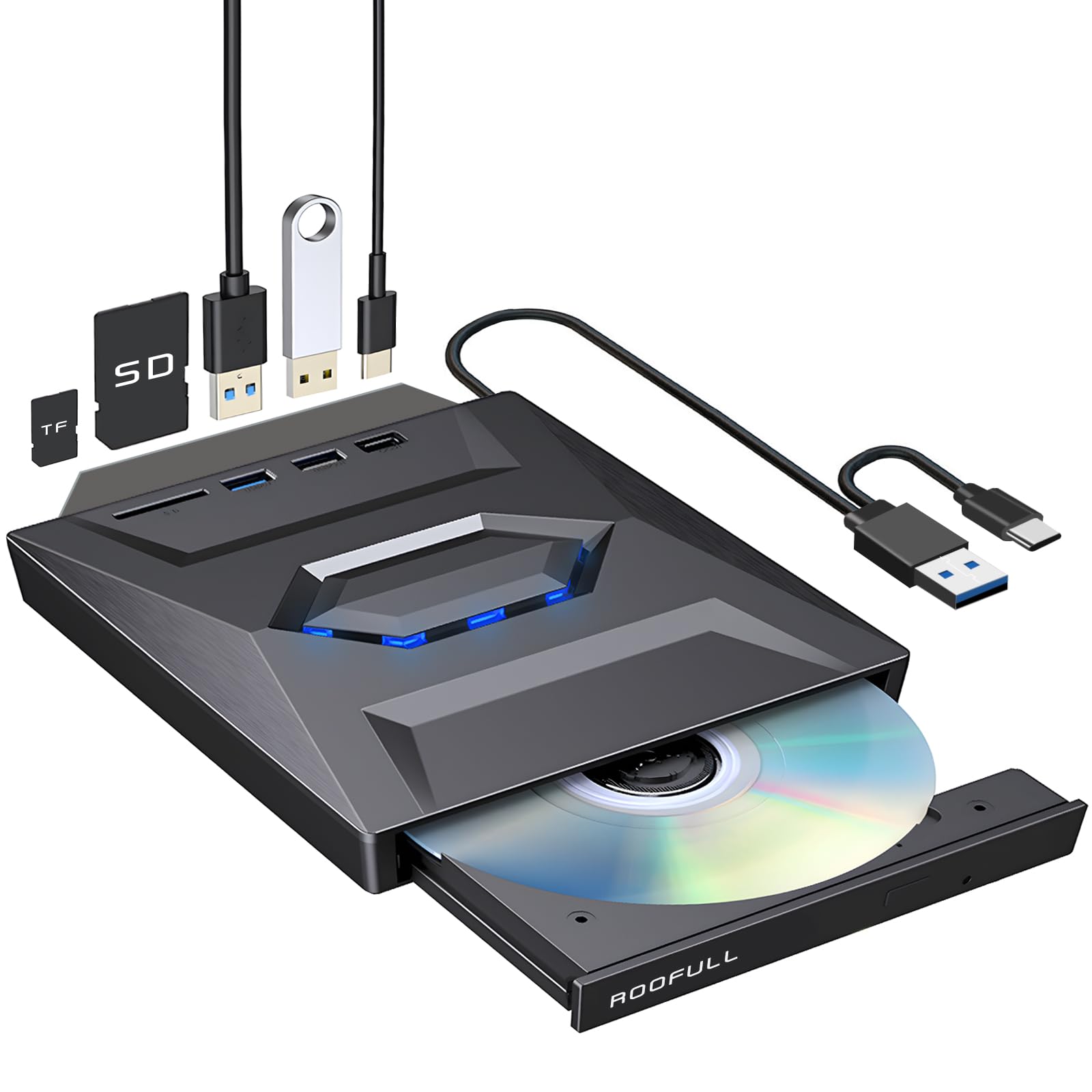
This drive earns its versatility badge by combining a full CD/DVD reader and burner with a built-in 7-in-1 expansion hub. You get 1x USB 3.0, 1x USB 2.0, 2x Type-C ports, a TF slot, and an SD card slot, all feeding through a single USB 3.0 Type-C connection to your laptop. For a MacBook with limited ports, this turns one plug into a complete workstation that also rips discs.
Ripping performance is strong, with high-speed transfer up to 5 Gbps and stable max 8X DVD / 24X CD read and write speeds. The integrated 2-in-1 cable with dual USB-A and Type-C connectors plugs into both new and legacy computers without adapters. For laptops with low power output, a separate power cord lets you supplement stability from a charger or power bank.
You get a drive that runs quietly and reliably, and owners genuinely praise its build quality. The 2-year warranty with a no-return replacement policy means if it fails, you get a new one without sending the old one back — real confidence for heavy ripping sessions. The flashing blue LED light on top is a style choice some find distracting, and compatibility is not universal: it won’t work with Chromebooks, TVs, or gaming consoles, so check your devices before buying.
Why It Shines
- Built-in USB hub and SD card slots add genuine utility
- 24X CD read speed handles ripping quickly
- Metal and plastic build feels sturdy and lightweight
- 2-year warranty with easy replacement support
Know The Limits
- Flashing blue LED light annoys some owners
- Not compatible with Chromebooks, TVs, or consoles
- USB cord is on the short side
Best for: laptop users who want one device that rips discs and expands their USB ports with card reading built in.
skip it if: you need device compatibility beyond standard PCs and Macs, or prefer a drive without flashy lights.
4. ORIGBELIE External CD/DVD Drive with 4 USB Ports

A slim portable ripper with 4 USB ports and RGB flair that sets up in seconds
This drive wins on pure plug-and-play convenience — owners mention it is recognized immediately by Windows 10 with no drivers needed, and it reads and burns CDs and DVDs quickly. It supports max 8x DVD read/write speeds and max 24x CD read/write speeds over a USB 3.0 connection that reaches up to 5 Gbps. The integrated USB Type-A and Type-C data cable means no adapter hunting when you switch between machines.
Beyond ripping, the 6-in-1 USB 3.0 hub adds 1 USB-A 3.0, 1 USB-A 2.0, 2 USB-C ports, plus TF and SD card slots. That makes it a practical travel companion for photographers who need to pull images from a camera card while also archiving discs. The slim plastic body is lightweight, though owners note it feels a bit fragile, and the USB cord is short.
One smart touch is the included power supply cable — some computers, especially older ones, do not deliver enough power over USB to run an optical drive reliably. Plugging the extra cable into a 5V charger or power bank stabilizes operation. The RGB LED indicator that cycles through gradual color changes is a fun aesthetic bonus, and the matching storage bag keeps everything organized.
Set-and-forget design: the plug-and-play recognition and included power cable mean it works reliably on the first try for most users.
Fragile feel: the slim plastic chassis is light and portable, but the trade-off is durability — handle it with care.
Grab this if: you want a budget-friendly portable drive that also reads memory cards and provides extra USB ports on the go.
Pass on it if: you plan heavy daily ripping and need a more rugged build.
5. BUNUD External CD DVD Drive with LightScribe
The aluminum-clad drive that burns your own labels directly onto the disc surface
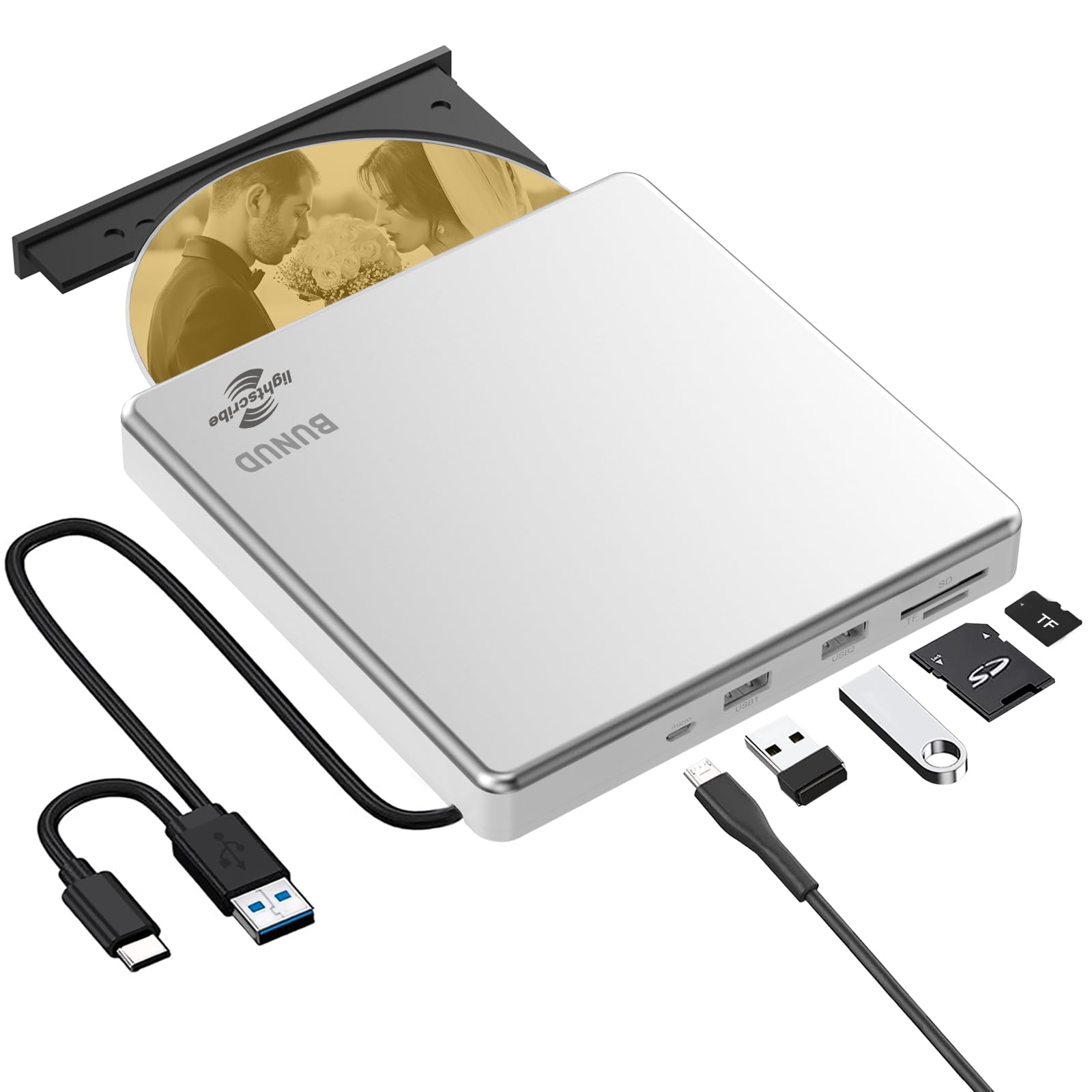
This drive stands apart with its LightScribe function, which uses a laser to etch labels of your own design right into the surface of a LightScribe disc. Instead of printing sticky labels or scribbling with a marker, you get a professional-looking, permanently etched design on each archived disc. It transforms a plain backup into a keepsake with your own artwork on it.
The 5-in-1 design adds independent SD and TF card slots plus 2 USB ports, letting you transfer photos and videos directly to a USB drive or flash drive without going through the computer. The top cover is made of slim aluminum alloy, which gives it a shiny, premium look and better durability than the all-plastic rivals. Max DVD reading speed is 8X, and max CD burning speed reaches 24X.
The honest catch is that LightScribe is a niche format. It requires special LightScribe discs — owners note the media is scarce and expensive, often + for a 10-pack — and the labeling software is not included. On Windows 11, LightScribe can fail without a driver workaround. As a plain burner it works well, but the labeling feature is really for enthusiasts willing to hunt down compatible media.
The Creative Edge
- LightScribe etches custom labels directly onto discs
- Aluminum alloy top looks sharp and feels substantial
- SD/TF slots and USB ports add versatility
- 1-year quality guarantee included
Real Trade-offs
- LightScribe discs are expensive and hard to find
- Labeling software not bundled — needs third-party drivers
- Slightly noisy and not the fastest ripper
Choose this for: creating one-of-a-kind labeled discs where the aesthetic of a laser-etched design matters as much as the data.
Look past it if: you just want fast, no-fuss ripping and do not want to hunt for specialty LightScribe media.
6. Disk Duplicator Rioddas External DVD Drive

The self-powered ripper that handled an intense 2800-disc marathon without breaking a sweat
For massive collections, this drive’s endurance is backed by real-world marathon ripping. Customers note ripping 2800 CDs in 3 weeks with only 2 failures, both on pirated discs. That grueling pace proves the reliability of its internals.
It runs at 24x speed for CDs, so each disc is processed quickly, and the plug-and-play functionality means no driver installation — just connect via USB 3.0 Type-C and go. A key advantage for marathon ripping is that it is self-powered over USB, so you do not need to hunt for a wall adapter. The lightweight, portable form factor makes it easy to move between a home desktop and a work laptop.
The honest caveat is mixed compatibility. Reviewers point out it works flawlessly on Windows PCs, but it is not a reliable choice for MacBook Pro users, who hit burn errors — Mac users are better off with Apple’s own external drives. Also, the maker is upfront that heavily scratched or copy-protected discs may not read, which is a normal limitation, not a defect.
Built for volume: the 2800-disc endurance test in real reviews makes this the clear pick for bulk archiving projects.
Windows only in practice: Mac users report burn errors, so keep this one plugged into a Windows PC.
Best for: Windows users facing a huge backlog of CDs who want a self-powered drive that survives marathon sessions.
Not for: MacBook owners — stick with Apple-compatible drives to avoid burn errors.
7. Wbacon 7-in-1 External CD/DVD Drive

The no-frills budget hub that adds a disc drive and four extra ports to any modern laptop
For the shopper who just needs a working external drive without spending much, this is the reliable entry point. It is equipped with USB 3.0 and Type-C technology, offering faster data transfer rates of up to 5 Gigabits/s (625MB/s), and it is backward compatible with USB 2.0/1.1. The drive boasts a maximum 8x DVDR read speed and a maximum 24x CD write/read speed for everyday ripping tasks.
The 7-in-1 hub function is the real value-add here: 1 USB 3.0 port, 1 USB 2.0 port, 2 Type-C ports, plus a TF slot and an SD card slot. Owners appreciate the extra ports for connecting a wireless mouse, keyboard, or USB hard drive alongside the optical drive. The embedded data cable keeps things organized, and the skip-proof rubber pad prevents sliding on your desk.
The wide compatibility covers Windows 11/10/8/7/XP, Vista, Linux, and Mac OS 10.6 or above. There is an honest limit though — shoppers say the connectivity and ease of use get mixed feedback, with some finding setup easy and others hitting connection issues. Also note it does not support Surface Pro, Chromebooks, TVs, or Blu-ray. For basic CD ripping and DVD playback on a standard laptop, it does the job.
The Budget Appeal
- 7-in-1 hub adds 4 ports and 2 card slots
- 24x CD read/write handles everyday ripping
- Ultra-slim, lightweight, and portable
- Plug-and-play with no drivers required
Where It Cuts Corners
- Connectivity setup gets mixed feedback from owners
- Not compatible with Chromebooks, TVs, or Surface Pro
- SD and TF slots cannot be used simultaneously
Pick this up if: you want the cheapest way to add disc reading plus extra USB ports to a modern laptop for light ripping.
Spend more if: you depend on flawless connectivity every session — reliability here is good but not perfect.
Understanding the Specs
Read Speed (24x, 8x)
The “x” represents the base speed of the original CD or DVD format. A 24x CD read speed means the drive spins the disc up to 24 times faster than standard playback, so a full album rips in about three minutes instead of over an hour. For DVDs, 8x is the common ceiling, which still extracts a full movie in a reasonable time.
SATA vs. USB Interfaces
SATA is the internal connection that links a drive directly to your desktop’s motherboard, offering a stable and fast data path that avoids power dropouts. USB external drives connect through a cable and are portable, but they depend on the port’s power output — some laptops need a powered hub or an extra power cable to keep the drive stable during long rips.
FAQ
Is an internal SATA drive better than an external USB drive for ripping?
What read speed do I need to rip CDs efficiently?
Will an external DVD drive work with my MacBook?
Why do some of my discs fail to rip even with a good drive?
Can I use a DVD drive to rip music to FLAC or MP3?
What is M-DISC and why does it matter for archiving?
Why would I need an external drive with a USB hub?
Are there any discs that external DVD drives cannot read?
How long do external DVD drives typically last?
Can I burn labels directly onto a disc with a DVD drive?
Final Thoughts: The Verdict
Across the board, the dvd drive for ripping winner is the Lite-On 24X SATA because its stable internal connection and proven durability make it the most accurate ripper here. If you want a portable premium option with archival features, grab the ASUS SDRW-08V1M-U with M-DISC support. And for a budget-friendly laptop hub that also rips, the Wbacon 7-in-1 is the one to reach for. With a 4.6-star score across 500+ owners, this drive is the clear choice for serious archivists.
How We Picked
We do not accept paid placement. Every pick is matched to a real buyer and a real use-case; we do not hands-on test units.
Sources & Methodology
Specifications: manufacturer listings and product documentation. Review insights: verified customer reviews, as of July 2026. Pricing: not shown on this page (it changes often); check the current price via the retailer link.
As an Amazon Associate, WellFizz earns from qualifying purchases. This does not affect which products we feature.
Related Guides

Mo Maruf
I created WellFizz to bridge the gap between vague wellness advice and actionable solutions. My mission is simple: to decode the research and give you practical tools you can actually use.
Beyond the data, I am a passionate traveler. I believe that stepping away from the screen to explore new environments is essential for mental clarity and physical vitality.