Our readers keep the lights on and my smoothie glass nicely filled. As an Amazon Associate, I earn from qualifying purchases.
Specs are compiled from manufacturer listings and verified buyer reviews and can change over time — please confirm the key details on the product page before buying.
Your MacBook Air or Pro is sleek, fast, and entirely missing a slot for the mountain of CDs and DVDs you still own. That box of photo discs, music albums, and old software installers is not obsolete — your laptop just needs a way to read them again. This guide cuts through the choices to find the external drive that connects, plays, and burns without a fight.
I’m Mohammad Maruf — the founder and writer behind WellFizz. This guide is built by comparing the manufacturers’ published specifications and the patterns across verified customer reviews, so you get each pick’s real strengths and trade-offs instead of marketing spin.
You need an external reader that works with macOS without extra drivers, and a USB-C connection is the modern key to making that happen on current Apple laptops.
Our Picks at a Glance

How To Choose The Best DVD Drive For Mac
Choosing an external disc drive for your Mac means matching the drive’s connection and features to how you plan to use it. A drive that works flawlessly with one computer can struggle with another if you ignore the connection type and power requirements.
Match the USB Connection to Your Mac’s Ports
Modern MacBook Pro and Air models rely on USB-C (Thunderbolt) ports, while older models and iMacs often have USB-A ports. A drive that offers both connectors, like a USB 3.0 Type-C cable, gives you the most flexibility, so you are never stuck hunting for an adapter. Prioritize a drive with a native USB-C connection to avoid the need for dongles and to ensure a stable power supply.
Check macOS Compatibility and Power Needs
Most external drives operate as plug-and-play devices with macOS, meaning you connect them and they appear on your desktop once a disc is inserted. Some slim drives draw all their power from the USB port, and if a laptop’s port doesn’t supply enough juice, the drive may not spin up. Look for a drive with the option to connect to a secondary power source or plug directly into the motherboard’s port on a desktop to avoid these surprises.
Decide Between DVD and Blu-ray Capability
For playing movie DVDs, listening to audio CDs, or burning backups, a standard DVD writer is the practical and budget-friendly choice. If your collection includes Blu-ray discs, you will need a more premium Blu-ray drive, which also handles DVDs and CDs but requires specific playback software on a Mac. Consider if you need M-DISC support (a feature that writes data onto specially designed discs for decades-long storage.) for long-term archival burning.
Quick Comparison
| Model | Best For | Cache Memory | Thickness | Connector | Amazon |
|---|---|---|---|---|---|
| ASUS SDRW-08V1M-U★ Best Overall | Preserving data with M-DISC | 1 MB | 14.6mm | USB 3.0 Type-C | Amazon |
| External CD Drive (NOLYTH)Best Value | Ripping CDs and reading cards | 2 MB | 0.7 inches | USB 3.0 & Type-C | Amazon |
| ORIGBELIE External DVD DriveCompact Pick | Everyday movie watching | — | 13mm | USB 3.0 Type-C | Amazon |
| Wbacon 7 in 1 DVD Drive | Expanding ports while reading discs | — | — | USB 3.0 Type-C | Amazon |
| Guamar External CD Drive | Burning movies regularly | 2 MB | — | USB 3.0 Type-C | Amazon |
| Disk Duplicator (Rioddas) | Mass ripping of CD libraries | 2 | 0.71 inches | USB 3.0 Type-C | Amazon |
| Wbacon 7 in 1 Blu Ray Drive | Burning high-capacity 100GB discs | 2 MB | — | USB 3.0 Type-C | Amazon |
| BUNUD External Blu Ray Drive | LightScribe disc labeling | 2 MB | — | USB 3.0 Type-C | Amazon |
In‑Depth Reviews
1. ASUS SDRW-08V1M-U External Ultraslim 8X DVD Writer
Our pick — 4.5★ from 450+ verified ratings; the strongest balance of quality and price.
The ASUS drive is the go-to choice for Mac users who want a premium build, a native USB-C cord, and the ability to archive data on M-DISC for decades.
With a thickness of just 14.6mm, this writer is truly ultraslim, and its most talked-about feature is the built-in 24cm connecting cable that stores neatly, so you never lose the cord again. It works across Windows and macOS, giving you wide compatibility right from the start. This is the drive that buyers report is “the only external dvd writer with type C cord,” and the clever cable storage design is a big reason it earns the premium spot on this list.
Beyond playback, this drive supports M-DISC, a format designed for long-term archival, and includes disc encryption to password-protect your data. The drag-and-burn feature that creates a disc in three steps is Windows-only, so Mac users will use Finder for burning instead. The physical build feels lightweight, but a few owners note the glossy border scratches easily, though the matte finish and four bottom corner stickers help keep it stable on a desk.
Why it leads: This is the best-built, feature-rich option here, with the USB-C connection that modern MacBooks need and M-DISC support for true archival burning.
The honest catch: It costs more than generic alternatives, and the long-term durability of the plastic enclosure is a fair question given the lightweight feel.
Reach for this if: you want a trustworthy drive with a native USB-C cord, data encryption, and the unique ability to burn M-DISC for permanent storage.
Look elsewhere if: your budget is tight and you only need to play a few old movie DVDs, not archive data for the long haul.
2. External CD Drive for Laptop with SD/TF/2 USB Ports
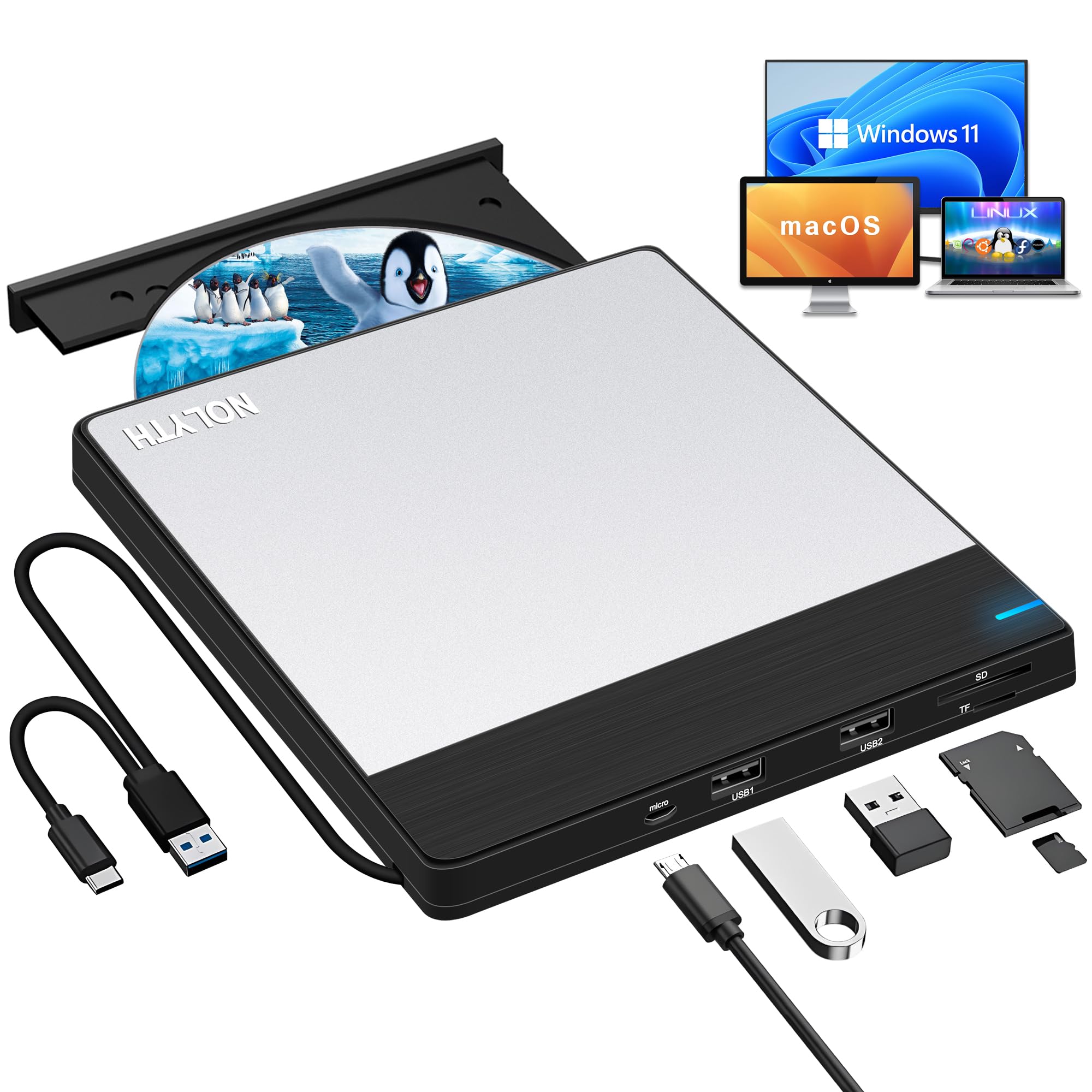
This NOLYTH drive gives you high-speed burning, a built-in card reader, and extra USB ports, making it a clever hub for your Mac or PC setup.
You get a max 8X DVD read and write speed and a max 24X CD speed, so A full movie disc burns in about 10 minutes at 8X speed.. It connects via USB 3.0 and USB-C, both plug-and-play on Macs. What really separates it is the 2 MB cache and the hubs: 2 USB ports, an SD card reader, and a TF card reader (a slot for microSD cards) for transferring photos straight from your camera. The build quality earns the most praise, with a brushed black case and silver aluminum top plate that feels sturdier than pricier alternatives.
At only 0.7 inches thick and 0.66 pounds, this drive slips into a laptop bag easily. Owners mention one catch: it won’t power off the USB-C port alone, though it powers up fine on USB 3.0. If your computer’s port is weak, plug into a powered hub or use the included charging cable with a 5V charger. It works with Windows 11/10/8.1/7 and all versions of Mac OS, but not with Chromebooks, iPads, or game consoles.
What wins people over
- Build quality earns the most praise — buyers call it a quality product that’s well made
- The extra SD/TF and USB ports make it a true multi-functional hub
- Plug-and-play on MacBooks with no software or setup required
Where to be careful
- Power draw can be an issue — it may not power up from a USB-C port alone
- No bundled software for burning on a Mac
Best for: anyone who wants a budget-friendly driver that also expands their laptop’s ports for reading SD cards and connecting peripherals.
Consider the catch: the power quirk means you might need to plug it into a powered USB-A port or an external power source on some machines.
3. ORIGBELIE External CD DVD Drive with USB 3.0 Type-C (Pink)
The ORIGBELIE is the ultra-slim, high-speed travel drive that slips into any bag and plays movies on the go without extra power.
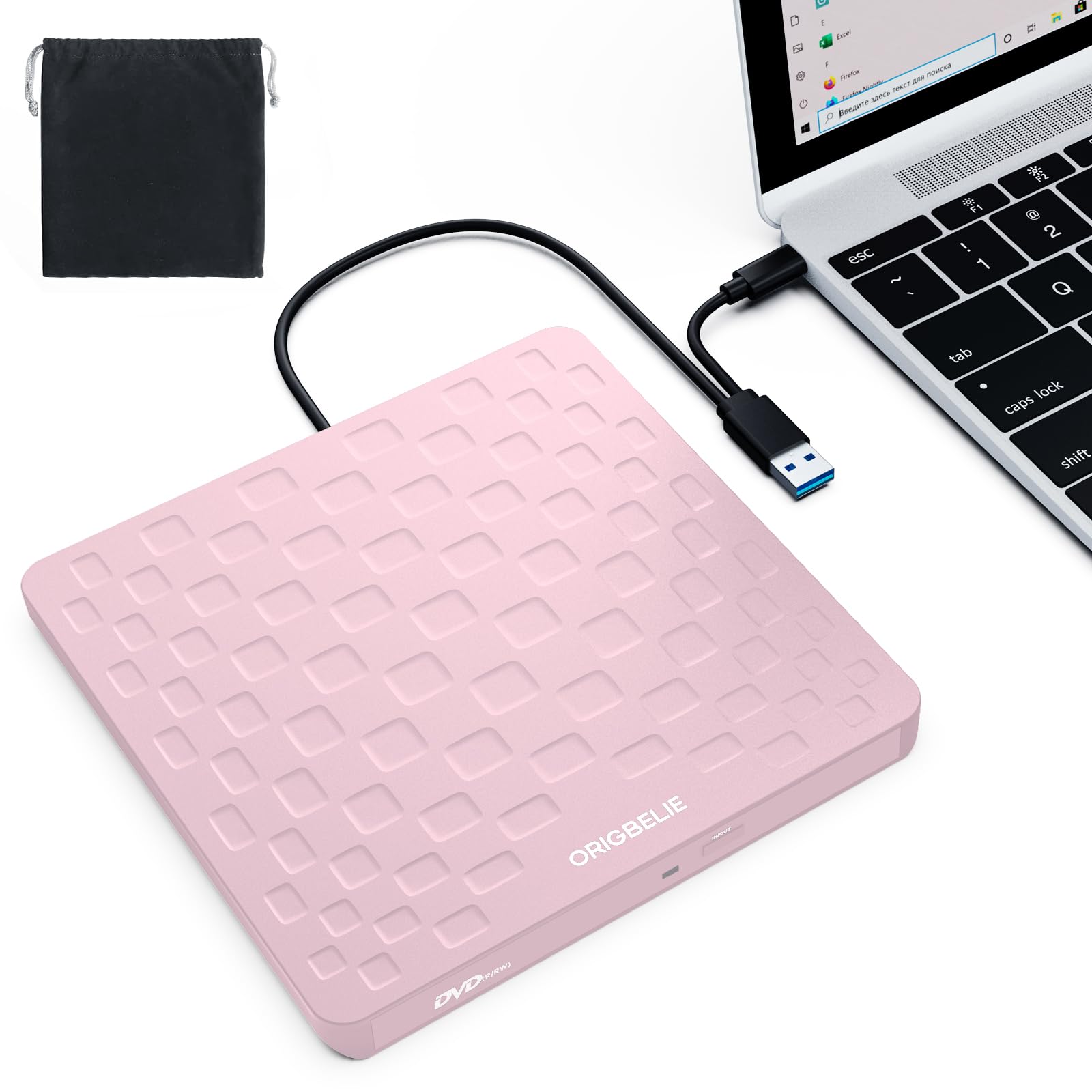
At just 13mm thick and weighing only 0.2 kg, this is the slimmest drive here — at 13mm compared to the ASUS’s 14.6mm frame., making it the easiest to pack. It supports USB 3.0 high-speed data transfer at up to 5 Gbps (625MB/S), which means you get more done in less time without lag. The integrated data cable means you never have to worry about packing the wrong cord.
Owners consistently praise how easy it is to use, calling it a perfect plug-and-play companion that works right from the start with MacBook, iMac, and Mac mini running Mac OS 10.6 or above. It reads and burns CDs and DVDs across formats like DVD±R/RW, CD-ROM, and DVD-RAM, and it comes with a storage bag and an extra USB power cable. A few customers note the slim plastic body feels fragile, and some desktops may need the included power cable to avoid a power shortage.
What buyers love: The ease of use earns the most praise — the drive powers up and works quickly, and the pink color is a fun bonus.
Who should skip: If you plan on heavy daily burning over years, a sturdier metal-bodied drive might be a better long-term bet than this slim plastic unit.
Best for: travelers and students who want the lightest possible drive to watch movies and rip CDs during commutes or trips.
skip it if: you need a rugged, heavy-duty unit for constant desktop use, as the slim plastic build is not built for abuse.
4. Wbacon 7 in 1 External CD/DVD Drive with USB 3.0 Hub

This Wbacon drive multitasker pairs a fast optical drive with a 7-in-1 USB hub, turning a single port into a full workstation.
It delivers a maximum 8x DVDR read speed and a maximum 24x CD write/read speed, with USB 3.0 data transfer rates up to 5 Gigabits/s (625MB/s). Beyond the disc drive, it functions as a hub with 1 USB 3.0 port, 1 USB 2.0 port, 2 Type-C ports, 1 TF slot, and 1 SD card slot. This means you can plug in a wireless mouse and transfer camera photos all through the same device, though the SD and TF ports cannot be used at the same time.
Reliability is the aspect owners mention most, with buyers describing it as dependable, no-frills, and great value, noting that most newer laptops no longer come with disc players. The embedded data cable and skip-proof rubber pad keep it stable on a desk, and it works with Mac OS 10.6 or above. The connectivity and ease of use get mixed feedback, so occasional hiccups are worth knowing about, but the consensus is a solid workhorse for the price.
Why it’s a crowd-pleaser
- Reliability earns the most praise — buyers call the quality and price above average
- The 4-port hub and card reader solve the insufficient USB port problem
The mixed bag
- Connectivity and ease of use receive mixed feedback, so setup may not be smooth for everyone
- The SD and TF card readers cannot run at the same time
Reach for this if: your laptop is short on ports and you want one device that reads discs, reads SD cards, and expands your USB connectivity.
Think twice if: you need guaranteed plug-and-play without any troubleshooting, as a few reviewers point out mixed connectivity experiences.
5. Guamar External CD Drive for Mac with SD/TF Slot and 2 USB Ports
The Guamar is the heavy-burning champion, designed for people who rip and write discs weekly and need a drive that keeps going strong.
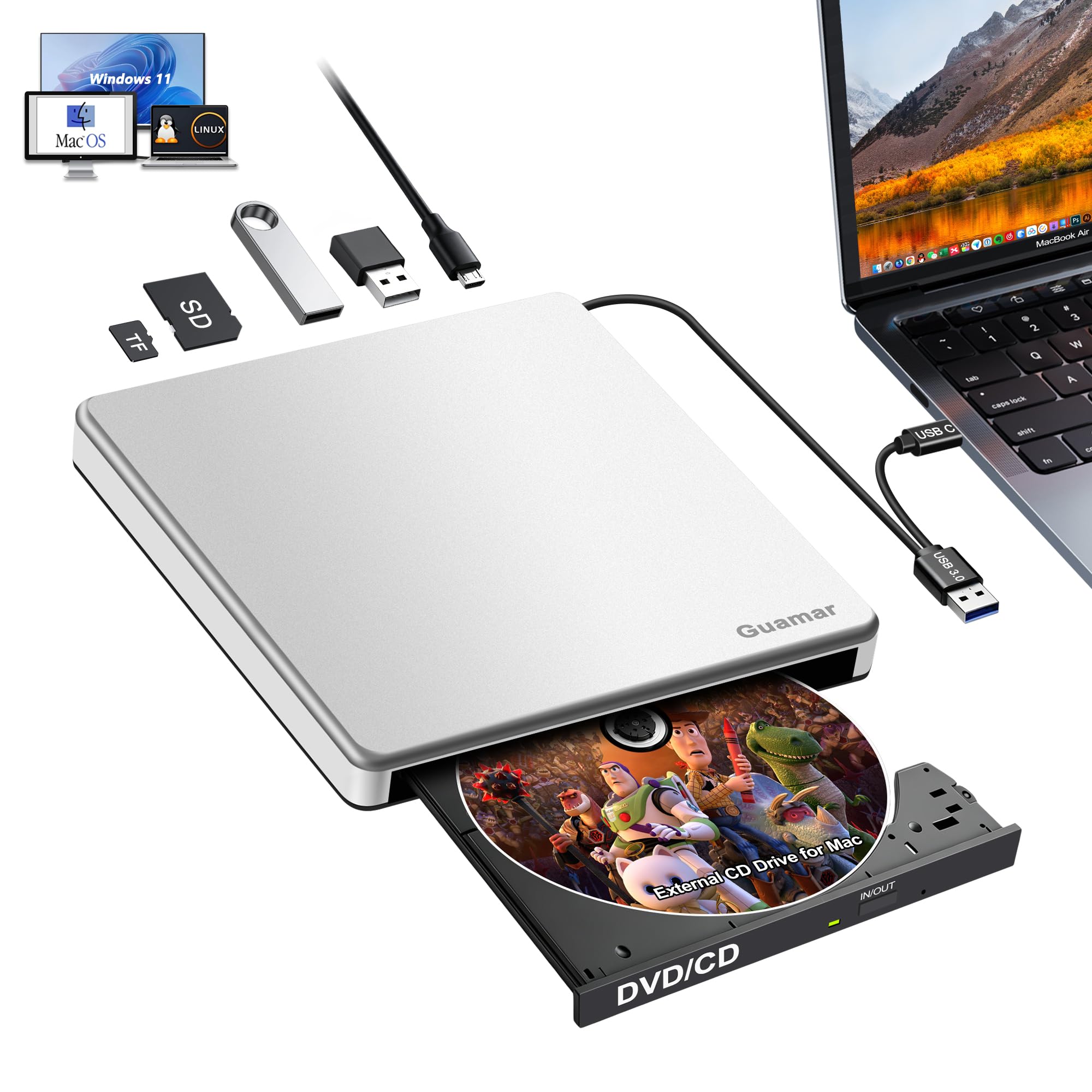
It supports max 24x CD reading speed and max 8x DVD±R write speed, with USB-C and USB 3.0 dual interfaces for easy connection to any Mac. The aluminum and ABS construction gives it a premium feel, and the pop-up design with an eject button and forced ejection hole means you never have to worry about a disc getting stuck. Owners who have had the drive for close to a year and burn at least 7 movies a week report it is “still going strong,” working way better than any other external writer they have owned.
This 5-in-1 drive adds a SD/TF card reader and 2 USB ports, so you can transfer files directly from a camera card to a USB flash drive without touching your computer’s ports. It is specially designed for MacBook Pro, MacBook Air, iMac, and Mac Mini including M1 and M2 models, and it works plug-and-play without an external power supply. The compatibility is solid, though a few PC users report their computers don’t recognize it, so this drive leans toward Mac-first setups.
The standout stat: Heavy users put this through 7+ burns a week and the drive keeps working flawlessly, which speaks to its durability.
Who it’s not for: Avoid this if you primarily use a Windows PC, since a subset of shoppers say recognition issues on non-Mac systems.
Best for: Mac owners who burn movies or music frequently and want a well-built drive with a card reader that won’t quit.
Look elsewhere if: you need a drive for a mixed PC household, as Windows compatibility has more mixed results.
6. Disk Duplicator External DVD Drive USB 3.0 Type-C (Rioddas)

The Rioddas is the mass-ripping specialist, proven to chew through thousands of CDs without a hiccup, all at a budget-friendly price.
In the real world, this drive has been put to the test with 2800 CDs ripped in 3 weeks without issues, and only 2 of them failing due to being pirated copies. It operates at a fast 24x CD speed and is self-powered, meaning it draws everything it needs from the USB port with no external power brick required. The bundled USB-C and USB-A cables ensure it works with Mac or Windows machines right away.
The drive is lightweight and portable, with a plastic enclosure that measures just 0.71 inches thick. It’s note the brand’s own compatibility warning: heavily scratched, aged, or copy-protected discs may fail to read, which is true of most drives, not a defect. A handful of buyers report it doesn’t play DVDs on some computers, so if Blu-ray or smooth DVD movie playback is critical, this might not be the one.
The real-world proof
- Ripped 2,800 CDs in 3 weeks with only 2 failures, both pirated copies.
- Fast 24x CD speed and easy self-powered setup
- Works with Mac or Windows machines from the start
Know the limits
- Some owners mention it won’t play DVDs on a computer, so it’s CD-focused
- Heavily scratched or copy-protected discs may not read at all
Reach for this if: your project is ripping a massive CD collection to digital, where speed and reliability over thousands of discs matter most.
Avoid it if: your main need is reliable DVD movie playback rather than CD ripping and burning.
7. Wbacon 7 in 1 External Blu Ray Drive with 100GB Disc Support
This premium Blu-ray burner handles the biggest discs you can buy, writing 100GB of data for serious backups and high-definition archives.
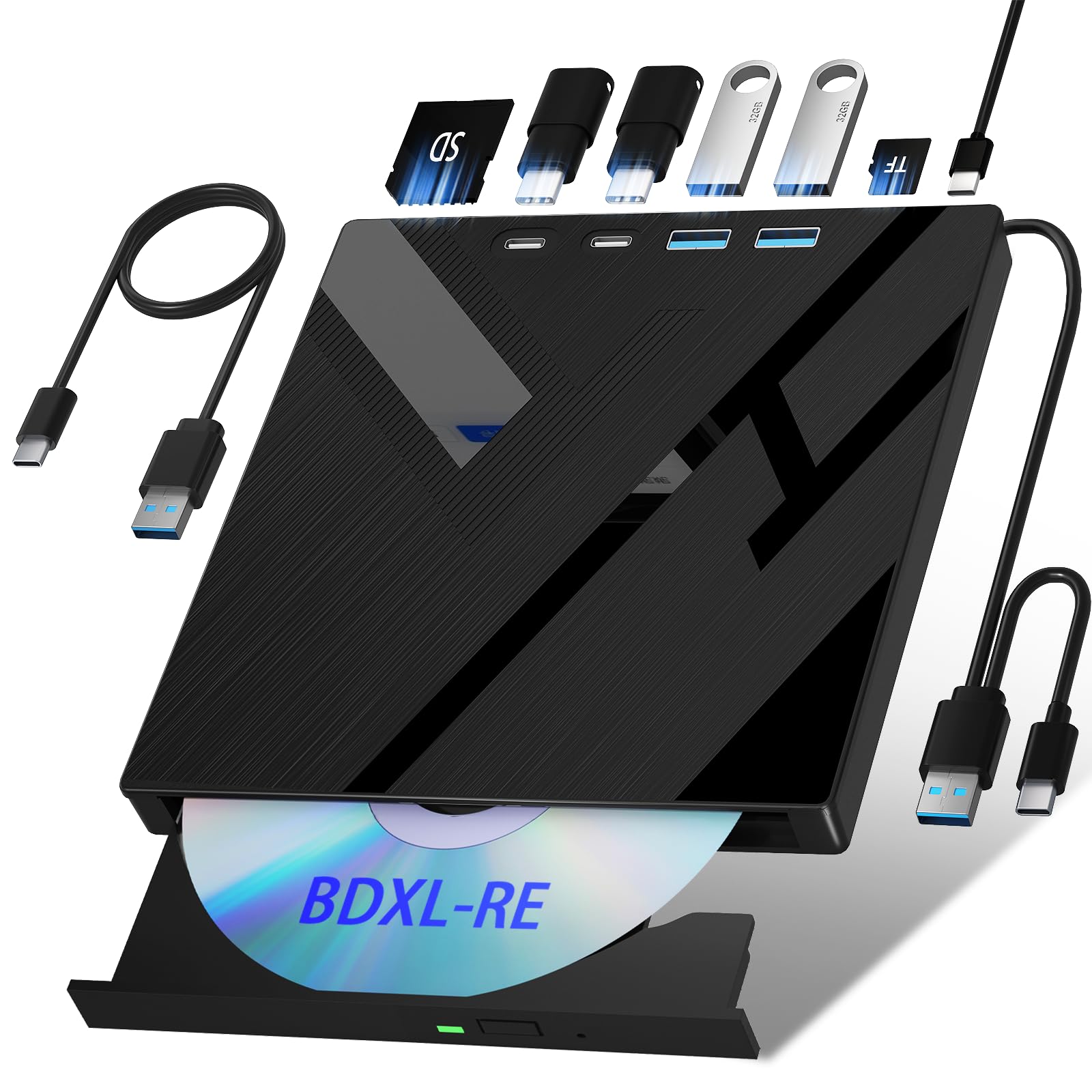
As a 7-in-1 drive, it reads and writes Blu-ray, DVD, and CD discs, with Blu-ray reads at up to 6x, DVDs at up to 8x, and CDs at up to 24x. The real headline is 100GB disc read and write support, which is perfect for storing large video projects or massive backup archives on a single disc. It also functions as a hub with 1 SD card slot, 1 TF card slot, 2 Type-C ports, and both USB 3.0 and USB 2.0 ports, so it doubles as a file-transfer station.
It works with Windows, macOS, and Linux, but Blu-ray playback and writing require specific software like PowerDVD, Leawo, or VLC, which is not included. A few customers note issues with discs not playing and some non-functional slots, so quality control is a mixed bag, but others find it reads standard Blu-rays reliably via MakeMKV. UHD (4K Blu-ray) playback is not supported, so keep that in mind if you have a 4K collection.
The defining feature: No other drive here writes 100GB Blu-ray discs, making it the only choice for massive single-disc backups.
The honest trade-off: You must supply your own Blu-ray software, and the mixed quality-control feedback means you may want to test it quickly on arrival.
Best for: video editors and data hoarders who need to burn high-capacity 100GB Blu-ray discs and won’t mind installing playback software.
Not for: casual users who just want to pop in a movie DVD, as the software setup and mixed reliability add friction.
8. BUNUD External Blu Ray CD DVD Drive with LightScribe

The BUNUD brings the rare LightScribe feature, letting you etch labels directly onto discs for a polished, professional archive.
This 5-in-1 drive offers 2 USB ports and an SD/TF slot for file transfers, and it supports a wide range of media speeds: CD-R at 24X, DVD-R at 8X, and DVD-RW at 6X. It connects via both USB and Type-C cables with no driver needed for plug-and-play setup on MacBook Pro/Air, iMac, and desktop PCs. The build quality is solid, with quiet operation and a smooth tray function that one iMac owner found very easy to set up and run.
The defining feature is LightScribe, which crisply etches labels onto the top of special LightScribe discs, giving your burned media a custom, professional look. The main catch is that LightScribe failed on Windows 11 for some users due to driver issues, requiring tweaking or older operating systems to work. The tray is also reported as slightly flimsy and the drive is not the fastest, but for the niche job of labeling discs, it’s a rare find.
The rare talent: LightScribe labeling works crisply according to owners, a feature almost no other current drive includes.
Weigh the cost: LightScribe media is scarce and expensive, and the feature may need driver tweaks on newer Windows systems.
Best for: archivists and music collectors who want to professionally label their custom discs and value that unique LightScribe capability.
pass on it if: you just need basic playback, as the premium price and LightScribe complexity aren’t worth it for simple movie watching.
Understanding the Specs
USB Connection and Power
The connection type determines whether a drive will work with your specific Mac. A USB 3.0 Type-C connection is the modern standard for new MacBooks, while USB-A (the rectangular port) works with older models and iMacs. Some slim drives draw all their power from the USB port; if your laptop’s port is weak, the drive may not spin. A drive with an optional power cable or one that works reliably on a single cord avoids this headache.
Read and Write Speeds
Speeds like 8X for DVD and 24X for CD describe how fast the drive reads and burns discs. A higher number means faster data transfer and shorter wait times. The cache memory (often 1 MB or 2 MB) acts as a temporary buffer to keep burning steady and prevent errors. If you want one dependable pick, the standard 8X DVD speed is perfectly adequate; the number only really matters if you burn large volumes of discs regularly.
Disc Format Compatibility
Different drives support different types of discs, so check the formats before you buy. Common writable formats include DVD±R/RW, CD±R/RW, DVD-RAM, and DVD+R DL (double layer). M-DISC is a specialty format designed for archival data that lasts decades., and it requires a drive that explicitly supports it. Blu-ray drives add BD support but also require specific playback software on a Mac.
Form Factor and Portability
The physical size and weight of a drive affect how easily it travels. Thickness ranges from around 13mm to 14.6mm for ultraslim models, and most weigh under a pound. An integrated or embedded data cable prevents the frustration of losing the cord. A drive with a built-in SD/TF card reader and extra USB ports doubles as a hub, which is useful for laptops with limited connectivity.
FAQ
Will a standard USB DVD drive work with my MacBook Pro or Air?
Why won’t my Mac show the drive icon on the desktop?
What is M-DISC and why does it matter for Mac users?
Can I watch Blu-ray movies on Mac with these external drives?
Why does my external drive need extra power to work with a Mac?
What is the difference between USB 3.0 and USB-C for these drives?
Can I use these drives to rip music CDs to my Mac’s iTunes or Music app?
How fast can I burn a DVD with these external writers?
Are these drives compatible with Windows PCs as well as Macs?
What does the SD and TF card slot actually do on these DVD drives?
Final Thoughts: The Verdict
For most users, the dvd drive for mac winner is the ASUS SDRW-08V1M-U because it combines a native USB-C cord, a sleek 14.6mm profile, and M-DISC support with strong data protection features. If you want a budget-friendly all-rounder that also reads memory cards, grab the NOLYTH External CD Drive. And for the heaviest burners who want a drive that survives weekly use, the Guamar External CD Drive is the one to reach for.
How We Picked
We do not accept paid placement. Every pick is matched to a real buyer and a real use-case; we do not hands-on test units.
Sources & Methodology
Specifications: manufacturer listings and product documentation. Review insights: verified customer reviews, as of August 2026. Pricing: not shown on this page (it changes often); check the current price via the retailer link.
As an Amazon Associate, WellFizz earns from qualifying purchases. This does not affect which products we feature.
Related Guides

Mo Maruf
I created WellFizz to bridge the gap between vague wellness advice and actionable solutions. My mission is simple: to decode the research and give you practical tools you can actually use.
Beyond the data, I am a passionate traveler. I believe that stepping away from the screen to explore new environments is essential for mental clarity and physical vitality.