Our readers keep the lights on and my smoothie glass nicely filled. As an Amazon Associate, I earn from qualifying purchases.
Specs are compiled from manufacturer listings and verified buyer reviews and can change over time — please confirm the key details on the product page before buying.
You’re here because your desk is drowning in two monitor stands, and you want that clean, floating setup you see in every home-office photo. A solid dual monitor wall mount reclaims your workspace and eases neck strain by lifting both screens off the desk. This guide compares specs and owner feedback to match you with the right mount for your screens, wall, and budget.
I’m Mohammad Maruf — the founder and writer behind WellFizz. This guide is built by comparing the manufacturers’ published specifications and the patterns across verified customer reviews, so you get each pick’s real strengths and trade-offs instead of marketing spin.
Mounting two screens on the wall frees your desktop and eases neck strain, but only if the arms hold firm — the best dual monitor wall mount balances weight capacity, reach, and rock-solid stability for your exact setup.
Our Picks at a Glance

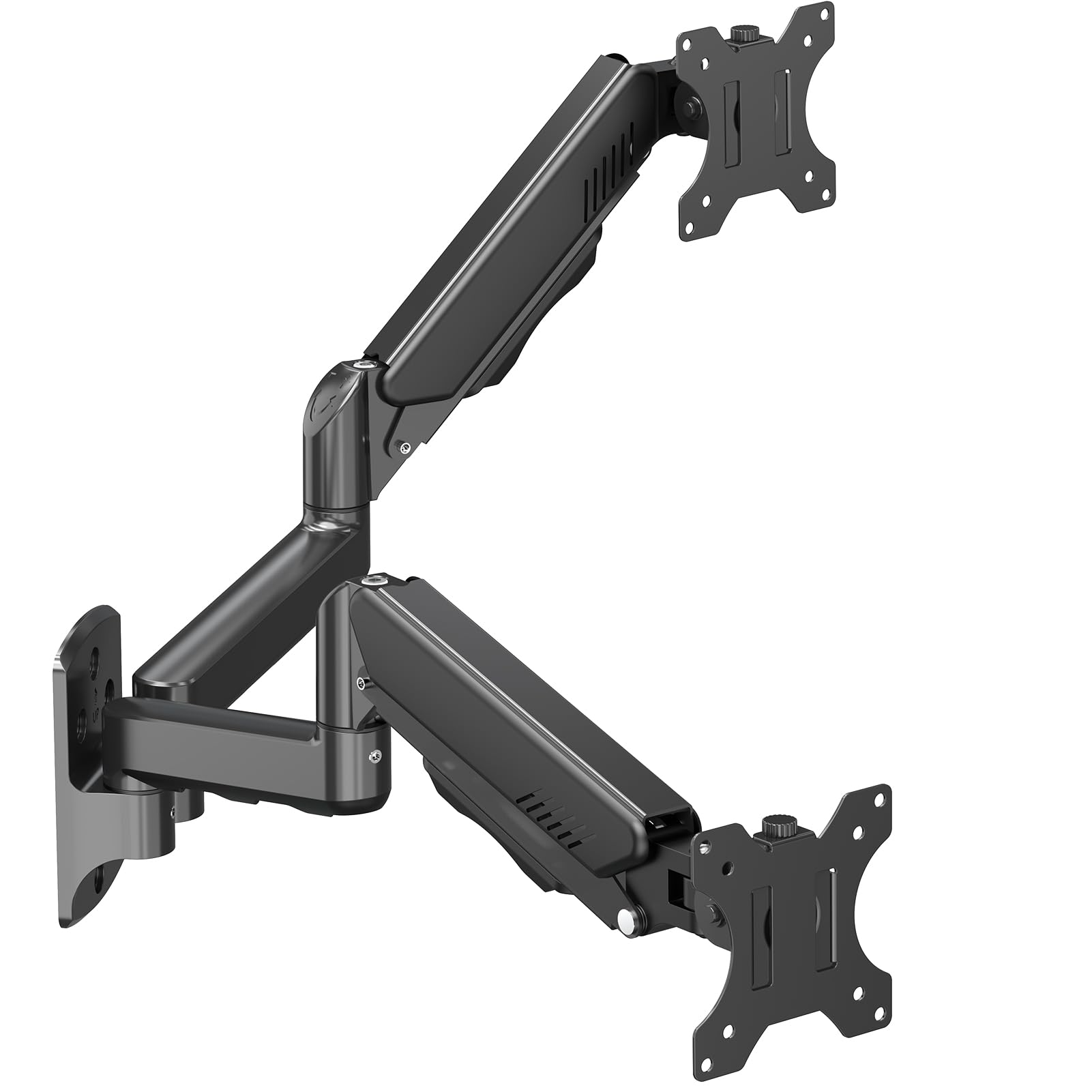
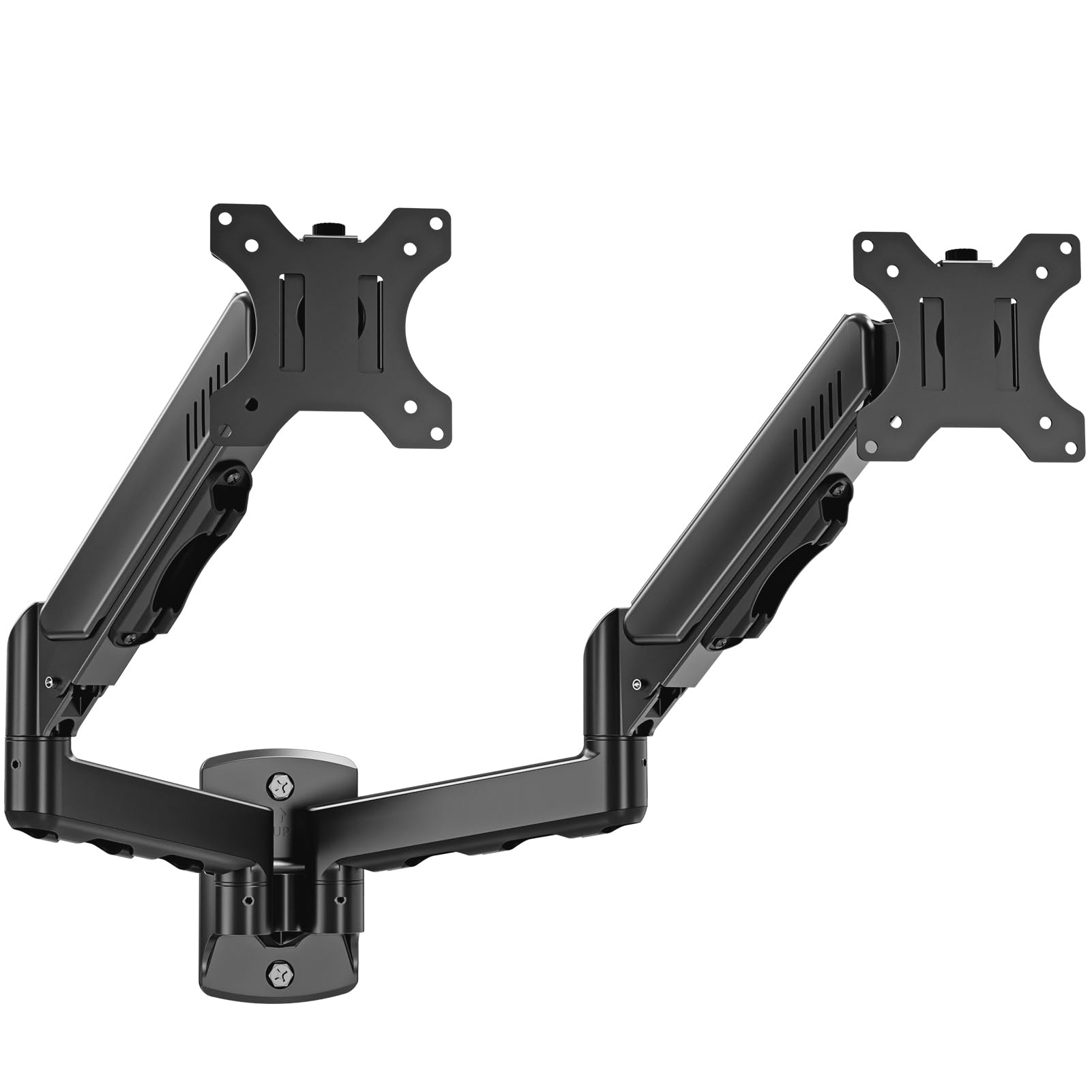
How To Choose The Best Dual Monitor Wall Mount
Three numbers decide whether a wall mount will serve you well: the size of your screens, how heavy each one is, and the mounting pattern on the back of your monitors. Arm reach, tilt range, and cable management matter, but screen size, weight, and VESA pattern are non-negotiable.
Weight capacity is the real spec to check first
Every mount lists a maximum weight per arm, and this is where buyers get caught out. A mount rated for 19.8 lbs per arm will hold a standard 27-inch office monitor comfortably, but if you have a heavy 32-inch ultrawide, that same mount will sag or slowly drift. Weigh your monitor with its stand removed, then add a little margin for safety.
VESA patterns: the bolt hole language
Look on the back of your monitor for a square of four screw holes. The distance between them, measured in millimeters, is your VESA pattern — most mounts fit both 75x75mm and 100x100mm. If your monitor has neither, you will need an adapter plate, so check before you buy.
Wall type decides everything
Nearly every manufacturer in this category warns the same thing: do not mount into drywall alone. You need a wood stud, concrete, or brick behind the plate. Your monitors will be pulling outward and downward on those bolts, and no amount of anchor magic makes drywall safe for two screens.
Quick Comparison
| Model | Best For | Max Screen Size | Weight Per Arm | Height Adjustment | Amazon |
|---|---|---|---|---|---|
| VIVO MOUNT-TS32B★ Best Overall | Flush, telescoping setup | 32 inches | 22 lbs | Yes | Amazon |
| ErgoFocus B0BYZ5S5L7Best Value | Gas spring free-float feel | 32 inches | 19.8 lbs | Gas spring | Amazon |
| MOUNTUP MU2004Best Value | Full motion on a value budget | 32 inches | 19.8 lbs | Yes | Amazon |
| UPGRAVITY B09Y185TCV | Standing desks, tall reach | 32 inches | 17.6 lbs | 11.02 in | Amazon |
| WALI GSWM002 | Ultra-popular proven pick | 32 inches | 22 lbs | Yes | Amazon |
| monTEK MA1002WBK-D | Retractable, wobble-free arms | 32 inches | 19.8 lbs | 9.84 in | Amazon |
| VIVO MOUNT-V002G | Toolless instant height changes | 32 inches | 19.8 lbs | Toolless | Amazon |
| AVLT DM10-1 | Silver finish, smooth gas spring | 32 inches | 17.6 lbs | 11 in | Amazon |
| Mount-It! MI-766 | Smaller 27-inch screens | 27 inches | 14.3 lbs | Yes | Amazon |
In‑Depth Reviews
1. VIVO Premium Dual Monitor Wall Mount (MOUNT-TS32B)
Our pick — over 4.5★ from 450+ verified ratings; the strongest balance of quality and price.
The crowd favorite that tucks two big screens flush to the wall with zero sag.
What wins people over here is the stability — owners consistently call the mount rock-solid with no wobble, even a year in. That confidence comes from a heavy-duty steel build and telescoping arms that slide into each other, so the whole setup sits clean and flush against the wall instead of jutting out like a mechanical spider.
It handles monitors from 21 to 32 inches, holding up to 22 lbs per arm — compared to the ErgoFocus below, which holds 19.8 lbs per arm and starts at 13 inches. Buyers report it “Holds two curved 27in monitors well,” and several run two 32-inch ultrawides without sag. The full range of motion — +90° to -90° tilt, 180° swivel, 360° rotation — lets you flip to portrait or landscape in seconds.
Installation is genuinely a one-person job thanks to detachable VESA brackets, and the included hardware covers wood stud mounting. The only recurring gripe is the adjustability: some owners find the tension fiddly, and an occasional unit ships missing a screw — though VIVO’s 3-year warranty and responsive support smooth that over quickly.
What owners rave about
- Stability is the top praise — no wobble, no sag, even after a year
- 22 lbs per arm holds heavy 32-inch ultrawides safely
- Telescoping design keeps the setup flush and tidy against the wall
The trade-offs
- Adjustability draws mixed feedback — tension needs patience
- An occasional unit arrives missing a small screw
Reach for this if: you want the most proven all-rounder for a home office, with enough muscle for two 27-inch or even 32-inch screens.
Think twice if: you need a mount that will rest your monitors completely flat against the wall — the telescoping arms here need a little breathing room.
2. ErgoFocus Dual Monitor Wall Mount (B0BYZ5S5L7)
A gas-spring arm that floats your screens at the perfect height for less.
This one is for buyers who want that premium free-float feel — the monitor hovering exactly where you want it — without the premium price tag. The gas spring mechanism lets you set the tension to match your monitor’s weight, then push the screen to any position and have it stay put. Owners say it “Holds monitor firmly and easy to position where needed.”
You can angle your screens almost any way you like, thanks to a 180° swivel and a +90° to -90° tilt, and it holds monitors from 13 to 32 inches, up to 19.8 lbs per arm. The brand backs it with a 3-year warranty and claims a 10,000-cycle durability test on the mechanism. But there is a catch: the height is not adjustable after installation — owners note the gas spring does the lifting, but if your monitors are light, they may drift up to max height regardless of tension.
Stability earns the most positive mentions here, with quality close behind. The honest catch: this mount is built for heavier monitors. If you run two featherweight 22-inch screens, the spring pressure can overpower them, making the screens rise on their own.
Where it shines
- Gas spring creates a smooth suspended free-float effect
- Stability is the most-praised aspect among owners
- 30-minute install with included hardware and manual
Know before you buy
- Not ideal for very light monitors — spring tension can overpower them
- No height adjustment after install, only tilt and side movement
Grab it if: you have standard 24-inch or larger monitors and want gas-spring smoothness on a budget.
skip it if: your monitors are small and light — they may float upward on their own.
3. MOUNTUP Dual Monitor Wall Mount (MU2004)
An aluminum full-motion arm that gives you the ergonomic range without the steep bill.
MOUNTUP’s pitch is simple: full motion — tilt, swivel, height adjust, and 360° rotation from landscape to portrait — at a friendly price. Owners praise the easy tension dial for height and positioning. A gamer running a 32-inch and 34-inch 4K pair reports the mount handles both without complaint.
Each arm supports 4.4 to 19.8 lbs across screens up to 32 inches, with a VESA pattern of 75x75mm or 100x100mm. The build is quality aluminum, which keeps weight down at 7.8 lbs while staying rigid. It is designed for wood studs, brick, and concrete — the manufacturer is explicit that drywall alone will not do.
Here is the honest trade-off: stability draws the only negative aspect cluster in the data. A handful of owners describe arms that do not always hold their position, and one had a left arm that failed to keep tension until support replaced it. The brand’s 3-year support is thorough when you need it, but it is worth knowing this is a value play, not a premium one.
What to love
- Easy tension adjustment for perfect height and angle
- Aluminum build keeps it light yet rigid
- Full 360° rotation for portrait or landscape
What to watch
- Stability is the most common complaint — arms may drift
- Quality control is inconsistent; support may be needed
Best for: budget-conscious buyers who want full motion and do not mind a possible support ticket.
Look elsewhere if: you need guaranteed rock-steady arms that never shift after setup.
4. UPGRAVITY Dual Monitor Wall Mount (B09Y185TCV)

The tall-reaching arm that follows you from sitting to standing without a wrench.
If you switch between sitting and standing through your workday, this is the mount to eye. The gas-spring arm delivers a height adjustment range of 11.02 inches — enough to track your desk as it rises — and owners consistently praise the wide range of motion and smooth movement. The quality is the most-mentioned positive, with installation drawing nearly as much praise.
It fits screens from 17 to 32 inches at up to 17.6 lbs per arm, with VESA 75x75mm or 100x100mm patterns. The movement range covers vertical tilt ±35°, horizontal swivel ±90°, and landscape or portrait rotation ±180°. Built-in cable management hides the wires, and the 5-year warranty is among the strongest in this category.
The built-in cable control is a genuine plus for keeping things tidy, and owners describe the arms as locking positions firmly once set. The realistic caution: owners fitting two 32-inch monitors say the positioning gets frustrating at the top of the size range — this mount is happiest with 27-inch screens and below.
Standout strengths
- Quality is the top praise — premium feel throughout
- 11.02-inch height travel suits standing desks perfectly
- 5-year warranty shows serious confidence
Fair warnings
- Two 32-inch monitors are a tight, frustrating fit
- Mounting stability and adjustability get mixed reviews
Pick this if: you have a sit-stand desk and want screens that move with you.
Reconsider if: you run two big 32-inch panels — go up a size class instead.
5. WALI Dual Monitor Wall Mount (GSWM002)
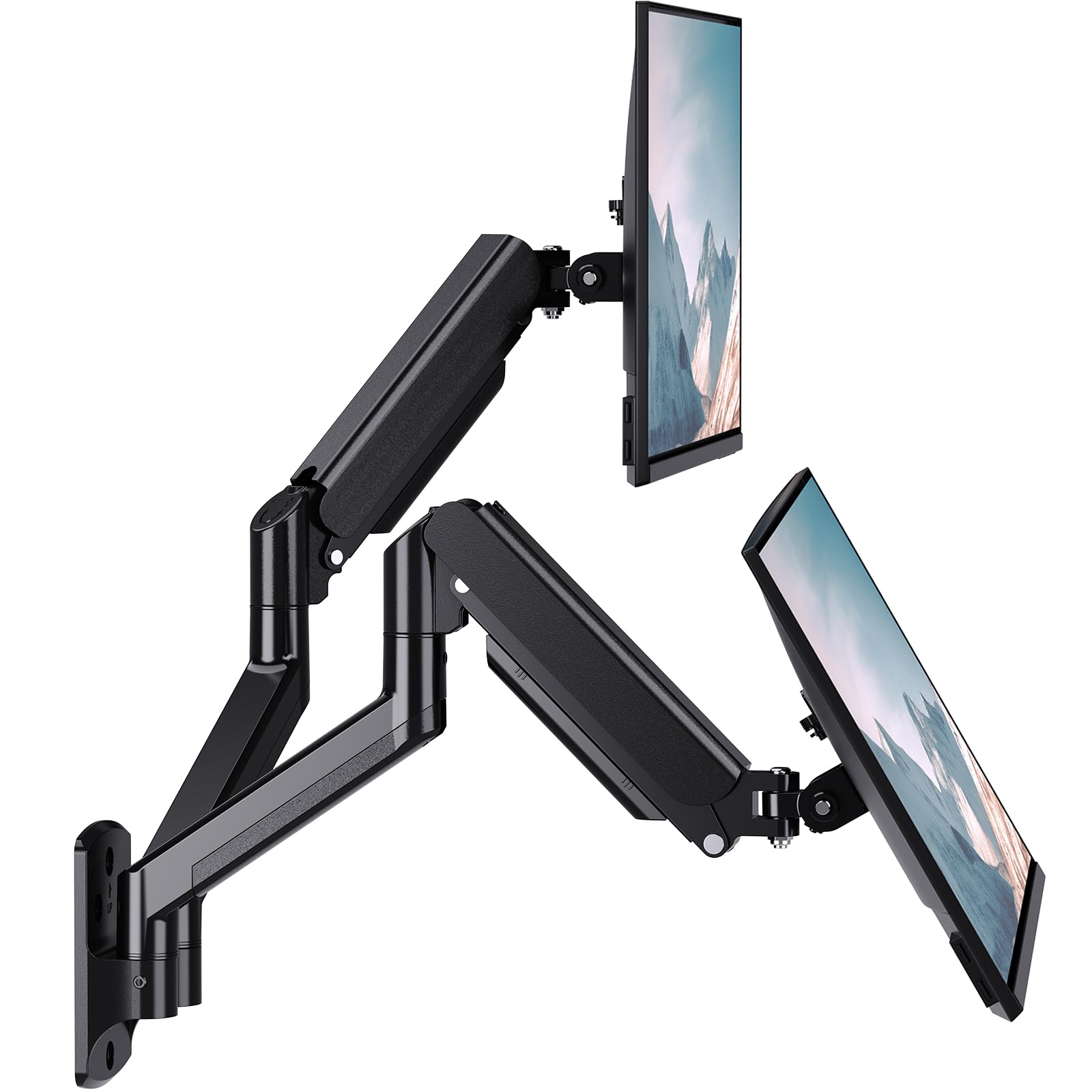
The internet’s default wall mount, proven by tens of thousands of owners.
With a massive owner base, this WALI is the category’s consensus pick — the one that shows up in countless build photos and “what should I buy” threads. The quality and ease of installation are the two most-praised aspects by a wide margin, followed closely by functionality and value for money. When a product holds that kind of crowd, the risk of a bad unit is about as low as it gets.
Each arm extends 17 inches and holds up to 22 lbs across screens up to 32 inches, with the max distance between two arms reaching 38.7 inches — plenty for side-by-side ultrawides. The tilt range is +90°/-45° with 360° rotation, and the heavy-duty wall plate integrates with both brick and wood walls. A 75x75mm or 100x100mm VESA pattern fits nearly every modern monitor.
The honest caveats: owners describe the motion as stiff until you loosen the bolts, and the tilt can be hard to adjust once set. Installation tools matter — a power tool or 1/2-inch socket makes the job far easier than the included wrench. None of that stops the near-universal verdict: sturdy, dependable, and worth every minute of install time.
Why it wins
- Quality and easy install are the two most-praised aspects
- 22 lbs per arm handles heavy screens with zero droop
- 38.7-inch arm span fits big ultrawide pairs
Setup notes
- Movement is stiff until you loosen the bolts
- Tilt adjustment is fiddly after mounting
Best if: you want the safest, most-proven choice backed by a huge owner community.
Note: bring a power tool to install — the included wrench makes the job harder than it needs to be.
6. monTEK Dual Monitor Wall Mount (MA1002WBK-D)
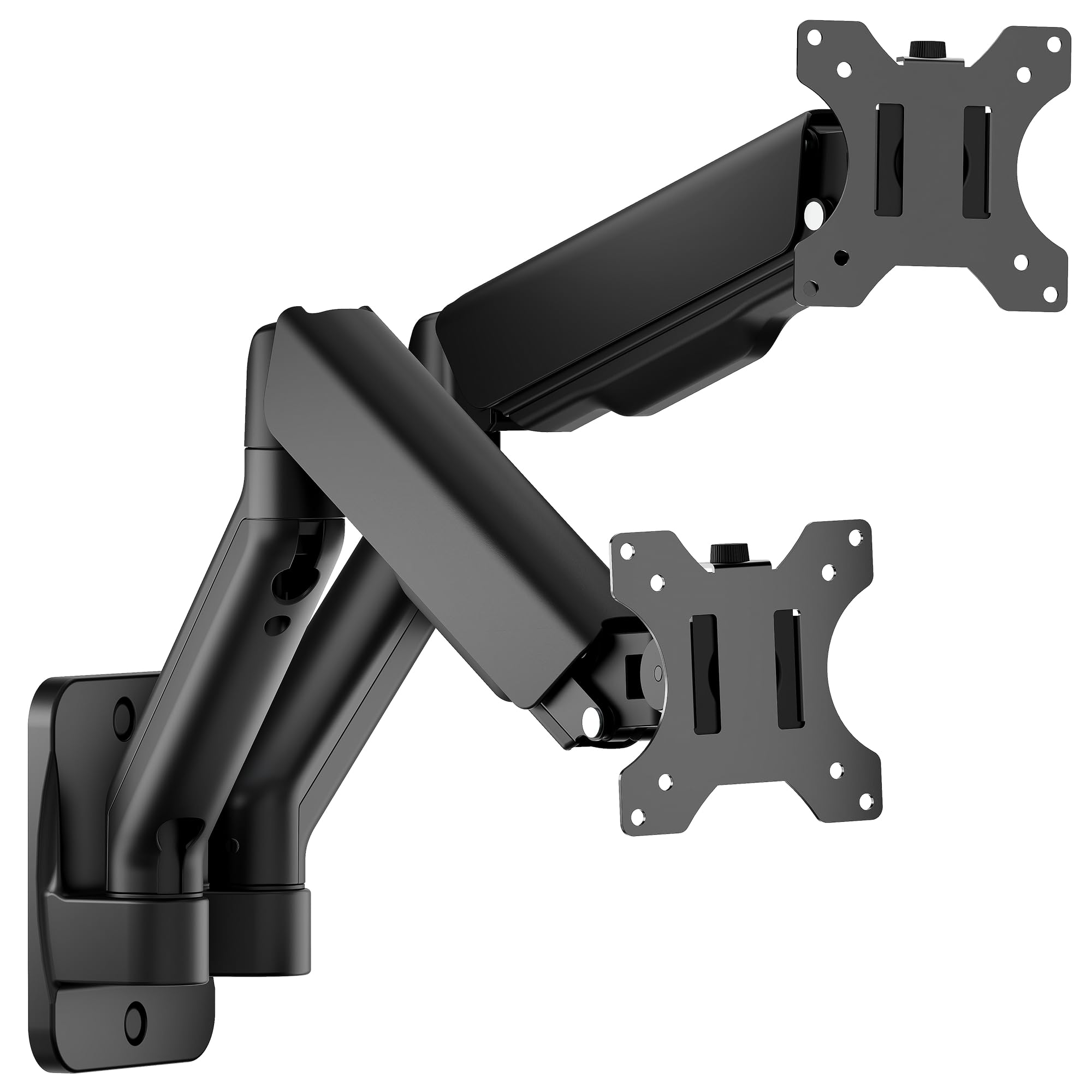
A spring arm that folds to just 4 inches deep when you need the space back.
This monTEK earns its place with a neat extra most mounts skip: when you are not using the arms, they retract to within 4 inches of the wall. Extended, they reach out to 21.7 inches with a 9.84-inch height adjustment range — so you get the full motion of a big mount with the option to tuck everything away flush. Owners call the build quality the standout, with installation close behind.
You can mount 17 to 32-inch screens weighing 4.4 to 19.8 lbs each, and the steel-and-aluminum build is designed to “effectively reduce wobbling.” The quick-release VESA plate makes setup a 10-minute job, and the integrated cable management keeps your desk tidy. The manufacturer claims a wobble-free design, and the tilt (+90° to -90°), swivel (180°), and rotation (360°) let you hit every practical angle.
The catch is sturdiness — it is the most mixed aspect in the data, with some owners finding the arms solid and others calling them flimsy. One owner also notes that bringing the monitors close to the bracket center requires being 10-11 inches from the wall, which eats desk space. This is a solid mid-range pick, but confirm your weight before committing.
What stands out
- Retracts to 4 inches deep for a flush profile
- Mounting quality is the top-praised aspect
- Quick-release VESA plate for a fast install
What to check
- Sturdiness is genuinely mixed — some call it flimsy
- Monitors close to center need 10-11 inches of wall depth
Reach for it if: you value a low-profile look and want the option to fold everything flat.
Pass if: you need maximum rigidity for heavy ultrawides — this one is best with standard monitors.
7. VIVO Height Adjustable Dual Monitor Wall Mount (MOUNT-V002G)
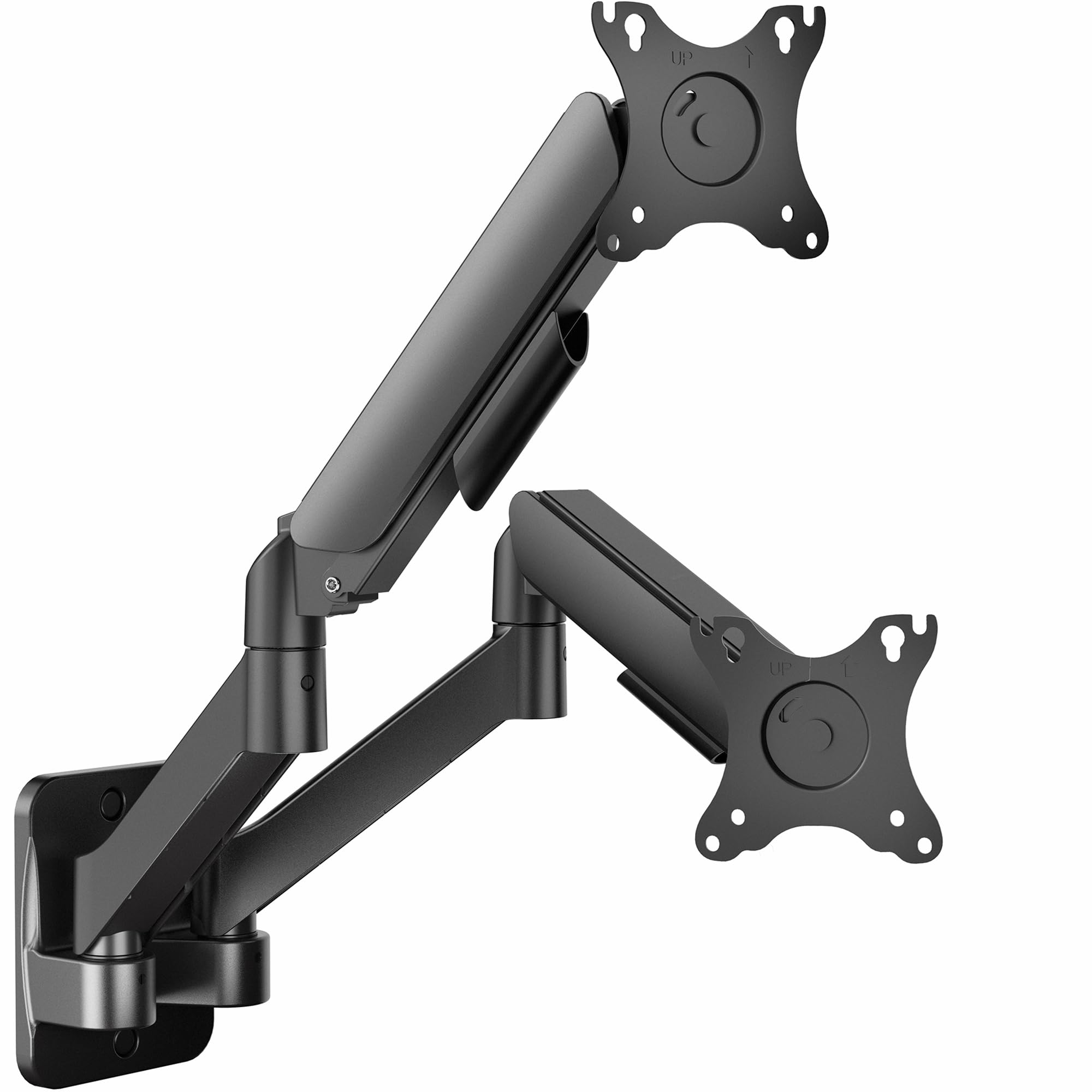
VIVO’s mechanical spring arm that changes height instantly with zero tools.
VIVO’s second entry on this list uses a counter-balanced mechanical spring to deliver something rare: instant, toolless height adjustment. You grab the screen, move it up or down, and it stays — no wrenches, no loosening bolts. Owners who switch between sitting and standing setups call this feature the reason they bought it, with the range of motion on both arms earning consistent praise.
It holds two screens from 17 to 32 inches at 4.4 to 19.8 lbs per arm, with VESA 75x75mm or 100x100mm hole patterns. The movement covers +90° to -90° tilt, 180° swivel, and 360° rotation. A key note from the manufacturer: unlike the telescoping MOUNT-TS32B, this mount does not allow screens side by side to rest flush against the wall — the extended arms need depth to articulate.
Owners call it sturdy and easy to move, with one running two curved monitors securely. The weak spots are practical: this is a heavy, awkward item to wall-mount solo, and the included screws strip easily — most owners swap in their own hardware and get on with it.
Why owners stay loyal
- Toolless height changes are instant and smooth
- Range of motion on both arms is a standout
- Sturdy enough for two curved monitors
Honest gripes
- Heavy and awkward to install by yourself — bring help
- Included screws strip easily; keep spares handy
- Screens cannot rest flush to the wall side by side
Choose it if: you want easy height changes and do not mind a two-person install.
pass on it if: your wall space demands a flush, low-profile setup.
8. AVLT Dual Monitor Arm Wall Mount (DM10-1)

A silver-finished gas spring that makes positioning feel easy and precise.
This is the premium-feeling pick — a silver aluminum build that stands out in a sea of black, backed by a gas spring so smooth owners say positioning is easy. The ease of installation is the most-praised aspect, with quality and sturdiness close behind. The heavy-duty wall plate uses triple bolts and mounts to cement, brick, or wood.
It fits 13 to 32-inch screens up to 17.6 lbs (8 kg) each, with VESA 75x75mm or 100x100mm patterns. The gas spring assists height adjustment up to 11 inches, and the extension, swivel, tilt, and rotation give you full-motion flexibility. Integrated cable management hides everything cleanly, and a 3-year manufacturer warranty with lifetime tech support shows real confidence.
Owners running 27-inch monitors report the arms hold strong even after a year and a half of daily use. The realistic trade-off is reach: with arms flat, the monitors sit wide apart, and extended arms push well into the desk — this mount is best for deeper desks where you have room to let the arms breathe.
What impresses
- Installation ease is the top praise by a wide margin
- Smooth gas spring with 11 inches of height travel
- Triple-bolt plate for serious stability
Setup realities
- Extended arms encroach on desk space — best for deeper desks
- Mounting stability gets mixed feedback from some owners
Buy it for: a clean silver aesthetic and buttery gas-spring movement that feels premium.
Be aware: you will want a deeper desk so the extended arms have room to work.
9. Mount-It! Dual Monitor Wall Mount (MI-766)

The right-sized mount for smaller 27-inch setups that want full motion on a budget.
Here is an honest, category-specific truth: not every desk needs to support two 32-inch ultrawides. The Mount-It! MI-766 is built for the more common reality of two 24- or 27-inch monitors, with a 14.3 lb per-arm limit and a 27-inch maximum screen size. That focus lets it deliver full-motion articulation — 90° tilt, 90° swivel, 180° rotation — at a friendlier price than the big-screened competition.
The gas spring arms allow smooth vertical adjustment with a simple touch, and the slide-in VESA plate makes installation straightforward. Owners praise the excellent build quality and how easily it cleared their desktop. The integrated cable management keeps the small-space setup tidy, which is exactly the point of the design.
The standing advice from owners is firm: mount all three screws into a stud — drywall anchors will not hold the weight and movement. Beyond that, the main quibble is that included VESA screws run short, so longer ones may be needed for some monitors. This is a focused, honest pick for the most common monitor size on the market.
Why it fits
- Excellent build quality for the size class
- Full motion with smooth gas spring movement
- Slide-in VESA plate for quick installation
Size limits
- 14.3 lbs per arm caps out on smaller monitors
- Included VESA screws are short — spares may be needed
- Must be stud-mounted; drywall will not hold
Ideal for: gamers and home-office users running two standard 24-27 inch screens who want full motion without overbuying.
Not for: anyone planning to upgrade to heavy 32-inch ultrawides down the road.
Understanding the Specs
Weight capacity per arm
This is the number that decides if your mount sags or stays put. Every arm lists a maximum weight in pounds — the VIVO MOUNT-TS32B and WALI both hold 22 lbs per arm, while the Mount-It! caps at 14.3 lbs. Weigh your monitor without its stand and add a couple of pounds of margin. A mount pushed to its limit will drift downward over time.
VESA pattern
VESA is the square of four screw holes on the back of your monitor, measured in millimeters. The standard sizes are 75x75mm and 100x100mm, and every mount in this guide accepts both. If your monitor has neither pattern, you will need a VESA adapter plate — check before buying so you are not stuck at installation time.
Gas spring vs. mechanical spring
Gas spring arms use pressurized canisters to hold a monitor at any height — think the ErgoFocus or AVLT, where a light touch moves the screen and it stays. Mechanical spring arms use coiled springs and tension adjustment, like the VIVO MOUNT-V002G. Both work; gas springs feel smoother, while mechanical springs tend to be more predictable with heavy monitors.
Full motion range
Full motion means the arms tilt, swivel, rotate, and extend — letting you position screens for your exact posture. Look for tilt (often +90° to -90°), swivel (around 180°), and rotation (360° for portrait mode). If you never move your monitors, a fixed mount is cheaper, but full motion is worth it for the flexibility.
FAQ
Will a dual monitor wall mount work with my curved monitors?
Can I mount two monitors on drywall without a stud?
What does VESA 75×75 and 100×100 mean?
How much weight can a dual monitor wall mount hold?
Is a gas spring arm better than a mechanical spring arm?
How long does installation take?
Can I position my monitors in portrait mode?
What tools do I need for installation?
How far from the wall will my monitors sit?
What is the difference between the two VIVO mounts on this list?
Final Thoughts: The Verdict
For the majority of shoppers, the dual monitor wall mount winner is the VIVO MOUNT-TS32B because it pairs the highest stability ratings with a 22 lbs per arm capacity and a flush telescoping design that owners trust for a full year with zero sag. If you want gas-spring smoothness on a budget, grab the ErgoFocus. And if you have a sit-stand desk, the UPGRAVITY with its 11.02-inch height travel is the one to reach for.
How We Picked
We do not accept paid placement. Every pick is matched to a real buyer and a real use-case; we do not hands-on test units.
Sources & Methodology
Specifications: manufacturer listings and product documentation. Review insights: verified customer reviews, as of August 2026. Pricing: not shown on this page (it changes often); check the current price via the retailer link.
As an Amazon Associate, WellFizz earns from qualifying purchases. This does not affect which products we feature.
Related Guides

Mo Maruf
I created WellFizz to bridge the gap between vague wellness advice and actionable solutions. My mission is simple: to decode the research and give you practical tools you can actually use.
Beyond the data, I am a passionate traveler. I believe that stepping away from the screen to explore new environments is essential for mental clarity and physical vitality.