Our readers keep the lights on and my smoothie glass nicely filled. As an Amazon Associate, I earn from qualifying purchases.
Specs are compiled from manufacturer listings and verified buyer reviews and can change over time — please confirm the key details on the product page before buying.
If you are reading this, you are probably tired of your two monitors sitting on clunky stands that eat your desk space and force you to look down. A dual monitor arm clamps to your desk, lifts both screens to eye level, and reclaims the desk space your stands were eating. The best pick for most people is the VIVO STAND-V002W, which handles up to 30-inch screens, holds 22 lbs per arm, and has earned a 4.6-star crowd favorite rating from over 60,000 owners.
I’m Mohammad Maruf — the founder and writer behind WellFizz. This guide is built by comparing the manufacturers’ published specifications and the patterns across verified customer reviews, so you get each pick’s real strengths and trade-offs instead of marketing spin.
The choices below are ranked by real-world owner feedback, weight capacity, and adjustability, with the most reliable options taking the top spots in this dual monitor arm roundup.
Our Picks at a Glance


How To Choose The Best Dual Monitor Arm
Before buying, match three numbers: your screen size, its weight, and the VESA hole pattern on the back. Get these right and almost any arm here will work well. Get them wrong and you will be returning a heavy metal box.
Check Your VESA Pattern First
Flip your monitor around and look at the square of screw holes on the back. That is your VESA pattern (the standard mounting hole layout) — it is almost always 75x75mm or 100x100mm. Every arm in this guide supports both, but if you own a heavy ultrawide, you may need the larger 200x100mm or 200x200mm patterns that only a few heavy-duty arms like the AVLT support.
Weight Capacity Is Non-Negotiable
A 27-inch monitor weighs 10–15 lbs, but a 34-inch ultrawide can push 20 lbs or more. Always compare your monitor’s weight against the per-arm capacity — the VIVO STAND-V002W and Amazon Basics both cap at 22 lbs per arm, while the premium QUARX FLYTE steps up to 26.4 lbs per arm for those extra-wide displays.
Choose Your Desk Mount Style
Most arms ship with two mounting options. A C-clamp grips the desk’s back edge—the easiest route—but check your desk thickness against the clamp’s range. A grommet mount drops through an existing hole in your desk surface, which is the cleaner look if you already have a cable-management hole.
Quick Comparison
| Model | Best For | Max Screen Size | Max Weight per Arm | Tilt Range | Amazon |
|---|---|---|---|---|---|
| VIVO STAND-V002W★ Best Overall | Best Overall Value | 30 inches | 22 lbs | +90° to -90° | Amazon |
| Amazon BasicsBest Budget 32″ | Budget-Friendly 32″ | 32 inches | 22 lbs | -45° to +90° | Amazon |
| HUANUO HNDS18Aluminum Pick | Lightweight Aluminum | 32 inches | 22 lbs | +90°/-35° | Amazon |
| VIVO STAND-TS38C | Ultrawide Telescoping | 38 inches | 22 lbs | +90° to -90° | Amazon |
| MOUNTUP Vertical | Stacked Portrait Setup | 32 inches | 17.6 lbs | ±90° | Amazon |
| QUARX FLYTE | Heavy-Duty 35″ Screens | 35 inches | 26.4 lbs | Tilt + Rotate | Amazon |
| AVLT DM41-1 | Massive 43″ Ultrawides | 43 inches | 44 lbs | 45° | Amazon |
| Vari Dual Monitor | Office Ergonomics | 27 inches | 19.8 lbs | 12° | Amazon |
| Ergotron LX | Premium Long-Term | 27 inches | 20 lbs | 75° | Amazon |
In-Depth Reviews
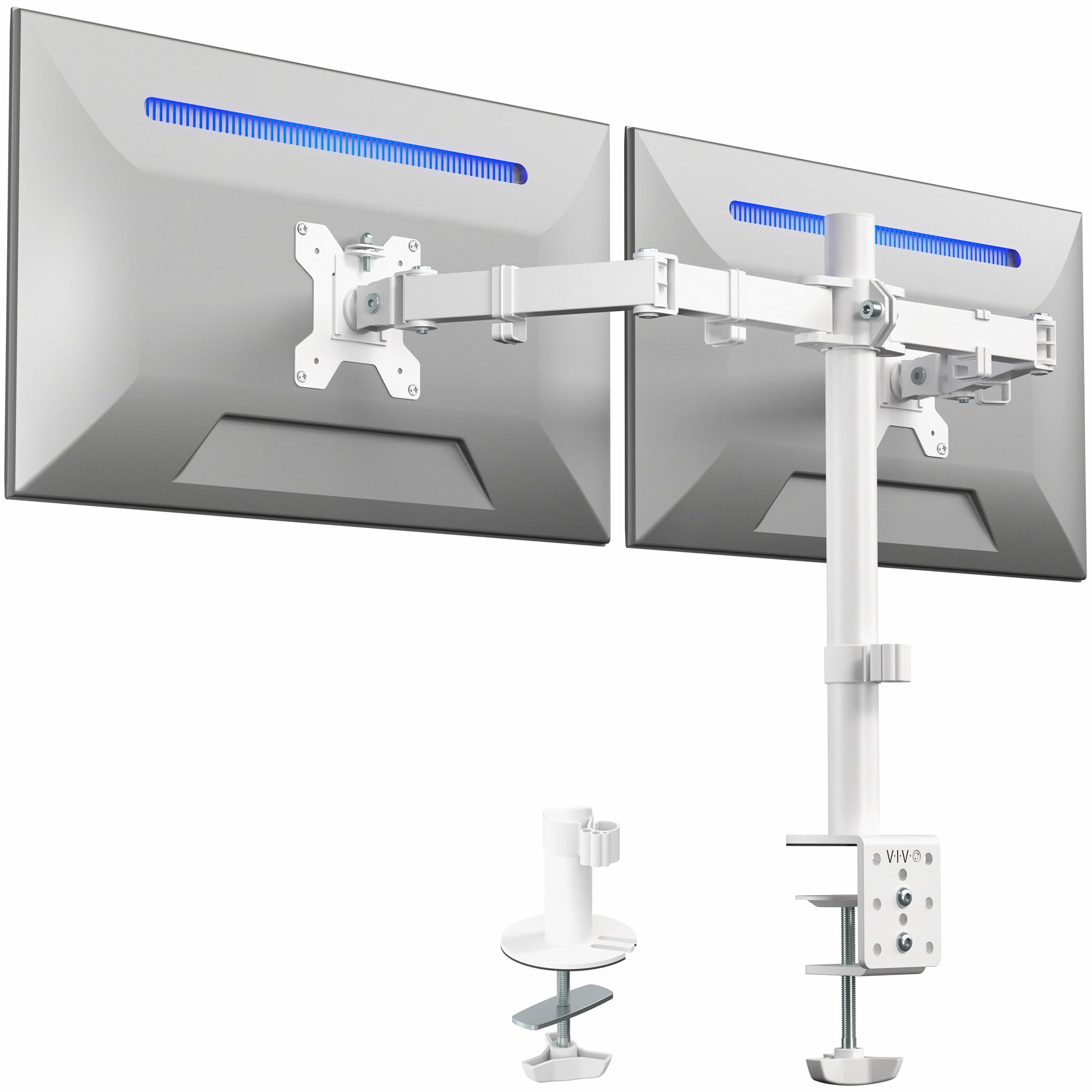
1. VIVO Dual Monitor Desk Mount (STAND-V002W)
Our pick — over 4.5★ from 60,500+ verified ratings; the strongest balance of quality and price.
The affordable workhorse that owners buy twice and trust with heavy curved screens.
You get a full-motion arm for a budget-tier price, and the numbers back it up: this VIVO fits 13-inch to 30-inch screens, holds up to 22 lbs on each side, and mounts via either a C-clamp for desks up to 3.25 inches thick or a grommet. The built-in cable clips along the arms and center pole keep your cords organized so your desk looks tidier than it did with two factory stands.
What wins people over is the stability — buyers report it “Holds two 27″ curved monitors very sturdy, no shaking,” which explains why multiple owners say they bought it a second time. The tilt spans +90° to -90°, swivel reaches 180°, and you get 360° rotation for portrait mode. The honest catch is that individual height adjustment is limited to about a quarter-inch per bracket, so if your two monitors are very different sizes, stacking them perfectly level takes patience and a washer trick.
What Owners Love
- Rock-solid hold on dual 27-inch curved monitors with zero shaking
- Cable clips built into the arms and center pole for a tidy desk
- Backed by a 3-year manufacturer warranty
The Trade-Offs
- Height adjustment is limited to roughly a quarter-inch per bracket
- Desk needs to sit 3 to 4 inches from the wall for full motion
The crowd favorite: If you want proven stability for two 27-inch or 30-inch monitors without spending premium money, this is the arm to start with.
Think twice if: You need independent height control for two mismatched monitors — this mount’s per-arm height range is tight.
2. Amazon Basics Adjustable Dual Monitor Desk Mount
A sturdy 32-inch-capable mount that frees your desk and keeps screens steady.
Amazon Basics brings its signature no-frills value here: the mount supports monitors up to 32 inches, holds 22 lbs per arm, and fits desks 0.39 to 4.25 inches thick via C-clamp or grommet. Owners summarize it as “Sturdy dual 24″ monitor mount; secure after setup, easy connect, great viewing angle” — and the build quality earns the most praise from buyers.
Tension adjustment is the key ritual with this one. Each arm has its own tension dial you set based on your monitor’s weight, and getting that right prevents the screen from drifting. The tilt range runs -45° to +90°, swivel hits ±90°, and rotation is a full 360°, so you have real range once dialed in. The recurring gripe is that monitors can slide down the center pole over time, which owners fix by tightening the pole collar.
Built Solid
- Handles up to 32-inch screens with a 22-lb per-arm limit
- Correct hardware included to mount both old and new Samsung monitors
- Full motion with 360° rotation for portrait or landscape
Setup Notes
- Monitors can slide down the main pole unless the collar is tightened well
- Two people make installation safer and easier
Reach for this if: You want a space-saving 32-inch-capable mount at an entry-level price and you are comfortable tuning the tension yourself.
Look elsewhere if: You want zero fiddling — this arm asks for proper tension setup to stay put.
3. HUANUO Dual Monitor Mount (HNDS18)
The lightweight aluminum arm that one office outfitter bought six of at once.
HUANUO builds this one from aerospace-grade aluminum alloy, so it is lighter than the all-steel alternatives while still holding up to 22 lbs per arm and fitting monitors from 17 inches to 32 inches. The range of motion is generous — swivel reaches ±90°, tilt spans +90°/-35° to cut glare, and rotation is a full 360° for switching between landscape and portrait.
The standout real-world detail is that one buyer outfitted an entire office with six of these and reported no sagging, smooth movement, and arms that hold their position. Arms extend 17.5 inches forward and raise up to 17.5 inches above the desktop, so you can pull screens closer to eye level. The stability feedback is split, though — some owners say it stays rock solid while others find it loosens over time, so this suits setups that you set once and rarely reposition.
Why Offices Love It
- Lightweight aluminum build that an office manager bought six of
- Arms extend and raise 17.5 inches for ergonomic placement
- 10-minute setup with included tools and instructions
Keep In Mind
- Stability has mixed owner feedback over long-term use
- C-clamp fits desks only up to 2.56 inches thick
A great fit for: Anyone who wants a lighter arm that still handles two 32-inch monitors and frees desk space fast.
Who should pass: If you constantly re-position your screens, the mixed long-term stability reports suggest a heavier steel option.
4. VIVO Premium Dual Ultra Wide Mount (STAND-TS38C)
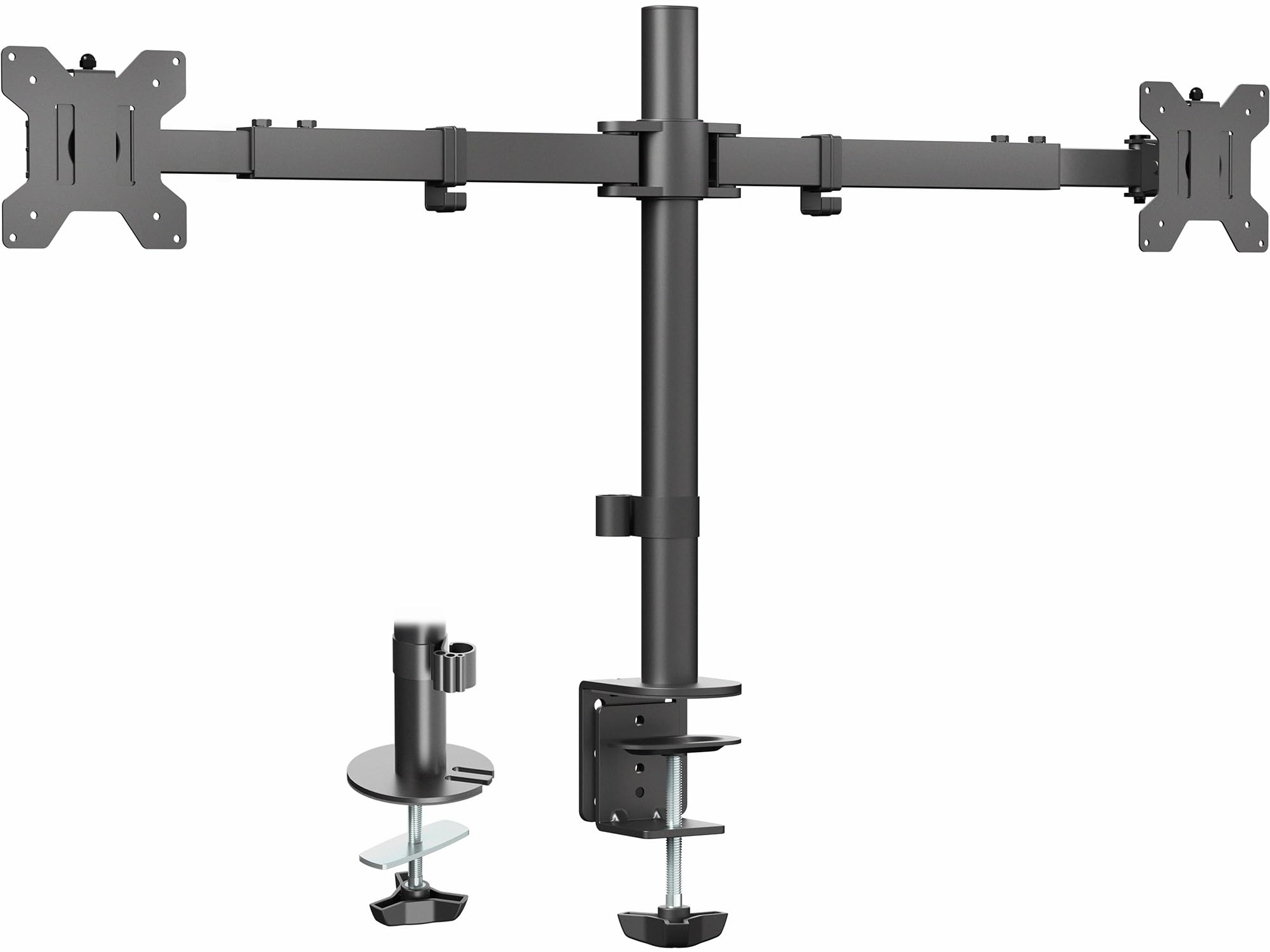
The telescoping arm for ultrawide screens that hugs the wall instead of jutting forward.
This is the pick when your screens are too wide for standard arms. The VIVO STAND-TS38C fits 27-inch to 38-inch monitors, holds 22 lbs each, and its patented telescoping arms slide into each other for extra strength. What makes it special is the flush setup — the arms expand straight outwards from 24 inches to 39.5 inches across, so nothing hangs over the back edge of your desk and you can sit the desk flush against the wall.
Owners consistently call it sturdy with no wobble, with one noting it holds dual 32-inch monitors easily and another praising the anti-slide mechanisms that keep screens aligned. Tilt spans +90° to -90°, swivel is 180°, and you get 360° rotation plus height adjustment along the center pole. The trade-off is that both monitors move together on the pole — you cannot pull just one closer to you, so it is built for fixed side-by-side layouts rather than dynamic repositioning.
What Stands Out
- Fits large 38-inch ultrawides with 22 lbs per arm
- Telescoping arms expand 24 to 39.5 inches for a flush-to-wall setup
- Dual anti-slide mechanisms keep screens from drifting
The Limitation
- Both monitors move together on the pole — no independent pull-forward
- Alignment can be finicky since small adjustments throw it off
Pick this when: You run two ultrawide or large monitors and want them mounted close to the wall without protruding arms.
skip it if: You like to pull one screen closer for focused work — this mount keeps both on the same plane.
5. MOUNTUP Vertical Dual Monitor Mount

The vertical stack that saves desk space when you want one screen above the other.
If you prefer your main screen on top and a secondary below, this MOUNTUP is purpose-built for it. It holds two monitors up to 32 inches each, with each arm supporting 4.4 to 17.6 lbs and a 28-inch pole that can raise the highest screen to 36.3 inches. The gas spring arm extends up to 20.5 inches forward, and you get ±90° tilt, 180° swivel, and 360° rotation for dialing in the perfect angle.
The strength here is the clean vertical layout — owners call it stable with no wobble or sag, and one notes it works well for both sitting and standing desks. Functionality is what buyers praise most. The honest fit-note is that the tilt can feel jerky because the gas spring has a narrow balance, and the cable covers are small and finicky to route, so budget a little patience during setup.
Built For Stacking
- 28-inch pole raises screens up to 36.3 inches total height
- Holds two 32-inch monitors with 17.6 lbs per arm
- Cable management keeps wires hidden along the arms
Setup Gripes
- Tilt can be jerky — loose springs slump, tight ones over-tilt
- Small cable covers are finicky to work with
Best for: Call centers, coders, or anyone who wants a space-saving vertical stack with a smooth gas spring.
Not ideal if: You need free-swinging tilt control — this arm’s spring tension demands careful tuning.
6. QUARX FLYTE Heavy-Duty Dual Monitor Arm

The all-metal heavyweight that holds dual 34-inch ultrawides with barely a wobble.
When your monitors outgrow the standard 22-lb arms, the QUARX FLYTE steps up to 26.4 lbs per arm and handles screens up to 35 inches. Every part is premium-grade metal, and the unique 6-inch base keeps things stable on wood, plastic, metal, and even glass desks up to 3 inches thick. The ArmAdjust technology lets you position each mount anywhere while keeping the VESA plate from wobbling or tilting down.
Owners mention it holds dual 34-inch monitors with minimal wobble and call out the tool-less cable management with clips and wrench holsters. Quality is the most-praised aspect by a wide margin, and installation takes under 10 minutes thanks to the clip-on VESA plates — screw the plate to your monitor, then click it onto the arm bracket. The caveat is that the arms extend forward, so you need about 1 to 2 inches of clearance behind your desk, similar to the arms on the VIVO STAND-V002W.
The Strong Points
- Highest per-arm capacity here at 26.4 lbs for large 35-inch screens
- All-metal build with a 6-inch base for premium stability
- Clip-on VESA plates make installation a 10-minute job
Watch For
- Needs 1 to 2 inches of wall clearance behind the desk
- Desks thicker than 3 inches will not fit the clamp
Choose this for: Heavy ultrawide setups where 22-lb arms would sag — the extra 4.4 lbs of capacity per arm is what keeps things steady.
Pass if: Your desk sits flush against a wall with zero clearance; the arms need a little room to move.
7. AVLT Dual Monitor Arm Desk Mount (DM41-1)
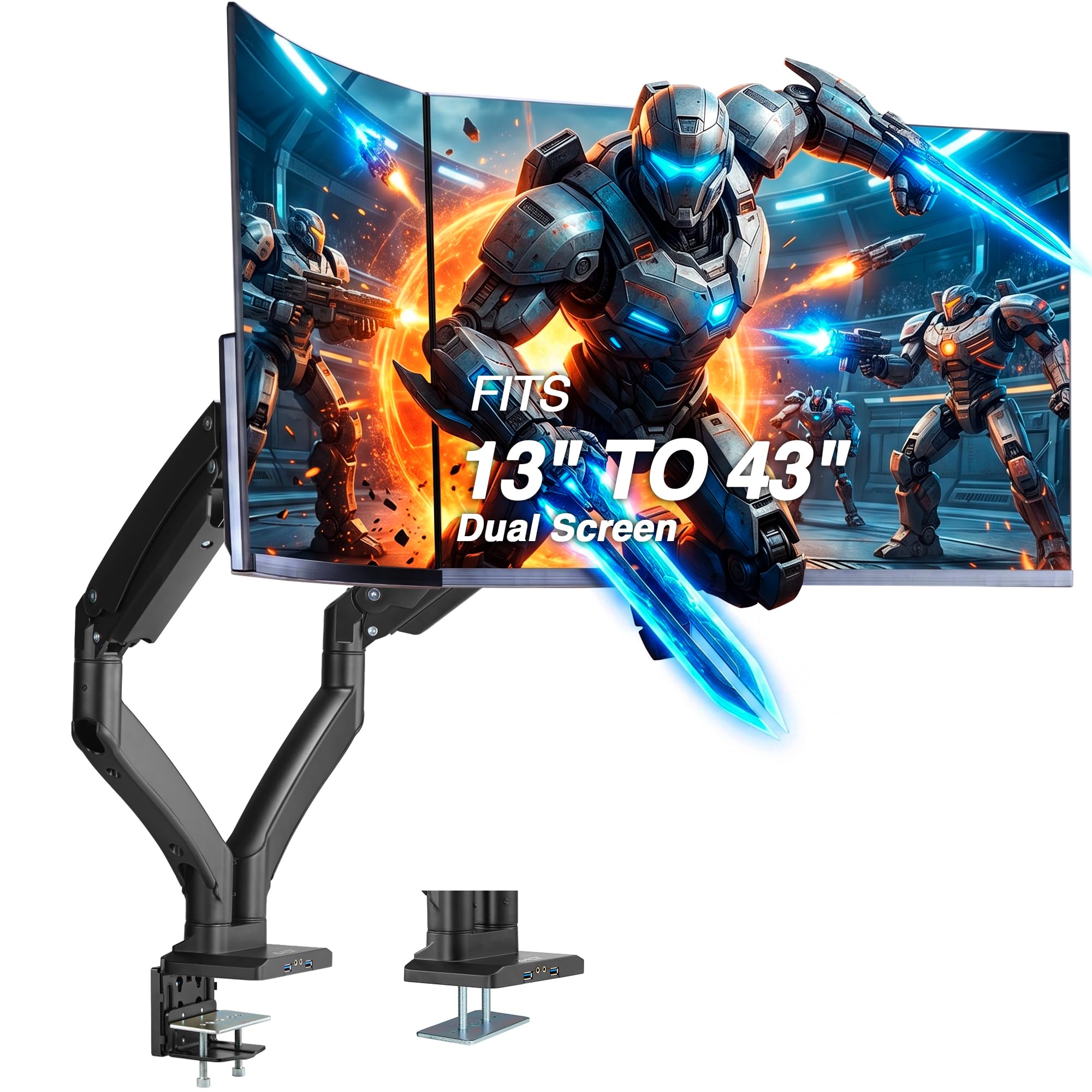
The gas-spring giant that lifts 43-inch ultrawides and even throws in USB ports.
This is the arm for the biggest screens money can buy. The AVLT supports 13-inch to 43-inch monitors at up to 44 lbs each — double the capacity of most arms here — and it works with VESA patterns from the standard 75x75mm all the way up to 200x200mm, so even massive professional displays will bolt on. The smooth gas spring makes adjusting a 40-lb monitor feel light, and the metal construction earns the most owner praise for sturdiness.
Beyond raw capacity, the AVLT includes two USB 3.0 and AUX pass-through ports on the mount, so you can plug in peripherals right at the arm instead of reaching behind your desk. It also carries a 3-year warranty. The trade-offs: the grommet option needs a hole at least 2-1/4 inches wide (bigger than the standard 2-inch hole), and owners note the clamp plate screws can strip easily if you over-torque them — replace with hardened screws if it happens.
Why It’s A Beast
- Holds up to 44 lbs per arm for 43-inch ultrawide screens
- Four VESA patterns including 200x200mm for pro monitors
- Built-in USB 3.0 and AUX pass-through ports
Know Before Buying
- Grommet mount needs a 2-1/4 inch hole, not the standard 2 inches
- Clamp plate screws can strip easily — tighten gently
Get this if: You run 38-inch or 43-inch ultrawides that crush every 22-lb arm on the market.
pass on it if: Your desk has a standard 2-inch grommet hole — this one will not fit without widening it.
8. Vari Dual Monitor Arm (48003)

The ergonomic specialist that raises screens 12 inches off the desk for a healthier neck.
Vari built this arm around posture, letting you raise both screens up to 12 inches off the desktop with tension-assisted 360° rotation so you can find eye level whether you are sitting or standing. It fits monitors up to 27 inches and 19.8 lbs each, using a universal desk clamp for tables up to 1.375 inches thick, and the silver finish looks at home in a bright office. The 5-year warranty signals the maker’s confidence in the build.
Owners highlight the easy installation and how neatly it works with sit-stand desks, and quality earns consistent praise. The stability story is more mixed — a few owners on carpeted floors report monitors bouncing slightly when typing at standing height, though tightening the joints largely fixes it. The swivel ball is stiff from the start, and some find the long screws need a quarter-inch spacer to sit flush, so plan for a brief tuning session.
The Ergonomic Edge
- Raises screens a full 12 inches off the desktop
- 360° rotating arms with tension-assisted movement
- 5-year warranty for long-term confidence
Setup Realities
- Long mounting screws may need a 1/4-inch spacer
- Swivel ball is stiff and needs firm tightening to prevent swing
Reach for this when: You alternate between sitting and standing and want screens that adjust smoothly for both.
Look elsewhere if: You run monitors larger than 27 inches — this arm caps out there.
9. Ergotron LX Dual Monitor Arm (45-245-224)

The gold-standard arm that buyers call the best they have ever used.
Ergotron is the name that comes up when price stops being the main concern. The LX fits two screens up to 27 inches and 7 to 20 lbs each, but one owner confirmed it handled a 32-inch curved monitor without any adjustment — the range is forgiving. You get 13 inches of vertical lift, a rise of 15.6 inches from the desktop, 360° rotation, and 75° of tilt for nearly any viewing angle you can imagine.
The build quality is what separates it, with owners praising flawless manufacturing and quality materials, plus stability that keeps monitors perfectly secure with no wobble. The package includes two arms, two extensions, a pole, T-bracket, a two-piece desk clamp for edges 0.63 to 2.6 inches thick, and a grommet mount for holes up to 2 inches wide. The price is the recurring discussion point, and the 10-year warranty with expert technical support is the justification — this is the arm you buy once and forget about.
The Long-Term Buy
- 13 inches of lift and 360° rotation for total screen flexibility
- Flawless build quality that owners call the best they have used
- 10-year warranty with expert technical support
The Catch
- Premium price that owners admit is tough to justify at first
- Cable covers are snug and a little awkward to close
Buy this for: A premium setup where long-term stability and a 10-year warranty matter more than the upfront cost.
it’s not for you if: You are on a tight budget — the VIVO or Amazon Basics delivers most of the motion for far less.
Understanding the Specs
VESA Pattern and Weight Capacity
The VESA pattern is the square of screw holes on the back of your monitor — 75x75mm and 100x100mm cover nearly all consumer screens. Weight capacity matters because an arm rated for 22 lbs will hold a standard 27-inch monitor easily, but a large 38-inch ultrawide can push past that and needs a heavy-duty arm like the QUARX at 26.4 lbs or the AVLT at 44 lbs.
Tilt, Swivel, and Rotation Degrees
These three numbers tell you how much motion you get. Tilt is the up-and-down angle of the screen face, swivel is the left-right turn at the base, and rotation spins the screen for portrait mode. A tilt range like +90° to -90° means the screen can face almost straight up or straight down, while a tighter range like the Vari’s 12° is enough to reduce glare but not much else.
FAQ
Will a dual monitor arm fit my monitors?
Can I mount my monitors in portrait mode?
What is the difference between a C-clamp and a grommet mount?
How thick can my desk be for these mounts?
Can I use a dual monitor arm with screens of different sizes?
Will these arms work on a standing desk?
What does VESA 200x200mm mean and why does it matter?
Do monitor arms come with a warranty?
Why do my monitors sag or drift on the arm?
Final Thoughts: The Verdict
For the majority of shoppers, the dual monitor arm winner is the VIVO STAND-V002W because it pairs proven stability on 27-inch curved monitors with a crowd-favorite rating from over 60,000 owners without demanding a premium budget. If you want the largest screens possible, grab the AVLT DM41-1 for its 44-lb per-arm capacity and built-in USB ports. And for a buy-once setup backed by a 10-year warranty, the Ergotron LX is the one to reach for.
How We Picked
We do not accept paid placement. Every pick is matched to a real buyer and a real use-case; we do not hands-on test units.
Sources & Methodology
Specifications: manufacturer listings and product documentation. Review insights: verified customer reviews, as of August 2026. Pricing: not shown on this page (it changes often); check the current price via the retailer link.
As an Amazon Associate, WellFizz earns from qualifying purchases. This does not affect which products we feature.
Related Guides

Mo Maruf
I created WellFizz to bridge the gap between vague wellness advice and actionable solutions. My mission is simple: to decode the research and give you practical tools you can actually use.
Beyond the data, I am a passionate traveler. I believe that stepping away from the screen to explore new environments is essential for mental clarity and physical vitality.