Our readers keep the lights on and my smoothie glass nicely filled. As an Amazon Associate, I earn from qualifying purchases.
The gap between sketching on paper and drawing on a screen has never been narrower, but picking the right stylus often feels like a gamble between lag, battery anxiety, and a tip that skips across the glass. Whether you are lining out vector art, annotating lecture slides, or signing documents with precision, the tool in your hand defines every stroke.
I’m Mohammad Maruf — the founder and writer behind WellFizz. I have spent hundreds of hours combing through technical datasheets, user forums, and real-world test feedback to isolate what separates a responsive drawing tool from a frustrating one.
This guide breaks down the top contenders to help you find the best drawing stylus for your specific setup and workflow, covering only models proven to deliver reliable line accuracy and build quality.
How To Choose The Best Drawing Stylus
A drawing stylus is a deeply personal tool — the right one disappears into your workflow, while the wrong one introduces constant friction. Before comparing models, you need to understand the technology stack that separates a capable art instrument from a glorified fingertip.
Active vs Passive (EMR) Technology
Active styluses contain a battery and communicate electrically with the touchscreen. They tend to offer fine 1.5mm tips and broad compatibility with iPads and iPhones, but require charging and pairing. Passive EMR styluses, used by Wacom, Staedtler, and many Android tablets, use electromagnetic resonance — no battery, no Bluetooth, and often support hover functionality. The trade-off is that they only work with devices that have a compatible digitizer layer built into the display.
Pressure Sensitivity Levels
Pressure sensitivity determines how much line variation you get from a light stroke versus a heavy press. Entry-level budget styluses often stop at 2048 levels, while mid-range and premium models reach 8192 or even 16384 levels. For professional illustration and shading work, 8192 is the practical baseline; for casual note-taking and OSU gaming, 4096 levels may already feel smooth enough.
Tip Material and Replaceability
Fine 1.5mm tips offer precision for detailed linework, but they wear down faster on textured screen protectors. Check whether the stylus includes replacement nibs and a removal tool — cheap plastic tips that wear unevenly cause skipping and scratches. Battery-free pens often ship with extra nibs and last years without the internal degradation that plagues rechargeable units.
Quick Comparison
On smaller screens, swipe sideways to see the full table.
| Model | Category | Best For | Key Spec | Amazon |
|---|---|---|---|---|
| XPPen Deco 01 V3 | Drawing Tablet | Professional digital art and shading | 16,384 pressure levels | Amazon |
| GAOMON M10K | Drawing Tablet | Large canvas with touch ring shortcuts | 10 x 6.25 inch active area | Amazon |
| STAEDTLER Lumograph Digital | EMR Stylus | Real pencil feel on EMR devices | 4096 pressure levels | Amazon |
| HUION Inspiroy H640P | Drawing Tablet | Beginners with customizable hotkeys | 6 x 4 inch active area | Amazon |
| XPPen StarG640 | Drawing Tablet | OSU gaming and portable sketching | 6 x 4 inch active area | Amazon |
| JAMJAKE Active Stylus | Active Stylus | iPad note-taking with palm rejection | 1.5mm fine tip | Amazon |
| EVACH Active Stylus | Active Stylus | Universal compatibility on a budget | 1.5mm fine tip | Amazon |
In‑Depth Reviews
1. XPPen Deco 01 V3

The XPPen Deco 01 V3 redefines what a budget-friendly drawing tablet can deliver by packing the industry’s first 16,384 levels of pressure sensitivity into a battery-free pen. That spec alone translates into ultra-fine gradations between feather-light fades and bold strokes, giving illustrators and photo editors nuanced control without the battery degradation that plagues active styluses.
The 10 x 6.25-inch active area provides generous real estate for full-arm drawing motions, while 8 customizable hotkeys and 60 degrees of tilt support make it a capable tool for both Windows and macOS workflows. The included artist glove, 10 replacement nibs, and protective film underscore the package’s prosumer intent, even though the price stays firmly in the mid-range tier.
Linux users report out-of-the-box compatibility through OpenTabletDriver, and the USB-C connectivity with adapters means setup is genuinely plug-and-play. Minor surface scratches from intensive OSU sessions are a known trade-off, but the overall construction and sheer sensitivity headroom make this the best value proposition for anyone serious about digital drawing.
Why it’s great
- Unmatched 16,384 pressure levels for the price
- Battery-free stylus means zero charging interruptions
- Large 10×6.25 inch drawing area with tilt support
Good to know
- Plastic surface can show minor scratches over time
- Android compatibility not as reliable as PC/Mac
2. GAOMON M10K

The GAOMON M10K bridges the gap between entry-level tablets and professional Wacom alternatives by adding a programmable touch ring — a feature typically reserved for models twice its price. This rotating control lets you zoom in on canvas, adjust brush size, or scroll through documents without reaching for a keyboard, which speeds up repetitive tasks significantly.
Its 10 x 6.25-inch active area is coated with a papery texture surface that provides pleasant drag resistance, closely mimicking the feel of drawing on pulp paper. The included battery-free AP31 stylus delivers 8192 levels of pressure sensitivity, which remains the practical sweet spot for professional linework and shading in Photoshop, Krita, and Clip Studio Paint.
Ten customizable press keys flank the left side of the tablet, and the unit works with Android devices running OS 11 through 14, making it a versatile option for mobile artists who also use a desktop. The main compromise is the Micro-B USB connector, which feels dated compared to the USB-C found on newer competition — but given the responsive tracking and extra shortcut hardware, the M10K offers excellent creative bandwidth for the investment.
Why it’s great
- Unique touch ring for rapid zoom and brush adjustment
- Paper-like surface texture enhances drawing feel
- 10 customizable hotkeys for efficient workflow
Good to know
- Uses Micro-B USB instead of USB-C
- Pen requires slightly harder press after extended use
3. STAEDTLER Lumograph Digital
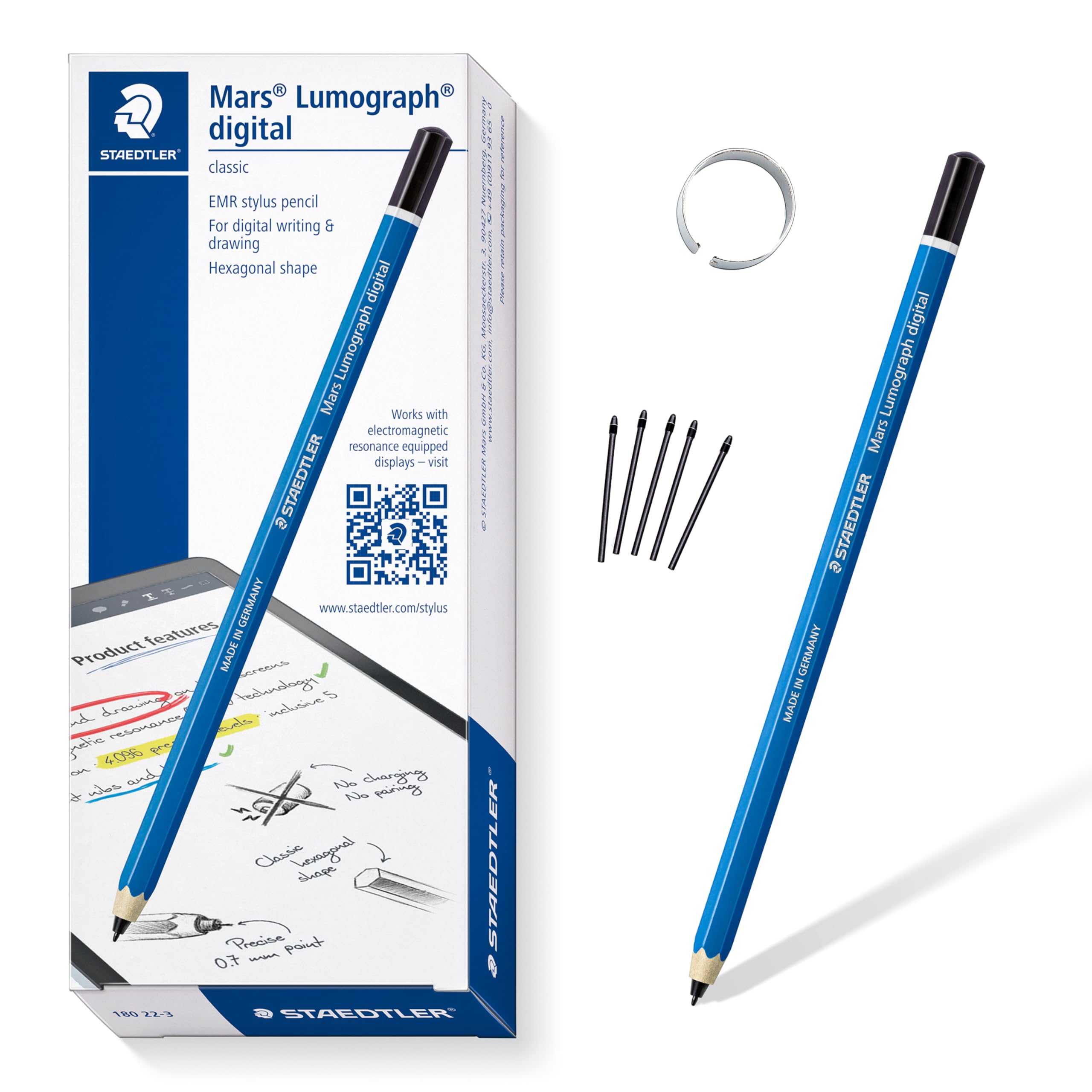
The STAEDTLER Lumograph Digital is a beautifully niche tool that feels exactly like writing with a familiar hexagonal pencil, because it is — the wood body, the yellow finish, and the slim profile mirror the classic Lumograph drafting pencil millions grew up using. This EMR stylus requires no battery, no Bluetooth pairing, and no driver installation, making it a zero-friction companion for devices that support the technology.
It is compatible with Samsung Galaxy Tab, Kindle Scribe, reMarkable 2, BOOX, Supernote, and Wacom EMR devices, but critically does not work with Apple iPads or iPhones. The 4096 pressure levels are adequate for note-taking and light sketching, though professional illustrators may want more sensitivity range for complex shading.
The standard version lacks an integrated eraser — a notable omission for note-takers who switch frequently between writing and correcting — and the slim shape can slip out of wide pen loops. However, the five included replacement nibs and the tool for swapping them ensure longevity, and the sheer tactile authenticity of a real pencil barrel makes this the most satisfying stylus for journaling and extended writing sessions on EMR tablets.
Why it’s great
- Authentic pencil feel with hexagonal wood body
- Zero charging or pairing required
- Includes 5 replacement nibs with removal tool
Good to know
- Not compatible with Apple iPads or iPhones
- No built-in eraser on standard version
4. HUION Inspiroy H640P

The HUION Inspiroy H640P has become the default recommendation for beginners entering digital art, and it is easy to see why — the PW100 battery-free stylus delivers 8192 levels of pressure sensitivity and feels balanced and light in the hand, with side buttons that toggle between pen and eraser without leaving the drawing position.
The 6 x 4-inch active area is compact enough to slide into a laptop bag alongside a computer, making it ideal for students and remote workers who need a portable sketch pad for digital notes and light illustration. The 6 programmable hotkeys along the top edge can be mapped to undo, brush size, zoom, or any other shortcut, and the driver allows different key profiles for different applications.
Compatibility extends to Windows, macOS, Linux, and Android devices running OS 6.0 or later, though the Micro-B connector and some driver mapping quirks on Linux are worth noting. The pen’s cylindrical shape can cause accidental rotation during use, and some users report a dead zone in the first 40% of pressure, but for the price, the H640P provides an exceptionally smooth introduction to digital drawing without the premium markup.
Why it’s great
- Battery-free stylus with full 8192 pressure levels
- Compact and highly portable at 0.3 inch thin
- 6 programmable hotkeys improve workflow speed
Good to know
- Micro-B USB instead of USB-C
- Pen body lacks shape indicator, can rotate in hand
5. XPPen StarG640

The XPPen StarG640 strips away everything non-essential to deliver a focused, highly portable drawing surface that excels in two specific scenarios: OSU rhythm gaming and on-the-go digital sketching. The 6 x 4-inch active area is just 2 mm thick, making it one of the slimmest tablets in its class and easy to slide into a laptop sleeve without adding weight.
The battery-free PN01 stylus requires no charging and no pairing, which removes the most common frustration of active pens — dead batteries mid-session. The drivers unlock pressure sensitivity for applications like Photoshop and Krita, though the tablet ships with a default right-handed orientation and lacks dedicated hotkeys, meaning users must rely on keyboard shortcuts or the pen side buttons for navigation.
Some users find the 6 x 4-inch area smaller than expected, and the lightweight plastic construction can feel a bit hollow compared to metal-bodied alternatives. For virtual teaching, however, the StarG640 performs admirably as a whiteboard tool in Zoom and Google Jamboard, and its sub-compact footprint makes it a no-brainer for anyone who needs a digital drawing surface that fits inside a textbook.
Why it’s great
- Ultra-thin 2 mm profile for easy portability
- Battery-free pen with zero charging required
- Works well with OSU, Krita, and teaching apps
Good to know
- No programmable hotkeys on the tablet itself
- Small active area feels cramped for full-arm drawing
6. JAMJAKE Active Stylus
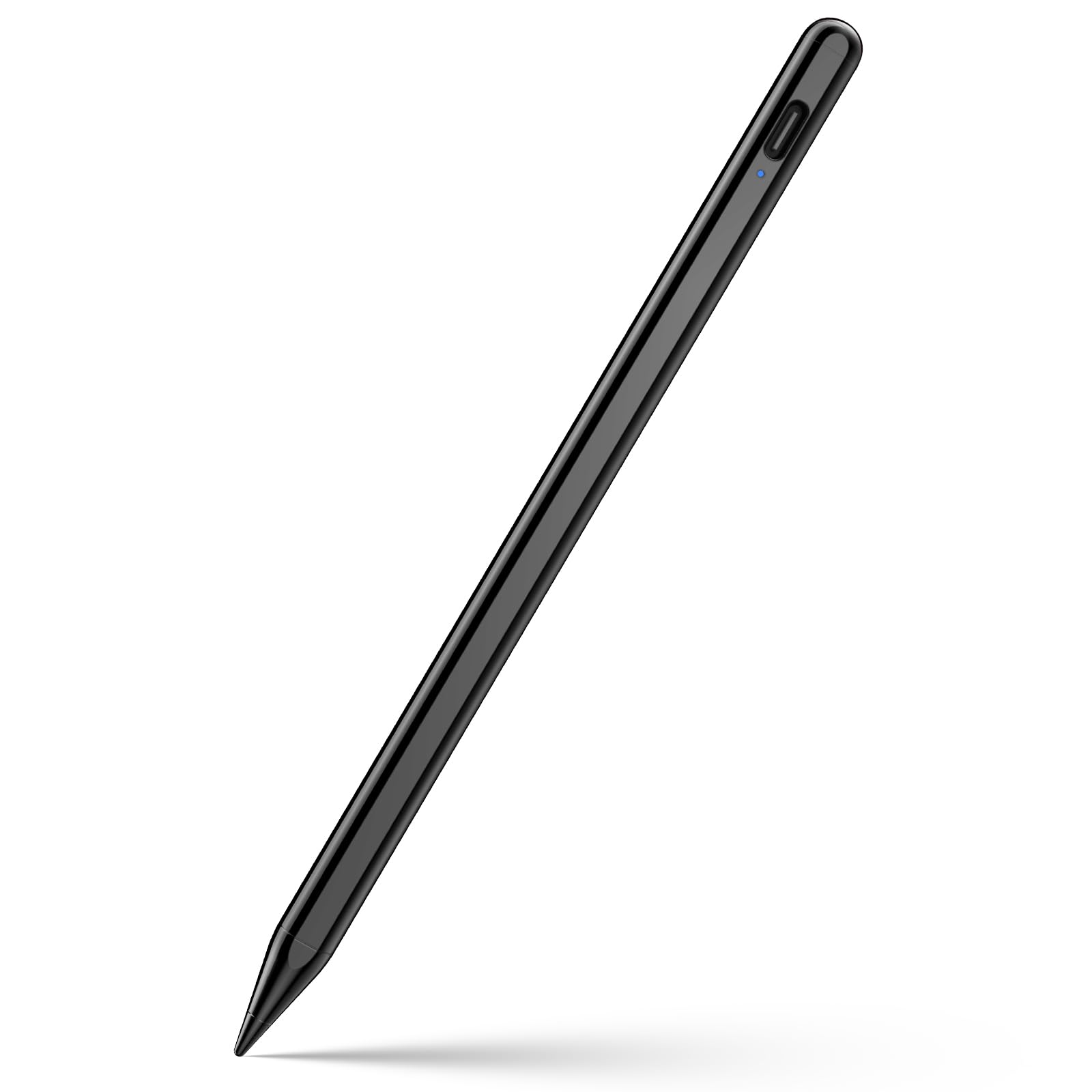
The JAMJAKE Active Stylus targets the massive audience of iPad users who want the core functionality of the Apple Pencil without paying the premium. Its 1.5mm fine tip enables precise linework for note-taking and sketching, and the palm rejection technology lets you rest your hand on the screen while drawing — a feature that active stylus newcomers often underestimate until they try using a non-rejection pen.
Compatibility is laser-focused on iPad models from 2018 onward, including the latest iPad Pro M4, iPad Air M2/M3/M4, iPad 6th through 11th Gen, and iPad Mini 5th through 7th Gen. It will not work with iPhones, Android devices, or older iPad models. The aluminum enclosure gives it a solid, lightweight feel, and the magnetic flat side can attach to the iPad Pro’s magnetic edge — though not for charging.
The 20-hour continuous battery life and 365-day standby time are generous, but the stylus lacks pressure sensitivity entirely, which limits its usefulness for shading or variable-line illustration. It also shuts off automatically after 5 minutes of inactivity, which can briefly interrupt flow during long thinking pauses. For pure note-taking and basic sketching, however, the JAMJAKE delivers a remarkably smooth experience at a fraction of the cost.
Why it’s great
- Excellent palm rejection for comfortable note-taking
- Aluminum build feels premium and lightweight
- 20-hour battery life with magnetic iPad attachment
Good to know
- Not compatible with iPhones or Android devices
- No pressure sensitivity for shading work
7. EVACH Active Stylus

The EVACH Active Stylus is the most economically accessible option in this lineup, designed for users who need a basic capacitive touch pen that works across a wide range of devices — iPads, iPhones, Samsung tablets, and even some Android phones. The 1.5mm ultra-fine tip provides noticeably better accuracy than a fleshy fingertip, making it a solid choice for selecting small links, signing documents, or jotting quick notes.
Its 146mm length and 13.3g weight make it feel like a compact ballpoint pen, and the built-in rechargeable battery delivers approximately 8 hours of active use with a 30-minute charge via Micro-USB. The smart saver feature automatically shuts down the stylus after 30 minutes of inactivity, which conserves battery but can be frustrating during pauses in a drawing session.
The most frequent complaint involves the side-mounted power button — users report accidentally turning off the stylus mid-stroke because their grip naturally rests on the switch. Additionally, the plastic enclosure lacks the heft of metal alternatives, and the 1.5mm tip offers no pressure sensitivity distinction between light and hard touches. For the price, however, it provides broad touchscreen compatibility and reliable basic performance for anyone who just needs a simple stylus that works out of the box.
Why it’s great
- Works across iPads, iPhones, and many Android devices
- Very low entry cost for a fine-tip active stylus
- Compact and lightweight with built-in battery
Good to know
- Side power button prone to accidental presses
- No pressure sensitivity for variable line width
FAQ
Can I use an active stylus on any tablet or phone?
Why does my drawing stylus stop working after a few minutes of inactivity?
Do I need a screen protector for my tablet when using a drawing stylus?
Final Thoughts: The Verdict
For most users, the best drawing stylus winner is the XPPen Deco 01 V3 because it delivers a professional-grade 16,384 pressure levels and a battery-free stylus at a mid-range price, making it suitable for both beginners and experienced digital artists. If you want a tactile pencil experience on your Kindle Scribe or Samsung tablet, grab the STAEDTLER Lumograph Digital. And for iPad users seeking palm rejection and fine-tip precision without the premium markup, nothing beats the JAMJAKE Active Stylus.

Mo Maruf
I created WellFizz to bridge the gap between vague wellness advice and actionable solutions. My mission is simple: to decode the research and give you practical tools you can actually use.
Beyond the data, I am a passionate traveler. I believe that stepping away from the screen to explore new environments is essential for mental clarity and physical vitality.