Our readers keep the lights on and my smoothie glass nicely filled. As an Amazon Associate, I earn from qualifying purchases.
Finding a mouse that reliably registers drag clicks without failure or double-click issues is the single biggest hurdle for competitive Minecraft players, PvP enthusiasts, and bridging specialists. A standard office mouse simply cannot keep up with the rapid, sliding finger motion required for consistent drag clicking, making a purpose-built model essential for anyone serious about high-CPS gameplay.
I’m Mohammad Maruf — the founder and writer behind WellFizz. This guide comes from hours of cross-referencing sensor specs, switch types, and polling rates across dozens of gaming mice to isolate the models engineered for reliable drag-click performance.
Whether you need a budget-friendly starter or a premium daily driver, understanding the difference between an optical switch and a mechanical spring switch is crucial when shopping for the best drag clicking mouse for your specific grip style and budget.
How To Choose The Best Drag Clicking Mouse
Not every gaming mouse supports drag clicking. The technique relies on the physical design of the button shell and switch — a loose, well-tensioned button that can slide across your fingertip without pre-releasing is what enables 15+ CPS. Focus on three key areas before making your pick.
Switch Type and Debounce Time
Mechanical switches with a low debounce threshold (adjustable in software) are ideal for drag clicking because they allow rapid re-triggering. Optical switches, like the Bloody Light Strike series, bypass traditional metal contact and can sustain higher CPS without bounce errors. Avoid mice with fixed, high debounce delays if you plan to use drag-click techniques.
Shell Coating and Button Geometry
A matte or slightly textured surface on the left mouse button provides the friction needed for your finger to grip and slide correctly. Glossy coatings often cause slipping. The button should also have minimal pre-travel and a shallow post-travel distance so that each drag motion registers consistently.
Weight and Cable Type
Ultra-lightweight mice (under 60 grams) reduce inertia, making rapid flicks and drag movements less fatiguing during long sessions. For wired models, a paracord-style cable or braided USB-C cord reduces drag resistance. Wireless options benefit from low-latency 2.4GHz connections that maintain sub-1ms response.
Quick Comparison
On smaller screens, swipe sideways to see the full table.
| Model | Category | Best For | Key Spec | Amazon |
|---|---|---|---|---|
| Bloody A70 II | Optical Switch | Drag clicking & high CPS | Light Strike 0.2ms switch | Amazon |
| ATTACK SHARK X3 | Ultralight | Speed & drag hybrid play | 49g, Kailh GM8.0 switch | Amazon |
| MAGIC-REFINER X11 | Dock Charging | All-day comfort & grip tape | 59g, PAW3311 sensor | Amazon |
| Redragon M916 PRO | 4K Polling | Competitive esports | 49g, 4KHz report rate | Amazon |
| Logitech G502 Hero | Adjustable Weight | Versatile gaming & work | 11 buttons, Hero 25K sensor | Amazon |
| ATTACK SHARK R1 | Tri-Mode | Budget-friendly wireless | 55g, HUYU switch | Amazon |
| EPOMAKER Click Lite | Entry Level | Casual gaming & office | 59g, PAW3311 sensor | Amazon |
In‑Depth Reviews
1. Bloody A70 II
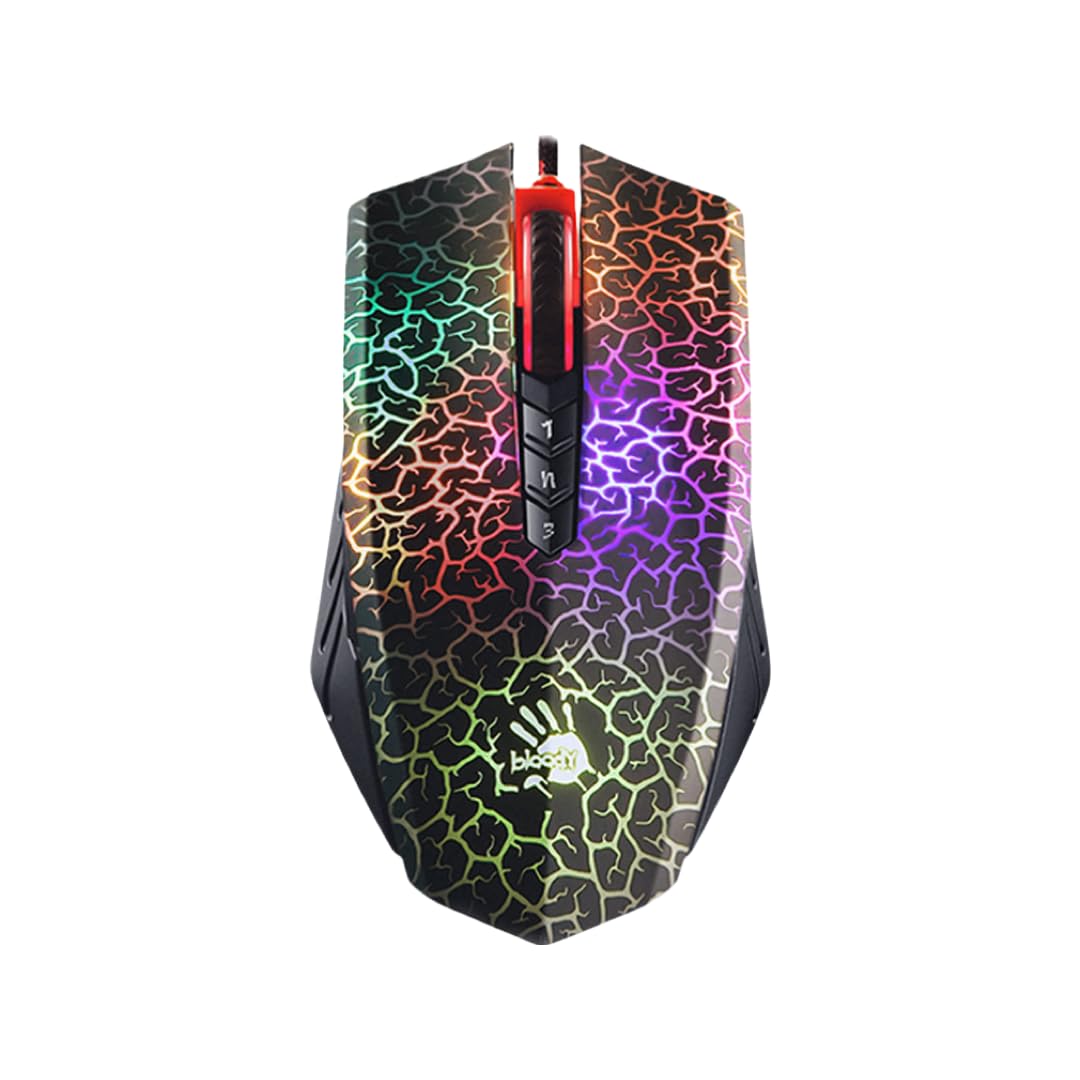
The Bloody A70 II is built around the brand’s proprietary Light Strike optical switch, which eliminates metal contact bounce and delivers a 0.2ms response time. This architecture makes it one of the few wired mice that genuinely supports sustained drag clicking at 50 CPS without double-click artifacts or missed inputs. The BC3332-S optical engine offers up to 8000 CPI, but the real draw here is the switch design — it’s engineered to accept rapid, sliding finger pressure without pre-releasing.
The shell features a matte, slightly textured coating on the left button that provides the friction needed for consistent drag technique. The X’Glide Armor feet offer low-friction movement on cloth pads, and the 8-button layout includes well-placed side buttons for macro binding. The software suite allows fine debounce adjustment, giving you control over how quickly the switch re-arms after each click.
Weighing 143 grams, the A70 II is heavier than modern ultralight mice, but the metal enclosure adds durability and stability during aggressive flick movements. If raw drag-click performance is your top priority and you don’t mind a wired connection and a bit of extra heft, this is the most reliable option on the market.
Why it’s great
- Optical Light Strike switch sustains drag clicks up to 50 CPS
- Adjustable debounce tuning via software
- Durable metal enclosure with smooth X’Glide feet
Good to know
- Heavier than most modern gaming mice at 143g
- Wired only — no wireless or Bluetooth option
2. ATTACK SHARK X3

The ATTACK SHARK X3 weighs only 49 grams, making it one of the lightest drag-click-capable mice you can buy. It uses a PAW3395 flagship sensor with a 1000Hz polling rate, 650 IPS tracking speed, and 50G acceleration — specs that exceed what most players need, but the real story is the Kailh GM8.0 Black Mamba switches. These 80-million-click-rated mechanical switches offer a crisp, tactile rebound that works well for drag clicking when paired with a low debounce setting.
The ergonomic shell has a matte coating that provides adequate friction for drag motions, and the TTC scroll wheel encoder delivers precise step feedback. The X3 supports tri-mode connectivity (2.4G, Bluetooth 5.2, and USB-C wired), and the 2.4G mode delivers sub-1ms latency for competitive play. The battery life is excellent — many users report charging only once every few months with regular use.
Five programmable buttons are configurable via the manufacturer’s driver, allowing macro assignment and DPI adjustment across six levels up to 26,000 DPI. The shape is a well-known clone of the Logitech G Pro X Superlight, which means it fits claw and fingertip grips especially well. Larger hands may find palm grip slightly cramped, but for speed-oriented drag clicking, the X3 is a top contender.
Why it’s great
- Ultralight 49g chassis reduces fatigue during rapid clicks
- Kailh GM8.0 switches rated for 80 million clicks
- Tri-mode connectivity with excellent battery life
Good to know
- Small shape may not suit palm grippers with large hands
- No included grip tape for extra button friction
3. MAGIC-REFINER Attack Shark X11

The X11 from MAGIC-REFINER comes with pre-cut anti-slip grip tape applied to the main buttons, which directly improves drag-click consistency by increasing friction between your fingertip and the shell. The PAW3311 sensor provides up to 22,000 DPI with a 1000Hz polling rate and 300 IPS tracking, more than enough for bridging and PvP scenarios. The TTC encoder on the scroll wheel offers precise step feedback for weapon switching.
One standout feature is the magnetic RGB charging dock, which charges the mouse wirelessly via contact pins and includes a USB 2.0 passthrough port. A 10-minute charge delivers about 5 hours of gameplay, and the full battery lasts roughly 65 hours under 2.4G mode. The HUANO micro switches are rated for 20 million clicks and deliver a crisp, medium-weight click that suits both tapping and dragging techniques.
At 59 grams, the X11 feels balanced and nimble. The ergonomic shape is designed for medium to large hands, with slightly concave left and right buttons that guide finger placement. The grip tape adds a layer of texture that many drag-clickers find essential for avoiding finger slip during high-speed motions. The only downside is that the dock RGB cannot be customized independently from the mouse lighting.
Why it’s great
- Included grip tape improves drag-click friction
- Magnetic RGB charging dock for convenient topping up
- Comfortable ergonomics for medium to large hands
Good to know
- Skate feet are average and may benefit from aftermarket upgrades
- Dock RGB is not fully customizable via software
4. Redragon M916 PRO

The Redragon M916 PRO stands out with its 4000Hz wireless polling rate, which is four times faster than the standard 1000Hz. This translates to lower input latency and more responsive click registration — a meaningful advantage when drag clicking at high CPS where every millisecond counts. The Nordic flagship chip and PAW3395 sensor combine for pinpoint tracking up to 26,000 DPI with zero smoothing.
Weighing only 49 grams, the M916 PRO is among the lightest mice on this list. The shell uses ultra-light materials without feeling flimsy, and the ergonomic shape follows the natural contour of the hand for reduced fatigue during long sessions. The five programmable buttons are customizable through Redragon’s software, which also allows DPI adjustments across five levels plus debounce tuning to optimize drag-click performance.
The matte finish provides moderate friction for drag clicking, though some users may want additional grip tape for maximum consistency. Battery life drops to about 5–7 days with the 4K adapter enabled, but fast charging via USB-C mitigates the issue. For competitive players who prioritize response speed above all else, the M916 PRO delivers class-leading wireless performance.
Why it’s great
- 4KHz polling rate for the lowest possible input latency
- Ultralight 49g design with ergonomic contour
- Software provides debounce and DPI tuning
Good to know
- Battery life decreases noticeably with 4K mode enabled
- Matte surface may wear down over extended use
5. Logitech G502 Hero

The Logitech G502 Hero is a wired legend with a Hero 25K sensor capable of sub-micron tracking. While it is not an ultralight mouse, its standout feature for drag clicking is the mechanical switch tensioning system: metal spring hinges on the left and right buttons deliver a crisp, consistent click feel that responds well to sliding finger pressure. The dual-mode hyper-fast scroll wheel with free-spin mode is a bonus for productivity.
The adjustable weight system lets you add up to five 3.6-gram weights to fine-tune balance and inertia. This is helpful if you prefer a heavier mouse for stability during drag clicking, though the G502’s base weight of 121 grams is already significant. The 11 programmable buttons provide extensive macro options for Minecraft bridging or PvP hotkeys, all configurable via Logitech G Hub software.
Button tensioning is key here — the metal pivot hinges reduce pre-travel and create a tactile feedback loop that supports drag clicking at moderate CPS. The matte coating on the left button offers good friction, and the braided cable is durable and slightly paracord-like in flexibility. However, the G502 is not built specifically for high-CPS drag clicking; it is a versatile gaming mouse that happens to perform adequately in this niche.
Why it’s great
- Mechanical button tensioning for crisp, consistent clicks
- Adjustable weight system for personalized balance
- 11 programmable buttons with robust software
Good to know
- Heavy design (121g+) may cause fatigue during long drag sessions
- Not optimized specifically for drag-click tuning
6. ATTACK SHARK R1
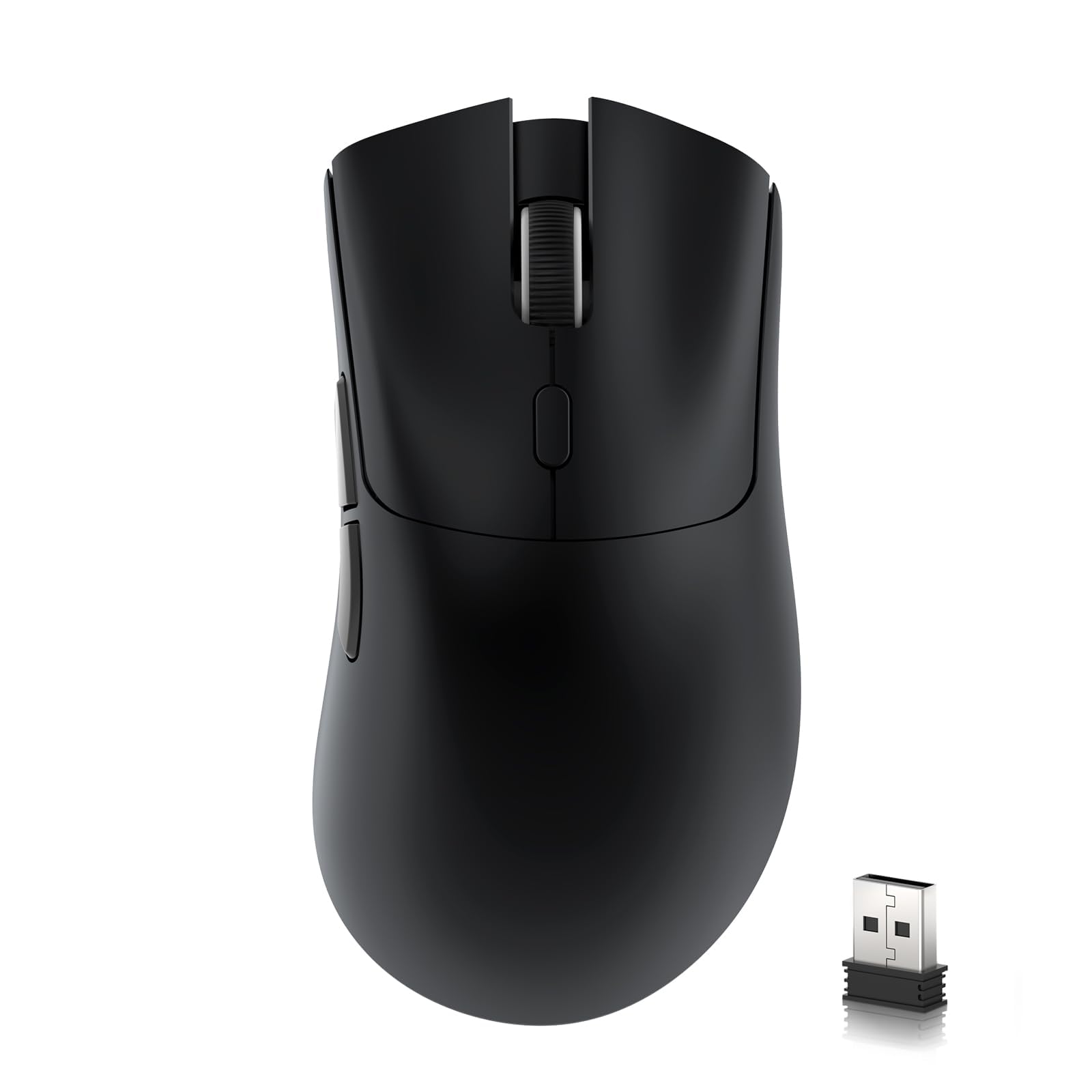
The ATTACK SHARK R1 offers a tri-mode connection (2.4G, Bluetooth 5.2, USB-C wired) at a wallet-friendly price point. It uses HUYU switches rated for 20 million clicks, which provide a light actuation force that can work for drag clicking at moderate CPS levels. The PAW3311 optical sensor delivers adjustable DPI up to 18,000 with 400 IPS tracking and 1000Hz polling — specs that outperform many mice in its price bracket.
Weighing 55 grams, the R1 is light enough for extended gaming marathons. The ergonomic shape suits both claw and palm grips, though the plastic build feels less substantial than premium alternatives. The 300mAh battery provides decent endurance, and the 2.4G mode maintains stable low-latency connectivity. The software allows response time and button customization, though the interface is basic.
For drag clicking, the R1’s matte shell provides moderate friction, and the HUYU switches can sustain 10–15 CPS with practice. However, the lack of adjustable debounce in the default software may limit its ceiling for elite drag-clickers. It’s a capable entry-level wireless option that won’t break the bank.
Why it’s great
- Tri-mode wireless with stable 2.4G connectivity
- Ultralight 55g frame reduces hand strain
- PAW3311 sensor with up to 18,000 DPI
Good to know
- No adjustable debounce in software for advanced drag tuning
- Plastic build feels less premium than higher-end options
7. EPOMAKER Click Lite
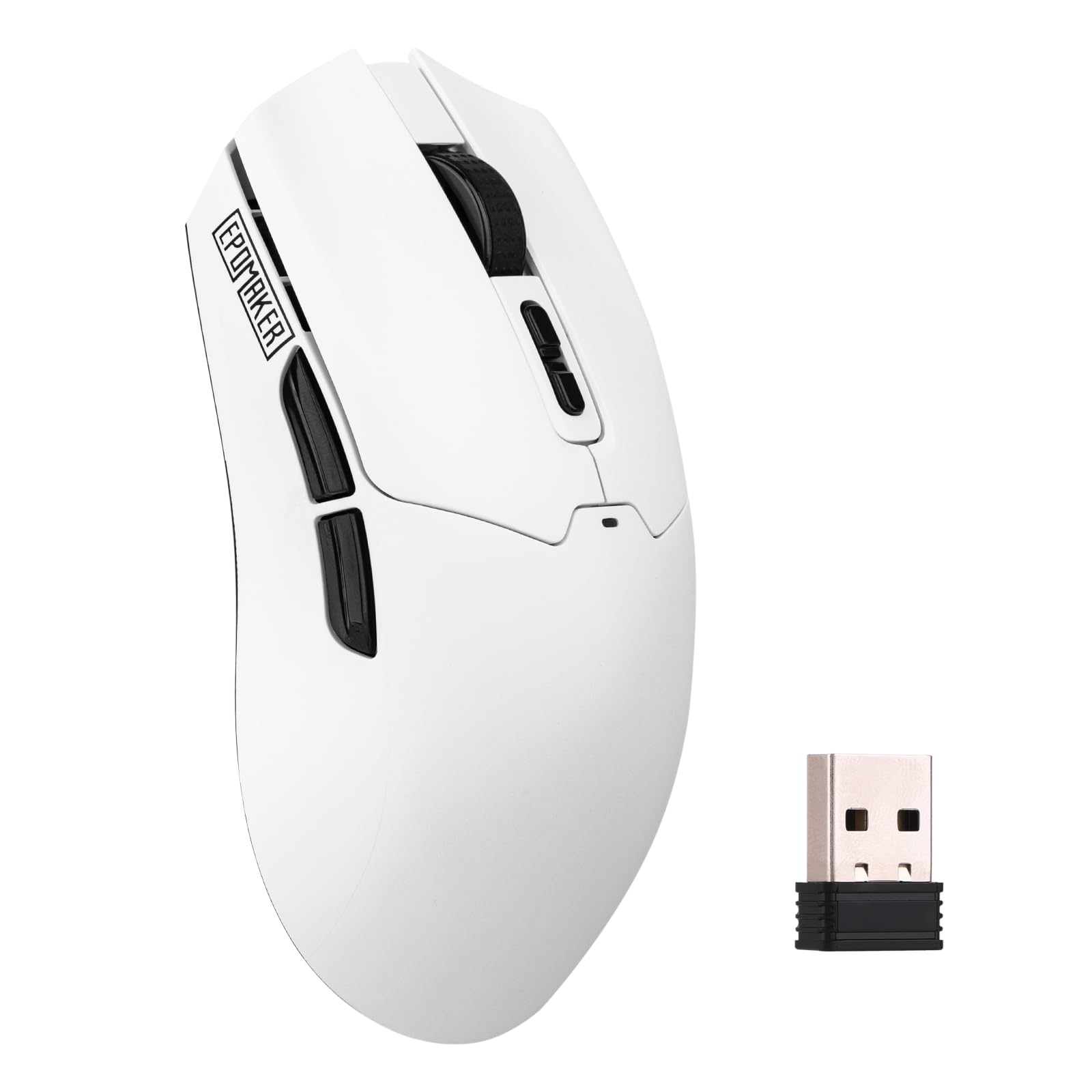
The EPOMAKER Click Lite is a lightweight wireless mouse (59g) featuring a PAW3311 sensor with adjustable DPI from 800 to 12,000 and a 1000Hz polling rate. It supports tri-mode connectivity (2.4G, Bluetooth, USB-C) and is equipped with five programmable buttons. While not marketed as a drag-click mouse, its matte white shell and low-friction feet provide a usable platform for practicing the technique.
The 500mAh battery delivers up to 78 hours of continuous use, making it one of the longest-lasting options in this roundup. The USB-C charging cable is braided and can be used in wired mode for lower latency. The software functionality is basic but sufficient for remapping buttons and adjusting DPI settings. The Click Lite is more of an all-purpose productivity and casual gaming mouse than a hardcore drag-click tool.
For light drag clicking at 10–12 CPS, the Click Lite works reasonably well, but players seeking consistent 20+ CPS may find the switch bounce limits the technique’s reliability. It is best suited for users who need a budget-friendly wireless mouse for general gaming and occasional drag-click practice.
Why it’s great
- Excellent battery life (78 hours) for wireless freedom
- Lightweight 59g design with tri-mode connectivity
- Braided USB-C cable included for wired mode
Good to know
- Not optimized for high-CPS drag clicking
- Software is barebones with limited debounce control
FAQ
Can any gaming mouse be used for drag clicking?
Does a higher DPI sensor help with drag clicking?
Final Thoughts: The Verdict
For most users, the best drag clicking mouse winner is the Bloody A70 II because its optical Light Strike switch delivers unmatched reliability for sustained 50 CPS drag clicking. If you want a featherlight wireless option with top-tier sensor performance, grab the ATTACK SHARK X3. And for a budget-friendly wireless mouse that handles moderate drag clicking without breaking the bank, nothing beats the ATTACK SHARK R1.

Mo Maruf
I created WellFizz to bridge the gap between vague wellness advice and actionable solutions. My mission is simple: to decode the research and give you practical tools you can actually use.
Beyond the data, I am a passionate traveler. I believe that stepping away from the screen to explore new environments is essential for mental clarity and physical vitality.