Our readers keep the lights on and my smoothie glass nicely filled. As an Amazon Associate, I earn from qualifying purchases.
Every flick shot, every tracking spray, every precise scope-in depends on one number: DPI. Choosing the wrong sensitivity range can leave you undershooting targets or fighting a cursor that flies across the screen. The difference between a reactive sensor and a cheap optical module is measured in milliseconds of input delay and microns of tracking deviation.
I’m Mohammad Maruf — the founder and writer behind WellFizz. I’ve spent hundreds of hours analyzing optical sensor specifications, polling rate architectures, button actuation mechanisms, and weight distribution profiles across dozens of gaming mice to produce this guide.
For competitive and casual players alike, selecting the right dpi mouse for gaming directly impacts your target acquisition accuracy and in-game consistency across FPS and MOBA titles.
How To Choose The Best DPI Mouse For Gaming
Matching a mouse sensor to your playstyle and hand size removes guesswork. Raw DPI numbers don’t tell the full story — native resolution, polling rate, and lift-off distance matter equally. Focus on three pillars: sensor technology, physical comfort, and connectivity latency.
Native Sensor Resolution vs Interpolation
A sensor’s native DPI is the resolution it processes optically on the pad. When you raise DPI beyond the native cap via software, the mouse interpolates — guessing pixels — which adds smoothing and jitter. Stick to the sensor’s honest ceiling. Top optical sensors from PixArt and Razer deliver native 26,000 to 50,000 DPI with zero acceleration.
Polling Rate and Input Latency
Polling rate determines how often the mouse reports its position to the PC. Standard gaming mice run at 1000Hz (1ms report rate). Premium models now hit 8000Hz (0.125ms), reducing lag on high-refresh monitors. The trade-off is higher CPU overhead — 8000Hz benefits players with 240Hz+ displays and competitive play.
Switch Durability and Click Feel
Mechanical switches rely on metal contacts that wear over time. Optical switches use light beams to register clicks, providing near-instant response and a 100-million-click lifespan with no double-click drift. Tactile preference varies — some players favor snappy optical clicks, others prefer the deeper travel of Omron mechanicals.
Quick Comparison
On smaller screens, swipe sideways to see the full table.
| Model | Category | Best For | Key Spec | Amazon |
|---|---|---|---|---|
| Razer Viper V4 Pro | Wireless Esports | Competitive low-latency play | 50K DPI / 8000Hz / 49g | Amazon |
| Razer Basilisk V3 Pro 35K | Wireless Premium | Ergonomic all-day use | 35K DPI / 140hr battery | Amazon |
| GravaStar Mercury X Pro | Ultra-light Wireless | Lightweight magnesium build | 32K DPI / 49g / 8K dongle | Amazon |
| Corsair M65 RGB Ultra | Wired FPS | Aluminum-frame stability | 26K DPI / 8000Hz / tunable weight | Amazon |
| Turtle Beach Kone II | Wired Large Hand | Big palm, many buttons | 26K DPI / 23 programmable inputs | Amazon |
| Logitech G502 Hero | Wired Versatile | Custom weight tuning | 25.6K DPI / 11 buttons | Amazon |
| Logitech G305 Lightspeed | Wireless Entry | Budget wireless gaming | 12K DPI / 250hr battery life | Amazon |
In‑Depth Reviews
1. Razer Viper V4 Pro Wireless Esports Gaming Mouse
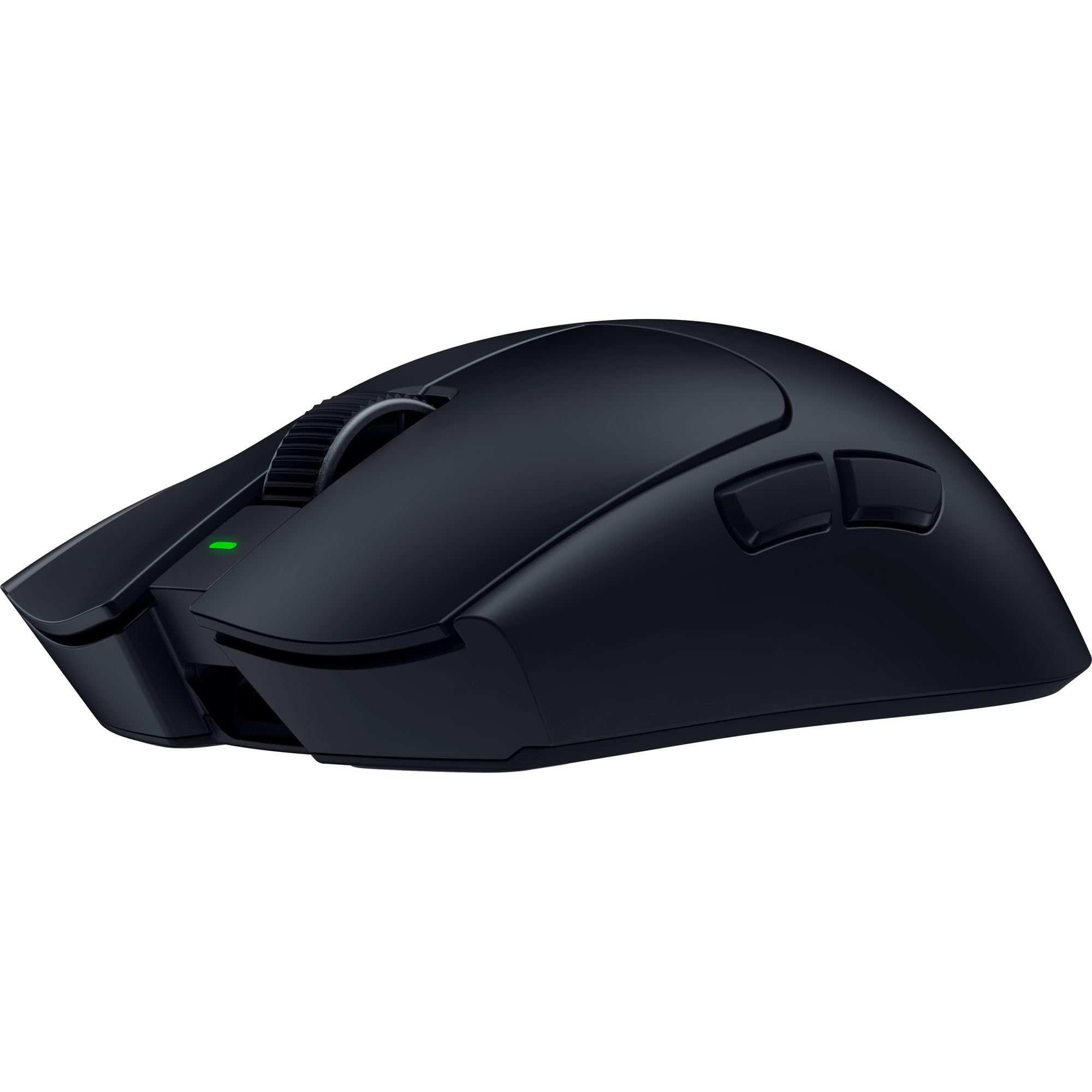
The Razer Viper V4 Pro sets the benchmark for modern esports mice, pairing a 50,000 DPI Focus Pro optical sensor Gen-3 with a symmetrical 49-gram chassis built from pro player feedback. Frame Sync technology aligns sensor data with the PC’s render cycle to reduce perceptible input lag — a measurable edge in fast-twitch games like Valorant or Apex Legends. The 8000Hz true wireless polling rate demands a strong CPU and high-refresh monitor, but the latency improvement is tangible for those who can leverage it.
Battery life stretches up to 180 hours at 1000Hz, dropping to roughly 45 hours at the full 8000Hz setting. Gen-4 optical switches deliver crisp tactile feedback with a 100-million-click lifespan, eliminating double-click degradation over time. The included grip tape and 100% PTFE feet offer consistent glide right out of the box.
Shape favors claw and fingertip grips for medium to large hands. The 49-gram weight makes micro-corrections effortless, though players accustomed to heavier mice may need a brief adjustment period. The software suite, Synapse 4, allows per-game DPI profiles and rotation adjustments down to 1-DPI steps.
Why it’s great
- True 8000Hz wireless polling at 49g
- 50K native DPI with Frame Sync
- Exceptional battery life at standard polling rates
Good to know
- 8000Hz drains battery significantly faster
- Ambidextrous shape may not suit pure palm grippers
2. Razer Basilisk V3 Pro 35K Wireless Gaming Mouse

The Basilisk V3 Pro 35K delivers an ergonomic right-handed design built for marathon sessions, featuring the Razer Focus Pro 35K optical sensor Gen-2 that tracks reliably on glass and other tricky surfaces. The HyperScroll tilt wheel lets you toggle between tactile notched scrolling and frictionless free-spin — useful for both weapon switching and rapid document navigation. 13 customizable controls, including a multi-function trigger near the thumb, provide macro depth without overwhelming the primary grip points.
Battery life reaches 140 hours over Razer HyperSpeed Wireless, though enabling 8000Hz polling requires the separately sold HyperPolling dongle. The included Razer Mouse Dock Pro (sold separately) offers wireless charging convenience. Optical switches Gen-3 ensure fast registration and consistent feel across millions of clicks.
The sculpted palm rest accommodates larger hands well, and the matte plastic finish resists fingerprints reasonably.
Why it’s great
- HyperScroll wheel with Smart-Reel auto-switch
- 35K DPI tracks on glass surfaces
- 13-zone Chroma underglow and per-button customization
Good to know
- 8000Hz requires separate dongle purchase
- Heavier frame than pure esports mice
3. GravaStar Mercury X Pro Wireless Gaming Mouse

The GravaStar Mercury X Pro stands out with a hollow magnesium alloy skeleton that weighs just 49 grams while retaining structural rigidity. The PAW 3950 sensor reaches 32,000 DPI with accurate tracking across cloth and hard pads. This mouse ships with a dedicated 8K polling dongle, delivering sub-millisecond wireless response without requiring an additional purchase — a distinct advantage over competing ultra-light designs.
Tri-mode connectivity (Bluetooth, 2.4GHz, USB-C wired) adds flexibility for multi-device setups. The web-based configuration tool handles DPI adjustments and RGB lighting without bloatware, though it operates separately from any keyboard software ecosystem. Side button placement feels natural for claw grippers, and the ergonomic curve reduces hot spots during extended sessions.
Battery life is solid for daily play, though the 49-gram build means a smaller internal cell compared to heavier wireless mice. The scroll wheel action is soft with a stiffer middle click — a trade-off for the lightweight construction.
Why it’s great
- 49g magnesium alloy shell with 8K dongle included
- Web-based config works without permanent software
- Unique hollow design improves airflow
Good to know
- Scroll wheel click is stiff
- Premium pricing for the materials package
4. Corsair M65 RGB Ultra Tunable FPS Gaming Mouse

The Corsair M65 RGB Ultra builds on a decade-long design legacy with an anodized aluminum frame that resists flex and adds heft for stable low-DPI aiming. The Marksman 26,000 DPI optical sensor delivers 650 IPS tracking, while AXON Hyper-Processing enables a native 8000Hz polling rate over wired USB — essential for competitive FPS players who demand the lowest possible input lag from a fixed connection.
Sensor Fusion combines a six-axis gyro and accelerometer to maintain an ultra-low lift-off distance, preventing cursor drift during repositioning. The tunable weight system accepts up to five custom weights for balancing left-right bias. Optical switches on the primary buttons ensure high-speed actuation without mechanical contact wear.
Right-handed only with a sniper button positioned under the thumb. Some users report accidental presses during intense gameplay, though remapping via iCUE software can disable or reassign it. Onboard memory saves profiles for cross-platform use without background software requirement.
Why it’s great
- 8000Hz native wired polling with AXON processing
- Aluminum frame for zero chassis flex
- Onboard memory works on Linux and macOS
Good to know
- Sniper button may be triggered accidentally
- Shape suits right-handed palm grip primarily
5. Turtle Beach Kone II Wired RGB Gaming Mouse
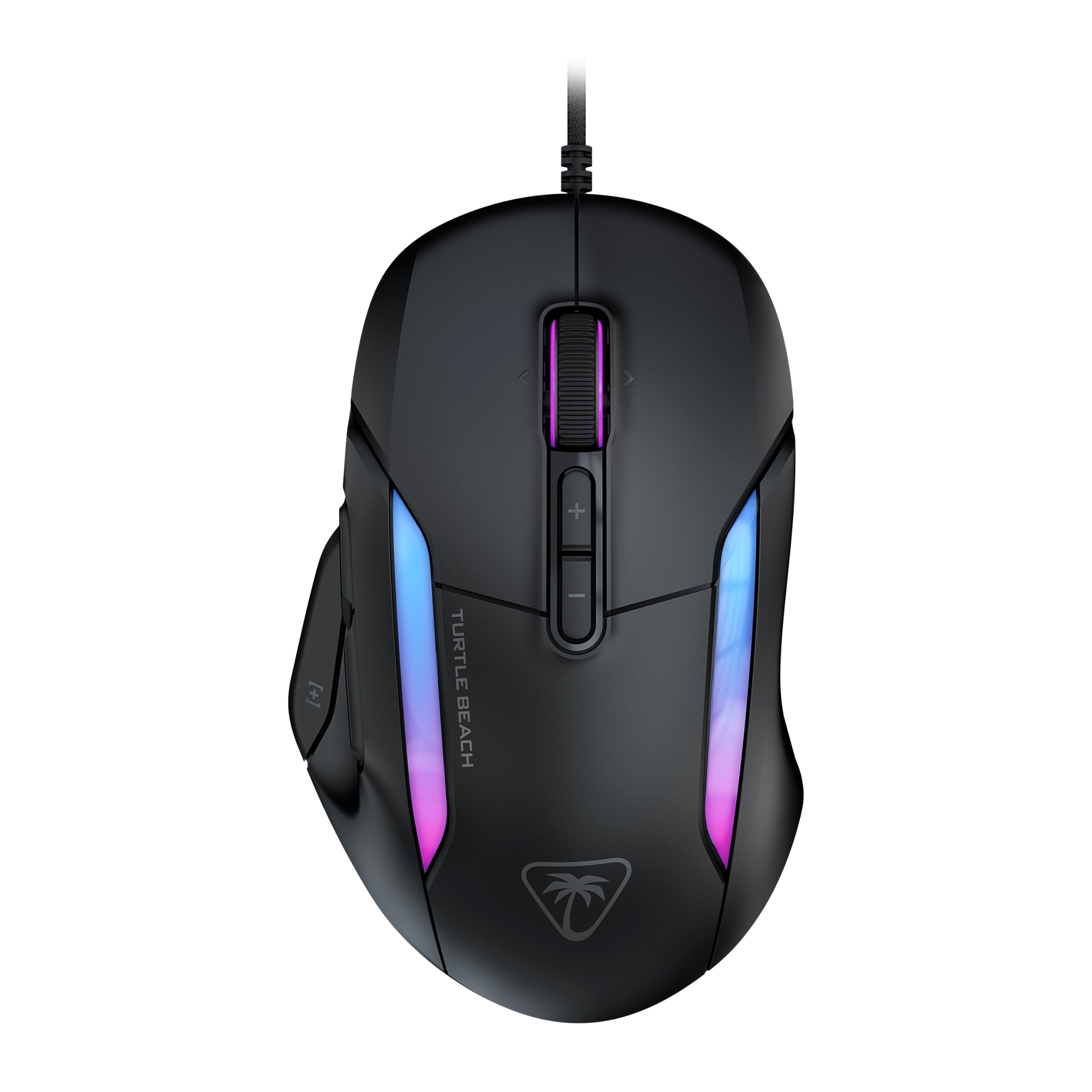
The Turtle Beach Kone II is engineered for medium to large hands, offering 23 programmable inputs through a multi-button layout that includes a 4D scroll wheel with tilt functionality. The 26,000 DPI optical sensor (650 IPS) tracks accurately across varied surfaces, and the TITAN Switch Optical provides tactile feedback with a 100-million-click lifecycle — ideal for MMO and MOBA players who bind extensive command sets.
Pure heat-treated PTFE glides reduce friction for smooth movement across cloth pads, and the braided PhantomFlex USB cable minimizes drag resistance. Three-zone AIMO RGB illumination is customizable through the companion software. The ergonomic shell supports palm, claw, and fingertip grips comfortably for larger hands.
Some units may arrive with defective switches out of the box, as noted in user feedback. The wired-only connection keeps latency low but restricts cable-free setups. Removing the blue protective film from the sensor and glides before first use is essential for proper tracking.
Why it’s great
- 23 inputs with 4D tilt scroll wheel
- Ergonomic for large hands and multiple grip styles
- 100M click optical switches with pre-tensioned buttons
Good to know
- Quality control can vary on initial units
- Wired only — no wireless option available
6. Logitech G502 Hero High Performance Wired Gaming Mouse

The Logitech G502 Hero remains a staple in the wired gaming market thanks to its Hero 25K sensor delivering 25,600 DPI with zero smoothing or acceleration. The adjustable weight system includes five 3.6-gram cartridges that slide into the chassis, allowing users to fine-tune balance from center-heavy to forward-biased. This kind of granular weight tuning is rare in sub-premium wired mice and appeals to players who want specific heft for muscle memory consistency.
Eleven programmable buttons include a dual-mode hyper-fast scroll wheel that toggles between spring-indexed and free-spin modes — practical for both gaming inventory scrolling and productivity workflows. LIGHTSYNC RGB offers per-game profile synchronization through Logitech G HUB. Mechanical switch button tensioning uses metal springs for crisp left/right click feedback with rapid return.
The right-handed sculpted design with thumb rest provides comfortable support for palm grips. Some users find the mouse heavier than modern ultra-light competitors, but the optional weight removal helps offset this. The braided cable adds durability but introduces some cable drag compared to flexible paracord-style wires.
Why it’s great
- Five adjustable weight cartridges for custom balance
- Dual-mode scroll wheel with indexed and free-spin
- Proven Hero sensor with 400+ IPS tracking
Good to know
- Heavier design at base weight without cartridges
- Cable is braided but not as flexible as paracord
7. Logitech G305 Lightspeed Wireless Gaming Mouse

The Logitech G305 Lightspeed brings wireless performance to an entry-level price point without compromising core sensor quality. The Hero optical sensor delivers up to 12,000 DPI with 400 IPS precision and 1ms report rate via Lightspeed wireless technology — a spec that rivals many higher-priced mice. The single AA battery provides 250 hours of continuous gameplay, extending to nine months in Endurance mode for casual users.
Weighing 3.4 ounces, the G305 is lightweight enough for fast-paced gaming while maintaining a compact, ambidextrous-friendly shape. Six programmable buttons are configurable through Logitech G HUB for game-specific macros and DPI profiles. The on-board memory stores settings, so configurations persist across PCs without software installs.
The nano receiver stores inside the mouse body, making it travel-friendly for laptop gamers. The plastic chassis lacks the premium feel of metal-framed options, but the build quality holds up well under regular use. It is not Bluetooth — it uses a dedicated USB dongle for connection. The shape works well for claw and fingertip grips, though larger hands may find it cramped for palm resting.
Why it’s great
- Hero sensor with 12K DPI at entry-level pricing
- 250-hour battery life on a single AA cell
- Lightweight 3.4oz build with storage for receiver
Good to know
- Not Bluetooth — requires USB dongle
- Shape is compact, less suited for large palm grips
FAQ
What DPI range should I use for competitive FPS games?
Does higher polling rate always mean better performance?
Are optical switches better than mechanical switches for gaming?
How do I choose between wired and wireless gaming mice?
What does lift-off distance mean and why does it matter?
Final Thoughts: The Verdict
For most users, the best dpi mouse for gaming winner is the Razer Viper V4 Pro because it combines the highest native DPI sensor with 49g weight, true 8000Hz wireless polling, and exceptional battery efficiency — covering competitive and casual needs alike. If you want programmable depth and an ergonomic right-handed shape, grab the Razer Basilisk V3 Pro 35K for its HyperScroll wheel and comfortable palm support. And for a budget-friendly wireless entry point with proven sensor performance, nothing beats the Logitech G305 Lightspeed — a reliable pick that punches well above its weight tier.

Mo Maruf
I created WellFizz to bridge the gap between vague wellness advice and actionable solutions. My mission is simple: to decode the research and give you practical tools you can actually use.
Beyond the data, I am a passionate traveler. I believe that stepping away from the screen to explore new environments is essential for mental clarity and physical vitality.