Our readers keep the lights on and my smoothie glass nicely filled. As an Amazon Associate, I earn from qualifying purchases.
A cluttered desk with mismatched monitor heights isn’t just an eyesore; it’s a direct path to chronic neck and shoulder tension. The right double monitor arms eliminate the plastic stands, reclaim valuable real estate, and let you float your screens at the perfect ergonomic angle with a single touch. The challenge is finding a mount that stays put without sagging, wobbling, or requiring constant re-tightening.
I’m Mohammad Maruf — the founder and writer behind WellFizz. I’ve spent countless hours researching the mechanical engineering and user reports behind dozens of monitor arm models to isolate the designs that genuinely hold a stable position under load.
This guide cuts through the marketing noise to deliver a focused comparison of the most reliable best double monitor arms on the market, organized by weight capacity, build quality, and real-world stability.
How To Choose The Best Double Monitor Arms
Selecting a dual monitor arm isn’t just about matching VESA patterns. You need to balance weight capacity, motion type, desk compatibility, and adjustability to ensure your screens stay exactly where you put them — session after session.
Gas Spring vs. Mechanical Friction
Gas spring arms use pressurized cylinders to counterbalance the monitor’s weight, allowing near-effortless height adjustment with a fingertip. They excel when you reposition your screens frequently. Mechanical friction arms rely on tightened joints and can gradually slip over time, especially with heavier monitors. For most users, a gas spring design provides superior long-term stability.
Weight Capacity and Screen Size
Always check the per-arm weight limit, not just the screen size. A 32-inch ultrawide can weigh over 20 pounds, while a standard 27-inch display is typically under 12 pounds. Buying a mount with a generous weight margin — say 22 to 33 pounds per arm — ensures the arm holds position without drooping, even after years of use.
Clamp vs. Grommet Mounting
C-clamps are the most common and install without drilling, but they require a flat desk edge. Grommet mounts pass through a pre-drilled hole, offering a cleaner look and better stability on desks with curved edges. Both methods are equally sturdy when installed correctly, but always verify your desk thickness before purchasing.
Quick Comparison
On smaller screens, swipe sideways to see the full table.
| Model | Category | Best For | Key Spec | Amazon |
|---|---|---|---|---|
| Pixio PS2D | Premium Gas Spring | Heavy dual ultrawide setups | 33 lbs per arm, 35″ screens | Amazon |
| MOUNTUP Premium (B0F6Y3FKCP) | Heavy Duty Full Motion | Large screens up to 43″ | 33 lbs per arm, 23.6″ extension | Amazon |
| MOUNTUP Vertical (B0CHW2NMVG) | Stacked Gas Spring | Vertical stacked configuration | 17.6 lbs per arm, 28″ pole | Amazon |
| VIVO Premium (STAND-V102BDU) | Premium Aluminum | Ultrawide with USB ports | 26.4 lbs per arm, 40″ screens | Amazon |
| Fellowes Everyday Plus | Mid-Range Gas Spring | Reliable brand with smooth adjustment | 19.84 lbs per arm, 9.84″ height | Amazon |
| HUANUO FlowLift | Mid-Range Dual C-Clamp | Wobble-free typing sessions | 19.8 lbs per arm, 15.75″ rise | Amazon |
| VIVO STAND-V032 | Budget Friction Articulating | Value-focused basic setups | 22 lbs per arm, 32″ screens | Amazon |
In‑Depth Reviews
1. Pixio PS2D Dual Monitor Arm

The Pixio PS2D is built for serious loads, supporting up to 33 pounds per arm and screens as large as 35 inches. Its gas spring technology provides smooth, no-sag height adjustment across a tall range, making it a favorite for heavy ultrawide setups that would overwhelm lighter mounts. The arm offers full articulation with +90° to -45° tilt, 180° swivel, and 360° rotation.
Installation is simplified by a top-loading clamp design that doesn’t require reaching under the desk. Integrated cable management includes a pocket on the base to stash wires and store adjustment tools. The clamp fits desks 0.39 to 2 inches thick, with a grommet option for desks up to 1.7 inches thick.
User reports highlight the sturdy build and reliable spring tension that holds position over months of daily use. The quick-release VESA plates make monitor removal easy, and the heavy-duty base eliminates wobble even with dual 34-inch curved screens. The three-year manufacturer warranty adds peace of mind.
Why it’s great
- Handles the heaviest dual monitor loads with no droop
- Tall gas spring arm accommodates ultrawide screens
- Smooth adjustments with quick-release VESA plates
Good to know
- Premium pricing positions it above most competitors
- Desk thickness limitation may exclude thicker desktops
2. MOUNTUP Dual Monitor Stand (B0F6Y3FKCP)
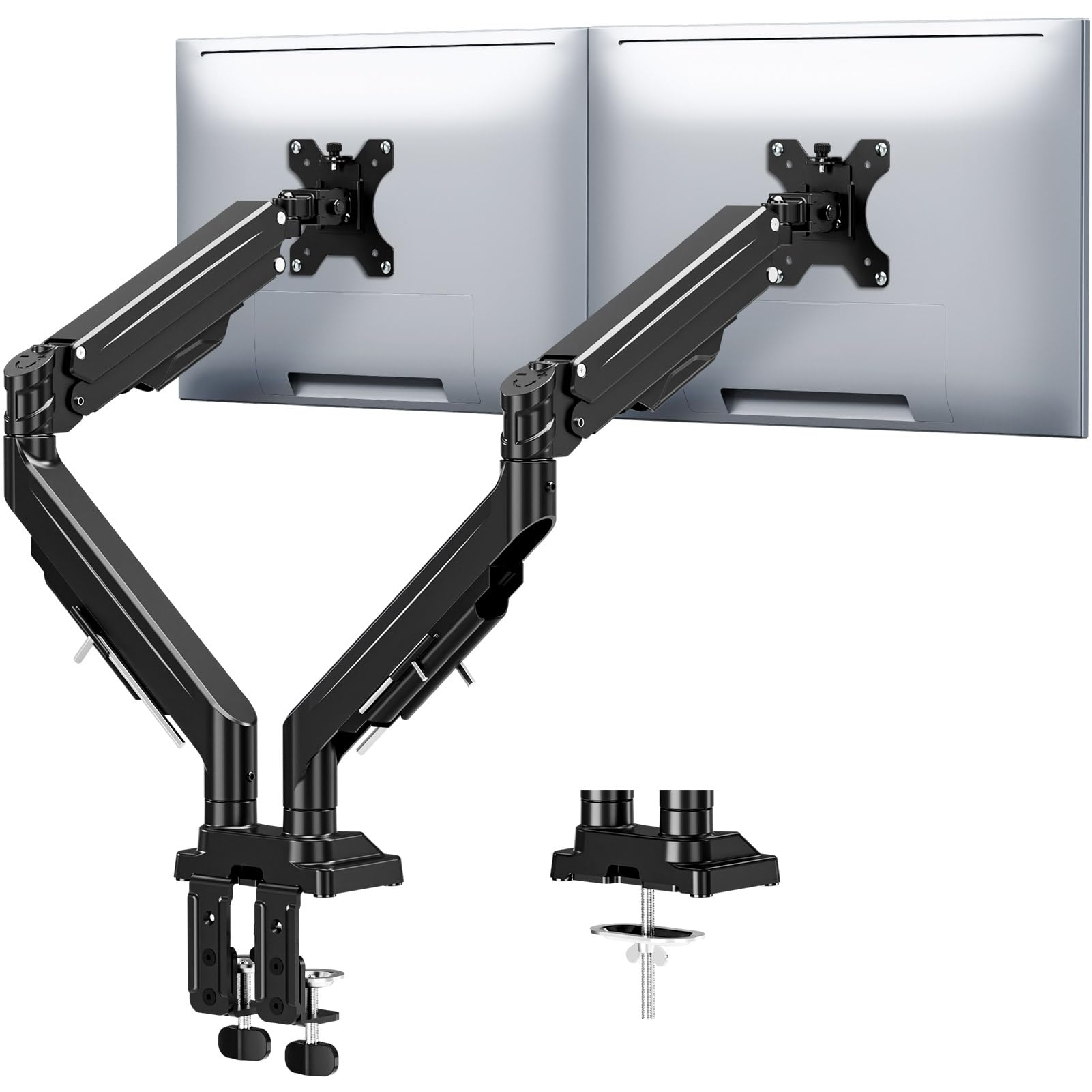
This MOUNTUP model pushes boundaries by supporting monitors up to 43 inches with a per-arm capacity of 33 pounds, making it one of the few dual arms that can handle a single large ultrawide paired with a secondary screen. The reinforced tilt mechanism features dual locking screws that prevent monitor drooping, even at maximum extension. Full motion articulation includes 360° rotation, 180° swivel, and ±30° tilt.
The gas spring system is rated for 20,000 cycles, and the arm extends up to 23.6 inches with height adjustment reaching 22.4 inches. Both C-clamp and grommet mounting options are included, accommodating desks 0.39 to 3.15 inches thick. Built-in cable channels keep wires concealed for a clean workstation.
Users consistently praise the effortless adjustability and rock-solid stability, particularly with heavier gaming monitors. The tool-free installation and labeled parts reduce setup time, and the convenient Allen key storage on the arm keeps tools handy for future tension adjustments. The three-year warranty covers long-term use.
Why it’s great
- Exceptional 43-inch screen compatibility
- Dual locking screws prevent sag over time
- 90Tool-free installation with built-in tool storage
Good to know
- Tilt range is limited to ±30° compared to some competitors
- Requires two hands to reposition smoothly
3. MOUNTUP Vertical Dual Monitor Mount (B0CHW2NMVG)

For users who prefer a stacked monitor configuration, this MOUNTUP vertical mount uses a 28-inch center pole with gas spring arms that can raise the top screen up to 36.3 inches. Each arm holds 4.4 to 17.6 pounds, suitable for monitors up to 32 inches. The full motion design allows ±90° tilt, 180° swivel, and 360° rotation per arm.
The arms extend up to 20.5 inches forward, providing flexibility for deep desks. Both C-clamp and grommet bases are included, with the clamp accommodating desks 0.39 to 3.15 inches thick. Integrated cable management hides wires along the pole and arms, keeping the vertical setup tidy.
User feedback emphasizes the surprising stability of the stacked design, with no wobble even in a high-use call center environment. The gas springs adjust smoothly, though one reviewer noted the tilt mechanism can feel jerky if the tension isn’t perfectly dialed in. Assembly is straightforward, and the mount is praised for its solid all-metal construction at a mid-range price point.
Why it’s great
- Purpose-built for stable vertical stacking
- Tall pole reaches over 36 inches
- Full motion per arm with good extension
Good to know
- Weight limit of 17.6 lbs limits heavier ultrawides
- Tilt tension may require careful adjustment
4. VIVO Premium Aluminum Dual Monitor Mount (STAND-V102BDU)
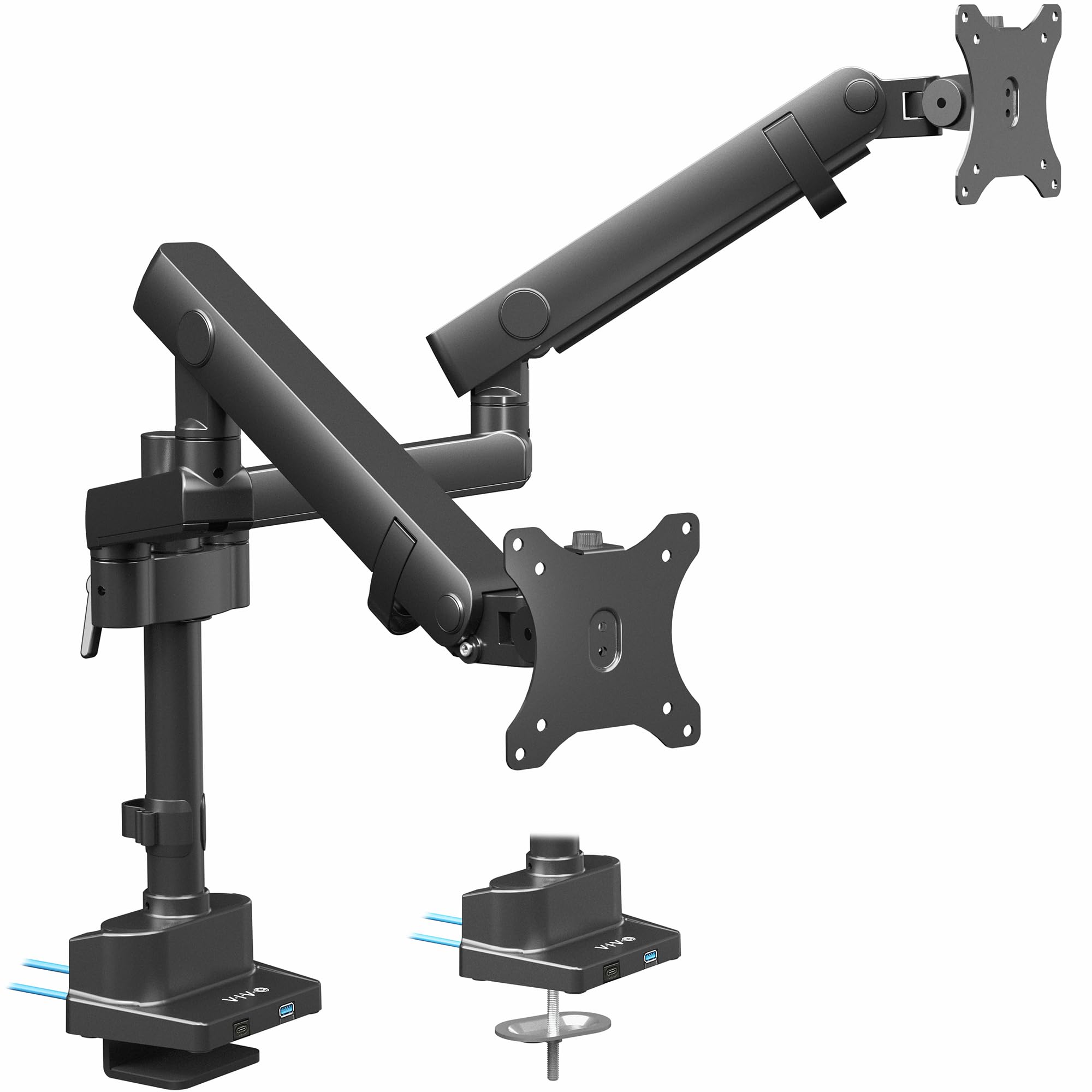
VIVO’s premium aluminum mount combines a sleek aesthetic with practical features. It supports flat screens up to 26.4 pounds and curved screens up to 24.2 pounds, with compatibility for monitors up to 40 inches. The standout feature is two built-in USB 3.0 ports on the base, providing convenient access for charging or syncing devices without reaching behind the desk.
The mechanical spring arms offer a wide range of motion: -90° to +90° tilt, 180° swivel, and 180° rotation. Maximum screen height reaches 24 inches to the center of the display. The pole extension design allows for vertical adjustment independent of the arms. Included C-clamp fits desks 0.4 to 2 inches thick, with a grommet option available.
Users with 34-inch ultrawide monitors report smooth tilt and swivel with no sagging once the spring tension is correctly adjusted. The aluminum construction feels premium and lightweight compared to all-steel arms. Some users noted a slight play in the VESA plate connection, but overall stability is rated highly. The three-year warranty backs the investment.
Why it’s great
- Integrated USB 3.0 ports add desk-side convenience
- Lightweight aluminum build with premium feel
- Pole extension design for flexible height adjustment
Good to know
- VESA plate may have minor rotational play
- Curved screen capacity lower than flat screen rating
5. Fellowes Everyday Plus Dual Gas Spring Monitor Arm
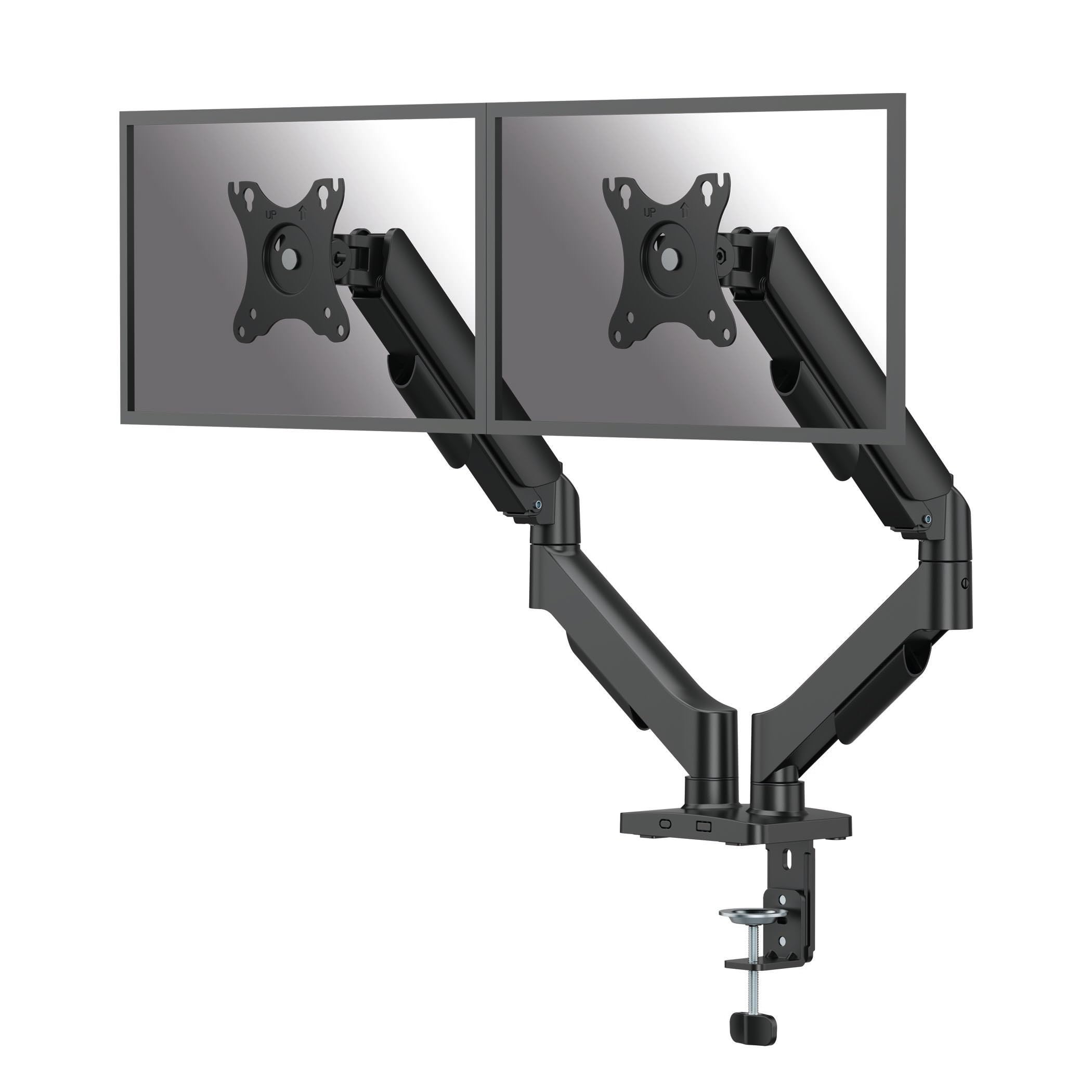
Fellowes brings its office ergonomics expertise to this dual gas spring arm, designed for screens up to 32 inches weighing 4.4 to 19.84 pounds each. The gas spring mechanism provides 9.84 inches of smooth, tool-free height adjustment, making it easy to position screens at eye level throughout the day. The arm extends to a maximum of 19.92 inches from the pole.
Full articulation includes +/-90° tilt, 360° rotation for portrait mode, 180° arm swivel, and +/-90° screen pan. Installation is handled via C-clamp or grommet mount, with the clamp fitting desks 0.39 to 3.15 inches thick. The cable management system routes wires along the arm and pole for a clean appearance.
Users consistently note the sturdy construction and secure clamp that prevents sagging over months of use. The tongue-and-groove VESA bracket simplifies one-person installation. Some reviews mention the fixed-height arm avoids the gas spring leaks that can plague cheaper designs. The eco-friendly cardboard packaging is a thoughtful touch for sustainability-minded buyers.
Why it’s great
- Reliable Fellowes brand with proven ergonomic design
- Tool-free height adjustment with smooth gas spring
- Sturdy clamp with no sagging over time
Good to know
- Height range of 9.84″ may limit very tall users
- Screen rotation requires manual adjustment
6. HUANUO FlowLift Dual Monitor Stand

The HUANUO FlowLift is engineered for users who prioritize rock-solid stability during intensive typing or gaming. Its upgraded base uses a larger platform with a dual C-clamp structure that locks the mount firmly to your desk, virtually eliminating wobble. Each arm supports 4.4 to 19.8 pounds and fits screens 13 to 32 inches with VESA 75x75mm or 100x100mm patterns.
Full motion adjustment offers +85°/-50° tilt, ±90° swivel, and 360° rotation. The arms raise monitors up to 15.75 inches for ergonomic positioning. The built-in cable management guides wires along the arms, keeping cords organized. Installation requires a wooden desk between 0.59 and 3.54 inches thick, with a grommet mount option available.
Users with dual 27-inch curved monitors report excellent stability with no sagging or drifting after months of use. The tension bolts are robust, though some found them very tight out of the box. One caveat: the included M4x30 screws may be too long for some monitors, so having M4x25 screws on hand is wise. Overall, it’s praised as a heavy-duty arm at a mid-range price point.
Why it’s great
- Dual C-clamp design for exceptional desk grip
- Stable with large curved monitors
- 15.75-inch height adjustment range
Good to know
- Desk must be wood; incompatible with glass or plastic
- Supplied M4 screws may be too long for thin monitors
7. VIVO Dual Monitor Desk Mount (STAND-V032)
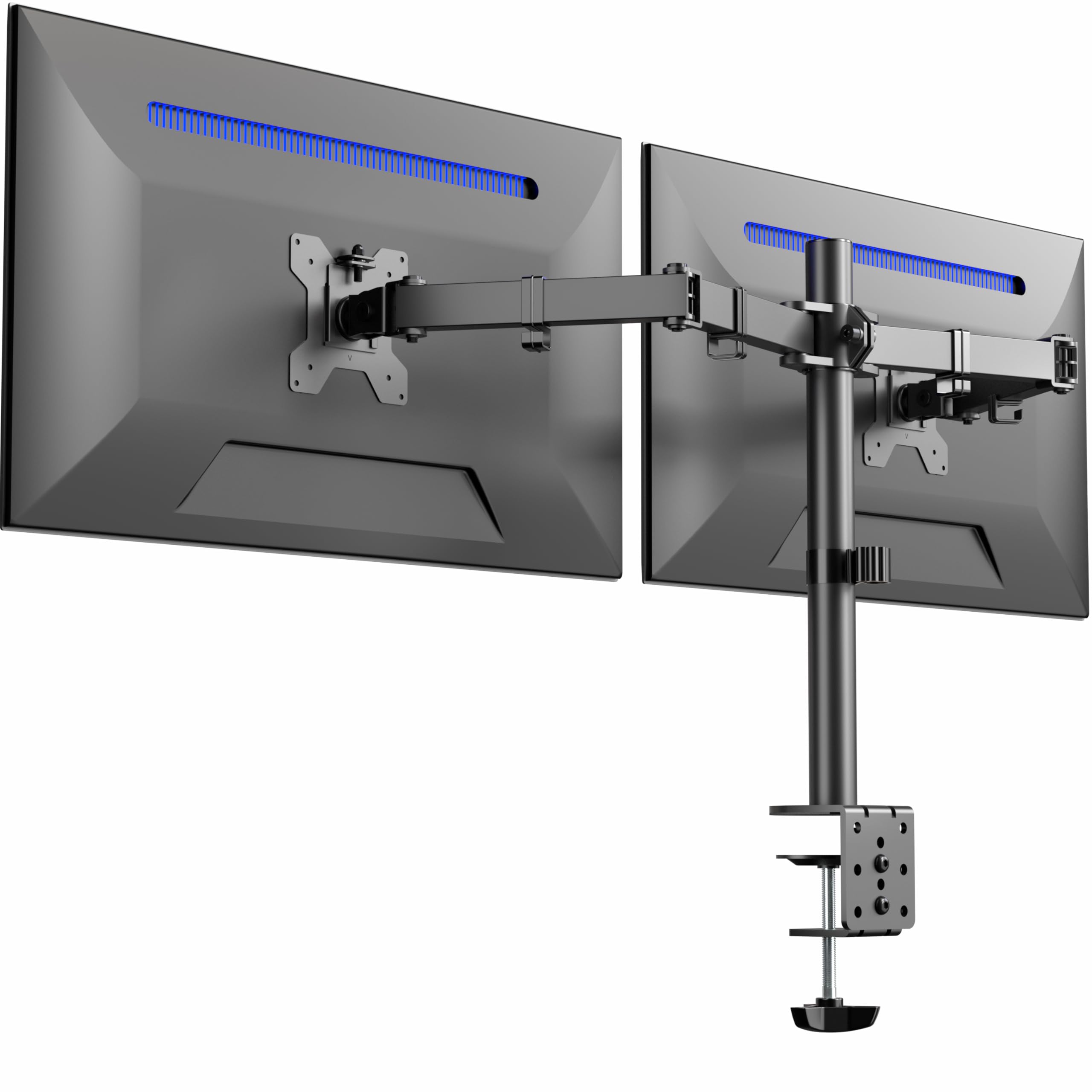
The VIVO STAND-V032 is a budget-friendly friction-arm mount that delivers solid performance without breaking the bank. It fits screens 13 to 32 inches and supports up to 22 pounds per arm, covering most standard monitors. The articulating brackets provide +90° to -90° tilt, 180° swivel, 360° rotation, and height adjustment along the center pole for landscape or portrait orientation.
Drill-free installation uses a heavy-duty C-clamp that secures to desks up to 3.25 inches thick, with an optional grommet mount included. Integrated cable management clips along the arms and pole keep cords organized. Detachable VESA bracket plates simplify mounting the monitors before attaching them to the arms.
User reviews consistently highlight the sturdy build and lack of shaking with 27-inch monitors. The main compromises are limited vertical adjustment between screens — about a quarter-inch — and the arms angle back slightly, requiring the desk to be at least 3 inches from the wall. Assembly is straightforward with clear instructions, and the company’s responsive customer service is frequently praised.
Why it’s great
- Excellent value for standard 27-inch monitor setups
- Sturdy build with no screen wobble
- Easy installation with detachable VESA plates
Good to know
- Limited vertical adjustment between screens
- Requires desk to be 3 inches from wall for full range
FAQ
Can double monitor arms hold two different sized screens?
What desk thickness is required for a C-clamp mount?
How do I stop my monitor arm from sagging over time?
Final Thoughts: The Verdict
For most users, the best double monitor arms winner is the Pixio PS2D because it combines a heavy 33-pound per-arm capacity with smooth gas spring articulation and a top-loading clamp that simplifies installation. If you want built-in USB ports and a premium aluminum finish, grab the VIVO Premium Aluminum (STAND-V102BDU). And for a budget-friendly friction arm that handles standard 27-inch monitors with surprising stability, nothing beats the VIVO STAND-V032.

Mo Maruf
I created WellFizz to bridge the gap between vague wellness advice and actionable solutions. My mission is simple: to decode the research and give you practical tools you can actually use.
Beyond the data, I am a passionate traveler. I believe that stepping away from the screen to explore new environments is essential for mental clarity and physical vitality.