Our readers keep the lights on and my smoothie glass nicely filled. As an Amazon Associate, I earn from qualifying purchases.
Most door security devices rely on expensive electronics that can be hacked, jammed, or simply run out of battery at the worst possible moment. The smarter approach starts with the door itself—reinforcing the frame and the locking mechanism with hardware that doesn’t depend on a Wi-Fi signal to keep you safe.
I’m Mohammad Maruf — the founder and writer behind WellFizz. I’ve spent countless hours analyzing door security specifications, testing the claims behind smart locks, and comparing the mechanical reliability of passive security brackets against electronic alternatives so you can make an informed choice.
This guide breaks down the best door security devices by anchoring every recommendation to measurable specs like kick-in force resistance, biometric accuracy, auto-lock timing, and weatherproofing ratings rather than marketing promises.
How To Choose The Best Door Security Devices
The door security market splits into two distinct philosophies: passive mechanical reinforcement that physically blocks forced entry, and active electronic locks that manage keyless access. The best choice depends on whether your primary threat is a kick-in attack or unauthorized key duplication. Understanding the key specs will help you decide where to invest.
Hardware Grade and Door Reinforcement
ANSI/BHMA grades rank deadbolt durability from Grade 3 (basic residential, 100,000 cycles) to Grade 1 (commercial, 800,000 cycles). Grade 2 offers a solid middle ground at 400,000 cycles. For reinforcement brackets, look at the steel thickness and the rated kick-in force—the SecurityMan 700-pound threshold is a standout. A smart lock on a weak door frame is still a weak lock.
Biometric Sensor Type and False Rejection Rate
Not all biometric sensors are equal. Optical fingerprint sensors found in entry-level locks can be fooled by moisture or dirt. The Veise VE017 uses a Swedish FPC capacitive sensor with an on-device AI chip that claims 99.99% accuracy and sub-0.2-second recognition. Palm vein recognition, like the Wyze Palm Lock, reads subdermal vein patterns and is nearly impossible to spoof, but requires a larger scanning area and more power.
Wireless Protocol and Remote Access
Built-in Wi-Fi locks (like the Philips DDL242X-1HW) connect directly to your home network without a hub, but require 2.4 GHz compatibility and draw more battery power. Locks that rely on a separate Zigbee or Matter bridge (like some eufy models) use less local battery but add a single point of failure. Consider whether you truly need remote unlocking capabilities or if local Bluetooth access and scheduled codes suffice.
Quick Comparison
On smaller screens, swipe sideways to see the full table.
| Model | Category | Best For | Key Spec | Amazon |
|---|---|---|---|---|
| SecurityMan 2-PK Brackets | Mechanical | Passive kick-in protection | 700 lbs force rating | Amazon |
| Philips DDL242X-1HW | Smart Lock | Built-in Wi-Fi with fingerprint | 100 passcode capacity | Amazon |
| Wyze Palm Lock | Biometric Lock | Contactless palm vein scanning | Dual-battery with USB-C | Amazon |
| Veise VE017 | Smart Lock | AI fingerprint & app control | FPC sensor, 0.2 sec scan | Amazon |
| eufy C33 | Smart Lock | Handle-integrated fingerprint | 18-month coverage | Amazon |
| Kwikset 270 | Keypad Lock | No-WiFi rental properties | Grade 2 BHMA certified | Amazon |
| TEEHO TE004 | Keypad Lock | Interior door privacy | IP54 weather resistance | Amazon |
In-Depth Reviews
1. SecurityMan 2-PK Heavy Duty Door Barricade Brackets
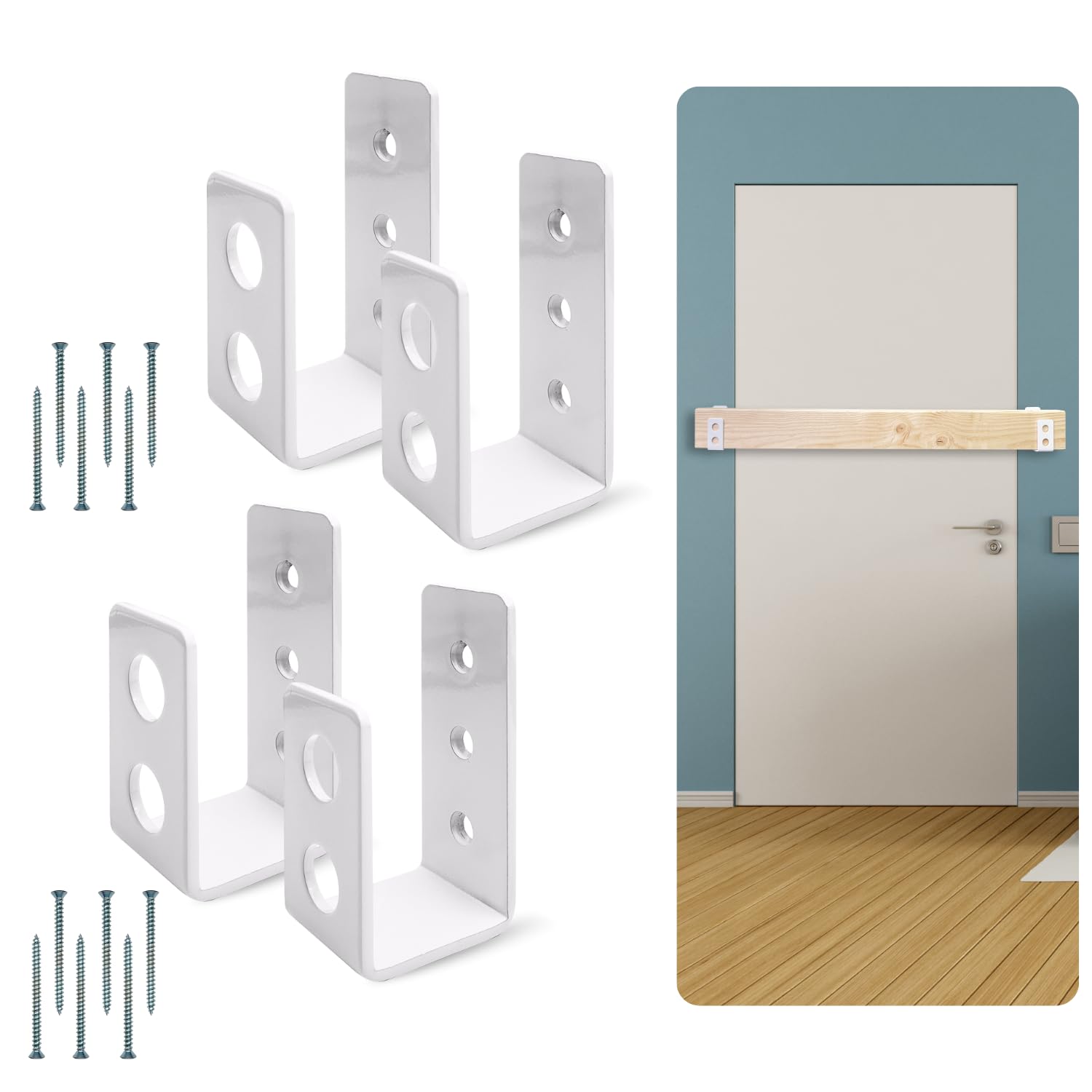
This mechanical bracket system delivers the highest force resistance in our lineup: 700 pounds of kick-in protection from a 3.5 mm thick alloy steel U-bracket that mounts directly into door studs. Unlike any electronic lock, this device works when the power is out, the Wi-Fi is down, and the batteries are dead. The powder-coated finish resists rust for outdoor use on gates, sheds, and barn doors.
Installation requires drilling into studs with the included 2.5-inch wood screws, and the two-bracket set supports both in-swinging and out-swinging doors. Customers consistently note that the bracket feels “super solid” once mounted, though several recommend upgrading to heavier screws for maximum bite into the door frame. The set ships as four brackets, not two—enough to reinforce both the top and bottom of a single door for double the security.
This is not a subtle device. It requires a 2×4 wood plank (not included) that slides into the brackets to create a horizontal dead bar. It changes the appearance of your door and cannot be operated from the outside. For someone who wants absolute physical barrier protection against forced entry, no smart lock can match the raw strength of this system.
Why it’s great
- Rated for 700 pounds of kick-in force — class-leading passive protection
- Requires no batteries, app, or network connection to function
- Rust-proof powder coating suitable for outdoor gates and sheds
Good to know
- Requires drilling into studs and a separate 2×4 beam
- Included screws tend to strip easily according to multiple users
- Bulkier profile compared to discreet electronic locks
2. Philips Wi-Fi Door Lock DDL242X-1HW

Philips brings its consumer electronics pedigree into the door security category with a built-in Wi-Fi smart lock that requires no separate hub. The fingerprint sensor uses a capacitive scanner that reviewers across multiple months found to be fast and accurate—one user rated it the best among four brands tested side by side. The lock stores up to 100 custom passcodes and supports one-time or scheduled codes for short-term guests.
The auto-lock timer adjusts from 10 to 180 seconds, and an Away Mode disables all unlock methods except the master code for extended trips away from home. Power comes from 8 AA alkaline batteries, which is double the typical count for keypad-only locks, suggesting higher energy draw from the Wi-Fi radio and fingerprint sensor. The lock supports voice control through both Alexa and Google Assistant for hands-free operation.
Installation takes under 30 minutes with a single screwdriver, and the lock fits standard door thicknesses from 1-3/8 to 2 inches. The raised keypad numbers and hidden keyhole under the fingerprint reader are thoughtful design touches that improve nighttime usability. A few users noted the lack of an auto-unlock feature based on phone proximity, which some competing models offer.
Why it’s great
- Built-in Wi-Fi eliminates the need for an additional hub for remote access
- Fingerprint sensor consistently praised for speed and reliability across reviews
- Generous 100-passcode capacity with time-restricted scheduling options
Good to know
- Requires 2.4 GHz Wi-Fi network only — no 5 GHz band support
- Uses 8 AA batteries, which may need more frequent replacement than 4-battery locks
- No built-in door sensor to confirm closed position before auto-lock triggers
3. Wyze Palm Lock
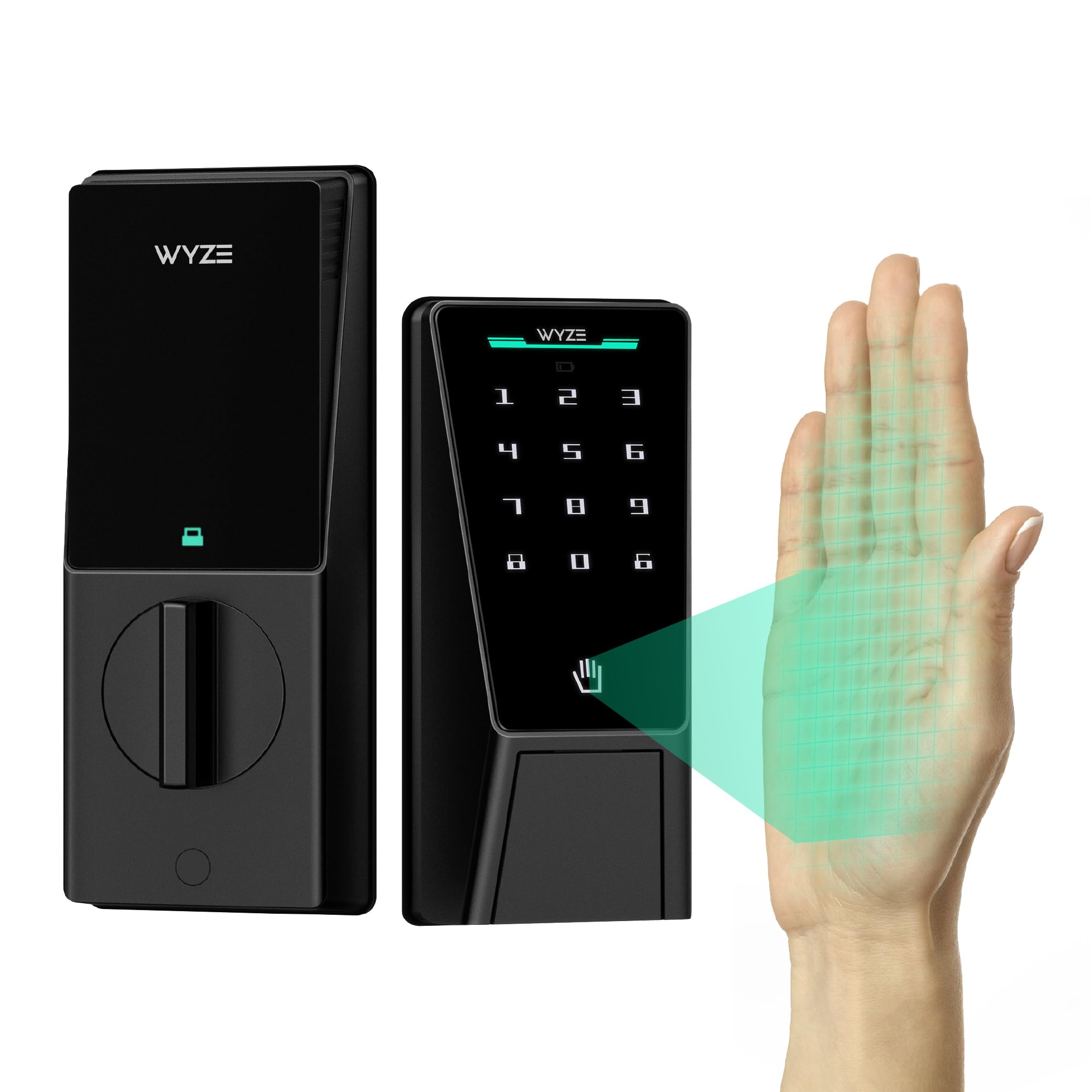
The Wyze Palm Lock is the most technologically distinct device in this category, using near-infrared light to read the vein pattern beneath your palm—a biometric method far harder to spoof than surface fingerprints. The hover-to-unlock gesture is fully contactless, which matters for hygiene-conscious households and for users with wet or dirty hands. The lock uses millimeter-wave radar, the same tech found in automotive sensors, to detect the presence of a person before waking the system, saving battery life when nobody is near the door.
The dual-battery system provides a 6-month primary battery with a 2-week reserve, plus a USB-C emergency charge port that works with any power bank. Real customers reported impressive recognition speed, with several noting it works faster and more reliably than previous fingerprint locks they had owned. The auto-lock uses a gyroscope to detect the door closing angle rather than a timer, which prevents the lock from engaging before the door is fully shut—a common annoyance with timer-based systems.
The main caveat is battery life. Users with storm doors or high-frequency traffic reported the main battery draining in as little as 1.5 months, though the battery saver mode helped extend runtime. The lock is BHMA Grade 3 certified, which is the minimum residential standard, so users seeking commercial-grade durability should look at Grade 2 alternatives. The Wyze ecosystem integration is excellent if you already use Wyze cameras or doorbells.
Why it’s great
- Contactless palm vein recognition is more secure and hygienic than fingerprint sensors
- Gyroscope-based auto-lock prevents the bolt from engaging before the door closes
- Dual-battery system with USB-C emergency backup prevents lockout situations
Good to know
- Battery life can be short (1.5 months) with storm doors or high traffic
- BHMA Grade 3 certification is the minimum residential standard
- Requires Wyze app and Wi-Fi for full remote functionality
4. Veise VE017 Fingerprint Smart Door Lock
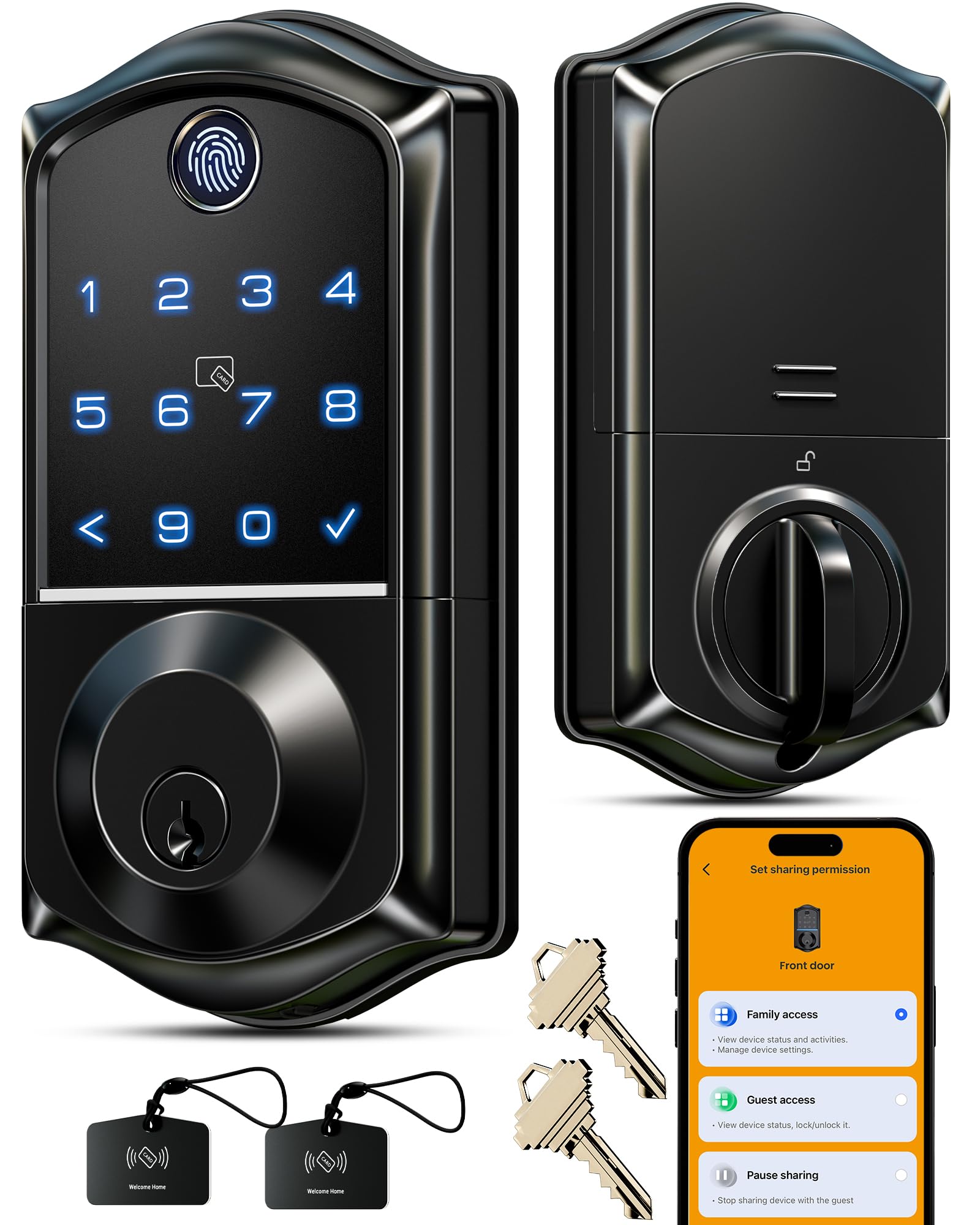
The Veise VE017 delivers an 8-in-1 unlocking system including a Swedish FPC capacitive fingerprint sensor that uses an on-device AI chip to learn and refine recognition patterns over time—accuracy claims sit at 99.99% with a scan speed under 0.2 seconds. The KK Home app provides full remote user management, allowing you to create one-time codes, duration codes, recurring codes, and permanent codes, all with detailed activity logs. The anti-peeping password feature lets you type random digits before and after your real PIN to mask it from onlookers.
The all-zinc alloy construction with IP55 weather protection makes this lock suitable for both interior and exterior doors, handling temperatures from -35°F to 160°F. The lock stores all access data locally with AES128 encryption, meaning even if someone compromised your phone, they could not pull fingerprint data from cloud servers. Installation takes roughly 15 minutes with a screwdriver, and the lock auto-detects door handedness during setup.
Some users reported intermittent failures with remote app access when away from the home network, which may indicate that the Bluetooth-to-Wi-Fi bridging isn’t as stable as dedicated built-in Wi-Fi locks. The 12-month battery life estimate on 4 AA batteries is standard for this tier. The Veise VE017 packs an enormous feature set at a modest price point, making it the strongest value proposition for smart lock shoppers.
Why it’s great
- Swedish FPC capacitive sensor with self-learning AI for improving fingerprint accuracy
- IP55 weather resistance with extreme temperature tolerance (-35°F to 160°F)
- Local AES128 encrypted storage prevents cloud-based data breaches
Good to know
- Remote app access can be unreliable when away from home network
- Battery life estimate of 12 months on 4 AA alkaline batteries
- Requires separate G1 gateway for Alexa/Google voice control
5. Kwikset SmartCode 270

The Kwikset SmartCode 270 stands apart from the app-connected crowd by focusing exclusively on hardware-grade security and keypad reliability. It carries ANSI/BHMA Grade 2 certification, meaning it is up to 2.5 times stronger than the Grade 3 locks that dominate the smart lock market. With 400,000 tested cycles, this lock is built for high-traffic doors and long-term durability without any reliance on Wi-Fi, Bluetooth, or smartphone apps.
The lock supports up to 50 user codes plus 10 one-time codes, all managed directly from the keypad—no app download required. The auto-lock timer offers five intervals (30 seconds, 1, 3, 5, or 10 minutes), giving you precise control over when the deadbolt engages. The SmartKey Security feature allows you to re-key the lock in seconds to match any existing KW1 key, which is invaluable for rental property turnover.
The keypad uses bright LED backlighting that activates when tapped, making late-night code entry effortless. The built-in intrusion alarm sounds after 3 failed code attempts and disables the keypad for 1 minute. Vacation Mode disables all keypad functions entirely. The primary downside is the audible noise of the locking mechanism, which several users described as loud enough to hear from another room—some consider this a deterrent bonus.
Why it’s great
- ANSI/BHMA Grade 2 certification delivers 2.5x the durability of Grade 3 locks
- SmartKey re-keying lets you match existing keys without a locksmith
- No Wi-Fi or app required — fully self-contained keypad operation
Good to know
- Locking mechanism is audibly louder than most electronic competitors
- Limited to 50 user codes — less than some smart lock competitors
- No remote access or activity logging without additional Kwikset hub
6. eufy Security Smart Lock C33
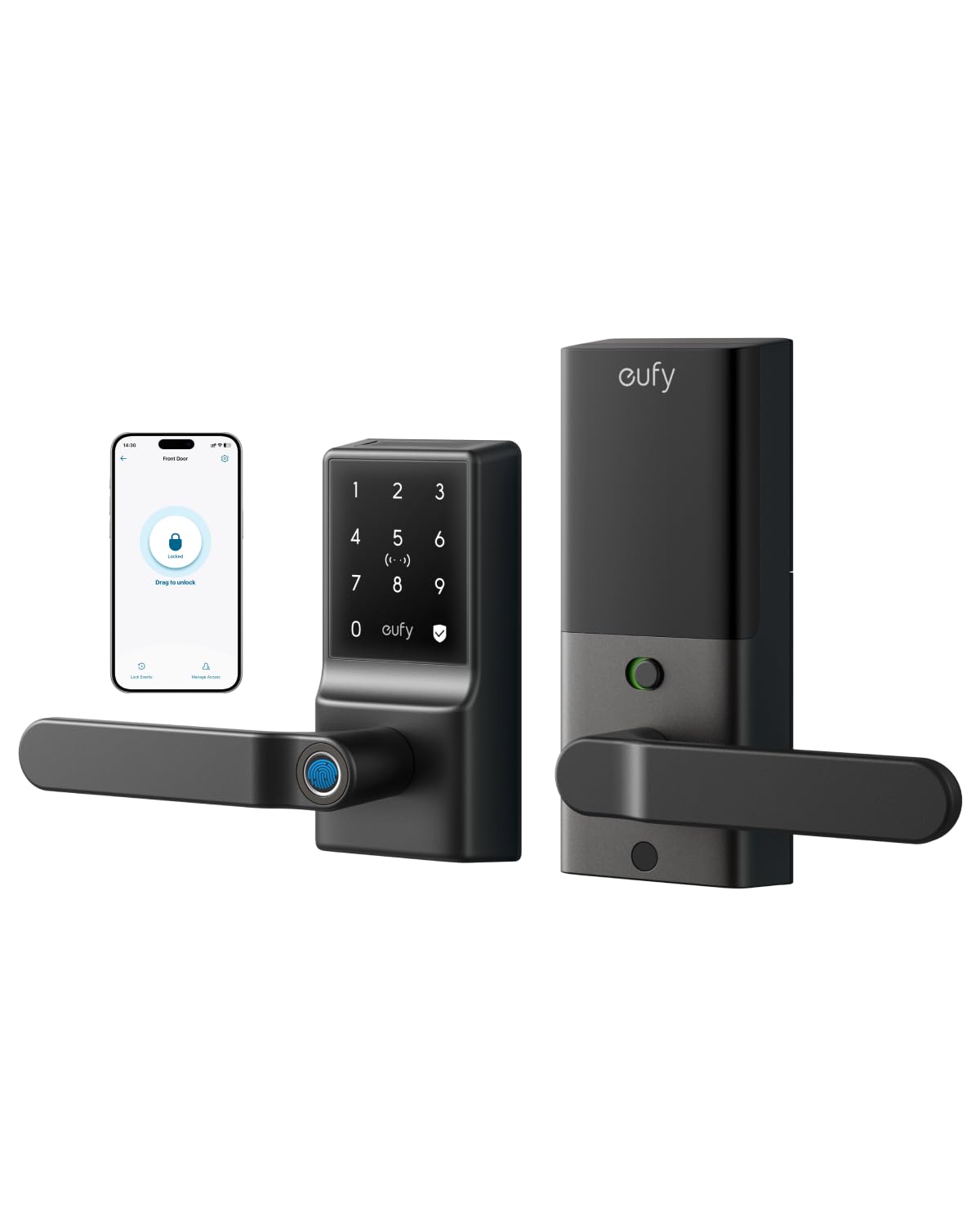
The eufy C33 integrates the fingerprint sensor directly into the door handle grip, so unlocking happens naturally as you grasp the lever—no separate pad to locate. This ergonomic design is particularly convenient when carrying groceries or managing children, and reviewers consistently praised the fingerprint reader for its speed and first-attempt accuracy. The lock includes a beefy deadlatch mechanism that feels more substantial than the average smart lock.
Built-in Wi-Fi enables remote access via the eufy Security app, where you can manage individual user codes and fingerprints, receive real-time notifications, and check event history. The lock supports both Alexa and Google Assistant for voice control, and if you already own eufy cameras, the lock integrates seamlessly into the same ecosystem. The auto-lock schedule feature lets you set specific times for the door to automatically secure itself, which users cited as a major peace-of-mind benefit.
The lock runs on 8 AA batteries, which is on the high end for this category. Some users recommended replacing the included alkaline batteries immediately with Energizer Ultimate Lithium cells, as the stock batteries showed poor performance when depleted. The lock requires a 2.4 GHz Wi-Fi network and will need full reconfiguration after a network outage—a limitation that tech-savvy users noted as a pain point compared to Matter-over-Thread alternatives.
Why it’s great
- Fingerprint sensor integrated into the handle grip for natural one-motion unlocking
- Solid deadlatch mechanism and metal construction for long-term durability
- Auto-lock scheduling provides reliable daily security without manual input
Good to know
- Requires full Wi-Fi reconfiguration after network outage — no local fallback
- Uses 8 AA batteries; recommended to upgrade to lithium cells immediately
- Wi-Fi and cloud dependency means no functionality during internet downtime
7. TEEHO TE004 Keyless Entry Keypad Door Lock with Handle
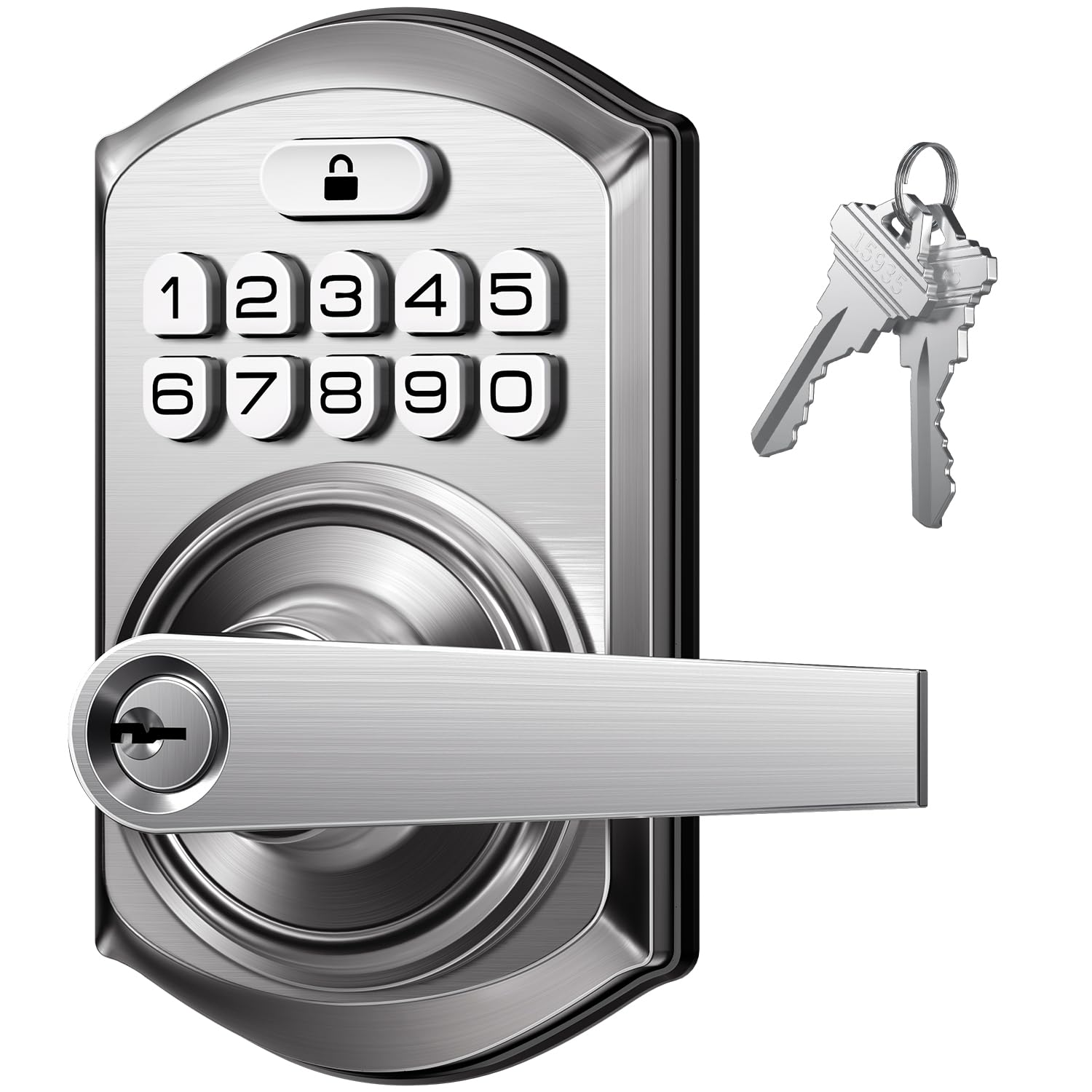
The TEEHO TE004 delivers keypad-based keyless entry with a lever handle design at a budget-friendly price point, making it an option for interior doors, garages, and home offices where you do not need fingerprint scanning or Wi-Fi connectivity. The lock supports up to 20 user PIN codes, one-time temporary codes, and two physical backup keys. The auto-lock timer is adjustable from 10 to 99 seconds via the keypad, and one-touch locking is achieved by holding any key for 2 seconds.
The zinc alloy construction with IP54 weather resistance means it can handle rain and cold temperatures without jamming, though it is not rated for submersion or extreme dust. The anti-peeping keypad allows random digits before and after the real code to prevent shoulder surfers, and a 10-failed-attempt lockout disables the keypad for 3 minutes to deter brute-force code guessing. Passage Mode disables auto-lock entirely, which is useful for spaces that need free traffic during the day.
Installation takes about 10 minutes and requires only a screwdriver. The lock fits door thicknesses from 1-3/8 to 2 inches with standard 2-1/8 bore holes. Reviewers praised the surprising build quality for the price point, with one buyer calling it “a notch above other Amazon locks” and purchasing a second unit for the front door. The lock lacks any remote connectivity, biometric scanning, or smartphone app, so it is strictly a code-and-key device—which some users will prefer for its simplicity.
Why it’s great
- Solid zinc alloy construction with IP54 weather resistance at an accessible price
- Adjustable auto-lock timer from 10 to 99 seconds for flexible scheduling
- Passage Mode disables auto-lock for interior doors requiring free access
Good to know
- No biometric, Bluetooth, or Wi-Fi connectivity — code and key only
- Limited to 20 user PIN codes, fewer than most competitors
- ANSI Grade 3 certification is the minimum residential durability rating
FAQ
Do smart locks weaken the security of my door compared to a traditional deadbolt?
What is the most important upgrade for resisting forced entry?
Is palm vein recognition more secure than a fingerprint sensor?
How many user codes do I actually need for a residential smart lock?
Does an auto-lock feature compromise security if the door isn’t fully closed?
Final Thoughts: The Verdict
For most users, the door security devices winner is the SecurityMan 2-PK barricade brackets because no smart lock can withstand 700 pounds of kick-in force, and this passive system remains functional during power outages and network failures. If you want contactless biometric security with advanced anti-spoofing, grab the Wyze Palm Lock. And for a smart budget-conscious upgrade that combines fingerprint scanning and app control without breaking the bank, nothing beats the Veise VE017.

Mo Maruf
I created WellFizz to bridge the gap between vague wellness advice and actionable solutions. My mission is simple: to decode the research and give you practical tools you can actually use.
Beyond the data, I am a passionate traveler. I believe that stepping away from the screen to explore new environments is essential for mental clarity and physical vitality.