Our readers keep the lights on and my smoothie glass nicely filled. As an Amazon Associate, I earn from qualifying purchases.
Fumbling with keys while balancing groceries or a walker is the exact moment a standard lock becomes a physical barrier. The right lock for aging hands must replace that daily struggle with a single touch, a remembered code, or a voice command. That is the gap this guide closes.
I’m Mohammad Maruf — the founder and writer behind WellFizz. I’ve spent hundreds of hours analyzing product specifications, filtration grades, and hardware certifications for home safety solutions, cross-referencing them with real-world consumer feedback to separate marketing fluff from genuinely useful hardware.
This guide examines the most reliable, accessible, and secure door locks for elderly users, focusing on ease of use, durable construction, and practical smart features that truly simplify daily life.
How To Choose The Best Door Locks For Elderly
Choosing a lock for an elderly family member or yourself goes beyond standard security. The primary goals are reducing physical strain, preventing lockouts, and maintaining easy access for caregivers. Here are the critical factors to evaluate.
Prioritize Lever Handles Over Round Knobs
A traditional round knob requires a twisting, gripping motion that can be painful or impossible for someone with arthritis, carpal tunnel, or reduced hand strength. A lever handle allows the user to simply push down with a palm, wrist, or elbow — a much more accessible motion. Most of the locks on this list feature an integrated lever design that pairs with the keypad or biometric reader.
Choose the Right Keyless Entry Method
Three main entry options exist: fingerprint readers, keypad codes, and app-based control. Fingerprint sensors are the fastest and require no memory, but some cheaper sensors can be finicky with dry or worn fingertips common in older adults. Keypad entry is reliable but requires remembering a code — which can be a challenge for those with memory issues. App control is excellent for remote access by a caregiver or family member. The best locks offer a combination of these methods so the user can choose what works best on any given day.
Auto-Lock and Safety Features
Auto-lock is a top safety feature for anyone who might forget to secure the door behind them. Look for an auto-lock timer that is adjustable (typically 10 to 99 seconds or even longer) so the door locks automatically after entry or exit without the user needing to remember. Anti-peep keypads that allow you to scramble digits before and after the real code add security if someone is watching. A low-battery warning and emergency power port (USB-C) are also essential to prevent sudden lockouts.
Quick Comparison
On smaller screens, swipe sideways to see the full table.
| Model | Category | Best For | Key Spec | Amazon |
|---|---|---|---|---|
| Philips 4200 Series | Premium WiFi | Whole-home smart access | Built-in WiFi, no hub needed | Amazon |
| Veise VE06-L | Premium Lever Set | Interior & entry doors with handle set | 2 lever handles included, 250+ codes | Amazon |
| Sifely Smart Lock | Mid-Range App | Rental management & guest access | 5-in-1: keypad, app, key, FOB, knob | Amazon |
| Veise VE017 Fingerprint | Mid-Range Biometric | Fast fingerprint entry | Self-learning AI fingerprint (0.2 sec) | Amazon |
| TEEHO TE004 | Value Keypad | Simple keypad entry, interior use | 20 user codes, IP54 weather resistant | Amazon |
| TEEHO TE003 | Value Keypad | Budget-friendly front/back door | ANSI Grade 3, aluminum alloy keypad | Amazon |
| ThorBolt MD1 | Entry-Level Biometric | Affordable fingerprint for interior doors | 100 fingerprints, 100 passcodes | Amazon |
In‑Depth Reviews
1. Philips 4200 Series WiFi Keypad Door Lock (DDL242X-1HW)
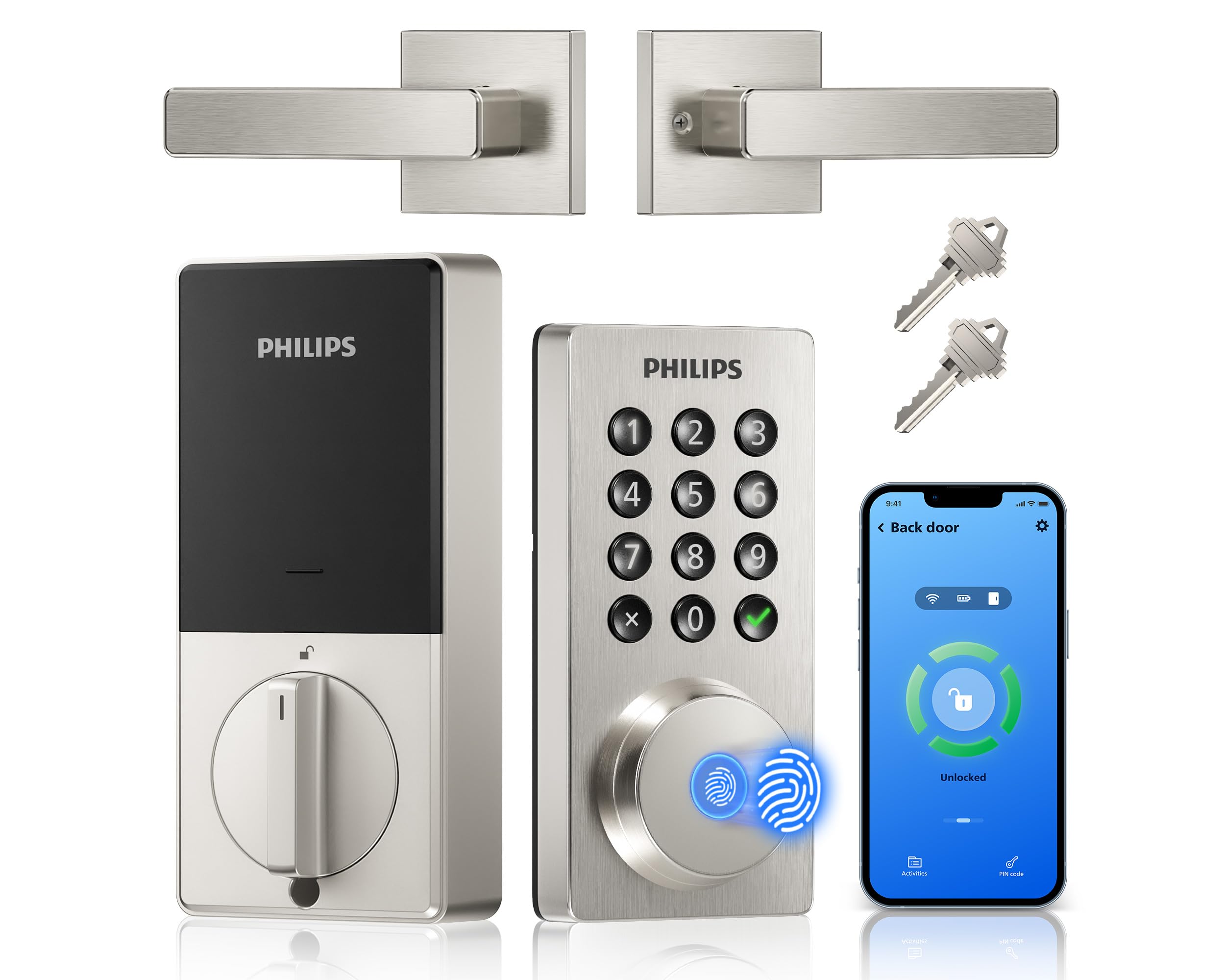
Philips steps into the smart lock category with a solution that eliminates the biggest friction point for elderly users: the need for a separate smart hub. This lock connects directly to a 2.4GHz WiFi network, meaning no extra hardware to buy, install, or troubleshoot. The 0.3-second fingerprint reader is among the fastest on this list, critical for users who may have limited patience or dexterity to hold a finger in place. The lever handle design means opening the door requires only a gentle downward push of the palm — ideal for arthritic or weak hands.
The Philips Home Access App allows a caregiver or family member to remotely check the lock status, create permanent or temporary codes, and view access history from anywhere. Voice control via Alexa or Google Assistant adds another layer of convenience for those who find touchscreens difficult. The auto-lock timer is adjustable from 0 to 180 seconds via the app, providing peace of mind for forgetful moments. The satin nickel finish is corrosion-resistant and looks premium on any door.
Installation is straightforward with a screwdriver, and the lock is compatible with standard US doors. The only minor inconvenience is that it requires 8 AA alkaline batteries (not included) rather than the typical 4, though battery life is competitive. The physical backup key hidden under the fingerprint pad is a thoughtful safety net.
Why it’s great
- No hub required — connects directly to WiFi
- Lightning-fast 0.3-second fingerprint reader
- Lever handle design reduces strain on hands
- Voice control compatible with Alexa and Google Assistant
Good to know
- Requires 8 AA batteries, not 4
- Door thickness compatibility limited to 1-3/8″ to 1-3/4″
2. Veise VE06-L Smart Lock with 2 Lever Handle Set
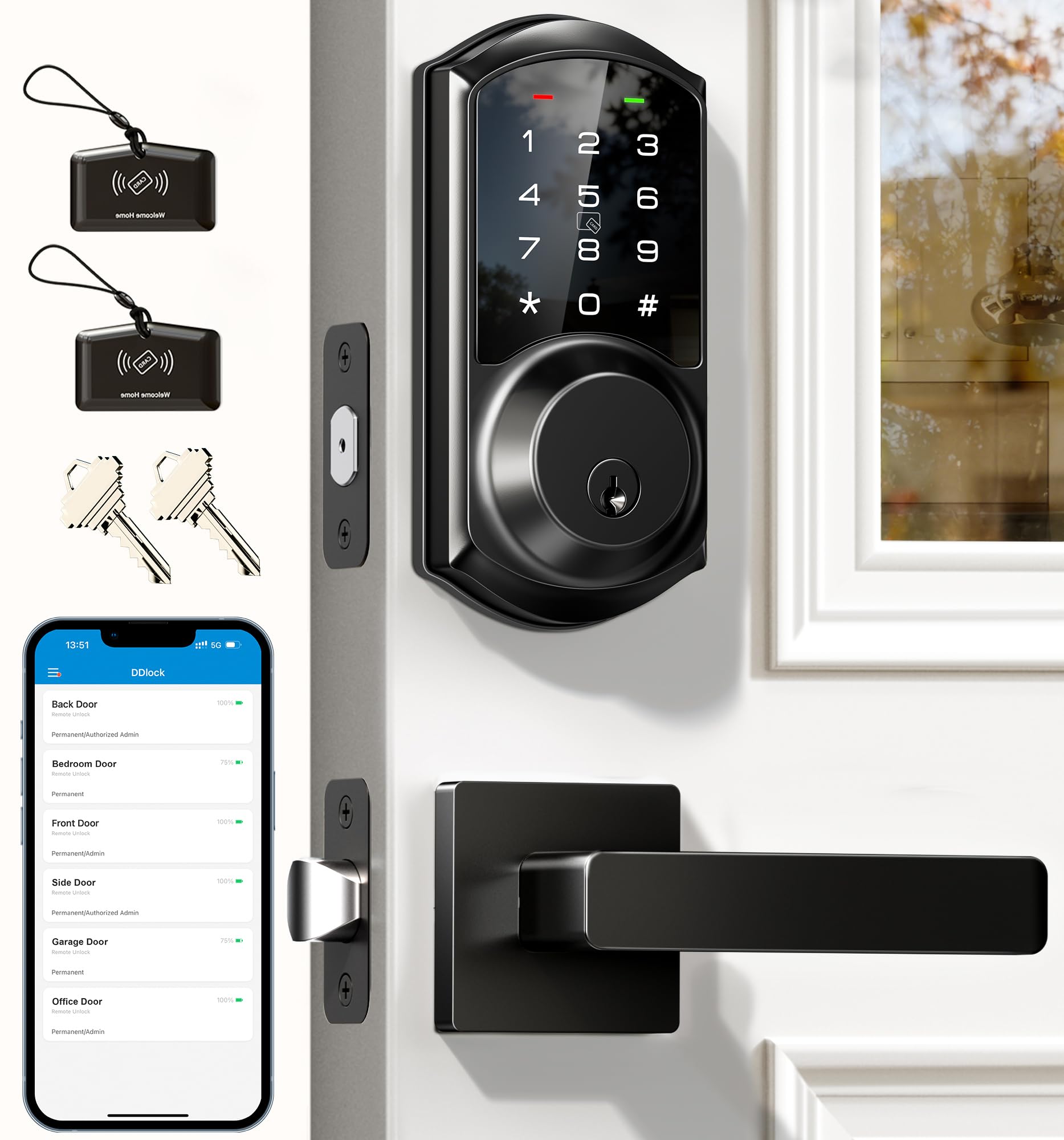
The Veise VE06-L is specifically designed for those who need a complete lock and handle replacement. Unlike many smart locks that only replace the deadbolt, this kit includes two full lever handles — one for each side of the door. This is a major advantage for elderly users because it means every entry point on the door uses a lever, not a knob. The lever design is universally easier to operate for those with arthritis, tremors, or low grip strength.
This lock supports over 250 user codes, plus IC cards and traditional keys. The flexibility is ideal for a caregiver who needs access without memorizing a shared code. The DDlock app and web portal allow remote code generation, user permission management, and access log viewing — all without a subscription fee. The adjustable auto-lock timer spans 5 to 900 seconds, giving massive customization for different routines. The anti-peep keypad allows random digits before and after the real code, adding security without complexity.
The all-zinc alloy construction gives it a robust, premium feel. The IP54 weatherproof rating means it can handle rain and temperature swings on an exterior door without jamming. Installation takes about 10 minutes with a screwdriver, and the included video guide is particularly helpful for seniors who prefer visual instructions.
Why it’s great
- Includes two full lever handles — replaces knob entirely
- Over 250 user codes for family and caregivers
- IP54 weatherproof and zinc alloy construction
- Adjustable auto-lock up to 900 seconds
Good to know
- Gateway required for remote access and voice control
- Fingerprint sensor is optional, not included
3. Sifely Smart Lock Keyless Entry Deadbolt
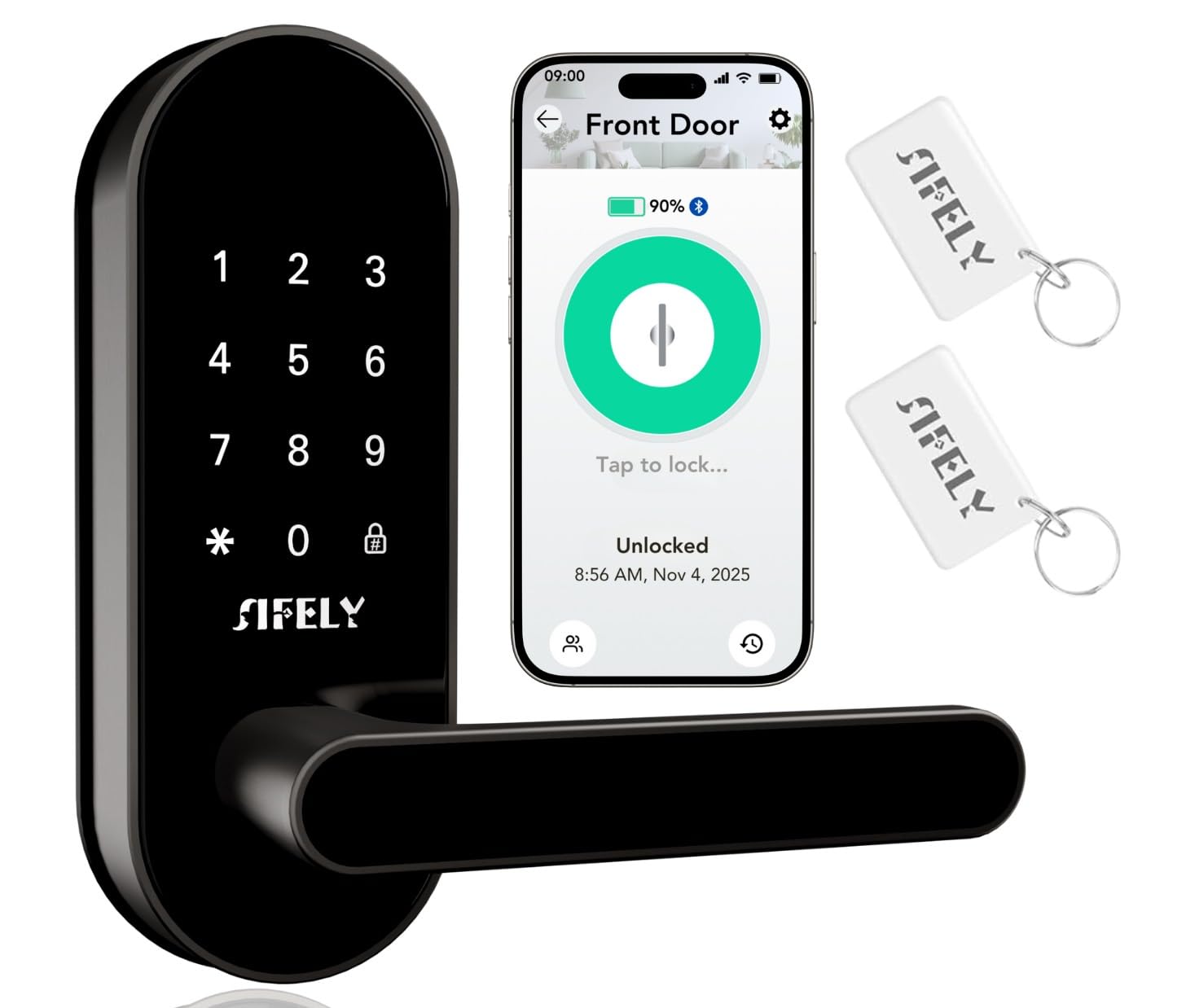
The Sifely Smart Lock is an excellent choice for elderly homeowners who rent out rooms or want to manage access for in-home caregivers, housekeepers, or visiting family. It offers five ways to unlock: keypad, App, physical key, FOB, and knob. The knob entry is a lever-style handle, again reducing the twisting motion required. The keypad is backlit and easy to read, which helps those with low vision.
One of the standout features for caregivers is the App control. The Sifely app allows you to create unique codes for each user, set schedules for those codes (e.g., the home health aide has access only on Tuesdays from 2-4 PM), and view a complete entry log. This level of control is invaluable for monitoring who comes and goes without having to be physically present. The auto-lock function is reliable and quiet, a nice touch for not disturbing a sleeping senior.
The build quality is solid, with an aluminum and zinc construction that feels substantial. Some users noted that the mounting screws could be short, but Sifely provides replacements. A separate WiFi gateway is needed for full remote access, but the lock can still generate remote codes via the app even without internet — a handy fallback.
Why it’s great
- 5 versatile unlock methods including FOB and app
- App allows scheduled and temporary guest codes
- Quiet auto-lock operation
- Works with Alexa and Google via optional gateway
Good to know
- Fingerprint reader not included in this model
- WiFi gateway required for remote control
4. Veise VE017 Fingerprint Smart Door Lock
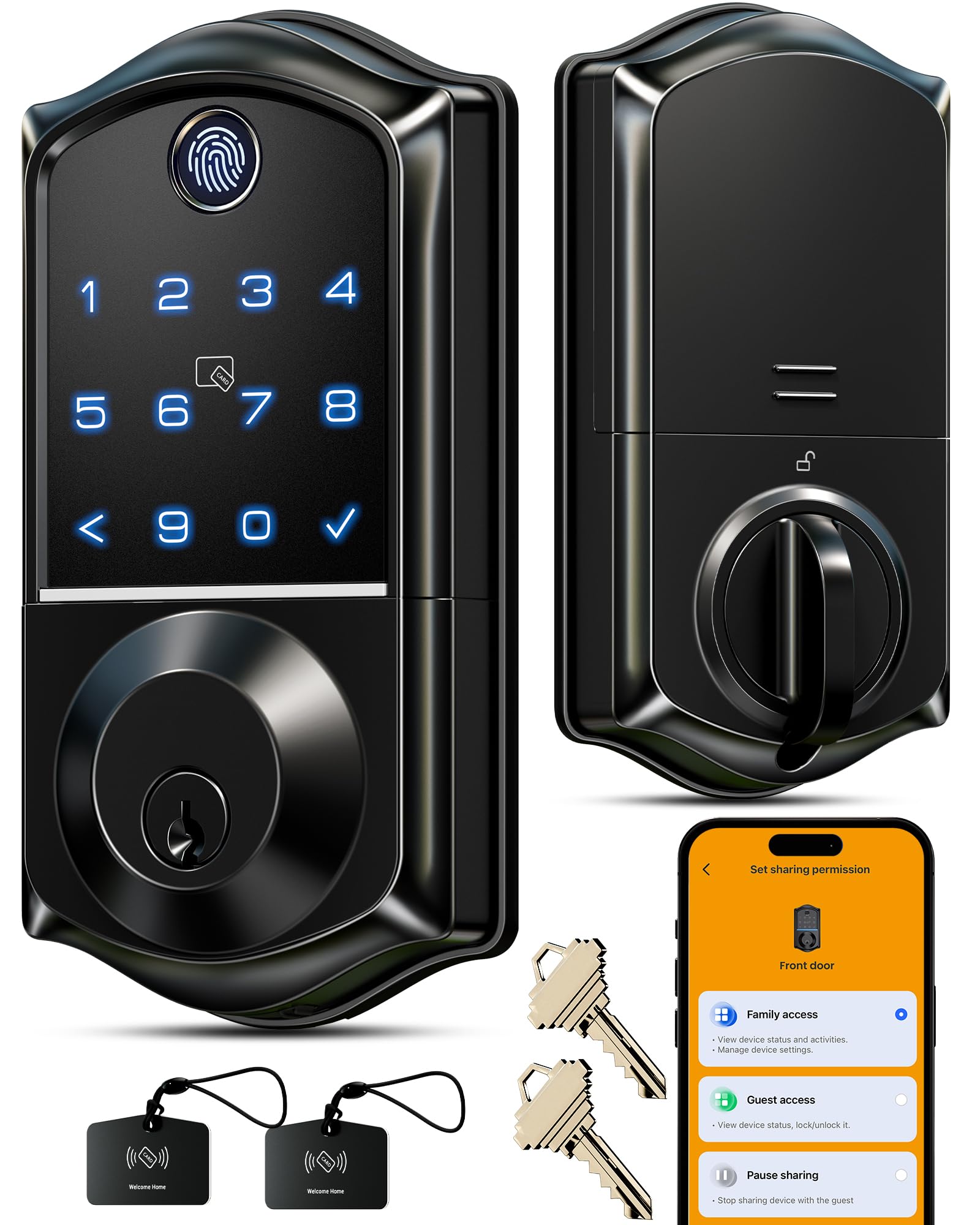
The Veise VE017 brings premium biometric technology to a mid-range price point, with a self-learning AI fingerprint sensor that improves recognition accuracy over time. This is a significant benefit for elderly users whose fingerprints may be worn, dry, or affected by conditions like psoriasis. The sensor, using Swedish FPC technology, claims 99.99% accuracy and verifies a print in under 0.2 seconds. For users who cannot reliably remember a code or manipulate a key, this is the ideal solution.
Beyond the fingerprint reader, the VE017 supports 8 total unlock methods: fingerprint, App, authorized access, FOB card, code, code sharing, voice control (via Alexa/Google with the G1 Gateway), and a mechanical key. This breadth of options ensures that even if one method fails (e.g., batteries die or the sensor is wet), there is always a backup. The lock stores up to 120 fingerprints and 250 passcodes, more than enough for a multigenerational household.
Security is enhanced by AES128 local encryption for all user data, eliminating cloud leakage risks — a valid concern for privacy-conscious seniors. The IP55 weather rating and extreme temperature tolerance (-35°F to 160°F) make it suitable for any exterior door. Setup is DIY-friendly, with auto-detection of left- or right-handed doors and clear video instructions.
Why it’s great
- Self-learning AI fingerprint improves over time
- 8 unlock methods provide maximum flexibility
- AES128 local encryption for data security
- IP55 weather resistant for all climates
Good to know
- G1 Gateway required for remote access and voice control
- Does not come with a handle — deadbolt only
5. TEEHO TE004 Keyless Entry Keypad Door Lock
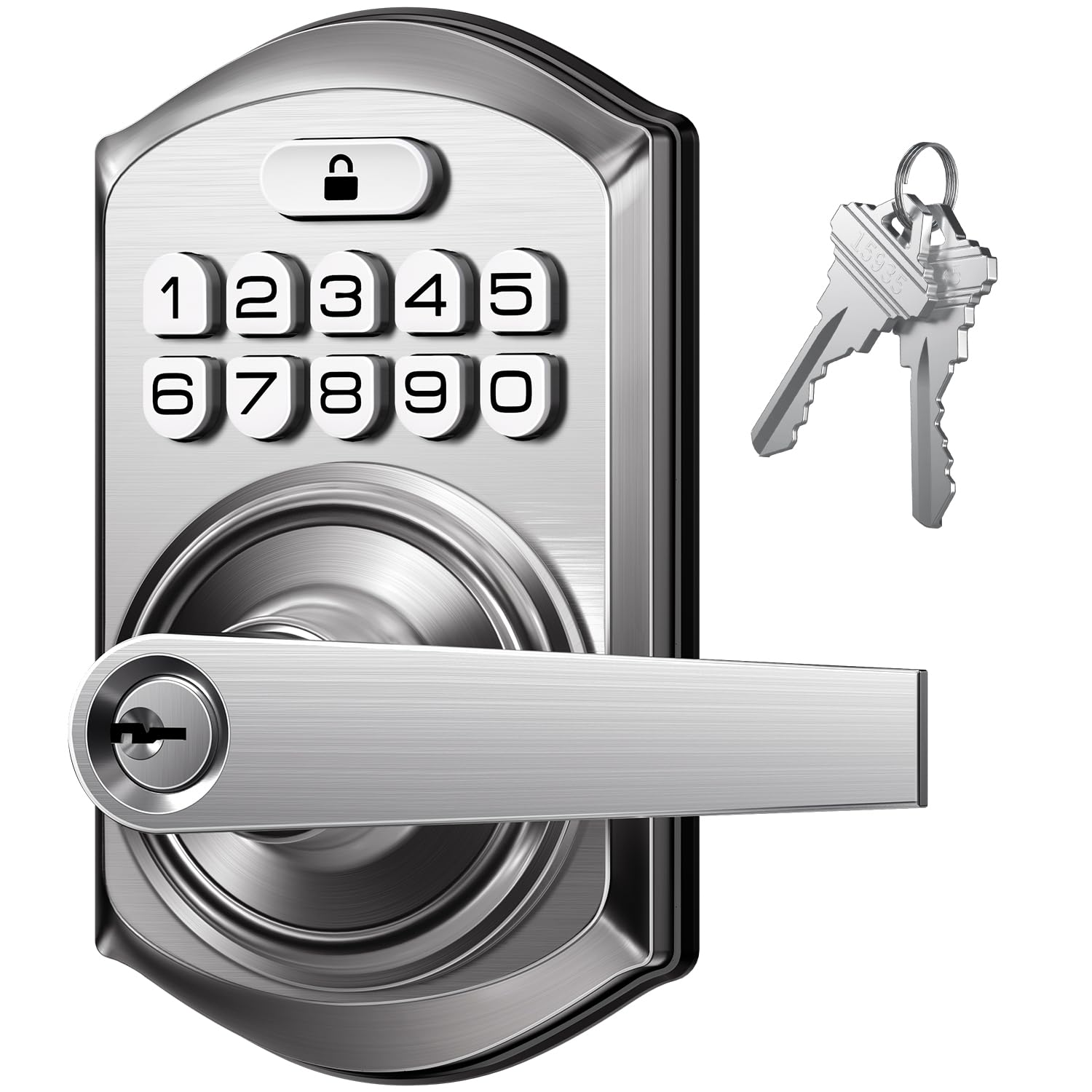
The TEEHO TE004 is a strong mid-range option that prioritizes simplicity and privacy. Its key feature set revolves around Passage Mode and Privacy Mode — both extremely relevant for elderly users. Passage Mode keeps the door unlocked for continuous entry during busy times like family gatherings or when moving items in and out. Privacy Mode, meanwhile, allows an interior thumb turn to lock the door from the inside quickly, giving a sense of seclusion without complex programming.
The lock supports up to 20 user PIN codes plus one-time temporary codes, which are perfect for visiting nurses, meal delivery services, or repair workers. The auto-lock timer is adjustable from 10 to 99 seconds, giving the user control over how quickly the door secures itself. The one-touch lock feature — press and hold any key for 2 seconds — is simple enough for anyone to remember. The backlit keypad and optional mute mode reduce friction for nighttime or quiet environments.
Build quality is solid with an ANSI Grade 3 certification, zinc alloy construction, and an IP54 weather-resistant rating. Installation is quick — about 10 minutes with a screwdriver. Some users reported that initial programming can be slightly tricky, but the manual and online video guides clarify the steps. The lever handle is comfortable and requires minimal force to operate.
Why it’s great
- Passage Mode and Privacy Mode for flexible daily use
- One-time temporary codes for visitors
- IP54 weather resistant for exterior doors
- Comfortable lever handle design
Good to know
- No fingerprint or app-based entry
- Limited to 20 user codes
6. TEEHO TE003 Keyless Entry Keypad Door Lock
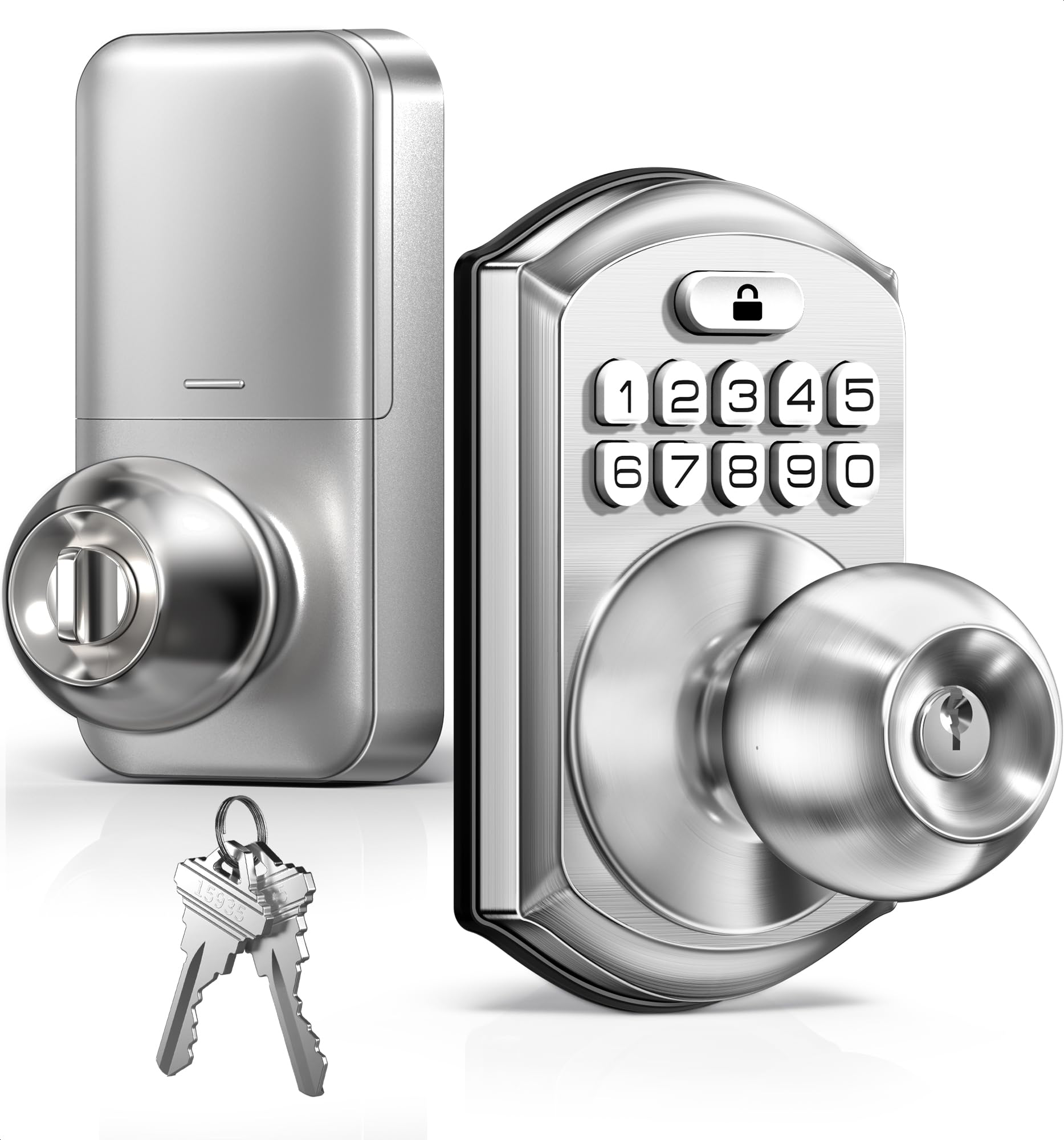
The TEEHO TE003 is the more budget-conscious sibling of the TE004, offering solid keyless entry without smart connectivity. It is designed for straightforward keypad access, supporting up to 20 user codes and 2 physical backup keys. The backlit keypad makes it easy for users with low vision to enter their code accurately, even in dimly lit hallways or at night. The one-touch lock feature works by holding any number for 2 seconds, a simple motion that requires no fine motor skill.
This lock includes an anti-peeping password function, allowing the user to enter random digits before and after the real code — a practical security layer for those who might be slow or struggle to shield the keypad. The auto-lock timer is adjustable from 10 to 99 seconds, and it is turned off by default, so the user must deliberately enable it. The aluminum alloy keypad and stainless steel handle resist wear from daily use.
Its ANSI Grade 3 certification means it meets a baseline security standard suitable for residential use. The IP54 rating adds a layer of water resistance for exterior doors, but some customer reviews noted that it can jam in extreme cold — something to consider for northern climates. Installation is simple, and the lock fits standard door preparations.
Why it’s great
- Very affordable entry-level keyless lock
- Backlit keypad for low-light visibility
- Anti-peep code protection included
- IP54 weather resistant
Good to know
- Reports of jamming in sub-freezing temperatures
- No fingerprint or app-based entry
7. ThorBolt MD1 Fingerprint Door Knob
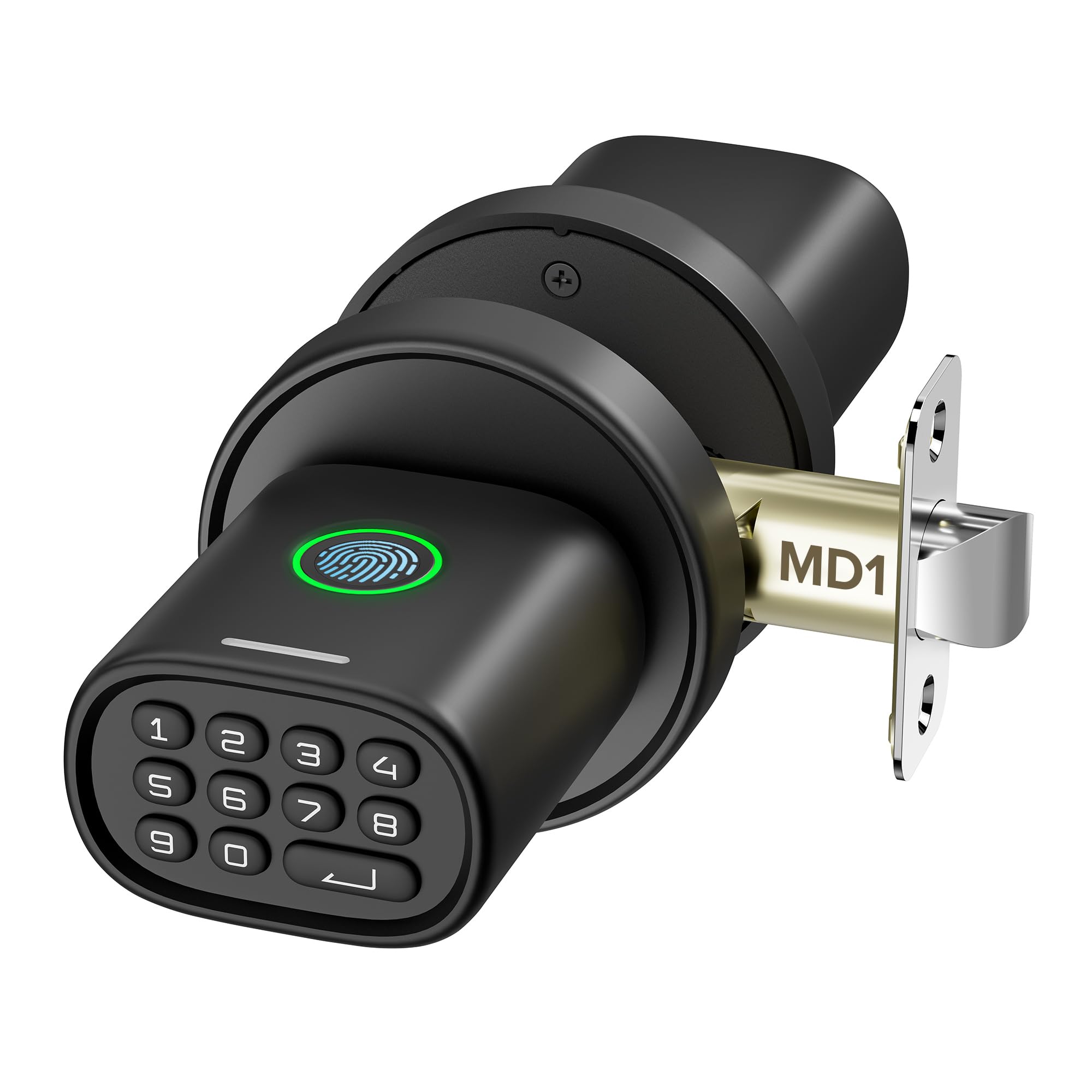
The ThorBolt MD1 is an entry-level biometric lock that brings fingerprint convenience to interior doors — bedrooms, home offices, garages, or storage rooms — at a very accessible price. It stores up to 100 fingerprints and 100 passcodes, making it easy to enroll multiple family members and caregivers. The fingerprint sensor is described as lightning-fast and capable of learning over time, though a clean, dry finger is required for best results.
A standout safety feature for elderly users is the USB-C emergency power port. If the batteries die (4 AA alkaline, not included, lasting up to 1 year), a simple power bank connection will power the lock enough to enter via fingerprint or code. The auto-lock engages after 5 seconds of inactivity, preventing the door from being left unlocked accidentally — a useful trait for those who might forget to secure an interior room with medications or valuables. The anti-peep keypad scrambling feature adds security for code entry.
The rectangular handle design is comfortable to grip, even with wet hands, and the zinc alloy construction feels durable. Installation takes about 45 minutes the first time and speeds up with practice. The lock is best suited for interior use and does not carry an official weather rating, so it should not be installed on a fully exposed exterior door. The thumb-turn on the interior side is simple to lock from inside.
Why it’s great
- Very affordable biometric lock for interior doors
- USB-C backup power prevents lockouts
- 100 fingerprint capacity for family and caregivers
- Auto-lock engages after 5 seconds
Good to know
- Not weather-rated — best for interior use
- Batteries not included
FAQ
Can a lock with a fingerprint sensor work reliably on dry or arthritic hands?
What is the difference between Passage Mode and Privacy Mode on these locks?
How do I prevent lockouts if the batteries die?
Final Thoughts: The Verdict
For most users, the door locks for elderly winner is the Philips 4200 Series because it combines the fastest fingerprint reader with built-in WiFi, eliminating the need for a separate hub and offering the simplest setup for remote caregiving access. If you need to replace both the lock and handle with lever-style hardware, grab the Veise VE06-L for its complete handle set and massive code capacity. And for a budget-friendly smart lock with excellent rental management features, nothing beats the Sifely Smart Lock.

Mo Maruf
I created WellFizz to bridge the gap between vague wellness advice and actionable solutions. My mission is simple: to decode the research and give you practical tools you can actually use.
Beyond the data, I am a passionate traveler. I believe that stepping away from the screen to explore new environments is essential for mental clarity and physical vitality.