Our readers keep the lights on and my smoothie glass nicely filled. As an Amazon Associate, I earn from qualifying purchases.
The cable modem market is undergoing its biggest shift in a decade. DOCSIS 3.1 has been the standard for multi-gig speeds, but the infrastructure for the next leap — DOCSIS 4.0 — is being laid right now. While true DOCSIS 4.0 modems are still rolling out to select provider markets, the hardware you buy today must be engineered for that eventual upgrade path while extracting every bit of performance from the current 3.1 networks. Choosing wrong means capping your upload speeds or buying a second modem within a year.
I’m Mohammad Maruf — the founder and writer behind WellFizz. I’ve spent dozens of hours analyzing the specs, real-world customer feedback, and compatibility lists for the modems that will best bridge the gap between today’s DOCSIS 3.1 networks and the coming DOCSIS 4.0 future.
After deep research across the leading models, these are the cable modems and combos that deliver the best speed, stability, and forward compatibility for your home network. This guide covers nine top contenders for the title of best docsis 4.0 modem.
How To Choose The Best DOCSIS 4.0 Modem
DOCSIS 4.0 is the next-generation cable standard promising symmetrical multi-gigabit speeds. However, widespread deployment is still underway, and currently available consumer modems are DOCSIS 3.1 units engineered to be “DOCSIS 4.0 ready” through features like mid/high-split support and 2.5 Gbps+ Ethernet ports. Choosing wisely means understanding which specs truly future-proof your network.
Mid/High-Split Support Is the Real Key
DOCSIS 4.0’s biggest benefit is dramatically faster upload speeds. A mid/high-split DOCSIS 3.1 modem (like the NETGEAR CM3000) already unlocks up to 1 Gbps upload on compatible provider networks. Without this feature, your modem will be capped at the old 35-200 Mbps upload ceiling, even if you have a high-speed plan. This is the single most important spec for a future-ready purchase.
Ethernet Port Speed Matters More Than WiFi
Your modem’s Ethernet port is the gateway for your whole network. A single 2.5 Gbps port lets you fully utilize a 2 Gbps plan today and will handle the speeds a future DOCSIS 4.0 connection provides. Modems with only 1 Gbps ports will bottleneck any plan above that speed. If you are buying a modem-only unit, ensure it has at least one 2.5 GbE port.
Modem-Only vs. Combo Units: Pick Your Lane
A modem-only device (like the Hitron CODA56) offers maximum upgrade flexibility — you can pair it with your own high-end WiFi 7 router. A combo unit (like the Motorola MG8725) saves space and simplifies setup but locks you into the built-in router’s capabilities. Combo units often have weaker WiFi range than a dedicated router, so consider your home’s size and number of devices.
ISP Compatibility Is Non-Negotiable
Not every modem works with every cable ISP. Xfinity, Spectrum, and Cox each maintain their own approved modem lists. A modem that works perfectly on Xfinity’s network may not be recognized by Spectrum’s system. Always check your ISP’s official compatibility page before buying, and confirm the modem supports your specific plan tier (especially mid/high-split speeds).
Quick Comparison
On smaller screens, swipe sideways to see the full table.
| Model | Category | Best For | Key Spec | Amazon |
|---|---|---|---|---|
| NETGEAR CM3000 | Modem Only | Mid/High-Split Uploads | Mid/High-Split 3.1, 2.5GbE | Amazon |
| NETGEAR CAX80 | Modem/Router Combo | All-in-One WiFi 6 | AX6000 WiFi, 2.5G Port | Amazon |
| Motorola MG8725 | Modem/Router Combo | Low Latency Gaming | LLD Ready, AX6000 | Amazon |
| NETGEAR CM1200 | Modem Only | Link Aggregation | 4x 1GbE, Port Aggregation | Amazon |
| Hitron CODA56 | Modem Only | Best Value 2.5Gbps | 2.5GbE, Single Port | Amazon |
| ARRIS SB8200 | Modem Only | Budget Multi-Gig | Dual 1GbE, Compact | Amazon |
| NETGEAR CAX30 | Modem/Router Combo | Compact 2-in-1 | AX2700, 2K Sq Ft | Amazon |
| TP-Link Archer BE900 | Router Only | WiFi 7 Flagship | Dual 10GbE, WiFi 7 | Amazon |
| TP-Link Deco BE95 | Mesh System | Whole-Home WiFi 7 | Tri-Band BE33000 | Amazon |
In‑Depth Reviews
1. NETGEAR Nighthawk CM3000

The NETGEAR CM3000 is currently one of the most forward-thinking cable modems for any home gearing up for the inevitable arrival of DOCSIS 4.0. Its defining feature is mid/high-split support, which unlocks upload speeds up to 1 Gbps on compatible provider networks like Xfinity. This moves beyond the typical 35-200 Mbps upload cap found on older 3.1 modems, making it ideal for heavy video conferencing, large file uploads, and multi-user gaming.
It’s a modem-only unit, so you will need a separate router, but it includes a single 2.5 Gigabit Ethernet port for connecting to a multi-gig router. The compact black chassis runs cool and fits easily on a desk. Real-world reports note incredibly stable connection with zero drops once set up, and the activation process via ISP apps is straightforward for most users on Xfinity and Cox networks. It’s designed for US cable providers only.
The price is higher than standard DOCSIS 3.1 modems, but you’re paying for the mid/high-split capability that future-proofs your upload speeds. Some users have reported support issues with Netgear, but the hardware itself is widely considered top-tier for those who need upload bandwidth today. If your ISP supports mid-split, this is the modem to beat.
Why it’s great
- Unlocks true multi-gig upload speeds via mid/high-split support.
- Rock-solid stability with no drops for long periods.
- 2.5 GbE port ensures no bottleneck for future plans.
Good to know
- Modem only — requires a separate router for WiFi.
- Customer support responsiveness can be inconsistent.
- Premium price reflects the advanced chipset.
2. NETGEAR Nighthawk CAX80

The CAX80 is a powerhouse modem/router combo that delivers excellent performance for homes with multi-gig cable plans. It bundles a DOCSIS 3.1 modem with a WiFi 6 router capable of AX6000 speeds. The key hardware advantage is a 2.5 Gigabit multi-gig LAN port, which allows you to connect a high-performance switch or PC for wired speeds beyond 1 Gbps. It’s a true all-in-one solution for those who want to eliminate rental fees.
Coverage is rated for up to 2,500 square feet, and it handles 30 concurrent devices without breaking a sweat. The Nighthawk app makes setup and management simple, and the integrated Armor security suite provides peace of mind. Real-world performance sees significant wireless speed improvements over ISP gateways. The four 1 Gigabit Ethernet ports provide ample wired connections for gaming consoles and streaming boxes.
Some users in larger homes have noted weaker signal at the far corners, and a mesh extender may be needed for full coverage. There have also been sporadic reports of unit failures, but overall, Cox and Xfinity users report robust, consistent performance. If you want a single box that handles both modem and WiFi duties with enough power for multi-gig plans, the CAX80 is a top contender.
Why it’s great
- 2.5 Gbps LAN port for future-proofed wired speeds.
- Strong AX6000 WiFi 6 performance with wide coverage.
- Eliminates monthly rental fees with one device.
Good to know
- May require a mesh extender for very large homes.
- Some reliability reports from a minority of users.
- Bulkier than standard modem-only units.
3. Motorola MG8725

The Motorola MG8725 stands out as the first consumer cable modem/router combo to receive Low Latency DOCSIS (LLD) certification from CableLabs. This certification is a direct precursor to DOCSIS 4.0’s latency improvements, making it a compelling option for competitive gamers and real-time communication users. It combines a DOCSIS 3.1 modem with a powerful AX6000 4×4 WiFi 6 router.
Hardware includes one 2.5 Gigabit Ethernet port and three 1 Gigabit ports for wired connections. The motosync app handles setup, though some users find the app intuitive while others prefer manual configuration. Real-world speeds are excellent, with a 2.5 Gbps wired connection providing full bandwidth for multi-gig plans. The LLD feature, while not yet widely deployed by ISPs, means the hardware is ready for a firmware update that will reduce lag.
Some user feedback highlights potentially intermittent connectivity on refurbished units, and the built-in router’s range is solid but not class-leading for extremely large homes. The unit is a true 2-in-1, saving rack space and eliminating a separate router. For gamers wanting the lowest possible latency when ISPs enable LLD, this is a uniquely positioned device.
Why it’s great
- First LLD-certified combo for reduced future latency.
- High-speed 2.5 GbE port and AX6000 WiFi 6.
- Combines modem and router into one device.
Good to know
- LLD requires future ISP and firmware support.
- Some reports of intermittent connectivity on used units.
- Router range may not cover larger homes fully.
4. NETGEAR Nighthawk CM1200

The NETGEAR CM1200 is a unique modem-only unit featuring four 1 Gigabit Ethernet ports. This design allows for a feature called link aggregation, where two ports can be combined to create a single 2 Gbps connection to a compatible router. This makes it an excellent choice for users who want multi-gig wired speeds without a 2.5 GbE port on their router, provided their router supports LAG.
It’s engineered with 32×8 channel bonding and OFDM 2×2, supporting cable internet plans up to 1 Gbps standard and up to 2 Gbps via aggregation. The modem is compatible with all major cable providers. Real-world reviews praise its consistent stability and easy plug-and-play setup. The black Nighthawk design is sleek and fits well in any entertainment center.
One notable quirk is that without link aggregation enabled on both the modem and router, only one Ethernet port provides internet access — the other three remain inactive. This means it effectively functions as a single-port modem for most users. It is not a true multi-gig modem without the extra setup step. Overall, it is a solid, stable modem for users who understand link aggregation.
Why it’s great
- Four Ethernet ports for wired device connections.
- Link aggregation enables up to 2 Gbps aggregated speed.
- Very stable connection with easy setup across providers.
Good to know
- Aggregation requires a compatible router and setup.
- Without LAG, only one port provides internet access.
- Single 1 Gbps ports limit non-aggregated speed.
5. Hitron CODA56

The Hitron CODA56 delivers a compelling price-to-performance ratio for anyone entering the multi-gig modem world without breaking the bank. This DOCSIS 3.1 modem provides a single 2.5 Gigabit Ethernet port, allowing it to support internet plans up to 2.5 Gbps. It is a modem-only unit, meaning you must supply your own WiFi router, but its compatibility spans Xfinity, Spectrum, and Cox.
Activation is smooth via ISP apps using the modem’s MAC address, and the unit itself is compact with discreet LED indicators. Real-world feedback highlights excellent performance with improved upload speeds on Xfinity’s mid-split network, offering up to 200 Mbps uploads where available. The low latency makes it ideal for gaming and 4K streaming. The Hitron brand has over 30 years of networking experience, lending confidence to the build quality.
Some users have noted a slow boot time and a specific bug with certain WiFi 7 routers that required an ISP refresh to resolve. It also lacks a QR code for activation, requiring manual entry. The compact size is great for tight spaces, and for the price, the 2.5 GbE port offers a genuine path to multi-gig speeds. It’s a smart entry point for future-proofing your network.
Why it’s great
- Excellent value for a modem with a 2.5 GbE port.
- Enables faster upload speeds on mid-split networks.
- Compact design with discreet, non-distracting lights.
Good to know
- Slow boot time and occasional compatibility bugs.
- Single Ethernet port limits wired connections without a switch.
- No QR code for activation, requires manual entry.
6. ARRIS Surfboard SB8200
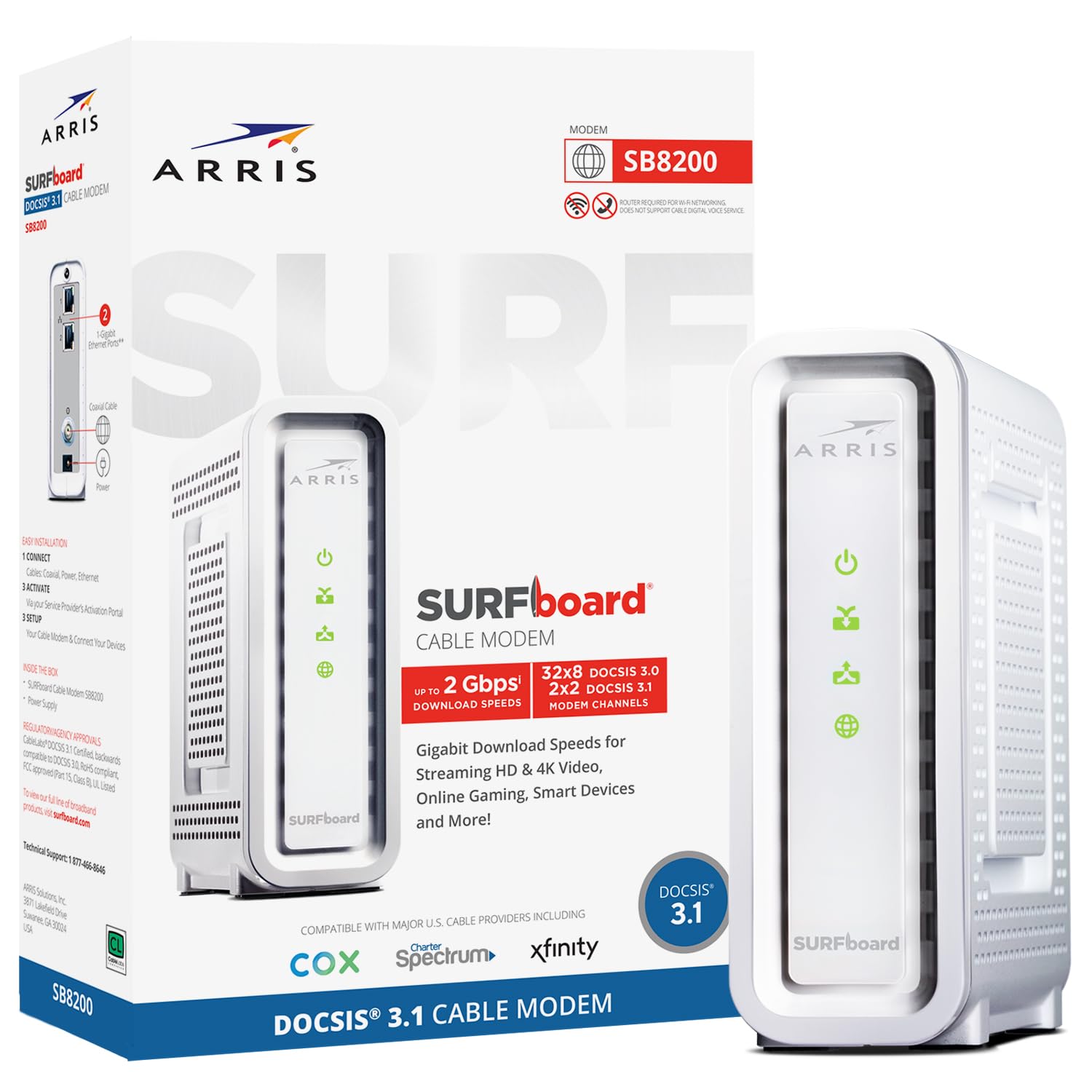
The ARRIS SURFboard SB8200 is a long-standing favorite in the DOCSIS 3.1 space, known for its reliability and straightforward design. It features two 1 Gigabit Ethernet ports, supporting cable internet plans up to 2 Gbps when combined via link aggregation. However, without aggregation, each port is capped at 1 Gbps, making it a great fit for plans up to that speed.
It is built on a Broadcom chipset with 3GB of RAM and 32×8 channel bonding, ensuring solid performance. The modem has a small footprint and features clear LED indicators for status. Setup is simple: connect the coax, power on, and activate via your ISP. Many users report years of trouble-free service, easily paying for itself by eliminating rental fees. It’s compatible with Cox, Xfinity, and Spectrum.
One drawback is its sensitivity to line signal errors (T3/T4 timeouts), which can cause resets if the coax line quality is poor. The case also feels slightly less premium than some competitors. While not a true multi-gig modem out of the box for a single connection, it is a very capable, budget-friendly option for 1 Gbps plans, and its reliability is legendary.
Why it’s great
- Proven reliability and stable performance over years.
- Compact and space-saving physical design.
- Broadcom chipset offers strong compatibility and speed.
Good to know
- Single-port speed is capped at 1 Gbps without aggregation.
- Sensitive to line errors, which can cause resets.
- Not future-proof for upload speeds beyond 1 Gbps.
7. NETGEAR Nighthawk CAX30

The NETGEAR Nighthawk CAX30 is a more compact and affordable modem/router combo compared to its bigger sibling, the CAX80. It integrates a DOCSIS 3.1 cable modem with a dual-band WiFi 6 AX2700 router, covering up to 2,000 square feet and supporting 25 concurrent devices. It’s a strong solution for medium-sized homes looking to upgrade from ISP equipment without buying separate devices.
It includes four 1 Gigabit Ethernet ports, which support port aggregation, and a single USB 3.0 port for sharing storage. Setup is managed through the Nighthawk app. Real-world reviews indicate excellent speed and signal strength compared to standard ISP gateways. Users on Xfinity and Cox report easy 20-minute setup and a significant reduction in buffering for 4K streaming and gaming.
The built-in WiFi is good but may not satisfy extremely high-performance needs with many devices. Some customers have reported unit failures within the first few weeks. It also lacks the dedicated 2.5 Gbps port found on the CAX80. For its price point, it delivers a clean, single-box solution that eliminates rental fees and provides strong WiFi 6 performance for most typical homes.
Why it’s great
- Compact 2-in-1 design saves space and reduces clutter.
- Fast WiFi 6 AX2700 covers up to 2,000 sq ft.
- Port aggregation allows for faster wired connections.
Good to know
- Lacks a dedicated 2.5 Gbps Ethernet port.
- Some reliability concerns reported by users.
- Not the best choice for very large homes.
8. TP-Link Archer BE900

The TP-Link Archer BE900 is a router-only unit, meaning it requires a separate DOCSIS 3.1 or 4.0 modem, but it is the ultimate wired and wireless companion for those modems. It is a flagship quad-band WiFi 7 router with unprecedented wired connectivity: dual 10 Gbps ports (one RJ45 and one SFP+/RJ45 combo). This makes it future-proof for any multi-gig fiber or cable modem connection.
It features BE24000 total WiFi speeds, 12 high-performance antennas, and a unique LED touchscreen for status. The Tether app or web interface provides full control, including advanced features like VPN server, IoT isolation, and EasyMesh compatibility. It handles 35-45 devices easily while staying cool. Real-world performance sees 800+ Mbps wirelessly from a 1 Gbps connection, saturating the link.
The price is very high, and some users have reported random drops after months of use. The software is also designed more for novices, lacking some advanced terminology that power users might expect. However, for anyone building a home network around a high-end DOCSIS modem, the BE900 provides unmatched wired throughput via its 10G ports and the latest WiFi 7 technology.
Why it’s great
- Dual 10 Gbps ports for ultimate wired speed.
- Quad-band WiFi 7 delivers massive wireless bandwidth.
- Unique touchscreen interface for network status.
Good to know
- Router-only — requires a separate cable modem.
- High price point makes it a premium investment.
- Some reports of stability issues after months of use.
9. TP-Link Deco BE95
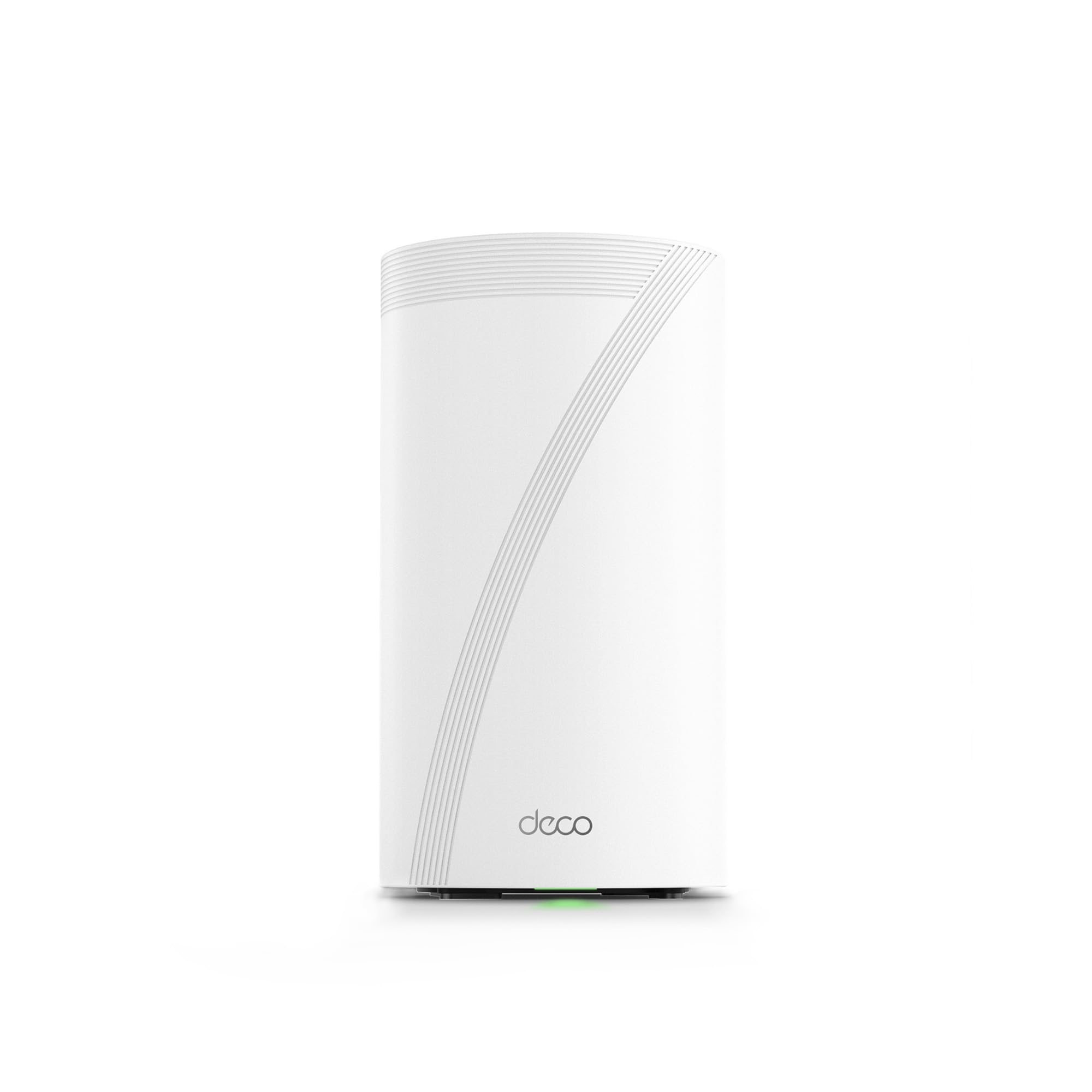
The TP-Link Deco BE95 is a whole-home mesh WiFi 7 system that acts as the ultimate partner for a high-speed modem. Like the Archer BE900, it is a router system, not a modem, and must be paired with a separate DOCSIS modem. It features a tri-band configuration with a staggering BE33000 total speed, including two 6 GHz bands for maximum bandwidth and low interference.
Each unit is equipped with two 10 Gbps ports (one RJ45, one SFP+/RJ45 combo) and two 2.5 Gbps ports, offering incredible wired flexibility for backhaul or connecting a super-fast NAS. The AI-driven roaming ensures seamless transitions as you move through your home. It can handle over 200 devices without performance degradation. Real-world users report completely eliminated dead zones and ultra-stable connections for gaming and streaming.
The major trade-off is the reliance on an app-only configuration, with no web interface for advanced settings like port forwarding. It also requires a cloud account, which may be a privacy concern. It is a significant investment, but for a large home wanting the absolute best mesh WiFi 7 coverage paired with a top-tier modem, the Deco BE95 is a benchmark system.
Why it’s great
- Whole-home mesh eliminates all WiFi dead zones.
- Tri-band WiFi 7 with two 10 Gbps wired ports.
- Handles 200+ devices with stable performance.
Good to know
- Router-only — needs a separate modem.
- App-only configuration may frustrate advanced users.
- Premium pricing for a full mesh system.
FAQ
Do I need a DOCSIS 4.0 modem right now for the fastest speeds?
Can I use a modem with my Xfinity voice service?
What is link aggregation and do I need it?
Is a modem/router combo always better than separate devices?
Final Thoughts: The Verdict
For most users, the best docsis 4.0 modem winner is the NETGEAR Nighthawk CM3000 because it offers the most critical future-ready feature — mid/high-split support for faster uploads — in a rock-solid modem-only design. If you want an all-in-one solution with powerful WiFi 6, grab the NETGEAR Nighthawk CAX80. And for the absolute highest wired and wireless throughput, pair your modem with the TP-Link Archer BE900. Each of these choices places your network on the right path for the speed upgrades arriving with DOCSIS 4.0.

Mo Maruf
I created WellFizz to bridge the gap between vague wellness advice and actionable solutions. My mission is simple: to decode the research and give you practical tools you can actually use.
Beyond the data, I am a passionate traveler. I believe that stepping away from the screen to explore new environments is essential for mental clarity and physical vitality.