Our readers keep the lights on and my smoothie glass nicely filled. As an Amazon Associate, I earn from qualifying purchases.
Finding a reliable bridge from your computer’s DisplayPort to an HDMI monitor should be simple, but signal drops, flickering screens, and resolution caps can turn a straightforward setup into a frustrating puzzle. A quality cable handles this conversion without introducing latency or compromising image quality, making it a critical link for productivity, gaming, or home theater use.
I’m Mohammad Maruf — the founder and writer behind WellFizz. My analysis for this guide involved cross-referencing dozens of real user reports on signal stability, build construction, and compatibility across docking stations and GPU setups to find the cables that truly deliver.
For anyone building a dual-monitor workstation or extending a laptop to a larger screen, narrowing down the market to find the right best displayport to hdmi cable saves time, reduces clutter, and eliminates the guesswork around compatibility and resolution support.
How To Choose The Best DisplayPort To HDMI Cable
Not every cable delivers the same experience. Three key factors separate a cable that works seamlessly from one that causes headaches at the worst moment. Understanding these will help you buy with confidence.
Signal Direction and Compatibility
This cable type is strictly unidirectional — it transmits a signal from a DisplayPort source (your computer or laptop) to an HDMI display (monitor, TV, projector). It will not work in reverse. If you need to go from an HDMI source to a DisplayPort display, you must buy an active adapter. Every cable in this guide follows this rule, so confirm your source and display ports before purchasing.
Resolution and Refresh Rate
Most standard cables in this category support up to 4K resolution at 30Hz, or full 1080p at higher refresh rates like 120Hz or 144Hz. If you need 4K at 60Hz, you generally need an active converter rather than a passive cable. Check your GPU’s output capabilities and your monitor’s native resolution — pairing a cable that only delivers 4K@30Hz with a 4K@60Hz monitor will result in a capped, less fluid image.
Build Quality and Shielding
Gold-plated connectors resist corrosion and maintain a solid connection over time. Braided nylon jackets add durability and resist kinking compared to standard PVC jackets. Foil and braid shielding is vital for protecting the signal from electromagnetic and radio frequency interference, which can cause flicker, noise, or complete signal drops — especially near other electronics or power cables.
Quick Comparison
On smaller screens, swipe sideways to see the full table.
| Model | Category | Best For | Key Spec | Amazon |
|---|---|---|---|---|
| DteeDck DisplayPort to HDMI 15Ft | Premium | Long-reach desktop setups | 15ft length, 4K@30Hz | Amazon |
| UV-CABLE Thin DP to HDMI 2-Pack 3ft | Mid-Range | Two-monitor configurations | 2-pack, braided 3ft | Amazon |
| Cable Matters Unidirectional 4K DP to HDMI 6ft | Mid-Range | Reliable single-monitor work | 6ft, latch connector | Amazon |
| UV-CABLE DP to HDMI 6ft 2-Pack | Premium | Value in a premium 2-pack | 2-pack, braided 6ft | Amazon |
| Amazon Basics DisplayPort to HDMI 10ft | Budget | Simple, trusted 1080p use | 10ft, 1080p max | Amazon |
In‑Depth Reviews
1. DteeDck DisplayPort to HDMI 15Ft, 4K@30Hz
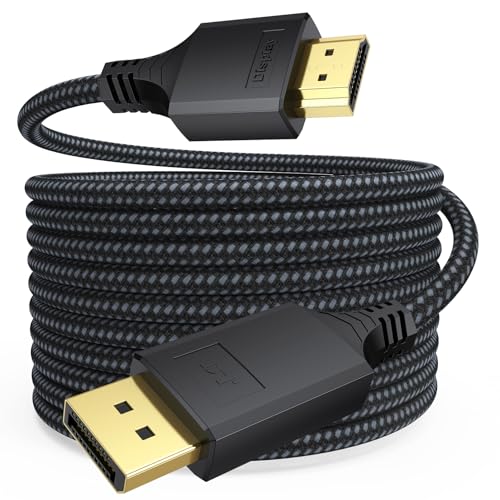
This premium cable from DteeDck stands out for long-distance workstation setups where a standard 6-foot cable simply won’t reach. The unique integrated shell design merges the connector port with the strain relief boot, which reinforces the connection point and resists separation from repeated plugging and unplugging — a genuine durability advantage over cables that rely on a simple molded boot.
Signal performance is stable at 4K@30Hz, and it also handles 1080P at up to 144Hz, making it a strong option for high-refresh-rate gaming on a secondary monitor. The braided exterior adds a layer of physical protection, and user reports consistently mention no flicker or handshake issues during extended use.
One-directional operation is strictly from DisplayPort to HDMI, so verify your port layout before buying. The 24-month warranty from DteeDck provides peace of mind that you won’t get from many budget-tier alternatives.
Why it’s great
- Integrated strain relief improves connector longevity
- Supports 1080P at up to 144Hz for smooth gaming
- Long 15-foot length for flexible desk layouts
Good to know
- Unidirectional — will not work from HDMI to DisplayPort
- Only 4K@30Hz, not 4K@60Hz
2. UV-CABLE Thin DisplayPort to HDMI 3ft 2-Pack

This UV-CABLE two-pack is built for users who need two DisplayPort-to-HDMI connections simultaneously — a common scenario for dual-monitor workstations or connecting both a desktop and a laptop dock to separate displays. Each cable is braided and uses gold-plated connectors with UL 20276 rating, a construction standard that indicates reliable conductor insulation and shielding.
Real-world performance data from buyers shows that these cables resolve flickering and glitching issues that often plague lower-quality adapters, particularly with docking stations from Dell and HP. Users have reported stable 1440p at 165Hz operation, which exceeds the official 4K@30Hz spec by supporting high refresh rates at lower resolutions.
The coiled packaging protects the cables during shipping, but note that these are only 3 feet each, making them best suited for setups where the source and display are close together — like a monitor on an arm next to a tower.
Why it’s great
- Two cables included at a smart price
- Braided jacket and gold-plated connectors for durability
- Solves flicker issues with docking stations
Good to know
- Only 3 feet each — limited reach
- Unidirectional design cannot be reversed
3. Cable Matters Unidirectional 4K DisplayPort to HDMI 6ft

Cable Matters has a reputation for building solid, no-nonsense cables, and this unidirectional 6-footer fits that mold. The key differentiator is the integrated latch mechanism on the DisplayPort connector — you must depress a button before unplugging, which prevents accidental disconnections that could jostle a monitor mid-presentation or during a gaming session.
The cable supports 4K at 30Hz and passes uncompressed audio formats including Dolby TrueHD and DTS-HD Master Audio, making it viable for home theater setups where sound quality matters. Foil and braid shielding protect against EMI and RFI, which buyers have reported as critical for eliminating choppy video behavior when connecting 1440p monitors through laptop docking hubs.
Some users have noted that this cable does not reliably reach 4K@30Hz when used with certain Dell D3100 docking stations, a compatibility edge case to be aware of. For standard direct desktop-to-monitor connections, it performs consistently without driver requirements.
Why it’s great
- Latch connector prevents accidental unplugging
- Strong EMI/RFI shielding for clean signal
- Passes advanced audio formats like Dolby TrueHD
Good to know
- May not achieve 4K@30Hz with every docking station
- Unidirectional — check source and display direction
4. UV-CABLE DisplayPort to HDMI 6ft 2-Pack, 4K Braided

This UV-CABLE offering upgrades the formula from their 3-foot version by giving you two 6-foot braided cables in a single pack. The extra length makes them suitable for desk setups where the PC sits on the floor or where monitors are wall-mounted at a distance. The ultra-thin connector housing is specifically engineered for tight spaces behind monitor stands or wall mounts where bulkier ends can create pressure points.
Users consistently confirm these cables solve the problem of converting DisplayPort outputs on laptops and desktop GPUs into HDMI inputs for monitors that lack native DisplayPort. One buyer noted that the cables worked without flaw for four months of daily use including frequent transport, which speaks to the braided jacket’s resistance to wear.
The nylon braiding is stiffer than some alternatives, which makes cable routing a bit less flexible if you need tight bends behind a desk. The signal quality, however, is rated for full 4K@30Hz and handles 1080P at 60Hz without any reported sync issues across multiple brands including Dell, HP, and Samsung.
Why it’s great
- Two 6-foot braided cables for dual-monitor or spare use
- Ultra-thin housing fits tight mounting scenarios
- Reliable signal performance across brand-name monitors
Good to know
- Braided cable is stiff and less bendable
- Unidirectional — not for HDMI to DisplayPort
5. Amazon Basics DisplayPort to HDMI 10ft, Gold-Plated
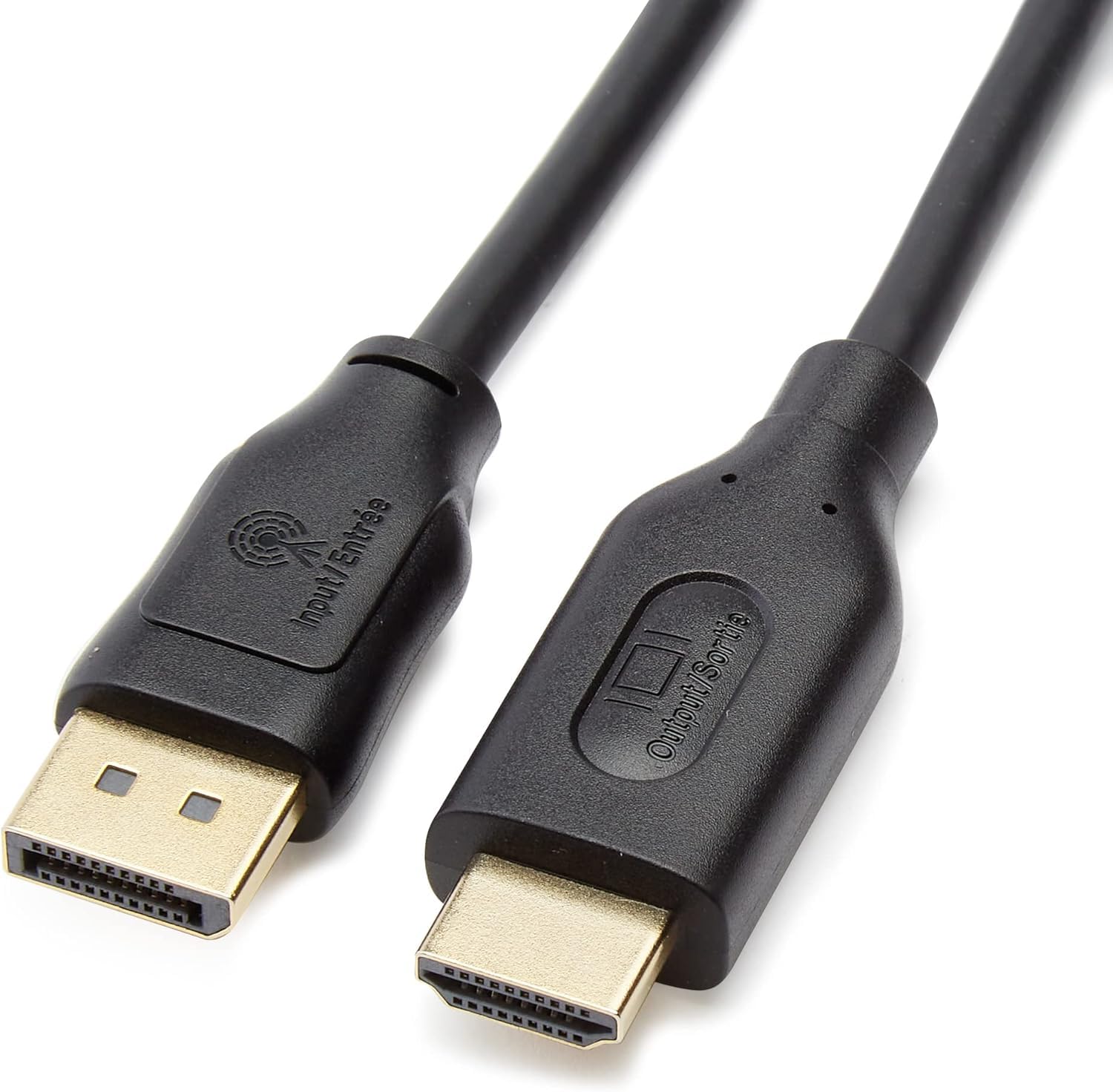
Amazon Basics delivers a straightforward, no-frills cable that gets the job done for standard-definition and full-HD applications. With a 10-foot length and gold-plated connectors, it provides the physical reach and corrosion resistance needed for typical desks and living room setups. The internal construction uses bare copper conductors and foil-and-braid shielding to maintain a clean signal path.
This cable tops out at 1920×1200 and 1080p — it does not officially support 4K resolution. That makes it a budget-friendly option for older monitors, office projectors, or secondary screens where 1080p is sufficient. Customers report it resolves flickering and handshake problems that plagued their previous cables, and the unidirectional design is clearly labeled on the packaging to prevent reverse installation errors.
It is important to note that this cable excludes LVDS signal sources like Blu-ray players and is not USB-A compatible, so it is strictly for computers with DisplayPort output. If you need 4K capability, you will need to step up to one of the mid-range options in this guide.
Why it’s great
- 10-foot length provides flexible placement options
- Gold-plated connectors and braid shielding for stable signal
- Budget-friendly price for reliable 1080p performance
Good to know
- Does not support 4K resolution
- Unidirectional — not compatible with HDMI sources
FAQ
Can a DisplayPort to HDMI cable work in both directions?
Will this cable support 4K at 60Hz?
Why is my monitor flickering when I connect via DP to HDMI?
How long can a DisplayPort to HDMI cable be without signal loss?
Final Thoughts: The Verdict
For most users, the best displayport to hdmi cable winner is the DteeDck 15Ft because its integrated strain relief and long reach solve the two biggest real-world pain points: connector durability and flexible desk layouts. If you need a two-pack for a dual-monitor setup, grab the UV-CABLE 3ft 2-Pack. And for a simple, trusted cable that handles 1080p without drama, nothing beats the Amazon Basics 10ft.

Mo Maruf
I created WellFizz to bridge the gap between vague wellness advice and actionable solutions. My mission is simple: to decode the research and give you practical tools you can actually use.
Beyond the data, I am a passionate traveler. I believe that stepping away from the screen to explore new environments is essential for mental clarity and physical vitality.