Our readers keep the lights on and my smoothie glass nicely filled. As an Amazon Associate, I earn from qualifying purchases.
A loose connection, a flickering screen during a critical gaming moment, or a blackout because your cable can’t handle the bandwidth—these are the real frustrations of a subpar DisplayPort cable. The right one is invisible in your setup, delivering flawless video and audio without a second thought, while the wrong one becomes a persistent source of instability.
I’m Mohammad Maruf — the founder and writer behind WellFizz. I’ve spent countless hours analyzing certification standards, bandwidth specifications, and real-world user feedback to separate the cables that deliver on their promises from those that introduce signal degradation.
This guide focuses on cables that provide reliable, high-bandwidth connections for modern monitors and graphics cards, helping you find the best displayport cable that eliminates screen tearing and handshake issues for a stable daily workflow.
How To Choose The Best DisplayPort Cable
Choosing a DisplayPort cable is less about brand loyalty and more about matching the correct specification to your hardware. A mismatch can mean buying a cable that cannot handle your monitor’s native resolution or refresh rate, leading to frustrating troubleshooting.
Prioritize VESA Certification Over Marketing Claims
Any cable can claim to support 8K. VESA certification means the cable has been tested to meet defined performance standards for the DisplayPort specification it claims, ensuring stable signal integrity and bandwidth. An uncertified cable is a gamble, especially at lengths over 6 feet.
Match the DP Spec to Your Monitor and GPU
A DP 1.4 cable (32.4 Gbps) can handle 4K at 144Hz or 8K at 60Hz with Display Stream Compression (DSC). A DP 2.1 cable (54 Gbps or higher) is required for 8K at 165Hz or 4K at 500Hz. Check your monitor’s main specs and your graphics card’s output capabilities before choosing a version.
Evaluate Cable Build and Length
Longer cables (over 10 feet) can introduce signal loss at high bandwidths. A braided nylon jacket provides physical durability, but internal shielding (foil and braided copper) is what prevents electromagnetic interference (EMI). Gold-plated connectors resist corrosion for a cleaner connection over time.
Quick Comparison
On smaller screens, swipe sideways to see the full table.
| Model | Category | Best For | Key Spec | Amazon |
|---|---|---|---|---|
| Cable Matters 2.1 | Premium | Future-proofing with high refresh | 54 Gbps (DP 2.1) | Amazon |
| Acer 8K DP 1.4 | Premium | Elite gaming with MST daisy-chaining | 32.4 Gbps (DP 1.4) | Amazon |
| Capshi DP 1.4 | Mid-Range | VESA certified reliability | 32.4 Gbps (DP 1.4) | Amazon |
| Monoprice DP 1.4 | Value | A trusted brand for solid fundamentals | 32.4 Gbps (DP 1.4) | Amazon |
| JSAUX DP 1.4 | Budget-Friendly | Reliable replacement cable | 32.4 Gbps (DP 1.4) | Amazon |
In‑Depth Reviews
1. Cable Matters [VESA Certified] 54Gbps DisplayPort 2.1 Cable

This is the only cable on our list that steps up to the DP 2.1 standard, offering a massive 54 Gbps of bandwidth. This headroom isn’t just for today’s top-end monitors; it is designed to support future resolutions like 8K at 165Hz or blistering 4K at 500Hz using Display Stream Compression. For anyone building a high-end rig with an RTX 4090 or RX 7900 series GPU, this cable removes bandwidth as a bottleneck.
The build quality reflects its premium positioning. The cable features a secure locking latch that prevents accidental disconnects, a common pain point with standard DP cables. Gold-plated connectors and robust internal shielding ensure that the 54 Gbps signal remains clean and free from interference, even at the full 10-foot length.
Real-world user reports confirm it instantly resolves black screens and stutters that plagued older DP 1.2 cables when driving a 4K 240Hz QD-OLED monitor at full 10-bit color depth. The VESA certification badge provides peace of mind that the performance claims have been independently verified, making this the most durable long-term investment.
Why it’s great
- VESA-certified DP 2.1 with 54 Gbps bandwidth.
- Includes a locking latch for a secure connection.
- Solves handshake issues for high-refresh-rate 4K and 8K displays.
Good to know
- Premium price reflects the advanced standard.
- Cable is slightly bulkier than 1.4 versions.
2. Acer 8K DisplayPort Cable 10FT
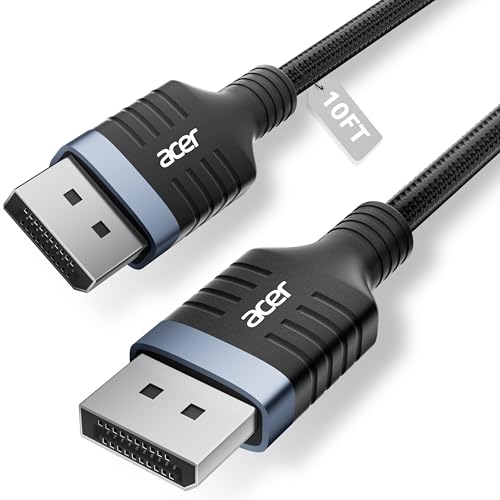
Acer brings its monitor-centric expertise to this DP 1.4 cable, which is built to handle the demands of elite esports and professional workflows. It supports the full 32.4 Gbps bandwidth of the standard, enabling 4K at 144Hz and 8K at 60Hz. A key differentiator is its support for MST (Multi-Stream Transport) daisy-chaining, allowing a single DP output to drive multiple monitors, which is invaluable for a multi-screen setup without needing a hub.
The industrial-grade construction is visible from the reinforced aluminum shell that encases the connectors, offering superior crush resistance compared to standard plastic. The heavy-duty nylon braided jacket and internal multi-layer shielding are designed to withstand constant bending and block electromagnetic interference, making it a reliable choice for a desk that gets reconfigured often.
User feedback highlights its effectiveness in resolving HDCP handshake issues that can cause playback failures with streaming services. The lack of a locking clip is actually a benefit for those with tight access to rear I/O ports, as the sturdy connectors click in solidly and can be removed without a struggle. It’s an excellent choice for a gamer or a professional who needs daisy-chain capability.
Why it’s great
- Supports MST daisy-chaining for multi-monitor setups.
- Reinforced aluminum shell for extra connector durability.
- Reliable HDCP 2.2 support for streaming.
Good to know
- No locking latch mechanism.
- Official Acer branding may command a slight premium.
3. Capshi 8K 4K DisplayPort Cable 1.4

The Capshi cable earns its spot as the go-to for users who want official VESA certification without paying a premium. It is a DP 1.4 cable that delivers the full 32.4 Gbps, 8K@60Hz, and 4K@144Hz. The certification means it has been tested to maintain signal integrity, a crucial factor for preventing screen flicker at high refresh rates that can plague uncertified cables.
Technically, it uses 28 AWG tinned copper conductors that are more flexible and thinner than standard, making it easier to route behind a monitor arm or through a cable management channel. The triple shielding layers and 24K gold-plated connectors work together to minimize signal loss and protect against corrosion over the long term. It fully supports HDR10, FreeSync, and G-Sync for a tear-free gaming experience.
Users consistently praise its flawless performance with high-end cards like the RX 6600, noting a complete absence of latency or dropouts. The main practical drawback reported is the lack of a locking latch, though the firmly braided cable stays in place well. For the price, getting VESA certification with this level of construction is a value benchmark.
Why it’s great
- VESA Certified for guaranteed signal performance.
- Flexible 28 AWG tinned copper core for easier cable routing.
- Supports all major gaming features: FreeSync, G-Sync, HDR.
Good to know
- Does not include a locking latch.
- Braided texture can feel slightly stiff.
4. Monoprice Braided DisplayPort 1.4 Cable
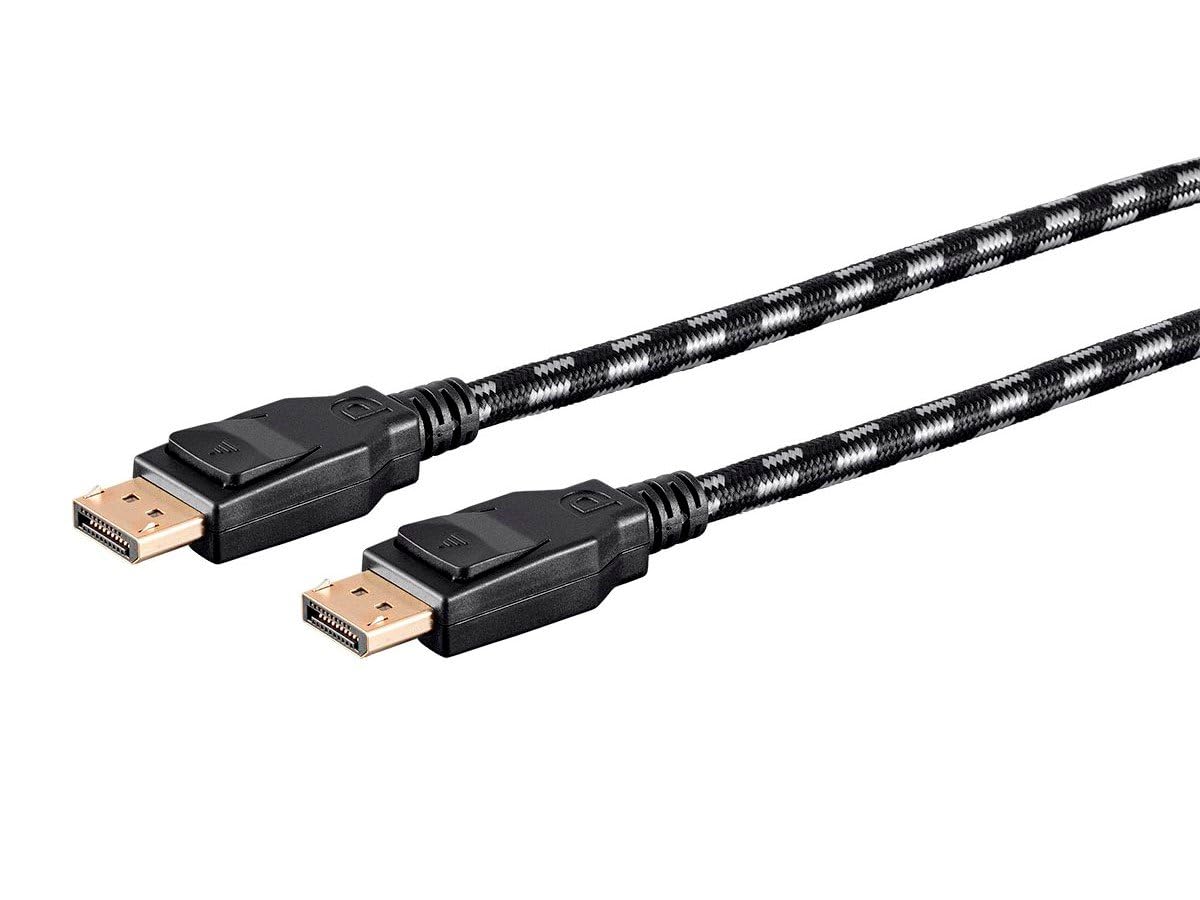
Monoprice is a staple in the cable industry, and their DP 1.4 cable reflects a no-nonsense approach to quality. It is fully compliant with the DisplayPort 1.4 specification, supporting the 32.4 Gbps bandwidth, 8K@60Hz, and 4K@120Hz. It specifically supports Display Stream Compression 1.2 (DSC) and Forward Error Correction (FEC), which are essential for pushing higher resolutions and refresh rates over the existing bandwidth.
The braided exterior is tough and durable, holding up well to daily use and cable management. While slightly rigid, this rigidity ensures the cable maintains its shape and helps prevent accidental disconnects. As a brand, Monoprice offers a dependable warranty, giving buyers confidence that they are getting a product designed for long-term reliability.
Customers report that this cable directly solved screen flickering issues that occurred with their monitor’s included DP cable. Its reliability for daisy-chaining multiple monitors is also a frequently cited strength. While it may lack some of the flashy marketing of newer brands, its performance is consistently solid, making it a safe bet for a user who just needs a cable that works.
Why it’s great
- Fully compliant DP 1.4 standard with DSC support.
- Durable braided exterior that withstands wear and tear.
- Trusted brand with a strong reputation for cable reliability.
Good to know
- Cable can be somewhat stiff and less flexible.
- No VESA certification listed publicly.
5. JSAUX DisplayPort Cable 1.4 10ft

This JSAUX cable proves that you don’t need to spend a lot to get respectable DP 1.4 specifications. It supports the full 32.4 Gbps bandwidth, 8K@60Hz, and backward compatibility with older standards. For a user with a 1440p 165Hz monitor or a 4K 60Hz display, this cable provides all the necessary bandwidth without any extra cost.
The construction is surprisingly mature for its price point, featuring a premium double braided nylon jacket, triple tin shielding for EMI protection, and gold-plated connectors. It uses 28 AWG copper wire which is flexible enough for standard desktop setups. While it lacks a locking latch, the main connector’s rubber neck reinforcement offers good strain relief for longevity.
Customer reviews highlight it as a direct upgrade over the cheaper cables often included with monitors. Users switching from an Amazon Basics cable to this one noted a significant improvement in build quality—thicker, better-shielded, and with more durable metal ends. For a daily driver or a spare cable, it offers the best balance of low cost and reliable high-bandwidth performance for current-gen gaming.
Why it’s great
- Exceptional value for a full-spec DP 1.4 cable.
- Triple tin shielding and braided nylon shell.
- Good strain relief at connector points.
Good to know
- No locking latch on the connector.
- Braided cable can feel slightly stiff.
FAQ
What is the actual difference between a DP 1.4 and a DP 2.1 cable?
Is a locking latch necessary for a DisplayPort cable?
Why does my screen flicker with a new DisplayPort cable?
Can I use a DisplayPort 2.1 cable with a DP 1.4 graphics card and monitor?
Final Thoughts: The Verdict
For most users looking for the current standard, the displayport cable winner is the Capshi DP 1.4 because it offers VESA certification with all the features needed for 4K 144Hz gaming at a competitive price. If you want to future-proof your setup with the highest bandwidth for next-gen monitors, grab the Cable Matters DP 2.1. And for a budget-friendly replacement that still delivers full spec, nothing beats the JSAUX DP 1.4.

Mo Maruf
I created WellFizz to bridge the gap between vague wellness advice and actionable solutions. My mission is simple: to decode the research and give you practical tools you can actually use.
Beyond the data, I am a passionate traveler. I believe that stepping away from the screen to explore new environments is essential for mental clarity and physical vitality.