Our readers keep the lights on and my smoothie glass nicely filled. As an Amazon Associate, I earn from qualifying purchases.
Forget squinting at a thirteen-inch laptop screen or craning your neck to see a tiny phone display during a long flight. The latest generation of wearable monitors projects a cinema-sized virtual canvas directly into your field of view, turning any seat into a private screening room or a multi-monitor workstation.
I’m Mohammad Maruf — the founder and writer behind WellFizz. For this guide, I dug into the raw technical specifications, FOV measurements, brightness levels, and chipset architectures across nine models to separate genuine hardware innovation from clever marketing.
After combing through hundreds of user reports and comparing micro-OLED panels side-by-side on paper, the goal is simple: help you find the best display glasses for your specific use case, whether that means immersive gaming, portable productivity, or inflight movie marathons.
How To Choose The Best Display Glasses
Every pair of display glasses is a series of compromises between resolution, brightness, field of view, comfort, and price. Understanding these trade-offs will help you zero in on the model that matches your primary use case, whether that is gaming on a Steam Deck, editing photos on a MacBook, or watching movies in bed.
Field of View and Virtual Screen Size
The field of view determines how much of the virtual screen you see at once. A wider FOV means the image fills more of your peripheral vision, creating a sense of immersion. Most models offer a 46-degree to 52-degree FOV. The exaggerated screen-size claims (201 inches, 500 inches) are marketing conventions based on viewing distance; what really matters is how the image feels in practice. A 52-degree FOV will feel like a large monitor in a dark room, while a 46-degree FOV creates a smaller window.
Brightness and Color Fidelity
Brightness is measured in nits. Entry-level models hover around 500 nits, which works well in dim environments. Premium models pushing 1,200 or 1,500 nits maintain a vivid, watchable image even in moderately lit rooms or sunlight. Color accuracy, expressed as DCI-P3 percentage, indicates how faithfully the glasses reproduce the full color spectrum. For movie lovers, HDR10 support unlocks brighter highlights and deeper blacks. Eye comfort certifications from TÜV Rheinland for low blue light and flicker-free operation are also critical for long sessions.
Degrees of Freedom (DoF) Tracking
Standard display glasses work in 0DoF mode, meaning the screen follows your head like a fixed monitor. Native 3DoF tracking, powered by an onboard chip, locks the virtual screen in place as you turn your head — you can look away and the screen stays anchored in space. This is a major upgrade for productivity tasks like reading or coding, because the image does not bob around. Premium models with 6DoF add spatial awareness, allowing virtual objects to integrate with your real environment, though this typically requires a separate computing unit.
Audio and Fit Adjustments
Open-ear speakers allow you to hear your environment while still delivering clear audio. Some models, like the RayNeo Air 4 Pro with Bang & Olufsen, or the XREAL 1S with Bose, focus heavily on sound quality. Fit adjustments — multiple nose pad sizes, flexible temples, and myopia dials — determine whether you can wear the glasses for more than an hour without discomfort. A model that is 65 grams and balanced will always beat a heavier 80-gram design with poor weight distribution.
Quick Comparison
On smaller screens, swipe sideways to see the full table.
| Model | Category | Best For | Key Spec | Amazon |
|---|---|---|---|---|
| XREAL 1S | Premium | Spatial productivity & gaming | 52° FOV, native 3DoF, X1 chip | Amazon |
| VITURE Luma Ultra | Premium | Bright outdoor gaming | 1,500 nits, 6DoF, 2D-to-3D | Amazon |
| VITURE Luma Pro | Mid-Range | Sharp all-around display | 1,200p resolution, 52° FOV | Amazon |
| RayNeo Air 4 Pro | Mid-Range | HDR10 movie watching | HDR10, Bang & Olufsen audio | Amazon |
| RayNeo Air 3s Pro | Mid-Range | Brightest AR lenses | 1,200 nits, HueView 2.0 | Amazon |
| INAIRE 2 Pro | Mid-Range | Multi-screen PC work | 3840×1080, electrochromic lens | Amazon |
| Rokid Max 2 | Mid-Range | Built-in myopia dial | 50° FOV, 600-nit brightness | Amazon |
| Lenovo Legion Glasses Gen 2 | Budget | Plug-and-play Steam Deck | 120Hz, 65g lightest frame | Amazon |
| Meta Ray-Ban (Gen 1) | Budget | Hands-free POV capture | 12MP camera, open-ear audio | Amazon |
In‑Depth Reviews
1. XREAL 1S

The XREAL 1S leads the category thanks to its self-developed X1 chip, which delivers native 3DoF spatial tracking without requiring a separate app or dongle. The 52-degree field of view feels expansive, and the 120Hz refresh rate in 3DoF mode keeps motion smooth and free of stutter. Individual color tuning on each unit ensures consistent, accurate hues across the entire display.
Sound is handled by Bose, resulting in a spacious open-ear soundstage with deeper lows than most competitors can match. The glasses also pass TÜV Rheinland certification for low blue light and flicker-free performance, making them a strong choice for long work sessions. The 0.08-kilogram weight (roughly 80 grams) contributes to comfort, though the stock nose pads may need a third-party swap for extended wear.
Users consistently praise the screen anchoring stability and the lack of input lag, but note the slight visual clutter from the frame and tinted lenses. The REAL 3D mode is a fun novelty, though the 30fps limit makes it a gimmick for serious video. For anyone wanting a true spatial monitor experience without extra hardware, this is the most complete package on the market.
Why it’s great
- Native 3DoF with 3ms motion-to-photon latency
- Bose co-developed audio provides rich spatial sound
- 52° FOV with 9% boost in edge-to-edge clarity
Good to know
- Nose pads are uncomfortable for some users after one hour
- Electrochromic film can be too dim for face-to-face conversations
2. VITURE Luma Ultra
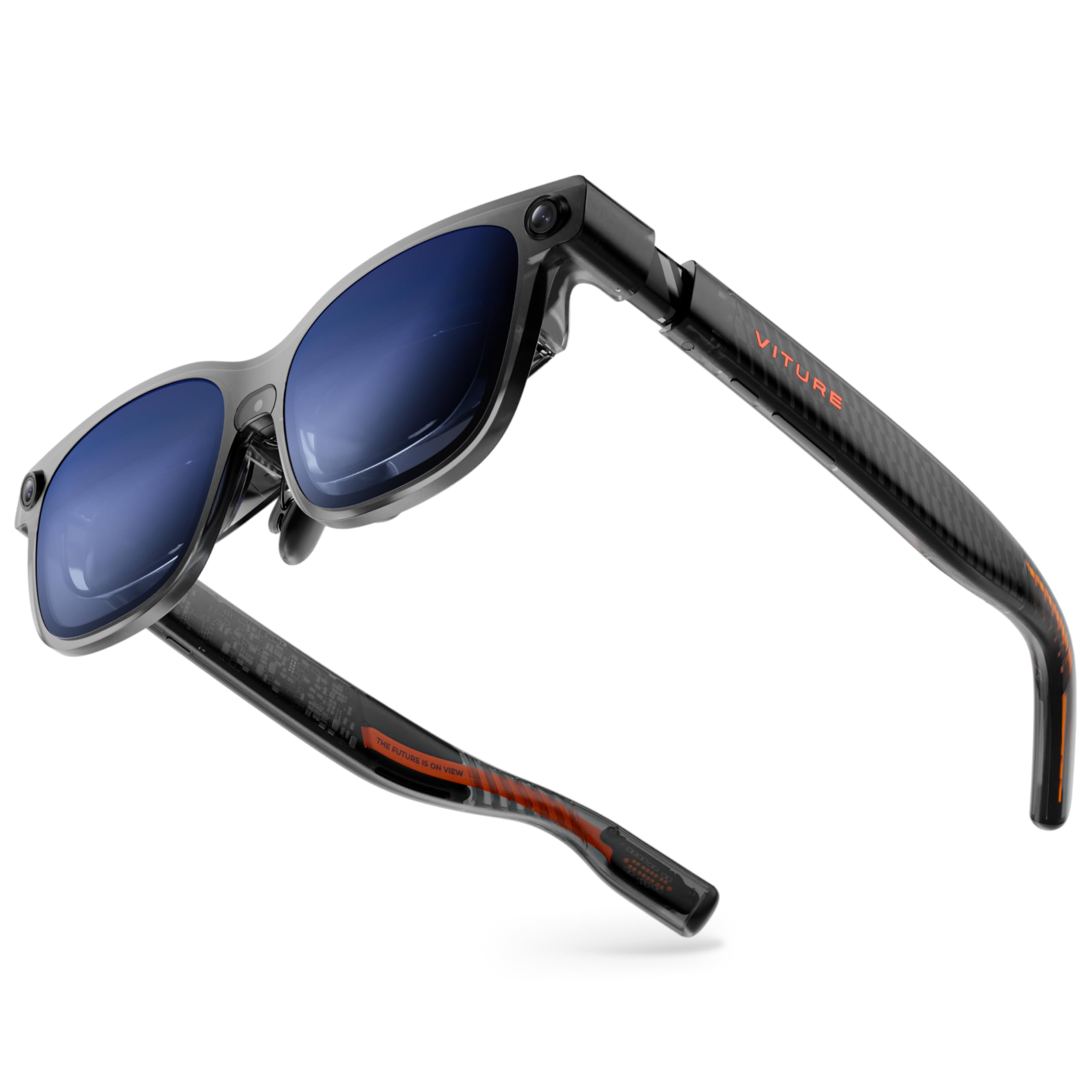
VITURE pushed the brightness ceiling to 1,500 nits with the Luma Ultra, making it the most outdoor-usable display glasses in this lineup. The 1200p resolution feels sharper than a standard 1080p panel, and the 52-degree FOV wraps the image nicely around your peripheral vision. The front RGB camera and dual depth cameras enable full 6DoF spatial computing, though unlocking that requires the separate Pro Neckband.
HARMAN audio delivers full-bodied sound with noticeable bass presence, and the built-in myopia adjustment up to -4.0D is genuinely convenient for users who do not want to mess with prescription inserts. Electrochromic film darkens the lenses with one tap, effectively blocking ambient light for total immersion. The SpaceWalker software adds a multi-screen workspace for Mac and PC, though the 2D-to-3D conversion feature currently has stability issues.
Some users report the glasses feel heavy on the nose after extended sessions, and the image positioning can sit too high in the frame. The triple-camera system is essentially dormant without the neckband, which adds significant cost. For early adopters who want the brightest wearable display available and plan to invest in the full VITURE ecosystem, the Luma Ultra delivers raw performance.
Why it’s great
- 1500 nits peak brightness for outdoor clarity
- Built-in myopia adjustment up to -4.0D
- 6DoF spatial tracking with included cameras
Good to know
- Full spatial computing requires neckband accessory
- Multi-screen mode can induce dizziness for some users
3. VITURE Luma Pro
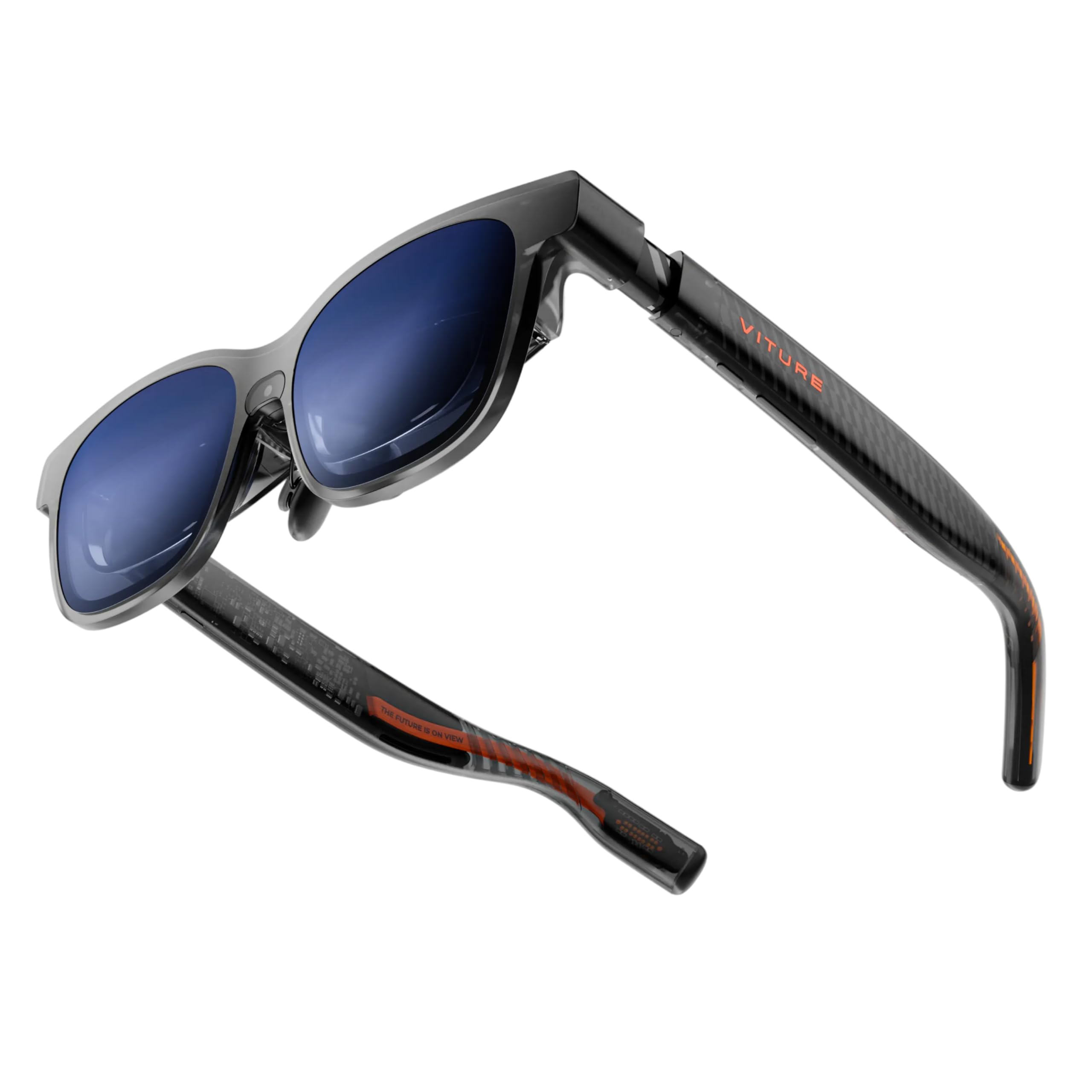
The Luma Pro shares the same core optical platform as the Ultra but dials down the brightness to 1,000 nits and drops the cameras, bringing the price down significantly. The 1200p resolution still looks noticeably sharper than standard 1080p panels, with text appearing razor-sharp even at small font sizes. The 52-degree FOV and 120Hz refresh rate remain intact, making this a top-tier media consumption device.
HARMAN audio is carried over from the Ultra, so the sound quality is excellent for open-ear glasses — clear mids, decent bass, and loud enough for noisy environments. The electrochromic film and built-in myopia dial work just as well here, and the SpaceWalker multi-screen app supports up to three virtual monitors. The RGB lighting on the temples is a stylish touch, adding personality without affecting function.
User reports consistently highlight the bright, sharp picture and the comfortable fit for most head shapes. The main drawbacks are the lack of a dongle for console gaming (needed for HDMI sources) and the 2D-to-3D conversion being limited to the SpaceWalker app. For a mid-range price, the Luma Pro offers premium display quality with no major compromises.
Why it’s great
- 1200p resolution delivers visibly sharper text than 1080p
- 1000 nits brightness works well in most indoor and outdoor settings
- HARMAN-tuned audio with immersive surround sound
Good to know
- No built-in 3DoF tracking on the glasses themselves
- Myopia dial ineffective for users with astigmatism
4. RayNeo Air 4 Pro
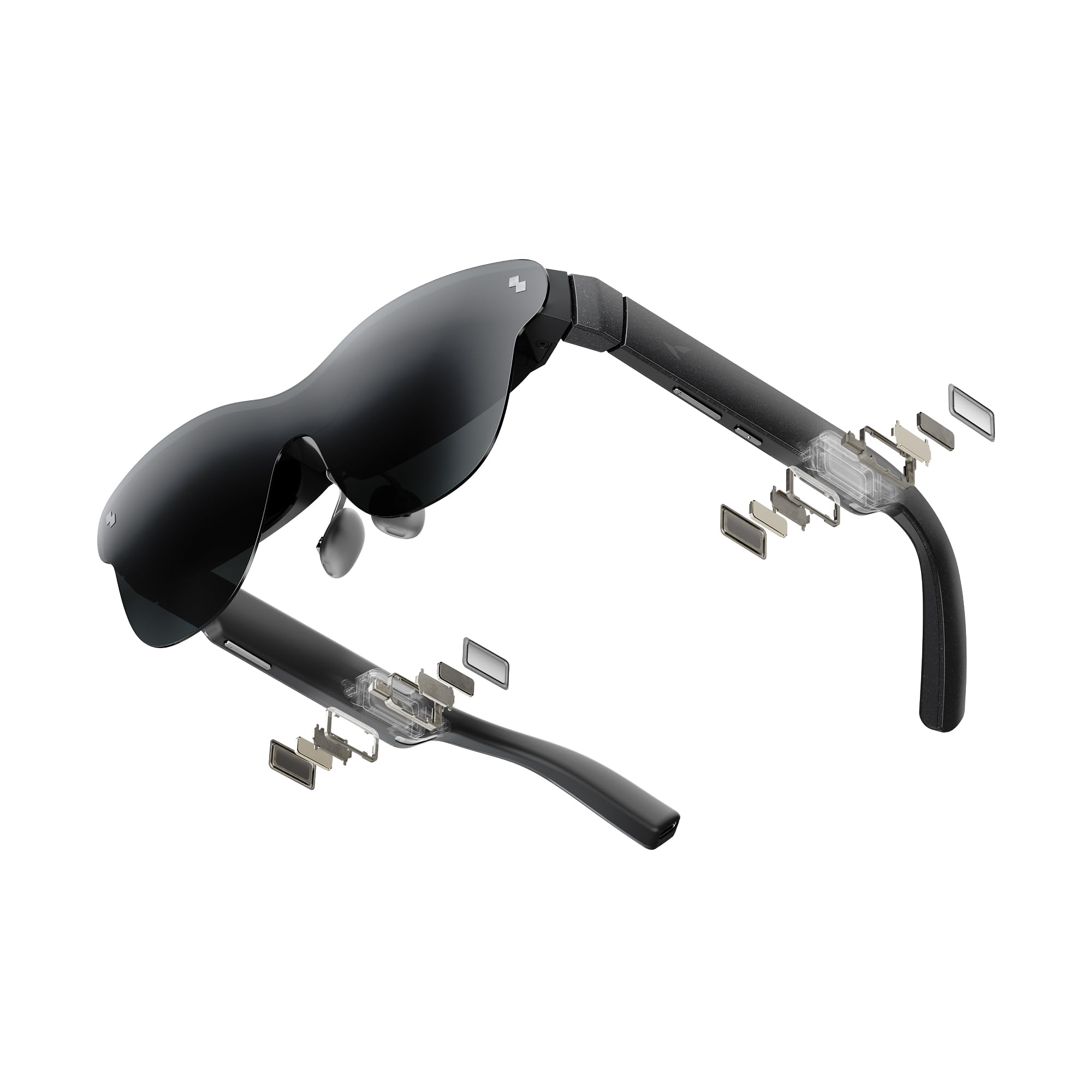
The RayNeo Air 4 Pro achieves a rare balance: HDR10 support, a Vision 4000 chip for AI SDR-to-HDR upscaling, and Bang & Olufsen audio — all at a mid-range price point. The 46-degree FOV is narrower than the XREAL 1S, but the HDR10 panel delivers over 10 billion colors with noticeably brighter highlights and deeper blacks. The 120Hz refresh rate keeps motion smooth, and the 3840Hz flicker-free dimming is genuinely easy on the eyes.
Audio is a standout feature here. The four Bang & Olufsen speakers create a spacious soundstage, and the optional Sound Tube accessory funnels audio directly into your ears for private listening. The glasses weigh 76 grams and include adjustable nose pads and flexible temples. The electrochromic film is absent, but the included lens shade provides adequate glare control.
Customer feedback praises the edge-to-edge sharpness and the bang-for-the-buck ratio. The lack of a built-in battery means the glasses are lighter, but also means they rely entirely on the connected device for power. Some users with larger heads report only seeing 90% of the FOV, and the 0DoF-only mode (without a separate adapter) limits spatial use. For pure multimedia quality at a reasonable price, the Air 4 Pro is hard to beat.
Why it’s great
- HDR10 display with 10 billion colors and deep contrast
- Bang & Olufsen four-speaker system with directional audio option
- Vision 4000 chip provides real-time SDR-to-HDR upscaling
Good to know
- No built-in 3DoF; requires external adapter for spatial mode
- Electrochromic film not included; only a lens shade is provided
5. RayNeo Air 3s Pro
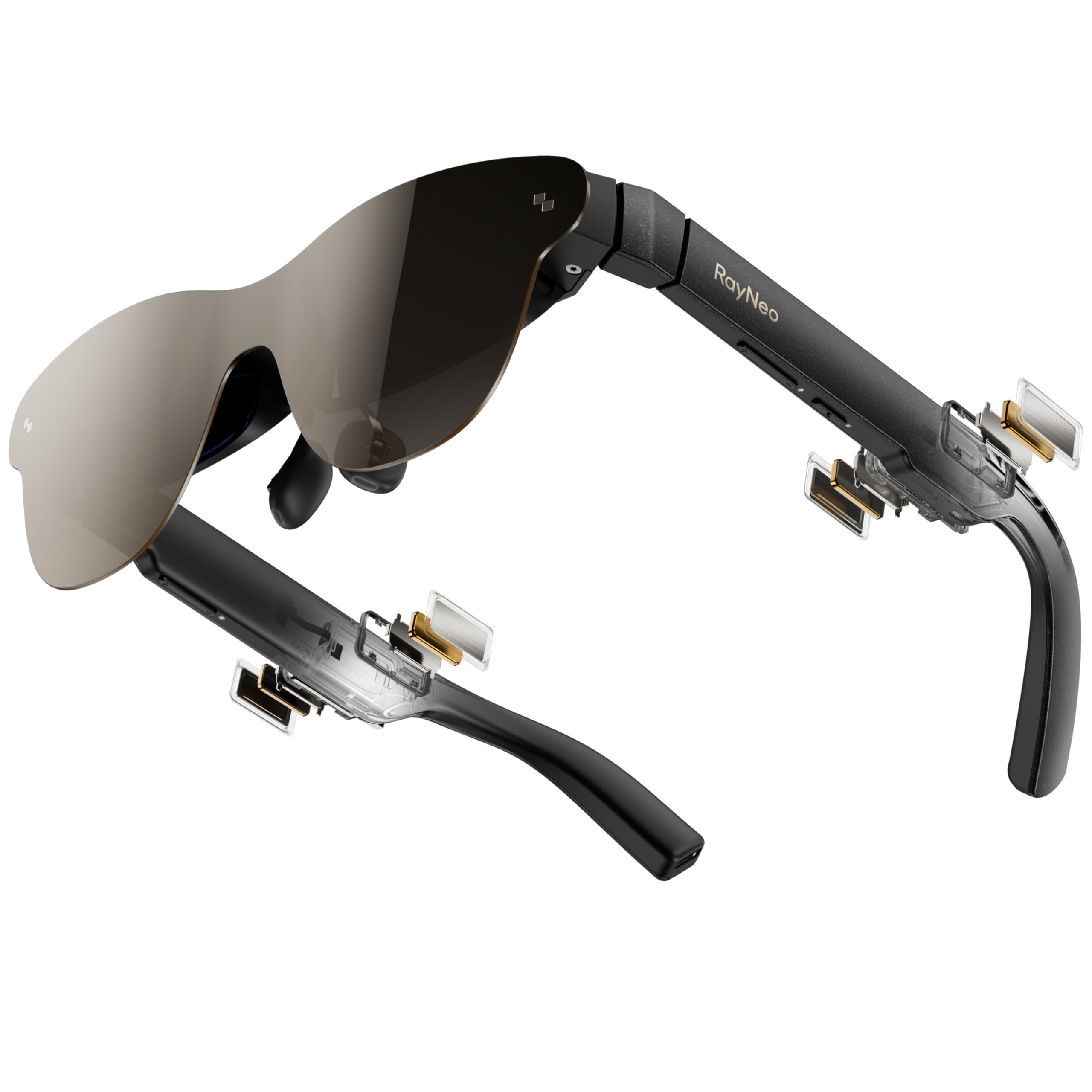
The RayNeo Air 3s Pro claims the title of the world’s brightest AR glasses with a 1,200-nit to-eye brightness, and user testing confirms it maintains a vivid image even in sunlit rooms. The 5.5th-gen tandem Micro-OLED display, branded HueView 2.0, achieves a 200,000:1 contrast ratio and 98% DCI-P3 color coverage, delivering visuals that look accurate and punchy. The 46-degree FOV feels adequate but less spacious than the 52-degree models.
Eye comfort is a priority here: TÜV SÜD certifications for low blue light and flicker-free, plus 3,840Hz PWM dimming, reduce eye strain noticeably during longer sessions. The 20-level brightness control lets you fine-tune the image to the room. The included prescription lens frame is a welcome addition for nearsighted users, though you must supply the lenses from an optician.
Reviewers note that getting the full screen in view requires careful adjustment of the nose pads and temple arms, and the cable can sometimes pull the glasses downward. The integrated spatial audio provides decent immersion, but the speakers lack the bass depth of the Bang & Olufsen or Bose systems. For buyers who prioritize brightness and eye safety above all else, the Air 3s Pro is an excellent choice.
Why it’s great
- 1200 nits peak brightness — usable in direct sunlight
- HueView 2.0 Micro-OLED with 200,000:1 contrast ratio
- Dual TÜV SÜD certifications for low blue light and flicker-free
Good to know
- FOV is 46°, noticeably narrower than competitors
- Bass in built-in speakers is weaker than premium audio options
6. INAIRE 2 Pro

The INAIRE 2 Pro takes a unique approach: instead of prioritizing a wide FOV, it focuses on dual-eye resolution of 3840×1080 and multi-screen productivity. When paired with a Mac or Windows PC via the INAIR Space software, you can arrange up to four virtual monitors in an ultra-wide layout. The 135-inch virtual screen size and 49 PPD edge clarity ensure text remains sharp even in small spreadsheet cells.
The electrochromic technology here is advanced — a swipe on the temple adjusts transparency from 0.1% to 16%, letting you toggle between full immersion and seeing your keyboard. The SGS A+ 2.0 certification for visual fatigue is a nice endorsement for office use. The glasses weigh 80 grams and distribute weight evenly, with the heating element placed away from the skin.
User experiences are mixed. The multi-monitor software does not work reliably on all Windows laptops, and setup can take time. The FOV feels narrower than the specs suggest because the dual-screen layout requires more head turning. The plastic build feels less premium than the XREAL or VITURE offerings. For Windows power users who need multiple virtual monitors for coding or design, the INAIR 2 Pro offers a unique productivity tool, but the execution is still maturing.
Why it’s great
- Dual-eye 3840×1080 resolution enables ultra-wide multi-monitor setups
- Electrochromic lens adjusts from 0.1% to 16% transparency
- SGS certified for low visual fatigue during extended work sessions
Good to know
- Multi-screen software is buggy on some Windows configurations
- FOV feels narrow for a single-screen immersive experience
7. Rokid Max 2
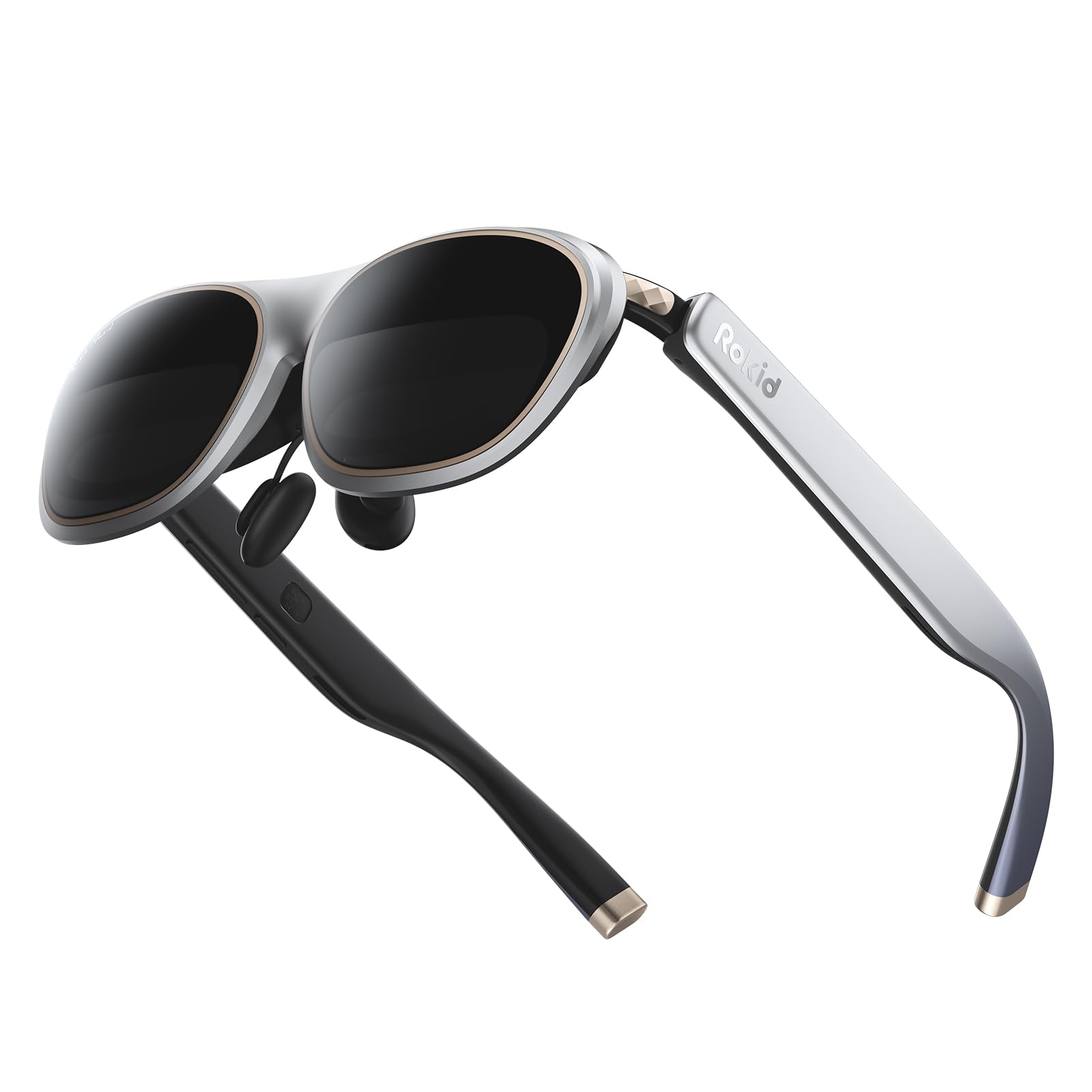
The Rokid Max 2 stands out with a mechanical myopia adjustment dial on the top of the frame that corrects vision up to -6.0 diopters. This eliminates the need for prescription lens inserts for most nearsighted users, making it one of the most convenient options for glasses wearers. The 50-degree FOV and 600-nit brightness are solid mid-range specs that work well in dim to moderately lit environments.
The 120Hz refresh rate and Micro-OLED display deliver a sharp, vibrant image, though the 600-nit brightness falls short of the premium 1,200-nit competition. The airy cushioning on the nose pads is designed to prevent slipping, a thoughtful detail for longer sessions. The glasses weigh 75 grams and are wide enough to fit faces up to 16 cm across.
Feedback notes that the nose pads can still shift during movement, slightly cutting off the bottom of the image. The FOV of 50 degrees is good, but the sweet spot feels smaller than the spec suggests. Astigmatism and presbyopia are not supported by the built-in diopter, so users with those conditions will need separate prescription lenses. For its price and the integrated myopia adjustment, the Max 2 is a practical pick for users who wear glasses.
Why it’s great
- Mechanical diopter adjustment up to -6.0D — no prescription inserts needed
- 50° FOV and 120Hz refresh rate for smooth gaming
- Nose pad cushioning reduces slipping during use
Good to know
- 600 nits is dim compared to 1,200-nit competitors
- Does not correct astigmatism or presbyopia with built-in dial
8. Lenovo Legion Glasses Gen 2

The Lenovo Legion Glasses Gen 2 are the lightest entry in this list at 65 grams, and they offer a deceptively simple value proposition: plug-and-play 1080p Micro-OLED at 120Hz from any USB-C DP device. There is no tracking, no software, no battery — just a straightforward wearable monitor. For under , this makes them the cheapest way to get a 120Hz wearable display in your hands.
The display quality is crisp with good contrast, but the 46-degree nominal FOV feels narrower in practice. Several users report needing to adjust the nose pads carefully to see the full image, and the cable running along the arm can become annoying during longer sessions. The included prescription lens frame is a nice touch, but the permanent nose bridge can bend when adjusted, causing the glasses to slide upward and cut off the top of the screen.
Battery life is not an issue since the glasses draw power from the source device. The build quality is solid, and the included carry case is sturdy. For someone who only wants to watch movies or play games on a Steam Deck without spending a premium, the Legion Glasses Gen 2 deliver the essentials. The lack of any spatial features means the screen follows your head, which is fine for passive consumption but limiting for productivity.
Why it’s great
- Lightest frame at 65 grams for comfortable extended wear
- True plug-and-play setup with no software required
- 120Hz Micro-OLED display at a budget-friendly price point
Good to know
- Nose bridge bends easily, causing the screen to drift out of view
- No spatial tracking — screen follows your head movements
9. Meta Ray-Ban (Gen 1)

The Meta Ray-Ban Gen 1 is not a display glass in the traditional sense — it does not project a virtual screen into your eyes. Instead, it occupies a separate category as a smart audio and camera glasses. The 12MP ultra-wide camera lets you capture hands-free POV photos and video, and the five-microphone system enables crystal-clear voice calls. The open-ear speakers provide rich audio without isolating you from your environment.
For the price, you get a stylish Ray-Ban Wayfarer frame with Meta’s AI assistant built in, capable of real-time language translation and contextual answers. The battery lasts a full day for casual use, though heavy camera usage drains it faster. The glasses are comfortable for all-day wear, and the lens clarity is excellent — you can easily get prescription lenses installed.
User satisfaction is high for the audio and camera quality, but the software is unfinished. The AI frequently gives incorrect responses, Bluetooth connection drops are common with iOS, and the always-on LED light cannot be disabled, which may draw unwanted attention. The Gen 1 is an early adopter product that excels as a hands-free camera and audio headset, but it is not a display device. Buy it for the recording and calling features, not for screen-based content.
Why it’s great
- 12MP ultra-wide camera captures true POV hands-free video
- Comfortable all-day wear with classic Ray-Ban styling
- Real-time translation supports multiple languages without WiFi
Good to know
- No internal display — not a wearable monitor
- Software stability issues with Bluetooth and AI responses
FAQ
Can I use display glasses with my existing prescription glasses?
Do display glasses work with any smartphone or laptop?
Is 120Hz important for watching movies?
Can I use display glasses for productive work like coding or spreadsheets?
How much battery life do display glasses have?
Final Thoughts: The Verdict
For most users, the best display glasses winner is the XREAL 1S because it offers the most complete package — native 3DoF spatial tracking from the X1 chip, excellent Bose audio, a wide 52-degree FOV, and TÜV-certified eye comfort, all without requiring any dongles or smartphone apps. If you want the absolute brightest screen for outdoor use, grab the VITURE Luma Ultra. And for a budget-conscious buyer who needs a simple, lightweight 120Hz wearable monitor for a Steam Deck or laptop, nothing beats the Lenovo Legion Glasses Gen 2 in value per dollar.

Mo Maruf
I created WellFizz to bridge the gap between vague wellness advice and actionable solutions. My mission is simple: to decode the research and give you practical tools you can actually use.
Beyond the data, I am a passionate traveler. I believe that stepping away from the screen to explore new environments is essential for mental clarity and physical vitality.