Our readers keep the lights on and my smoothie glass nicely filled. As an Amazon Associate, I earn from qualifying purchases.
Staring at a screen for eight to twelve hours a day doesn’t have to leave you with burning eyes, throbbing temples, or that dreaded end-of-day headache. The difference between a display that fights you and one that works with your vision comes down to specific hardware choices—from backlight technology and blue light filtration to pixel density and adaptive synchronization.
I’m Mohammad Maruf — the founder and writer behind WellFizz. I’ve spent hundreds of hours dissecting panel specifications, reading through thousands of verified buyer experiences, and analyzing the engineering behind eye-care technologies to identify which monitors actually deliver on their promises of visual comfort.
This guide cuts through marketing noise to focus on measurable specs that reduce eye fatigue, presenting the most well-researched set of options available today for anyone seeking the best display for eyes.
How To Choose The Best Display For Eyes
Selecting a monitor that protects your vision requires looking past marketing terms like “eye care” and digging into the actual engineering. Four specifications define whether a screen will leave you feeling rested or fatigued at the end of a workday.
Backlight Flicker and Blue Light Management
The most direct cause of eye strain in modern monitors is Pulse-Width Modulation (PWM) flicker, which dims the backlight by rapidly turning it on and off. Flicker-Free or DC Dimming backlights eliminate this invisible flickering entirely. Pair that with TÜV-certified Low Blue Light technology that reduces harmful wavelengths without washing out colors, and you remove two of the biggest sources of retinal fatigue.
Anti-Glare Coating and Ambient Light Management
A matte or anti-glare surface diffuses reflections from overhead lights and windows, preventing the eye from constantly refocusing around glare spots. Some premium monitors now combine matte coatings with ambient light sensors that adjust brightness automatically, keeping the screen at a comfortable luminance relative to your room conditions throughout the day.
Pixel Density and Text Clarity
Pixel density, measured in pixels per inch (PPI), determines how sharp text appears. A low PPI forces your eyes to work harder to resolve jagged edges on letters and fine details. For a 27-inch screen, 4K resolution delivers roughly 163 PPI, which is the threshold where most users report comfortable, effortless reading without squinting.
Ergonomic Adjustability
No amount of blue-light filtering compensates for a poorly positioned screen. Look for height adjustment, tilt, swivel, and pivot features that let you align the top bezel with your eye level. An adjustable stand prevents neck and shoulder strain, which indirectly causes eye fatigue by forcing you to maintain an unnatural head angle for hours.
Quick Comparison
On smaller screens, swipe sideways to see the full table.
| Model | Category | Best For | Key Spec | Amazon |
|---|---|---|---|---|
| Dell UltraSharp U2725QE | Premium 4K | All-day productivity with auto brightness | 4K IPS Black, 120Hz, Thunderbolt 4 | Amazon |
| Dell UltraSharp U3225QE | Large Premium | Spacious 32-inch multitasking | 32″ 4K 120Hz, IPS Black, 3000:1 contrast | Amazon |
| ViewSonic VP3256-4K | Color-Critical | Color-accurate work with USB-C hub | 32″ 4K, 100% sRGB, Delta E<2, Flicker Free | Amazon |
| Dell 34 Plus Curved S3425DW | Ultrawide Comfort | Immersive work and casual gaming | 34″ QHD VA, 120Hz, ComfortView Plus | Amazon |
| ASUS ProArt PA278CV | Pro Creative | Color-critical design work | 27″ QHD IPS, 100% sRGB, Calman Verified, USB-C | Amazon |
| ASUS 27″ 4K VY27UQ | Value 4K | Affordable 4K with eye care features | 27″ 4K IPS, Eye Care Plus, Antibacterial coating | Amazon |
| Dell 27 Plus QHD S2725DC | Mid-Range QHD | Productivity with 144Hz smoothness | 27″ QHD IPS, 144Hz, TÜV 4-star Comfort | Amazon |
| ASUS ROG Swift PG32UCDM | Premium Gaming | High-end gaming with OLED eye comfort | 32″ 4K QD-OLED, 240Hz, 99% DCI-P3 | Amazon |
| Kuycon G32P 6K | Ultra-High Resolution | Mac users needing 6K clarity | 32″ 6K IPS, 223PPI, Glossy, Low Blue Light | Amazon |
In‑Depth Reviews
1. Dell UltraSharp U2725QE 27 Inch 4K UHD IPS Black Monitor

The Dell UltraSharp U2725QE represents the new benchmark for eye-friendly workstations. Its IPS Black panel technology delivers a 2000:1 contrast ratio—double that of standard IPS—which reduces the eye strain caused by washed-out blacks and excessive brightness needed to see shadow detail. The 120Hz refresh rate and 5ms response time eliminate motion blur during scrolling, while the factory-calibrated 99% DCI-P3 coverage with Delta E less than 1.5 ensures color precision without requiring aggressive brightness levels.
What makes this display exceptional for eyes is the integrated ambient light sensor paired with ComfortView Plus, which dynamically adjusts both brightness and color temperature throughout the day. The Thunderbolt 4 connection delivers up to 140W of power over a single cable, and the full ergonomic stand with height, tilt, swivel, and pivot adjustments allows exact positioning. The matte anti-glare surface is widely praised for its low grain, preserving text sharpness while eliminating reflections.
Buyer feedback consistently highlights the absence of coil whine and backlight bleed, two common sources of distraction that contribute to fatigue. The only significant caveat reported by some Mac users involves compatibility quirks requiring firmware updates, though most Windows and Thunderbolt-based systems connect seamlessly. For a combination of visual comfort, color accuracy, and connectivity, this is the most complete package available.
Why it’s great
- IPS Black panel provides superior contrast, reducing eye strain from glare and washed-out blacks
- Ambient light sensor and ComfortView Plus adjust brightness and warmth automatically
- 120Hz refresh rate makes scrolling and cursor movement feel fluid, reducing visual fatigue
- Thunderbolt 4 with 140W power delivery simplifies desk setup to a single cable
Good to know
- Some Mac users report compatibility issues requiring a firmware update
- Premium price point compared to standard 4K monitors
2. Dell UltraSharp U3225QE 31.5″ 16:9 4K Ultra HD 120Hz Thunderbolt Hub IPS Black LED HDR Monitor
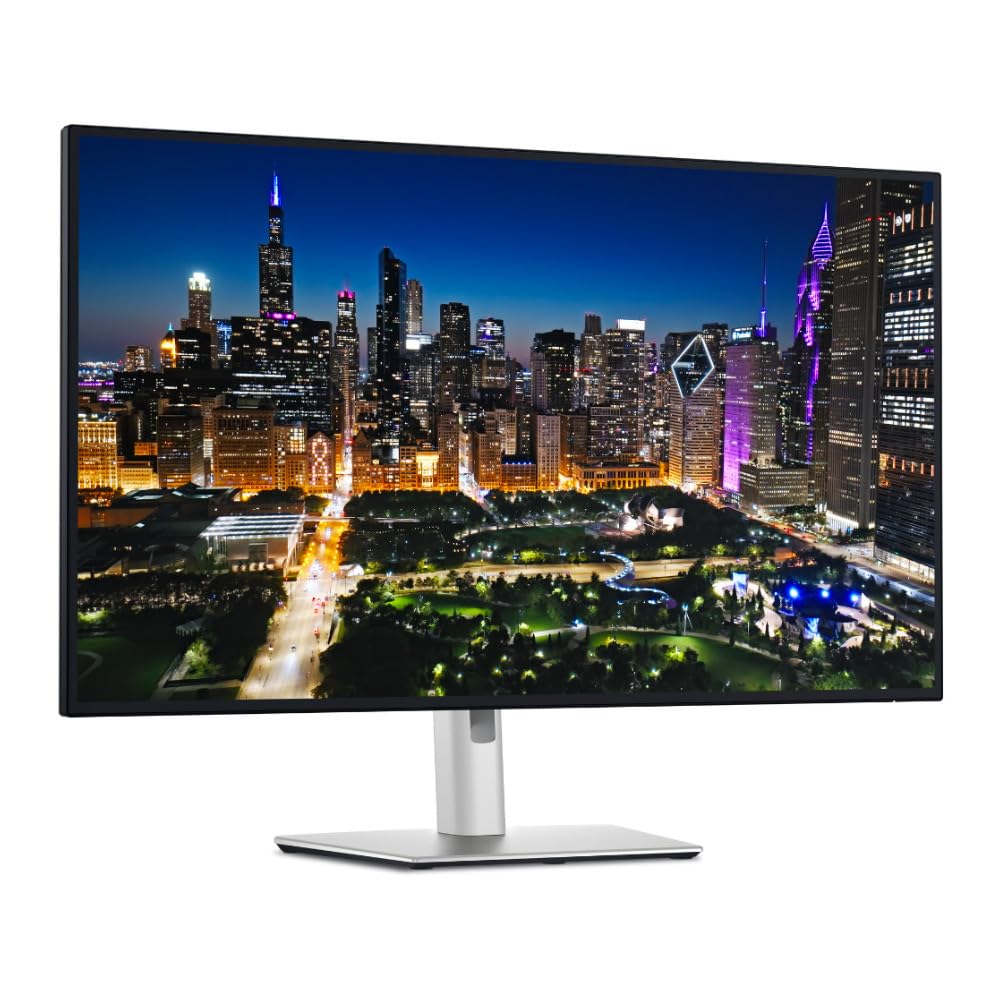
The 32-inch Dell UltraSharp U3225QE takes the IPS Black technology found in its 27-inch sibling and scales it to a larger canvas while adding 600 nits of peak brightness. The 3000:1 contrast ratio is exceptional for an IPS-type panel, creating deep blacks that allow you to run the monitor at lower brightness levels—a direct benefit for long-term eye comfort. The 120Hz refresh rate ensures that panning across large spreadsheets or code windows remains silky smooth.
Connectivity is a highlight, with a built-in Thunderbolt 4 hub offering up to 140W power delivery and daisy-chaining support for a second 4K monitor. The matte anti-glare surface handles overhead lighting well, and the full ergonomic stand provides height, tilt, swivel, and pivot adjustments. Buyers report excellent pixel density for a 32-inch 4K display, with crisp text that doesn’t require squinting.
User reviews note that the monitor requires a firmware update for full macOS compatibility at certain resolutions, and some have experienced connectivity issues after sleep states that require re-plugging the USB-C cable. The 600-nit brightness capability is useful for HDR content but may be overkill in dimmer rooms, though the adjustable stand and ambient light management help compensate. For those who need extra screen real estate without sacrificing eye-care engineering, this is a compelling choice.
Why it’s great
- IPS Black panel with 3000:1 contrast reduces need for high brightness
- 600 nits peak brightness supports comfortable HDR viewing without washout
- Thunderbolt 4 hub with 140W power delivery simplifies desk wiring
- Large 32-inch screen at 4K resolution provides excellent pixel density for text
Good to know
- Mac users may need a firmware update and third-party app for optimal 120Hz operation
- Heavy build may require a sturdy monitor arm if not using the included stand
3. ViewSonic VP3256-4K 32 Inch 4K ColorPro Monitor

The ViewSonic VP3256-4K is built for professionals who need color accuracy without compromising on visual comfort. Its 32-inch 4K IPS panel covers 100% sRGB and is Pantone Validated, with Delta E less than 2 out of the box. The Flicker-Free technology and Blue Light Filter work together to reduce the most common causes of eye strain, while the anti-glare coating prevents distracting reflections that force constant micro-adjustments of focus.
The USB-C connectivity provides 65W power delivery, making it a true single-cable solution for compatible laptops. The stand offers height, tilt, swivel, and pivot adjustments, and the thin bezel design works well in multi-monitor configurations. Buyers consistently report that the monitor matches the color output of MacBook displays closely, reducing the mental effort of switching between screens during photo editing or design work.
Some users note that the on-screen display menu is clunky to navigate, though the software-based control option mitigates this. A few Mac users discovered that the monitor cannot rotate 90 degrees when connected to macOS, which limits its use as a vertical coding display. The built-in speakers are adequate for system alerts but not for media consumption. For color-critical work where accurate hues reduce visual guesswork and eye fatigue, this monitor delivers strong value.
Why it’s great
- Pantone Validated with Delta E<2 ensures true colors that don’t confuse the eye
- Flicker-Free backlight and Blue Light Filter directly reduce retinal fatigue
- USB-C with 65W power delivery enables a single-cable laptop connection
- Excellent color match with MacBook displays for seamless extended desktop use
Good to know
- On-screen display menu is less intuitive than software-based alternatives
- Mac users cannot pivot the display to portrait orientation
4. Dell 34 Plus USB-C Curved Monitor S3425DW

The Dell S3425DW brings a 34-inch curved ultrawide format (3440 x 1440) to the eye-comfort conversation. Its VA panel delivers a native 3000:1 contrast ratio that produces deep blacks without requiring high backlight levels, and the 1800R curvature matches the natural focal plane of human vision, reducing the need for constant eye movement across the screen. The 120Hz refresh rate and AMD FreeSync Premium support ensure fluid motion without stuttering.
ComfortView Plus is Dell’s hardware-based low-blue-light solution that reduces emissions to 35% or less without the yellow tint typical of software filters. The VA panel also provides excellent off-axis uniformity, so color shift at the edges of the wide screen is minimal. The built-in speakers have been redesigned for deeper frequency response compared to previous generations, and the USB-C connection delivers 65W of power to a connected laptop.
Reviews highlight the VA panel’s deep blacks and the value it offers for both productivity and casual gaming. The limited port selection (no DisplayPort) is a notable omission, and the recessed VESA mount design makes third-party arm installation more complicated than expected. Some users also wish the volume could be controlled from the connected laptop rather than the monitor’s own joystick. For those who benefit from ultrawide screen real estate, this is a well-engineered option with genuine eye-care hardware.
Why it’s great
- VA panel with 3000:1 contrast lets you run lower brightness for eye comfort
- 1800R curvature matches natural vision, reducing eye movement strain
- ComfortView Plus cuts blue light to 35% without color distortion
- 120Hz refresh rate with FreeSync Premium for tear-free viewing
Good to know
- Limited to HDMI and USB-C ports; no DisplayPort connection
- VESA mounting requires additional bracket due to recessed design
5. ASUS ProArt Display 27″ Monitor PA278CV

The ASUS ProArt PA278CV is a 27-inch QHD (2560 x 1440) IPS monitor that prioritizes color accuracy and eye protection for creative professionals. It is Calman Verified and factory-calibrated to Delta E less than 2, covering 100% sRGB and 100% Rec. 709. The Flicker-Free and Low Blue Light certifications are backed by TÜV Rheinland, ensuring that the backlighting produces no visible or invisible flicker that contributes to eye fatigue.
The USB-C port delivers 65W of power and supports DisplayPort Alt Mode, allowing a single cable to carry video, data, and charging. The ergonomic stand offers height, tilt, swivel, and 90-degree pivot rotation for vertical coding or document scrolling. The 75Hz refresh rate is modest compared to gaming monitors, but combined with Adaptive-Sync, it makes scrolling and document navigation noticeably smoother than a standard 60Hz panel.
Buyer feedback emphasizes the build quality and color reproduction, with many using it alongside MacBooks and Mac minis for photo editing and game development. Some users note that 65W USB-C power delivery may not be sufficient to charge larger laptops at full speed during heavy workloads, and the bezel design, while slim, is slightly thicker than the most modern competitors. For creative users who need accurate colors and proven eye-care certification, this remains a reliable choice.
Why it’s great
- TÜV Rheinland Flicker-Free and Low Blue Light certification for guaranteed eye safety
- Calman Verified with Delta E<2 for color accuracy, reducing guesswork
- USB-C with 65W power delivery enables a clean single-cable setup
- Full ergonomic stand with pivot rotation for vertical monitor use
Good to know
- 65W USB-C charging may be slow for high-power laptops under load
- 75Hz refresh rate is modest; not for fast-paced gaming
6. ASUS 27” 4K Eye Care Monitor VY27UQ

The ASUS VY27UQ brings 4K UHD resolution to an aggressive price point without cutting corners on eye-care engineering. The Eye Care Plus suite includes Flicker-Free backlighting, a blue light filter, and two unique features: Color Augmentation mode for users with color-vision deficiencies, and a Rest Reminder that prompts breaks to reduce screen-time fatigue. The IPS panel covers 99% sRGB and supports HDR-10, delivering sharp text and vibrant imagery that reduce the need to squint or lean forward.
The matte display surface minimizes reflections effectively, and the 27-inch 4K resolution provides a pixel density of approximately 163 PPI—the threshold where text appears crisp without requiring scaling. Adaptive Sync support eliminates screen tearing during casual gaming or video playback. A unique antibacterial treatment on the bezels and hotkeys is a thoughtful add-on for shared or clinical environments.
Buyers consistently praise the image quality and feature set for the price, though several note that the 350-nit peak brightness can feel underwhelming in brightly lit rooms, and the built-in speakers are weak. The 60Hz refresh rate is standard for productivity but not ideal for gaming. A few users also reported a faint humming sound in quiet settings. For budget-conscious buyers looking for genuine 4K resolution with dedicated eye-care features, this is a strong entry point.
Why it’s great
- Eye Care Plus includes Rest Reminder and Color Augmentation for visual accessibility
- 4K UHD at 27 inches delivers 163 PPI for sharp, comfortable text reading
- Flicker-Free backlight and blue light filter are standard, not optional
- Adaptive Sync provides tear-free motion for casual viewing
Good to know
- 350 nits brightness may appear washed-out in sunlit rooms
- Built-in speakers are weak; plan for external audio
7. Dell 27 Plus QHD USB-C Monitor S2725DC
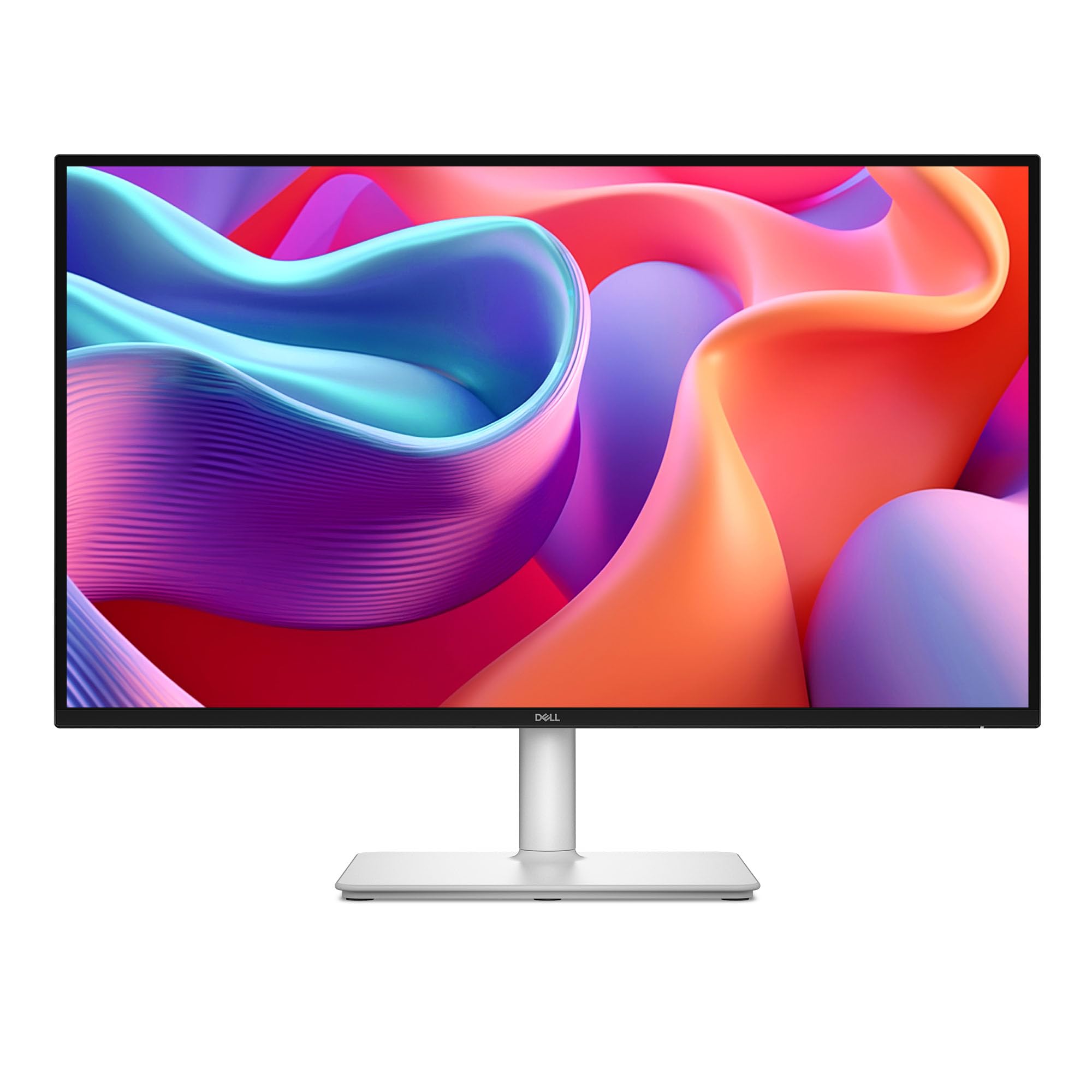
The Dell S2725DC offers a unique value proposition: a QHD 144Hz monitor with a 4-star TÜV Comfort certification that actively manages blue light without the harsh yellow tint found in many competitor filters. The 27-inch IPS panel delivers a 1500:1 contrast ratio and 350 nits of brightness, with a matte anti-glare coating that handles reflections well. The 144Hz refresh rate and 1ms MPRT response time make scrolling, cursor movement, and casual gaming exceptionally smooth.
The USB-C port provides up to 65W power delivery, allowing a single cable to connect a laptop while keeping the desk clean. The stand offers height, tilt, swivel, and pivot adjustments, and the Ash White color option blends well with lighter desk setups. The built-in dual 3W speakers are a step above most monitor audio, delivering a wider frequency range than typical 2W units.
Reviews highlight the monitor’s excellent performance for office productivity and its ease of setup. Some users found the joystick button that controls the OSD a bit fragile, and the height adjustment range is more limited than some taller desks require. A few buyers noted that the QHD resolution at 27 inches (around 109 PPI) is noticeably less sharp than a 4K panel for text-heavy work. For users who prioritize smooth motion and proven blue-light management over maximum pixel density, this is a balanced option.
Why it’s great
- 4-star TÜV Comfort certification reduces blue light without yellow shift
- 144Hz refresh rate and 1ms MPRT make scrolling and cursor movement smooth
- USB-C with 65W power delivery for single-cable laptop connectivity
- Full ergonomic stand with height, tilt, swivel, and pivot adjustments
Good to know
- QHD at 27 inches is less sharp than 4K for prolonged text reading
- Height adjustment range may be insufficient for very tall users
8. ASUS ROG Swift 32” 4K OLED Gaming Monitor PG32UCDM

The ASUS ROG Swift PG32UCDM proves that high-end gaming and eye comfort are not mutually exclusive. Its 32-inch QD-OLED panel produces true blacks with infinite contrast ratio, meaning you never need to crank brightness to see shadow details—a direct benefit for long gaming sessions. The 240Hz refresh rate and 0.03ms response time eliminate motion blur and judder, which are known contributors to eye strain for sensitive users.
The VESA DisplayHDR 400 True Black compliance ensures deep black levels even in HDR content, while the 99% DCI-P3 color gamut delivers vibrant but accurate colors. The uniform brightness setting prevents luminance variations across the screen, and the DisplayWidget Center software allows easy access to OLED Care functions. The 3-year warranty includes burn-in coverage, addressing the primary concern with OLED longevity.
Buyers consistently describe this as the best gaming monitor they’ve ever used, with particular praise for how the glossy finish handles reflections compared to matte alternatives. Some note that text fringing from the OLED pixel layout is minimal but present during close reading of small fonts, and the software-based pixel refresh and dark theme recommendations are essential for burn-in prevention. For gamers who spend hours in front of a screen, the combination of OLED contrast and high refresh rate offers a uniquely comfortable viewing experience.
Why it’s great
- QD-OLED infinite contrast allows low brightness operation without losing detail
- 240Hz refresh rate and 0.03ms response eliminate motion-induced eye strain
- Uniform brightness setting prevents distracting luminance shifts
- 3-year warranty with burn-in coverage for peace of mind
Good to know
- Text fringing from the OLED pixel layout may be noticeable at close range
- Glossy screen can be reflective in very bright rooms
9. Kuycon G32P 32’’ UHD 6K Glossy Monitor
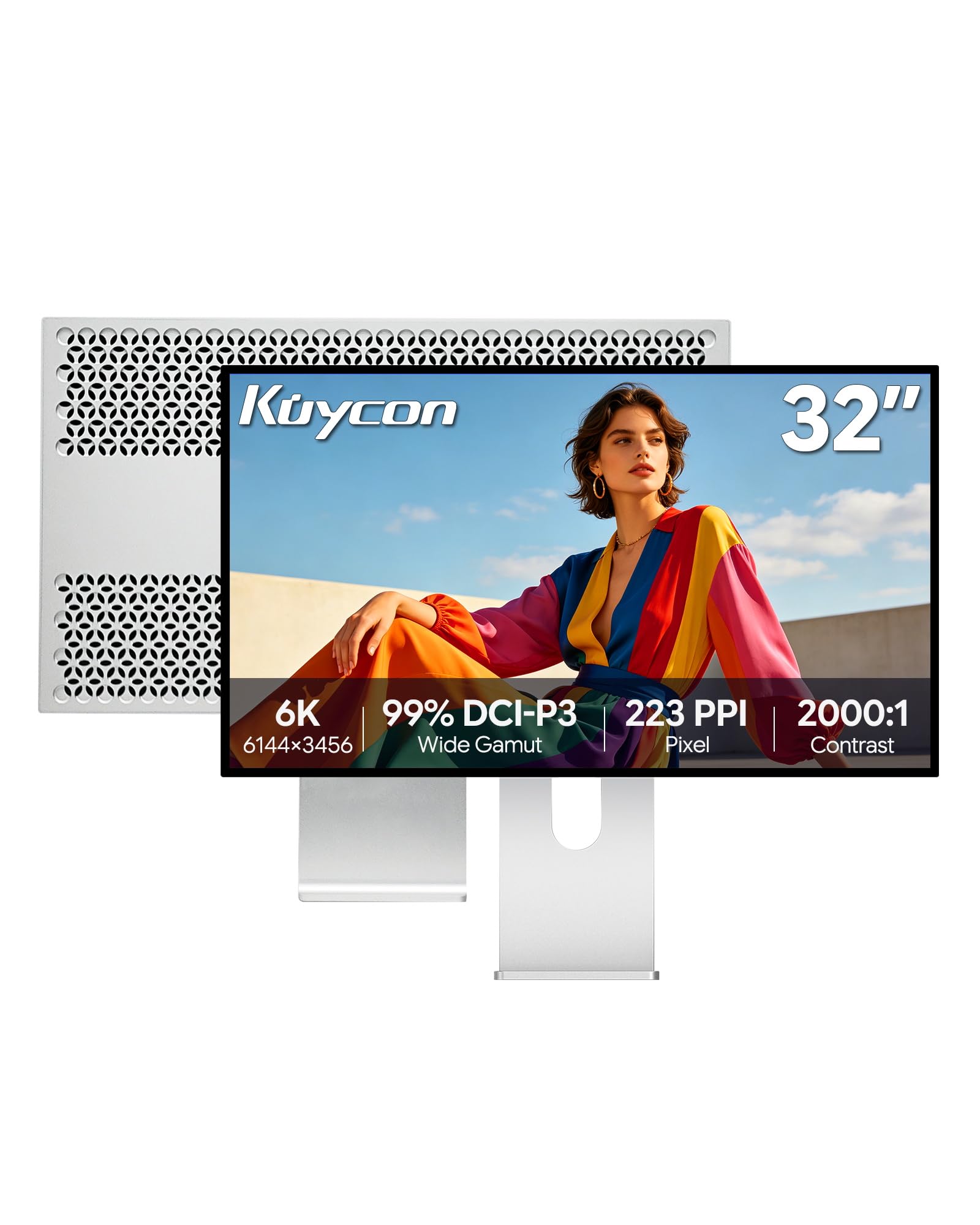
The Kuycon G32P is a 32-inch 6K (6144 x 3456) IPS monitor that delivers a pixel density of 223 PPI—matching the same retina-class clarity as Apple’s Pro Display XDR. This extreme pixel density means text appears as sharp as printed paper, with no visible pixelation or aliasing that forces the eye to strain for focus. The IPS panel covers 99% sRGB and 99% DCI-P3 with Delta E less than 2, and the 2000:1 contrast ratio provides solid black levels for an IPS panel.
The Flicker-Free backlight and Low Blue Light mode are built into the hardware, while the anti-glare coating on the glossy surface helps manage reflections when used with adequate ambient lighting. The USB-C port supports up to 100W power delivery, and the CNC-machined aluminum body with honeycomb cooling offers a premium build quality. The included stand provides height, tilt, swivel, and pivot adjustments for precise positioning.
Buyers coming from Mac Studio and MacBook Pro setups report that the visual quality closely matches the Apple Studio Display at a significantly lower investment. The glossy screen requires high brightness in sunlit rooms to overcome reflections, and some users noted a rattle in the unit or a missing remote battery upon arrival. A few reported “no signal” issues after system updates, which required re-plugging the connection. For users who need the sharpest possible text for reading, coding, or detail work, this 6K panel is unmatched in this price range.
Why it’s great
- 223 PPI pixel density makes text appear as sharp as printed paper
- 6K resolution (6144 x 3456) provides massive screen real estate without scaling
- Flicker-Free backlight and Low Blue Light mode are hardware-enabled
- Premium aluminum build with honeycomb cooling and full ergonomic stand
Good to know
- Glossy screen may be reflective in bright environments; needs high brightness
- Some units have arrived with minor hardware issues or missing accessories
FAQ
Is a higher refresh rate better for eye strain?
Should I get a matte or glossy screen for eye comfort?
What PPI is ideal for comfortable text reading?
Do OLED monitors cause less eye strain than LCD?
Final Thoughts: The Verdict
For most users, the best display for eyes is the Dell UltraSharp U2725QE because it combines IPS Black contrast, a reliable ambient light sensor, 120Hz smoothness, and Thunderbolt 4 connectivity in a 27-inch 4K package that covers every essential eye-care feature. If you want a larger 32-inch workspace with deeper blacks, the Dell UltraSharp U3225QE offers the same IPS Black technology at a higher brightness ceiling. And for those who need the sharpest possible text for reading or detail work, the Kuycon G32P 6K delivers unmatched pixel density that approaches the clarity of printed paper.

Mo Maruf
I created WellFizz to bridge the gap between vague wellness advice and actionable solutions. My mission is simple: to decode the research and give you practical tools you can actually use.
Beyond the data, I am a passionate traveler. I believe that stepping away from the screen to explore new environments is essential for mental clarity and physical vitality.