Our readers keep the lights on and my smoothie glass nicely filled. As an Amazon Associate, I earn from qualifying purchases.
Choosing a diode laser engraver means navigating a battlefield of wattage claims, beam profiles, and software ecosystems. A 10W module from one brand can cut half as fast as a 10W from another, and the difference often comes down to compression optics, cooling efficiency, and the quality of the motion system underneath. Getting the right machine is less about absolute power and more about how that power is focused and controlled.
I’m Mohammad Maruf — the founder and writer behind WellFizz. I’ve spent countless hours analyzing laser engraver specifications, from diode compression ratios to stepper motor torque curves, to separate real performance from marketing wattage.
The best approach to buying your first or next best diode laser engraver comes down to understanding three factors: optical power density, software compatibility, and frame rigidity.
How To Choose The Best Diode Laser Engraver
The diode laser market has matured rapidly, but not all machines deliver the same real-world performance. Beginners often chase the highest milliwatt number without understanding beam focus or cooling, which leads to inconsistent results and wasted material.
Optical Power vs. Optical Power Density
A 10W diode laser and a 20W diode laser both use the same 445-450nm blue light wavelength, but the higher-wattage module concentrates more energy into the same spot size. This directly translates to deeper cuts per pass and faster engraving speeds. For cutting projects thicker than 5mm plywood, a 20W module is a practical minimum. For fine engraving on coated metals or dark acrylic, a 10W module with a tight 0.06×0.04mm spot can still produce exceptional detail.
Frame Rigidity and Motion System
An unstable frame introduces vibrations that blur the laser’s focus line, creating inconsistent kerf widths and jagged edges. Look for aluminum alloy frames with dual Y-axis stepper motors and GT2 timing belts. These systems maintain accuracy within ±0.1mm at speeds up to 400mm/s. Cheaper cantilever designs tend to oscillate during fast directional changes, which ruins intricate patterns.
Software Ecosystem and Workflow
LightBurn remains the industry standard for laser control, offering advanced features like variable power ramps, scan gap adjustment, and full-layer settings. Machines that come with native LightBurn support save you weeks of learning proprietary software. Many budget-friendly models also support LaserGRBL, but for serious multi-layer work, LightBurn is non-negotiable. Some premium machines now include dedicated software with AI-assisted positioning and material recognition — useful for speed, but always check if they also support LightBurn for fine-tuning.
Safety and Enclosure
Class 1 safety certification means the machine fully encloses the laser beam, eliminating the need for separate goggles and protecting nearby people. Enclosed machines also integrate smoke extraction and flame detection. Open-frame diode lasers require you to wear appropriate OD 6+ laser glasses and operate in a ventilated space. If you plan to use the machine in a shared room or near children, a Class 1 enclosed model is not optional.
Quick Comparison
On smaller screens, swipe sideways to see the full table.
| Model | Category | Best For | Key Spec | Amazon |
|---|---|---|---|---|
| Twotrees TTS-20 Pro | 20W Diode | Cutting thick wood & acrylic | 20,000mW, 418×418mm, ±0.1mm accuracy | Amazon |
| Genmitsu L8 20W | 20W Enclosed | Plug-and-play with safety features | 20,000mW, 40,000mm/min, Class 1 | Amazon |
| xTool S1 40W | 40W Enclosed | High-volume production | 40,000mW, 600mm/s, 23.93″×15.16″ bed | Amazon |
| TOOCAA NOVA 20W | 20W Enclosed | AI-assisted engraving & business use | 20,000mW, 5MP camera, auto-focus | Amazon |
| WECREAT Vista 10W | 10W Enclosed | Detailed engraving & tumblers | 10W, 0.06×0.04mm spot, class 1 | Amazon |
| CREALITY FALCON A1 10W | 10W Enclosed | Complete beginner out-of-box | 10W, 600mm/s, CoreXY motion system | Amazon |
| xTool S1 10W | 10W Enclosed | Premium small-batch engraving | 10W, 0.06×0.04mm spot, 400+ material presets | Amazon |
| LONGER RAY5 10W | 10W Open Frame | Expandable work area on a budget | 10W, 400×400mm, expandable to 850×400mm | Amazon |
| Twotrees TTS-10 Pro | 10W Open Frame | Entry-level metal engraving | 10W, 300×300mm, 0.069mm spot | Amazon |
In‑Depth Reviews
1. Twotrees TTS-20 Pro Laser Engraver

The TTS-20 Pro from Twotrees delivers true 20W optical power through its 450nm blue diode module, enabling single-pass cuts through 20mm acrylic and 30mm pine. This is where the line between engraver and cutter blurs — the power density here makes it suitable for small-production wood cutting jobs that most 10W machines would need multiple passes to achieve.
The motion system pairs a 32-bit MKS ESP32 PRO mainboard with TMC2209 silent stepper drivers. Maximum speed hits 500mm/s with ±0.1mm positional accuracy, which is tight enough for detailed multi-layer engraving. The built-in Wi-Fi module allows wireless project transfer from a phone or browser, though LightBurn remains the recommended control software for adjusting power ramps and scan gaps at different depths.
Air assist is not included in the package — you will need to purchase a separate air pump and honeycomb panel. The unit ships with CE, FCC, and RoHS certifications, and includes protective laser glasses and assembly tools. The frame uses a full aluminum alloy build with dual Y-axis motors for stability at high traversal speeds.
Why it’s great
- 20W diode cuts 20mm acrylic in one pass
- Wi-Fi control works with browser and mobile app
- TMC2209 drivers keep operation quiet
Good to know
- Air assist and honeycomb sold separately
- LightBurn setup requires some configuration
2. Genmitsu L8 Laser Engraver, 20W
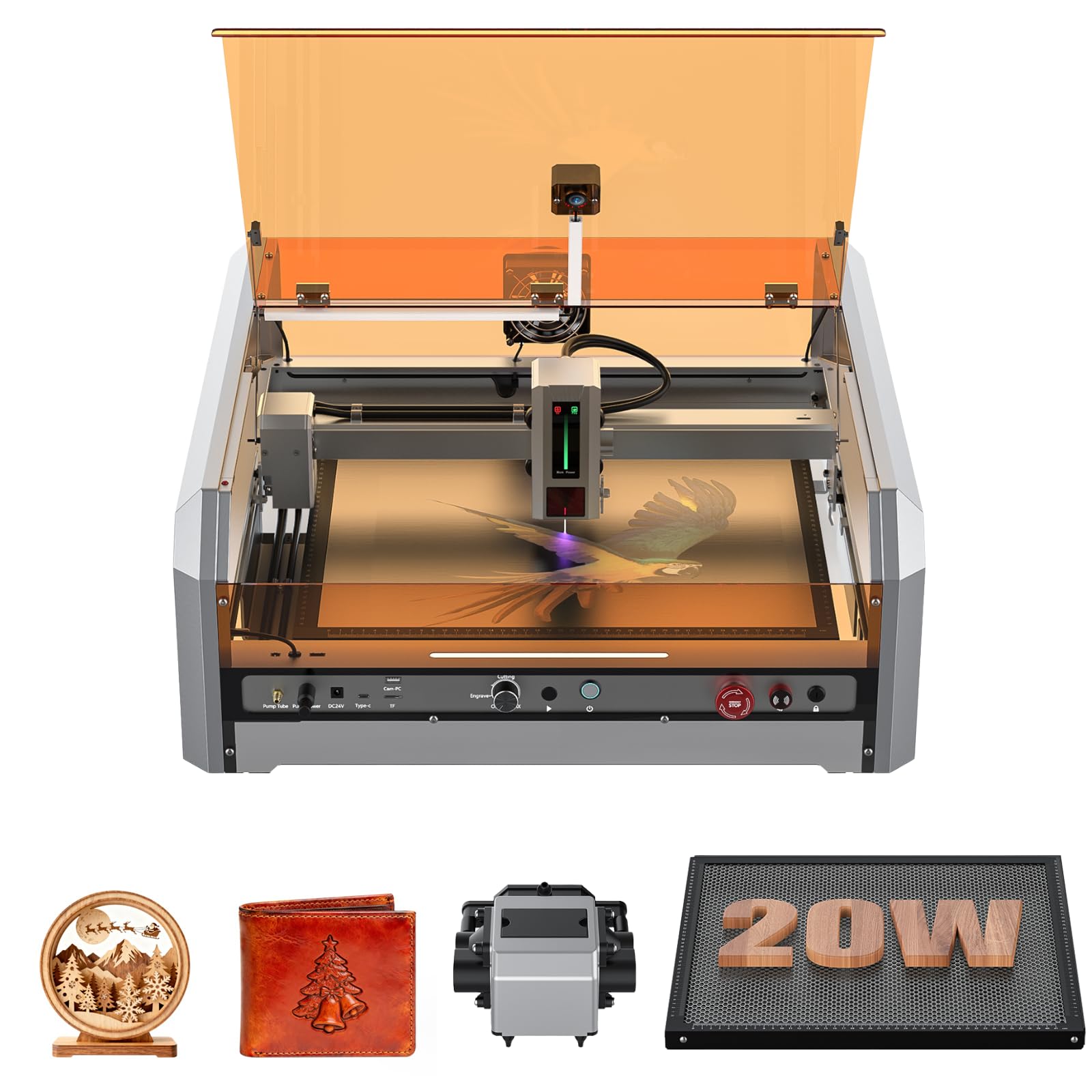
The Genmitsu L8 arrives fully assembled inside a pre-built acrylic enclosure, earning its Class 1 safety certification. This means no separate goggles, no enclosure building — it is ready to run out of the box. The 20W diode module cuts 12mm pine and 8mm black acrylic in a single pass, with a smart air assist pump delivering 30L/min to clear debris during operation.
A LightBurn-compatible camera enables visual project preview, which reduces alignment guesswork significantly. The motion system achieves engraving speeds up to 40,000mm/min, placing it among the faster frame-based diode machines on the market. Built-in safety features include a door interlock that pauses the beam when the lid opens, active flame monitoring with an audible alarm, and tilt detection that triggers an emergency stop.
The machine includes a built-in honeycomb panel, saving you a separate purchase. The 360° transparent acrylic shield allows full visibility during operation. Some users reported minor assembly complexity with the camera cable routing, and the included USB drive may need to be replaced — but overall the build quality and safety integration make this a compelling enclosed option.
Why it’s great
- Class 1 enclosed safety out of the box
- Built-in air assist and honeycomb included
- Very fast 40,000mm/min engraving speed
Good to know
- Camera cable setup instructions could be clearer
- Some units required support for initial unlocking
3. xTool S1 40W Laser Cutter & Engraver

The xTool S1 40W delivers the highest continuous optical power in this roundup, cutting 18mm cherry wood in a single pass and handling thick acrylic sheets without hesitation. The 23.93 by 15.16-inch work area accommodates large projects like door signs or production runs — up to 119 dog tags in a single layout. Engraving speed reaches 600mm/s, which is among the fastest for a gantry-style diode machine.
xTool’s patented Pin-point Positioning technology enables 3D engraving on curved surfaces like spoons and plates, and the Auto Passthrough feature handles materials up to 118 inches long. The motion system uses a 3mm aerospace-grade aluminum frame, providing rigidity that minimizes resonance at high speeds. The enclosed design is certified Class 1, with five flame sensors, an emergency stop, and a lid-open cutoff.
The rotary bundle includes a roller attachment for mugs and tumblers, making it a complete production workstation. xTool Creative Space software has pre-tested settings for over 400 materials, plus an AI design generation feature. Some assembly is required for the rotary kit, but the main unit comes nearly assembled. The 86.8-pound shipping weight reflects the substantial build quality.
Why it’s great
- 40W cuts thick wood and acrylic in single passes
- Pin-point Positioning for curved surface engraving
- Spacious 23.93″×15.16″ bed with passthrough
Good to know
- Heavy at 86.8 pounds — requires sturdy table
- Rotary assembly may have minor setup hurdles
4. TOOCAA NOVA 20W Smart AI Laser Engraver
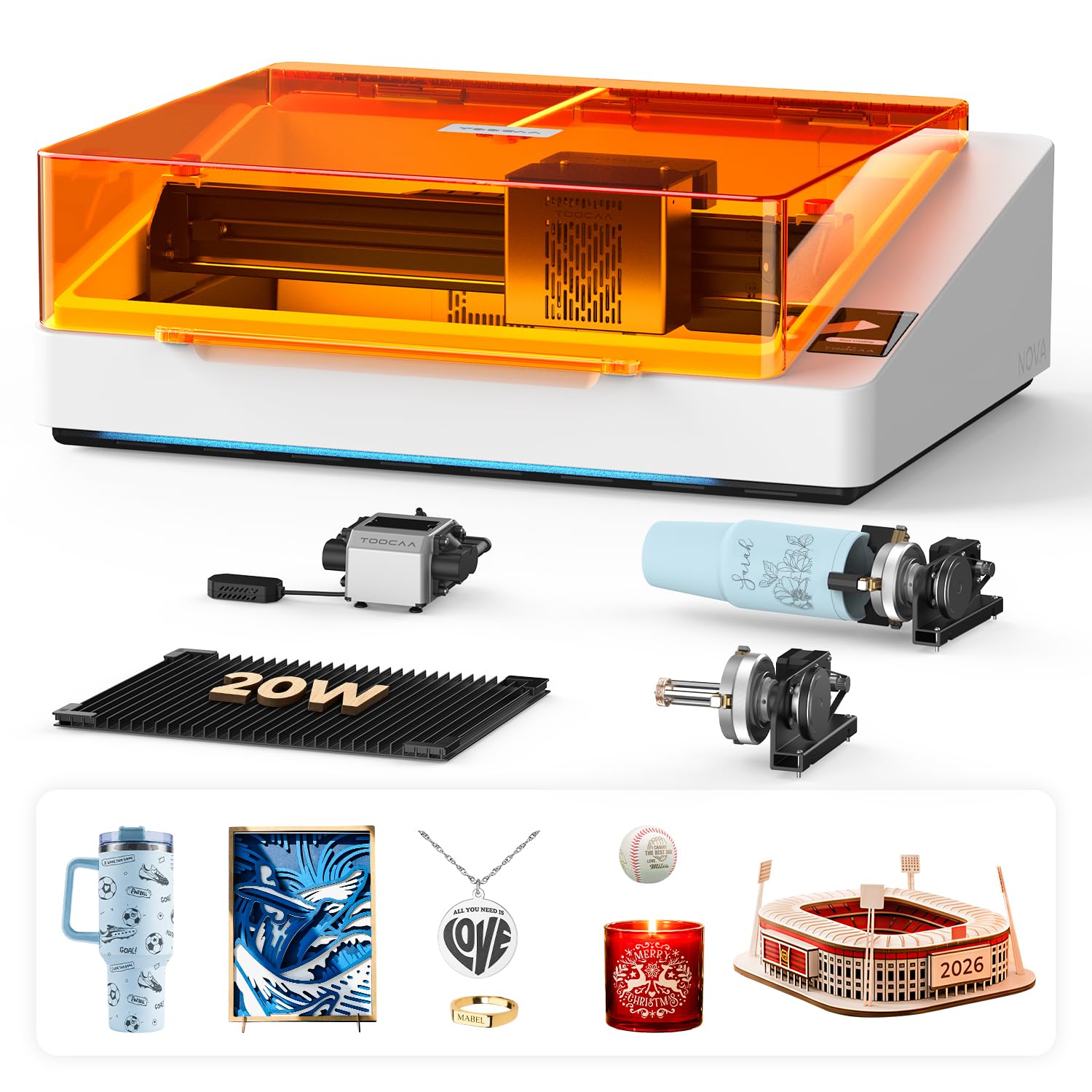
The TOOCAA NOVA integrates AI-powered material recognition that automatically detects the substrate type and adjusts power and speed parameters accordingly. This removes the trial-and-error phase for mixed material batches — the 5MP camera captures real-time positioning and the software places your design with one-click alignment. The 90° X-axis rotary system allows cylindrical engraving without lifting the machine head or using bulky risers.
The dual-channel exhaust system is a practical innovation: it extracts smoke from both the upper chamber and the lower bed area during cutting, reducing burn residue on the underside of materials. The unit is fully enclosed and Class 1 certified, with lid-open stop, tilt protection, child lock, and flame detection. The TOOCAA Studio software includes 1,000+ commercial templates and text-to-image AI generation for quick design-to-engrave workflows.
The 20W diode module delivers sufficient power for wood, leather, acrylic, glass, and coated metals. The machine arrives fully assembled — no calibration or wiring required. The primary limitation is the proprietary software dependence for the AI features; LightBurn compatibility is available but lacks the automatic material recognition. The streamlined workflow makes it ideal for small businesses producing personalized items at scale.
Why it’s great
- AI material recognition sets optimal parameters automatically
- Dual-channel exhaust keeps burn marks minimal
- Pre-assembled with no calibration needed
Good to know
- AI features require TOOCAA Studio software
- Premium investment for the enclosed bundle
5. WECREAT Vista 10W Laser Engraver

The WeCreat Vista uses a compressed 0.06 by 0.04mm laser spot to deliver high-resolution photo engraving on thin materials like fabric, acrylic, and coated metal. The spot size is the tightest in the 10W class here, which translates to sharper micro-detail in photographs and intricate vector designs. The 16.34 by 11.42-inch work area is compact but sufficient for most hobby projects.
The patented 90° FlipLaser rotary system enables engraving on tall objects like 40oz tumblers without a separate riser, using the included 9-in-1 rotary attachment. The TopView HD camera provides distortion-free positioning with flat scanning to ensure minimal thickness deviation. The enclosed Class 1 design integrates a fire-retardant metal frame, air assist, and a fume extractor for clean operation.
The WeCreat MakeIt software library includes 2,000+ design projects and 500+ typefaces, updated weekly. The Vista also supports LightBurn for users who prefer advanced parameter control. The unit is heavy at 53.9 pounds due to the metal enclosure and integrated rotary components. Some users reported the fume extractor and IR laser module are sold separately, so factor those into total cost if you need them.
Why it’s great
- Ultra-fine 0.06×0.04mm spot for detailed engraving
- FlipLaser rotary engraves tall tumblers easily
- 2,000+ design files included in the software
Good to know
- IR module and fume extractor are optional add-ons
- Heavy enclosure at 53.9 pounds
6. CREALITY FALCON A1 10W Laser Engraver

The Creality Falcon A1 adopts a CoreXY motion system — a departure from traditional gantry designs — which allows the 10W laser head to reach 600mm/s engraving speeds while maintaining stability. The dual-motor power system distributes motion forces evenly, reducing ringing artifacts at high speeds. The machine comes pre-calibrated with optimal parameter presets for different materials, so you can start engraving without tuning power curves manually.
A pre-installed HD camera provides a full-frame preview of the 381 by 305mm work area. The enclosed dual-door design achieves Class 1 safety certification, with an auto-lock mechanism, emergency stop, and smoke control built into the chassis. Falcon Design Space software includes graphic outline extraction, which converts design patterns into engraving paths automatically.
The unit is pre-assembled and ready to use out of the box. One limitation: the machine does not support engraving on highly reflective materials like mirror-finished metals, and cutting acrylic is not supported — this is a dedicated engraver first, cutter second. The included wood sheet is only for initial testing, so you will need to source your own materials for volume work.
Why it’s great
- CoreXY motion system enables 600mm/s engraving
- Pre-calibrated presets skip the tuning phase
- Enclosed Class 1 safety with auto-lock
Good to know
- Does not support reflective metals or acrylic cutting
- Manual lacks in-depth troubleshooting guides
7. xTool S1 10W Laser Engraver

The xTool S1 10W shares the same 23.93 by 15.16-inch bed and 3mm aerospace-grade aluminum frame as its 40W sibling, making it the most spacious 10W enclosed machine in this comparison. The ultra-fine 0.06 by 0.04mm spot produces photo-realistic engravings with 1:1 detail reproduction. The 10W module is ideal for wood, leather, stone, glass, and craft paper engraving, though cutting thicker materials will require multiple passes.
xTool’s Pin-point Positioning technology works with the enclosed camera system for precise material placement. The software — xTool Creative Space — has pre-tested parameters for over 400 materials, and the AI design generator can create unique vector patterns from text prompts. The Auto Passthrough Technology allows projects up to 118 inches long, which is rare for a desktop machine.
The Class 1 safety enclosure includes five flame sensors, emergency stop, and lid-open cutoff. At 44 pounds, the unit is manageable for a single person to move. The basic bundle does not include the rotary attachment or the honeycomb panel extension — those are available separately. Several users noted that the 20W version provides significantly better cutting performance and that the 10W model is best reserved for detailed surface engraving.
Why it’s great
- Large 23.93″×15.16″ bed with passthrough for long items
- Ultra-fine 0.06×0.04mm spot for photo engraving
- 400+ material presets in xTool Creative Space
Good to know
- 10W limits cutting capability on thicker materials
- Rotary and honeycomb extensions cost extra
8. LONGER RAY5 10W Laser Engraver

The LONGER RAY5 10W uses dual-beam technology that compresses two laser diodes into a single focal point, increasing power density compared to single-diode 10W designs. The base work area is 400 by 400mm, and an extension kit expands it to 850 by 400mm — a 200% increase that accommodates larger signage and board projects. Engraving speed reaches 10,000 mm/min on wood and acrylic up to 20mm thick.
The 3.5-inch color touchscreen provides offline control, allowing you to start jobs from a TF card without a computer. The 32-bit core motherboard supports four data transfer methods: Wi-Fi, USB cable, smartphone app, and TF card. The open-frame design includes a protective cover and laser glasses, but it does not meet Class 1 safety standards — you will need to operate it in a well-ventilated space and wear OD 6+ goggles.
Assembly is straightforward, with clear video guides available. The LightBurn setup may require manual positioning adjustments if the out-of-bounds errors occur. The machine has proven reliable for daily use cutting 5mm plywood at medium speeds. The expansion kit is sold separately, so budget for it if you plan to work with larger materials from the start.
Why it’s great
- Dual-beam tech increases power density at 10W
- Expandable to 850×400mm work area
- Offline touchscreen control via TF card
Good to know
- Open frame requires separate goggles and ventilation
- Extension kit purchased separately
9. Twotrees TTS-10 Pro 10W Laser Engraver
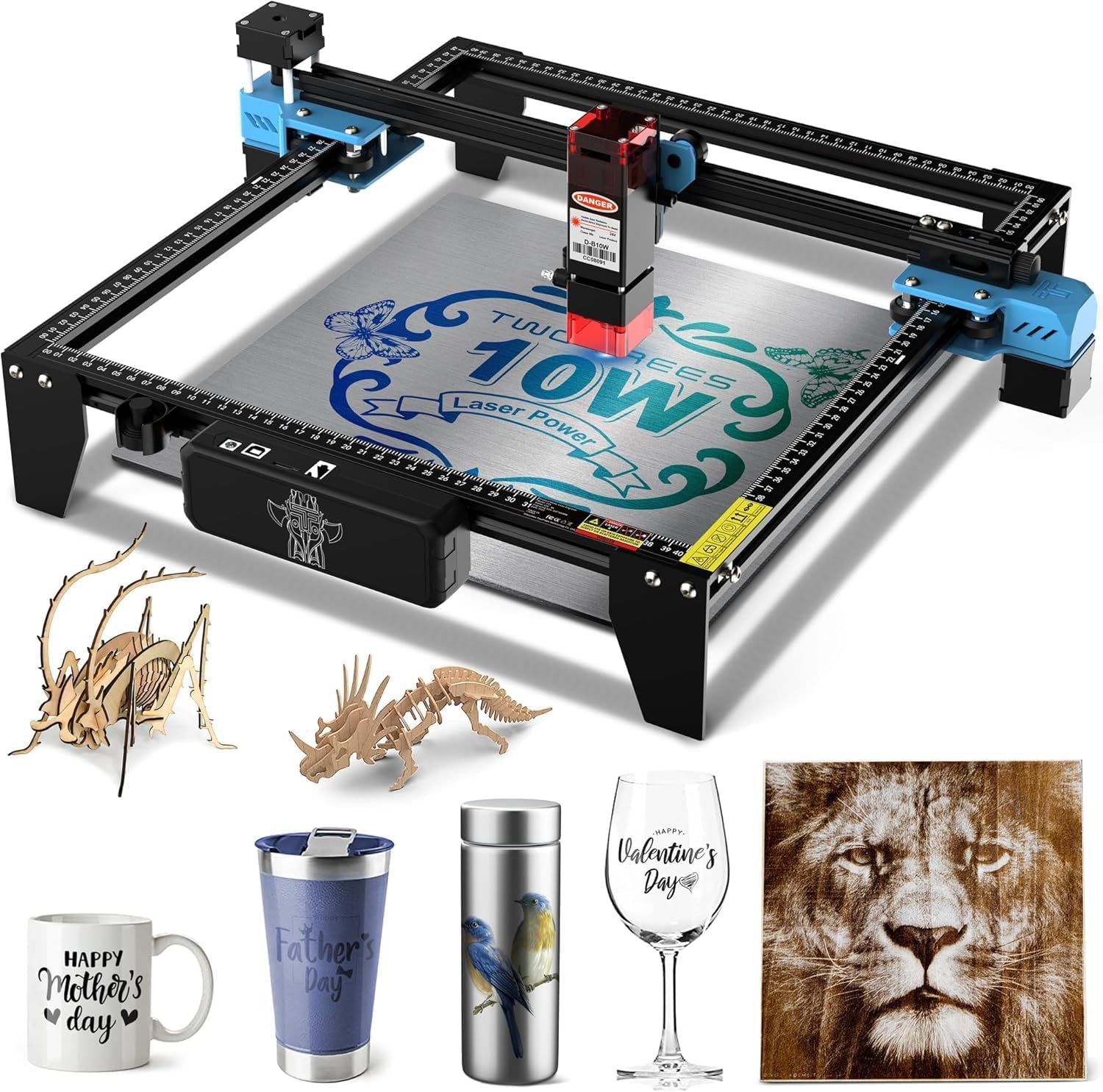
The Twotrees TTS-10 Pro offers a 10,000mW 450nm blue diode with a 0.069mm laser spot, making it suitable for engraving wood, bamboo, acrylic, leather, dark glass, and coated metals. The 300 by 300mm work area keeps the machine compact — ideal for users with limited desk space. The 32-bit dual-core mainboard supports online control via USB or Wi-Fi and offline operation through the included 4GB TF card.
The frame uses an aluminum alloy construction with injection-molded parts and dual Y-axis 42 stepper motors driven by GT2-6mm synchronous belts. This motion system maintains accuracy while keeping the weight at 8.78 pounds — the lightest machine here by a significant margin. Software compatibility includes LightBurn and LaserGRBL, with simple .lbrn or .nc file exports.
The package includes a TF card, card reader, and assembly tools. The unit carries CE, FCC, RoHS, FDA, and UL62368 certifications. The 12-month warranty and 30-day return policy provide a safety net for first-time buyers. Bare stainless steel requires marking spray — the diode wavelength cannot mark reflective metals directly. Several reviewers reported that the initial LightBurn settings needed adjustment for even burning, but customer support was responsive in providing replacement guides.
Why it’s great
- Very lightweight at 8.78 pounds — easy to move
- Offline TF card operation without a computer
- Multiple safety certifications and strong warranty
Good to know
- Cannot engrave bare steel without marking spray
- Small 300×300mm work area limits larger projects
FAQ
What is the difference between 10W and 20W diode laser engravers?
Can I use LightBurn with any diode laser engraver?
What safety certifications should I look for in a diode laser?
Do I need air assist for my diode laser engraver?
How do I maintain my diode laser engraver for long-term use?
Final Thoughts: The Verdict
For most users, the best diode laser engraver winner is the Twotrees TTS-20 Pro because its 20W diode hits the sweet spot between cutting power and cost, handling thick materials in single passes while maintaining a compact footprint. If you want a fully enclosed plug-and-play machine with strong safety features, grab the Genmitsu L8 20W. And for serious production volume with the fastest cutting speeds in this list, nothing beats the xTool S1 40W.

Mo Maruf
I created WellFizz to bridge the gap between vague wellness advice and actionable solutions. My mission is simple: to decode the research and give you practical tools you can actually use.
Beyond the data, I am a passionate traveler. I believe that stepping away from the screen to explore new environments is essential for mental clarity and physical vitality.