Our readers keep the lights on and my smoothie glass nicely filled. As an Amazon Associate, I earn from qualifying purchases.
The hardest part of starting digital art isn’t learning layers or color theory—it’s finding a tablet that doesn’t fight you the moment you put pen to screen. Beginners need a device that feels natural, sets up quickly, and matches their skill level without overwhelming them with a steep learning curve or a high price tag. The right choice eliminates hesitation and lets you focus on drawing.
I’m Mohammad Maruf — the founder and writer behind WellFizz. I’ve spent hundreds of hours analyzing spec sheets, pressure curves, screen technology, and real-world user experiences across the entire landscape of beginner-focused drawing tablets.
Whether you want a standalone device or a wired display tablet, the goal is the same: fluid input, clear visuals, and a setup that encourages daily practice. After comparing 9 top options, the best digital tablet for beginners balances responsive pen technology, screen quality, and straightforward software integration without locking you into a single ecosystem.
How To Choose The Best Digital Tablet For Beginners
A beginner’s tablet should remove friction, not add it. The three biggest factors are whether you need a standalone device or a wired display, the quality of the pen-to-screen feedback (laminated vs. non-laminated), and how well the pressure response matches your natural drawing hand. Get these right and you’ll draw more, not struggle more.
Standalone vs. Wired Pen Display: The Core Decision
Standalone tablets run Android and include everything in one device—no computer, no cables. They’re ideal if you want to draw on the sofa, commute, or just prefer a self-contained system. Wired pen displays connect to a PC or laptop and offer better color accuracy, higher pressure levels, and a more professional workflow. For pure beginners, a standalone device reduces setup anxiety; for those already comfortable with a computer, a wired display gives more room to grow.
Screen Lamination and Paper Feel
Full lamination bonds the glass to the LCD panel, eliminating the gap between the pen tip and the digital cursor. This almost erases parallax—the slight offset that makes you feel like you’re drawing through a window instead of on the page. Some tablets add an AG (anti-glare) etched glass layer that mimics the texture of traditional paper, which reduces glare and provides tactile feedback that helps train your hand.
Pressure Sensitivity and Pen Technology
Most beginner tablets offer 4096 to 16384 levels of pressure. In practice, the consistency of the lower end of the pressure curve matters more than the total number. A pen that responds reliably at the lightest touch (low IAF or initial activation force) lets you produce thin, delicate lines without jamming the nib. Battery-free pens are nearly universal now and are preferred—no charging, no connectivity worries.
Quick Comparison
On smaller screens, swipe sideways to see the full table.
| Model | Category | Best For | Key Spec | Amazon |
|---|---|---|---|---|
| XP-Pen Artist 12 3rd | Wired Display | Smooth paper feel & 16K precision | 16384 pressure, AG etched glass, X-Dial | Amazon |
| HUION Kamvas 13 Gen 3 | Wired Display | Pro-level color & dual dial workflow | 16384 pressure, 99% sRGB, laminated | Amazon |
| HUION Kamvas Slate 10 | Standalone | All-day mobile creation | 4096 pressure, 10.1″ FHD, 128GB storage | Amazon |
| RubensTab T11 Pro | Standalone | Portable with included case & stand | 1024 pressure, 10.1″ FHD, 5800mAh battery | Amazon |
| GAOMON PD1161 | Wired Display | Vivid colors on a budget screen | 8192 pressure, 72% NTSC, 8 shortcut keys | Amazon |
| VEIKK VK1200 | Wired Display | Extra nibs & dual pen setup | 8192 pressure, 11.6″ FHD, 6 shortcut keys | Amazon |
| Frunsi RubensTab T8 | Standalone | Entry-level with pre-loaded apps | 2048 pressure, 8″ display, Android 13 | Amazon |
| XP-Pen Artist 13.3 Pro V2 | Wired Display | Wide color gamut & large workspace | 16384 pressure, 125% sRGB, Red Dial | Amazon |
| HUION Inspiroy 2 Large | Pen Tablet | Budget-friendly with scroll wheel | 8192 pressure, 10×6″ area, PenTech 3.0 | Amazon |
In‑Depth Reviews
1. XP-Pen Artist 12 3rd

The XP-Pen Artist 12 3rd sets a new standard for entry-level pen displays with its AG etched glass that feels uncannily like fine drawing paper. The full lamination eliminates parallax nearly completely—your pen tip sits right on the cursor, not a millimeter off. This matters enormously for beginners building muscle memory because you never have to compensate for a visual gap between your hand and the line appearing on screen.
The magnetic X4 pen delivers 16,384 pressure levels with a 2g IAF (initial activation force), which means even the lightest feather stroke registers without jamming the nib. The dual X-Dial wheels let you adjust brush size and zoom instantly without reaching for keyboard shortcuts, and the 33% narrower bezels pack an 11.9-inch screen into a package that weighs just 1.58 lbs. It’s light enough to toss in a backpack for sketching at a café or between classes.
Color accuracy is factory-calibrated to ΔE<1.5 with 99% sRGB coverage, so what you see on the screen translates faithfully to print or social media output. The included foldable stand provides a 20-degree ergonomic angle that reduces neck strain during long sessions. A single USB-C cable handles both power and data, keeping your desk clutter-free.
Why it’s great
- Paper-like AG etched glass surface reduces glare and feels natural
- 16K pressure with 2g IAF captures the lightest strokes
- Dual X-Dial wheels speed up brush size and zoom adjustments
- Ultra-portable at 1.58 lbs with single USB-C connectivity
Good to know
- Requires a computer to function (not standalone)
- Button mapping may not work on Android/ChromeOS without drivers
2. HUION Kamvas 13 (Gen 3)

The HUION Kamvas 13 (Gen 3) brings professional-grade color science to the beginner segment with its factory-calibrated 99% sRGB coverage and ΔE<1.5 accuracy. The 13.3-inch fully laminated screen uses Canvas Glass 2.0, an anti-sparkle surface that cuts glare without introducing the rainbow pixelation that some etched glasses produce. The result is a clean, bright canvas that looks equally good for illustration, photo retouching, and video frame work.
PenTech 4.0 pushes pressure sensitivity to 16,384 levels with a 2g IAF, while the PW600L stylus includes three customizable side buttons that let you assign eraser, undo, or brush switch without lifting your hand. The dual-dial controls plus five shortcut keys give you a physical interface that mirrors a professional workflow—you can adjust canvas rotation and brush opacity with satisfying tactile clicks.
The included ST300 adjustable stand supports multiple angles for ergonomic comfort, and the 3-in-1 cable handles video, data, and power through a single connection to your computer. Users upgrading from older HUION models consistently report that the new pen feels more natural and the screen surface is smoother under the nib, with less friction during fast hatching or crosshatching.
Why it’s great
- Factory color calibration with ΔE<1.5 for accurate editing
- Canvas Glass 2.0 reduces glare without rainbow artifacts
- Dual dial plus five shortcut keys streamline complex workflows
- Adjustable stand supports multiple drawing angles
Good to know
- Screen brightness is around 200 nits (adequate for indoor use)
- Not a standalone device; must be connected to a computer
3. HUION Kamvas Slate 10

The HUION Kamvas Slate 10 is the standalone tablet that eliminates the need for a laptop or desktop entirely. Running Android 12 on an 8-core CPU with 8GB RAM and 128GB of expandable storage (up to 512GB), it handles drawing apps like HiPaint, Clip Studio Paint, and Krita directly on the device. The 10.1-inch IPS screen with 1920 x 1200 Full HD resolution delivers sharp lines and vibrant colors, and the included magnetic HS200 stylus offers 4096 levels of pressure with tilt support.
What sets this tablet apart for beginners is the pre-installed AF coating and AG writing film, which resists oil stains and fingerprints while providing a slight drag that mimics pencil on paper. The 6000mAh battery provides all-day use—enough for multiple sketching sessions without hunting for an outlet. The leather case doubles as a stand with multiple angle adjustments, making it easy to draw on a desk, in bed, or on a train.
Camera integration (5MP front, 13MP rear with flash) lets you capture reference photos or share finished work directly to social media. The device is certified by GMS, CE, FCC, and RoHS, and the Google Play Store grants access to millions of apps beyond art—meaning it doubles as a general-purpose tablet for browsing, streaming, and reading.
Why it’s great
- True standalone operation with no computer required
- 6000mAh battery powers extended creative sessions
- Pre-installed anti-glare film reduces fingerprints and glare
- Expandable storage up to 512GB for large project files
Good to know
- Palm rejection can be inconsistent during fast strokes
- Some units ship with pressure sensitivity that requires adjustment
4. RubensTab T11 Pro
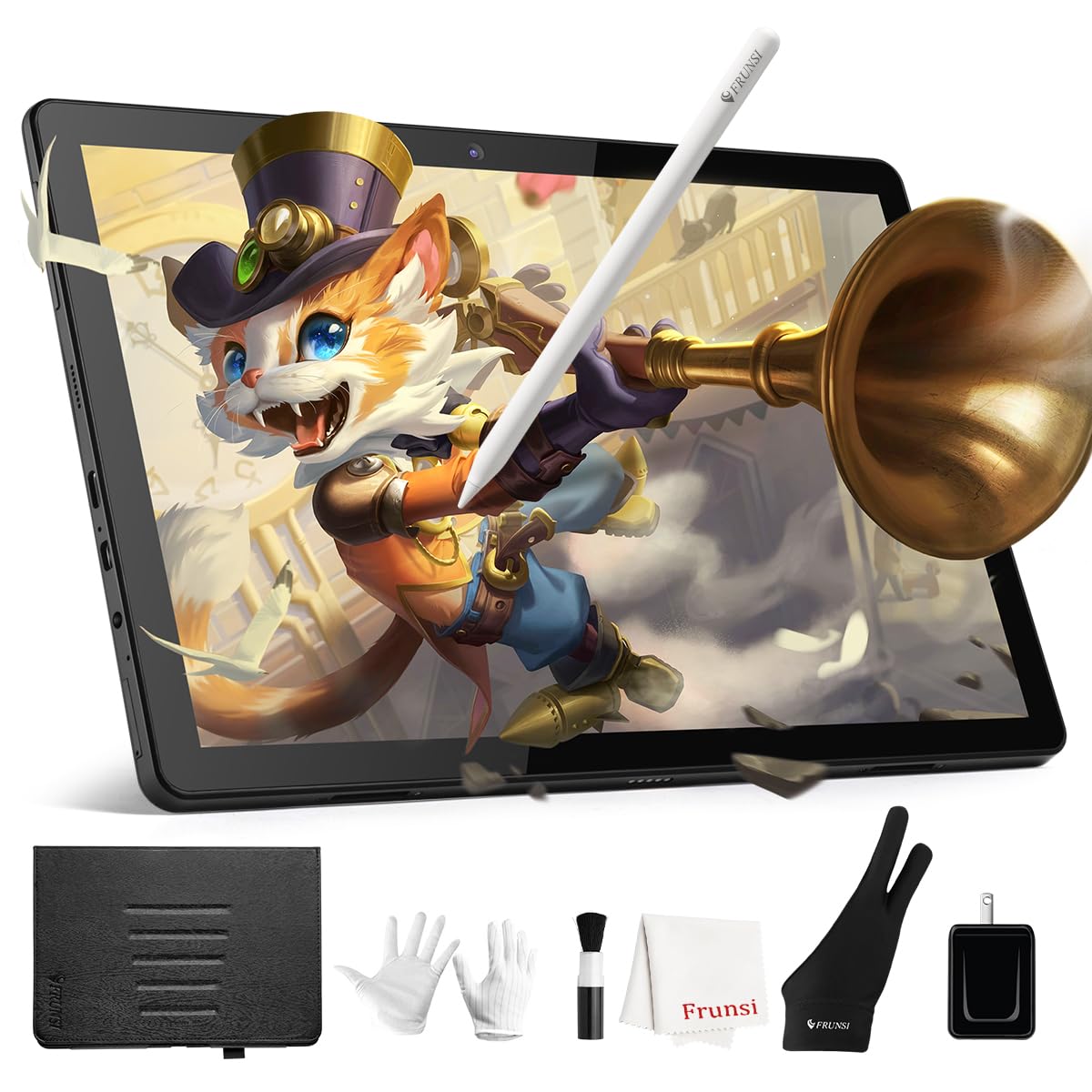
The RubensTab T11 Pro is a standalone Android tablet designed specifically for digital art, packing a 10.1-inch Full HD IPS screen (1920 x 1200 resolution) into a compact chassis. The battery-free stylus offers 1024 pressure levels with tilt support—sufficient for beginners learning to vary line weight without the complexity of an 8K or 16K system. The tablet runs a fully self-contained operating system, so you just power it on, open Krita or Adobe SketchBook (both pre-installed), and start drawing.
The 5800mAh battery provides up to 5 hours of continuous use, and the USB-C charging means you can top up with a power bank during travel. The included adjustable stand case protects the device and props it at a comfortable angle for desktop or lap use. The screen features a laminated design that minimizes parallax, and the pre-installed drawing apps include tutorials that walk complete beginners through basic techniques like layering, blending, and brush selection.
Customer service from the manufacturer is consistently praised in user reviews—quick replacements and clear troubleshooting for any setup questions. The T11 Pro also works for note-taking, document editing, and web browsing, making it a practical investment for students who need both a creative tool and a daily driver for schoolwork.
Why it’s great
- Self-contained standalone operation with no cables needed
- Pre-installed with professional drawing apps and tutorials
- Adjustable stand case provides ergonomic angles on the go
- USB-C charging compatible with standard power banks
Good to know
- 1024 pressure levels are lower than competing standalone models
- Slight lag between stroke and line appearance during fast sketching
5. GAOMON PD1161

The GAOMON PD1161 brings an 11.6-inch IPS display with 72% NTSC (100% sRGB) color gamut to the entry-level wired market, offering a combination of color vibrancy and price that’s hard to beat. The screen comes with a pre-installed matte film that reduces glare and provides a paper-like texture, so you’re not fighting reflections in brightly lit rooms or near windows. The full HD 1920 x 1080 resolution ensures sharp lines and smooth gradations even when zooming in on fine details.
The battery-free AP50 stylus delivers 8192 levels of pressure with 60-degree tilt support, and the eight programmable shortcut keys on the side let you map your most-used functions like undo, brush size, and color picker without reaching for the keyboard. Users report that the pen responds naturally in Krita, Clip Studio Paint, and Photoshop, with no significant lag on modern Windows machines or Macs.
The included 3-in-1 USB cable handles power, video, and data, and the separate AC adapter ensures your laptop doesn’t drain its own battery powering the tablet. A protective drawing glove, pen holder with eight replacement nibs, and quick-start guide are all in the box. The 1-year warranty and responsive customer support give beginners peace of mind if they encounter driver or hardware issues early on.
Why it’s great
- 100% sRGB color gamut for vivid, accurate color reproduction
- Pre-installed matte film provides paper-like texture out of the box
- Eight programmable shortcut keys speed up creative workflows
- Battery-free stylus with 8192 levels and tilt support
Good to know
- Touch buttons on the screen edge can be accidentally pressed
- Color matching between the tablet and external monitors may require adjustment
6. VEIKK VK1200

The VEIKK VK1200 stands out by including two battery-free pens and 28 replacement nibs in the box, making it the most complete kit for beginners who want to experiment with different nib textures without ordering extras. The 11.6-inch LED display offers 1920 x 1080 resolution with 72% NTSC color gamut, and the 8192 levels of pressure sensitivity with 60-degree tilt support give you the expressive range needed for shading, calligraphy, and natural brush strokes.
The six shortcut keys on the side of the display are pre-mapped for undo/redo, zoom, and brush selection, but can be reassigned through the driver to match your personal workflow. The pen holder keeps both styli organized, and the included artist glove prevents smudges during long sessions. Users report that the setup process is straightforward on Windows 10 and 11, with the driver recognizing the tablet immediately after connecting via HDMI and USB.
The matte screen surface reduces glare effectively, and the slim bezels give the tablet a modern look that doesn’t dominate a desk. For beginners who want to jump straight into drawing without hunting for accessories, the VK1200’s all-inclusive package removes that barrier—everything you need for months of daily sketching is already in the box.
Why it’s great
- Includes two pens and 28 nibs for extended experimentation
- 8192 pressure levels with tilt support for natural shading
- Matte screen reduces glare in bright environments
- Six shortcut keys are easy to reassign through the driver
Good to know
- Pen accuracy may feel slightly less precise at the screen edges
- Requires a computer with HDMI and USB ports to function
7. Frunsi RubensTab T8

The Frunsi RubensTab T8 is the most budget-friendly standalone drawing tablet in this lineup, designed for absolute beginners who want to test digital art without a large investment. The 8-inch display with 1200 x 800 resolution is compact enough for small hands and easy to slip into a backpack, and the Android 13 operating system gives you access to the Google Play Store, SketchBook, Krita, ibis Paint X, and other popular drawing apps. The included detachable keyboard adds versatility for note-taking or typing out project descriptions.
The battery-free stylus offers 2048 levels of pressure sensitivity—lower than most wired displays, but sufficient for beginners learning basic line control and shading. The MTK quad-core CPU, 4GB RAM, and 64GB of storage (expandable up to 256GB) provide enough power for most 2D illustration apps, though users report slight jitter on very slow diagonal lines in demanding brushes. The 4000mAh battery delivers up to 20 hours of drawing time under normal use, which is exceptional for an entry-level device.
The box includes a screen protector, cleaning cloth, stylus pen, and the detachable keyboard. Customer service from Frunsi is frequently praised for fast replacements and helpful troubleshooting, which is reassuring for beginners who may encounter setup or software questions. This tablet is a low-risk entry point for young artists or students who aren’t sure yet whether digital art is for them.
Why it’s great
- True standalone functionality with no computer needed
- Detachable keyboard adds note-taking versatility
- Compact 8-inch size fits easily into small bags
- Excellent battery life for extended drawing sessions
Good to know
- 2048 pressure levels lack the nuance of 4096+ systems
- Slight jitter or delay during slow diagonal lines
8. XP-Pen Artist 13.3 Pro V2

The XP-Pen Artist 13.3 Pro V2 pushes color performance beyond typical beginner tablets with 125% sRGB, 107% Adobe RGB, and 95% DCI-P3 coverage, making it suitable for serious illustration, animation, and even print design work where color fidelity is critical. The 13.3-inch full-laminated screen with AG film provides a paper-like feel while eliminating parallax, and the factory calibration ensures your greens, blues, and skin tones match reference monitors closely. The 250 cd/m² brightness and 1000:1 contrast ratio deliver punchy visuals even in moderately lit rooms.
The X3 Pro smart chip stylus offers 16,384 pressure levels with an initial response rate of 90ms—fast enough to eliminate noticeable lag during quick ink strokes. The Red Dial Quick Key lets you adjust brush size, zoom, and navigation with one hand, while the eight customizable shortcut keys provide quick access to your most-used functions without breaking your drawing flow. The included S01 foldable stand provides a stable 20-degree angle, reducing wrist and neck fatigue.
Setup is genuinely beginner-friendly: install the driver, connect the full-featured USB-C cable, and start drawing within minutes. The tablet is compatible with Windows, macOS, ChromeOS, Android (USB3.1 DP1.2), and Linux, so it works with nearly any computer you already own. Users upgrading from smaller XP-Pen or entry-level HUION models consistently note the larger workspace and smoother pen feel as the most impactful improvements for their daily workflow.
Why it’s great
- Industry-leading 125% sRGB and 95% DCI-P3 color coverage
- X3 Pro stylus with 16K pressure and 90ms response time
- Red Dial and eight shortcut keys for ergonomic control
- Full lamination with AG film eliminates parallax and glare
Good to know
- Pen nibs can scratch the screen; a protector is recommended
- Driver issues on some multi-monitor Linux setups reported
9. HUION Inspiroy 2 Large

The HUION Inspiroy 2 Large is a pen tablet (no screen), which means you draw on the tablet surface while looking at your computer monitor. This is the most affordable way to get started with digital art, and the Inspiroy 2 makes the experience as smooth as possible with PenTech 3.0 technology that delivers 8192 levels of pressure with no noticeable lag or wobble. The 10 x 6.56-inch active area provides plenty of room for sweeping gestures and detailed linework without taking up your entire desk.
The PW110 digital pen features a slimmer body with a soft silicone grip and accessible side buttons, and the tablet includes a unique programmable scroll wheel plus eight customizable shortcut keys in three sets. This means you can map different shortcuts for Photoshop, Krita, and Clip Studio Paint and switch between them instantly. The tablet works with Mac, Windows, Linux, and Android devices (via OTG adapter), making it incredibly versatile for users who switch between a laptop and a smartphone.
Setup is straightforward—connect the USB-C cable, install the driver, and the tablet is ready. It’s also compatible with left-handed users through the driver settings. At just 1.2 pounds and a slim profile, it’s easy to toss into a laptop bag for sketching on the go. The battery-free pen means you’ll never have to stop mid-sketch to charge, and users report that the pen tip lasts for months of daily use without needing replacement.
Why it’s great
- Most budget-friendly option for entering digital art
- 10×6.56-inch active area with no lag thanks to PenTech 3.0
- Programmable scroll wheel and three sets of shortcut keys
- Battery-free pen with comfortable silicone grip
Good to know
- No built-in screen requires hand-eye coordination practice
- Uses Micro-B cable connection (not USB-C on the tablet end)
FAQ
Can I use a drawing tablet without a computer?
Is a higher pressure level always better for beginners?
Why do some tablets have a matte or paper-like screen?
Do I need a screen tablet or is a pen tablet (no screen) enough?
Final Thoughts: The Verdict
For most users, the best digital tablet for beginners winner is the XP-Pen Artist 12 3rd because it combines an accurate paper-like screen, responsive 16K pen technology, and a portable build at a price that doesn’t punish exploration. If you want a standalone device that travels with you, grab the HUION Kamvas Slate 10. And for the tightest budget where every dollar counts, nothing beats the HUION Inspiroy 2 Large as an entry point into digital drawing.

Mo Maruf
I created WellFizz to bridge the gap between vague wellness advice and actionable solutions. My mission is simple: to decode the research and give you practical tools you can actually use.
Beyond the data, I am a passionate traveler. I believe that stepping away from the screen to explore new environments is essential for mental clarity and physical vitality.