Our readers keep the lights on and my smoothie glass nicely filled. As an Amazon Associate, I earn from qualifying purchases.
Choosing a digital signage player is less about picking a box and more about betting your storefront’s reputation on one. A laggy menu board, a frozen ad loop, or a 4K stream that stutters during lunch rush doesn’t just look unprofessional — it loses you money. The right player keeps content fluid, deployments manageable, and your audience engaged without constant tinkering.
I’m Mohammad Maruf — the founder and writer behind WellFizz. I’ve spent countless hours dissecting the hardware specs, OS ecosystems, and real-world deployment reports that separate a rock-solid signage player from a frustrating paperweight.
This guide breaks down the nine most compelling units on the market right now, covering small portable touchscreens, dedicated set-top appliances, and premium commercial displays, so you can confidently choose the best digital signage player for your specific setup and budget.
How To Choose The Best Digital Signage Player
Digital signage players range from tiny HDMI dongles to full-size commercial displays with built-in media engines. The right choice hinges on three factors: your content complexity, your preferred management software, and the physical environment where the screen lives.
Operating System and Ecosystem Lock-In
Android-based players give you access to the Google Play Store and a wide range of third-party CMS apps, making them flexible for small-to-medium businesses that want to manage content from a phone or tablet. BrightSign and similar proprietary OS appliances offer bulletproof reliability and advanced scripting for video walls or interactive kiosks, but they demand a steeper learning curve and often tie you to the manufacturer’s cloud platform for activation and management.
Hardware Specs That Actually Matter
Don’t get distracted by CPU core counts alone. The two numbers that dictate real-world performance are RAM (4 GB is the new baseline for stutter-free 4K) and storage (32 GB or more to cache content locally). Brightness is critical for visibility: 300–400 nits works indoors, 500+ nits is needed for bright lobbies or window-facing displays, and outdoor-rated screens climb to 700 nits or higher. Connectivity ports — HDMI 2.0, USB 3.0, and Gigabit Ethernet — ensure you can daisy-chain source devices and maintain a stable network feed.
Touch or No Touch
Capacitive touchscreens add interactivity for wayfinding, product catalogs, or ordering kiosks, but they increase cost and require careful software mapping. If your goal is passive advertising or menu display, a non-touch commercial display with a dedicated media player will deliver a cleaner experience at a lower price point.
Quick Comparison
On smaller screens, swipe sideways to see the full table.
| Model | Category | Best For | Key Spec | Amazon |
|---|---|---|---|---|
| BrightSign XT1144 | Premium Appliance | Expanded I/O & Interactive Installations | Dual USB + HDMI 2.0a with GPIO | Amazon |
| Samsung QB55R | Premium Display | Large Lobby & Conference Room | 55″ 4K UHD with Tizen SoC | Amazon |
| Canlarriz 32″ | All-in-One | Restaurant Menus & Retail | 700-nit, Android 2GB/32GB | Amazon |
| MWE 32″ Kiosk | Portable Kiosk | Events & Temporary Pop-Ups | Foldable design with wheels | Amazon |
| TouchWo 32″ | Touch Monitor | Interactive Kiosk & POS | 10-point capacitive, 300-nit | Amazon |
| PWR4GTR 15.6″ | Portable Touch | Trade Show & Tabletop Ads | Built-in 10000mAh battery | Amazon |
| BrightSign LS425 | Set-Top Player | Reliable Single-Screen 1080p | BrightSign OS, 14.1 oz | Amazon |
| mediaDROID+ | Budget Stick | Entry-Level Cloud Signage | Hexa-core CPU, no subscription | Amazon |
| DSVALUELD P6 | Outdoor LED | Exterior Marquee & Food Trucks | 5000-nit full-color LED panel | Amazon |
In‑Depth Reviews
1. BrightSign XT1144 Expanded I/O Player

The BrightSign XT1144 sits at the top of the lineup because it delivers the expanded I/O that integrators actually need for complex installations. With GPIO pins, serial control, dual USB ports (Type A and C), and a full HDMI 2.0a output that supports live TV tuner playback, this player can drive interactive kiosks, sensor-triggered content changes, and multi-screen video walls without external adapters. The 1.3-pound chassis hides a powerful media engine that handles 4K H.265 video smoothly at 60 frames per second, making it the go-to choice when your digital signage strategy involves more than just a looping slideshow.
What sets the XT1144 apart is its ecosystem maturity. BrightSign OS is purpose-built for 24/7 commercial uptime — no Android background processes to crash, no app store bloat to slow things down. The BrightAuthor:Connected software lets you build interactive playlists with branching logic, conditional scheduling, and real-time data feeds. Bluefin, the on-board HTML5 engine, supports modern web widgets and data dashboards. For any deployment where you need reliable integration with external hardware — a door sensor, a QR code scanner, a volume knob — this is the player that does it out of the box.
On the downside, the software learning curve is real. BrightAuthor is powerful but dense, and the company’s support model relies on email and long tutorial videos rather than phone support. The unit also requires a free BrightSign account to activate, which locks the device to your cloud account — buying used can be risky if the previous owner hasn’t released it. But for a permanent installation in a commercial environment where reliability is non-negotiable, the XT1144 is the player that pays for itself in avoided downtime.
Why it’s great
- Expanded I/O (GPIO, serial, Ethernet) for custom integrations
- Rock-solid BrightSign OS with no bloatware
- Flawless 4K H.265 playback at 60 fps
- Lightweight 1.3 lb design for discreet mounting
Good to know
- Steep learning curve for BrightAuthor software
- Requires cloud account activation (not truly offline)
- Phone support limited; relies on email and tutorials
- Priced at the upper end of the set-top category
2. Samsung QB55R 55″ 4K UHD Commercial Display

The Samsung QB55R is a 55-inch 4K UHD commercial display that builds the media player directly into the panel via its Tizen system-on-chip (SoC), eliminating the need for an external set-top box. With a brightness of 350 cd/m² and a 4,000:1 contrast ratio, this LED-backlit screen delivers deep blacks and vivid colors that make menus, promotional videos, and conference room presentations look crisp even in well-lit environments. The slim, elegant bezel design supports easy wall mounting with clean cable management, and the integrated Wi-Fi and Bluetooth allow wireless content sharing from tablets and phones without extra dongles.
What makes the QB55R a true commercial-grade player is its 24/7 rated panel and the absence of smart TV bloatware. Unlike consumer TVs that dim or suffer burn-in after months of continuous operation, this display is engineered for constant-use environments like lobbies, corporate hallways, and retail floors. The Intelligent UHD upscaling engine ensures that 1080p and even 720p source material looks sharp on the 4K panel, which is essential when you’re mixing legacy content with new assets. The integrated MagicInfo software (Samsung’s CMS) allows remote scheduling and device management, making multi-location deployments manageable from a single dashboard.
However, the built-in MagicInfo software has a learning curve, and some users report that the wireless connectivity features don’t work reliably out of the box — you may need a hardwired Ethernet connection or a USB-to-HDMI wireless hub for consistent streaming. The 350-nit brightness, while adequate for indoor office and retail environments, falls short for window-facing displays or areas with strong ambient light. If you need 700+ nits for a bright lobby, this isn’t the right panel. But for a premium, reliable 4K display that doubles as its own media player for professional environments, the QB55R is the benchmark.
Why it’s great
- Built-in Tizen SoC eliminates external player hardware
- 24/7 rated panel for commercial uptime
- Superb 4,000:1 contrast ratio for deep blacks
- 3-year warranty typical for commercial displays
Good to know
- Wi-Fi connectivity can be unreliable out of the box
- 350 nits is dim for sunny window placements
- MagicInfo software has a steep learning curve
- Premium investment for the 55-inch class
3. Canlarriz 32″ Digital Signage Display (700 nits)
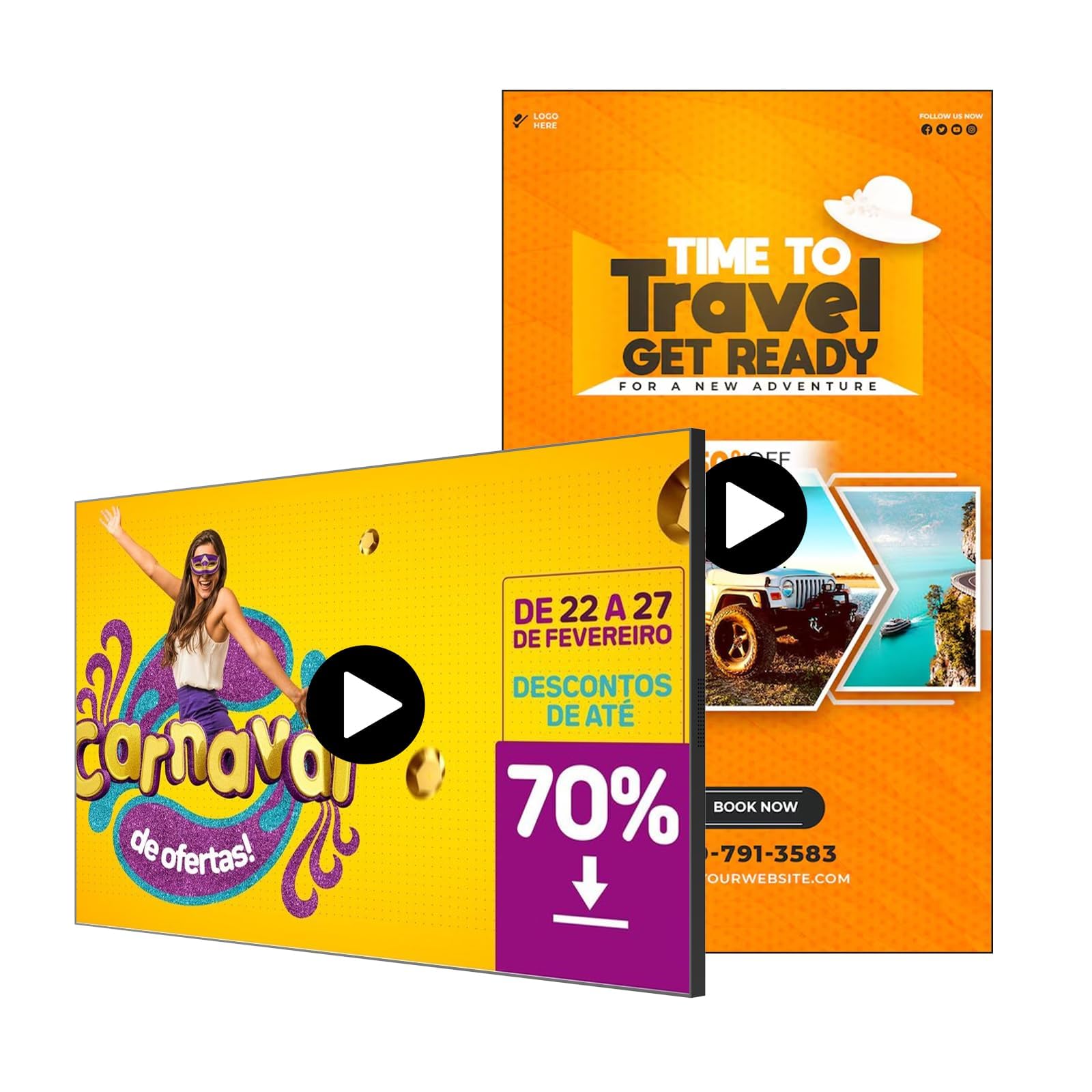
The Canlarriz 32-inch digital signage display packs a 700-nit brightness panel that makes it one of the most versatile all-in-one units for bright indoor environments. At more than double the luminance of standard office monitors, this screen stays legible in sunlit lobbies, near large windows, and in retail spaces with aggressive overhead lighting. The Android-based build comes with 2 GB of RAM and 32 GB of internal storage, which provides enough headroom to cache over 25,000 HD images or 60 hours of 4K video locally, preventing playback stutter during network outages.
One standout feature is the flexible multi-screen design. The built-in CMS software lets you split the display into 2 to 6 interactive zones — showing a video loop in one quadrant, a live social feed in another, a QR code, a countdown timer, and a logo all at once. The free web-based content editor supports remote scheduling across breakfast, lunch, and dinner menus, which is a game-changer for restaurant chains that change menus daily. The ultra-narrow 6.8 mm bezel makes this display suitable for tiling multiple units together for a seamless video wall effect without visible gaps.
That said, the all-metal chassis and 700-nit backlight make this unit noticeably heavier than standard displays — ensure your wall mount is rated for the weight. Some users report that the pre-installed CMS software, while functional, lacks the polish of dedicated platforms like BrightAuthor or Screencloud, and multi-user editing can be clunky. The 2 GB of RAM is adequate for most content loops but may feel sluggish when running heavy HTML5 widgets or data-driven dashboards. For a bright, all-in-one solution that doesn’t require an external player, this is a strong contender for restaurant and retail use cases.
Why it’s great
- 700-nit brightness for bright commercial interiors
- All-in-one design with free CMS and remote scheduling
- Multi-zone content split (2 to 6 zones)
- Ultra-narrow bezel for tiling into video walls
Good to know
- Heavier build requires sturdy mounting hardware
- CMS software can feel clunky for multi-user editing
- 2 GB RAM is adequate but not future-proof for heavy HTML5
- Documentation could be more thorough for advanced features
4. MWE 32″ Digital Signage Kiosk
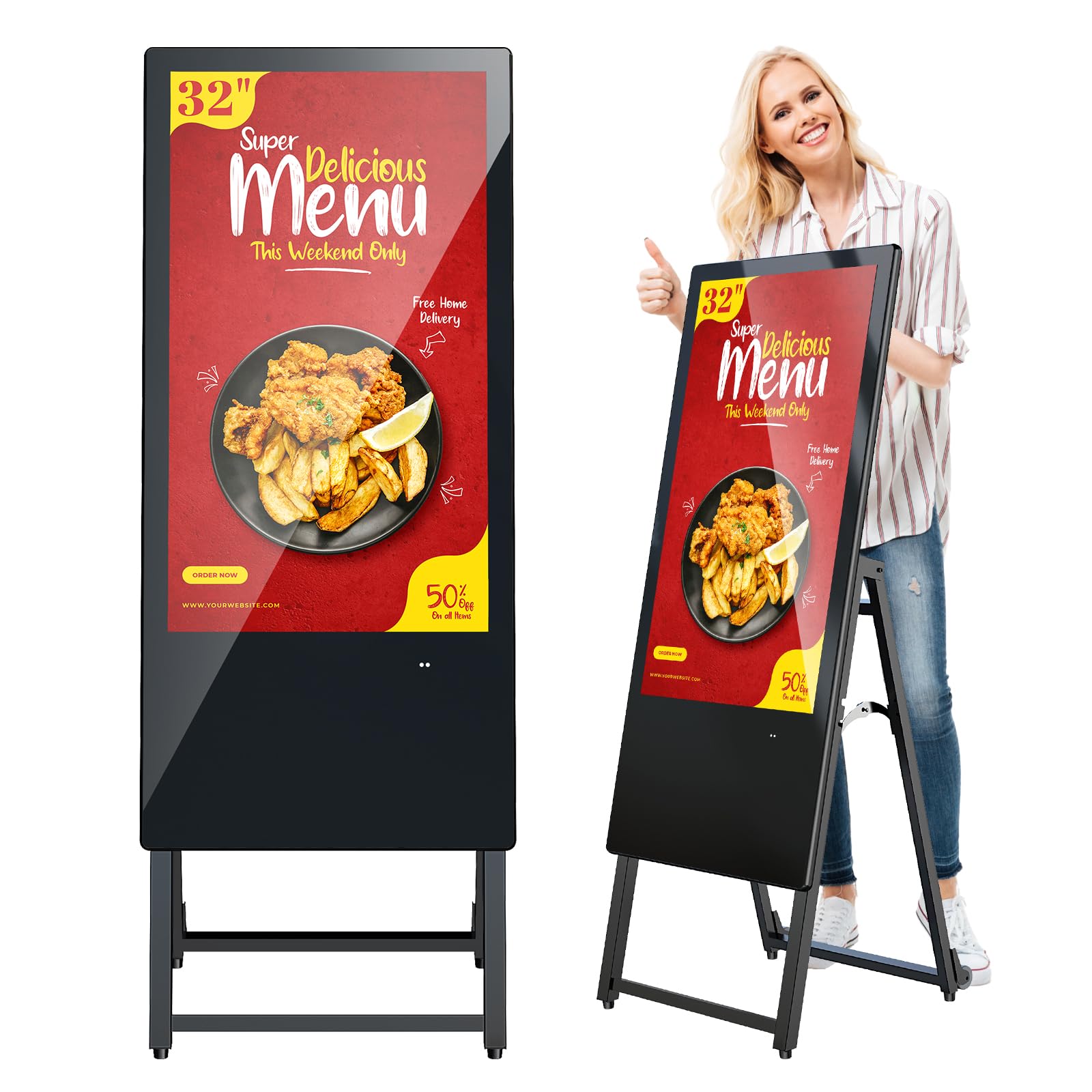
The MWE 32-inch digital signage kiosk takes a different approach from fixed wall-mount displays: it’s a foldable, wheeled unit designed for mobility. The IPS LCD panel delivers FHD (1920×1080) resolution with a 178° viewing angle, ensuring content remains crisp and colorful from any position in the room. The built-in Android media player supports USB and HDMI input, with automatic loop playback for hands-free operation — plug in a USB drive, and the screen starts cycling through images and videos immediately without any configuration.
What really sets this kiosk apart is the thoughtful portability engineering. The unit folds down with built-in wheels, so you can roll it between floors, into a trade show booth, or from the back office to the storefront without needing a dolly or a second person. The Content Management System (CMS) supports real-time remote updates via Wi-Fi, so even on the move, you can push new promotions or event schedules to the screen from a laptop or smartphone. With timed power on/off settings, you can schedule the display to power down during closed hours to save energy and extend panel life.
Customer experiences with the MWE kiosk are overwhelmingly positive on the support side — users report that the manufacturer (Marvel Technology) provides responsive video call setup assistance and quickly replaces any units damaged in transit. The display quality is good for an IPS panel at this form factor, but the 60 Hz refresh rate and standard 1080p resolution won’t satisfy high-end visual merchandising needs. If your business requires a portable, self-contained signage solution for events, seasonal pop-ups, or spaces where you can’t mount a screen to the wall, the MWE kiosk delivers convenience over raw performance.
Why it’s great
- Foldable design with wheels for true portability
- Auto-loop playback from USB drive (no software needed)
- Real-time CMS updates via Wi-Fi
- Excellent customer support with video call assistance
Good to know
- Standard 1080p resolution (not 4K)
- IPS panel has lower contrast than VA or OLED
- Heavier than expected when moving up stairs
- Refresh rate limited to 60 Hz
5. TouchWo 32″ Capacitive Touch Monitor

The TouchWo 32-inch capacitive multi-touch monitor is not a standalone signage player with built-in storage — it’s a high-end touch display that works as an interactive kiosk when paired with a separate media source like a PC stick or a Chromebox. The 10-point capacitive touch layer supports gestures like pinch-to-zoom and multi-finger rotation without requiring any driver installation on Windows or Android. The IP65-rated front bezel makes it suitable for high-traffic commercial environments where dust and occasional splashes are a concern — think restaurant ordering kiosks, museum information stations, or retail product catalogs.
The 32-inch panel delivers FHD resolution with a 178-degree viewing angle and a 1,200:1 contrast ratio, providing good visibility from any seating or standing position. The optically bonded display reduces glare and parallax, making the touch experience feel direct and natural — you touch the image itself, not a layer of glass floating above it. Connectivity is comprehensive with HDMI, VGA, DVI, and USB inputs, plus built-in stereo speakers and a 3.5 mm audio jack. The 200×200 mm VESA mounting pattern gives flexibility for wall mounting, freestanding kiosk enclosures, or desk stands.
Some users have reported issues with backlight consistency at maximum brightness (300 nits is adequate for indoor use but not bright for window-facing setups), and a few have experienced loose HDMI ports that cause signal drops over time. The monitor also relies entirely on an external computer for processing — there is no internal storage or OS, so this is strictly a display peripheral, not an all-in-one solution. For interactive applications where touch responsiveness and build quality are the top priorities, the TouchWo delivers a giant-tablet experience that can handle heavy public use.
Why it’s great
- True 10-point capacitive touch with no driver needed
- IP65-rated front bezel for high-traffic environments
- Optically bonded glass reduces glare and parallax
- Wide compatibility with Windows, Android, and Linux
Good to know
- Requires external computer (no built-in media player)
- 300-nit brightness is indoor-only
- Some reports of loose HDMI ports over time
- Low 60 Hz refresh rate limits smooth animation
6. PWR4GTR 15.6″ Portable Digital Signage

The PWR4GTR 15.6-inch digital signage player is a compact, battery-powered solution that changes where and how you deploy signage. The built-in 10,000 mAh battery delivers 4 to 6 hours of continuous use on a full charge, freeing this display from the need for a nearby wall outlet — ideal for trade show tables, retail pop-up displays, or as a portable sales aid that moves between meeting rooms. The 1920×1080 IPS panel with 400 cd/m² brightness produces vibrant visuals that look punchy even in moderately lit indoor environments, and the 10-point capacitive touchscreen adds interactivity for product browsing or menu navigation.
Under the hood, Android 13 OS provides access to the full Google Play ecosystem, allowing you to install any CMS or scheduling app you prefer. The 4 GB of RAM and 64 GB of internal storage (note: some units ship with 2 GB/32 GB depending on revision) provide enough headroom for smooth multitasking and local content caching. The included all-metal floor stand adjusts through lift, rotation, and tilt, while 75×75 mm VESA holes allow wall mounting when needed. For connectivity, it packs HDMI-in, USB 2.0 and 3.0, Gigabit Ethernet, a MicroSD slot, and Bluetooth/Wi-Fi — a surprisingly complete port selection for a 15.6-inch unit.
The main limitation is the small screen size — at 15.6 inches, it’s best suited for countertop, tabletop, or shelf-level promotion rather than as a primary lobby display. Some users report that the Android performance can feel sluggish when running heavy video content or complex HTML5 widgets, and the built-in speakers (2x 2W) are adequate for voice but lack the bass for promotional video soundtracks. For a portable, interactive signage device that can go where power outlets don’t exist, the PWR4GTR is a creative solution that fills a niche most players ignore.
Why it’s great
- 10000mAh battery enables 4-6 hours of cordless use
- Full Android 13 with Google Play Store access
- Capacitive touchscreen adds interactivity
- Includes adjustable floor stand and VESA compatibility
Good to know
- 15.6-inch screen is too small for large lobby displays
- Android performance can lag with heavy 4K content
- Speakers lack bass for music or video soundtracks
- Battery life shortens significantly at max brightness
7. BrightSign LS425 Digital Signage Appliance

The BrightSign LS425 is the entry-level workhorse of the BrightSign lineup, designed for single-screen deployments that prioritize reliability over raw power. At only 14.1 ounces and dimensions that fit in the palm of your hand, this set-top appliance is easy to hide behind a display or mount discretely on a wall. It runs BrightSign OS — a purpose-built Linux-based operating system that boots quickly and runs for months without needing a reboot. The LS425 handles Full HD (1920×1080) video without breaking a sweat, and it supports HTML5 widgets for simple data-driven content like weather feeds, countdowns, or social media tickers.
One of the biggest advantages of the BrightSign ecosystem is the cloud-based BrightAuthor software, which lets you create, schedule, and publish content to one player or a thousand from a single interface. The LS425 supports offline fallback — content is cached locally, so if the network goes down, your signage keeps playing without interruption. Connectivity includes HDMI output, Ethernet, and a USB port for peripheral input or local media. For multi-site deployments in retail chains, this player offers the consistency and remote management that Android-based sticks often lack.
However, prospective buyers should note a critical spec limitation: the LS425 is a 1080p-only player and does NOT support 4K output, despite some listing descriptions suggesting otherwise. If you need 4K playback, you must step up to the LS445 model. The single touchscreen support is limited to basic interactivity, and the lack of a microSD dust cover is a minor but noticeable omission. For pure 1080p digital signage where stability is more important than resolution, the LS425 is a proven, institutional-grade choice.
Why it’s great
- Purpose-built OS for 24/7 stability and uptime
- Ultra-compact (14.1 oz) and easy to hide
- Cloud-based BrightAuthor CMS for remote management
- Offline content caching prevents playback interruptions
Good to know
- Does not support 4K output (1080p max)
- Accounts can lock players to previous owners
- Software (BrightAuthor) has a notable learning curve
- No microSD dust cover included
8. mediaDROID+ Digital Signage Media Player

The mediaDROID+ is a purpose-built Android stick that ships pre-loaded with the free DigitalSignage.com cloud CMS, eliminating the subscription fees that often catch budget buyers off guard. Powered by a hexa-core ARM Cortex-A73/A53 CPU and 2 GB of RAM, this stick PC plugs directly into an HDMI port on any display and connects via Wi-Fi or Ethernet to pull content from the cloud. The 16 GB of local storage caches enough media to ensure continuous playback even if the internet drops, and the custom-built Watchdog feature automatically restarts the player if the software freezes — a reliability trick rare in budget sticks.
What makes the mediaDROID+ a smart choice for small business owners is the simplicity of the ecosystem. The DigitalSignage.com platform supports both vertical and horizontal screen orientations, so you can use it for portrait menu boards or landscape video walls. The setup process is genuinely plug-and-play: create a free account, build a playlist with images and videos, assign it to your player, and the device syncs within minutes. Users who have replaced dead PCs or discontinued Chrome Sign Builder units report that the transition was seamless and the content management is more intuitive than Windows-based alternatives.
On the hardware side, the 2 GB RAM is the minimum viable spec for 2024 — expect some sluggishness when running heavy HTML5 animations or switching between multiple apps. The 16 GB of storage fills up quickly if you cache long 1080p video loops, and the lack of a USB 3.0 port means content uploads can be slow. For a single-screen deployment in a coffee shop, waiting room, or small retail store, the mediaDROID+ delivers professional-grade signage at a fraction of the cost of enterprise players — and the zero-subscription model makes it uniquely attractive for ongoing budgets.
Why it’s great
- No subscription fees for the cloud CMS
- True plug-and-play setup with pre-loaded software
- Watchdog auto-restart prevents content freezing
- Supports both vertical and horizontal orientations
Good to know
- 2 GB RAM is minimal for modern web widgets
- 16 GB storage fills quickly with video loops
- Lacks USB 3.0 for fast local content transfer
- Software (SignStudio) has a learning curve for advanced features
9. DSVALUELD P6 Outdoor LED Scrolling Sign

The DSVALUELD P6 is a fundamentally different kind of digital signage player — it’s an outdoor-rated full-color LED panel rather than an LCD display. With a brightness of 5,000 nits (seven times brighter than a standard indoor screen), this sign is engineered to remain legible in direct sunlight, making it a clear choice for exterior marquees, food truck menus, and storefront advertising. The 40-inch by 17-inch panel uses a P6 pixel pitch (6 mm between pixels), which provides nearly 50% finer detail than P10 signs, though the optimal viewing distance starts at about 20 feet due to the larger pixel structure.
Programming is handled through a built-in FCC-certified Wi-Fi module that creates its own access point — no internet connection required. Using the included Windows-based software (Windows 7 and higher; MacOS is not supported), you can upload scrolling text, images, animated text, clocks, and countdowns, then arrange them freely within the screen’s 160×64 resolution canvas. The screen supports multiple content schedules with timed power on/off, and you can also load content via the USB port for offline playback. The waterproof construction uses silicone seal, nano-coating, and glass glue to protect against rain and snow, with an estimated lifespan exceeding 10,000 hours.
This unit comes with some serious caveats. The P6 pixel pitch means text and images will appear blurry if viewed closer than 20 feet, so it’s not suited for indoor countertop use or close-up reading. More concerning, some users have flagged security risks in the included software — one reviewer found a link to a Trojan-infected site within the programming tool. Using the software offline or only via USB is recommended. The brightness, while impressive, can be aggressive in urban environments where light pollution is a concern. For a storefront sign that needs to cut through sunlight and catch attention from across the street, the DSVALUELD P6 delivers unmatched punch for the price.
Why it’s great
- 5000 nits brightness is truly sunlight-readable
- Built-in Wi-Fi for programming without internet
- Rugged waterproofing for outdoor installation
- 2-year warranty with responsive customer support
Good to know
- P6 pixel pitch looks blurry under 20 ft viewing distance
- Software contains potential security risks (use offline)
- MacOS not supported for programming
- High brightness may cause light pollution concerns
FAQ
Can I use a regular Fire TV Stick or Roku for digital signage?
How much storage and RAM do I actually need for 4K content?
What is the best way to manage multiple screens in different locations?
Final Thoughts: The Verdict
For most users, the best digital signage player winner is the BrightSign XT1144 because it combines commercial-grade reliability with the expanded I/O needed for custom integrations, making it a long-term investment that scales from a single screen to a campus-wide network. If you want a powerful all-in-one display with 700-nit brightness for bright retail environments, grab the Canlarriz 32-inch. And for a truly portable, battery-powered touchscreen that goes where no other player can, nothing beats the PWR4GTR 15.6-inch.

Mo Maruf
I created WellFizz to bridge the gap between vague wellness advice and actionable solutions. My mission is simple: to decode the research and give you practical tools you can actually use.
Beyond the data, I am a passionate traveler. I believe that stepping away from the screen to explore new environments is essential for mental clarity and physical vitality.