Our readers keep the lights on and my smoothie glass nicely filled. As an Amazon Associate, I earn from qualifying purchases.
Between school runs, extracurriculars, work meetings, and meal prep, getting the whole household on the same page often feels like a second job. A digital family calendar replaces the sticky notes, missed reminders, and group chat confusion with a single, shared touchscreen that lives on your wall or counter—color-coded, synced to every phone, and updated in real time.
I’m Mohammad Maruf — the founder and writer behind WellFizz. I have spent hundreds of hours analyzing the hardware specifications, app ecosystems, and real-world user feedback across the top digital family calendars to identify which models genuinely reduce household friction and which ones add more complexity than they remove.
This guide breaks down the seven most compelling options available right now, from premium hub-style units to budget-friendly entry points, so you can confidently choose the best digital family calendar for your home’s unique rhythm and daily demands.
How To Choose The Best Digital Family Calendar
A digital wall planner is a long-term household investment, so picking the right one means focusing on the features that actually drive daily adoption. The wrong choice leads to a forgotten screen that collects dust instead of organizing your life.
Screen Size and Viewing Distance
The display is the primary interface. A 10.1-inch panel works well for a kitchen counter or desk where family members pass within arm’s reach. A 15.6-inch screen becomes readable from across a living room or hallway, making it a true central command post. Higher resolution (1080P) ensures text remains sharp and photos look vibrant at any distance. Anti-glare coatings matter in bright kitchens or sunlit entryways.
Calendar Sync Compatibility
Not all calendars sync equally. Look for two-way synchronization with Google Calendar, iCloud, Outlook, Cozi, and Yahoo. Two-way sync means an event added on your phone appears on the wall display instantly — and vice versa. Without this, the device becomes just another screen to manually maintain, defeating its purpose.
Subscription Fees vs. Lifetime Access
Several high-profile brands charge monthly or annual fees for core features like chore charts, meal planning, or photo sharing. The models in this guide are selected specifically because they offer full functionality with no recurring subscription — a one-time hardware purchase with all features included forever. This saves hundreds of dollars over the lifespan of the device.
Family Engagement Features
Chore charts with reward systems, meal planners, and grocery lists turn a passive calendar into an active household tool. The best systems let you assign tasks to each family member with color labels, set deadlines, and let kids earn stars or points they can redeem for privileges. These features drive buy-in from children and reduce the mental load on parents.
Quick Comparison
On smaller screens, swipe sideways to see the full table.
| Model | Category | Best For | Key Spec | Amazon |
|---|---|---|---|---|
| Apolosign 15.6 | Premium | Android power users | 15.6-inch, Dual Mode + Google Gemini | Amazon |
| Airzeen 15.6 | Premium | Customizable dashboard fans | 15.6-inch, Widget-based dashboard | Amazon |
| Westsee 15.6 | Premium | Subscription-free loyalty | 15.6-inch, 32GB storage, Zical App | Amazon |
| Anyuse 16 | Mid-Range | Large-screen seekers | 16-inch, Task/Reward system | Amazon |
| Dragon Touch 15.6 | Mid-Range | Budget-conscious families | 15.6-inch FHD, eCalendar App | Amazon |
| Whale Framely 10.1 | Entry | Compact countertop spots | 10.1-inch IPS, Auto-Rotate | Amazon |
| akimart 15.6 | Entry | Photo-sharing families | 15.6-inch, Cooking tutorial access | Amazon |
In‑Depth Reviews
1. Apolosign 15.6-inch Digital Family Calendar
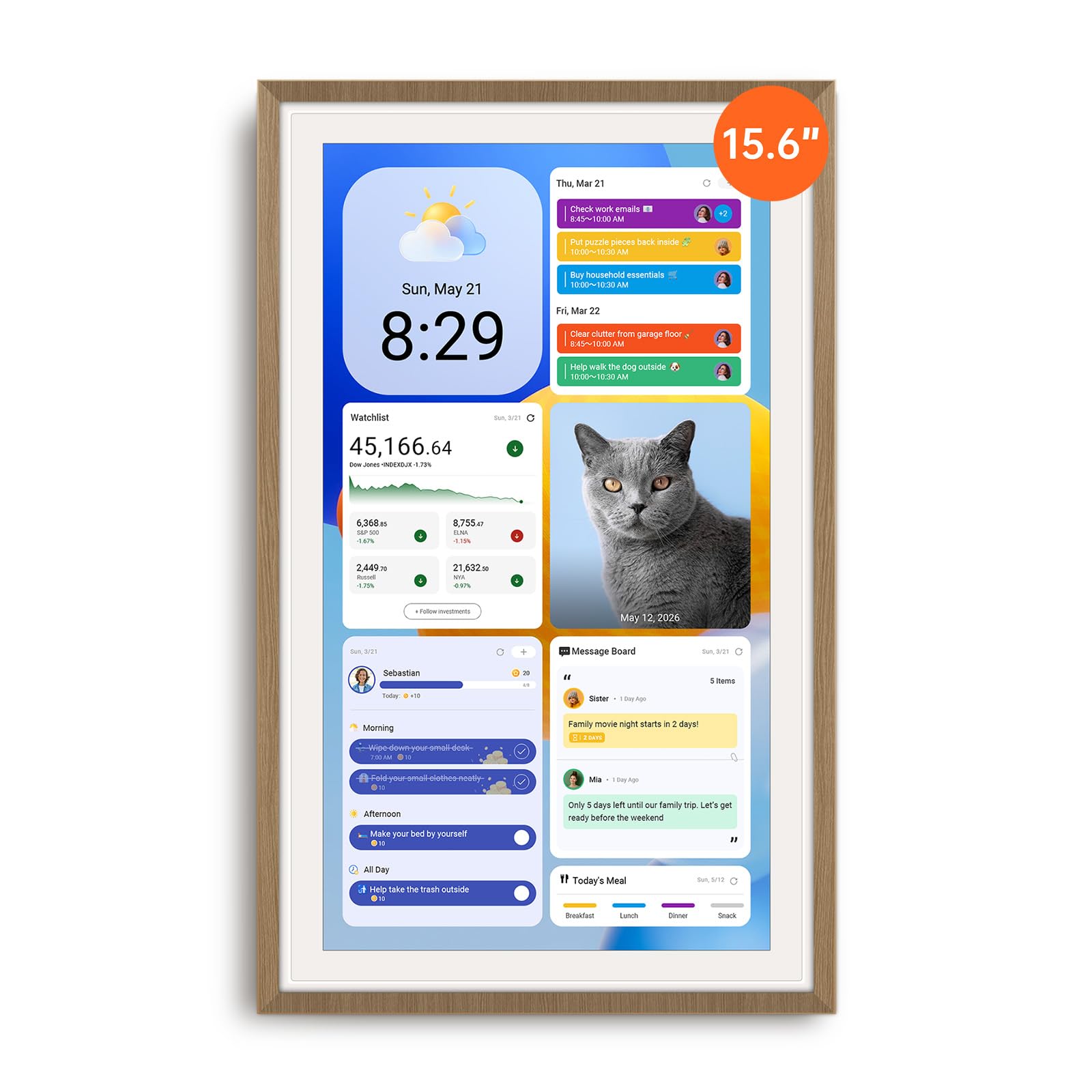
The Apolosign is the most versatile unit in this lineup thanks to its dual-mode architecture. In Calendar Mode, it functions as a streamlined family planner with color-coded schedules, chore rewards, and meal planning. A single touch switches it to Android Mode, effectively turning the 15.6-inch display into a full Android tablet with access to Google Play apps, YouTube, Netflix, and smart home controls via the built-in Google Gemini assistant.
Setup is straightforward — plug it in, connect to Wi-Fi, and sync calendars from Google, iCloud, and Outlook. The chore chart includes a customizable reward system with a prize wheel that kids genuinely enjoy interacting with. The 1080P anti-glare display remains readable in bright kitchens, and the auto-brightness adjustment adapts to changing light throughout the day. It comes with both a sturdy stand and wall-mount hardware.
Some users note the sound quality is only adequate, and the device must remain plugged in — there is no battery backup. The bulky power adapter makes the included stand a more practical choice for many households. Still, for families that want a true smart hub without monthly fees, the Apolosign delivers exceptional flexibility and build quality.
Why it’s great
- Full Android access for apps, Netflix, and YouTube
- Google Gemini voice assistant built-in
- No subscription fees for any core features
Good to know
- Bulky power plug makes wall mounting less clean
- No battery — must stay connected to power
- Speaker audio is mediocre for media playback
2. Airzeen 15.6-inch Digital Calendar
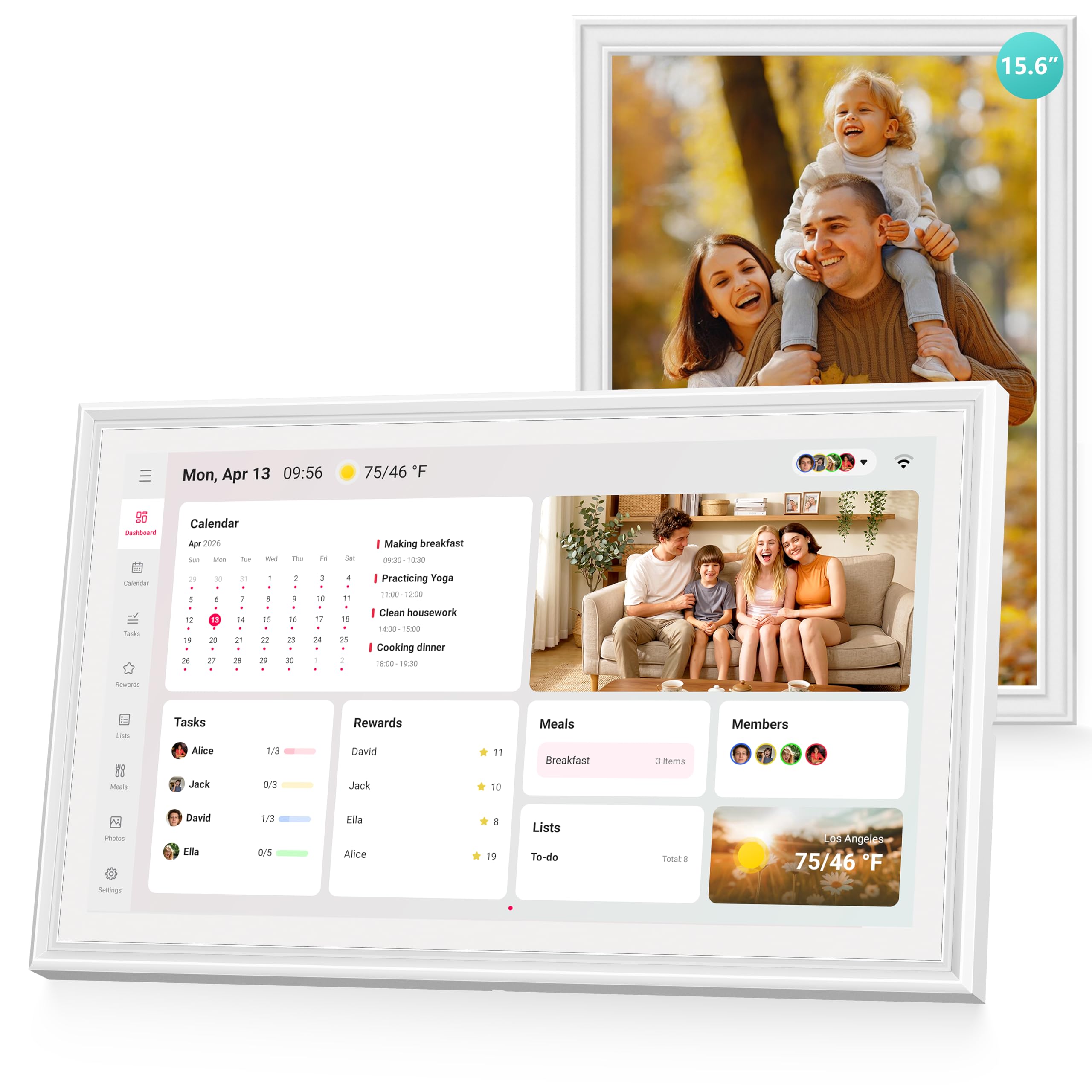
The Airzeen distinguishes itself with a fully customizable dashboard built on a widget system. You can add multiple pages of widgets — calendar views, weather, to-do lists, meal plans, photo slideshows — and rearrange them to match exactly how your family operates.
Two-way Google Calendar sync is seamless, with color-coded schedules for each family member. The task and reward system uses customizable avatars and progress tracking to keep children engaged with their chores. Meal planning integrates directly with shared grocery lists, reducing the back-and-forth of “what’s for dinner?” The 1080P HD touchscreen is bright and responsive, and the sleek design fits equally well in a kitchen or home office.
The absence of any subscription fee means the full feature set — tasks, rewards, meal planning, photo display, and weather — is yours from the moment you unbox it. Some users would prefer a larger screen than the 10-inch version, but the 15.6-inch model solves that entirely. Setup takes minutes, and the companion app handles remote updates efficiently.
Why it’s great
- Fully customizable multi-page widget dashboard
- Seamless two-way Google Calendar sync
- No subscription fees for any features
Good to know
- Some users reported minor app sync delays
- Limited to portrait or landscape orientation (no auto-rotate)
3. Westsee 15.6-inch Digital Calendar
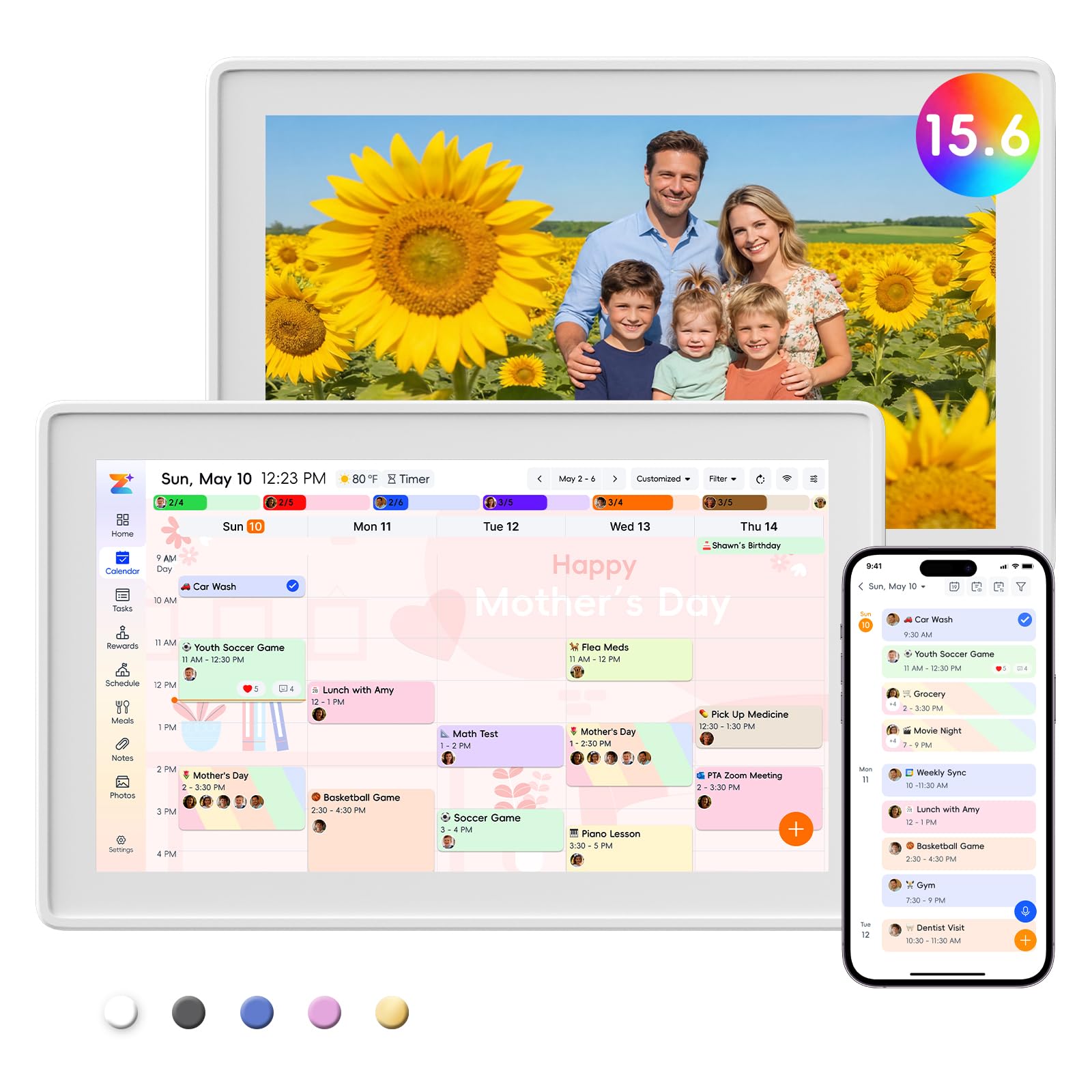
The Westsee strikes a compelling balance between premium build quality and reasonable entry cost. The 15.6-inch 1080P screen is crisp and bright, with a clean interface that avoids clutter. The built-in 32GB of storage means you can load thousands of photos and videos directly onto the device, making the photo frame screensaver feel truly personal rather than reliant on cloud streaming.
The Zical companion app handles calendar sync with Google, iCloud, and Outlook efficiently. Color-coded tasks let you see at a glance who is responsible for what, and the reward system keeps kids motivated without needing a subscription. The meal planning module includes a grocery list that updates in real time across all connected devices. It includes both a table stand and wall-mount kit, and the frame separates cleanly from its base for easy installation.
Westsee explicitly markets this as a no-subscription device for all core functions, though advanced tools like the AI Assistant may eventually carry a fee. Sleep mode is customizable, but some users noted that a 10 PM to 6 AM sleep schedule can hide appointments — a quick tap on the screen restores visibility. For families that want a spacious display and local photo storage without recurring costs, this is a standout option.
Why it’s great
- 32GB internal storage for offline photo/video display
- No subscription fees for scheduling, tasks, or meal plans
- Crisp 15.6-inch anti-glare screen
Good to know
- AI Assistant may require future subscription
- Sleep mode can hide appointments if not configured carefully
4. Anyuse 16-inch Smart Digital Calendar

At 16 inches, the Anyuse offers the largest display in this roundup, which directly translates to better readability from across the room. The HD touchscreen includes four levels of font size and brightness adjustment, making it accessible for seniors and young children alike. Four placement modes — wall, desk, horizontal, and vertical — give you flexibility in where and how you install it.
The chore and reward system is particularly well-designed. Kids earn stars for completing assigned tasks, which they can redeem for preset rewards like extra screen time or a trip to the park. The virtual member feature allows you to add kids without requiring an email address, simplifying onboarding. Calendar sync is two-way with Google, iCloud, Outlook, Cozi, Yahoo, and TeamSnap, covering nearly every popular platform.
Meal planning includes a built-in recipe library where you can select multiple recipes for a single meal and add cooking notes. Family members can send photos and videos (up to 60 seconds) through the Whale Framely app, which then appear as a slideshow screensaver. Some users wished for more photo size adjustment options, but the overall experience is smooth and well-integrated.
Why it’s great
- Largest screen (16 inches) in this comparison
- Virtual member profiles for kids without email
- Built-in recipe library for meal planning
Good to know
- Photo size adjustments are limited to two options
- Some users found the stand slightly unstable on uneven surfaces
5. Dragon Touch 15.6-inch Digital Calendar

Dragon Touch delivers a strong value proposition with a 15.6-inch FHD touchscreen that handles calendar sync, chore charting, dinner planning, and photo display — all without a subscription. The eCalendar app manages everything from a single interface, with color-coded entries for each family member and a star-based reward system that motivates children through positive reinforcement.
The setup process is simple: plug in, connect to Wi-Fi, and link your preferred calendars. Once synced, the device integrates multiple personal calendars (iOS, Google, etc.) into a unified view. The chore chart includes a satisfying chime when tasks are completed, which gets surprisingly good engagement from younger children. The grocery list and meal planner synchronize across connected devices, eliminating the need for separate apps.
Some users reported that tasks assigned to multiple people require manual edits to track correctly, and there are no phone reminders for calendar events — the device itself provides only on-screen alerts. The photo frame mode is attractive, and the screen quality holds up well against more expensive alternatives. For families on a tighter budget, this is a reliable entry point into the category.
Why it’s great
- Excellent price-to-feature ratio for a 15.6-inch screen
- Star reward system with completion chime engages kids
- No subscription fees for core functions
Good to know
- No push notifications to phones for calendar events
- Multi-person task assignments need manual adjustments
- Setup can be slightly time-consuming
6. Whale Framely 10.1-inch Digital Wall Calendar
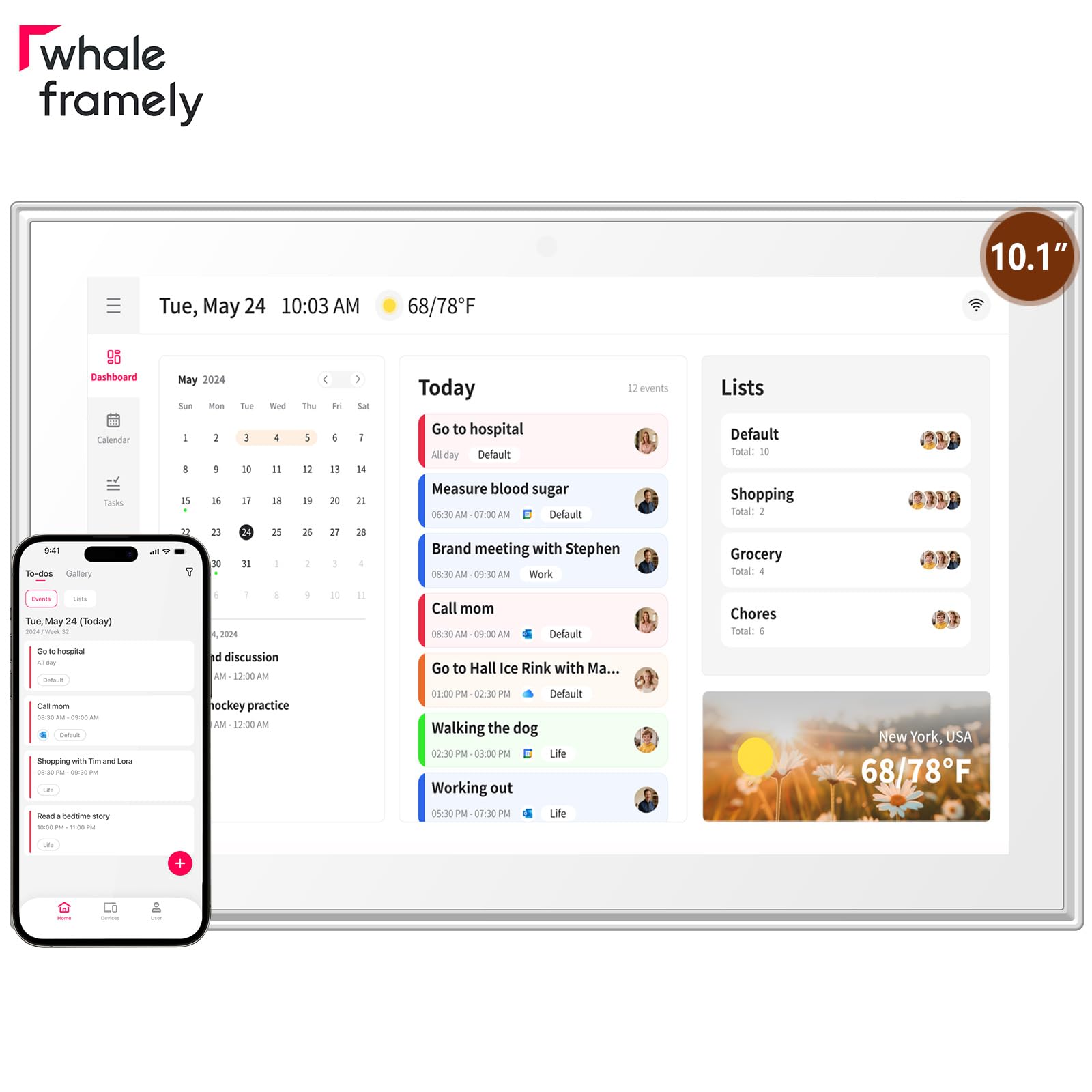
The Whale Framely is purpose-built for smaller spaces where a full 15-inch display would overwhelm the countertop or wall. Its 10.1-inch IPS panel delivers vibrant colors and wide viewing angles, and the auto-rotate feature automatically adjusts orientation based on whether it is wall-mounted or sitting on a desk. The anti-glare coating keeps the screen legible even in bright kitchen lighting.
Calendar sync supports Google, iCloud, Outlook, and Yahoo, with real-time multi-member updates. The senior-friendly interface allows font and layout zoom, making it a thoughtful gift for elderly family members in nursing homes or assisted living. The meal planning feature eliminates daily “what’s for dinner?” debates by letting you organize weekly menus and share them with the whole household.
When idle, the device transforms into a digital photo frame that can display photos and videos shared through the app — a feature that reviewers with distant relatives particularly appreciated. The sleep mode reduces energy consumption during standby. Some users noted that the included lap stand is somewhat unstable on soft surfaces, and the lack of assembly instructions required a bit of guesswork. For compact kitchens, entryways, or desks, this is an elegant solution.
Why it’s great
- Compact footprint fits tight countertops and shelves
- Senior-friendly zoom and large font options
- Auto-rotate for flexible wall or desk placement
Good to know
- Lap stand is unstable on soft or uneven surfaces
- No printed assembly instructions in the box
- Cannot delete photos remotely from the phone app
7. akimart 15.6-inch Wall Planner Digital Calendar
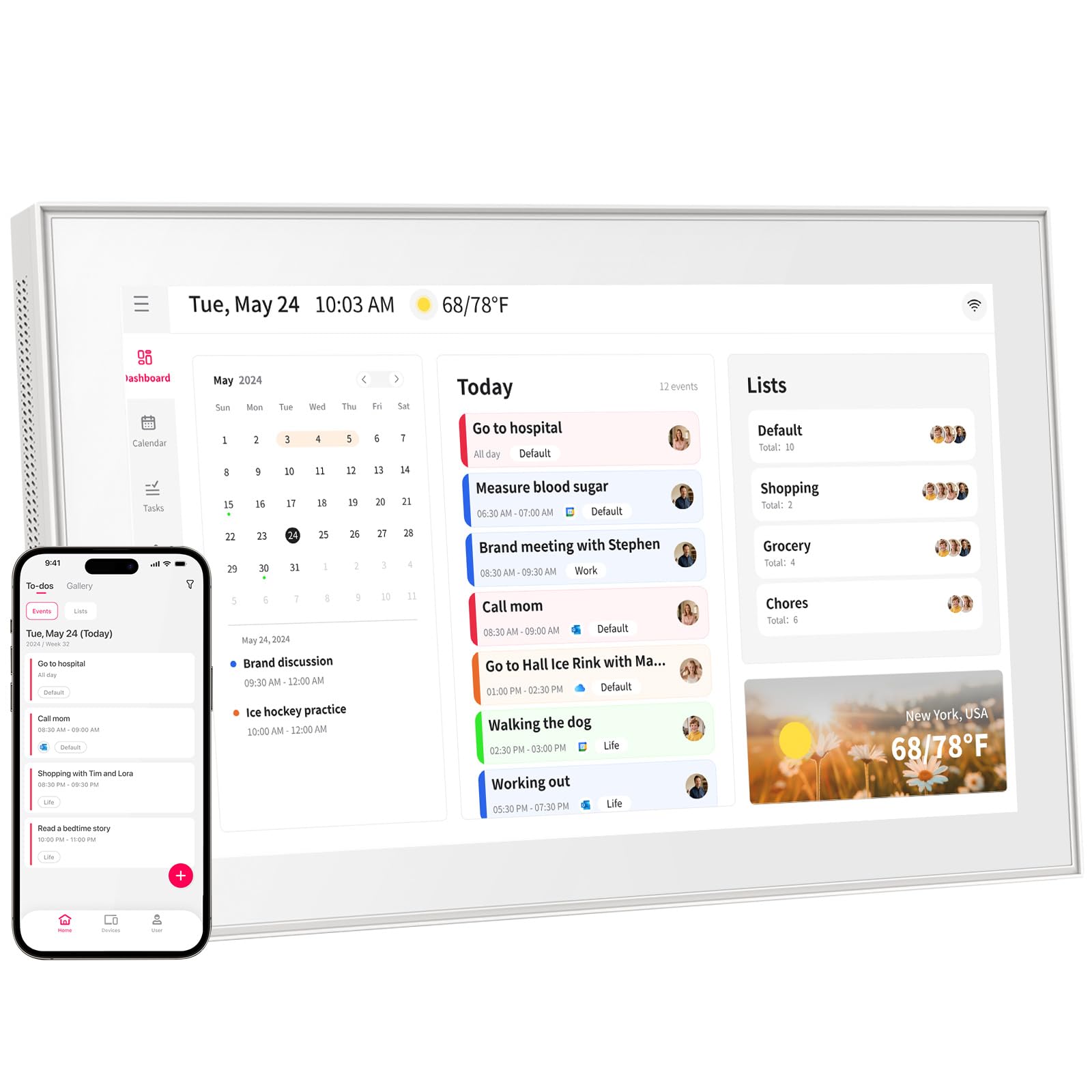
The akimart offers a generous 15.6-inch touchscreen at a price that undercuts most competitors, making it an attractive option for families who prioritize a large display on a tighter budget. Beyond basic calendar functions, it serves as a versatile family assistant — you can access cooking tutorials, control smart home devices, and sync with Google, iCloud, Outlook, Cozi, and Yahoo calendars.
The chore chart and dinner planner keep the household organized, and the photo frame mode shows shared memories when the calendar is idle. The companion app allows family members to send photos and videos from anywhere, with notifications alerting the household to new uploads. This remote sharing capability was praised by reviewers who use it to keep grandparents connected with distant grandchildren.
Setup is generally straightforward, though some users experienced initial connection issues with the app that required multiple attempts. One reviewer noted that a photo appeared sideways (rotation is available), and the video quality is slightly less crisp than still images due to lighting. Customer support was responsive for those who encountered issues, offering quick resolutions. For families who want a large screen, photo sharing, and smart home integration without spending at the premium tier, this is a reliable option.
Why it’s great
- Large 15.6-inch screen at a budget-friendly price point
- Smart home control integration and cooking tutorial access
- Remote photo and video sharing with instant notifications
Good to know
- App connection sometimes requires multiple attempts
- Video quality is not as sharp as still photos
- Setup directions could be clearer
FAQ
Can a digital family calendar replace my phone calendar?
How difficult is it to set up sync with Google or iCloud?
Do these devices work without a monthly subscription?
Final Thoughts: The Verdict
For most users, the best digital family calendar winner is the Apolosign 15.6 because its dual Android and Calendar mode gives you unmatched flexibility without subscription fees, plus smart home integration through Google Gemini. If you want a fully customizable dashboard with widget-driven layouts, grab the Airzeen 15.6. And for budget-conscious families that still want a premium-size display, nothing beats the Dragon Touch 15.6 for its feature-rich experience at a mid-range price point.

Mo Maruf
I created WellFizz to bridge the gap between vague wellness advice and actionable solutions. My mission is simple: to decode the research and give you practical tools you can actually use.
Beyond the data, I am a passionate traveler. I believe that stepping away from the screen to explore new environments is essential for mental clarity and physical vitality.